
A client-sided mod that calculates the enchantments when trading with villagers.
No ratings yet
Be the first to rate it.
Community listing page
Community listing page, reviews may not be monitored by the author.

Community voices
Reviews
No reviews yet. Be the first to review this project!
Get it on
Available Platforms
Compatibility
Supported Environments
Runs entirely on the client. Works on vanilla servers.
About
Project Details
For authors
Embed Badge
If you're the author of this project, you can embed a live badge anywhere that supports HTML or Markdown. It updates automatically whenever ratings change.
Use HTML for any page that supports it, or Markdown for README files and Markdown-based descriptions.
Identifiers
Platform IDs
About
Description
Villager Trading Predictor
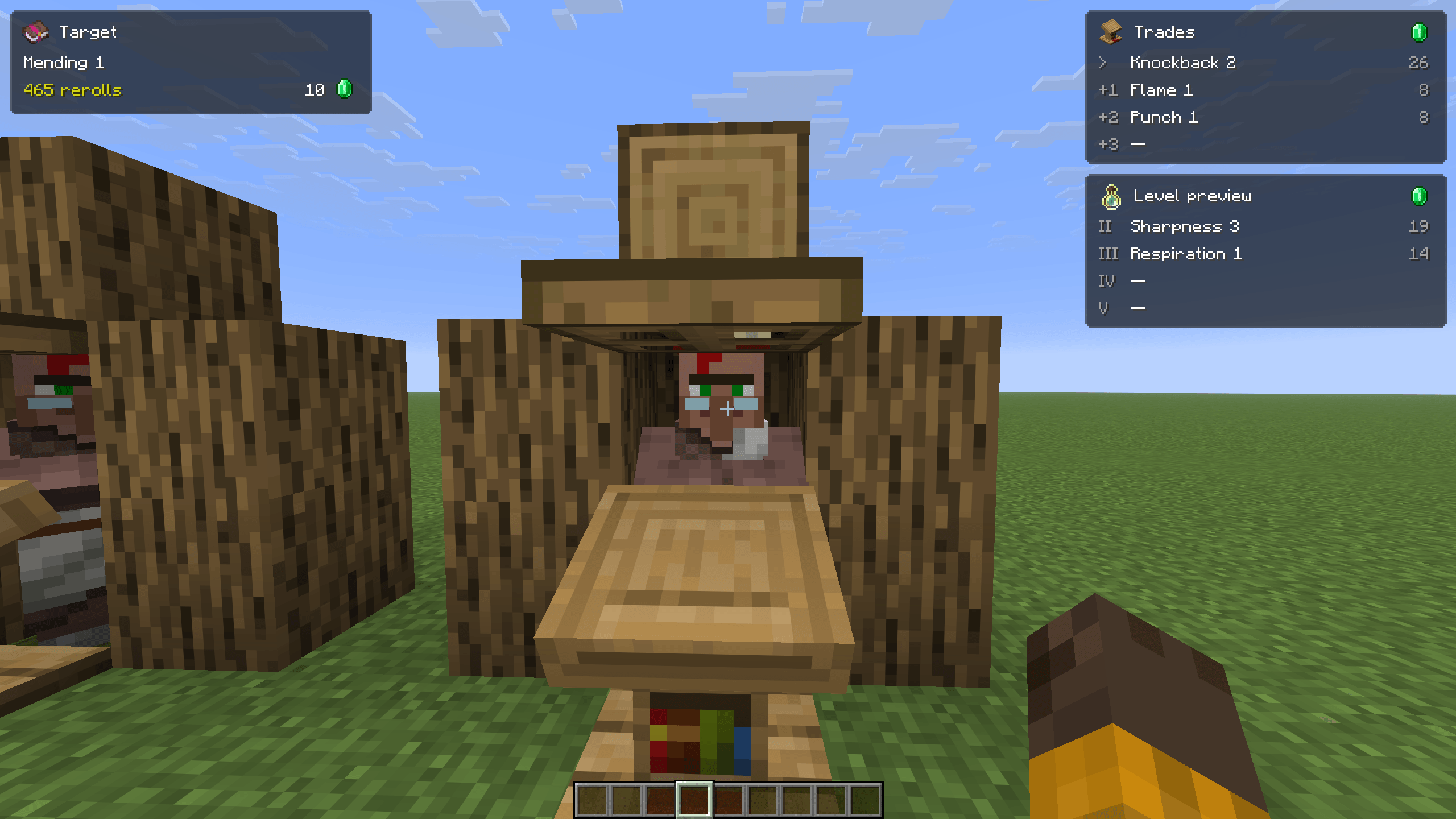
Looking for Mending or Efficiency V? VTP shows upcoming librarian trades and helps you find the enchantments you want before spending another twenty minutes breaking lecterns.
VTP is a client-side Fabric mod. No server installation is required.
Features
- Upcoming trades: See the current offer and upcoming rerolls in a compact HUD.
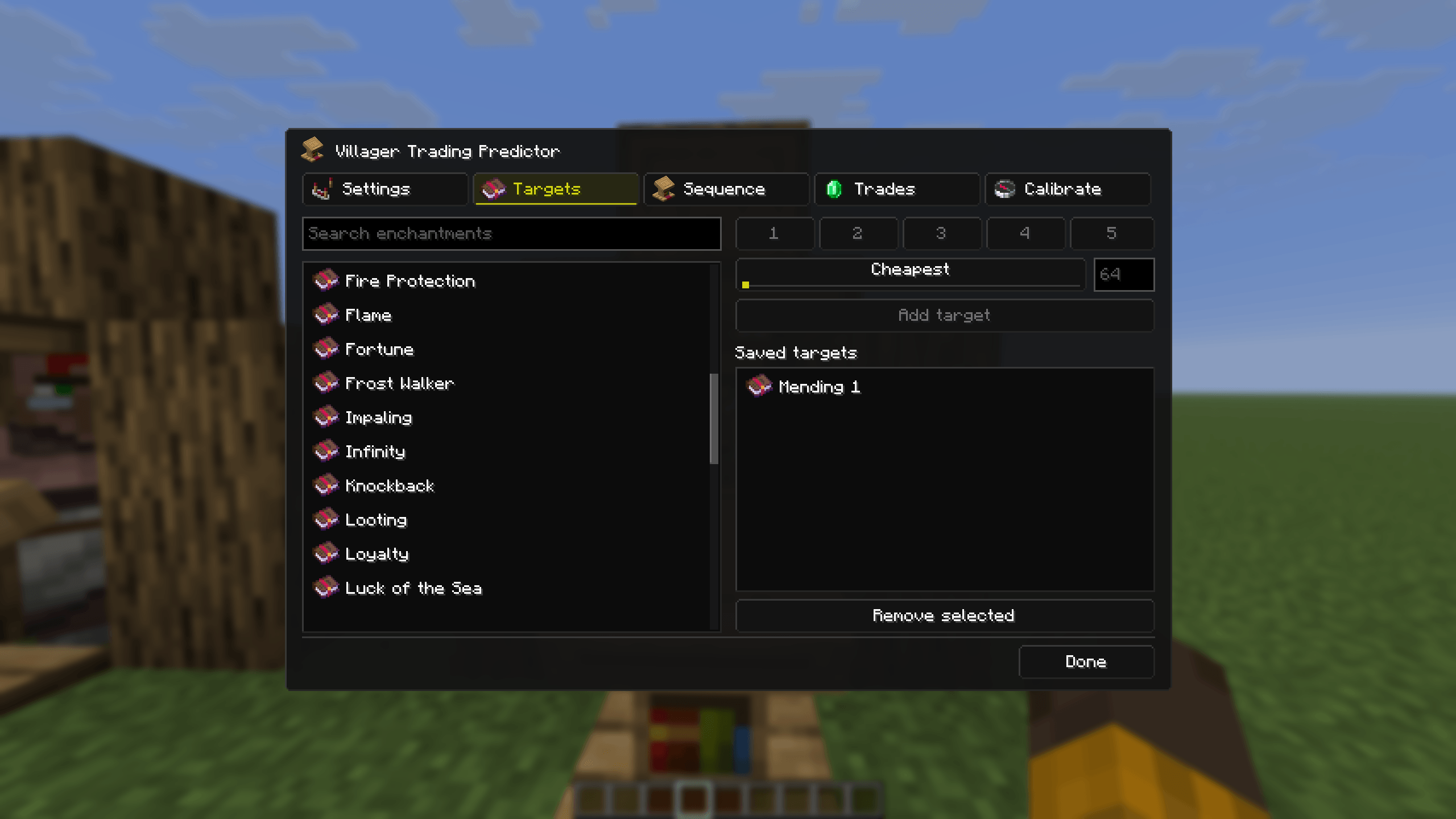
- Enchantment targets: Choose an enchantment, level, and maximum price to find matching trades.
- Cheapest price targeting: Automatically target the lowest possible base price for your selection—for example, Mending I for 10 emeralds.
- Level predictions: Preview enchanted-book offers for future profession levels.
- Clear locked trades: View each existing book on its own row, alongside predictions for remaining levels.
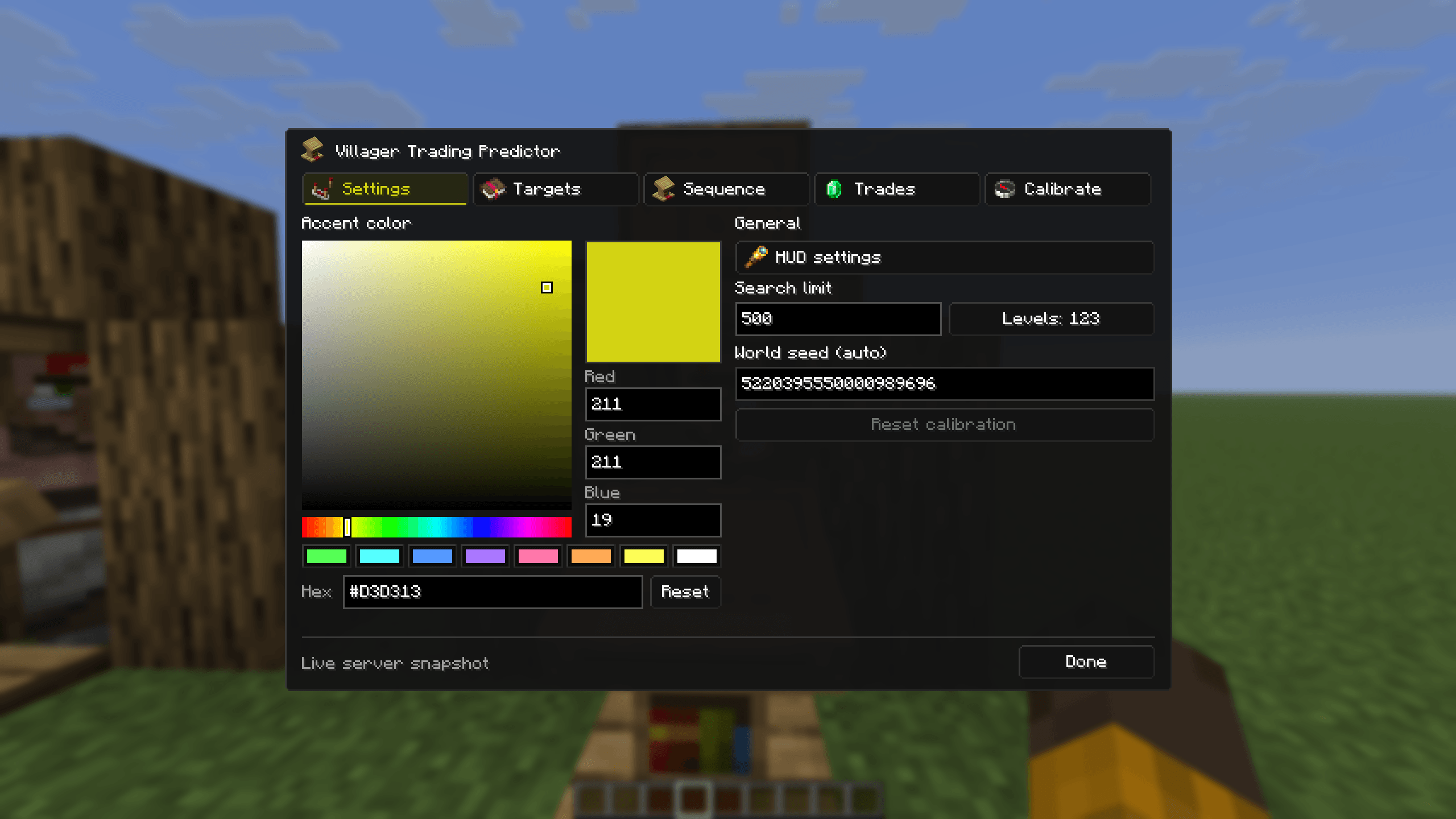
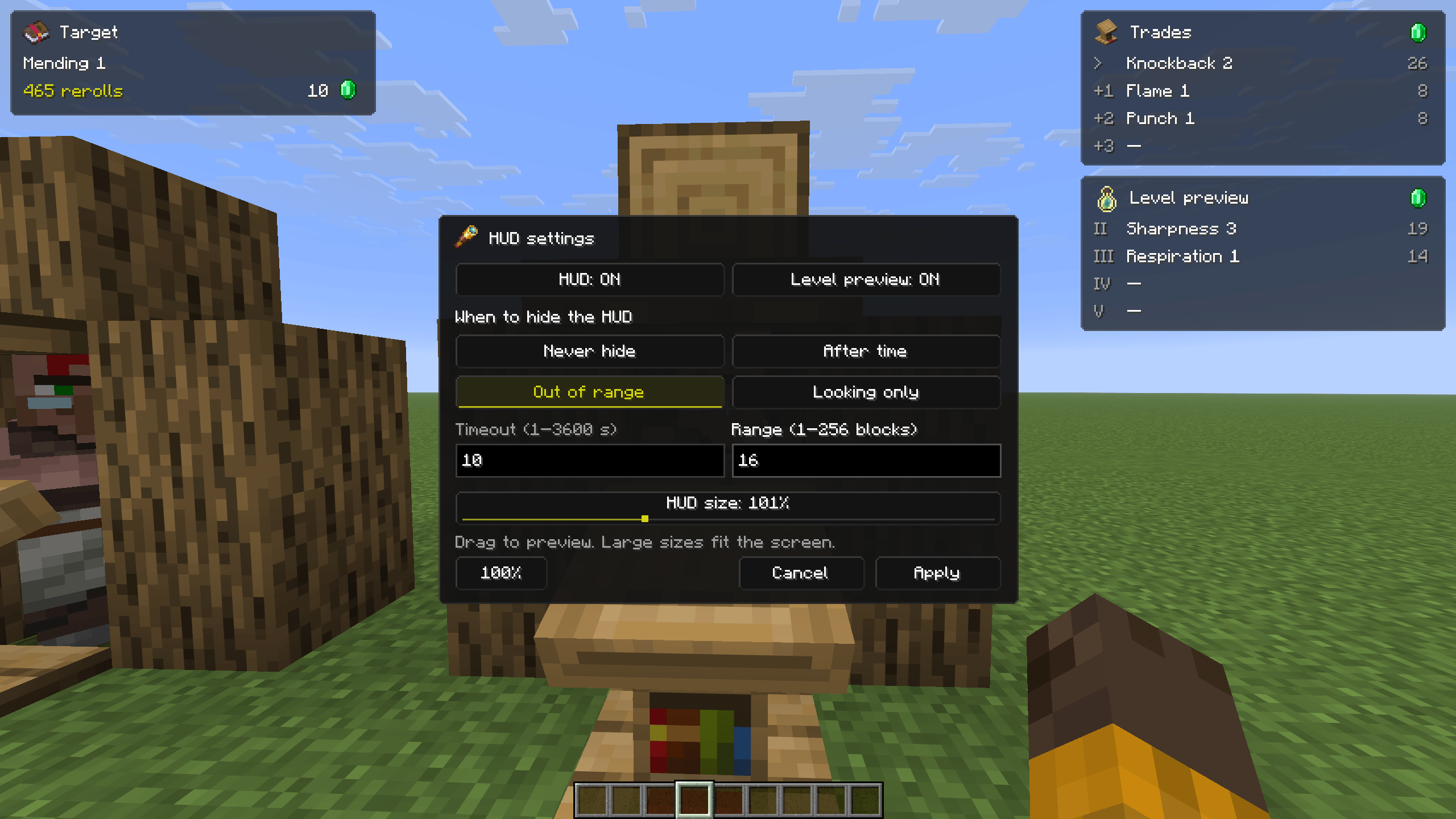
- Customizable interface: A Jade-inspired HUD with Minecraft item icons, adjustable size, live previews, and an RGB/Hex accent-color picker. Jade is not required.
- HUD visibility rules: Keep the HUD visible, hide it after a delay, hide it outside a chosen range, or show it only while looking at a villager. Visibility changes fade smoothly.
Getting Started
Singleplayer: Look at a librarian and open its trades. VTP reads the current trade-sequence state automatically; no seed entry or calibration is needed.
Multiplayer: Enter the world seed using /vtp seed <seed>, then open the librarian’s trades. Calibration may be needed to align predictions.
Open /vtp to manage targets, inspect predictions, and customize the interface.
Commands
| Command | Description |
|---|---|
/vtp |
Opens the GUI |
/vtp seed <seed> |
Sets and saves the multiplayer seed |
/vtp target <enchantment> <level> |
Adds an enchantment target |
/vtp maxrerolls <number> |
Sets the search limit, up to 10,000 rerolls |
/vtp toggle |
Toggles the HUD |
/vtp calibrate <observations> |
Matches a sequence of observed rerolls |
/vtp calibrate none |
Records a calibration observation without a book |
/vtp confirm <round> |
Confirms a reported calibration candidate |
/vtp calibrate reset |
Clears multiplayer alignment |
/vtp status |
Shows tracking and alignment information |
Multiplayer Calibration
If predictions drift, use the Calibrate tab or record consecutive rerolls from the same villager and profession level.
For example:
/vtp calibrate efficiency 3; none; mending 1Replace the example with your actual observations. Use none for a round without an enchanted book. Each entry represents a separate reroll—not separate books from one trade screen.
If several matches remain, add more observations to narrow them down. Use /vtp confirm <round> to confirm a reported candidate.
Things to Know
- Trade sequences are shared between villagers. Another villager generating trades can change future predictions while existing offers remain unchanged.
- Multiplayer requires the world seed. Activity from other players or unloaded villagers can cause drift and require recalibration.
- Predicted prices and target limits use base prices, before discounts and other player-specific adjustments.
- VTP supports standard vanilla librarian trades. Trade Rebalance and custom trading systems are not supported; server-only changes cannot always be detected.
Villager Trading Predictor
Looking for Mending or Efficiency V? VTP shows upcoming librarian trades and helps you find the enchantments you want before spending another twenty minutes breaking lecterns.
VTP is a client-side Fabric mod. No server installation is required.
Features
- Upcoming trades: See the current offer and upcoming rerolls in a compact HUD.
- Enchantment targets: Choose an enchantment, level, and maximum price to find matching trades.
- Cheapest price targeting: Automatically target the lowest possible base price for your selection—for example, Mending I for 10 emeralds.
- Level predictions: Preview enchanted-book offers for future profession levels.
- Clear locked trades: View each existing book on its own row, alongside predictions for remaining levels.
- Customizable interface: A Jade-inspired HUD with Minecraft item icons, adjustable size, live previews, and an RGB/Hex accent-color picker. Jade is not required.
- HUD visibility rules: Keep the HUD visible, hide it after a delay, hide it outside a chosen range, or show it only while looking at a villager. Visibility changes fade smoothly.
Getting Started
Singleplayer: Look at a librarian and open its trades. VTP reads the current trade-sequence state automatically; no seed entry or calibration is needed.
Multiplayer: Enter the world seed using /vtp seed <seed>, then open the librarian’s trades. Calibration may be needed to align predictions.
Open /vtp to manage targets, inspect predictions, and customize the interface.
Commands
| Command | Description |
|---|---|
/vtp |
Opens the GUI |
/vtp seed <seed> |
Sets and saves the multiplayer seed |
/vtp target <enchantment> <level> |
Adds an enchantment target |
/vtp maxrerolls <number> |
Sets the search limit, up to 10,000 rerolls |
/vtp toggle |
Toggles the HUD |
/vtp calibrate <observations> |
Matches a sequence of observed rerolls |
/vtp calibrate none |
Records a calibration observation without a book |
/vtp confirm <round> |
Confirms a reported calibration candidate |
/vtp calibrate reset |
Clears multiplayer alignment |
/vtp status |
Shows tracking and alignment information |
Multiplayer Calibration
If predictions drift, use the Calibrate tab or record consecutive rerolls from the same villager and profession level.
For example:
/vtp calibrate efficiency 3; none; mending 1
Replace the example with your actual observations. Use none for a round without an enchanted book. Each entry represents a separate reroll—not separate books from one trade screen.
If several matches remain, add more observations to narrow them down. Use /vtp confirm <round> to confirm a reported candidate.
Things to Know
- Trade sequences are shared between villagers. Another villager generating trades can change future predictions while existing offers remain unchanged.
- Multiplayer requires the world seed. Activity from other players or unloaded villagers can cause drift and require recalibration.
- Predicted prices and target limits use base prices, before discounts and other player-specific adjustments.
- VTP supports standard vanilla librarian trades. Trade Rebalance and custom trading systems are not supported; server-only changes cannot always be detected.
Screenshots
Gallery
-
 2026-09-06_13.15.37.png 2026-09-06_13.15.37.png
-
 2026-09-06_13.15.53.png 2026-09-06_13.15.53.png
-
 2026-09-06_13.15.54.png 2026-09-06_13.15.54.png
-
 2026-09-06_13.16.15.png 2026-09-06_13.16.15.png
-
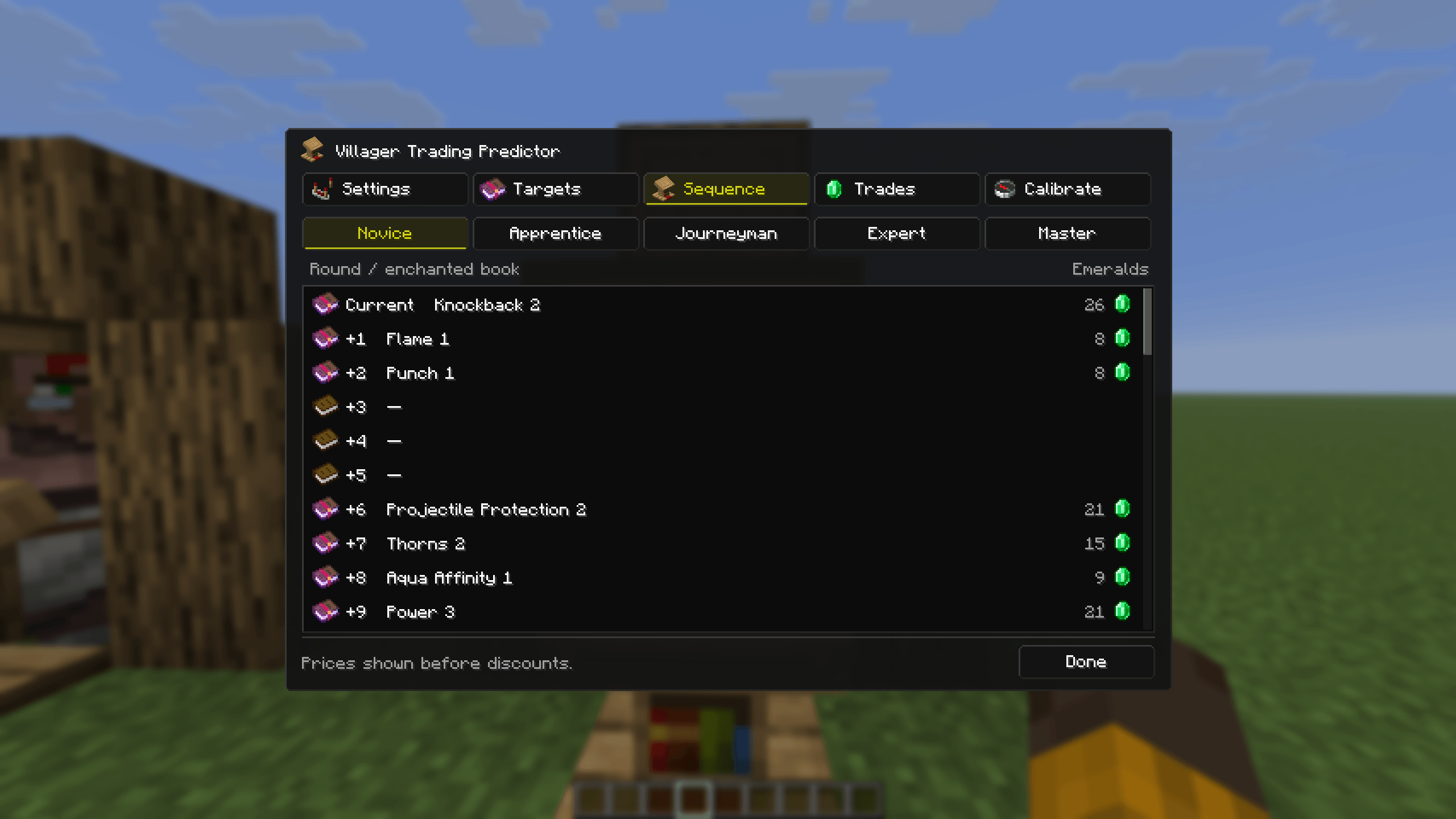 2026-09-06_13.16.26.png 2026-09-06_13.16.26.png
-
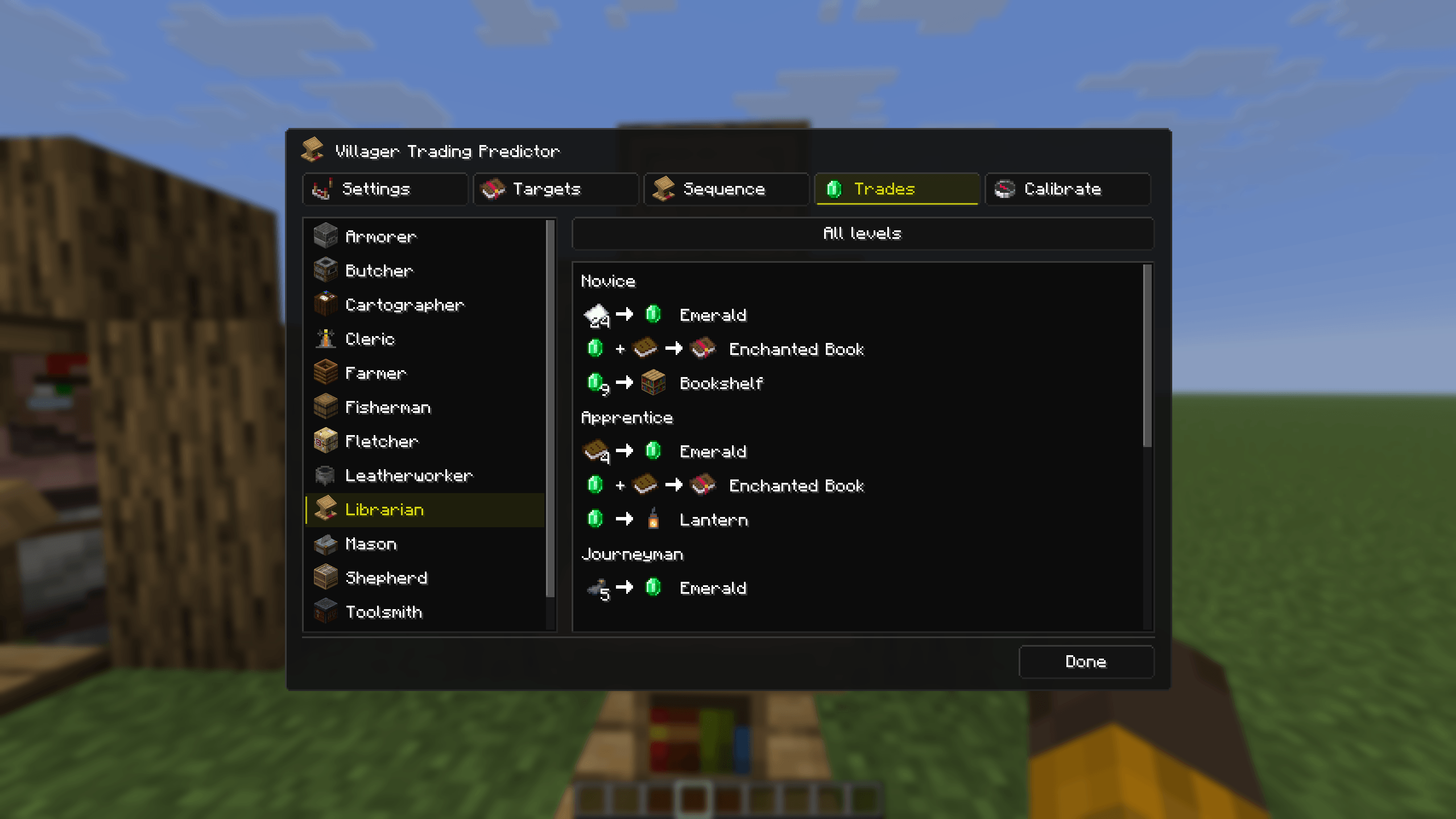 2026-09-06_13.16.36.png 2026-09-06_13.16.36.png
-
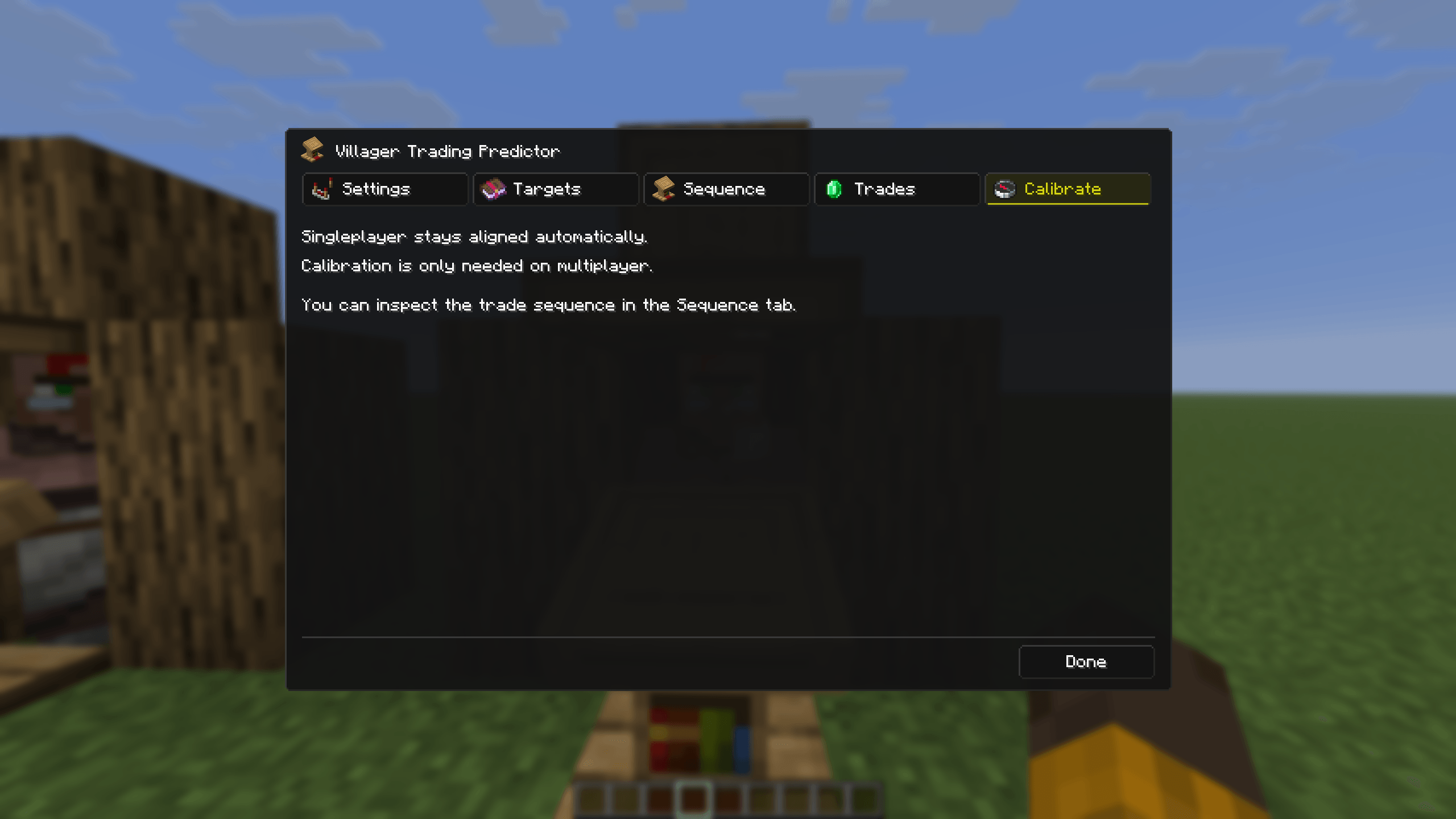 2026-09-06_13.16.47.png 2026-09-06_13.16.47.png
-
 Sequence
-
 Trade List
-
 Calibration
-
 HUD
-
 Settings
-
 HUD Settings
-
 Targets
Versions
Files
Relations
Project Relations
More like this
Similar Mods
Suggestions use data such as tags, dependencies, dependents, descriptions, titles, and more to rank how much they overlap with this mod.
Stats
- Downloads
-
4k
 <1,000
 3k
- Used in
- 0 modpacks
- Followers
- 0
- In stacks
- 0
- Created
-
- Last synced
-
Nov 16, 2026 3:40 PM UTC
New file updates sync automatically.
When ModDex last fully re-synced this project from CurseForge or Modrinth. A new file release triggers a resync usually within minutes, and every project is also re-synced on a schedule. Edits that don't ship a file, such as a new description or screenshots, are checked every few hours and can appear before this date changes.
How syncing works
External Links

Stats
- Downloads
-
4k
<1,000
3k
- Used in
- 0 modpacks
- Followers
- 0
- In stacks
- 0
- Created
-
- Last synced
-
Nov 16, 2026 3:40 PM UTC
New file updates sync automatically.
When ModDex last fully re-synced this project from CurseForge or Modrinth. A new file release triggers a resync usually within minutes, and every project is also re-synced on a schedule. Edits that don't ship a file, such as a new description or screenshots, are checked every few hours and can appear before this date changes.
How syncing works