
Community listing page, reviews here may not be monitored by the author.
Viper Private Chests

No reviews yet
A server-side container protection mod for Fabric that locks blocks via standard [private] or [public] wall signs, utilizing packet-level correction to block griefing while offering team lists, decay systems, and intruder redstone traps.
Community voices
Reviews
No reviews yet. Be the first to review this project!
Get it on
Available Platforms
Compatibility
Supported Environments
Runs entirely on the server. Also works in singleplayer.
About
Project Details
For authors
Embed Badge
If you're the author of this project, you can embed a live badge anywhere that supports HTML or Markdown. It updates automatically whenever ratings change.
Use HTML for any page that supports it, or Markdown for README files and Markdown-based descriptions.
Identifiers
Platform IDs
Resources
External Links
About
Description
Viper Private Chests
Server-side container protection for Minecraft Fabric protects chests, barrels, shulkers, and more using vanilla signs. Zero client-side mods required. Works with Geyser/Floodgate Bedrock players.
Features
- Sign-Based Locking Place a
[private]or[public]sign on any container to instantly secure it - Multi-Player Access Add player names, comma-separated lists, or
team:TeamNameon sign lines - Global Trust System
/pchests trust add <player>evaluated via[trusted]sign marker - Public Sub-Modes
[deposit](drop-only) and[display](read-only) variants - Hopper Safety Prevents unauthorized hoppers from extracting/injecting items
- Explosion Protection Locked containers are immune to TNT, creepers, and withers
- Auto-Lock Mode
/pchests autolockauto-places lock signs on container placement - Redstone Automation
[redstone]and[hopper]sign modifiers for technical players - Intruder Alarm Failed access attempts emit a 1-tick redstone pulse
- Admin GUI
/private_chests listopens an interactive virtual chest GUI - Inspection Tool Right-click with a feather (configurable) to view lock info + audit history
- Claim Decay Automatically unlocks containers after owner inactivity (configurable)
Enhance your server setup! Check out my other server-side mods over at : Fabric Server Essentials
Commands
Player Commands (/pchests)
| Command | Description |
|---|---|
/pchests trust add <player> |
Add a player to your global trusted list |
/pchests trust remove <player> |
Remove a player from your trusted list |
/pchests trust list |
View your trusted friends |
/pchests autolock |
Toggle auto-lock mode |
Admin Commands (/private_chests) [OP Level 3+]
| Command | Description |
|---|---|
/private_chests list [private/public] |
Open interactive admin GUI showing all protected containers |
/private_chests list_in_area <radius> [private/public] |
List locks within a radius |
/private_chests info <x> <y> <z> |
View lock details + 25-entry audit log |
/private_chests unlock <x> <y> <z> |
Force-remove a lock |
/private_chests cleanup |
Purge stale/orphaned lock records |
How To Use
Locking a Container
- Place a container (chest, barrel, shulker box, etc.)
- Place a wall sign on the container
- Write
[private]on line 1 - (Optional) Lines 24: player names,
team:TeamName, or[trusted] - Done! The container is now locked to you.
Sign Modifiers
| Line Content | Effect |
|---|---|
[private] |
Standard private lock (only you + whitelisted players) |
[public] |
Open to everyone |
[deposit] |
Public drop-box (insert only) |
[display] |
Public read-only showcase |
[trusted] |
Check global /pchests trust list for access |
[redstone] |
Allow comparators to read inventory |
[hopper] |
Allow hopper interaction |
team:<name> |
Allow all members of a scoreboard team |
Configuration
File: config/private-chests.json
{
  "floodgatePrefix": ".",
  "adminPermissionLevel": 3,
  "maxLocksPerPlayer": 0,
  "listMaxEntries": 50,
  "listPreviewEntries": 20,
  "disableProtectionIfOwnerBanned": true,
  "enableClaimDecay": true,
  "daysBeforeClaimDecay": 30,
  "inspectionItem": "minecraft:feather",
  "enableSoundFeedback": true,
  "enableActionBarAlerts": true,
  "maxHistoryLogEntries": 25,
  "allowIntruderRedstonePulse": true
}
Installation
- Install Fabric Loader 0.19.3+ and Fabric API
- Download the jar for your Minecraft version
- Place in your
mods/folder - Restart the server
Compatible with Geyser/Floodgate Bedrock players are fully supported without any client-side mods.
Supported Versions
| Minecraft | Branch | Java |
|---|---|---|
| 1.21-1.21.11 | viper-private-chests-1.21.x |
21+ |
| 26.1-26.1.2 | viper-private-chests-26.1.x |
25+ |
| 26.2 | viper-private-chests-26.2.x |
25+ |
Screenshots
Gallery
-
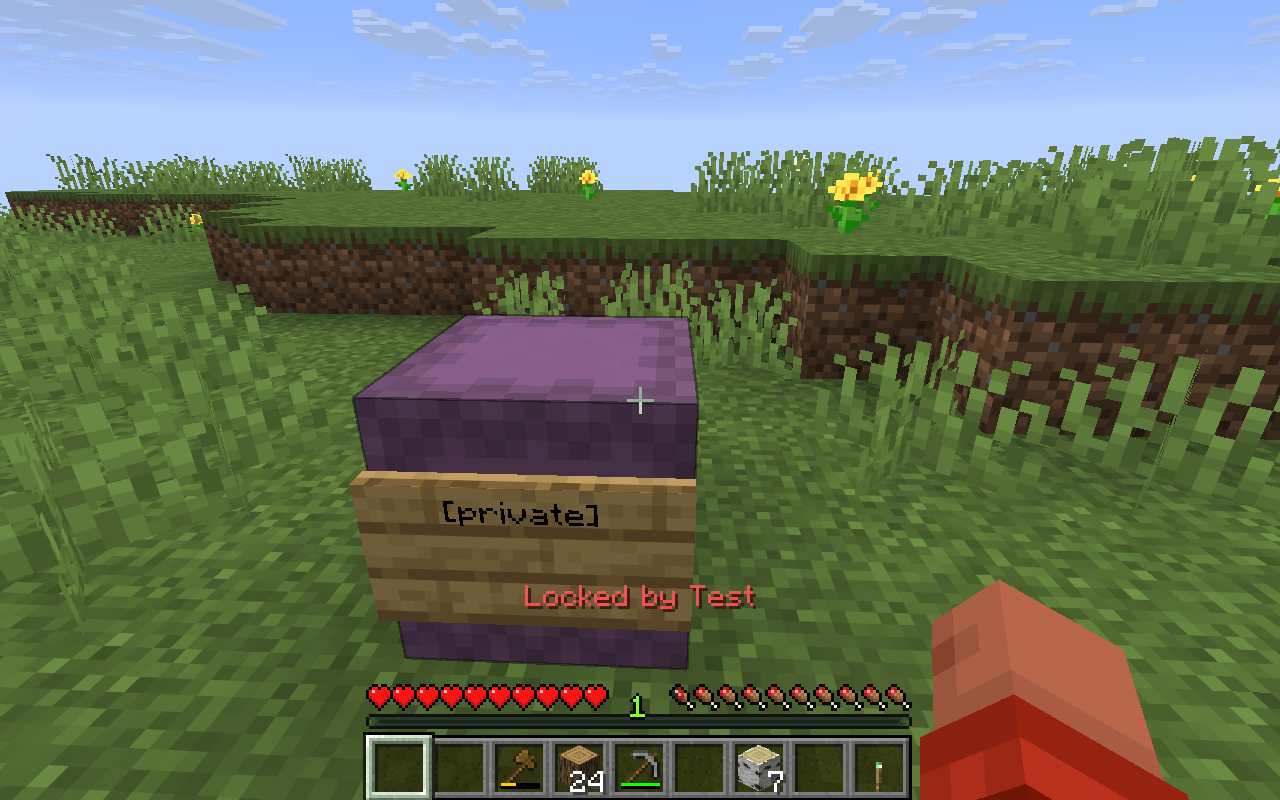 Example Shulcker Lock
 -
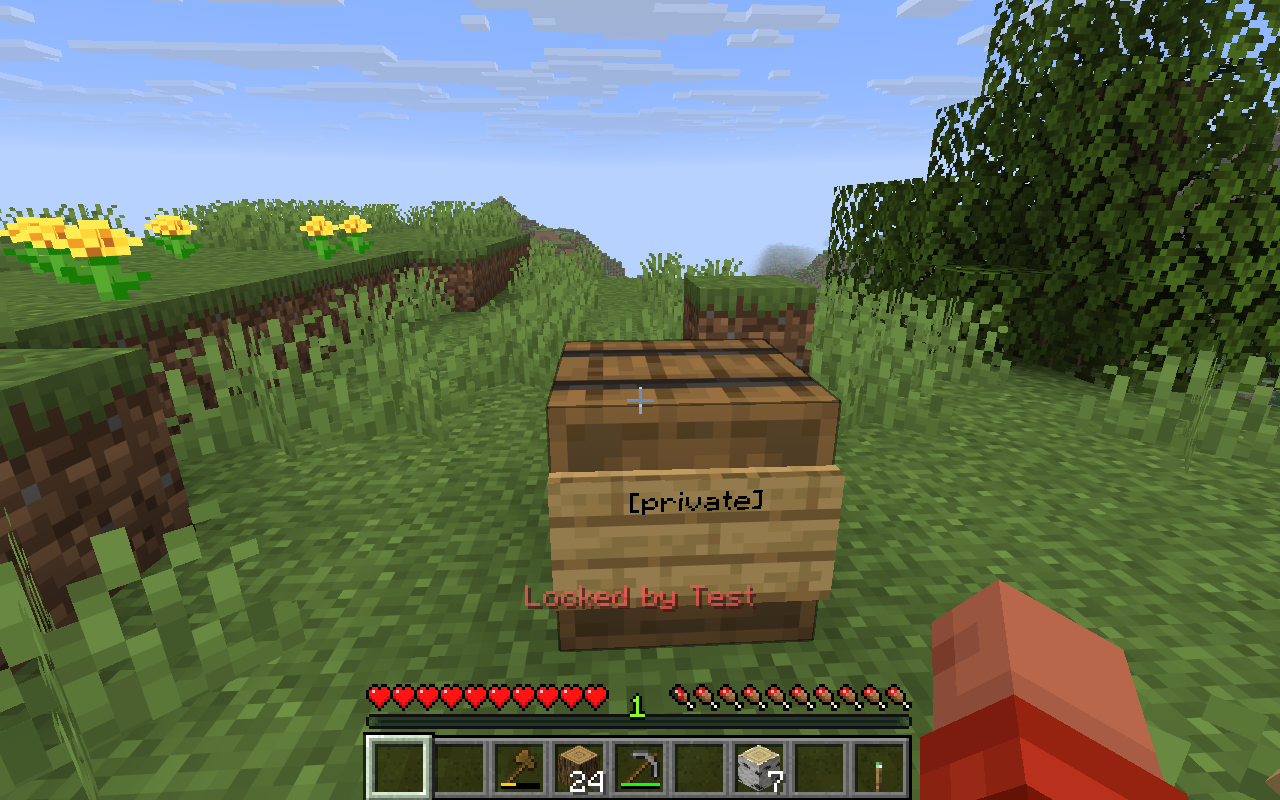 Example Barrel Lock
 -
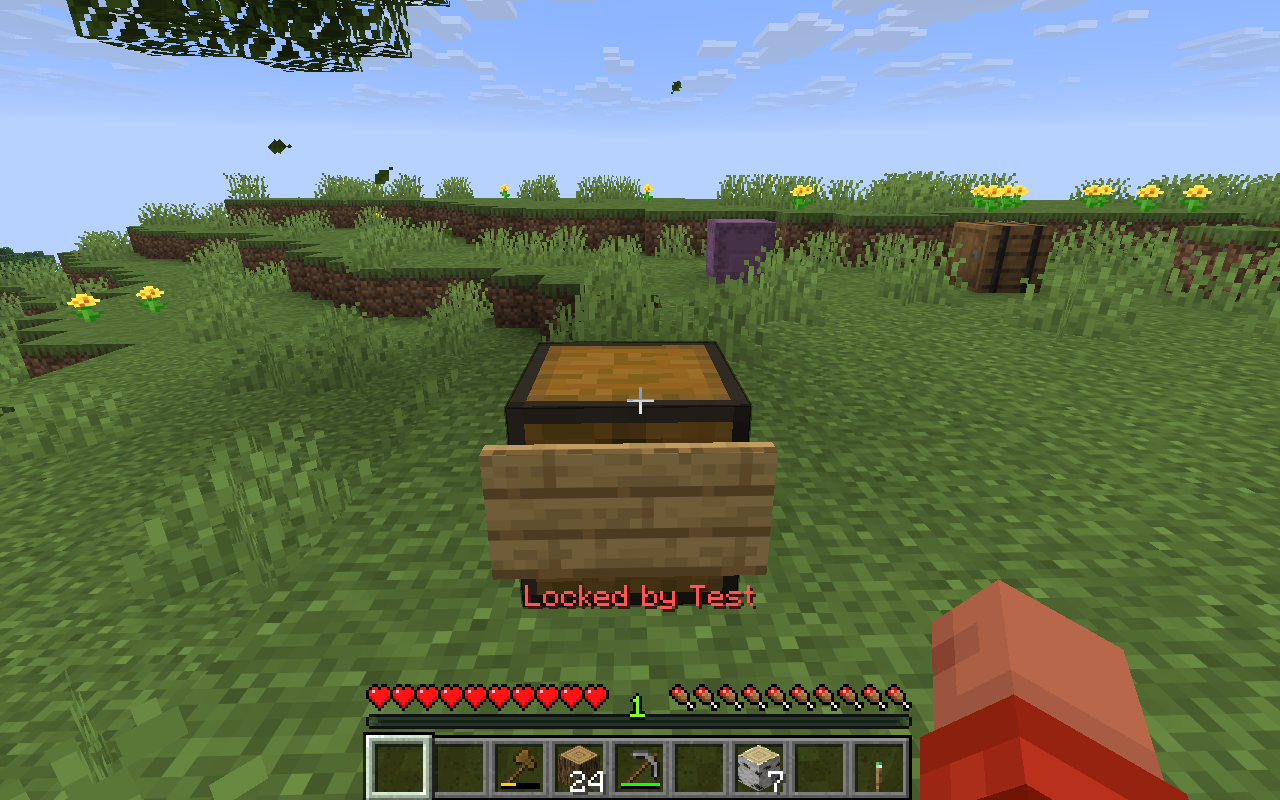 Example Chest Lock
Versions
Files
Relations
Project Relations
More like this
Similar Mods
Suggestions use data such as tags, dependencies, dependents, descriptions, titles, and more to rank how much they overlap with this mod.
On ModDex
Community snapshot
By the numbers
Statistics

Want to reach Minecraft players?
We're looking for a server hosting partner to feature here and other parts of the site. Interested? Send us a message!
Get in touchGet it on
Available Platforms
On ModDex
Community snapshot
By the numbers
Statistics
Resources