
Community listing page, reviews may not be monitored by the author.
Simple Voice Chat: Voice Physics

No reviews yet
Realistic proximity voice chat for Simple Voice Chat: voices fade with distance, are muffled by walls (occlusion), come through doors and echo in caves. HUD, presets and sound zones; server-side walls work even for players without the mod.

Community voices
Reviews
No reviews yet. Be the first to review this project!
Get it on
Available Platforms
About
Project Details
For authors
Embed Badge
If you're the author of this project, you can embed a live badge anywhere that supports HTML or Markdown. It updates automatically whenever ratings change.
Use HTML for any page that supports it, or Markdown for README files and Markdown-based descriptions.
Identifiers
Platform IDs
About
Description
An addon for Simple Voice Chat that makes proximity voice chat sound real:
voices fade with distance, get muffled behind walls, come round corners through doorways and echo in caves.

Client and server each work on their own. Paper, Purpur, Folia or Spigot server? Use the Voice Physics plugin instead.

✦ Distance — choose how voices fade: like Simple Voice Chat, realistic or steep, with no sudden cut-off at the edge. Presets Vanilla, Realistic, Clear and Stealth adapt to the server's voice range; a live graph shows the players you hear and a Listen button lets you try the fade.
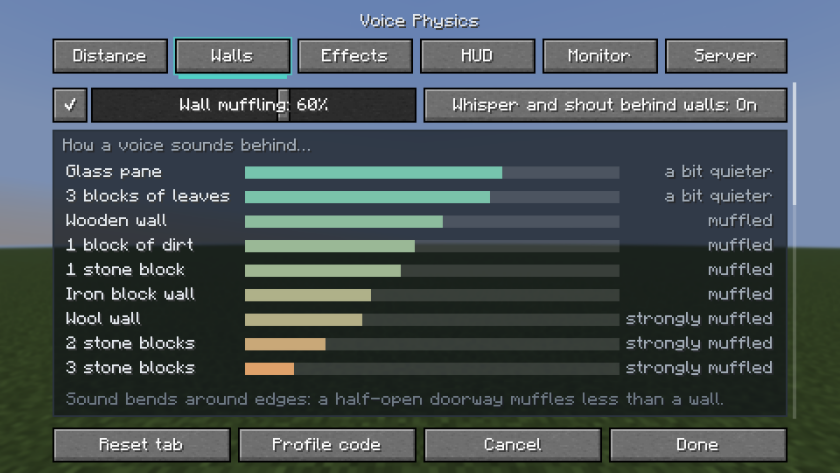
✦ Walls — voices behind walls are quieter and duller. Wool and metal block more, glass and leaves less, open doors let sound through. A whisper is lost behind a wall; a shout still carries.
✦ Round corners — a voice from the next room comes through the doorway, duller the sharper the turn.
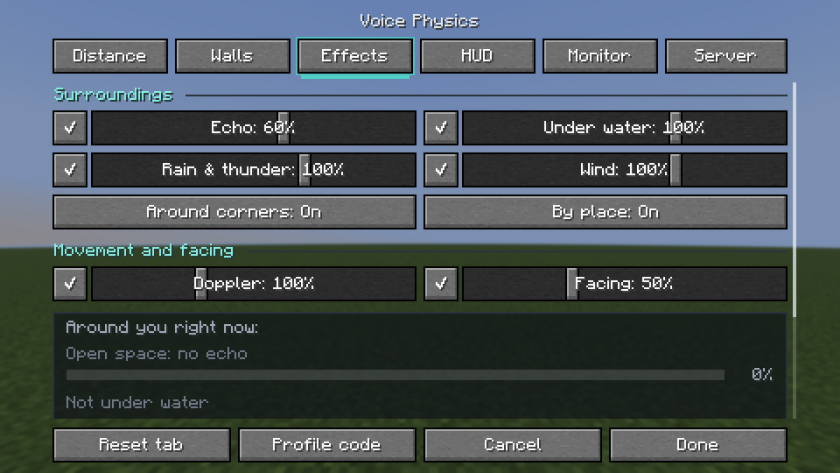
✦ Echo — short in a stone room, long in a cave, soft in a wooden house, none in a field. Near cliffs the voice comes back a moment later; caves, the Nether and the End each sound their own way.
✦ Water, rain and wind — voices are dull under water, rain and thunder cover far voices, and high up or in fast elytra flight the wind blows far voices away.
✦ Movement and facing (off by default) — a voice coming towards you sounds higher, one moving away lower; behind the speaker's back a voice is quieter, as with real speech.
✦ HUD — who is talking, how far, from where and whether behind a wall; while you talk, how many players hear you.
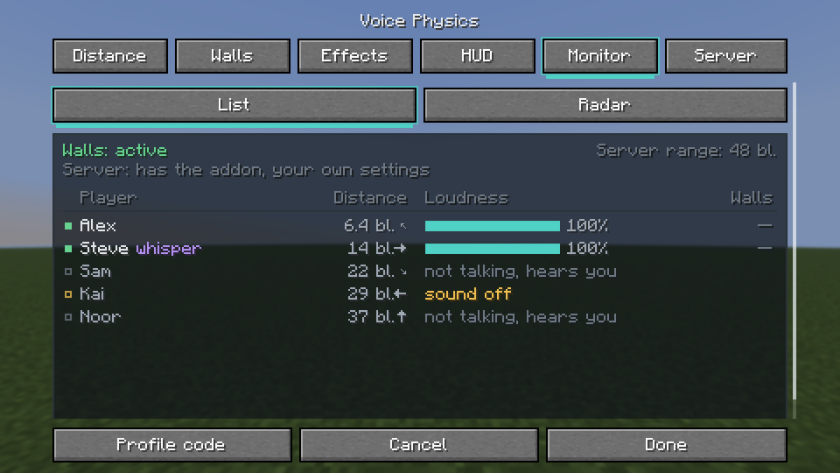
✦ Monitor and radar — everyone in voice range. Colors for color blindness, a bigger HUD, high contrast and subtitle-style arrows.
✦ Also — share your settings as one code, send a bug report with /voicephysics report. Seven languages.

Players without the addon hear voices muffled through walls too.
✦ Sound zones — a stage heard twice as far, a quiet library, a soundproof room, a cathedral with echo. Everyone sees the zone's name on entering. WorldGuard regions and Open Parties and Claims work too.
✦ Game rules — sneaking is quieter, the dead are silent, spectators talk only to each other, a goat horn works as a megaphone.
✦ Fair play — offer or enforce the server's settings for PvP and events, turn off the monitor and radar so nobody sees through walls.
✦ Require the addon — send a download link, remind on every join, or kick.
✦ Realism without the addon (off by default) — water, rain, echo, wind, facing, Doppler and the distance curve for players who only have voice chat.
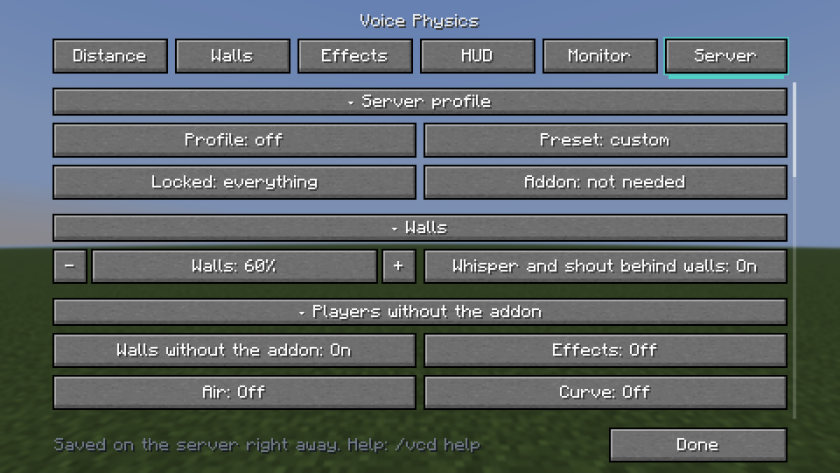
✦ Admin tools — an in-game Server tab, clickable /vcd commands with undo, a log of who changed what, /vcd mute.
✦ Paper extras (off by default) — /voice for every player, PlaceholderAPI, a radio, loudspeakers, an eavesdrop item, a sculk reaction to shouts, Towny, Lands, WorldGuard and LuckPerms.

| You play on | Minecraft | File |
|---|---|---|
| Fabric, Quilt | 1.16.5 – 26.3 | voice-physics-fabric-… + Fabric API |
| Forge | 1.16.5 – 26.3 | voice-physics-forge-neoforge-… |
| NeoForge | 1.20.1 – 26.3 | voice-physics-forge-neoforge-… (the same file) |
| Paper, Purpur, Folia, Spigot | 1.16.5 – 26.3 | the plugin, a separate project |
Before 1.20 the mod is made for 1.16.5, 1.17.1, 1.18.2, 1.19.2 and 1.19.4. Forge itself has no 1.20.5 and 1.21.2.
All settings and commands · Changelog · Questions and problems · Report a bug
Screenshots
Gallery
-
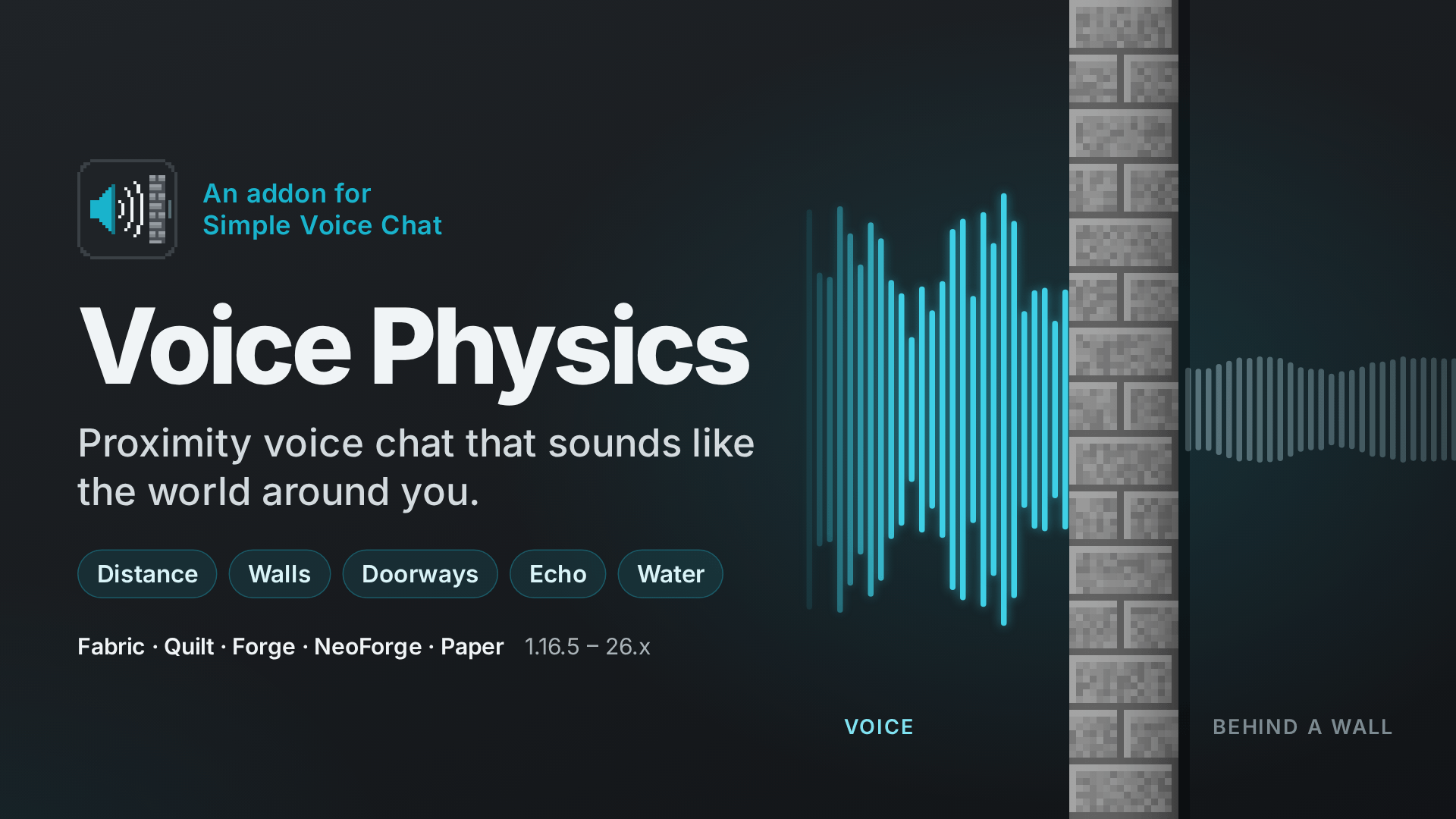 Voice Physics Voices are loud and clear in the open, quiet and dull behind a wall.
 -
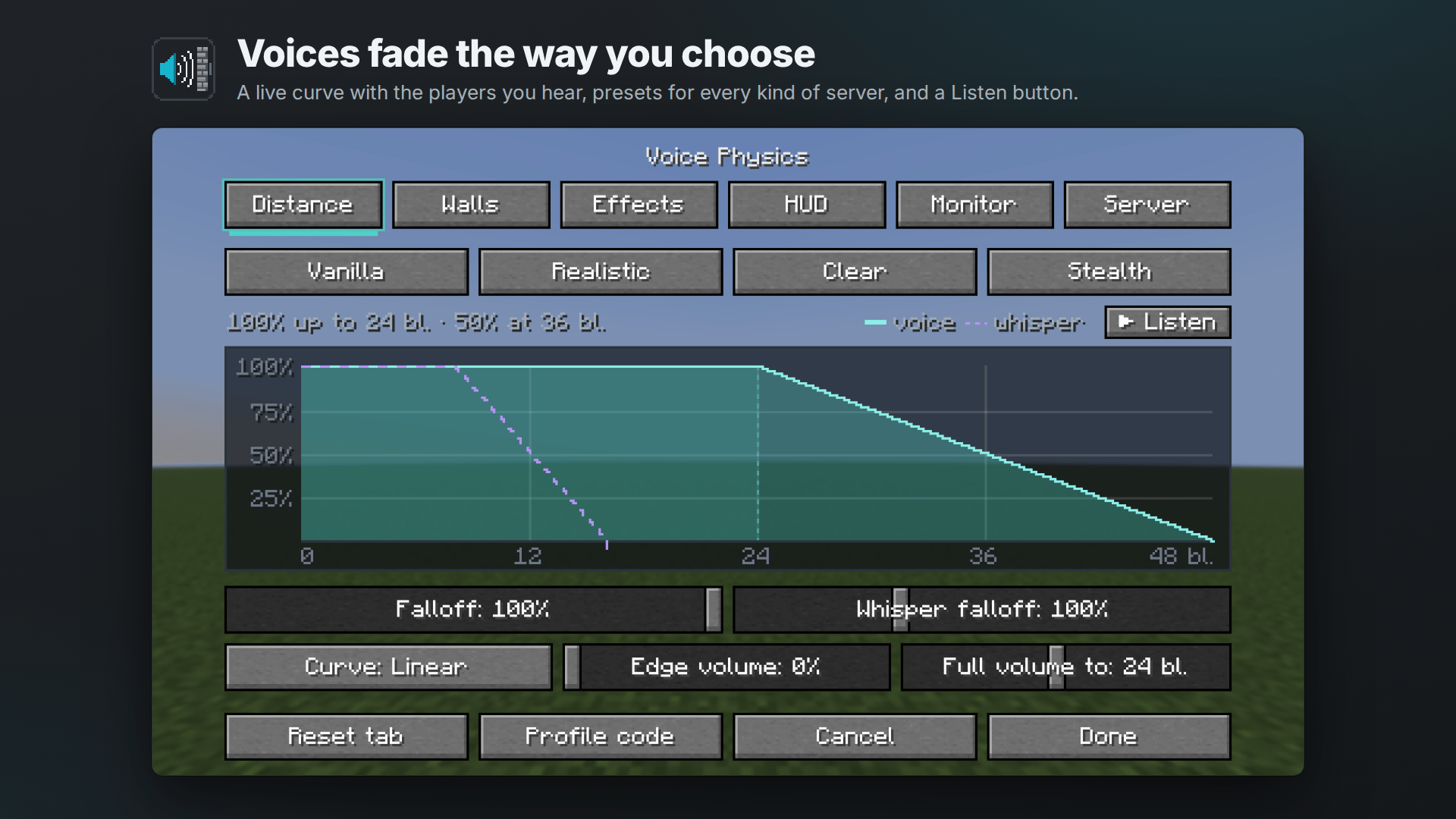 The Distance tab The fade curve with the players you hear, presets and a Listen button.
 -
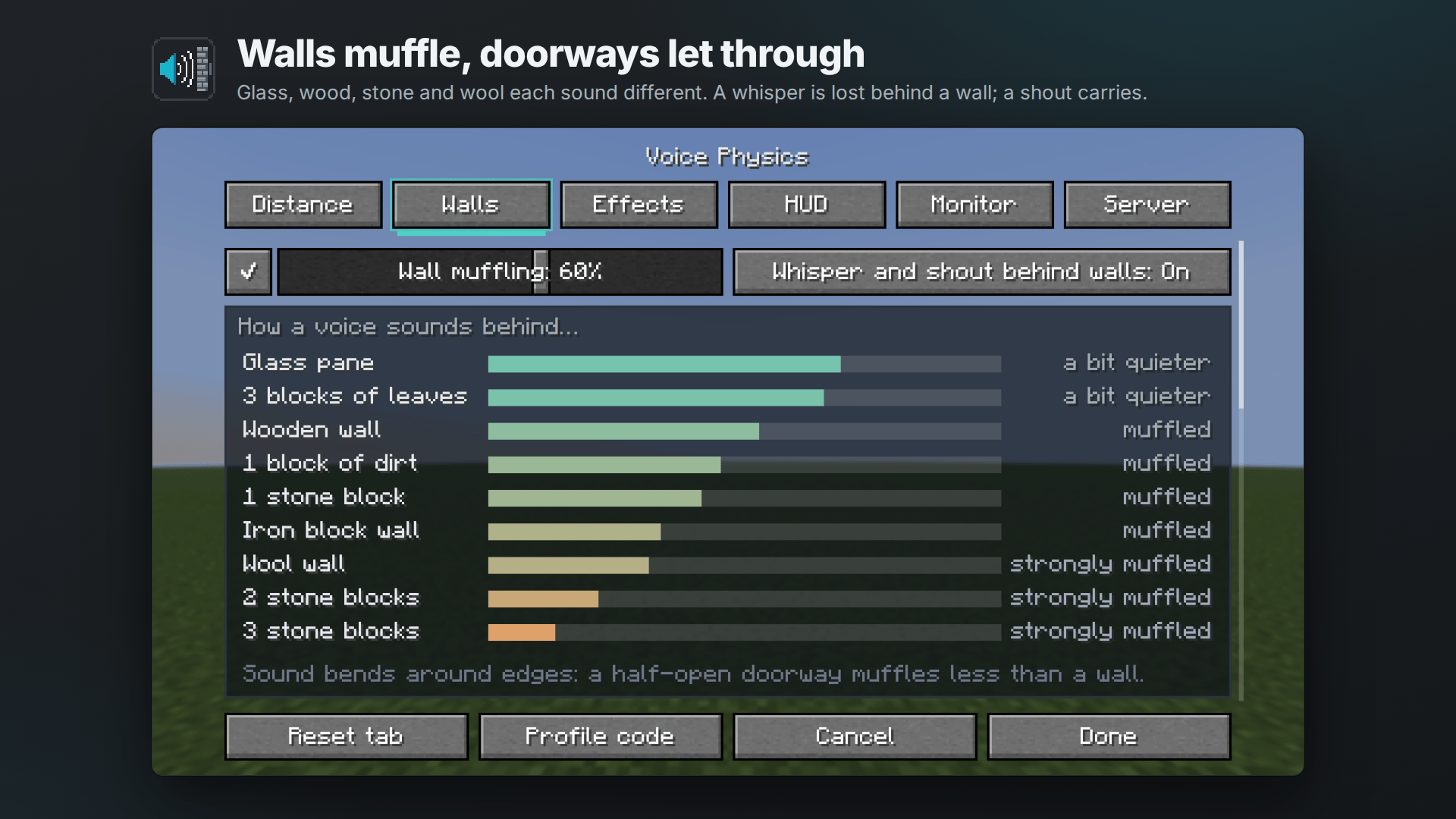 The Walls tab How a voice sounds behind glass, leaves, wood, dirt, stone, iron and wool.
 -
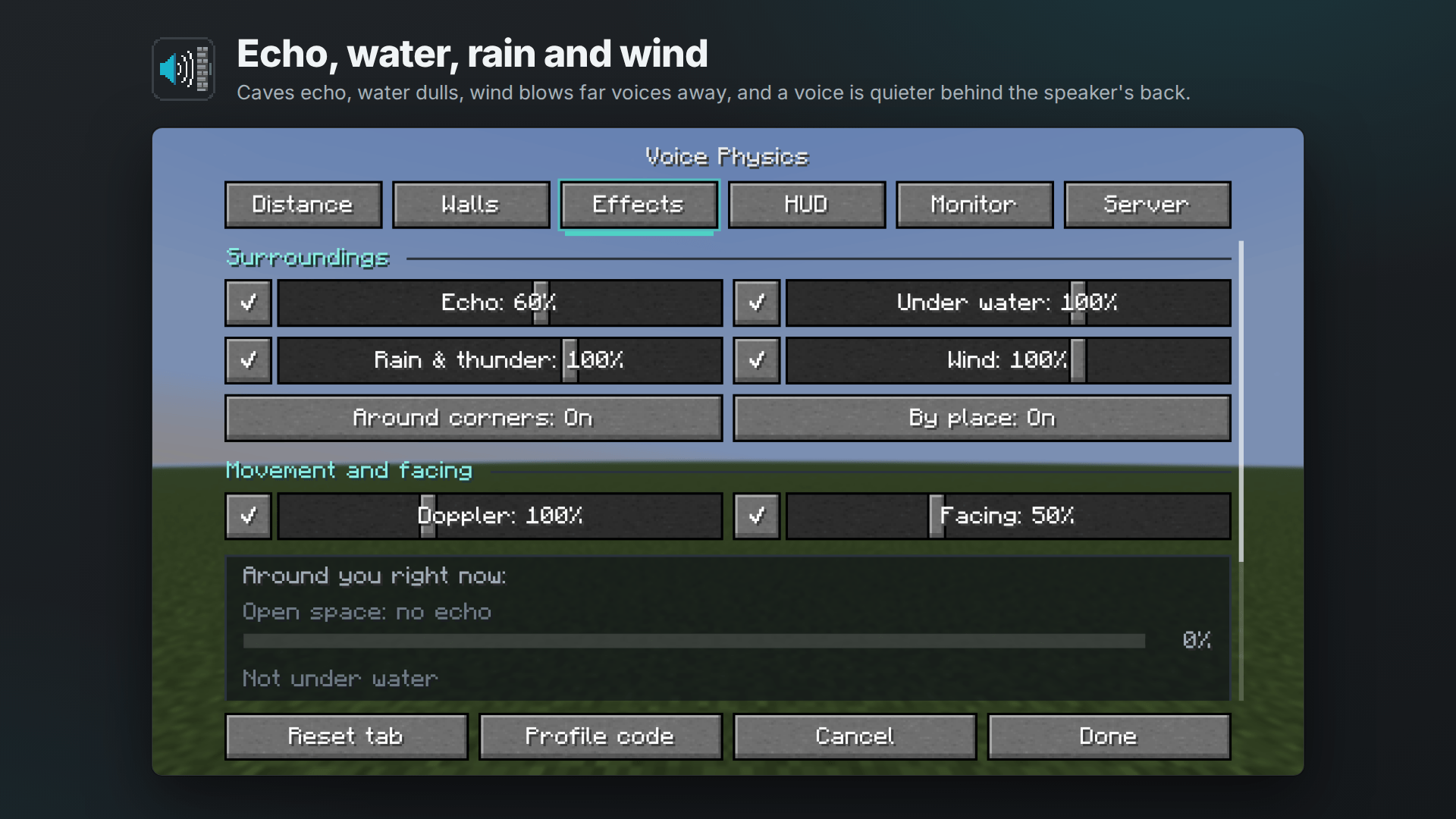 The Effects tab Echo, water, rain, wind, Doppler and facing, with what applies around you right now.
 -
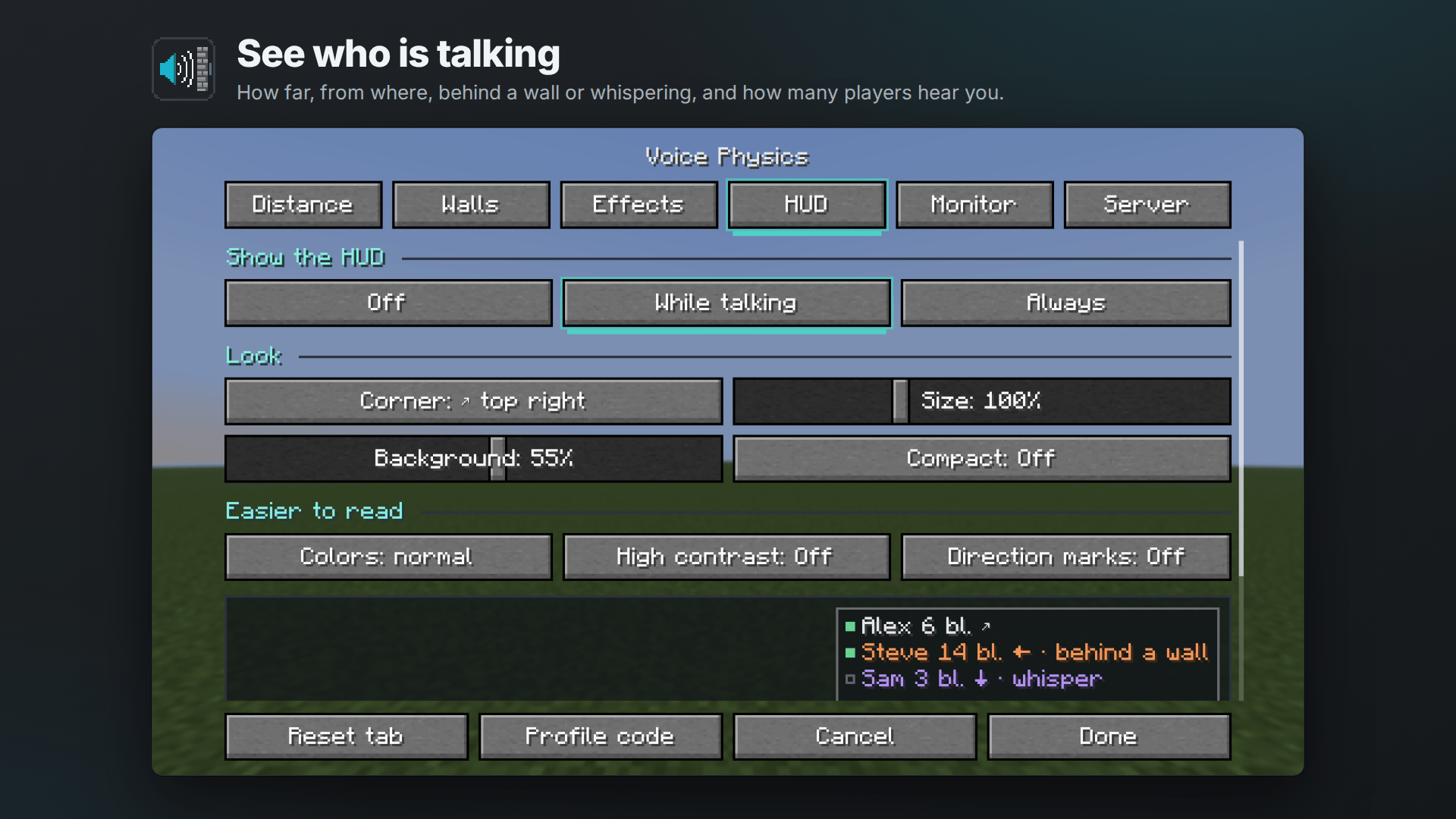 The HUD Who is talking, how far, behind a wall or whispering, and how many hear you.
 -
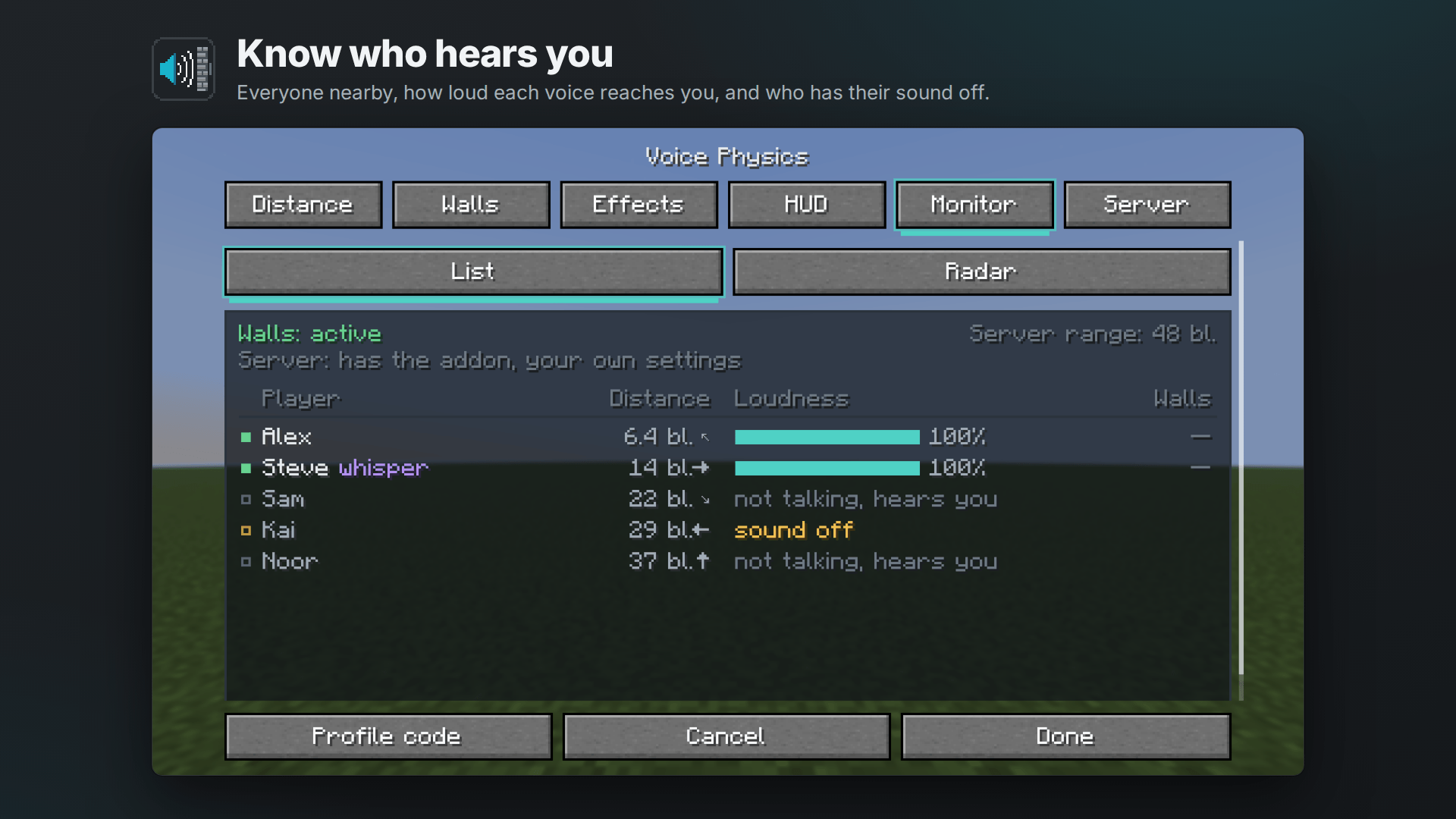 The Monitor tab Players nearby: who is talking, how loud you hear them and who will not hear you back.
 -
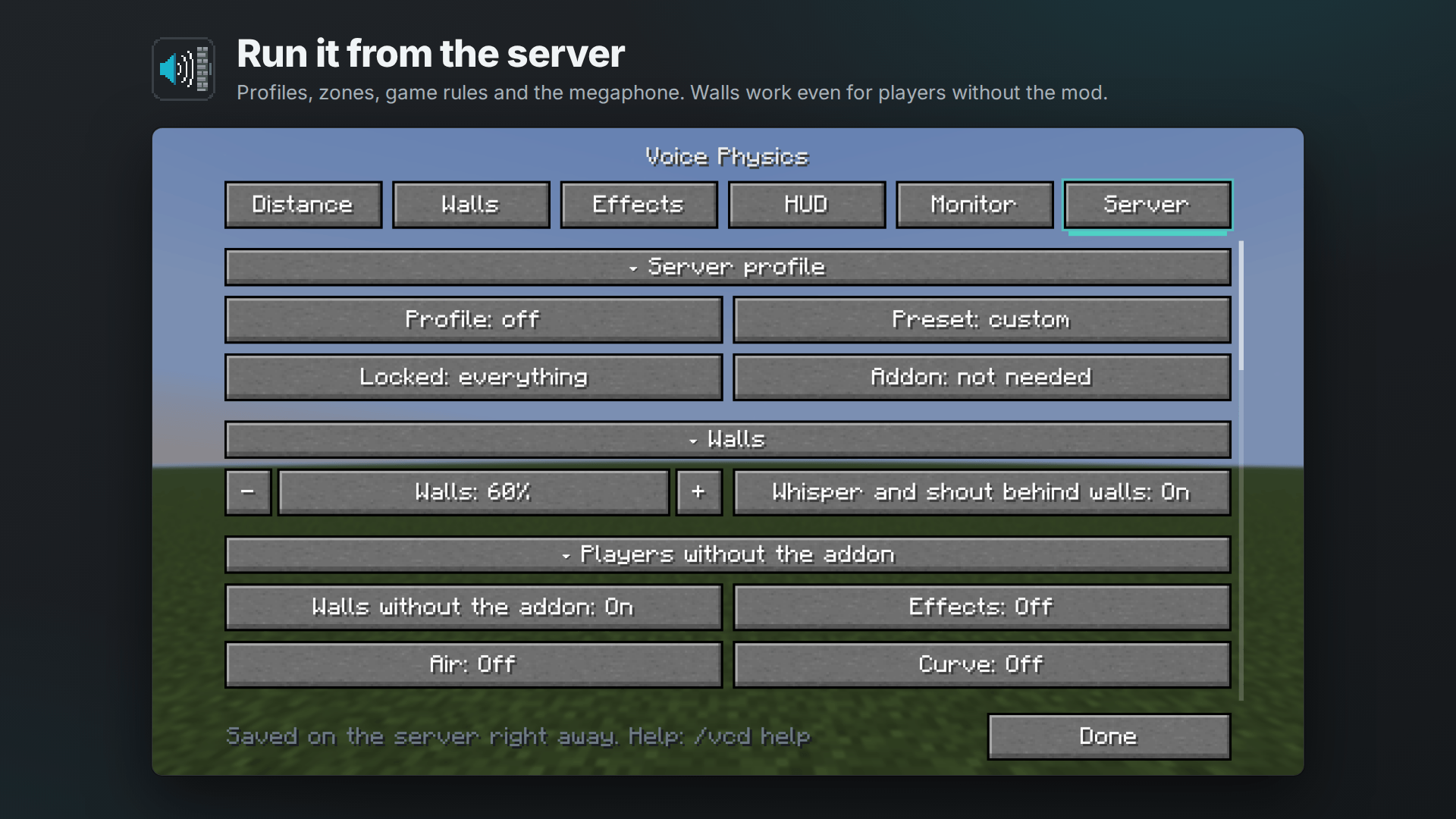 The Server tab For admins: profile, walls, game rules, megaphone and zones, saved on the server right away.
 -
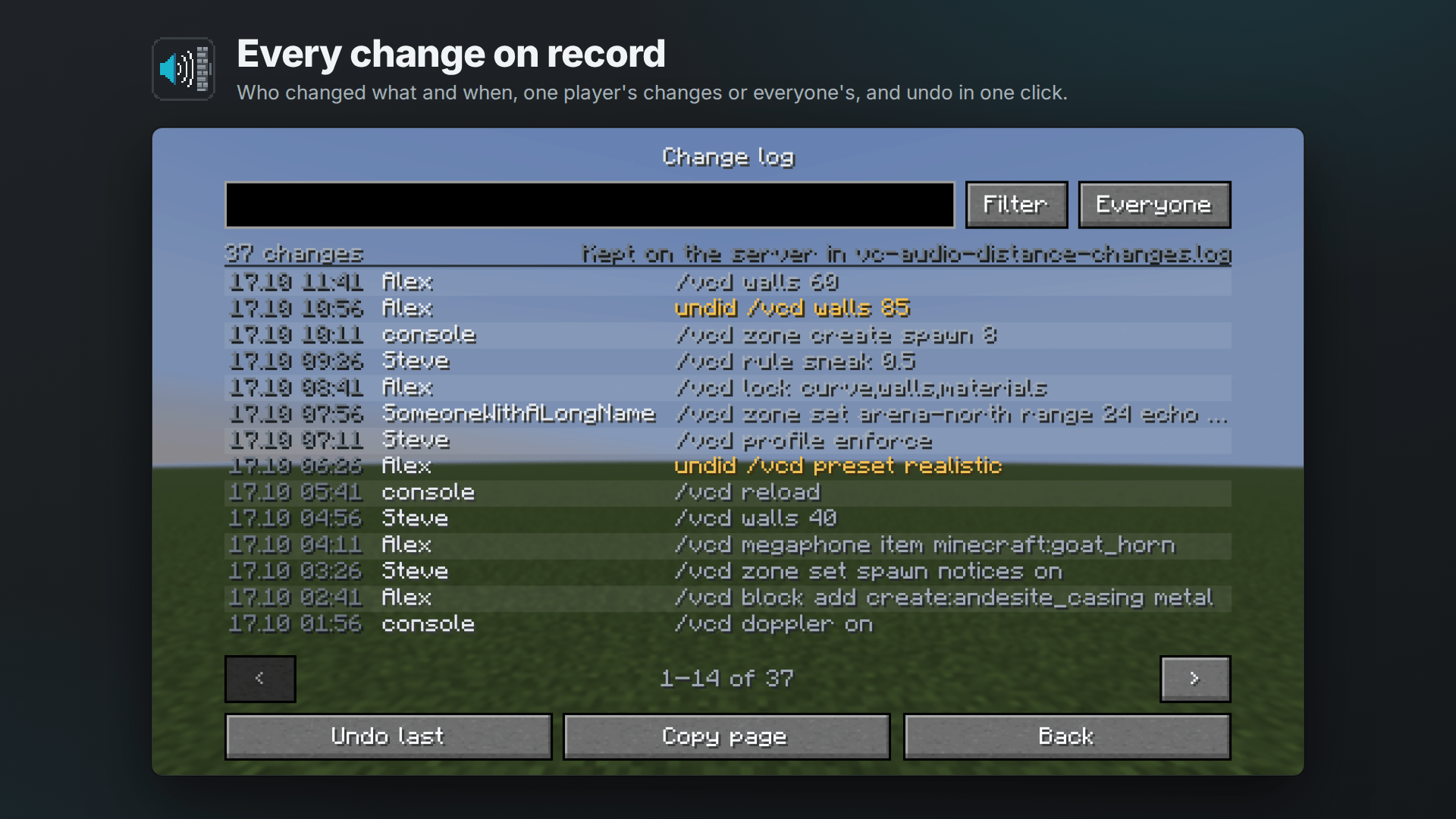 The change log Every change to the server’s settings, filtered by player, with undo.
 -
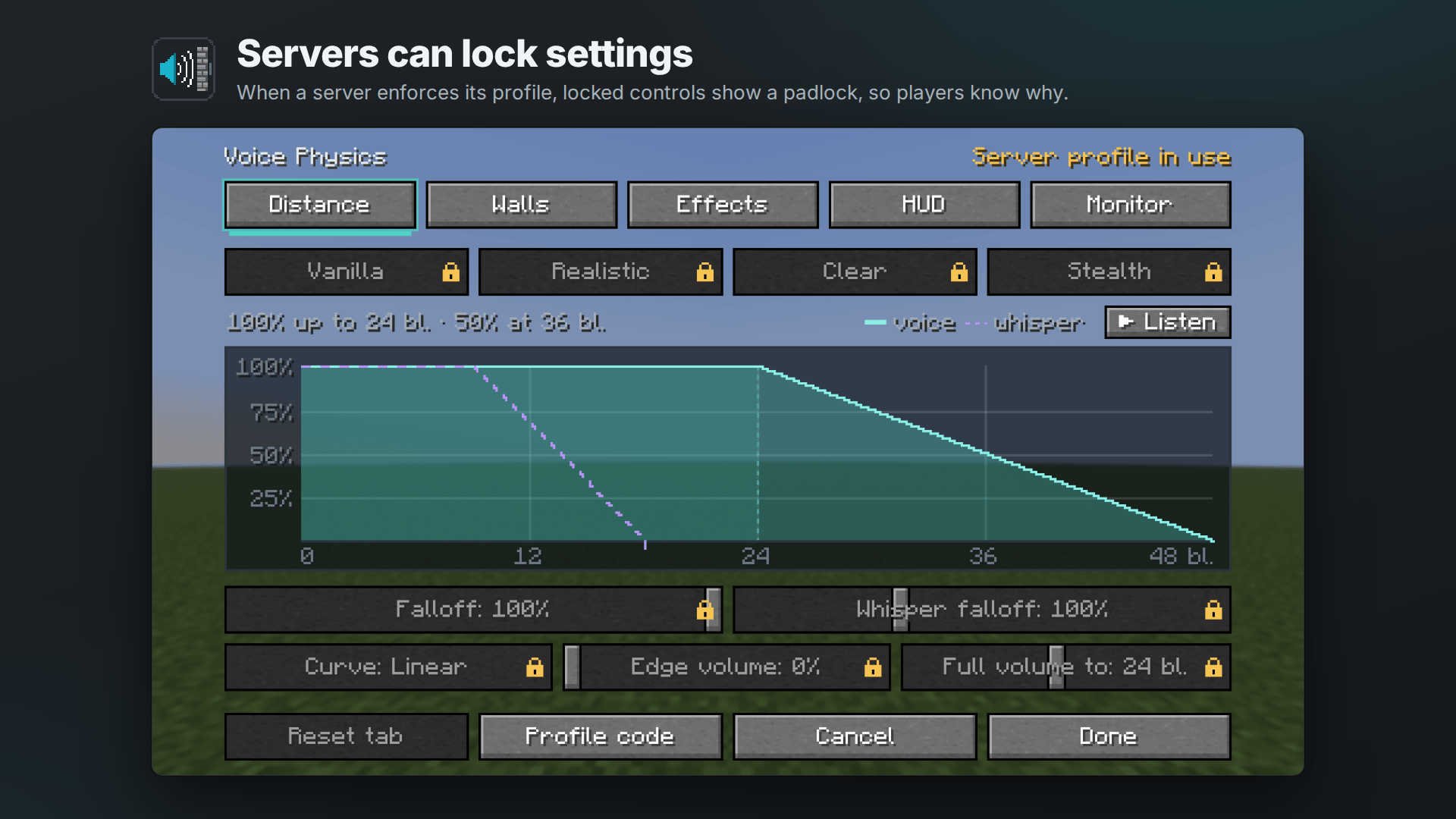 Settings locked by the server When a server enforces its profile, the locked controls show a padlock.
Versions
Files
Relations
Project Relations
More like this
Similar Mods
Suggestions use data such as tags, dependencies, dependents, descriptions, titles, and more to rank how much they overlap with this mod.
On ModDex
Community snapshot
By the numbers
Statistics

Get it on
Available Platforms
On ModDex
Community snapshot
By the numbers