Community listing page, reviews here may not be monitored by the author.
Vossler's Controller


No reviews yet
Controller Mod for 1.12.2 forge
Community voices
Reviews
No reviews yet. Be the first to review this project!
Get it on
Available Platforms
Compatibility
Supported Environments
Works in singleplayer only; does not function in multiplayer.
About
Project Details
For authors
Embed Badge
If you're the author of this project, you can embed a live badge anywhere that supports HTML or Markdown. It updates automatically whenever ratings change.
Use HTML for any page that supports it, or Markdown for README files and Markdown-based descriptions.
Identifiers
Platform IDs
Resources
External Links
About
Description
A controller mod for minecraft 1.12.2. Only for forge users. Other controller mods did not work for me so I made this for myself. Its here incase someone else wants to use it, but the other mods should be better than this. This is my first minecraft mod.
How to:
- Use D-pad keybinds - D-pad keybinds are found in Options -> Controls -> Controller Settings. You choose a letter that already has that keybind for your keyboard, for example you have Xearos map mod and the key M is to open the map. Then you get set the up d-pad button to the letter 'M'
- Use the radial menu - Default is pressing and holding (Y/Triangle) - Settings are found in Controls -> Controller Settings -> Map Radial menu. Over here your scroll through each keybinds possible to map to your radial menu. Some things you map to may not work well such as 'Open chat' or 'Open command' but 'Toggle Fullscreen' or 'Toggle Perspective' works fine. For things that do not work well, its better you keybind them to the d-pad, so things like 'Swap to free hand' or 'Zoom'(if you have zooming mod)
- Inverse my controls - Go to the mod config and search for 'Vossler's Controller Mod' and you will see the toggles for inversing left or right stick.
- Switch vibration on/off - Same as before, go to mod configs and toggle the vibrations off/on(should be on by default)
- Its adivised that you immediately configure your keybinds and this mod settings as sooon as you install it.
- Report bugs? - A discord server will be made available soon if it is not already available.
Known issues:
- While using your controller/mod it may inverse with your mouse movement in-game depending on the mod config settings you set.
- Scrolling through each option for the Radial Menu is a pain but its the most compatible one without crashes, and works with mods. You must have a keybind already set on your keyboard before adding the option to the radial menu. For example, M for map from xaeros map mod then you will be able to add and use it on radial menu.
- The mod might be finicky to use. It is still in early development stages. It will get better overtime especially as I get used to Minecraft coding.
If your left/right stick mappings are not correct or controls are inversed then use the mod config settings for this mod, also there is Controller Settings in Controls menu in Options menu.
Thanks to CleanroomMC for their amazing template: Cleanroom Template
A controller mod for minecraft 1.12.2. Only for forge users. Other controller mods did not work for me so I made this for myself. Its here incase someone else wants to use it, but the other mods should be better than this. This is my first minecraft mod.
How to:
- Use D-pad keybinds - D-pad keybinds are found in Options -> Controls -> Controller Settings. You choose a letter that already has that keybind for your keyboard, for example you have Xearos map mod and the key M is to open the map. Then you get set the up d-pad button to the letter 'M'
- Use the radial menu - Settings are found in Controls -> Controller Settings -> Map Radial menu. Over here your scroll through each keybinds possible to map to your radial menu. Some things you map to may not work well such as 'Open chat' or 'Open command' but 'Toggle Fullscreen' or 'Toggle Perspective' works fine. For things that do not work well, its better you keybind them to the d-pad, so things like 'Swap to free hand' or 'Zoom'(if you have zooming mod)
- Inverse my controls - Go to the mod config and search for 'Vossler's Controller Mod' and you will see the toggles for inversing left or right stick.
- Switch vibration on/off - Same as before, go to mod configs and toggle the vibrations off/on(should be on by default)
- Its adivised that you immediately configure your keybinds and this mod settings as sooon as you install it.
- Report bugs? - A discord server will be made available soon if it is not already available.
Known issues:
- While using your controller/mod it may inverse with your mouse movement in-game depending on the mod config settings you set.
- Scrolling through each option for the Radial Menu is a pain but its the most compatible one without crashes, and works with mods. You must have a keybind already set on your keyboard before adding the option to the radial menu. For example, M for map from xaeros map mod then you will be able to add and use it on radial menu.
- The mod might be finicky to use. It is still in early development stages. It will get better overtime especially as I get used to Minecraft coding.
If your left/right stick mappings are not correct or controls are inversed then use the mod config settings for this mod, also there is Controller Settings in Controls menu in Options menu.
Thanks to CleanroomMC for their amazing template: Cleanroom Template
Screenshots
Gallery
-
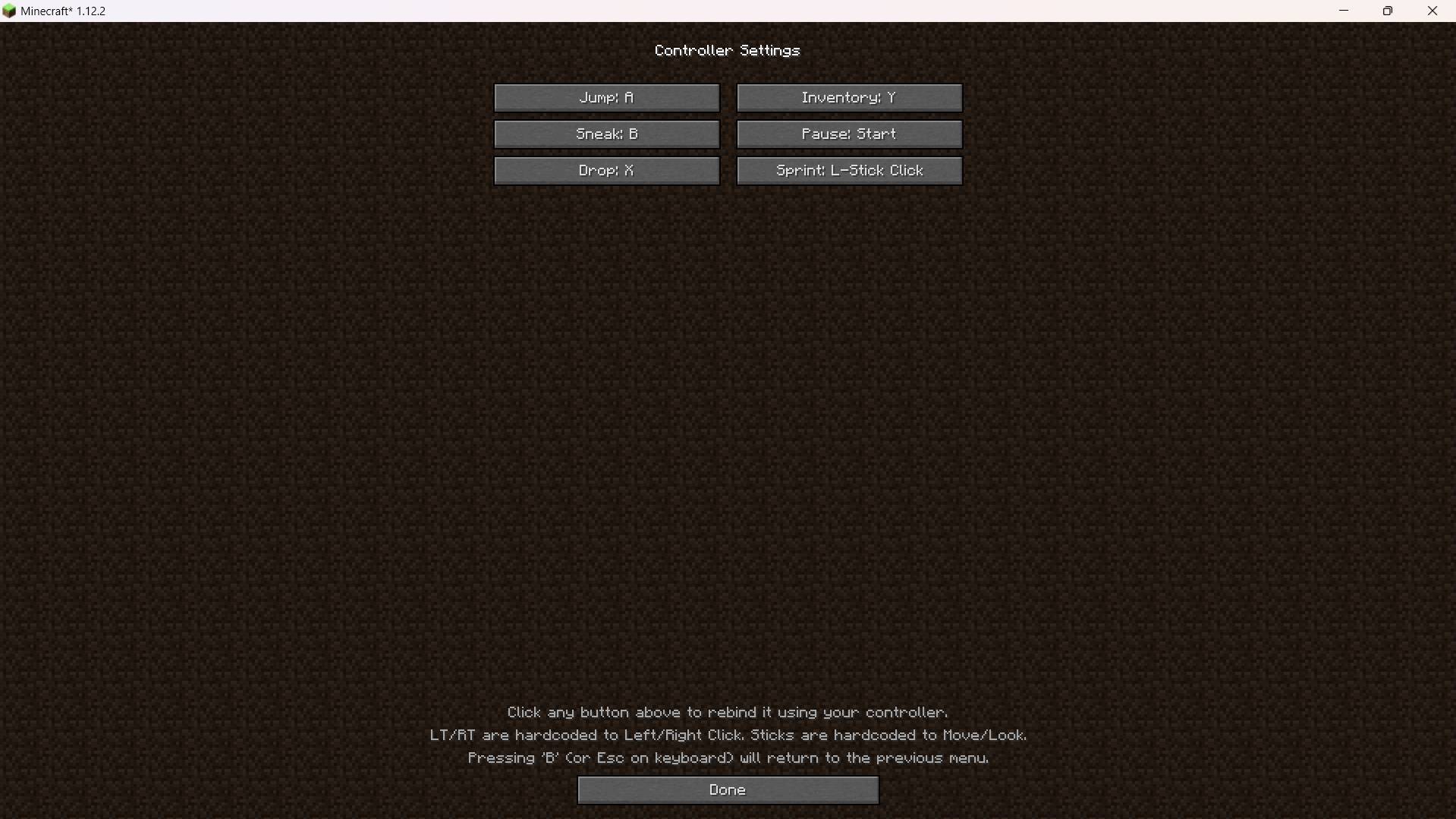 Inside Controller Settings Where you can make adjustments
 -
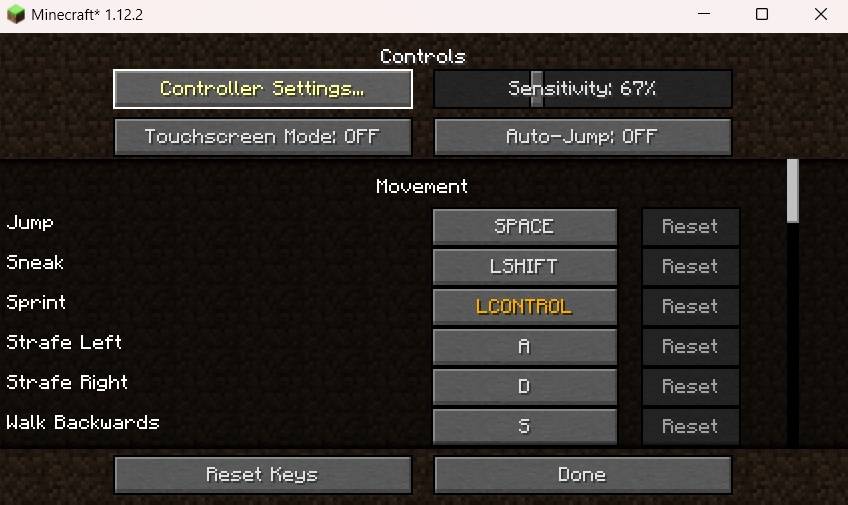 How to go to the Controller Settings How to go to the Controller Settings
 -
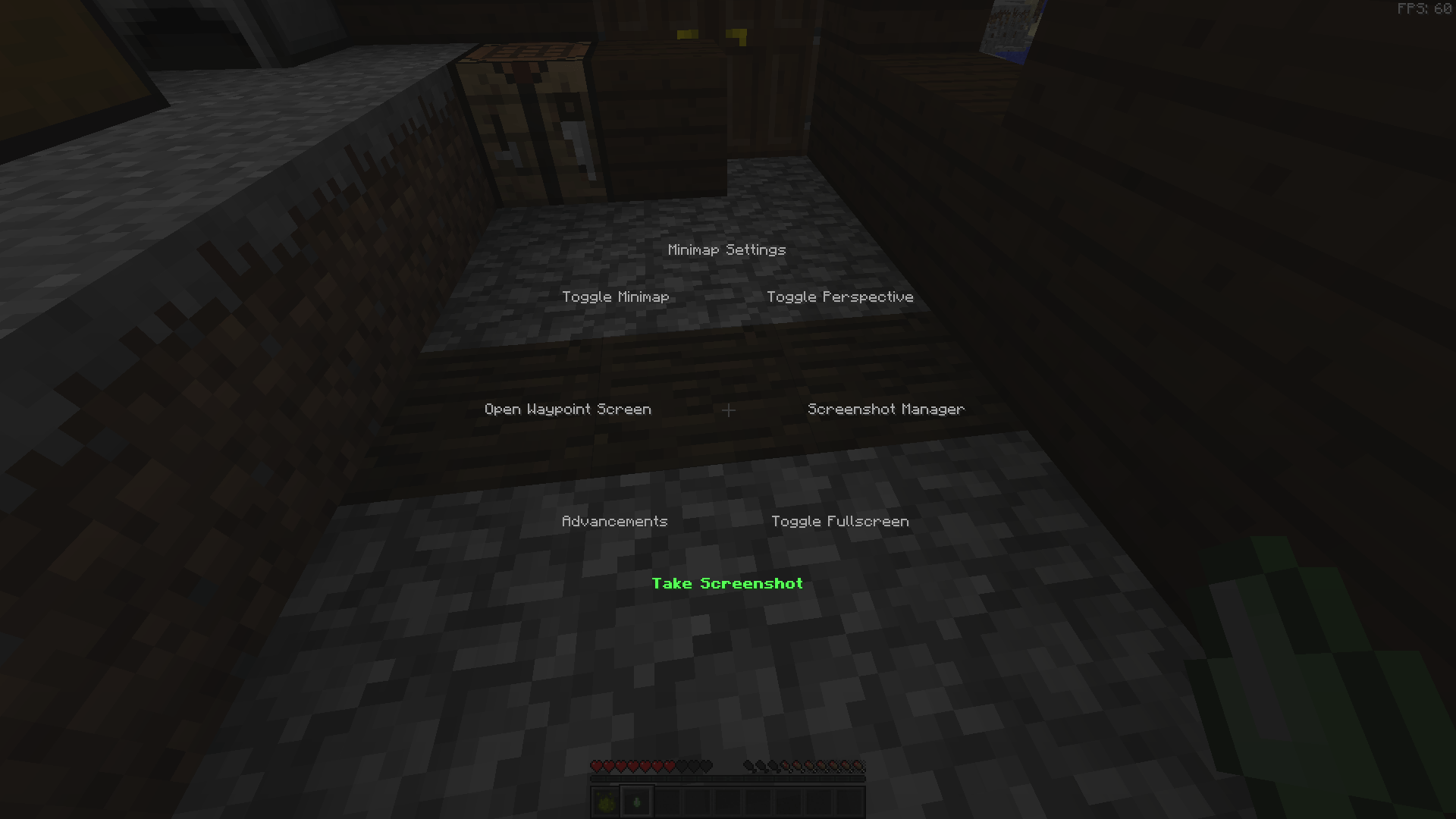 Radial Menu (Hold Y or Triangle) Radial Menu
 -
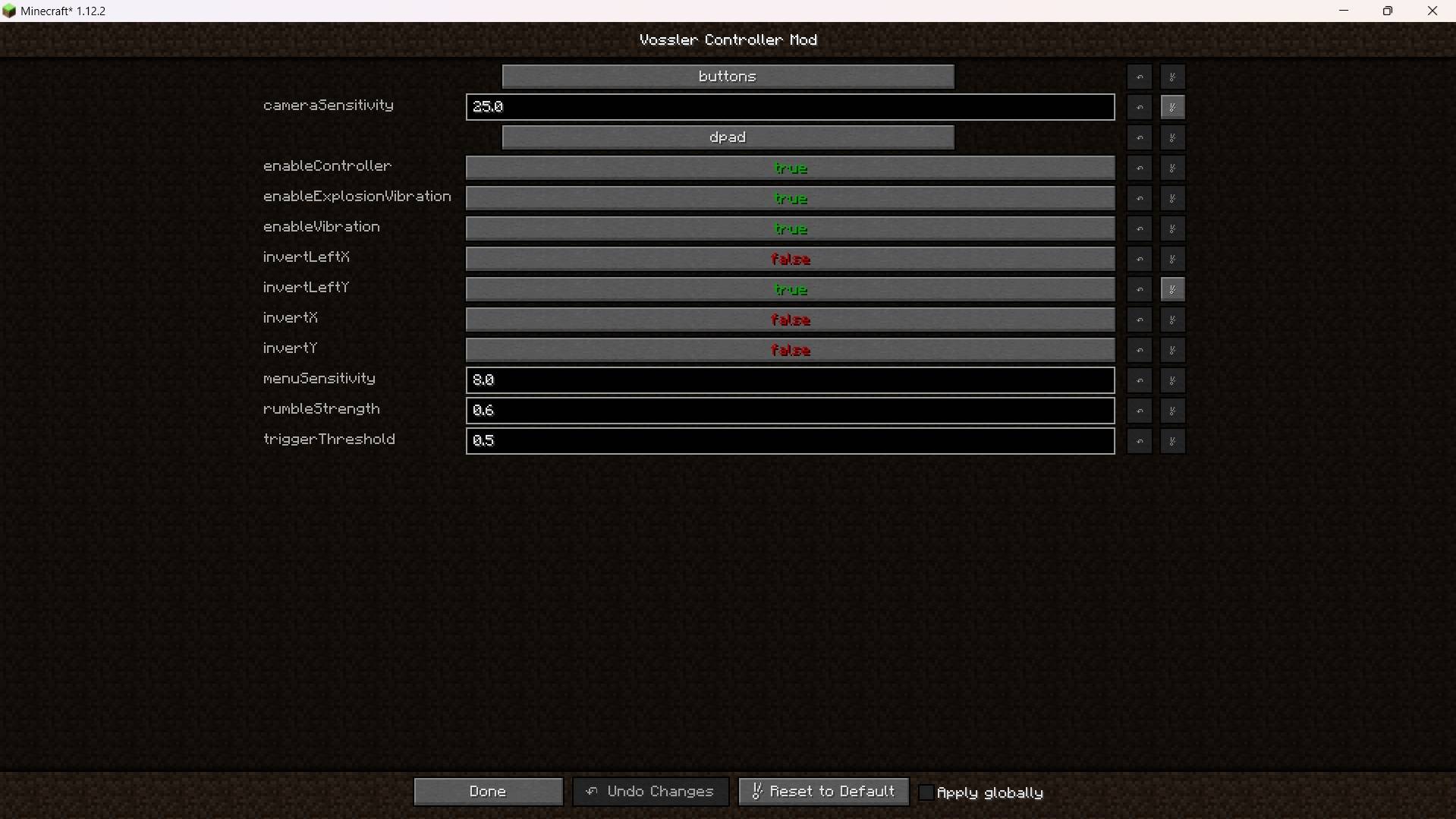 Mod Settings Mod Settings
-
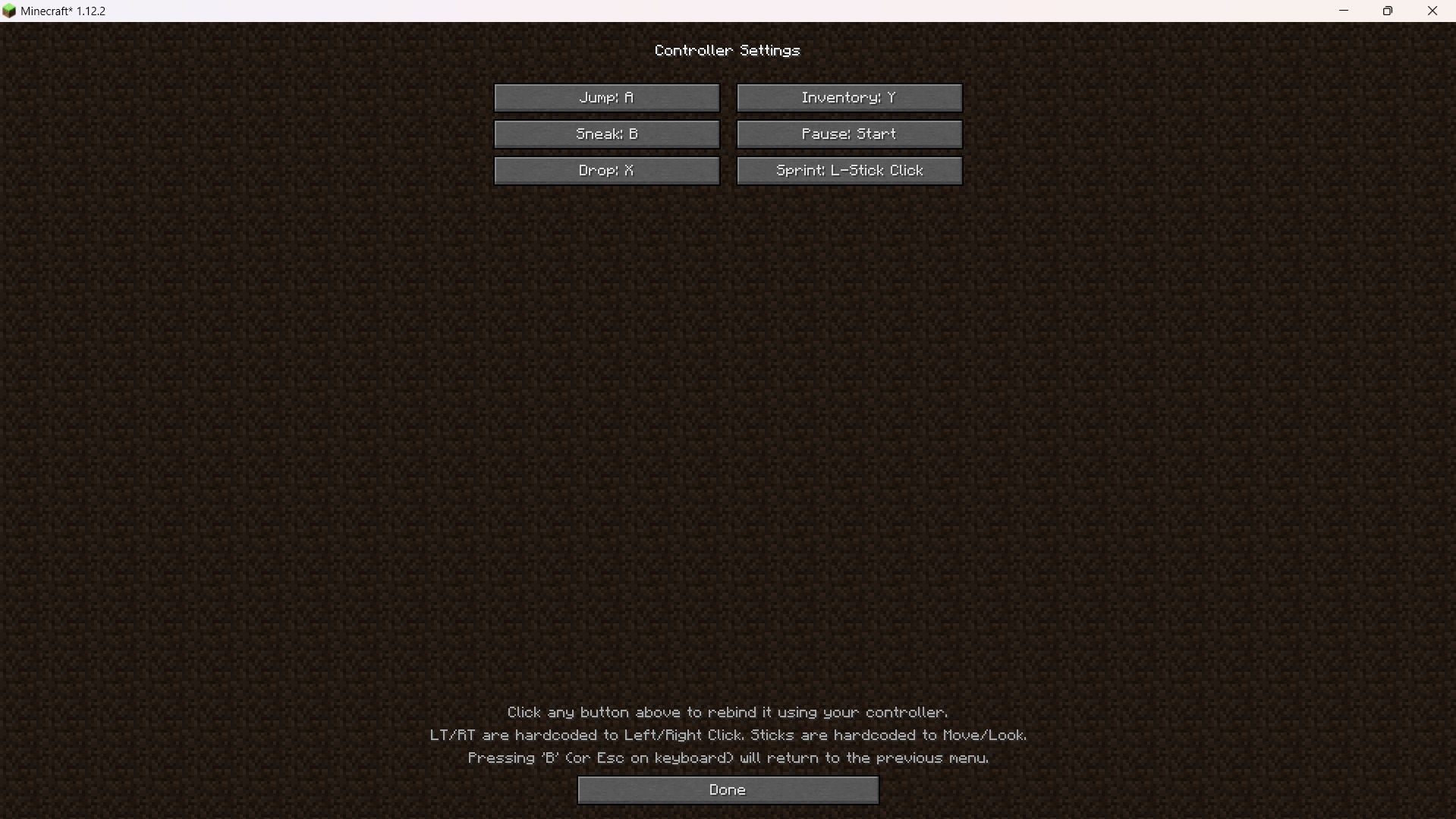 Inside Controller Settings Some keybind settings. 1.0.0 version
 -
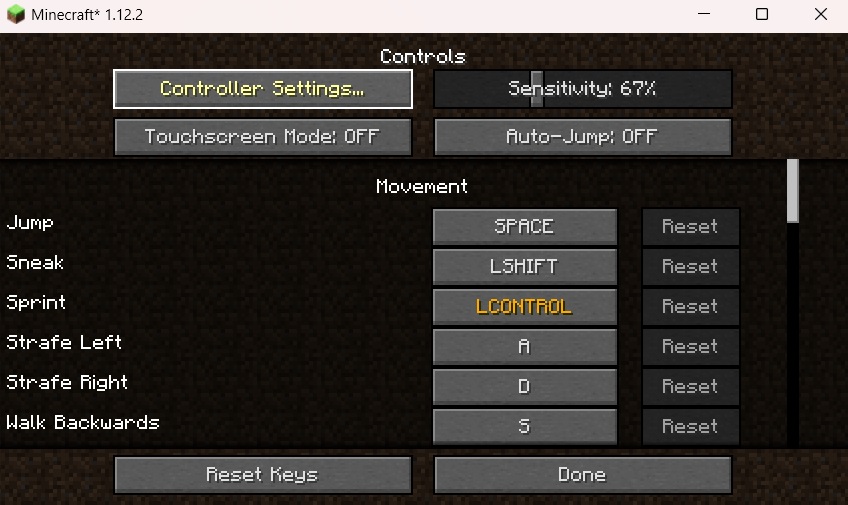 Controller Settings Controller Settings Location
 -
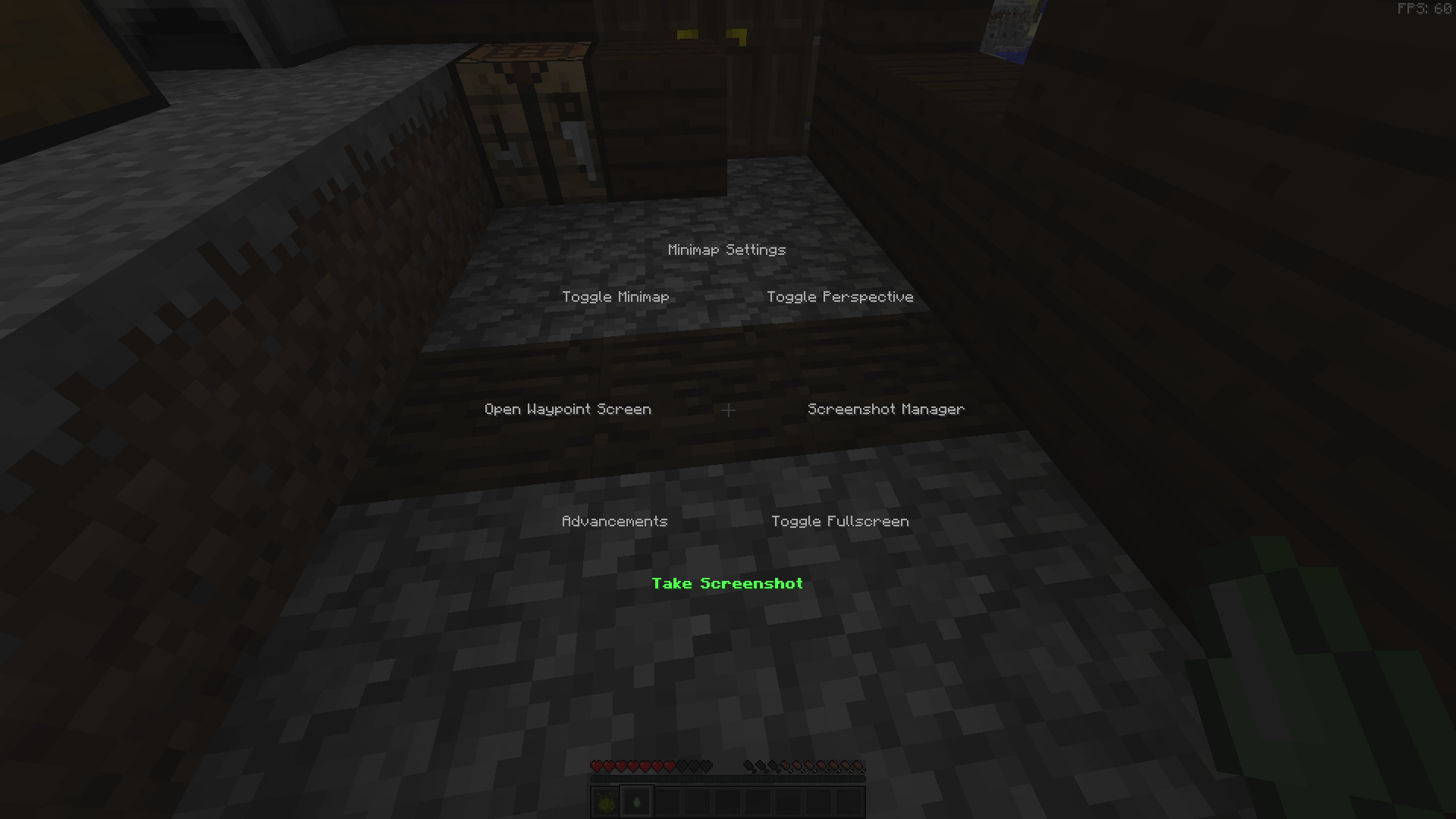 Radial Menu Example radial menu already populated with keybinds
 -
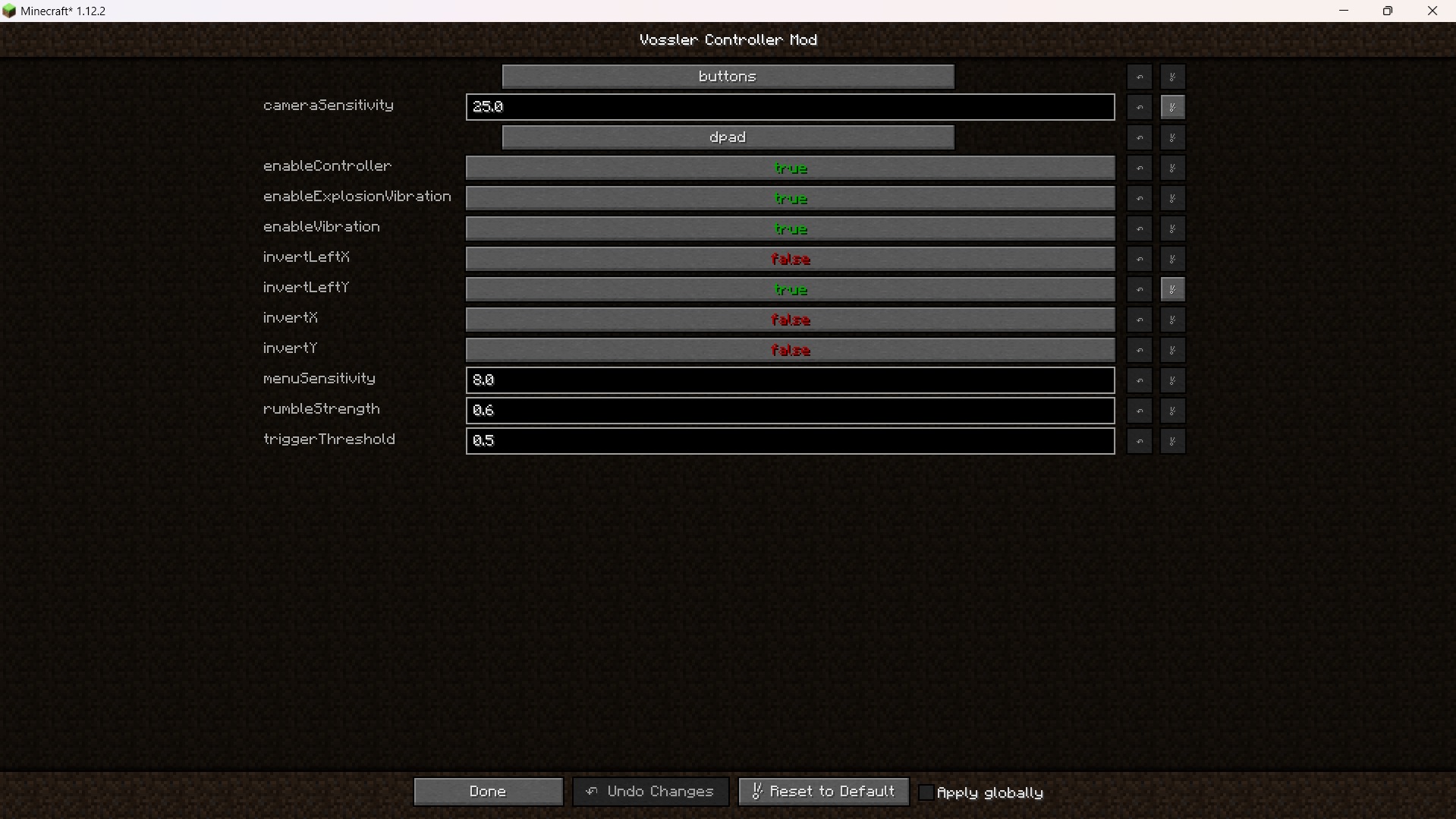 Mod Config Mod Config for the mod
Versions
Files
Relations
Project Relations
More like this
Similar Mods
Suggestions use data such as tags, dependencies, dependents, descriptions, titles, and more to rank how much they overlap with this mod.
On ModDex
Community snapshot
By the numbers
Statistics
Want to reach Minecraft players?
We're looking for a server hosting partner to feature here and other parts of the site. Interested? Send us a message!
Get in touchGet it on
Available Platforms
On ModDex
Community snapshot
By the numbers
Statistics
Resources