Community listing page, reviews may not be monitored by the author.
Wall Art

No reviews yet
Combine stackable frames into large canvases to display custom images, animated GIFs, and synced videos with distance-based sound

Community voices
Reviews
No reviews yet. Be the first to review this project!
Get it on
Available Platforms
About
Project Details
For authors
Embed Badge
If you're the author of this project, you can embed a live badge anywhere that supports HTML or Markdown. It updates automatically whenever ratings change.
Use HTML for any page that supports it, or Markdown for README files and Markdown-based descriptions.
Identifiers
Platform IDs
Resources
External Links
About
Description
🖼️ Wall Art – Custom Images, GIFs & Cinema Screens
Transform your walls into everything from small picture frames and neon signs to massive, seamless cinema screens! Wall Art lets you craft stackable Canvas Frames (wallart:canvas_frame) that automatically connect into a single shared canvas. Paste a link right in-game to display high-resolution images, animated GIFs, or stream videos together with your friends on the server.
✨ Key Features
- Seamless Multi-Block Canvases: Place Canvas Frames next to each other in any rectangular shape (from 1×1 up to massive walls) to form one unified display.
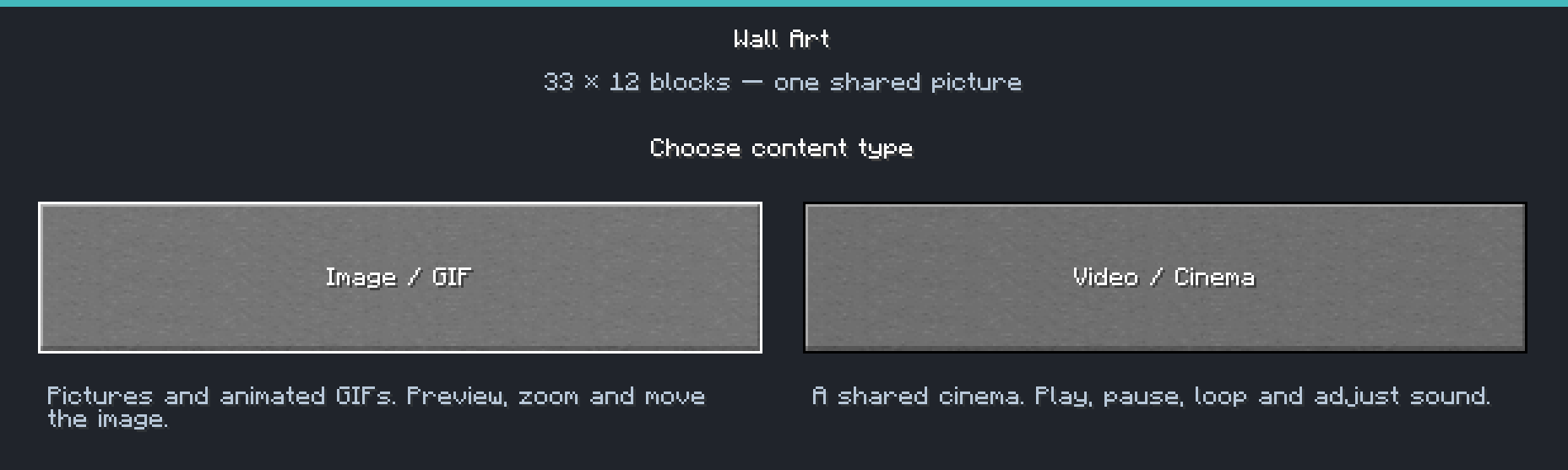
- Image & GIF Mode (
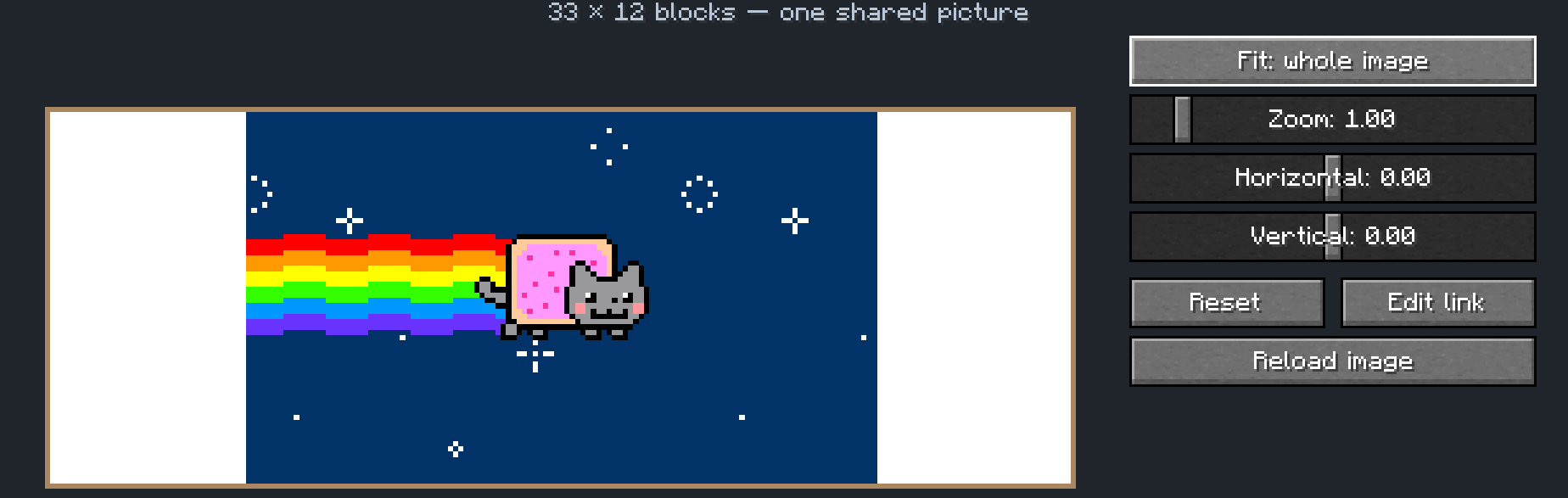
Image / GIF): Load custom PNG, JPG, and animated GIF files directly via image URLs. - Built-In Editor & Live Preview: Fine-tune your artwork in-game with 3 fit modes (Fit: whole image, Fill: crop edges, Stretch to canvas), smooth Zoom, and Horizontal/Vertical panning.
- Shared Multiplayer Cinema (
Video / Cinema): Paste a public video URL and watch together in multiplayer! - Synced Playback & Distance Audio: Control the screen for everyone with Play, Pause, Restart, timestamp seeking (seconds), Loop (on/off), Volume sliders, and distance-based spatial sound.
- Smart Client Caching: Images and media streams are cached locally on each player's computer for smooth performance.
- Localization: Full language support for English (
en_us) and Swedish (sv_se).
🛠️ Crafting & How to Use
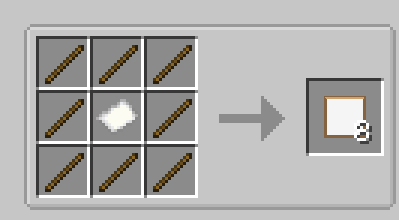
- Crafting Recipe: Place 1 Paper in the center of a Crafting Table surrounded by 8 Sticks to craft 8 Canvas Frames.
- How to Edit: Place your frames in a rectangle on a wall, then Shift + Right-Click the canvas with an empty main hand to open the Wall Art editor.
⚙️ Server Configuration
Server admins can customize canvas size limits in the server config (WallArtConfig):
maxCanvasSide– Maximum width or height of a canvas (up to 256 blocks).maxCanvasTiles– Maximum total frames in a single canvas (all frames must be in loaded chunks when editing).
📦 External Cinema Components (Runtime Downloads)
To keep the mod JAR lightweight, video codecs are not bundled inside the JAR. When using the Video / Cinema mode, the mod automatically downloads required runtime components into config/wallart/video-runtime and verifies every file against hardcoded SHA-256 checksums:
- JavaCV & JavaCPP 1.5.14 and FFmpeg 8.1.2 (from Maven Central) for video decoding.
- yt-dlp (2026.08.19) and Deno (v2.9.7) (from official GitHub Releases for Windows/Linux x86_64) for resolving public video links.
- These components can be removed at any time by deleting
config/wallart/video-runtimewhile Minecraft is closed.
🇸🇪 Svensk sammanfattning
Bygg ihop Tavelramar (1 papper + 8 pinnar = 8 ramar) till stora sömlösa dukar och bioskärmar! Shift + Högerklicka på ramen för att klistra in en bildlänk (PNG, JPG, GIF) eller en offentlig videolänk (Video / Biosalong) med zoom, beskärning, förhandsvisning och synkat avståndsljud för alla spelare på servern.
Screenshots
Gallery
-
 Skärmbild 2026-10-14 141834.png Skärmbild 2026-10-14 141834.png
-
 Skärmbild 2026-10-14 141843.png Skärmbild 2026-10-14 141843.png
-
 Skärmbild 2026-10-14 141917.png Skärmbild 2026-10-14 141917.png
-
 Skärmbild 2026-10-14 141928.png Skärmbild 2026-10-14 141928.png
-
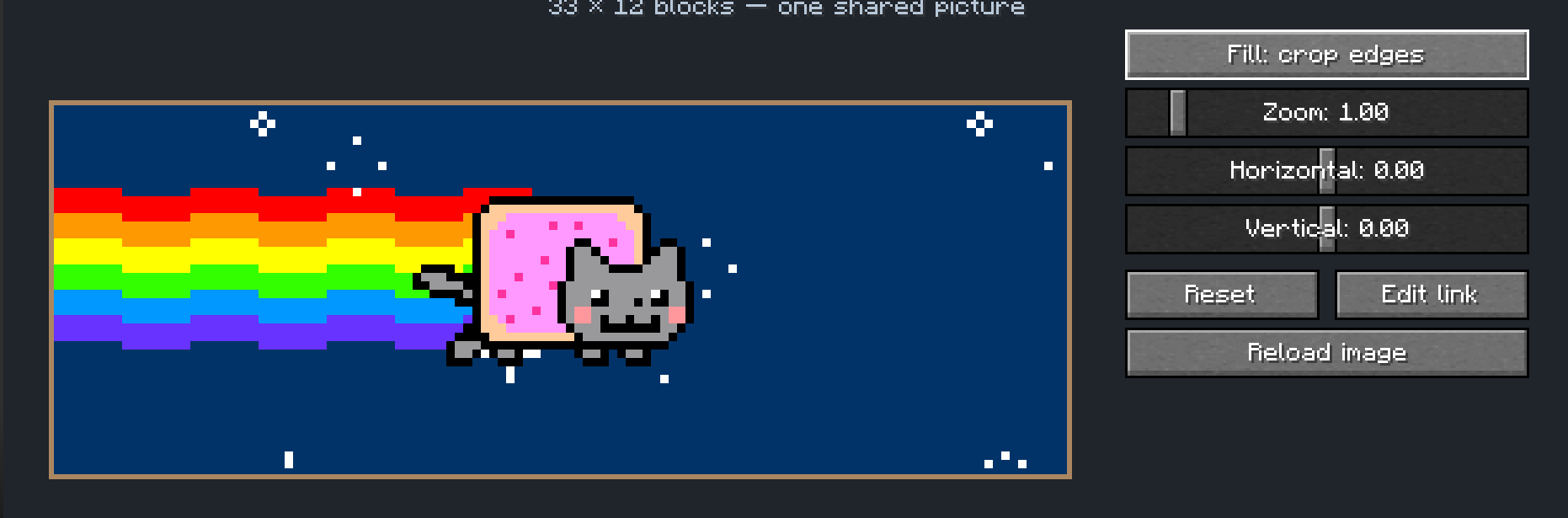 Skärmbild 2026-10-14 141933.png Skärmbild 2026-10-14 141933.png
-
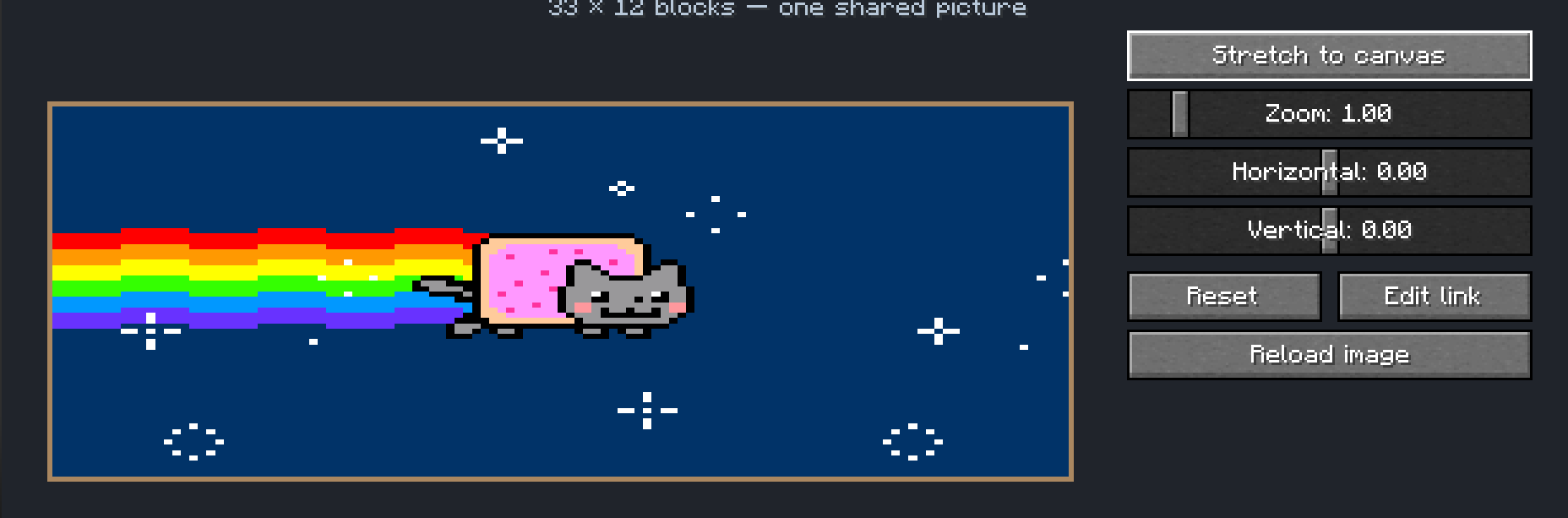 Skärmbild 2026-10-14 141937.png Skärmbild 2026-10-14 141937.png
-
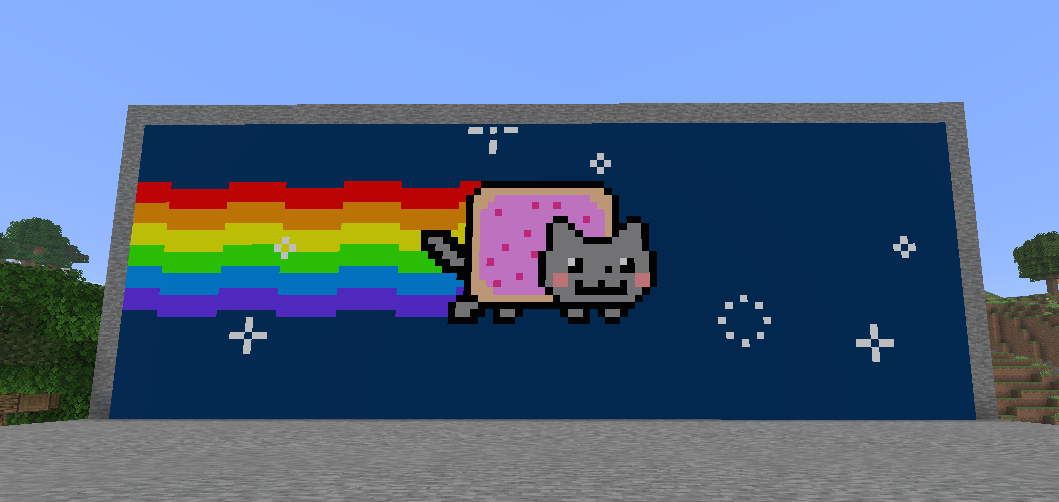 Skärmbild 2026-10-14 141953.png Skärmbild 2026-10-14 141953.png
-
 Skärmbild 2026-10-14 142142.png Skärmbild 2026-10-14 142142.png
-
 Skärmbild 2026-10-14 142411.png Skärmbild 2026-10-14 142411.png
Versions
Files
Relations
Project Relations
More like this
Similar Mods
Suggestions use data such as tags, dependencies, dependents, descriptions, titles, and more to rank how much they overlap with this mod.
On ModDex
Community snapshot
By the numbers
Statistics

Get it on
Available Platforms
On ModDex
Community snapshot
By the numbers
Statistics
Resources