
Community listing page, reviews here may not be monitored by the author.
WarMine

No reviews yet
WarMine enables the creation of teams and territories, featuring its own points system and a variety of management commands. This allows a single moderator to efficiently oversee multiple teams on a server or play with friends via LAN.

Community voices
Reviews
No reviews yet. Be the first to review this project!
Get it on
Available Platforms
About
Project Details
For authors
Embed Badge
If you're the author of this project, you can embed a live badge anywhere that supports HTML or Markdown. It updates automatically whenever ratings change.
Use HTML for any page that supports it, or Markdown for README files and Markdown-based descriptions.
Identifiers
Platform IDs
Resources
External Links
About
Description

"Victorious warriors win first and then go to war, while defeated warriors go to war first and then seek to win.”
WarMine
WarMine is a multiplayer mod that allows the organization of teams and territories, providing the moderator with commands to add new teams and players, and giving players resources such as teleportation, leaderboard, territory features, among many others.
WarMine has high compatibility with other mods, so feel free to use it in any modpack.
Guide
1. The moderator at the beginning of the world must create teams using the addTeam <teamName> command
1.1 It is not advisable to use spaces in the team name. In this case, it is recommended to use underscores. For example: Dream_Team;
1,2 After creating the teams, it is possible to customize the color and other information through the Minecraft /team command.
2. After creating the teams, use the command /addPlayer <teamName> <playerName> to add the players to their respective teams.
3. After organizing the teams and players, the moderator only needs to deliver 1 Crown Block to each team.
4. After creating the teams, each team has the ability to move around and place the Crown Block in the specific region they wish to claim as their own.
4,1 The Crown Block defines a 128x128 area with the Crown Block placed at the center;
4.2 Within this area, no other team is allowed to break blocks, place blocks, interact with blocks, or trigger explosions. It serves as a protected zone for the team that owns it.
4.3 By interacting with the right button on the block, you can sell items from your inventory in exchange for points for the team.
5. The way in which the winner of the match will be determined will be chosen by the moderator, which may be by points or the last remaining Crown Block, among any other criteria.
6. For another team to interact with enemy territory, it is necessary to declare war, to do so the following requirements are necessary:
6.1 The moderator must define that war is allowed with the command /dayOfWar
6.2 Declaring war costs the requesting team 30 points;
6.3 To declare war, command over enemy territory must be used;
6.4 The command to declare war is: /declareWar <enemyTeamName>
The mod also contains several other mechanics, such as teleportation, City Block to expand the territory, villagers with exchange of points (Profession requires Market Block), among many other features that will still be implemented.
Other
A Wiki and Discord server is still being developed for more information!
This is a project that is still in its early stages, and all suggestions are warmly welcome.
Screenshots
Gallery
-
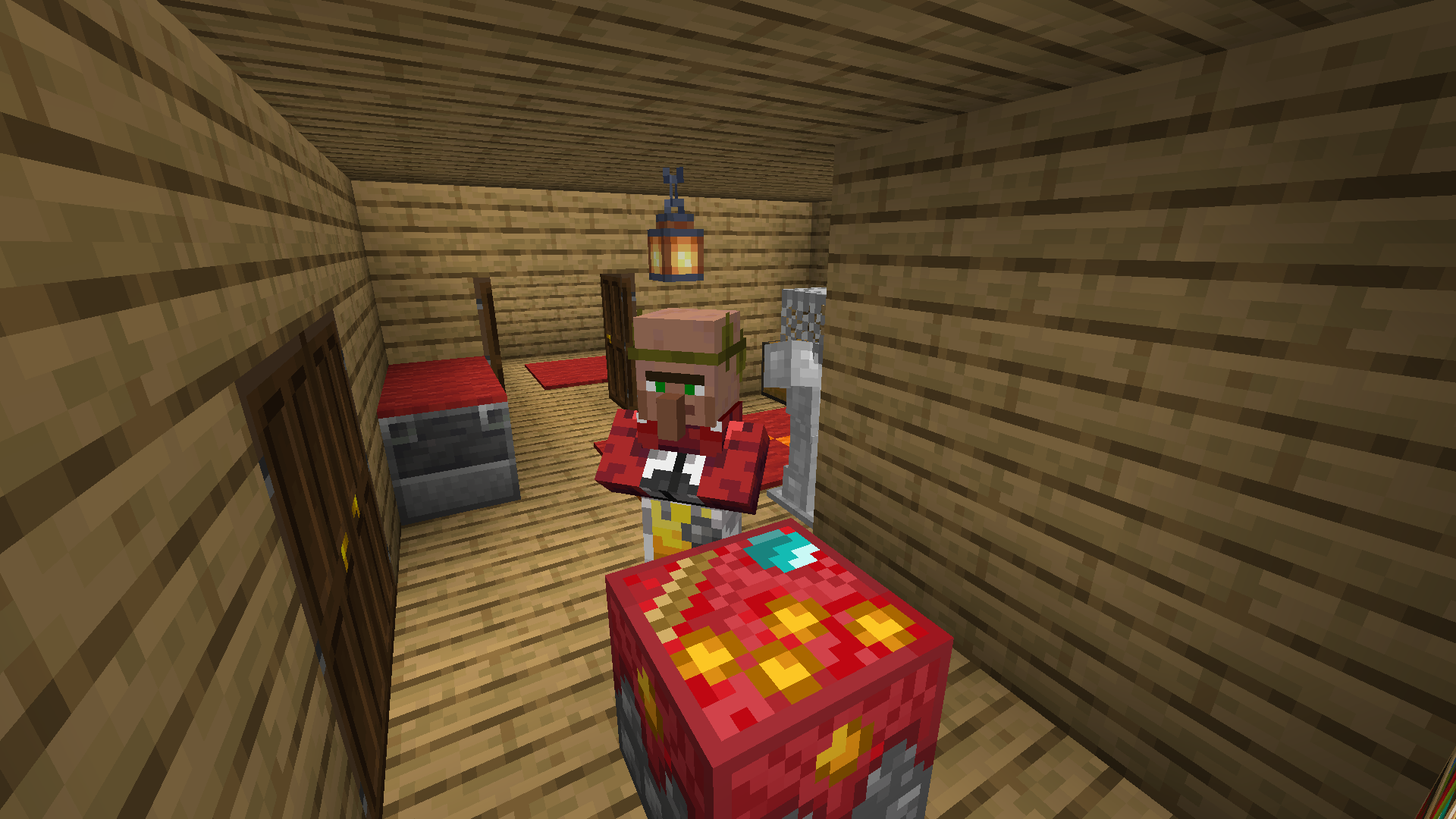 Points Merchant
 -
 WarMine Art made to promote the WarMine mod
Versions
Files
Relations
Project Relations
More like this
Similar Mods
Suggestions use data such as tags, dependencies, dependents, descriptions, titles, and more to rank how much they overlap with this mod.
On ModDex
Community snapshot
By the numbers
Statistics
 (opens in a new tab)
Get it on
Available Platforms
On ModDex
Community snapshot
By the numbers
Statistics
Resources