
Community listing page, reviews here may not be monitored by the author.
Waypoint Compass

No reviews yet
Save your current location with a keypress; a HUD compass at the top of the screen points back to it with live direction and distance — across all dimensions.
Community voices
Reviews
No reviews yet. Be the first to review this project!
Get it on
Available Platforms
Compatibility
Supported Environments
Runs entirely on the client. Works on vanilla servers.
About
Project Details
For authors
Embed Badge
If you're the author of this project, you can embed a live badge anywhere that supports HTML or Markdown. It updates automatically whenever ratings change.
Use HTML for any page that supports it, or Markdown for README files and Markdown-based descriptions.
Identifiers
Platform IDs
Resources
External Links
About
Description
Waypoint Compass is a tiny, mixin-free, client-only Fabric mod for players who just want a "drop a pin, find your way back" tool — without installing a whole minimap suite. Press a key, the spot is saved. Walk away, and a slim compass strip at the top of your HUD shows an arrow pointing back and how far you have to go.
Features
- One-key save. Press B anywhere to save your current X, Y, Z as a new waypoint. The mod confirms in the action bar (
Waypoint saved: WP 1 (123, 64, -512)). - HUD compass. A small bar at the top center of your screen shows an arrow, the waypoint name, and the live distance in meters / km. The arrow rotates as you turn, so "↑" always means "the waypoint is straight ahead".
- Cycle through saved spots. Press N to switch which waypoint the compass is tracking. Great for multi-base setups.
- Delete the current pin. Press K to remove the waypoint you're tracking. No menu required.
- Toggle the HUD. Press H to hide or re-show the compass without losing your saved points.
- Dimension-aware. Each waypoint remembers the dimension it was saved in. If you're in the Nether and the waypoint is in the Overworld, the compass shows
in Overworldinstead of a misleading distance. - Persistent. Waypoints are stored in
config/waypoints.jsonand survive restarts. - No mixins. No server install. Pure client mod — works on any server, including vanilla Realms.
Default keys
| Key | Action |
|---|---|
| B | Save current position as a new waypoint |
| N | Cycle to next saved waypoint |
| K | Delete the currently tracked waypoint |
| H | Toggle the HUD compass on/off |
Keys are read directly from the OS via GLFW, so they ignore Minecraft's input routing — but they're suppressed while a GUI (chat, sign edit, inventory) is open, so they won't fire mid-type.
Cross-version
Tested on 1.21.8, 1.21.9, 1.21.10, 1.21.11. One JAR, one install.
Notes
- The compass shows horizontal distance (XZ), which is what you actually walk — height differences don't inflate the number.
- This is intentionally NOT a minimap. There's no in-world 3D marker; the whole point is "one HUD line, zero clutter."
Screenshots
Gallery
-
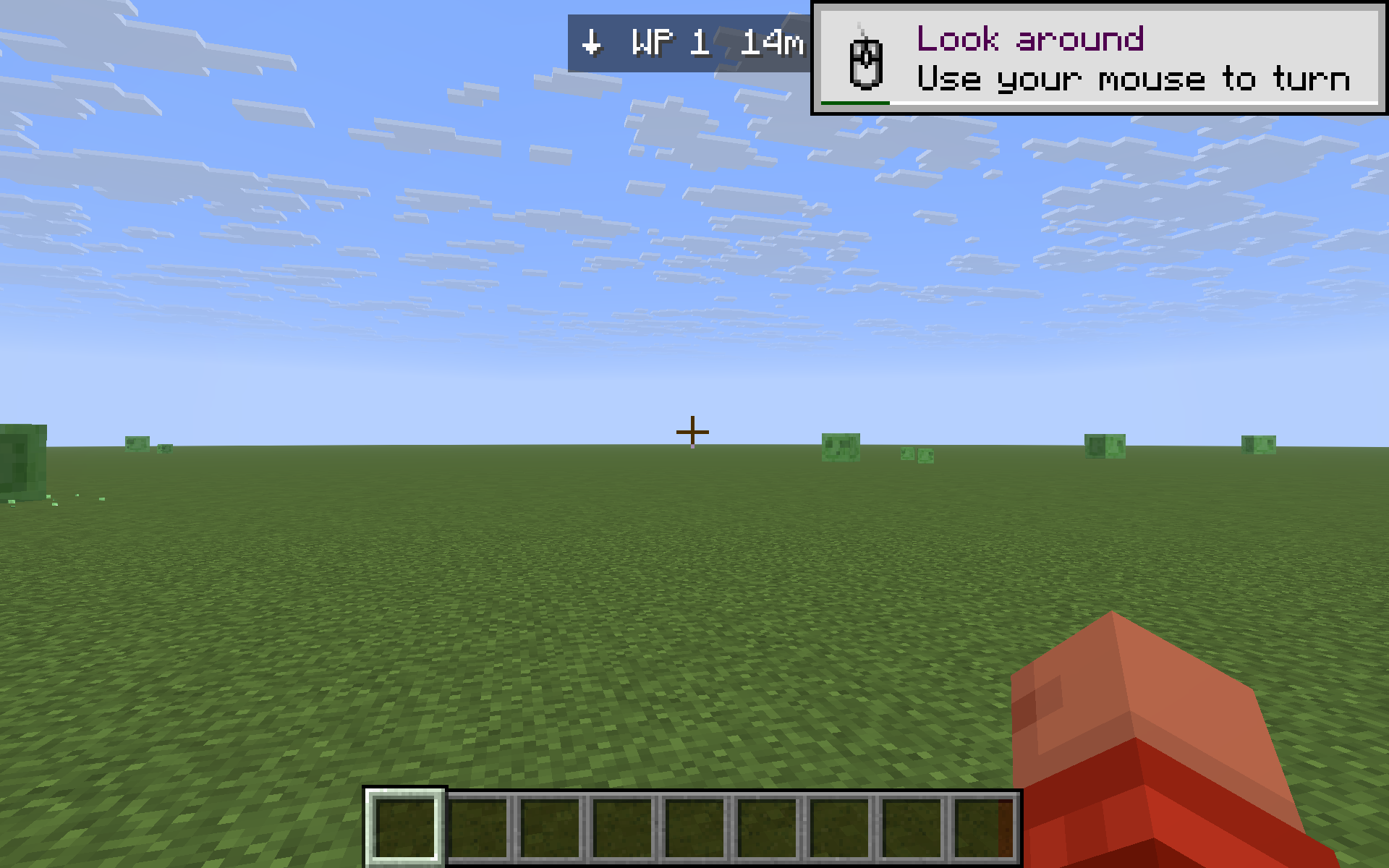 Compass arrow pointing back
 -
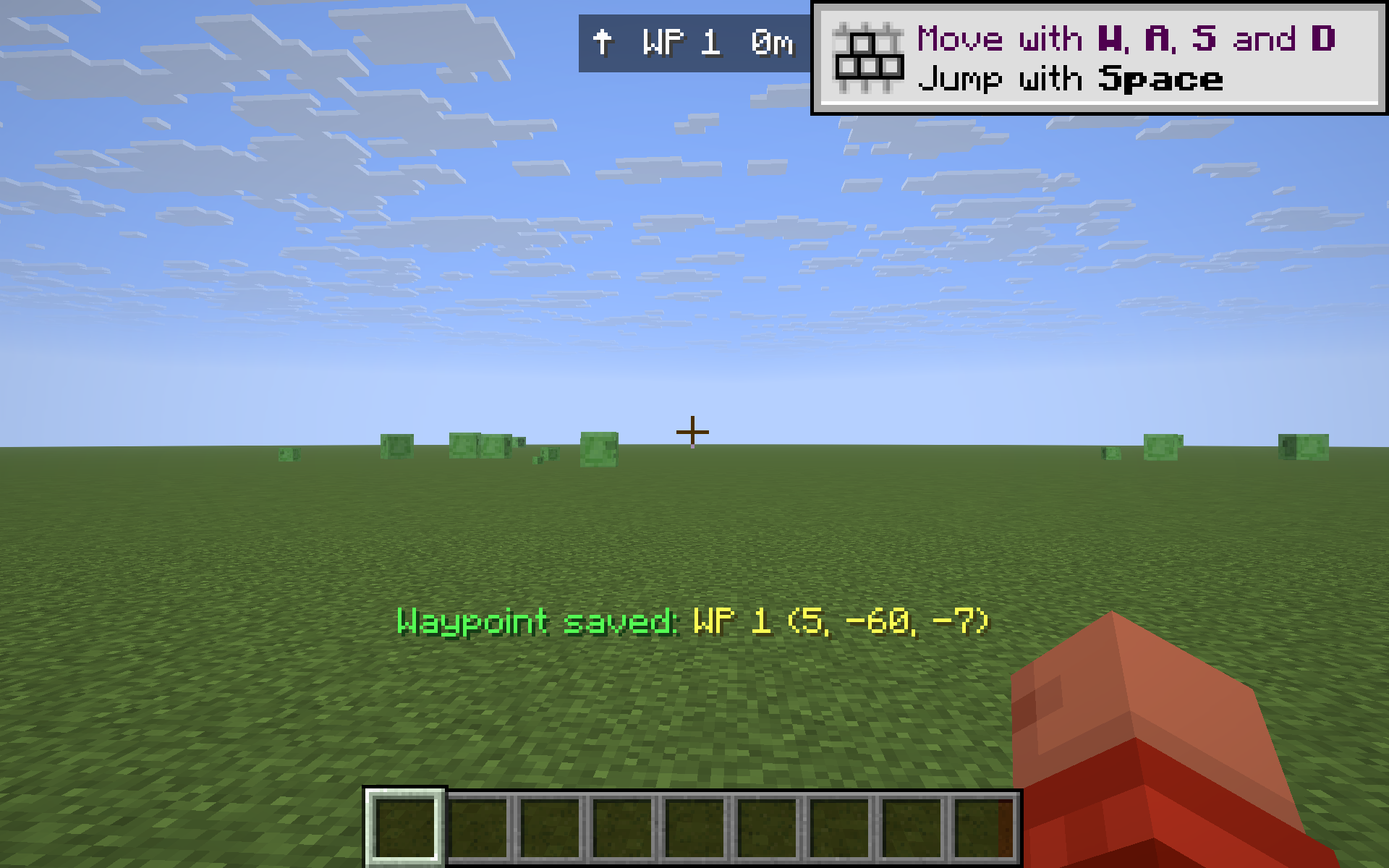 Waypoint saved
Versions
Files
Relations
Project Relations
More like this
Similar Mods
Suggestions use data such as tags, dependencies, dependents, descriptions, titles, and more to rank how much they overlap with this mod.
- Waypoint Compass
- Waypoint Compass Bar
- Reverb Compass
- Chronicles Compass
- Compass to Map: Xaero's Minimap & Explorer's Compass & Nature's Compass Addon
- Compass Waypoints
- RPG Waypoints Map Addon
- RPG Compass and Waypoints
- Compass Plus Waypoints
- Structure Compass to Xaero's Map
- Recovery+
- HudCompass (Fabric)
On ModDex
Community snapshot
By the numbers
Statistics

Want to reach Minecraft players?
We're looking for a server hosting partner to feature here and other parts of the site. Interested? Send us a message!
Get in touchGet it on
Available Platforms
On ModDex
Community snapshot
By the numbers
Statistics
Resources