Community listing page, reviews here may not be monitored by the author.
WaypointsPlus


No reviews yet
Create and manage waypoints on any multiplayer server
Community voices
Reviews
No reviews yet. Be the first to review this project!
Get it on
Available Platforms
Compatibility
Supported Environments
Runs entirely on the client. Works on vanilla servers.
About
Project Details
For authors
Embed Badge
If you're the author of this project, you can embed a live badge anywhere that supports HTML or Markdown. It updates automatically whenever ratings change.
Use HTML for any page that supports it, or Markdown for README files and Markdown-based descriptions.
Identifiers
Platform IDs
About
Description
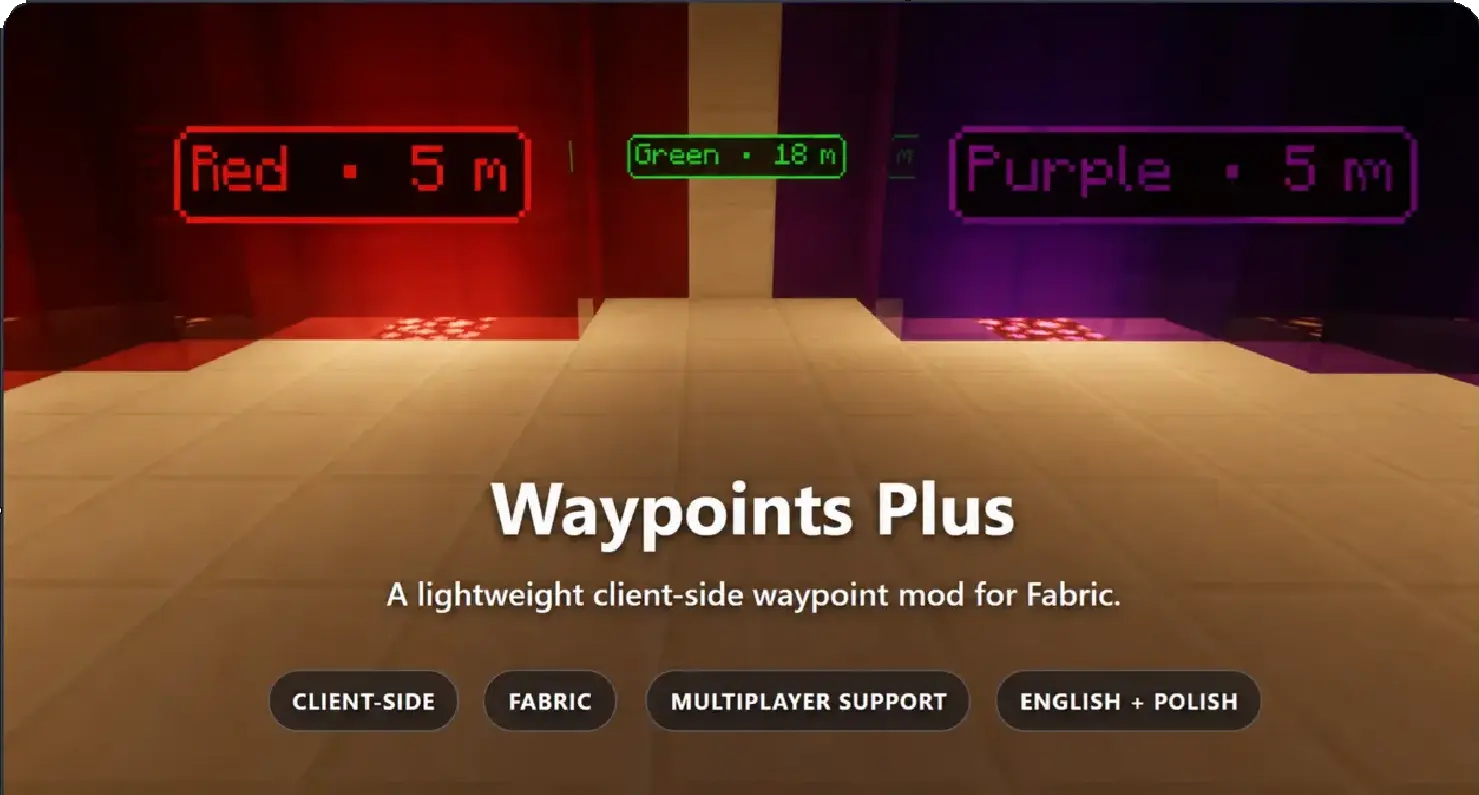






Waypoints Plus is a client-side Fabric mod for marking locations, sharing coordinates and keeping your team informed.
Save bases, track your last death, organize locations into profiles and customize how your waypoints look. Fight Alerts let you send a prepared message to Discord or trusted players with a keybind.
No server installation is required.

Your locations, organized
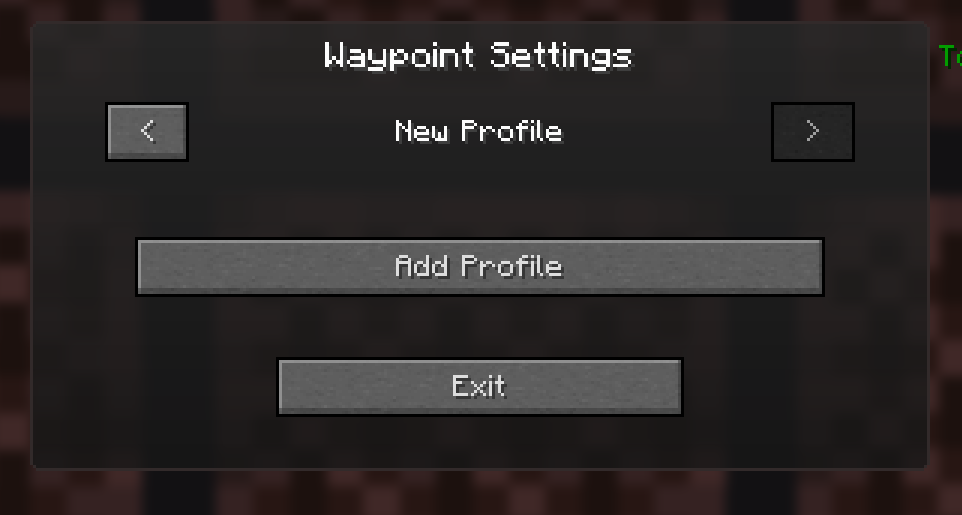
Waypoints stay separate for each multiplayer server and singleplayer world. Create profiles for Bases, Allies, Enemies, Structures, or an empty profile when you want a clear view.
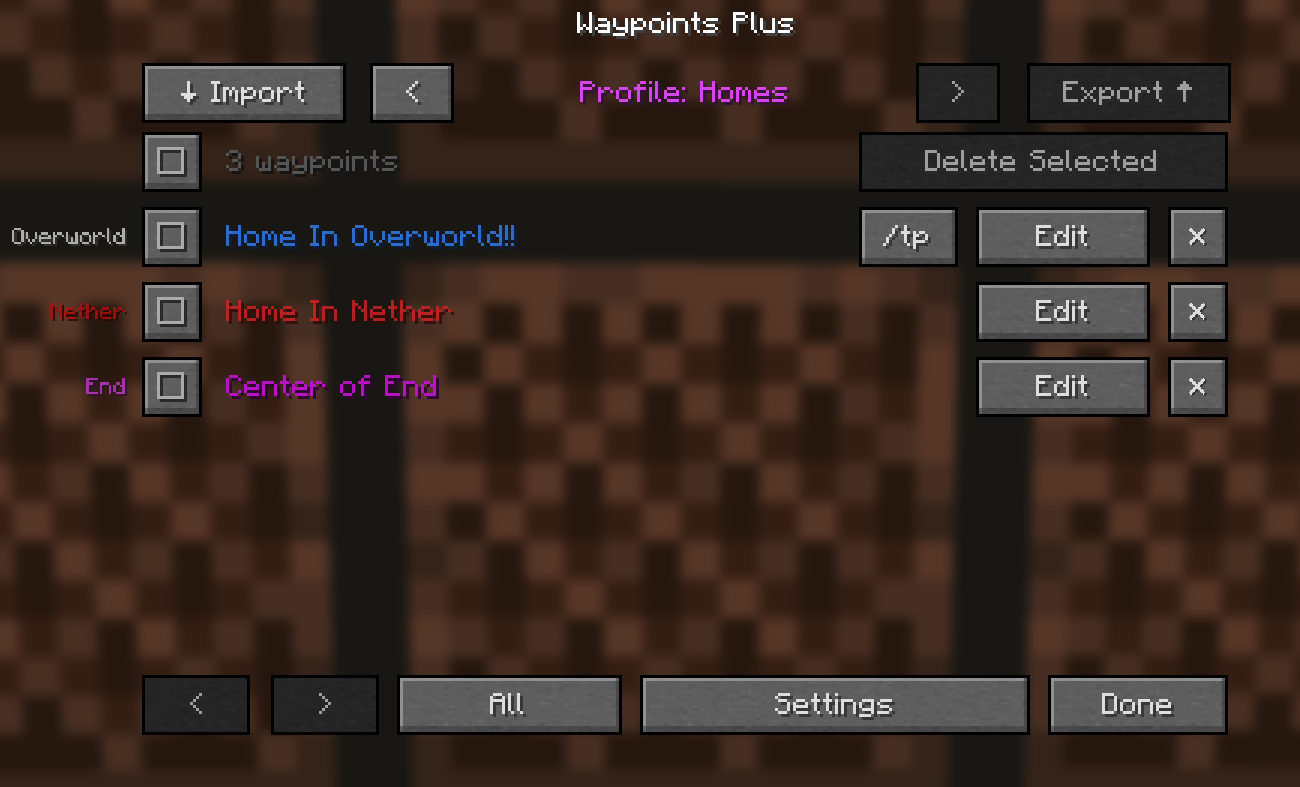
Switch profiles using the menu arrows or keybinds. New waypoints go into your active profile, while death locations are saved automatically in a dedicated profile with a date and time.
Create and manage waypoints
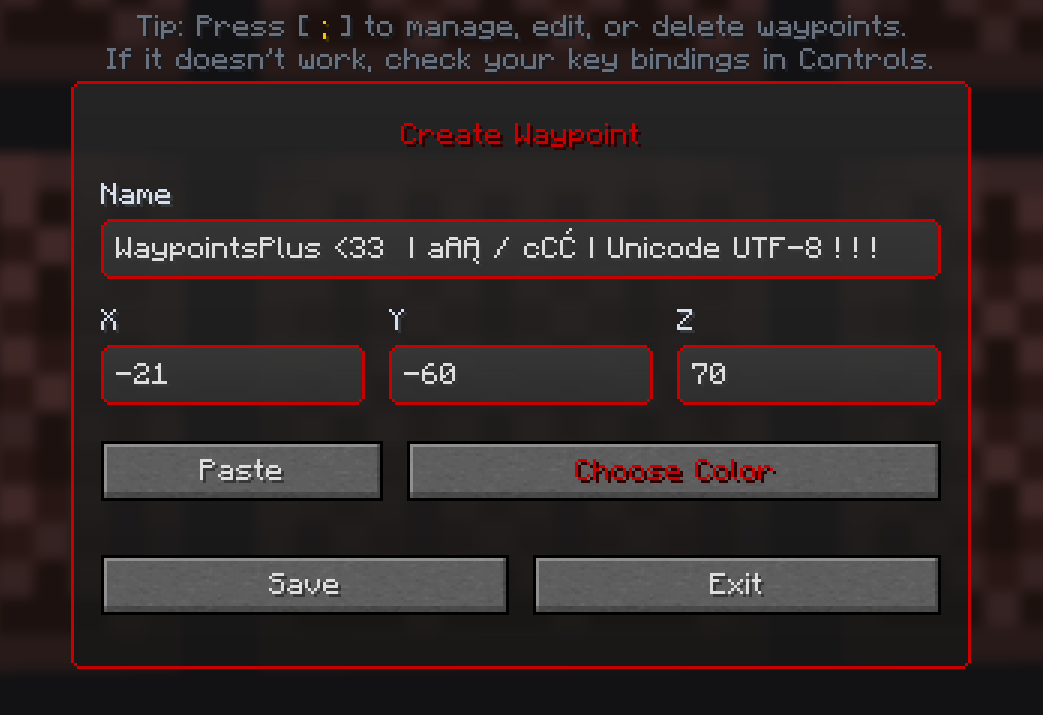
Create a waypoint at your current position or enter coordinates manually. Change its name, color and dimension, including custom dimensions used by servers.
The manager lets you edit, delete, select and export waypoints. Filter the list by dimension to find what you need. A teleport button is available when the client detects access to the relevant command.
Make them yours
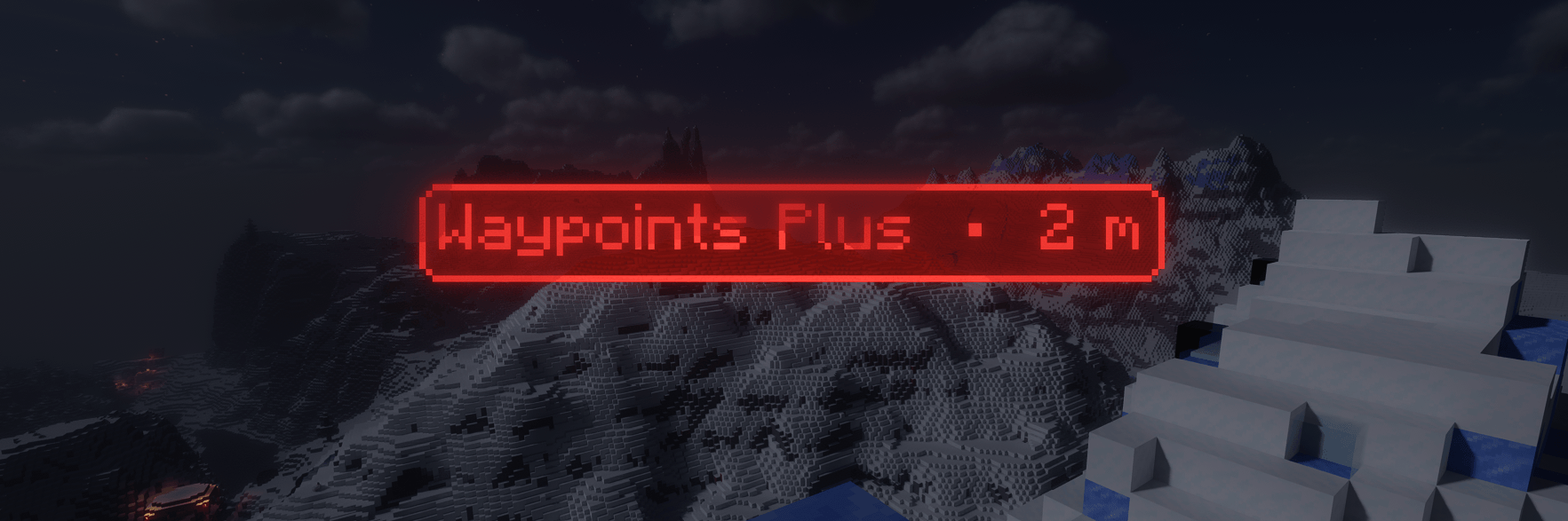
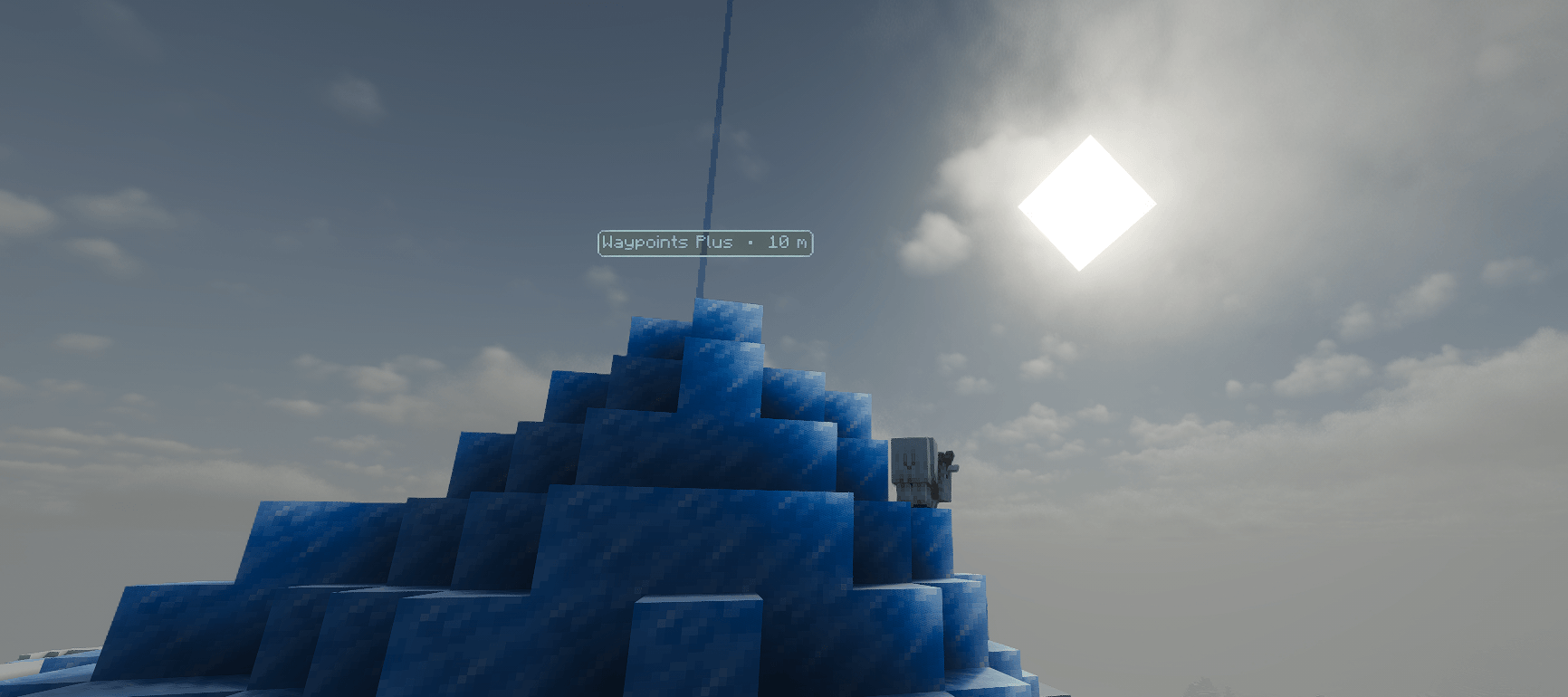
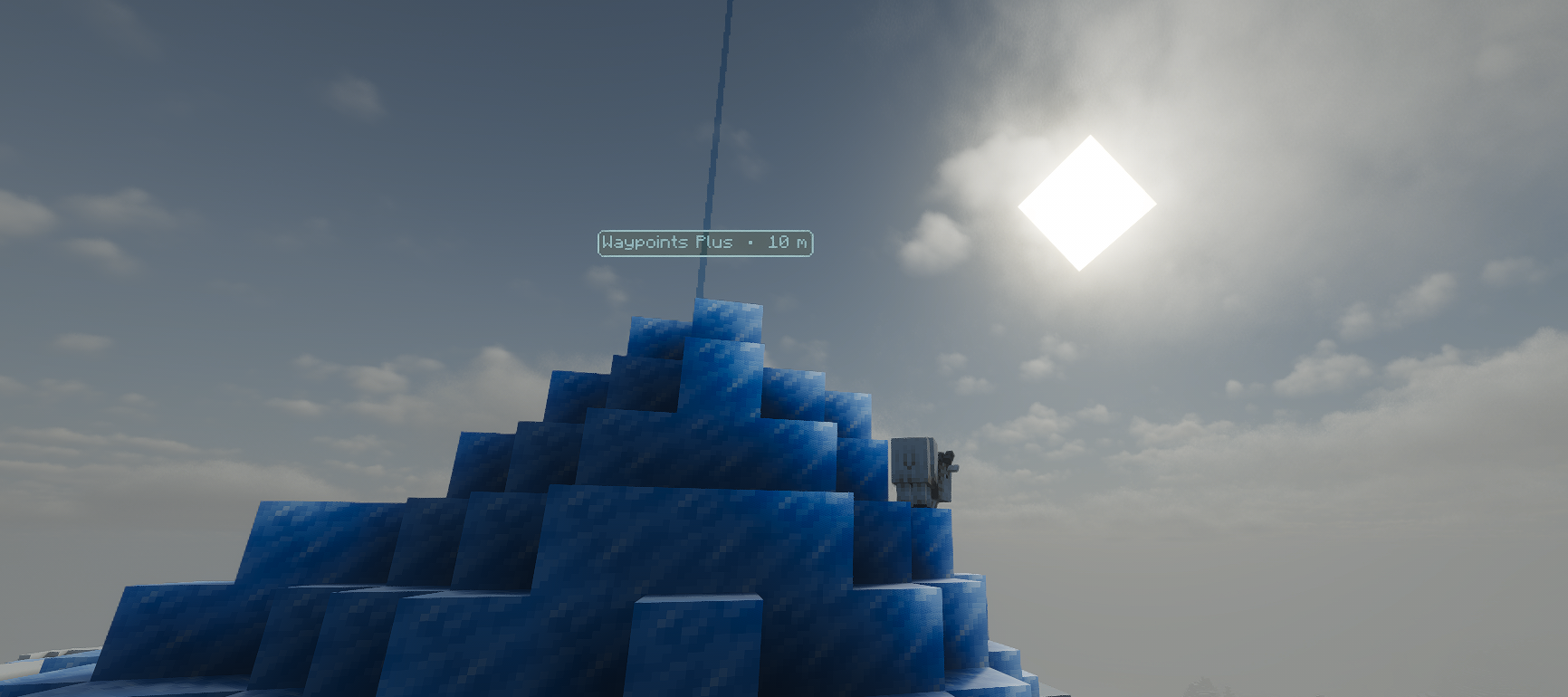
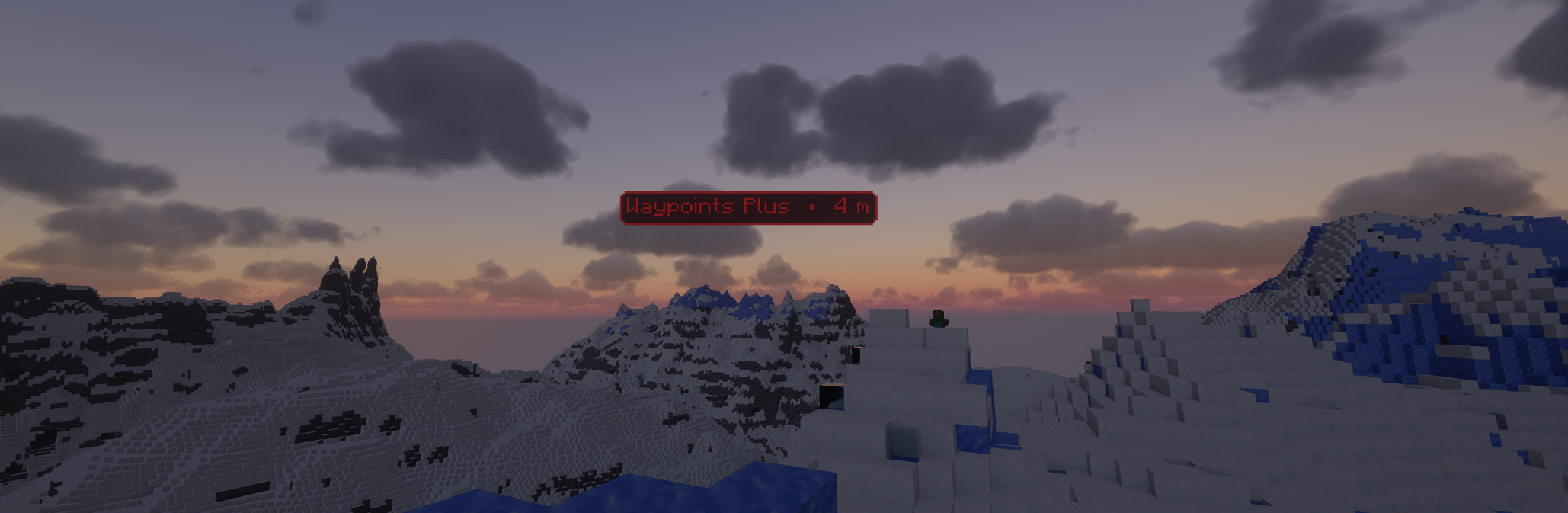
Markers face the camera and remain visible through walls and beyond loaded chunks. Optional lasers mark the waypoint's position and are hidden by blocks.
Choose colors and transparency with the visual color picker, reuse recent colors and save a preferred default. Match text to the border or use a separate default text color.
Settings include:
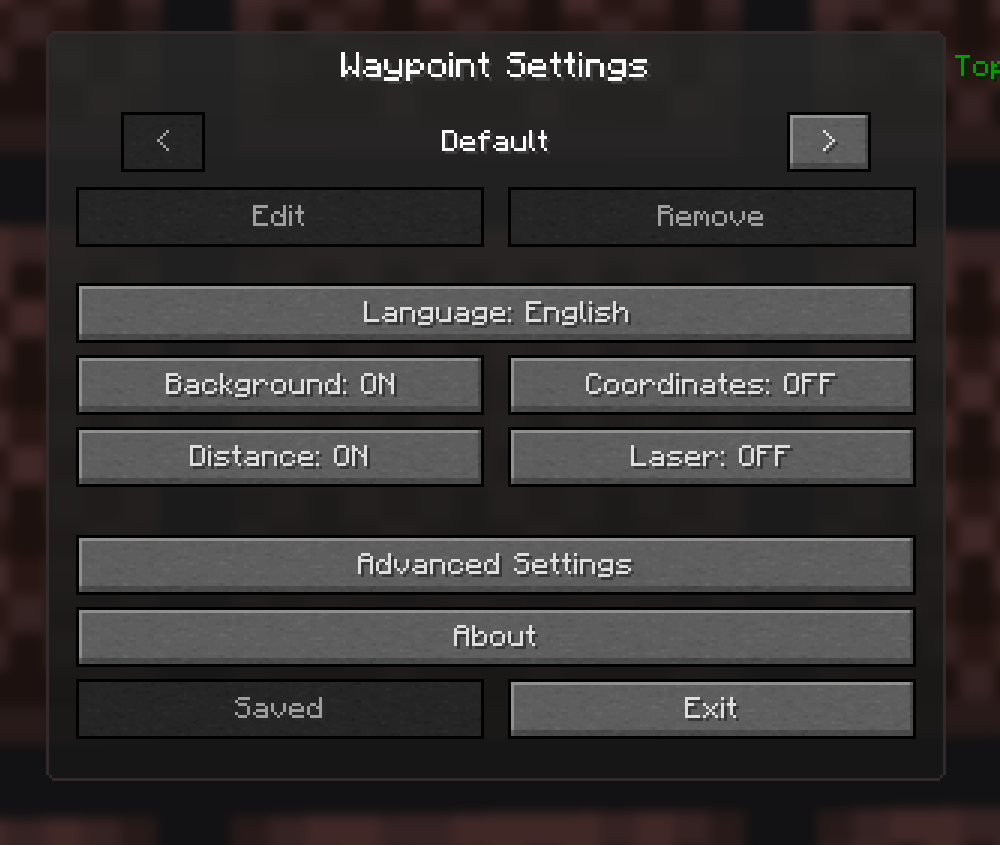
- Background, coordinates, distance and laser visibility.
- Label scale, text color and background color.
- Adjustable background tint using the border color.
- Cross-dimension visibility with Overworld and Nether
8:1conversion. - Menu background effects.
- English and Polish interface.
Share coordinates
Export selected waypoints to the clipboard and let another player import them into their current profile. Imports containing custom dimensions can be kept as they are or mapped to another dimension.
For a single location, use Fast Waypoints. Copy a line like this:
100 64 -250 Meeting pointPress Create Waypoint From Clipboard to create it without opening a menu. Copy Current Position prepares a line with your own coordinates.
Fight Alerts
Set up a message once and send it when you need it. Choose a Discord webhook or in-game MSG to up to 10 trusted recipients, with an adjustable delay between messages.
Trigger an alert with a single press, a key combination or repeated presses within a chosen time window. Each alert can be enabled or disabled separately, with optional popup notifications.
Message variables can include:
- Your name, coordinates, dimension, server and health.
- Players you attacked during the last minute.
- Golden apples, enchanted golden apples, pearls and totems.
- Armor durability.
- A ready-to-copy Fast Waypoint.
For example:
$PLAYER needs help at $X $Y $Z $DIMENSION on $SERVER
HP: $HP
Opponents: $OPPONENT_COUNT
$OPPONENTS
Discord messages support multiple lines. In-game MSG converts line breaks to spaces and shortens messages to fit Minecraft's command limit. Server permissions and messaging rules still apply.
Keep your Discord webhook URL private.
Default controls
| Action | Default key |
|---|---|
| Create Waypoint | B |
| Manage Waypoints | ; |
| Previous Waypoint Profile | Left Arrow |
| Next Waypoint Profile | Right Arrow |
| Reload Waypoints From File | Unassigned |
| Create Waypoint From Clipboard | Unassigned |
| Copy Current Position | Unassigned |
Change these in Minecraft's Controls menu. Fight Alert triggers are configured separately for each alert.
Before sharing screenshots
Coordinates and distance can be hidden independently. Turn them off when you do not want them shown in screenshots or recordings. Visible landmarks and waypoint directions can still reveal clues about a location.
Supported versions
1.19.2 · 1.20.1 · 1.20.6 · 1.21.1 · 1.21.2–1.21.4 · 1.21.5 · 1.21.6 · 1.21.8 · 1.21.10 · 1.21.11 · 26.1.2 · 26.2
Install the JAR marked for your Minecraft version, together with Fabric Loader and Fabric API.
Local data
Settings, profiles and waypoint files are stored locally in:
config/waypointsplus/Waypoint data uses readable JSON files, with separate files for each server or world. After editing waypoint files outside the game, use the reload keybind to refresh them.
Documentation · Source · Buy Me a Coffee
Created by Slogerski.
Waypoints Plus is a client-side Fabric mod for marking locations, sharing coordinates and keeping your team informed.
Save bases, track your last death, organize locations into profiles and customize how your waypoints look. Fight Alerts let you send a prepared message to Discord or trusted players with a keybind.
No server installation is required.
Your locations, organized
Waypoints stay separate for each multiplayer server and singleplayer world. Create profiles for Bases, Allies, Enemies, Structures, or an empty profile when you want a clear view.
Switch profiles using the menu arrows or keybinds. New waypoints go into your active profile, while death locations are saved automatically in a dedicated profile with a date and time.
Create and manage waypoints
Create a waypoint at your current position or enter coordinates manually. Change its name, color and dimension, including custom dimensions used by servers.
The manager lets you edit, delete, select and export waypoints. Filter the list by dimension to find what you need. A teleport button is available when the client detects access to the relevant command.
Make them yours
Markers face the camera and remain visible through walls and beyond loaded chunks. Optional lasers mark the waypoint's position and are hidden by blocks.
Choose colors and transparency with the visual color picker, reuse recent colors and save a preferred default. Match text to the border or use a separate default text color.
Settings include:
- Background, coordinates, distance and laser visibility.
- Label scale, text color and background color.
- Adjustable background tint using the border color.
- Cross-dimension visibility with Overworld and Nether
8:1conversion. - Menu background effects.
- English and Polish interface.
Share coordinates
Export selected waypoints to the clipboard and let another player import them into their current profile. Imports containing custom dimensions can be kept as they are or mapped to another dimension.
For a single location, use Fast Waypoints. Copy a line like this:
100 64 -250 Meeting point
Press Create Waypoint From Clipboard to create it without opening a menu. Copy Current Position prepares a line with your own coordinates.
Fight Alerts
Set up a message once and send it when you need it. Choose a Discord webhook or in-game MSG to up to 10 trusted recipients, with an adjustable delay between messages.
Trigger an alert with a single press, a key combination or repeated presses within a chosen time window. Each alert can be enabled or disabled separately, with optional popup notifications.
Message variables can include:
- Your name, coordinates, dimension, server and health.
- Players you attacked during the last minute.
- Golden apples, enchanted golden apples, pearls and totems.
- Armor durability.
- A ready-to-copy Fast Waypoint.
For example:
$PLAYER needs help at $X $Y $Z $DIMENSION on $SERVER
HP: $HP
Opponents: $OPPONENT_COUNT
$OPPONENTS
Discord messages support multiple lines. In-game MSG converts line breaks to spaces and shortens messages to fit Minecraft's command limit. Server permissions and messaging rules still apply.
Keep your Discord webhook URL private.
Default controls
| Action | Default key |
|---|---|
| Create Waypoint | B |
| Manage Waypoints | ; |
| Previous Waypoint Profile | Left Arrow |
| Next Waypoint Profile | Right Arrow |
| Reload Waypoints From File | Unassigned |
| Create Waypoint From Clipboard | Unassigned |
| Copy Current Position | Unassigned |
Change these in Minecraft's Controls menu. Fight Alert triggers are configured separately for each alert.
Before sharing screenshots
Coordinates and distance can be hidden independently. Turn them off when you do not want them shown in screenshots or recordings. Visible landmarks and waypoint directions can still reveal clues about a location.
Supported versions
1.19.2 · 1.20.1 · 1.20.6 · 1.21.1 · 1.21.2–1.21.4 · 1.21.5 · 1.21.6 · 1.21.8 · 1.21.10 · 1.21.11 · 26.1.2 · 26.2
Install the JAR marked for your Minecraft version, together with Fabric Loader and Fabric API.
Local data
Settings, profiles and waypoint files are stored locally in:
config/waypointsplus/
Waypoint data uses readable JSON files, with separate files for each server or world. After editing waypoint files outside the game, use the reload keybind to refresh them.
Documentation · Source · Buy Me a Coffee
Created by Slogerski.
Screenshots
Gallery
-
 Waypoints Plus Waypoints Plus.png
 -
 waypoint obraz_2026-08-01_110144217.png
-
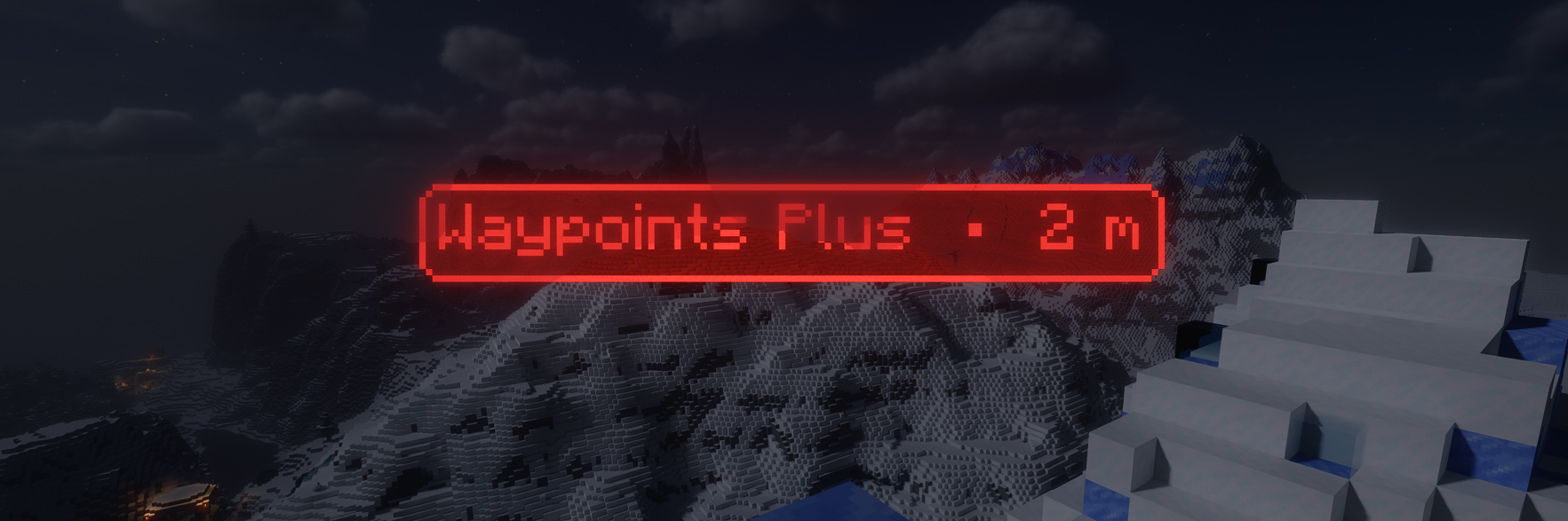 Waypoints Plus ingame
 -
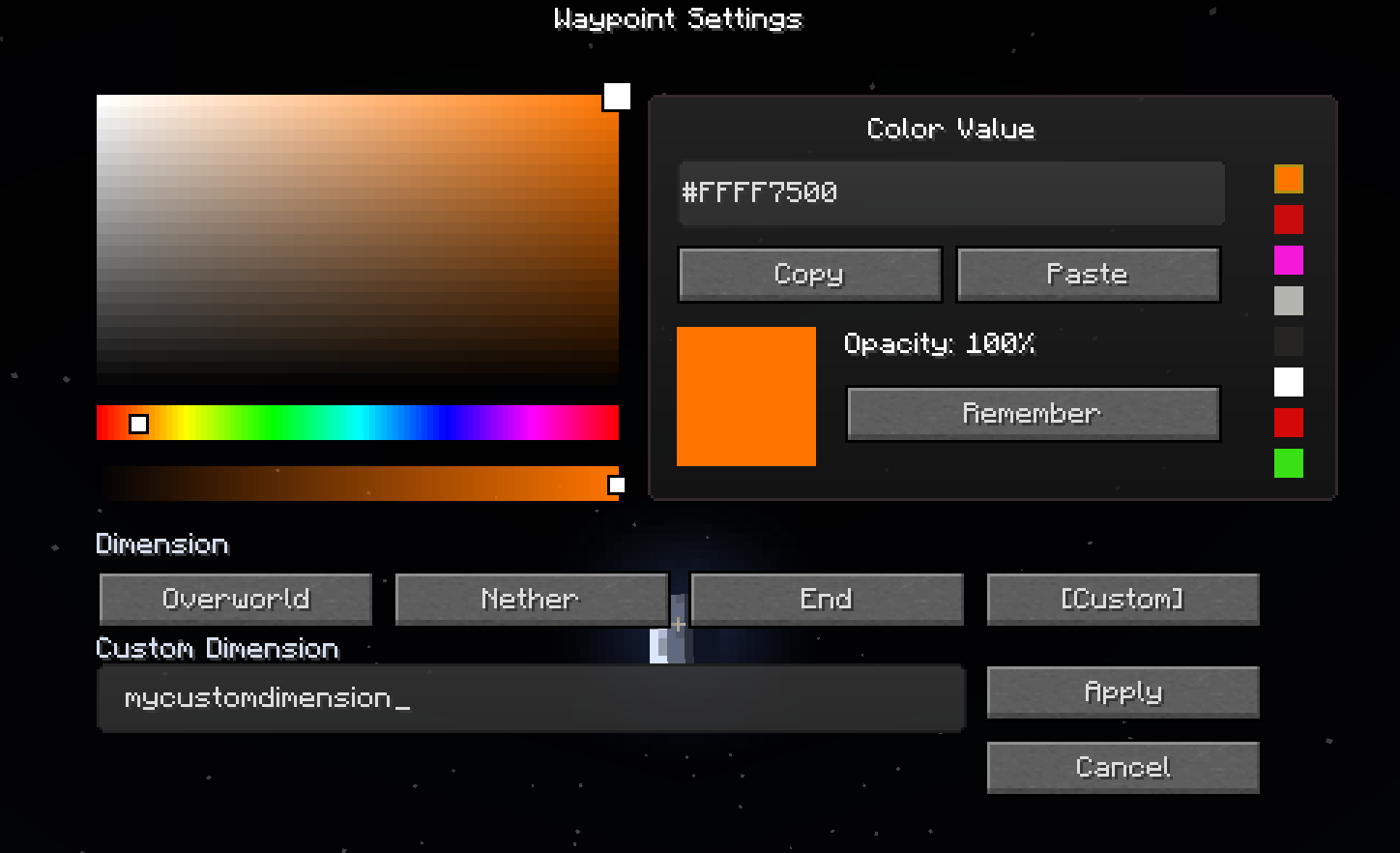 Waypoint Settings
 -
-
Versions
Files
Relations
Project Relations
More like this
Similar Mods
Suggestions use data such as tags, dependencies, dependents, descriptions, titles, and more to rank how much they overlap with this mod.
On ModDex
Community snapshot
By the numbers
Statistics
Want to reach Minecraft players?
We're looking for a server hosting partner to feature here and other parts of the site. Interested? Send us a message!
Get in touchGet it on
Available Platforms
On ModDex
Community snapshot
By the numbers