
Community listing page, reviews here may not be monitored by the author.
WebDisplays_Fabric

No reviews yet
Port the WebDisplays mod to Fabric.(This mod is ported from ds58 and Lyzantra's WebDisplays(forge)and yhe original mod WebDisplays is by the authors ds58 and Lyzantra!!! )
Community voices
Reviews
No reviews yet. Be the first to review this project!
Get it on
Available Platforms
Compatibility
Supported Environments
Must be installed on both the client and the server.
About
Project Details
For authors
Embed Badge
If you're the author of this project, you can embed a live badge anywhere that supports HTML or Markdown. It updates automatically whenever ratings change.
Use HTML for any page that supports it, or Markdown for README files and Markdown-based descriptions.
Identifiers
Platform IDs
About
Description
WebDisplays Mod(This mod is ported from ds58 and Lyzantra's WebDisplays(forge)and yhe original mod WebDisplays is by the authors ds58 and Lyzantra!!! ) - Implemented Features
🖥️ Core Display
Web Screen Block - Placeable in-world block that displays web pages via MCEF (Chromium Embedded Framework)
Multiplayer Support - Screen data (URL, size, rotation) synced to all players; each player loads pages locally via their own MCEF instance Texture Broadcasting (Experimental) - Screen owner's browser texture captured and broadcast to other players every 500ms for identical content
📦 Blocks & Items
Keyboard Blocks (Left & Right) - Right-click to type on screen, linkable to screens using Linking Tool Screen Configurator - Right-click screen to open settings GUI for creating/removing screen faces, setting URL, resizing, and rotating
Linking Tool - Click screen to select, then click keyboard to link them together Creative Tab - All items grouped under Web Displays creative tab
🎮 Interaction
Mouse Interaction - Raycast-based cursor tracking for clicking and scrolling on screen surfaces (Tab to toggle cursor) Keyboard Input GUI - Dedicated input screen for typing on browser pages
🌐 Network
Network Sync - Custom payload system for screen actions (add/remove/resize/rotate/URL changes)
⚙️ Rendering & Stability
OpenGL State Protection - Mixin to reset GL_UNPACK_ROW_LENGTH/SKIP_PIXELS/SKIP_ROWS after MCEF texture updates, preventing visual corruption Pixel Store Reset - Mixin to reset GL pixel store state after MCEF texture updates to prevent rendering artifacts
💻 Commands
/screen Command - Give items via command:
/screen screen
/screen configurator
/screen linker
/screen kb_left
/screen kb_right
!!!!!!!!!!!!!!!!!!!!!!!!!!!!!!!!!!!!!!!!!!!!!!!!!!!!!!!!!!!!!!!!!!!!!!!!!!!!!!!!!!!!!!!!!!!!!!!
How to use? Use the /screen command to obtain the screen block, configurator, connector, and keyboard.
Place the screen block. Right-click the screen block with the configurator to create a screen. Right-click again to adjust the screen ratio, URL, etc. Left-click functions the same as a left-click in a normal browser. Shift + scroll wheel functions the same as scrolling in a normal browser. Ctrl + scroll wheel functions the same as zooming in and out in a normal browser. Press Tab to hide the red pointer. Press F6 to hide the screen.
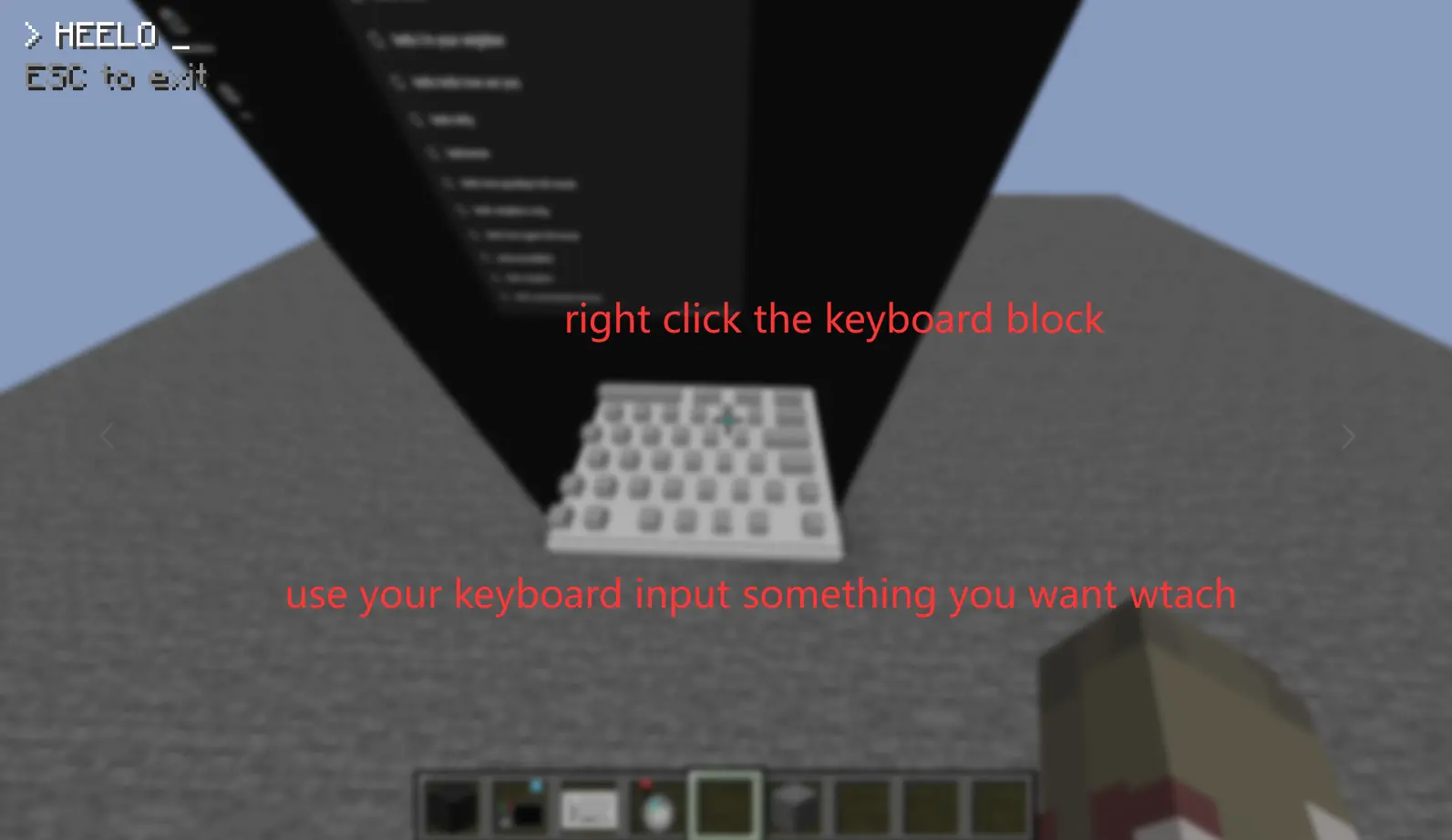
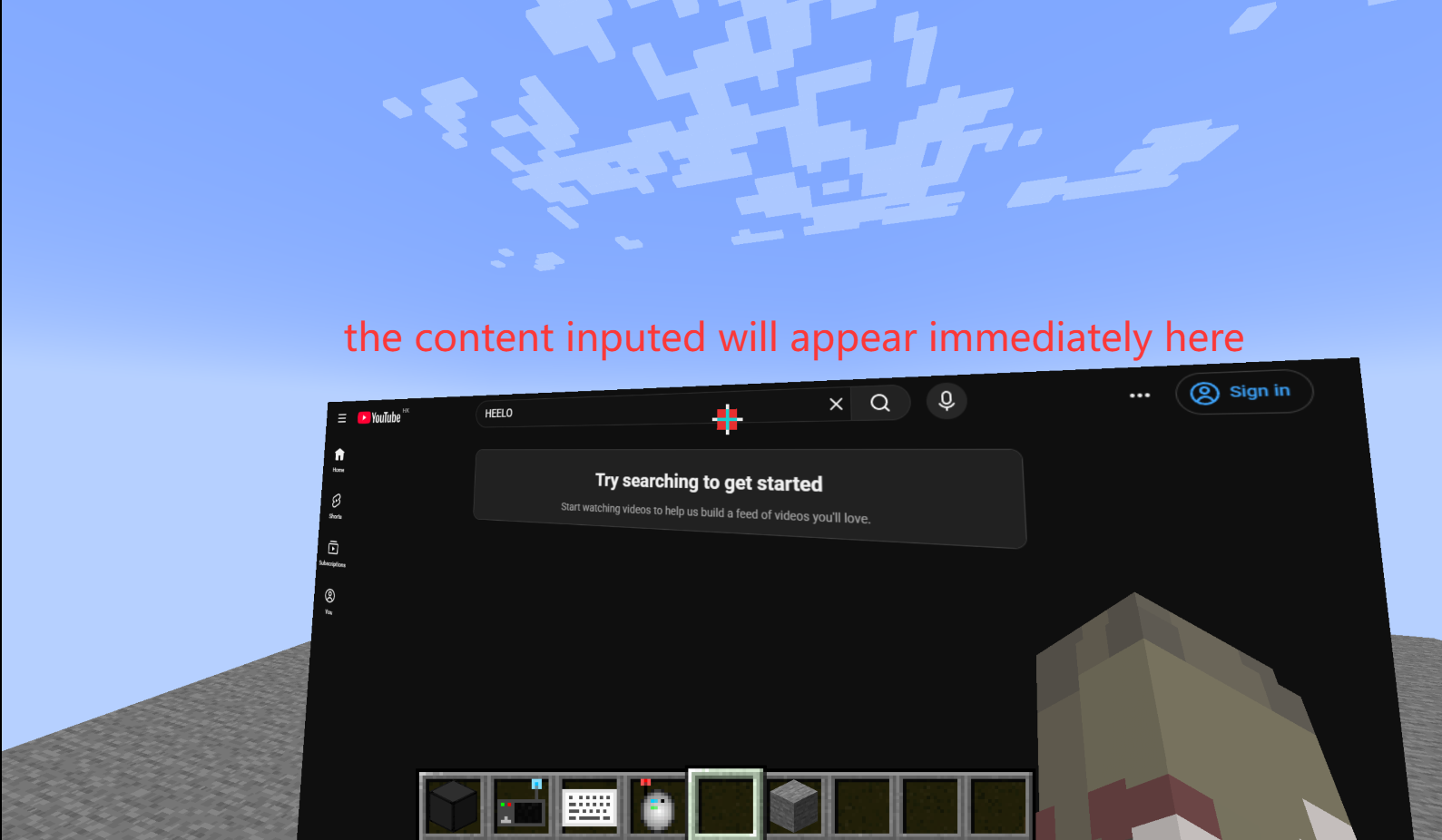
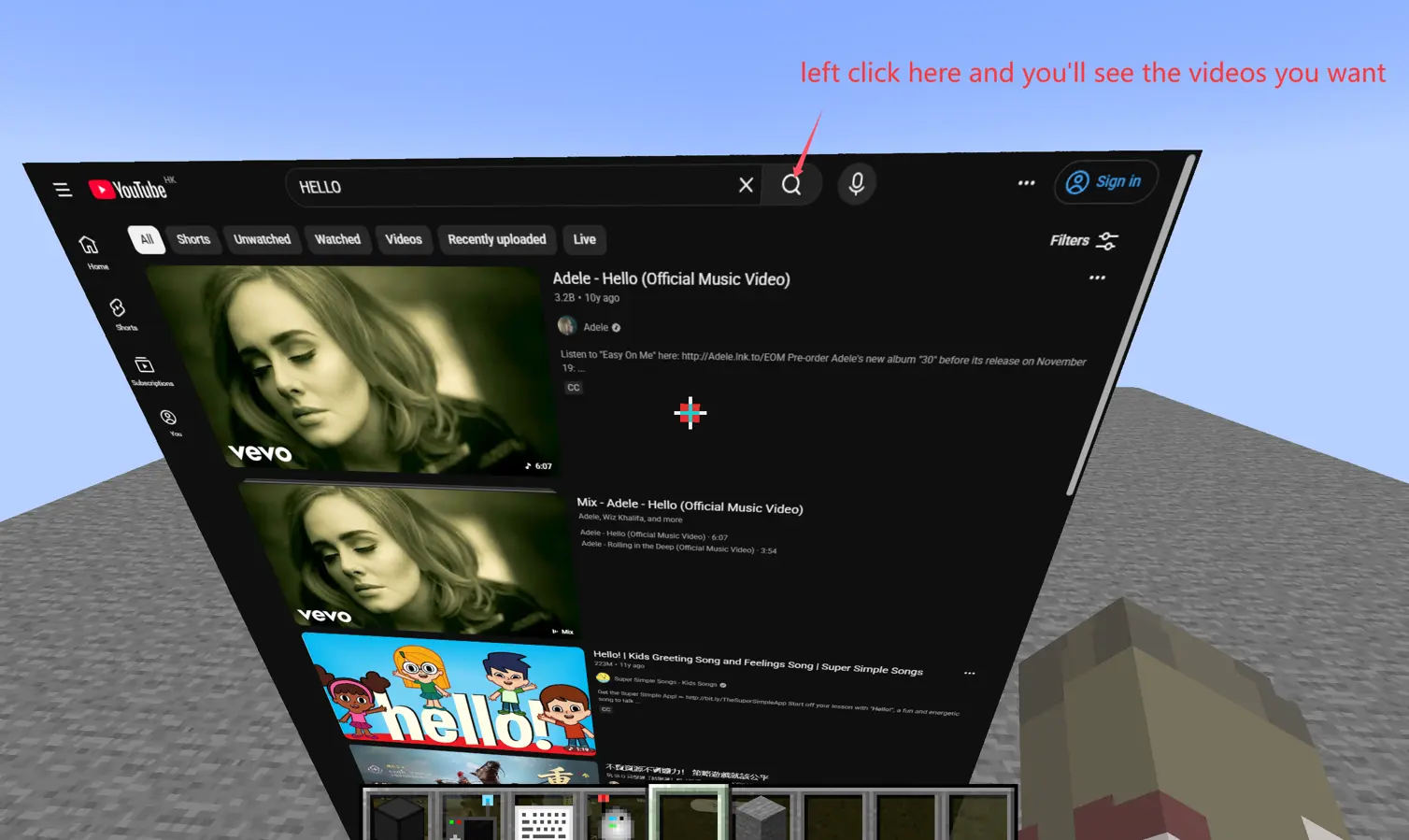
Place the keyboard. Use the connector to right-click the screen block and the keyboard respectively to connect them. Left-click on the input field on the screen to enter input mode. Right-click on the keyboard to type as you would in a normal browser (directly mapping the input content to the browser). Press Esc to exit.
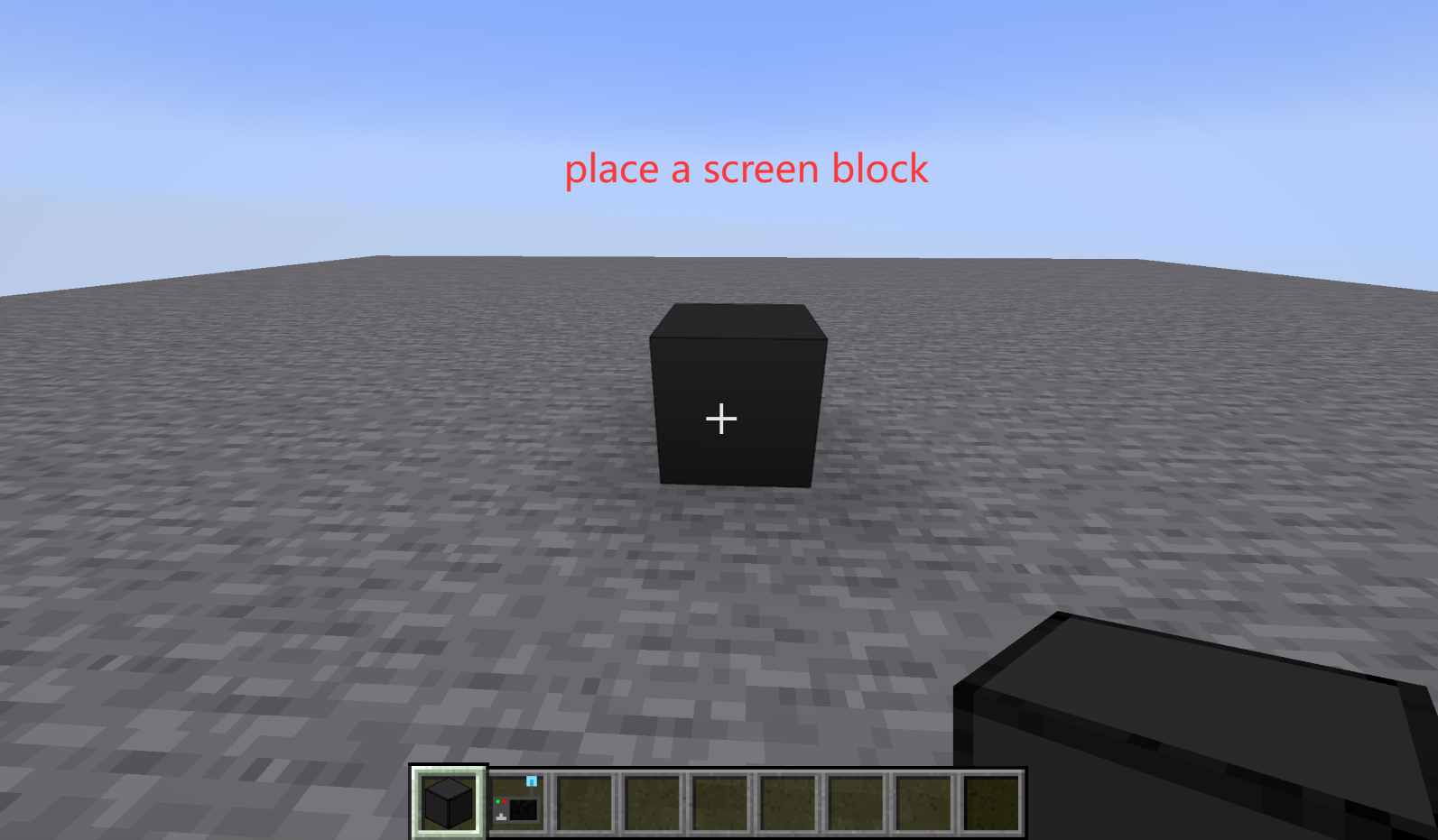
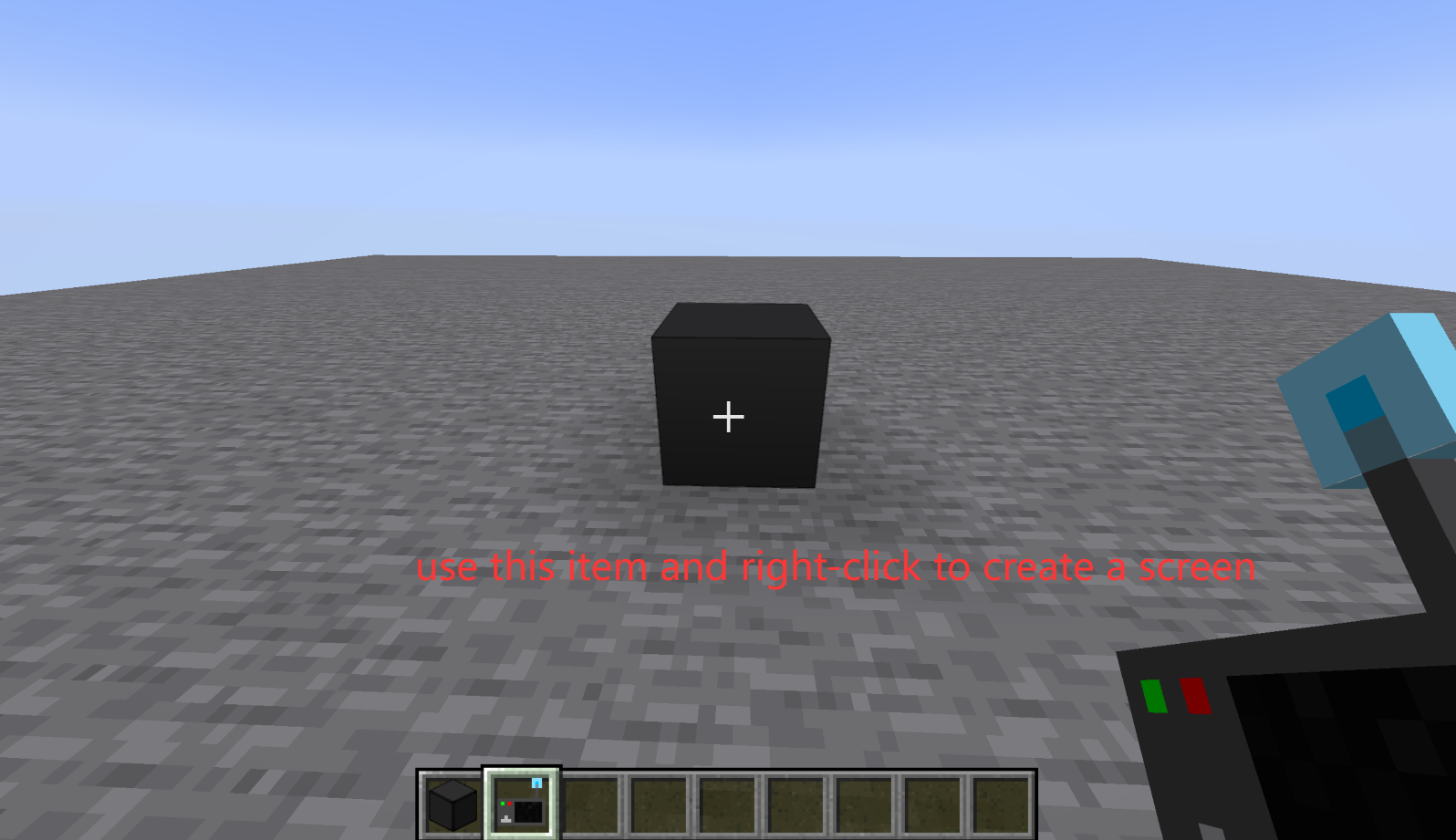
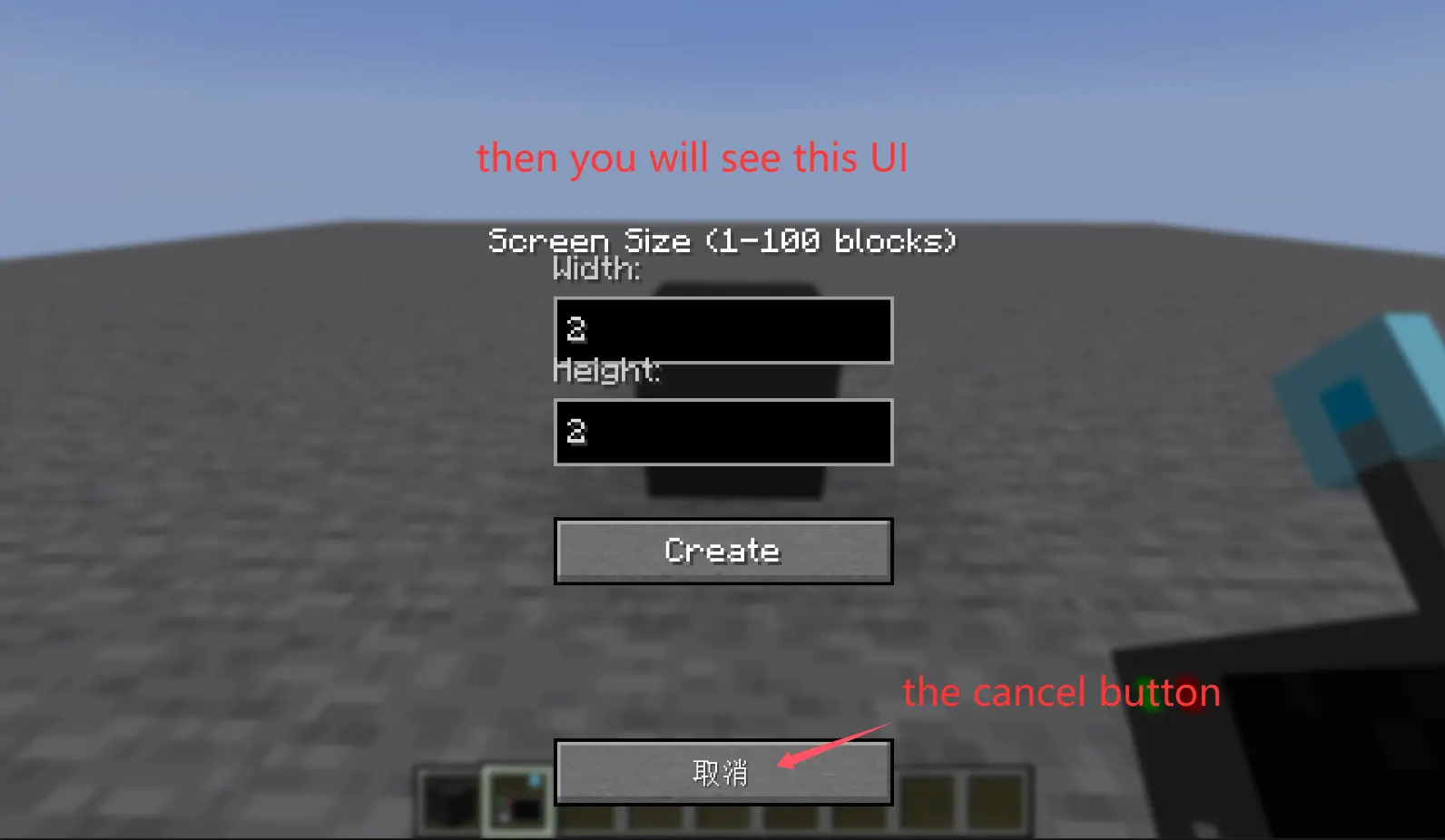
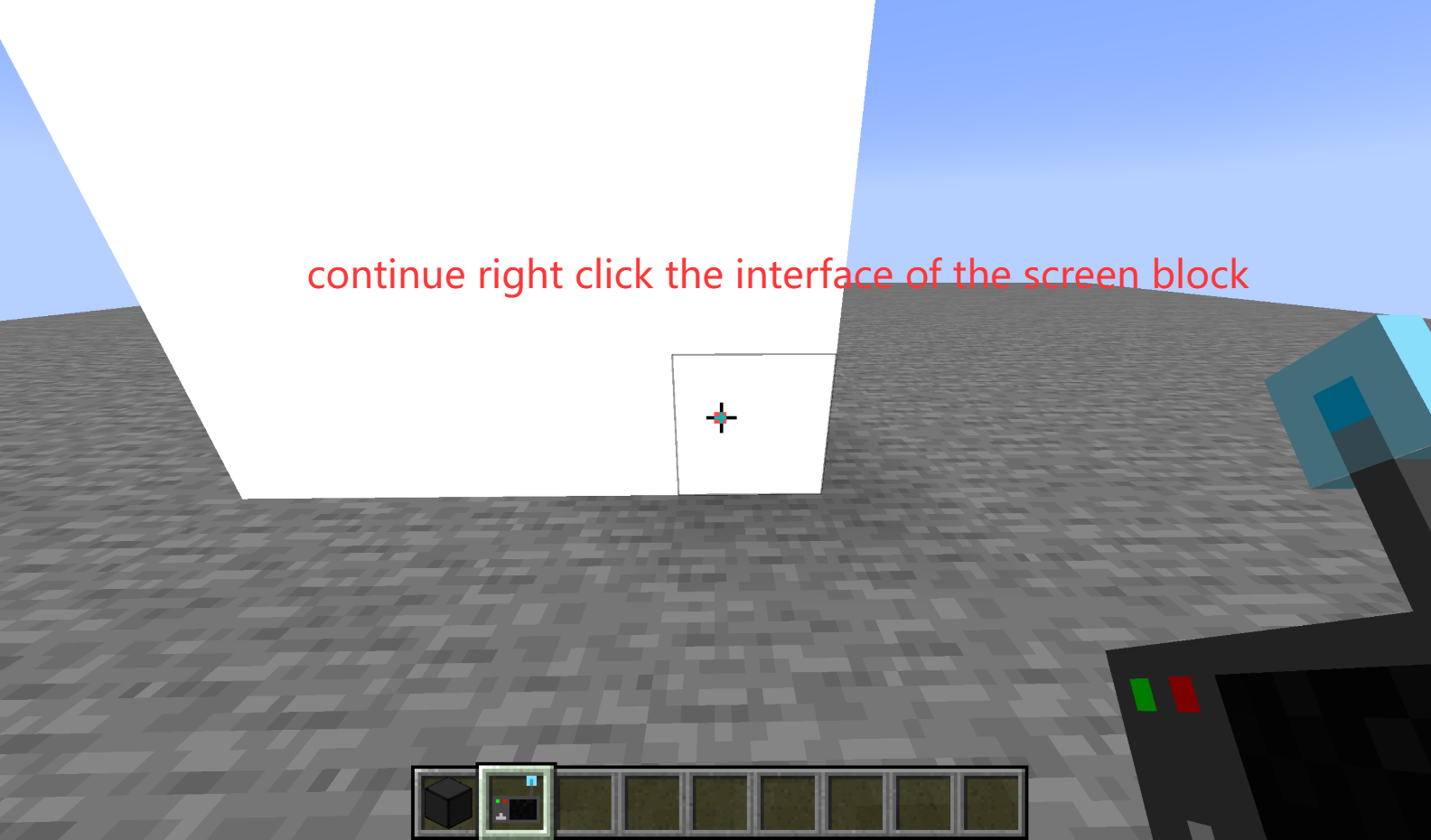
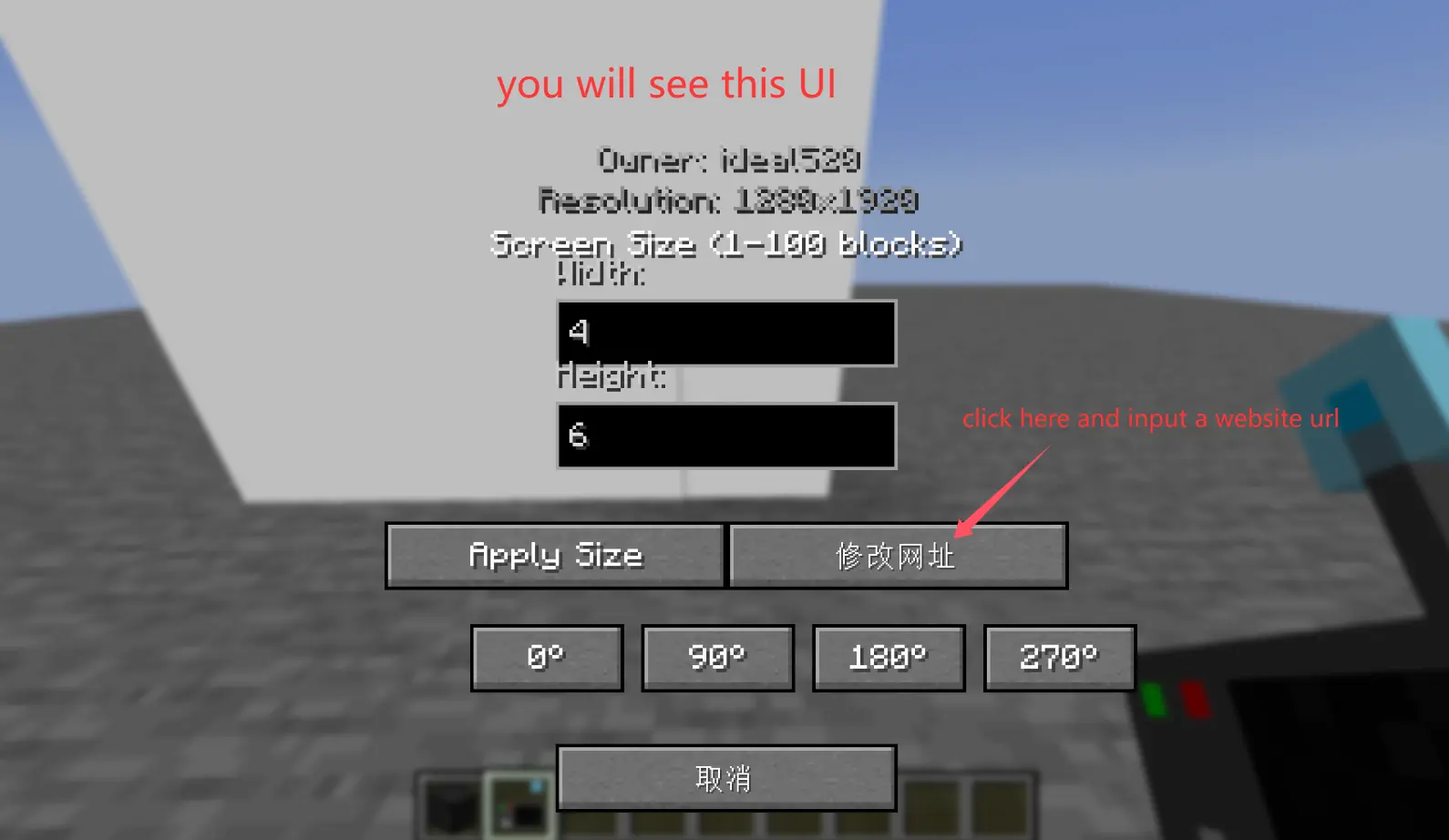
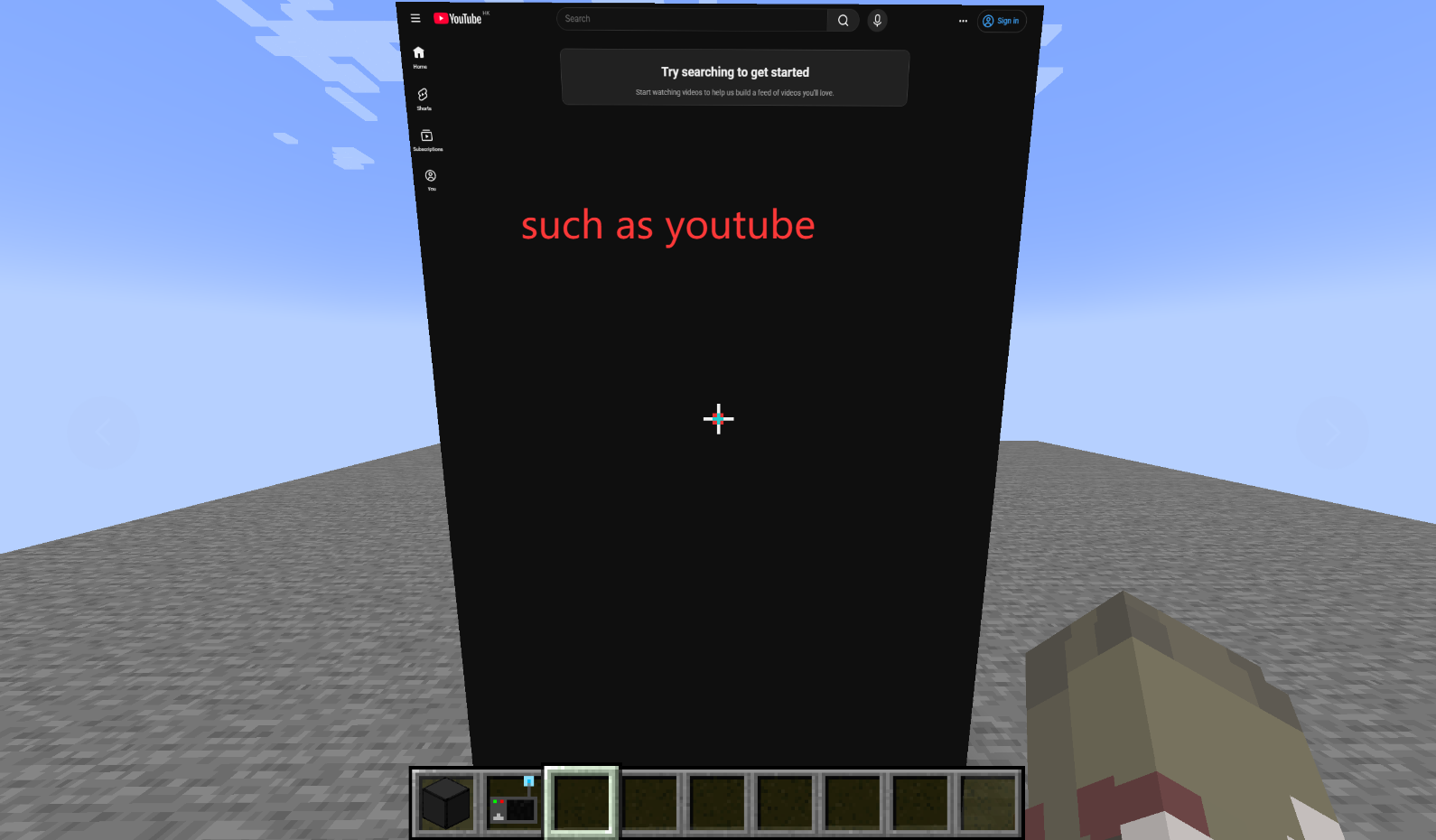
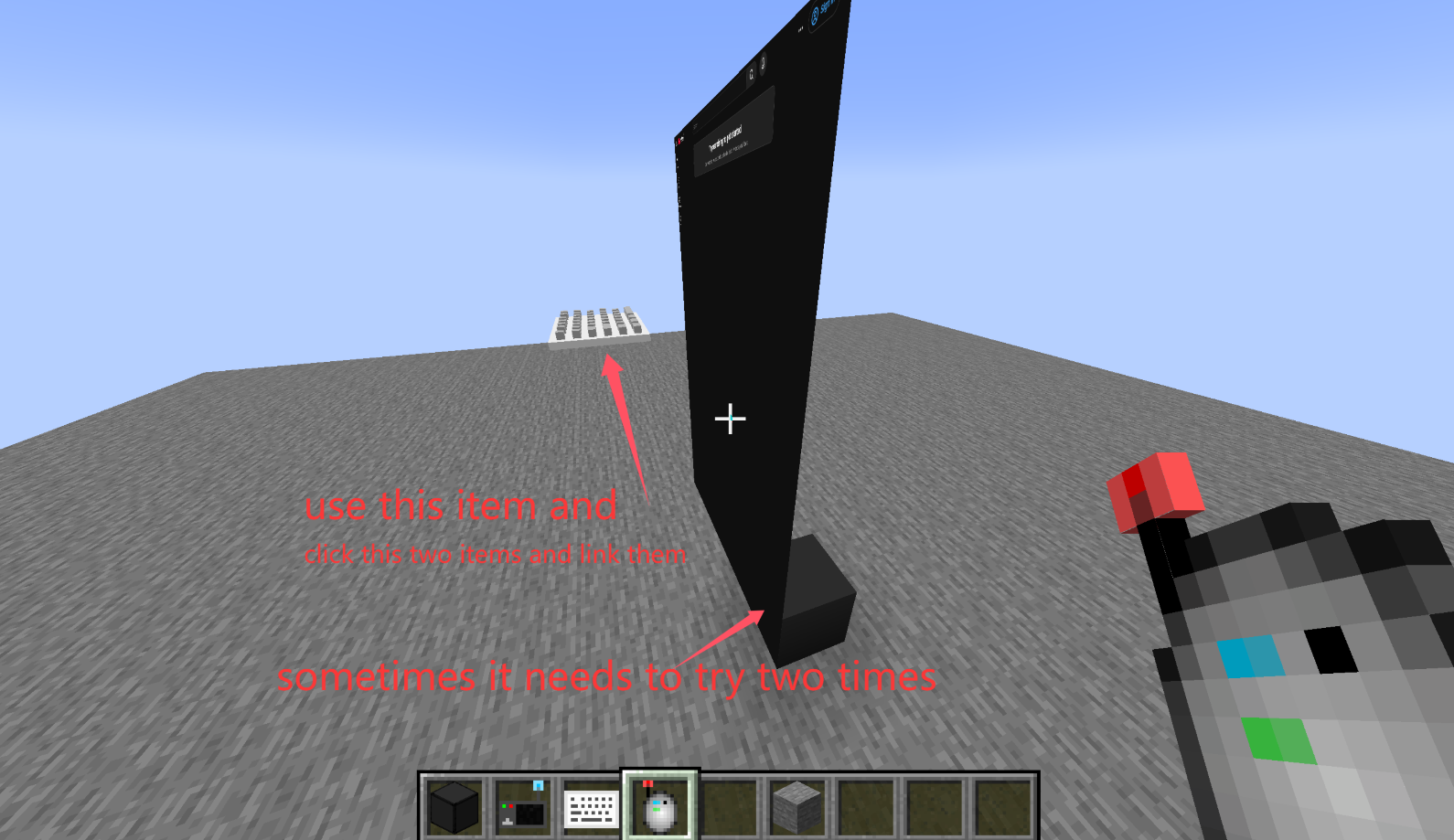 right click the screen block first!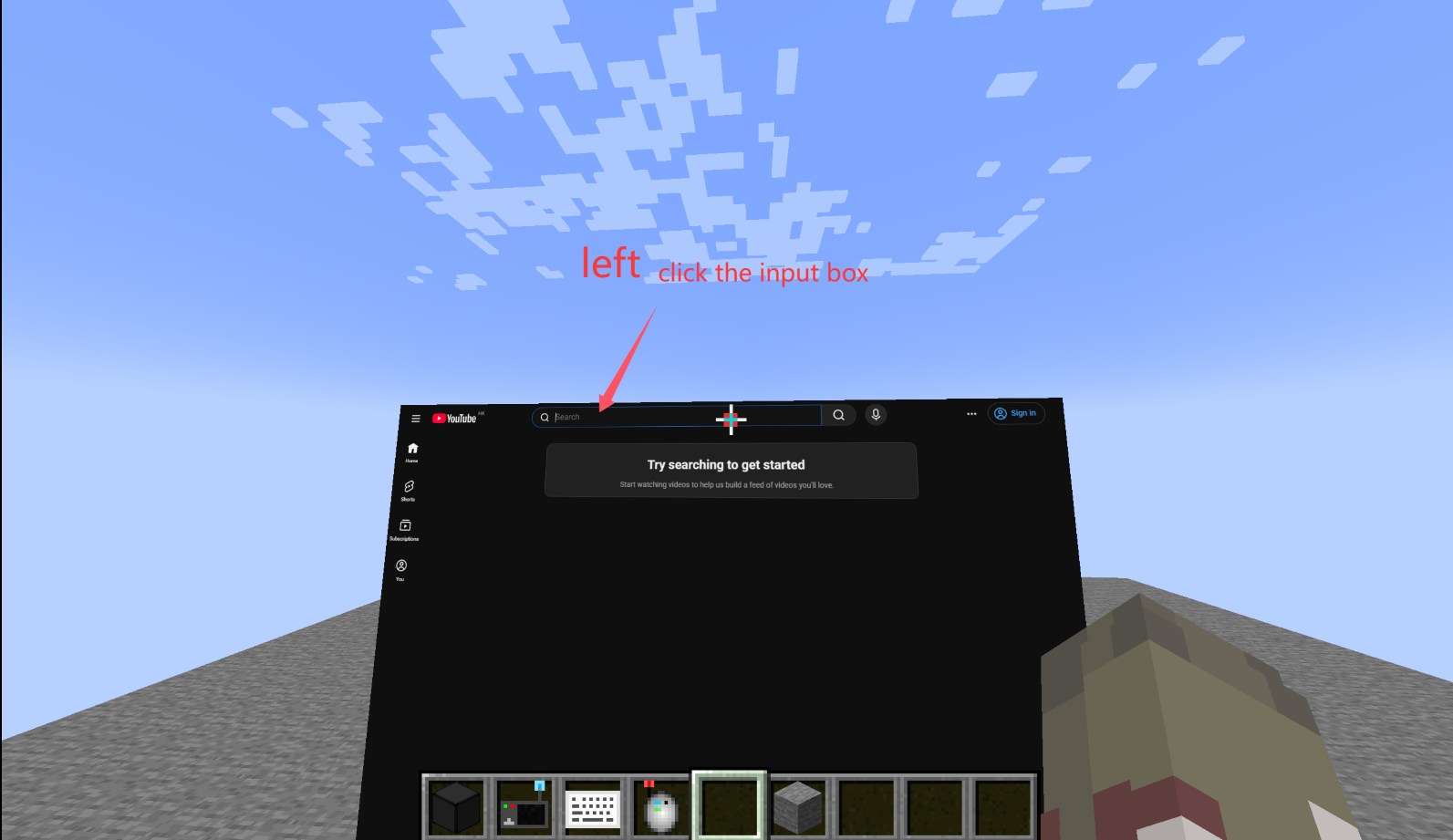
Screenshots
Gallery
Versions
Files
Relations
Project Relations
More like this
Similar Mods
Suggestions use data such as tags, dependencies, dependents, descriptions, titles, and more to rank how much they overlap with this mod.
On ModDex
Community snapshot
By the numbers
Statistics

Want to reach Minecraft players?
We're looking for a server hosting partner to feature here and other parts of the site. Interested? Send us a message!
Get in touchGet it on
Available Platforms
On ModDex
Community snapshot
By the numbers