
Community listing page, reviews here may not be monitored by the author.
Wheel of Binding

No reviews yet
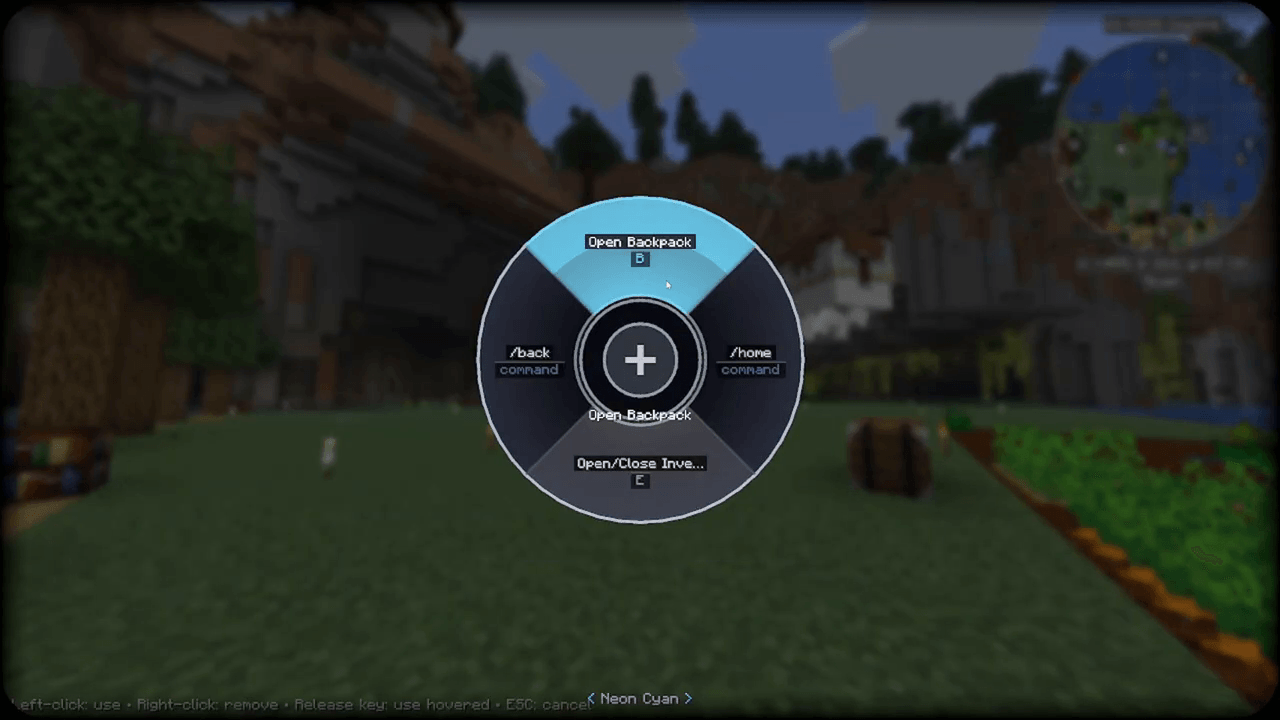
Fire any keybind or /command from a customizable radial wheel — hold ALT, hover, release.

Community voices
Reviews
No reviews yet. Be the first to review this project!
Get it on
Available Platforms
About
Project Details
For authors
Embed Badge
If you're the author of this project, you can embed a live badge anywhere that supports HTML or Markdown. It updates automatically whenever ratings change.
Use HTML for any page that supports it, or Markdown for README files and Markdown-based descriptions.
Identifiers
Platform IDs
Resources
External Links
About
Description
Wheel of Binding
Never run out of keys again.
Every mod adds its own keybinds, and sooner or later you're out of comfortable keys. Wheel of Binding fixes that: hold a key and a sleek circular wheel pops up. Pick any keybind function — vanilla or from any mod — and fire it straight from the wheel. No physical key required.
How it works
- Hold the wheel key (LEFT ALT by default, rebindable in Controls) — the wheel pops up. It starts empty.
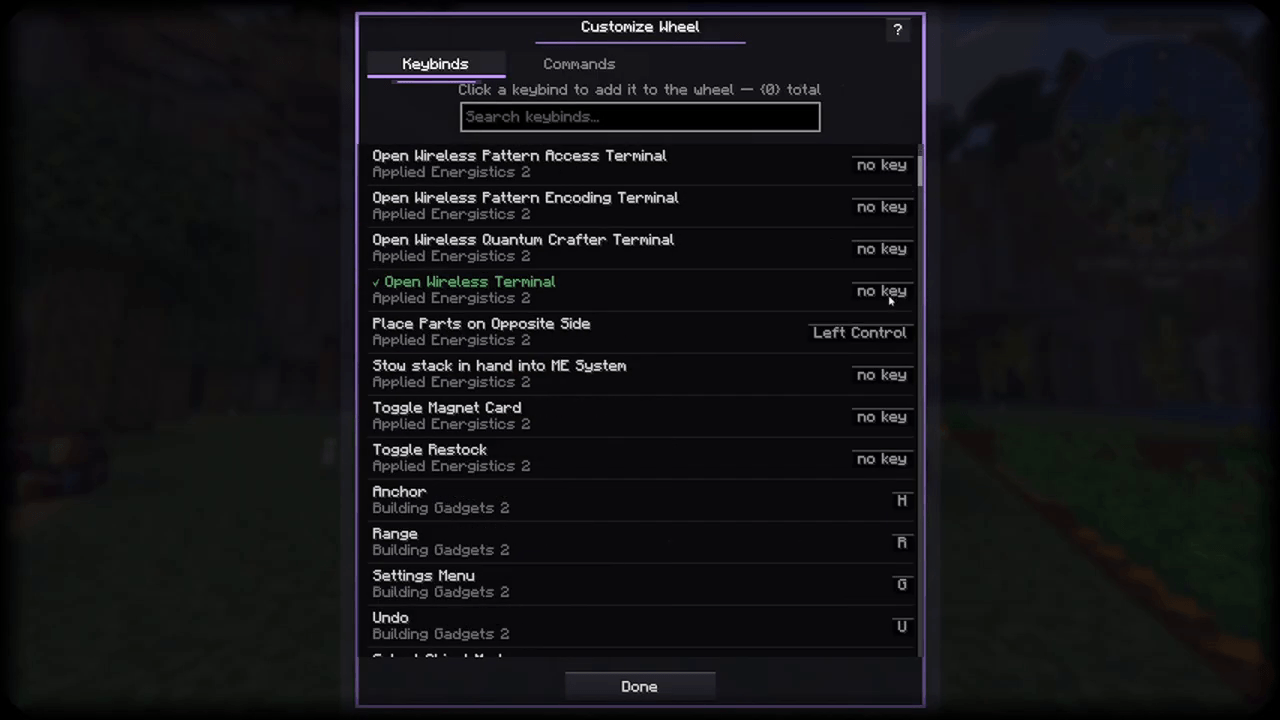
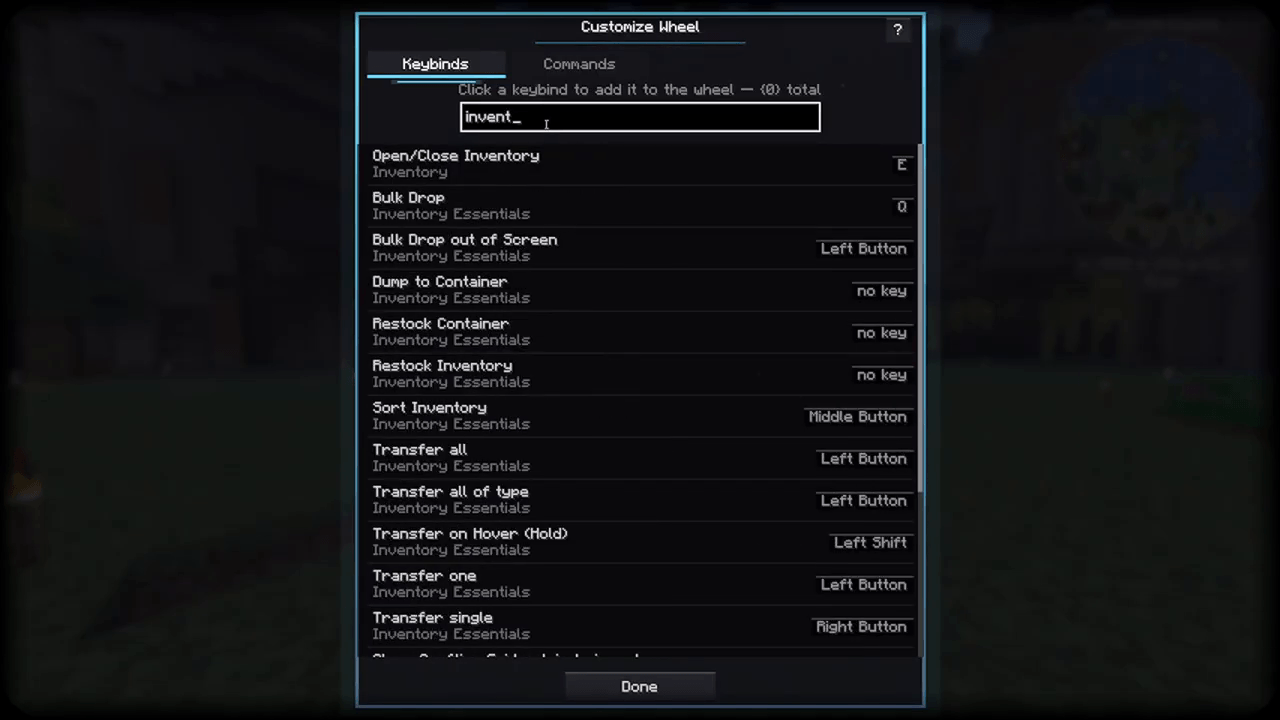
- Click the + in the center — a searchable list of every registered keybind appears (vanilla + all your mods).
- Click one to add it as a wedge. Your wheel is saved automatically and restored every session.
- Back on the wheel:
- Hover a wedge + release the key (or left-click it) → fires that keybind's function
- Right-click a wedge → removes it
</>arrows in the hub → flip through pages when you have more than 6 wedges- ESC → cancels, fires nothing
Each wedge shows the action's real Controls-screen name and its currently bound key — or "no key". That's the whole point: leave a mod's keybind unbound and trigger it from the wheel instead of sacrificing another key.
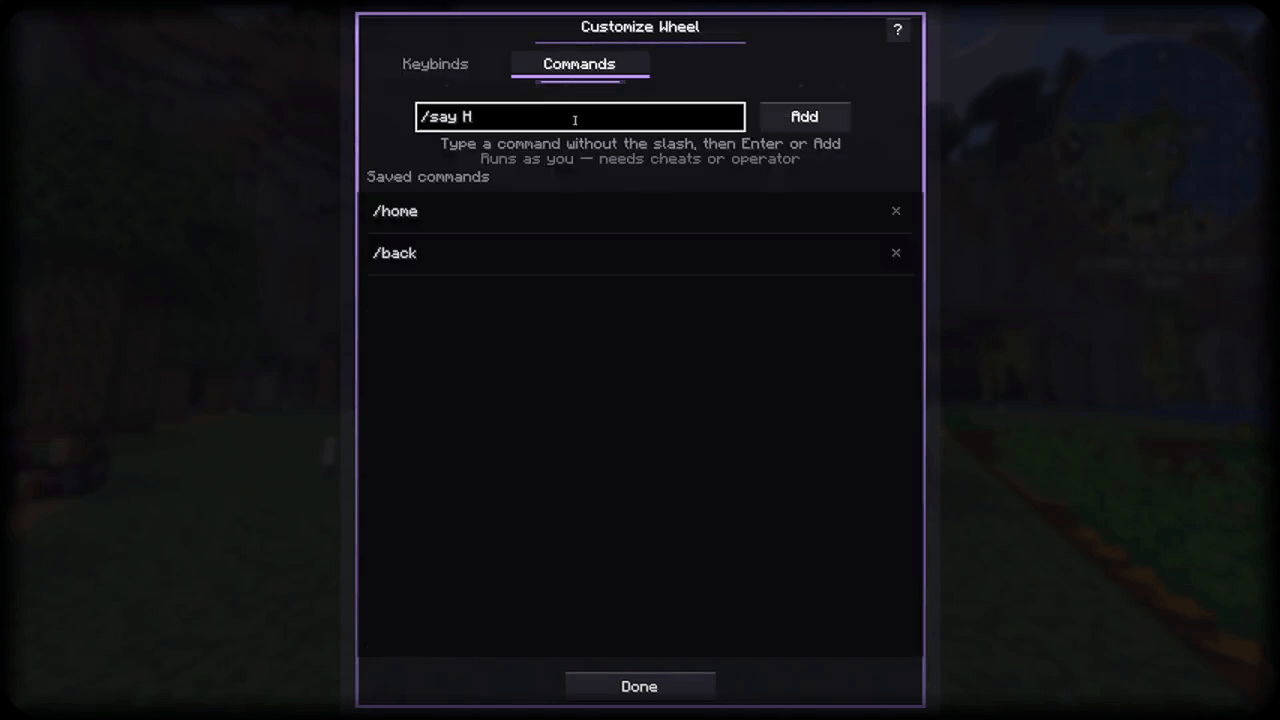
Custom / commands
Wedges aren't limited to keybinds. The Commands tab lets you add any / command — no leading slash, e.g. gamemode creative. Commands that need cheats or operator behave exactly like their chat versions, and favorites are kept in a reusable saved-command library.
Features
- Fire any keybind function from vanilla or any mod — bound or unbound
- Custom
/command wedges + saved command library - Searchable picker — search by action name or by key
- 5 themes — Neon Cyan, Ember, Violet Pulse, Mint, Ghost — switch live on the wheel
- In-game Guide book covering setup, wedges, pages, themes, and tips
- Paginated wheel: 6 wedges per page, hub arrows cycle pages
- Open key is rebindable in Options → Controls → Wheel of Binding
- Layout persists between sessions (
config/selectionwheel.json)
FAQ
Does the keybind need to be bound to a key? No. That's the point. The wheel triggers the keybind's function directly, exactly as if its key had been pressed.
Will this work with mod X's keybind? If it shows up in the keybind settings screen, it shows up in the wheel picker.
Client or server? Client-side only. Server admins don't need to install it.
Requirements
- Minecraft 26.1.2
- NeoForge 26.1.2.94+
- Java 25
Music: "Paradise Found" by Kevin MacLeod (incompetech.com) Licensed under Creative Commons: By Attribution 4.0 License http://creativecommons.org/licenses/by/4.0/
Screenshots
Gallery
-
 curseforge-banner.png curseforge-banner.png
 -
 1-wheel-in-action.png 1-wheel-in-action.png
 -
 2-add-keybind.png 2-add-keybind.png
 -
 3-add-command.png 3-add-command.png
 -
 4-search-keybinds.png 4-search-keybinds.png
Versions
Files
Relations
Project Relations
More like this
Similar Mods
Suggestions use data such as tags, dependencies, dependents, descriptions, titles, and more to rank how much they overlap with this mod.
On ModDex
Community snapshot
By the numbers
Statistics
 (opens in a new tab)
Get it on
Available Platforms
On ModDex
Community snapshot
By the numbers
Statistics
Resources