Community listing page, reviews here may not be monitored by the author.
Windowed GUIs


No reviews yet
Windowed GUIs turns all game GUIs into windows that you can sort and manage, just like on any OS!
Community voices
Reviews
No reviews yet. Be the first to review this project!
Get it on
Available Platforms
Compatibility
Supported Environments
Must be installed on both the client and the server.
About
Project Details
For authors
Embed Badge
If you're the author of this project, you can embed a live badge anywhere that supports HTML or Markdown. It updates automatically whenever ratings change.
Use HTML for any page that supports it, or Markdown for README files and Markdown-based descriptions.
Identifiers
Platform IDs
About
Description
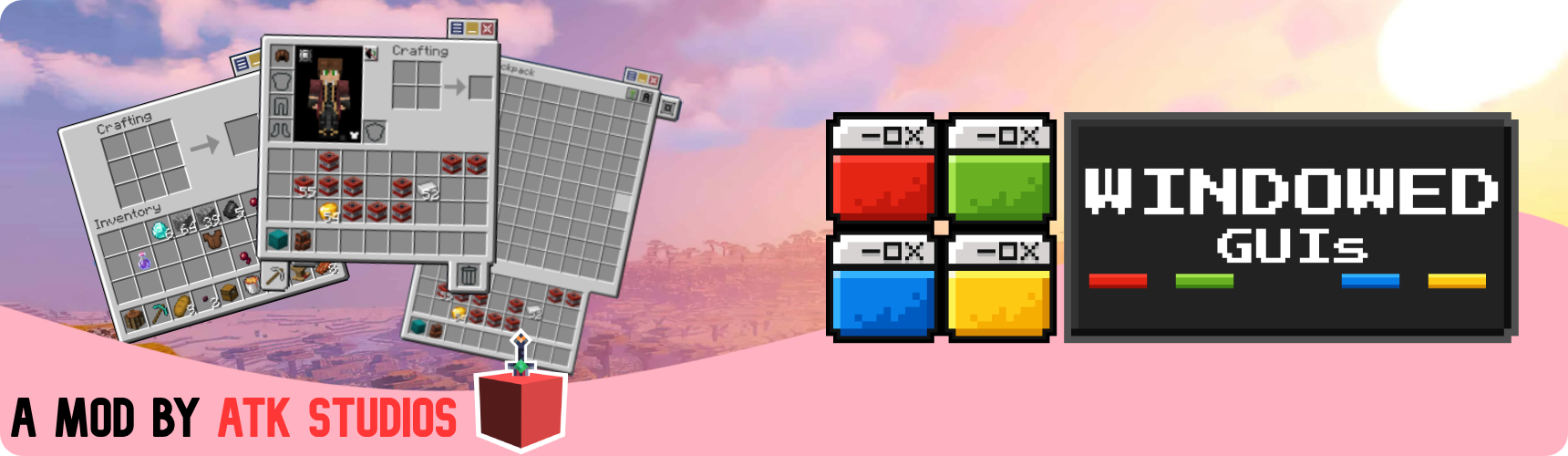



Windowed GUIs
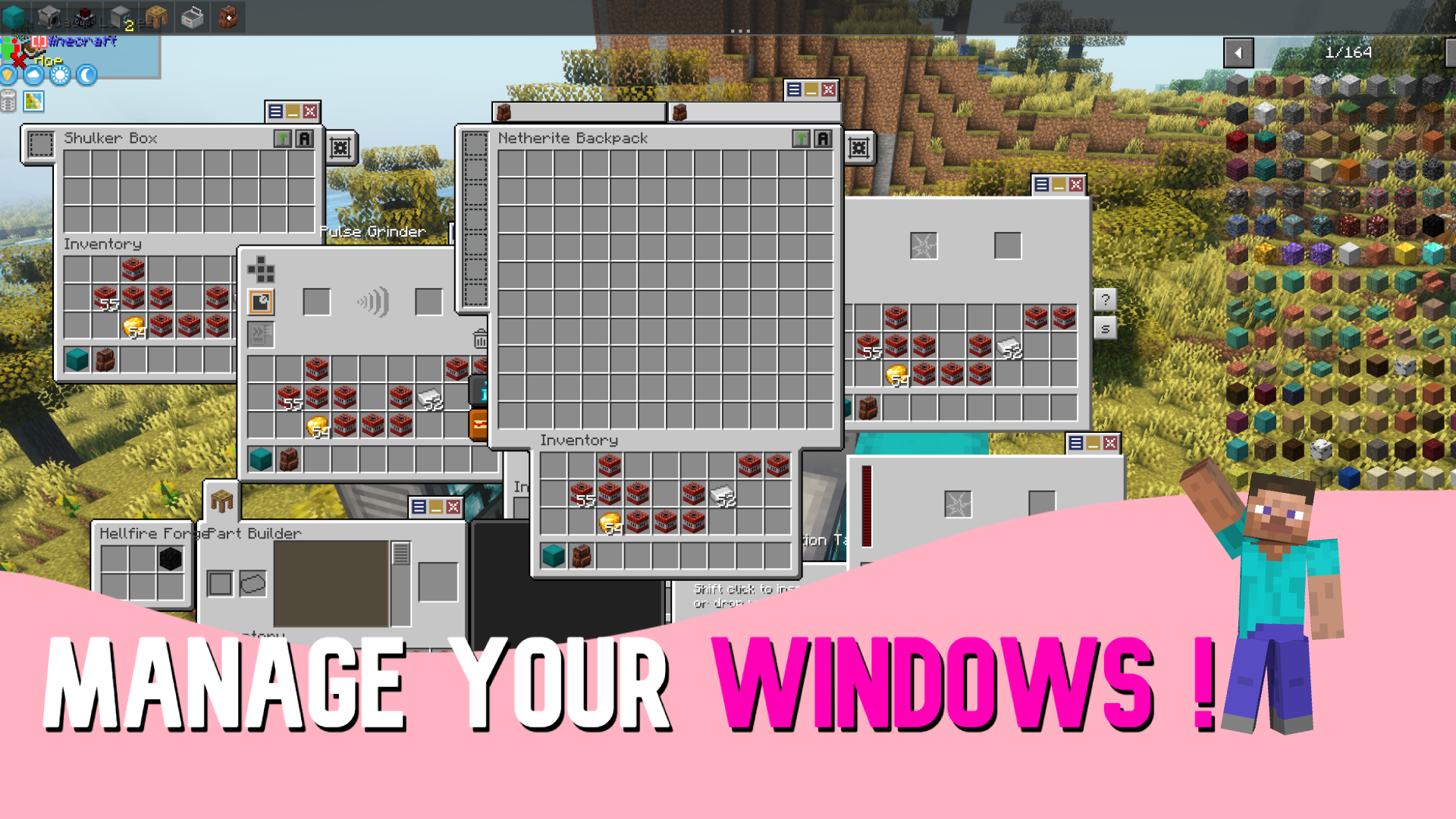
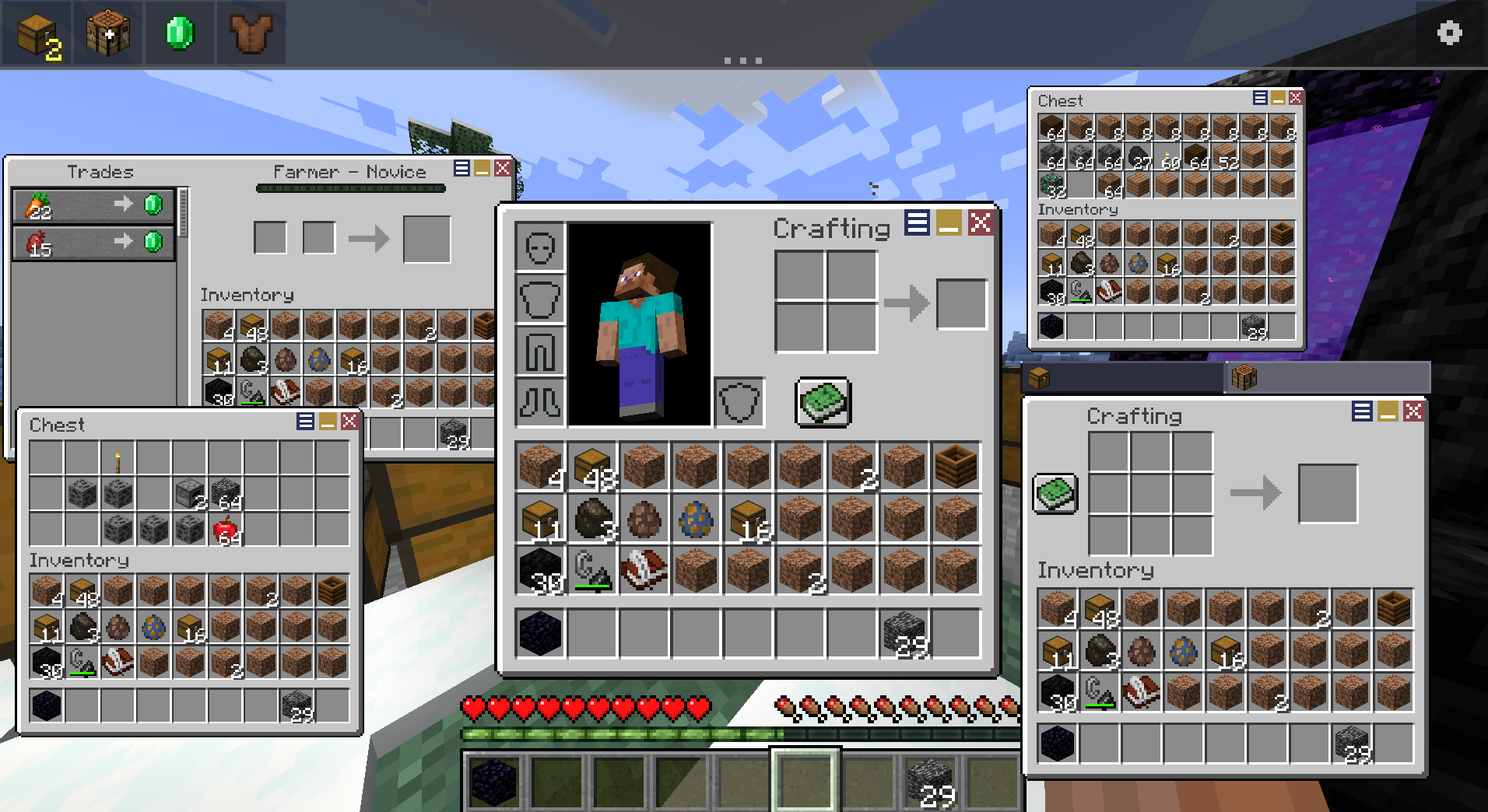
Windowed GUIs turns Minecraft's full-screen container menus into draggable, OS-style windows. Open a chest, a furnace, and your crafting table at the same time, drag them around the screen, resize them, and manage everything from a Windows-style taskbar at the bottom of the screen.
How it works: No more closing one GUI just to open another. Pin the windows you use most, minimize the ones you don't, merge related menus into tabbed groups, and keep your whole workflow on screen at once, keep multiple GUIs open at the same time.
✨ Features
- Dragabble GUIs - Drag any container GUI freely around the screen!
- Window Management - Minimize, pin,color, scale and close windows individually!
- Taskbar - You can manage windows through a taskbar too!
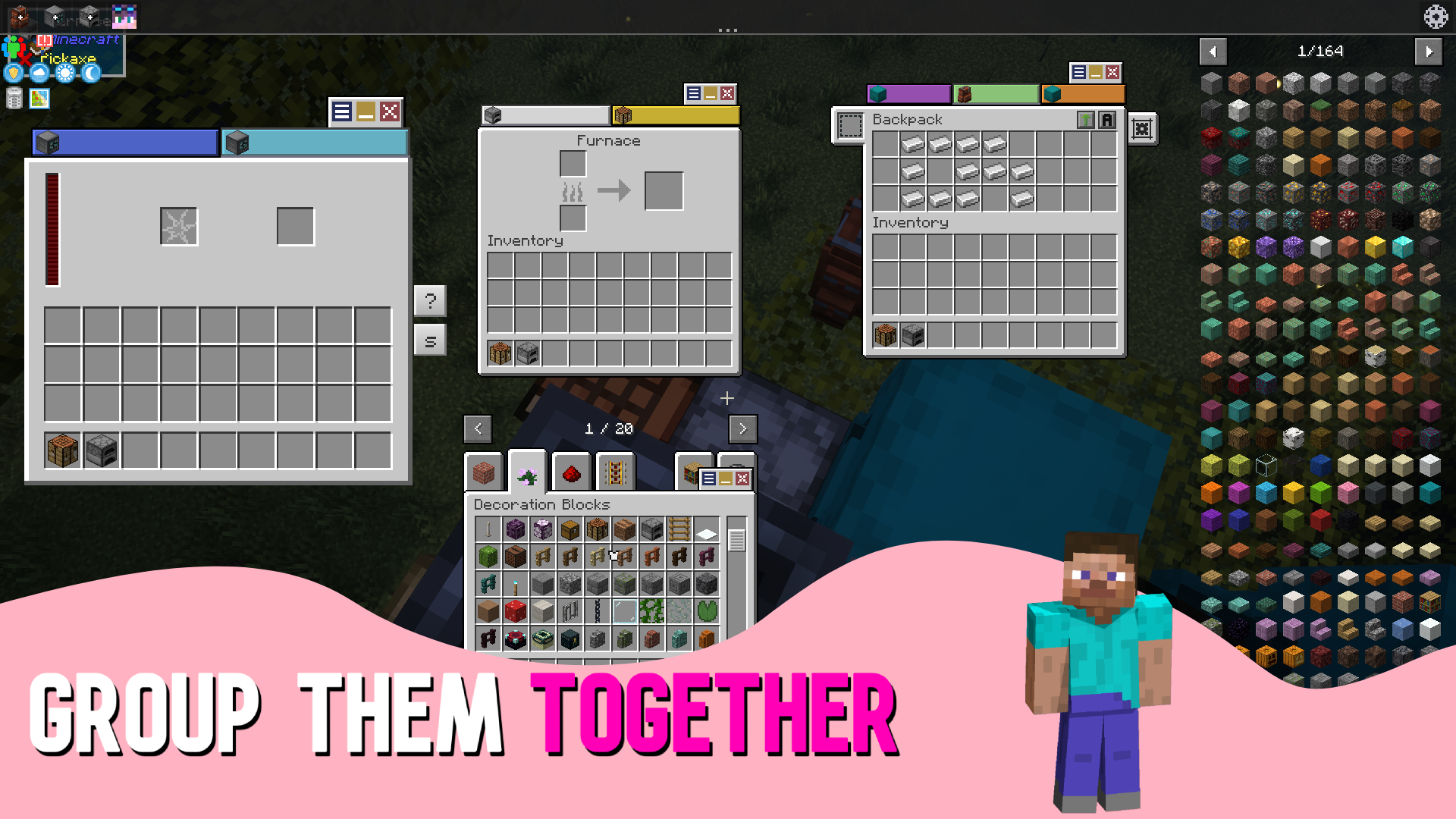
- Grouped Windows - Merge windows into tabbed groups & detach tabs back into their own windows!
- Flexibility - Tweak the mod to your liking!
📷 Media
📥 Installation
Client & Server Required !
Forge/Neoforge requires:
Fabric requires:
⚙️ Configuration
All settings live in config/windowed-guis/ and can be edited in-game from the gear icon on the taskbar. The folder holds:
client.json— client-side appearance and behavior optionsserver.json— server-side options such as the auto-close distancewindows.json— saved window positions, scales, and tab colorsblacklist.json— screens that should stay full-screenpreviews/— cached window previews
💡 Tip: edits made to the config file apply the next time you load a world.
❤️ Credits
Made with care by Antikythera Studios.
Enjoying the mod? A ⭐ on the repo and recommending the mod on Modrinth / CurseForge helps more than you'd think.


Windowed GUIs
How it works: No more closing one GUI just to open another. Pin the windows you use most, minimize the ones you don't, merge related menus into tabbed groups, and keep your whole workflow on screen at once, keep multiple GUIs open at the same time.
✨ Features
- Dragabble GUIs - Drag any container GUI freely around the screen!
- Window Management - Minimize, pin,color, scale and close windows individually!
- Taskbar - You can manage windows through a taskbar too!
- Grouped Windows - Merge windows into tabbed groups & detach tabs back into their own windows!
- Flexibility - Tweak the mod to your liking!
📷 Media
📥 Installation
Client & Server Required !
Forge/Neoforge requires:
Fabric requires:
⚙️ Configuration
All settings live in config/windowed-guis/ and can be edited in-game from the gear icon on the taskbar. The folder holds:
client.json- client-side appearance and behavior optionsserver.json- server-side options such as the auto-close distancewindows.json- saved window positions, scales, and tab colorsblacklist.json- screens that should stay full-screenpreviews/- cached window previews
💡 Tip: edits made to the config file apply the next time you load a world.
❤️ Credits
Made with care by Antikythera Studios.
Enjoying the mod? A ⭐ on the repo and recommending the mod on Modrinth / CurseForge helps more than you'd think.
Screenshots
Gallery
-
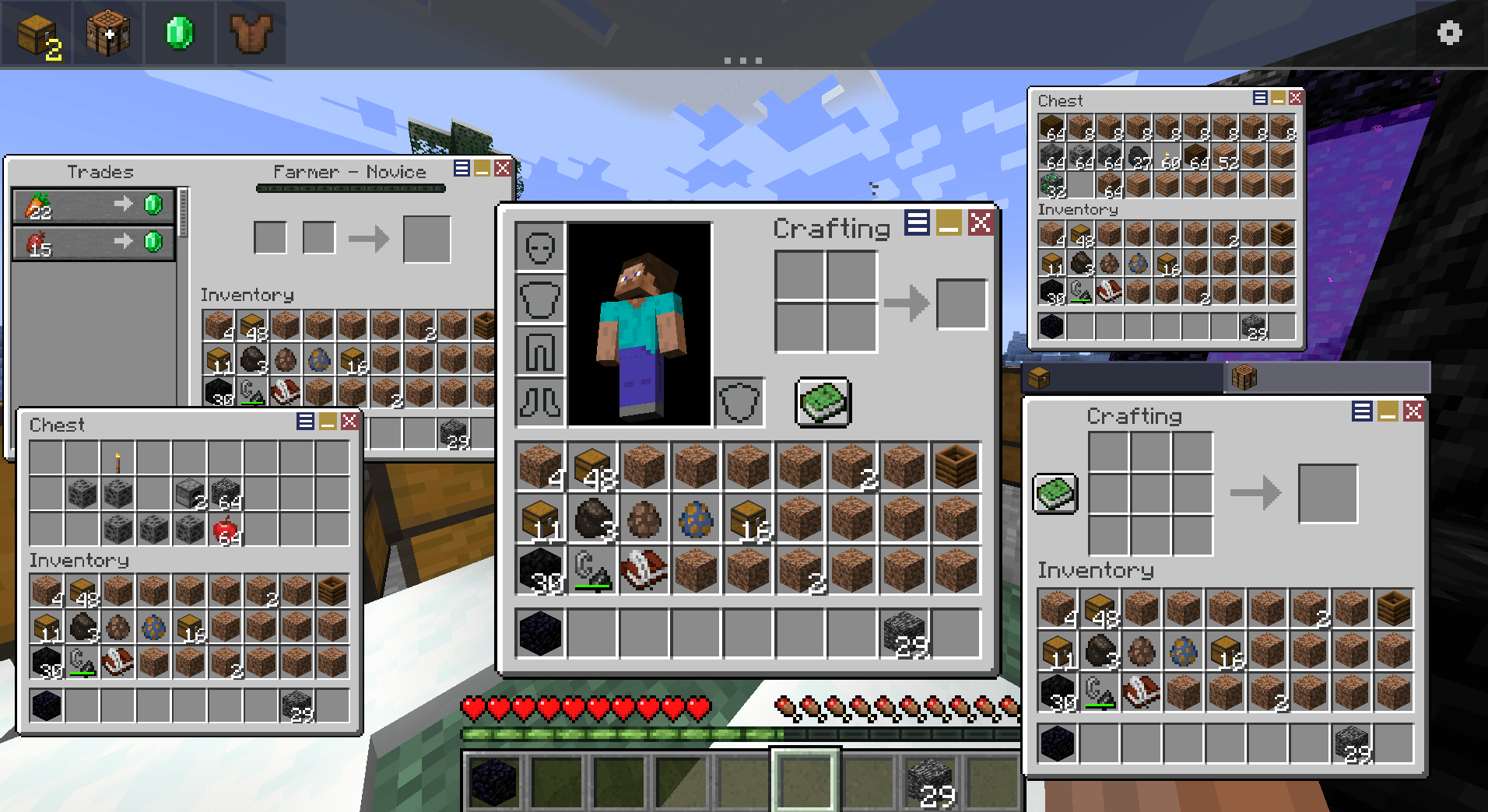 SO MANY!!! LOTS OF TABS!
 -
 banner THE BANNER!
 -
 logo the logo!
-
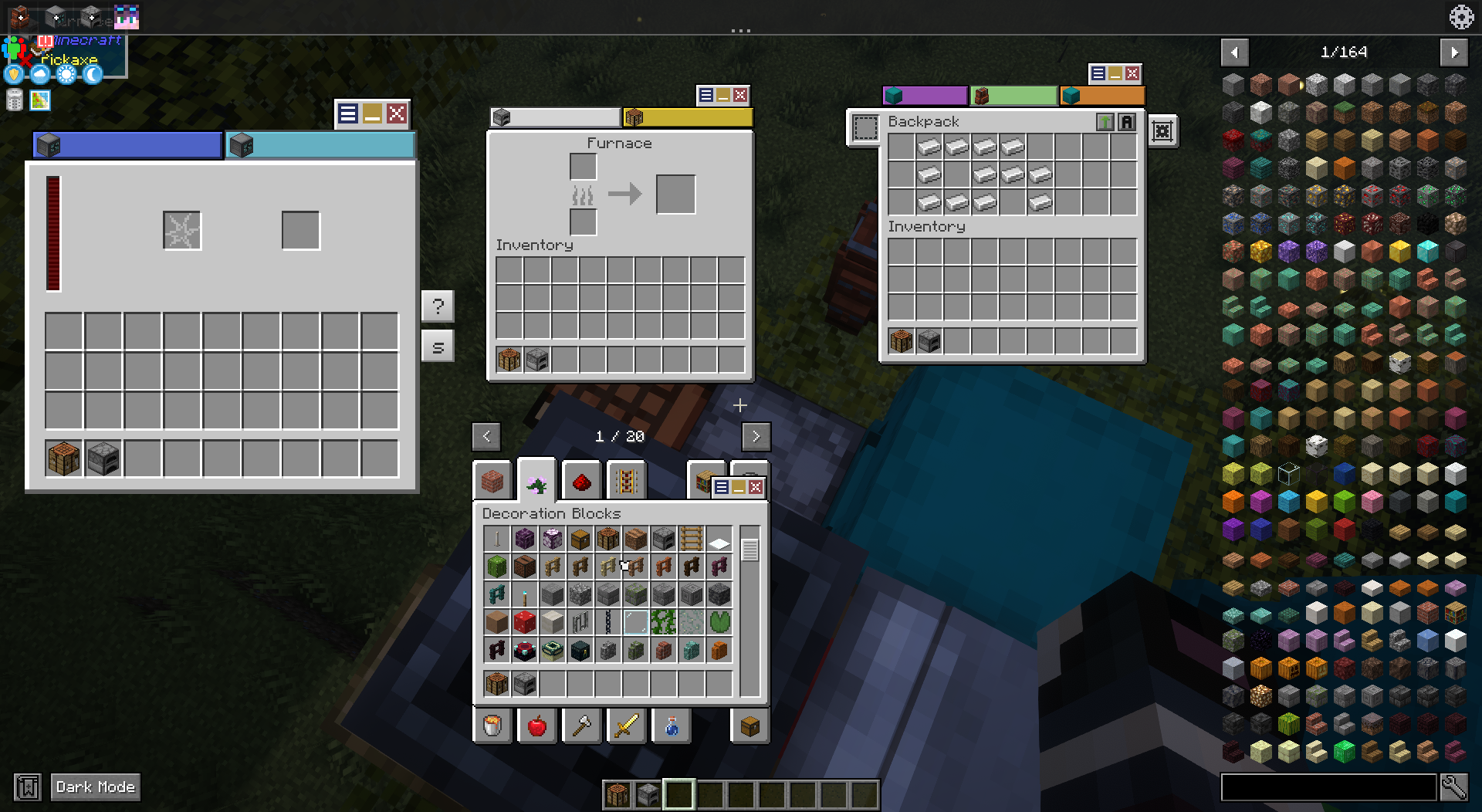 GROUPED WINDOWS!!!
 -
 WOW EVEN MORE TABS!!!
 -
 logo!!!
 -
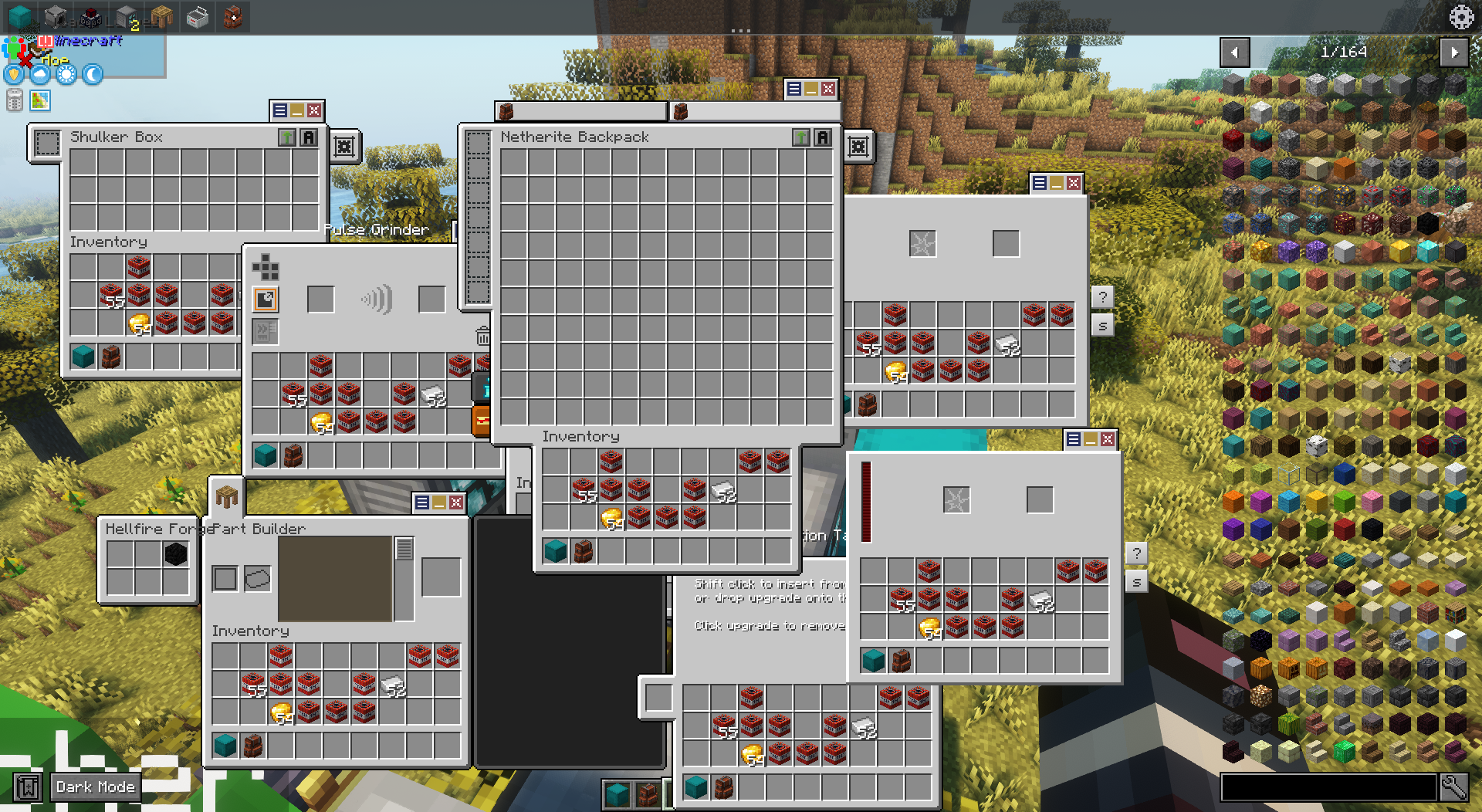 LOTS OF TABS!!!
 -
 BANNER!
Versions
Files
Relations
Project Relations
More like this
Similar Mods
Suggestions use data such as tags, dependencies, dependents, descriptions, titles, and more to rank how much they overlap with this mod.
- DCFixes
- Mouse Tweaks x ItemLocks Compat
- BetterStacking
- Ainz's Tempest Exploration - Inventory Sorter | Compatibility Fix
- Chiselmon - Cobblemon QOL
- Bundle Browser
- Functional Storage Downgrade Fix
- MoreRefinedStorage
- Create: Compatible Storage
- Inventory Tweaks PFAA
- auto pvp organize
- Create Enchantment Industry for Create 6
On ModDex
Community snapshot
By the numbers
Statistics
Want to reach Minecraft players?
We're looking for a server hosting partner to feature here and other parts of the site. Interested? Send us a message!
Get in touchGet it on
Available Platforms
On ModDex
Community snapshot
By the numbers