
Community listing page, reviews here may not be monitored by the author.
Wing Depo

No reviews yet
WingDepo automatically deposits selected blocks into MysticMC wing-linked chests when your inventory fills up. Configure multiple wings, block presets, inventory/hotbar slots, and optional /wb or /stonecutter pauses before depositing.
Community voices
Reviews
No reviews yet. Be the first to review this project!
Get it on
Available Platforms
About
Project Details
For authors
Embed Badge
If you're the author of this project, you can embed a live badge anywhere that supports HTML or Markdown. It updates automatically whenever ratings change.
Use HTML for any page that supports it, or Markdown for README files and Markdown-based descriptions.
Identifiers
Platform IDs
Resources
External Links
About
Description
WingDepo
Compatibility Notice
WingDepo is only designed for MysticMC and servers with items that can remotely open chests linked by coordinates, such as Mystic wings. It is not a general chest-sorting mod.
WingDepo makes block collecting easier by automatically depositing selected blocks into wing-linked chests when your inventory fills up.
When your inventory becomes full, WingDepo checks your configured rules, opens the correct wing-linked chest, deposits the matching blocks, closes the chest, and returns you to the hotbar slot you were using.
It also supports optional advanced rules that can open /stonecutter or /wb before depositing, allowing you to craft or cut blocks manually first.
Features
- Configure multiple wings for different block types
- Use wings from either your hotbar or main inventory
- Target a single block or create custom block presets
- Create presets such as
deepslate + tuff - Automatically deposit targeted blocks into wing-linked chests
- Optional advanced rules for
/wband/stonecutter - Supports multiple profiles
- Configurable cooldowns and timing options
How To Use
Opening The Config
Open the WingDepo config with any of the following:
- Press
O, the default keybind - Run
/wd options - Run
/wingdepo options - Open it through Mod Menu
Basic Setup
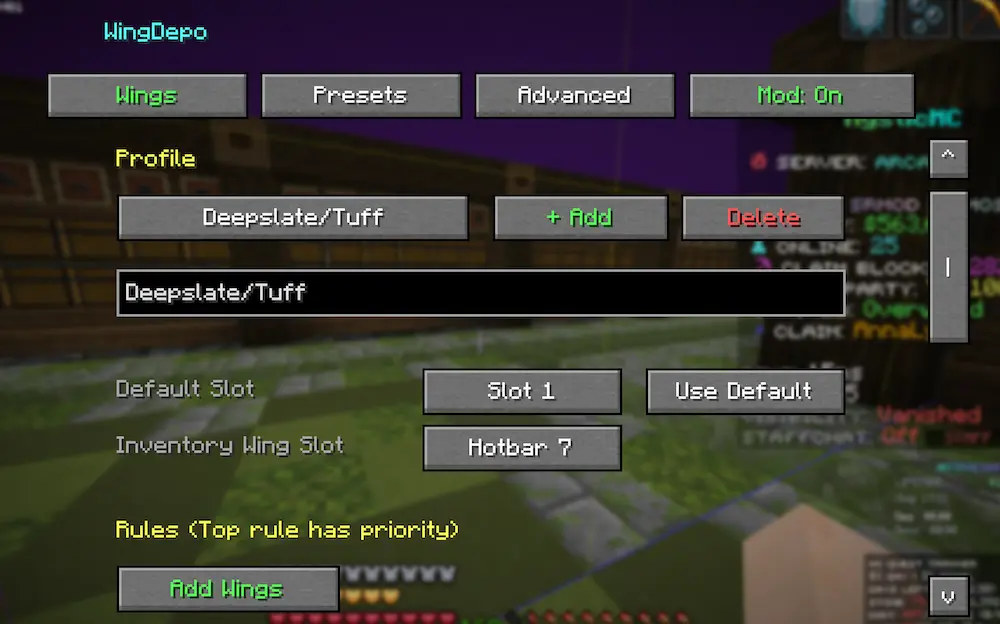
- Open the config.
- Name your profile.
- Go to the Presets tab.
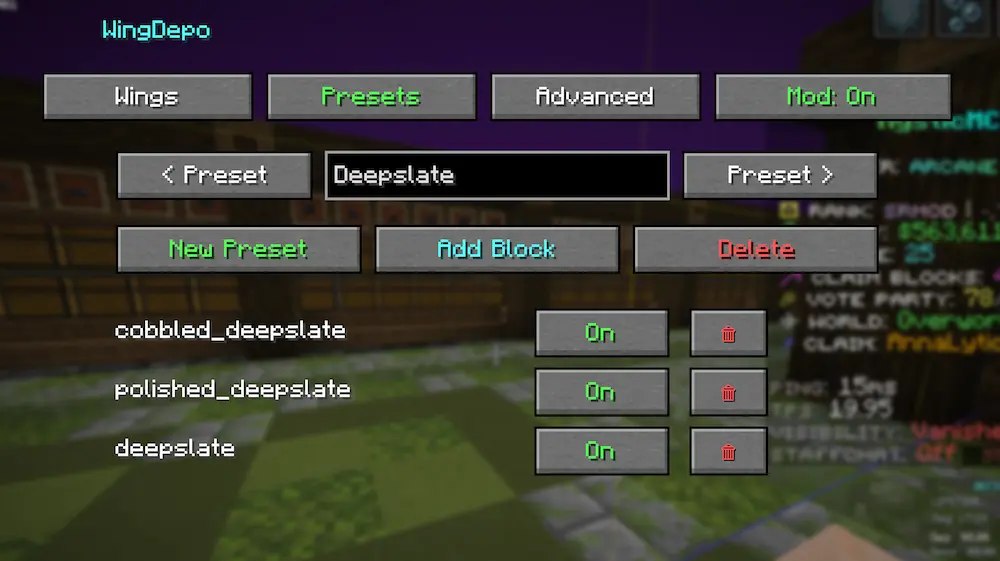
- Create a preset.
- Add the blocks you want one pair of wings to handle.
- Go back to the Wings tab.
- Press Add Wings.
- Choose whether that wing targets:
- a single block
- a preset/group
- Select where the wings are located:
- Hotbar slot
1-9 - Inventory slot
1-27
- Hotbar slot
- Repeat for any other wings.
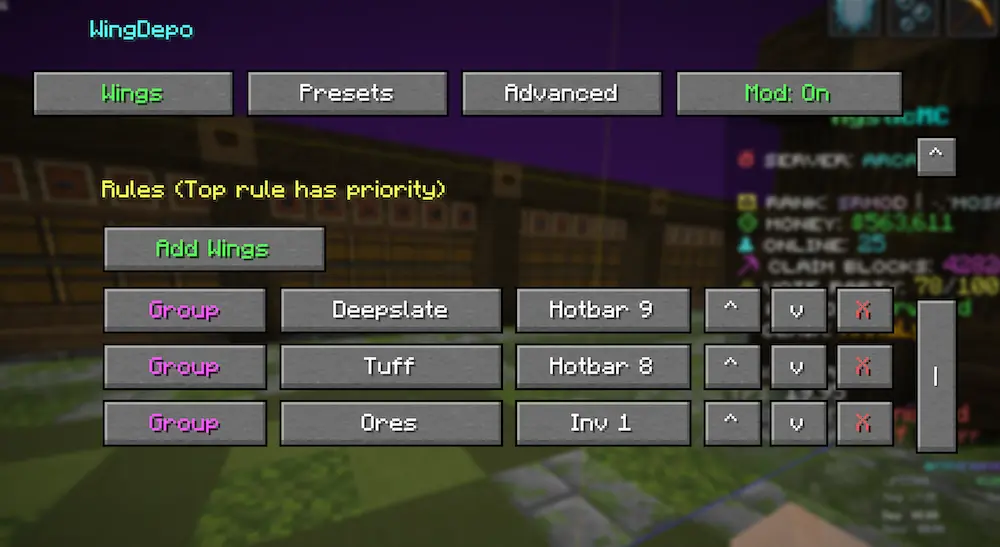
Once configured, WingDepo will automatically deposit matching blocks into the correct wing-linked chest whenever your inventory fills up.
Advanced Rules
Advanced rules allow WingDepo to open /wb or /stonecutter before depositing blocks.
This is useful if you want to craft or cut blocks before they are sent into the wing-linked chest.
Setting Up An Advanced Rule
- Go to the Advanced tab.
- Press + Add Rule.
- Select the slot where the matching wings are configured.
- Select the block that should trigger the command.
- Choose either:
WBStonecutter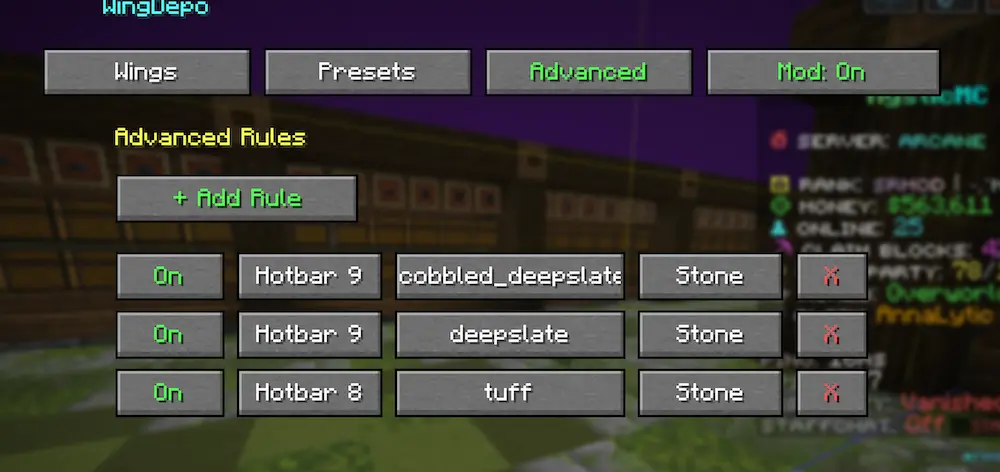
When your inventory fills and that block is present, WingDepo will open /wb or /stonecutter.
After you finish crafting or cutting, press Esc. WingDepo will continue and deposit the targeted blocks.
Important Notes
If you want crafted output to be deposited, you must add that output block to the same preset.
For example, if your preset contains tuff and you plan to make polished tuff, add polished tuff to that preset as well.
WingDepo only deposits blocks that are included in your configured single-block target or preset.
Screenshots
Gallery
-
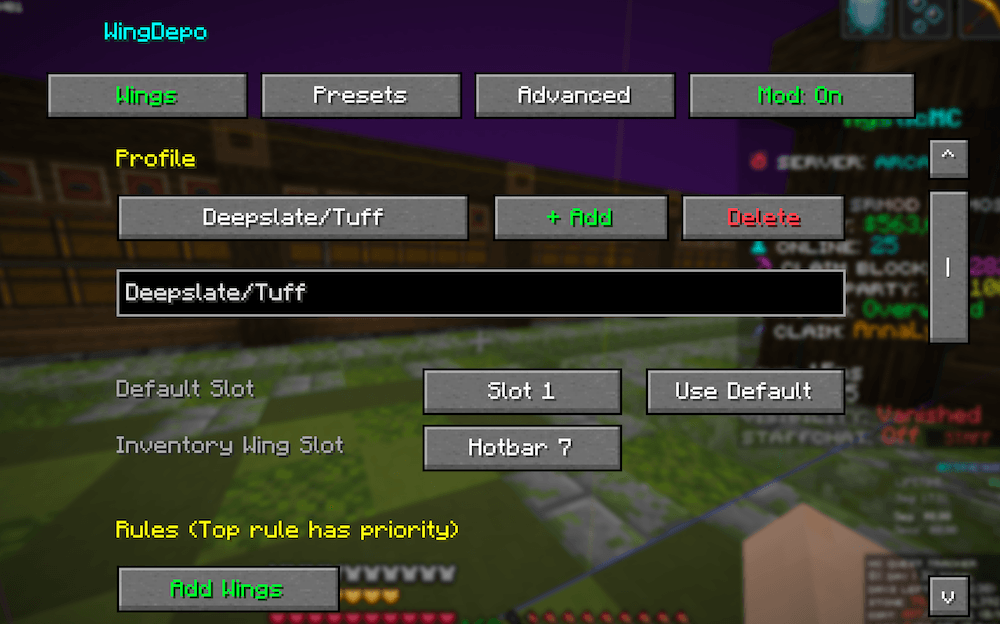 Name the Profile
 -
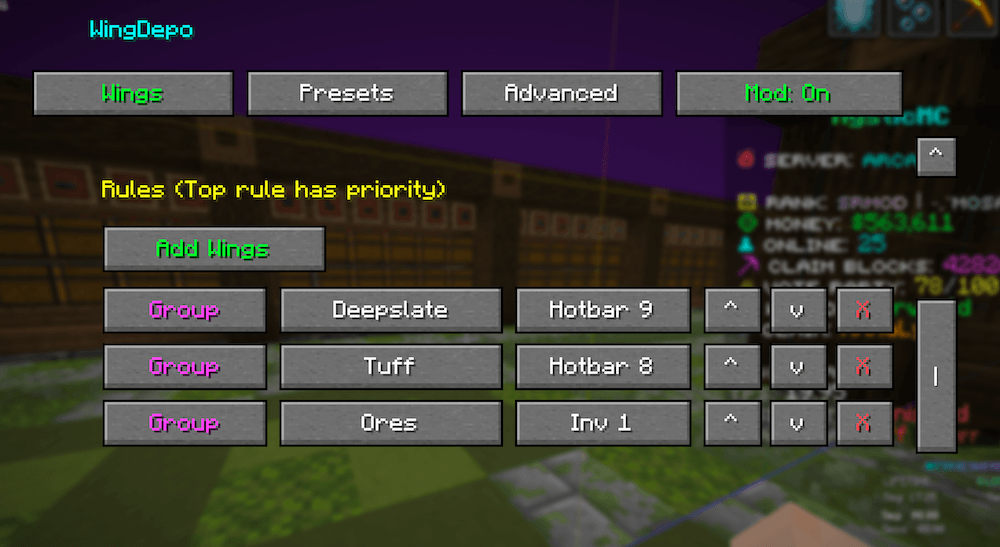 Add Wings
 -
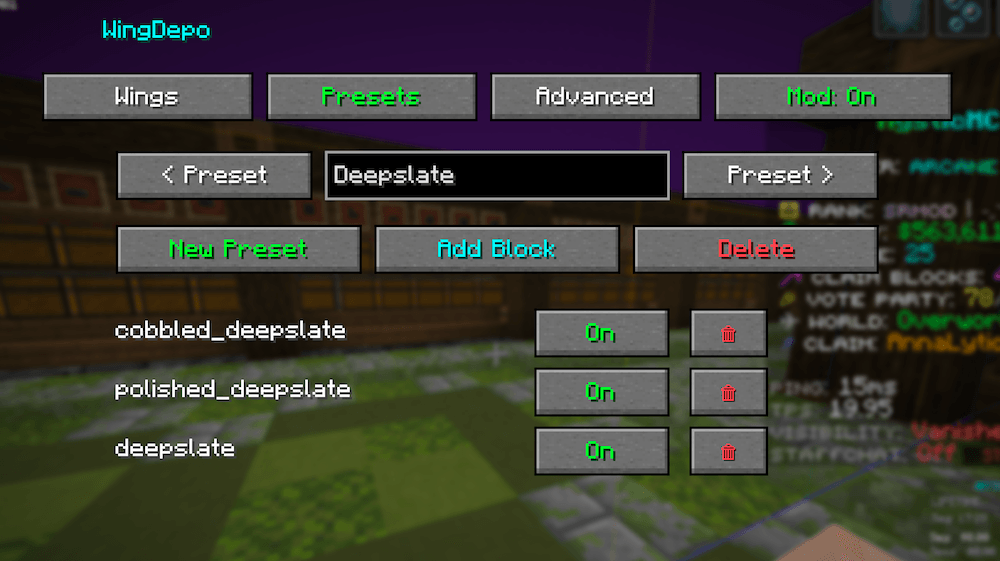 Add presets
 -
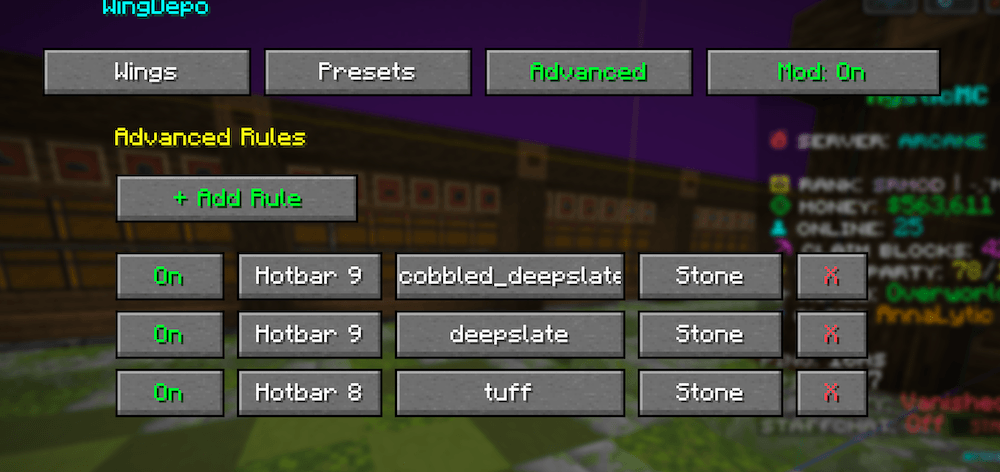 Advanced Rules
Versions
Files
Relations
Project Relations
More like this
Similar Mods
Suggestions use data such as tags, dependencies, dependents, descriptions, titles, and more to rank how much they overlap with this mod.
On ModDex
Community snapshot
By the numbers
Statistics
Want to reach Minecraft players?
We're looking for a server hosting partner to feature here and other parts of the site. Interested? Send us a message!
Get in touchGet it on
Available Platforms
On ModDex
Community snapshot
By the numbers
Statistics
Resources