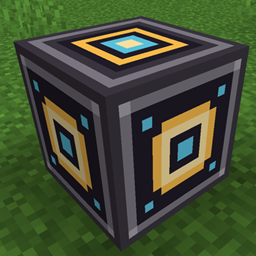
Community listing page, reviews here may not be monitored by the author.
Workshop core block

No reviews yet
Switch between crafting tables, furnaces, anvils, chests, or other mod's station without having to walk around or close the menu.
Community voices
Reviews
No reviews yet. Be the first to review this project!
Get it on
Available Platforms
About
Project Details
For authors
Embed Badge
If you're the author of this project, you can embed a live badge anywhere that supports HTML or Markdown. It updates automatically whenever ratings change.
Use HTML for any page that supports it, or Markdown for README files and Markdown-based descriptions.
Identifiers
Platform IDs
Resources
External Links
About
Description
- This mod add a new block:
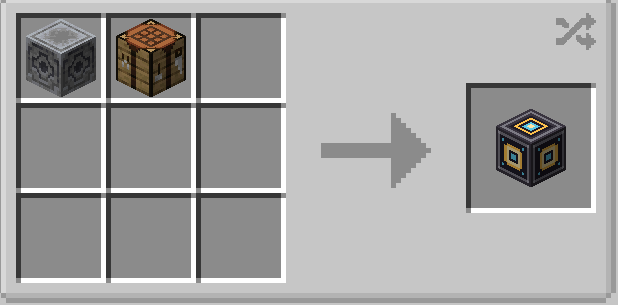
Craft a Workshop Core from a lodestone and a crafting table. It has the same hardness as a block of iron and needs a stone pickaxe.
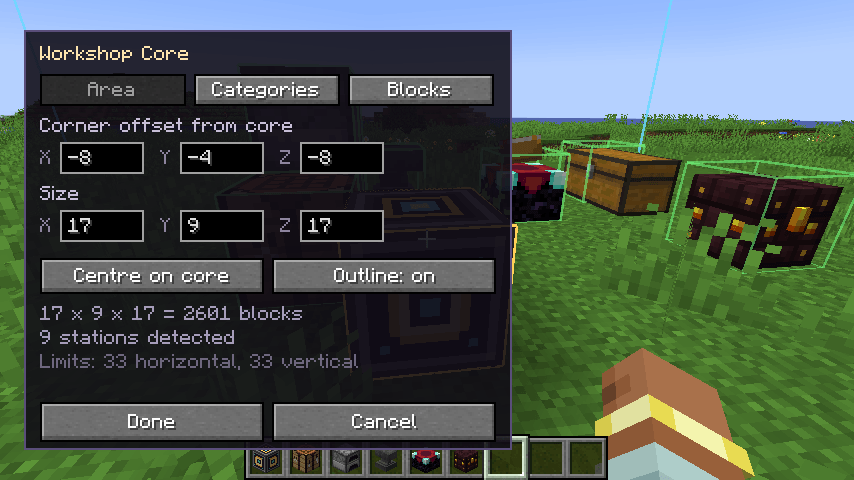
Place it and right-click to open its settings screen:
- Area — set the XYZ size and corner offset, like a structure block. The world stays visible while you type, and the area is outlined live (cyan = area, gold = the core, green = stations found, red = stations that fell outside). The outline lingers for a few seconds after you close the screen, then disappears. "Centre on core" places the core in the middle of the area.
- Categories — toggle Crafting / Smelting / Enchanting & Repair / Storage / Logistics / Other.
- Blocks — toggle individual entries, with a count of how many are in the area.
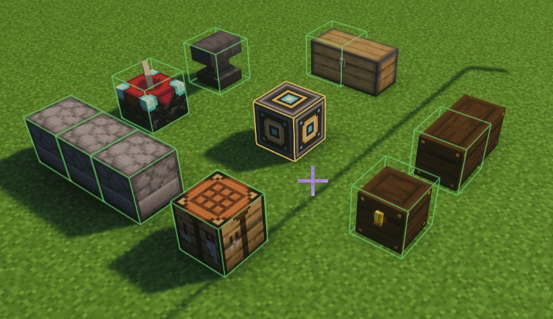
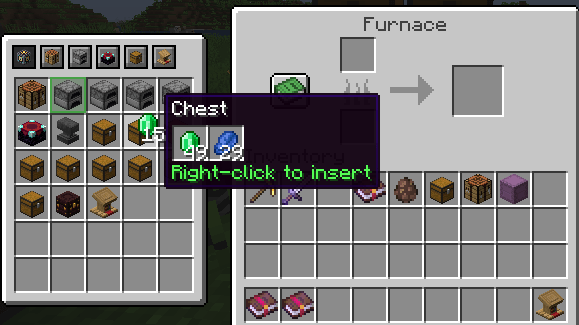
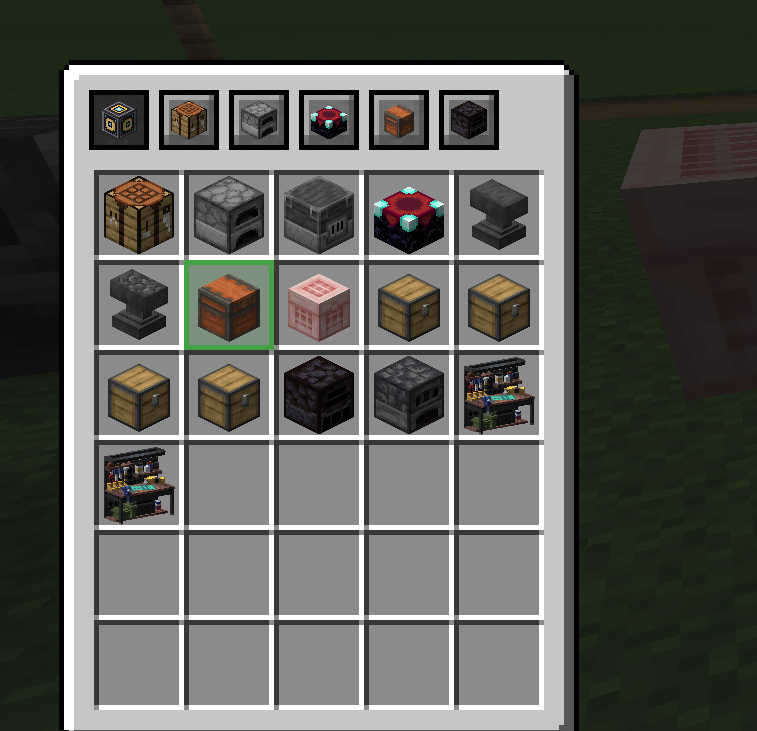
Use it by right-clicking any station inside the area as you normally would. The switcher appears beside the menu. Click an icon to switch to that station — it opens the real vanilla menu, and stats are awarded exactly as if you had walked over and used the block.
Toggle the panel with V by default (rebindable under Controls → Workshop Core). With it off, everything behaves like vanilla.
Configuration
config/workshopcore-server.toml — area limits, re-scan interval, station cap, block blacklist.
config/workshopcore-client.toml — which side the panel docks to (LEFT / RIGHT / AUTO), column count, tooltips, outline duration.
If the panel overlaps JEI's bookmark list, set
overlay.sidetoRIGHTorAUTO.
Adding modded workbenches
Most modded blocks need nothing — anything that offers a menu is detected automatically and lands in the "Other" category. Write a definition only to set its category, its sort order, or to group a whole family of blocks under one filter switch.
Definitions load from data/<namespace>/workshop_stations/*.json in any data pack, and from config/workshopcore/stations/*.json (applied afterwards, so it wins). One file is one filter entry:
{
  "category": "crafting",
  "category_priority": 10,
  "priority": 20,
  "match": [ "somemod:alloy_bench", "#c:chests" ]
}
match takes block ids or #namespace:tag. Because one file is one entry, matching a tag groups the whole family under a single switch while each block still shows its own icon. Optional fields: id, name (a lang key), enabled_by_default, open, and "disabled": true to remove a built-in entry.
Screenshots
Gallery
-
 2026-08-02_20.25.49.png 2026-08-02_20.25.49.png
 -
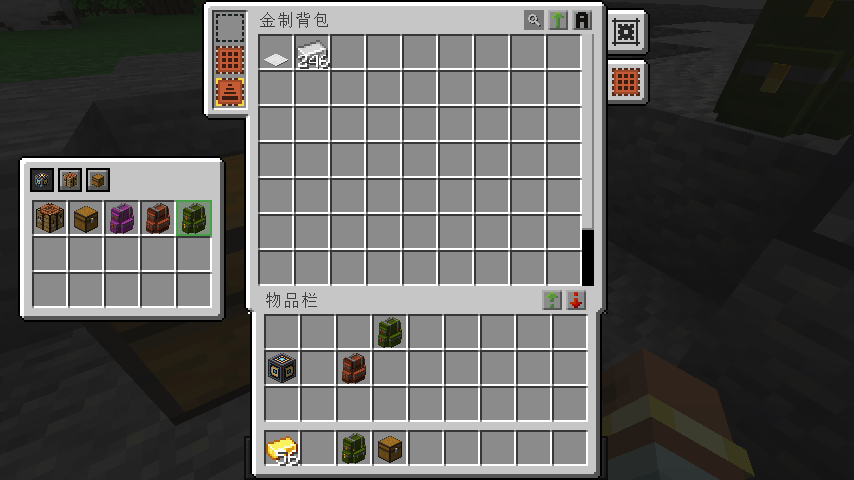 2026-08-17_10.53.41.png update: compat for Sophisticated Backpacks
 -
 switcher.png switcher.png
Versions
Files
Relations
Project Relations
More like this
Similar Mods
Suggestions use data such as tags, dependencies, dependents, descriptions, titles, and more to rank how much they overlap with this mod.
On ModDex
Community snapshot
By the numbers
Statistics
Want to reach Minecraft players?
We're looking for a server hosting partner to feature here and other parts of the site. Interested? Send us a message!
Get in touchGet it on
Available Platforms
On ModDex
Community snapshot
By the numbers
Statistics
Resources