Community listing page, reviews here may not be monitored by the author.
Workshop Zone

No reviews yet
Connect nearby containers and workstations with quick switching, smart storage labels, one-click deposit, inventory search, and warehouse-assisted crafting.
Community voices
Reviews
No reviews yet. Be the first to review this project!
Get it on
Available Platforms
About
Project Details
For authors
Embed Badge
If you're the author of this project, you can embed a live badge anywhere that supports HTML or Markdown. It updates automatically whenever ratings change.
Use HTML for any page that supports it, or Markdown for README files and Markdown-based descriptions.
Identifiers
Platform IDs
Resources
External Links
About
Description
# Workshop Zone
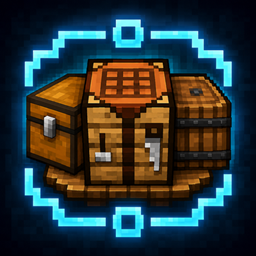
Workshop Zone connects nearby containers and vanilla workstations into one temporary workshop without replacing Minecraft's original screens.
Open a supported container or workstation to access a responsive workshop sidebar. From there, you can quickly switch between nearby devices, organize labeled storage, deposit matching items, search the workshop inventory, locate containers, and safely use warehouse materials for crafting.
## Features
- Quickly switch between nearby containers and vanilla workstations
- Exact-item container labels
- Item Tag category labels
- Custom multi-label whitelists with up to 32 entries
- Label-based one-click inventory deposit
- Search only for items that actually exist in the current workshop
- Display item quantities and matching containers
- Open or highlight matching containers in the world
- Logical double-chest support
- Warehouse-assisted crafting with confirmation
- Shift-click recipe support for safe batch material refill
- Responsive sidebar placement
- Automatic JEI, EMI, and REI detection
- Right, left, top, bottom, and custom draggable sidebar positions
- Simplified Chinese and English localization
- Multiplayer and dedicated server support
## Supported Storage
- Chests
- Trapped Chests
- Barrels
- Double Chests
## Supported Workstations
- Crafting Table
- Furnace
- Blast Furnace
- Smoker
- Smithing Table
- Anvil
- Chipped Anvil
- Damaged Anvil
- Stonecutter
- Grindstone
- Loom
- Cartography Table
- Brewing Stand
- Enchanting Table
## Warehouse-Assisted Crafting
When the player's inventory does not contain enough materials, Workshop Zone can use materials from accessible containers in the active workshop.
Before anything is moved, the mod displays a confirmation panel.
- Player inventory materials are used first
- Storage only supplies the missing amount
- Normal recipe clicks prepare one crafting operation
- Shift-clicking a recipe prepares the maximum safe batch, up to 64 operations
- Materials are placed into the vanilla crafting grid
- Workshop Zone does not directly generate the output
- Vanilla Minecraft still handles outputs, recipe remainders, statistics, and recipe unlocking
- Failed transactions are rolled back
## Requirements
- Minecraft 1.21.1
- Fabric Loader 0.19.3 or newer compatible version
- Fabric API 0.116.15+1.21.1 or newer compatible version
- Java 21
Workshop Zone and Fabric API must be installed on both the server and joining clients in multiplayer.
## Optional Compatibility
- Just Enough Items (JEI)
- EMI
- Roughly Enough Items (REI)
Recipe viewers are optional and are not required to run Workshop Zone.
## Current Limitations
- Minecraft 1.21.1 Fabric only
- No cross-dimensional workshop access
- Unloaded chunks are never force-loaded
- Shulker boxes and modded machines are not currently supported
- Warehouse-assisted crafting currently supports standard 3×3 crafting recipes
- The crafting grid must be empty before warehouse materials are inserted
- Recursive sub-recipes and automatic smelting are not supported
- Independent recipe-transfer buttons from recipe viewer mods may not trigger warehouse-assisted crafting
## Source Code and Issues
Source code, technical documentation, and issue reporting are available through the project repository.
Screenshots
Gallery
Versions
Files
Relations
Project Relations
More like this
Similar Mods
Suggestions use data such as tags, dependencies, dependents, descriptions, titles, and more to rank how much they overlap with this mod.
On ModDex
Community snapshot
By the numbers
Statistics
Want to reach Minecraft players?
We're looking for a server hosting partner to feature here and other parts of the site. Interested? Send us a message!
Get in touchGet it on
Available Platforms
On ModDex
Community snapshot
By the numbers
Statistics
Resources