
Community listing page, reviews here may not be monitored by the author.
World Change


No reviews yet
Mod for easier world switching
Community voices
Reviews
No reviews yet. Be the first to review this project!
Get it on
Available Platforms
Compatibility
Supported Environments
Runs entirely on the client. Works on vanilla servers.
About
Project Details
For authors
Embed Badge
If you're the author of this project, you can embed a live badge anywhere that supports HTML or Markdown. It updates automatically whenever ratings change.
Use HTML for any page that supports it, or Markdown for README files and Markdown-based descriptions.
Identifiers
Platform IDs
About
Description
WorldChange
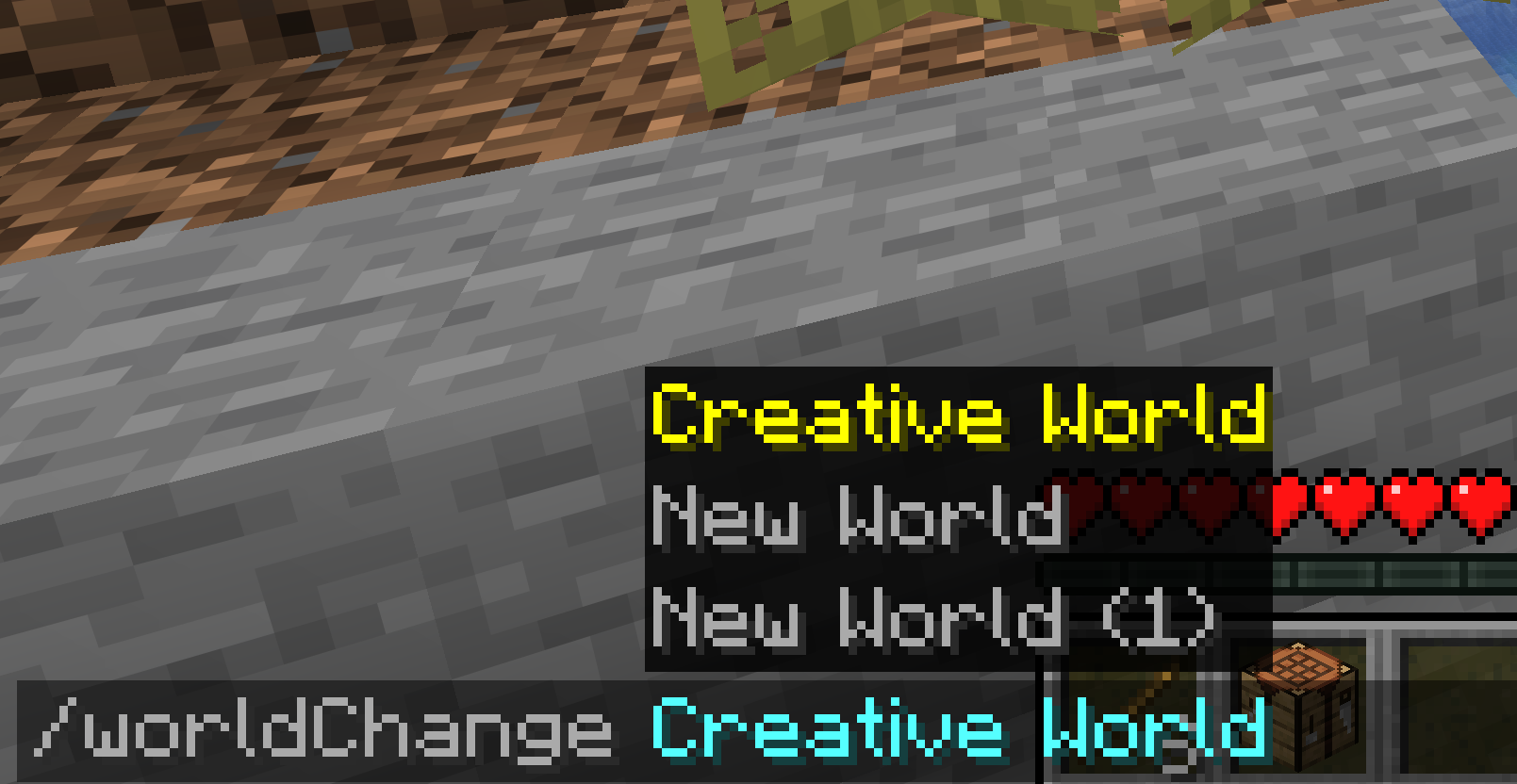
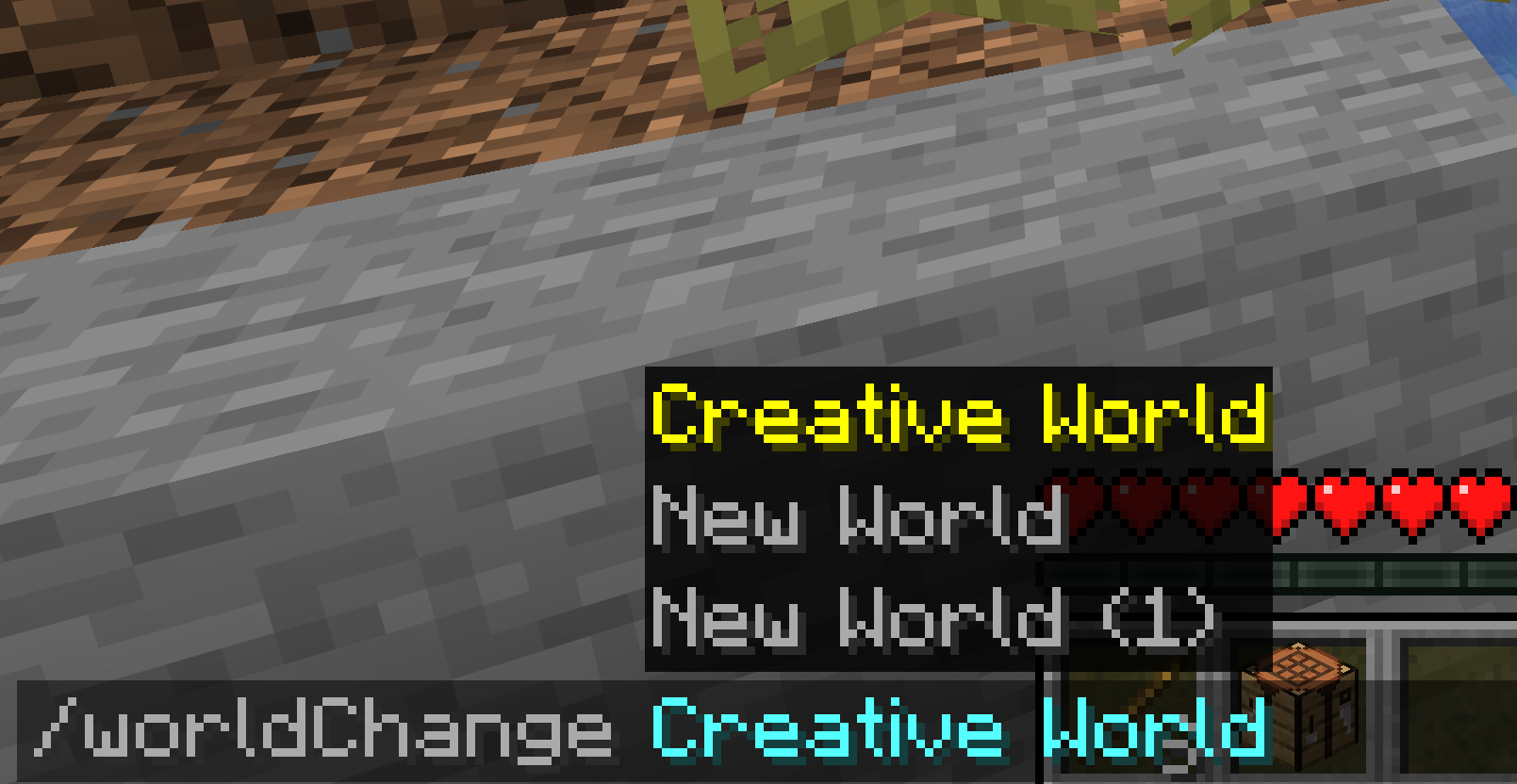
Switch between your singleplayer worlds with a single command — no trip back to the title screen.
What it does
WorldChange loads another world from your saves folder while you're still in-game. It reuses Minecraft's own "play selected world" flow, so all you see is the normal loading screen — you never get kicked back to the menu.
- One command —
/worldChange <name>switches you to that world instantly - Works from anywhere — even while connected to a multiplayer server (it disconnects and loads your local world)
- Smart matching — finds worlds by name; the seed is optional and only needed to tell apart two worlds that share a name
- No surprises — clear in-game messages when a world isn't found, is locked, or is incompatible. It never crashes your game
- Vanilla look & feel — built entirely with Minecraft's native UI, no custom textures or decoration
World picker (Mod Menu)
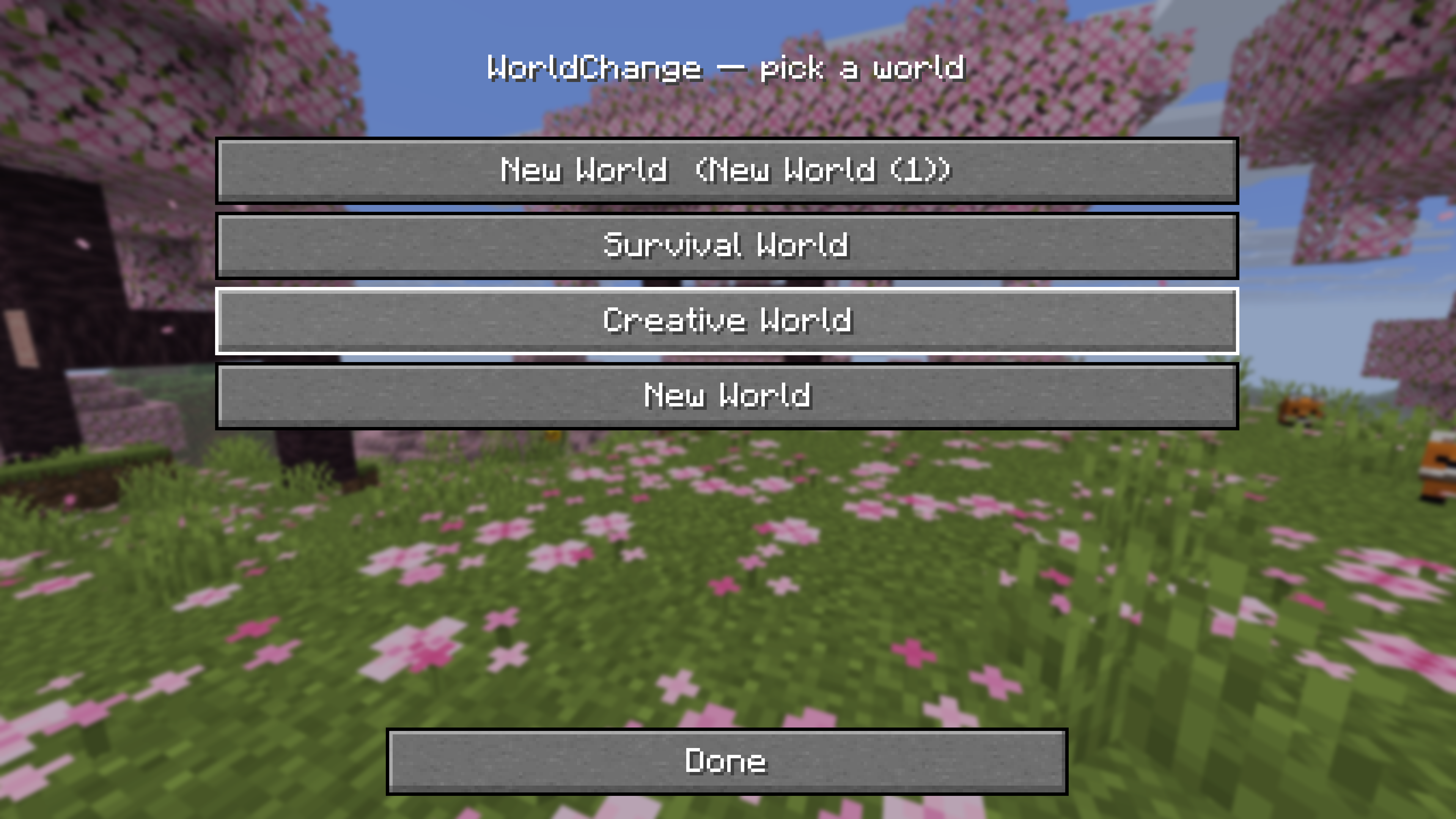
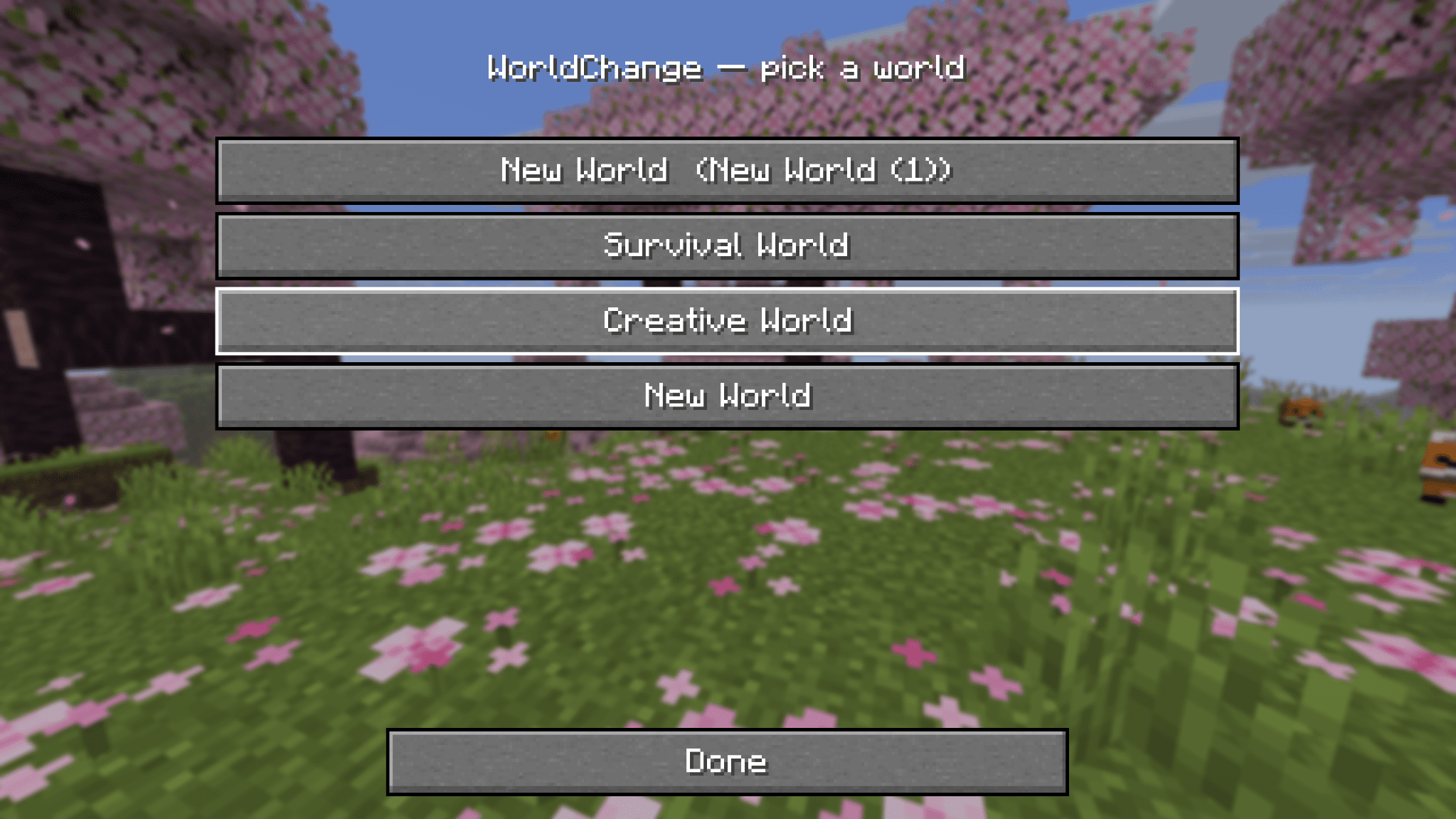
Prefer clicking over typing? Open WorldChange from Mod Menu to get a clean, vanilla-style list of your worlds — one click switches. Worlds that can't be loaded (incompatible version, currently open, or locked) are shown but disabled.
Usage
/worldChange MyWorld          # switch by name
/worldChange MyWorld:12345    # add the seed when two worlds share a name
Compatibility
| Loader | Fabric |
| Minecraft | 1.21.10 · 1.21.11 · 26.1 · 26.1.1 · 26.1.2 · 26.2 |
| Requires | Fabric API |
| Optional | Mod Menu (for the world picker) |
| Side | Client-side only — not needed on servers |
Notes
- This is the first release (v0.1.0). Feedback and bug reports are welcome.
- Switching always saves your current world before loading the next one.
WorldChange
Switch between your singleplayer worlds with a single command — no trip back to the title screen.
What it does
WorldChange loads another world from your saves folder while you're still in-game. It reuses Minecraft's own "play selected world" flow, so all you see is the normal loading screen — you never get kicked back to the menu.
- One command —
/worldChange <name>switches you to that world instantly - Works from anywhere — even while connected to a multiplayer server (it disconnects and loads your local world)
- Smart matching — finds worlds by name; the seed is optional and only needed to tell apart two worlds that share a name
- No surprises — clear in-game messages when a world isn't found, is locked, or is incompatible. It never crashes your game
- Vanilla look & feel — built entirely with Minecraft's native UI, no custom textures or decoration
World picker (Mod Menu)
Prefer clicking over typing? Open WorldChange from Mod Menu to get a clean, vanilla-style list of your worlds — one click switches. Worlds that can't be loaded (incompatible version, currently open, or locked) are shown but disabled.
Usage
/worldChange MyWorld          # switch by name
/worldChange MyWorld:12345    # add the seed when two worlds share a name
Compatibility
| Loader | Fabric |
| Minecraft | 1.21.10 · 1.21.11 · 26.1 · 26.1.1 · 26.1.2 · 26.2 |
| Requires | Fabric API |
| Optional | Mod Menu (for the world picker) |
| Side | Client-side only — not needed on servers |
Notes
- This is the first release (v0.1.0). Feedback and bug reports are welcome.
- Switching always saves your current world before loading the next one.
Screenshots
Gallery
Versions
Files
Relations
Project Relations
More like this
Similar Mods
Suggestions use data such as tags, dependencies, dependents, descriptions, titles, and more to rank how much they overlap with this mod.
On ModDex
Community snapshot
By the numbers
Statistics
Want to reach Minecraft players?
We're looking for a server hosting partner to feature here and other parts of the site. Interested? Send us a message!
Get in touchGet it on
Available Platforms
On ModDex
Community snapshot
By the numbers