Community listing page, reviews may not be monitored by the author.
World Drop

No reviews yet
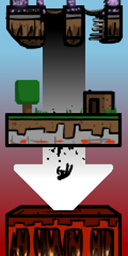
Drop from one dimension to another.

Community voices
Reviews
No reviews yet. Be the first to review this project!
Get it on
Available Platforms
About
Project Details
For authors
Embed Badge
If you're the author of this project, you can embed a live badge anywhere that supports HTML or Markdown. It updates automatically whenever ratings change.
Use HTML for any page that supports it, or Markdown for README files and Markdown-based descriptions.
Identifiers
Platform IDs
Resources
External Links
About
Description
This lets you set up drops from one dimension to another, at configurable heights. It can be configured via chat commands.
How to use:
/worlddrop
Displays how to use these commands. Good for reference.
/worlddrop set [I:World ID from] [I:World ID to] (I:Height from) (I:Height to) (B:isClimb)
The second and most relevant command. Used to SET the dimension you want to drop out of, the dimension you want to drop into and at what heights this should happen (from and to). if isClimb is true then you'll travel to the target dimension when you go above the defined height instead.
The italics arguments are optional. If you leave them out I'll assume you mean "drop from height 0 (and below) to height 256 in the target dimension".
Example: /worlddrop set 0 -1 0 120
This will send you to the nether at 120 blocks height (below the bedrock ceiling at 128, but probably inside netherrack. Better bring a pick.) if you jump out of the bottom of the world.
Example 2: /worlddrop set -1 0 128 10 true
This will send you to the overworld when you climb up from the nether to a height of 128 blocks or higher and deposit you at 10 blocks height. (Likely within solid stone. Remember that pick you were supposed to bring?)
So using two commands you can create a passage between two dimensions. From A to B (down) and from B to A (up).
Alternatively you can also drop to the same dimension you came from.
Example 3: /worlddrop set 0 0 0 600
This will send you 600 blocks high when you drop out of the bottom of the world, tumbling back down to the ground. I do hope you have a way to soften your fall.
/worlddrop point [I:Drop ID] [B:isEnabled] [I:Coord X] [I:Coord Z]
A refinement of SET, modifying an existing drop. If this is enabled the player will be moved to a specific set of coordinates in addition to their entry height.
Example: /worlddrop point 0 true 50 100
This will send the player to X 50 / Z 100, in addition to whatever the drop itself says should happen to the player's height and dimension.
/worlddrop remove [I:Drop ID]
The opposite of SET. Every drop entry has an ID associated with it. You can use that to remove drops.
Example: /worlddrop remove 2
Removes entry number 2.
/worlddrop show
Displays a list in chat of all known drops/climbs and their IDs. Pretty straight forward.
/worlddrop save
Explicitly saves the drop config to disk (into the Config folder). By default the config is only saved to disk on server stop.
Files are named after the world they're set for.
This mod only needs to be on server side. Clients don't need it. (But is possible for singleplayer worlds.)
It also only affects players (and their mounts from b6 on). Regular mobs and other entities are not touched.
Additionally, you can rename an existing drop file to "worlddrop_default.dat" to have that file be loaded for every world, in addition to the world-specific one.
Every command should return with a confirmation message if you did it right (or wrong in a predictable way). So don't go jumping off the world nilly willy before that, a'ight?
Screenshots
Gallery
-
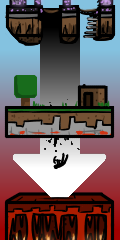 World Drop Logo
Versions
Files
Relations
Project Relations
More like this
Similar Mods
Suggestions use data such as tags, dependencies, dependents, descriptions, titles, and more to rank how much they overlap with this mod.
On ModDex
Community snapshot
By the numbers
Statistics
 (opens in a new tab)
Get it on
Available Platforms
On ModDex
Community snapshot
By the numbers
Statistics
Resources