Community listing page, reviews may not be monitored by the author.
World Effects

No reviews yet
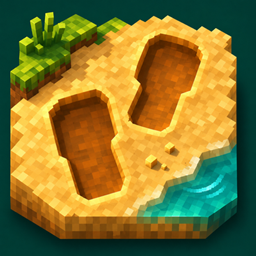
Adds detailed footprints and material-specific movement, jump, and landing particles to make your world feel more alive.

Community voices
Reviews
No reviews yet. Be the first to review this project!
Get it on
Available Platforms
About
Project Details
For authors
Embed Badge
If you're the author of this project, you can embed a live badge anywhere that supports HTML or Markdown. It updates automatically whenever ratings change.
Use HTML for any page that supports it, or Markdown for README files and Markdown-based descriptions.
Identifiers
Platform IDs
Resources
External Links
About
Description
World Effects
Make every step feel alive.
World Effects adds material-aware footprints, movement particles and water reactions to Minecraft. Leave a trail through sand and snow, kick up small fragments as you sprint, and watch ripples spread across the water.
Features
- Full footprints on sand, snow, dirt and mud, with material-specific shading, left and right soles, and gradual fading.
- Custom movement particles: sand grains, snow powder, earth fragments, grass fragments, gravel chips and mud droplets.
- Jump and landing reactions that follow actual ground contact, including repeated jumping and sprint jumping.
- Selective vanilla particle replacement for supported movement effects, with a setting to restore the original particles.
- Water effects: ripples, swimming reactions and boat wakes.
- Vegetation contact details: small grass accents that bend and recover as you move.
- Quality presets and customization: adjust footprint size, lifetime, density, effect distance and particle limits.
Footprints follow supported ground, including suitable snow layers, slabs and stair surfaces. When a full impression cannot fit near an edge, it is skipped. Firm grass and gravel receive material-specific movement reactions instead of ordinary soft-ground impressions.
Installation
- Use Minecraft Java Edition 1.21.1 and Java 21.
- Download the file for your loader: Forge, NeoForge or Fabric.
- Place it in your profile's
modsfolder. Fabric users also need Fabric API.
World Effects is a client-side cosmetic mod. It works in singleplayer and multiplayer without requiring installation on the server. Effects do not change terrain blocks or gameplay mechanics.
Configuration
Open the settings with:
/tinyreactions config
Choose a quality preset or customize individual effects. English and Russian settings are included.
No shader is required. Shader packs are optional and are not included.
Screenshots
Gallery
Versions
Files
Relations
Project Relations
More like this
Similar Mods
Suggestions use data such as tags, dependencies, dependents, descriptions, titles, and more to rank how much they overlap with this mod.
On ModDex
Community snapshot
By the numbers
Statistics

Get it on
Available Platforms
On ModDex
Community snapshot
By the numbers
Statistics
Resources