Community listing page, reviews may not be monitored by the author.
World Hopper

No reviews yet
Step through a stone portal to start a new world with your character, inventory and experience intact.

Community voices
Reviews
No reviews yet. Be the first to review this project!
Get it on
Available Platforms
About
Project Details
For authors
Embed Badge
If you're the author of this project, you can embed a live badge anywhere that supports HTML or Markdown. It updates automatically whenever ratings change.
Use HTML for any page that supports it, or Markdown for README files and Markdown-based descriptions.
Identifiers
Platform IDs
Resources
External Links
About
Description
World Hopper
Start fresh without leaving your character behind. Build a stone gateway, light it with flint and steel, and step into its white glow. Your world and character are saved before you return to the title screen. Create your next world and emerge in a lore friendly way, near spawn with your belongings. Behind you, the gateway collapses with a harmless explosion sound, leaving a ruined frame as your first landmark.
How to travel
- Build a Nether-portal-shaped frame from stone, cobblestone, or both. The smallest outer frame is 4 blocks wide and 5 blocks high; corners are optional.
- Ignite the inside edge with flint and steel.
- Stand inside for one second. Step out early to cancel.
- From the title screen, create a new single-player world in the same installation. Choose its seed and settings normally.
- Arrive with your saved character. The forward push and collapsing gateway cause no explosion damage or dropped rubble.
Your original world is saved, not deleted. This transfers a character between separate saves; it does not add a dimension or copy your base. Opening an existing world does not consume an automatic transfer. Rejoining after arrival does not replay it.
What comes with you?
Inventory and hotbar, armor, offhand, Ender Chest, experience, health, hunger, enchantments, durability, custom names and nested item components.
Filled portable containers can travel too when their required mods are installed in the destination. World Hopper does not itself make chests portable. Buildings, terrain, pets, advancements, position, dimension, game mode and temporary effects stay in the original world.
Requirements
- Minecraft Java 26.4 Snapshot 5
- Fabric Loader 0.20.1+
- Fabric API 0.164.1+26.4, for that exact snapshot
- Java 25
This first release supports the owner of a local single-player world. Dedicated servers, multiplayer transfers, other Minecraft versions, Forge/NeoForge and automatic cross-version conversion are not supported. Only Fabric API is required alongside World Hopper.
Optional commands and recovery
No commands or cheats are needed for the gateway. Owner-only commands are /character save travel, /character load travel, and /character list. You can replace travel with your own save name. Loading backs up the character being replaced first.
Profiles and pending journeys live in character-saves/ in your Minecraft game directory. Keep that folder when moving installations, use the same player account and keep the required item mods available. Back up worlds and character profiles before updates, especially on experimental snapshots.
World Hopper replaces the earlier Character Saves mod and retains its internal mod ID for save compatibility. Do not install both jars.
Not an official Minecraft product. Not approved by or associated with Mojang or Microsoft.
Screenshots
Gallery
-
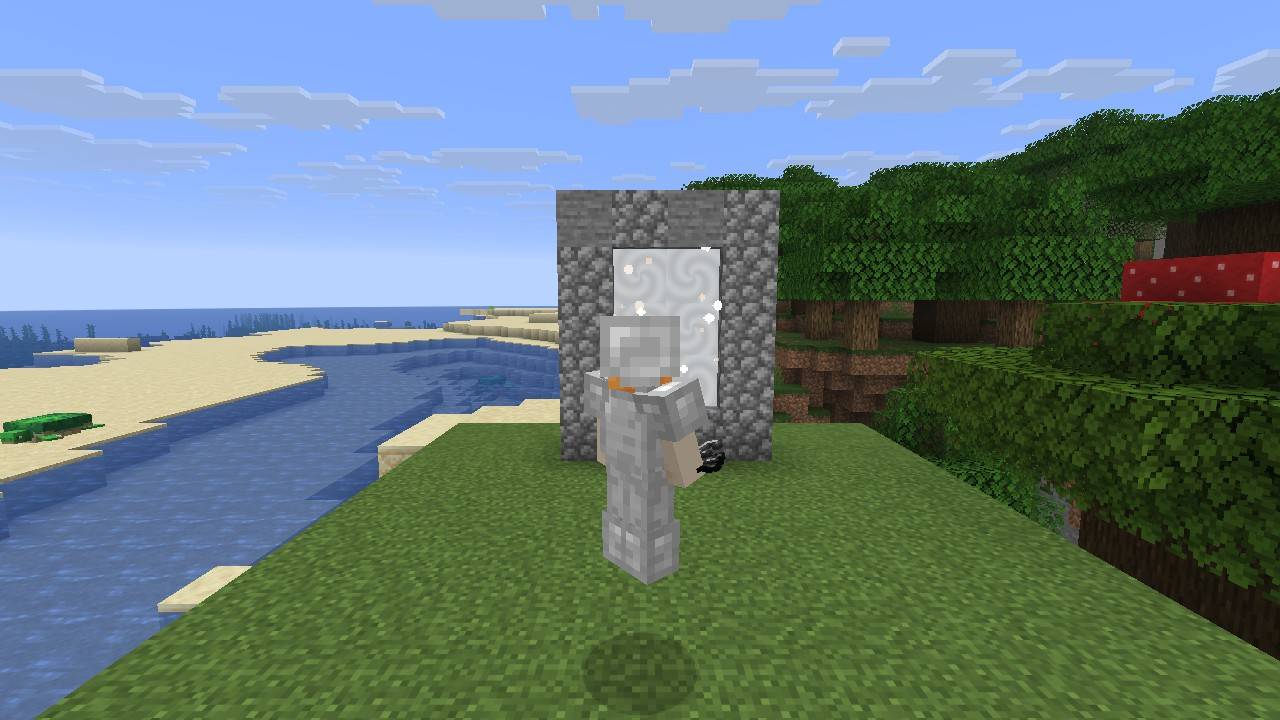 Take your character on the next adventure An equipped traveller beside the white gateway. Keep your worn gear and inventory when moving to a fresh world. Actual World Hopper gameplay with vanilla graphics, without shaders or a texture pack.
 -
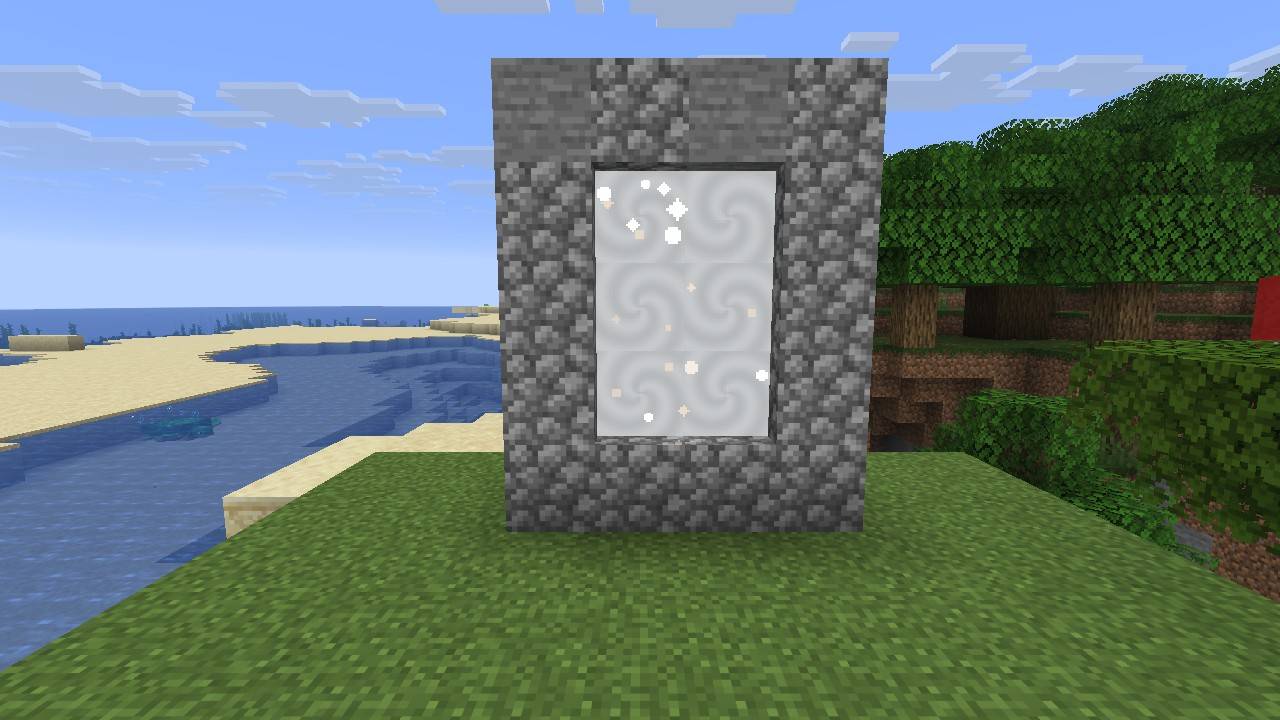 A stone gateway to your next world Build a stone or cobblestone frame and light it with flint and steel. World Hopper creates a white gateway that saves your character for the next world. Actual Snapshot 5 gameplay with vanilla graphics.
Versions
Files
Relations
Project Relations
More like this
Similar Mods
Suggestions use data such as tags, dependencies, dependents, descriptions, titles, and more to rank how much they overlap with this mod.
On ModDex
Community snapshot
By the numbers
Statistics

Get it on
Available Platforms
On ModDex
Community snapshot
By the numbers
Statistics
Resources