Community listing page, reviews here may not be monitored by the author.
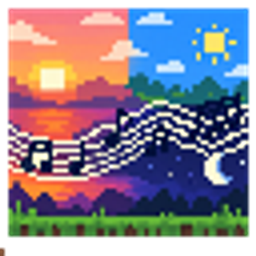
World music player

No reviews yet
A mod that allows you to freely modify the world's background music.
Community voices
Reviews
No reviews yet. Be the first to review this project!
Get it on
Available Platforms
About
Project Details
For authors
Embed Badge
If you're the author of this project, you can embed a live badge anywhere that supports HTML or Markdown. It updates automatically whenever ratings change.
Use HTML for any page that supports it, or Markdown for README files and Markdown-based descriptions.
Identifiers
Platform IDs
Resources
External Links
About
Description
World Music Player
A client-side world music mod for Minecraft NeoForge, with separate playlists for morning, noon, evening, and midnight, each supporting up to 10 tracks. Only one randomly selected track plays during each time period. Once it finishes, the music stays silent until the next period.
Supported Versions
| Minecraft | Minimum NeoForge Version | Resource Pack Format |
|---|---|---|
| 26.1.2 | 26.1.2.94 | 84.0 |
| 26.3 | 26.3.0.3-beta | 97.1 |
The current mod version is 1.0.1. The minimum NeoForge versions have been tested; later builds have not been individually verified.
Features
- Separate playlists for four time periods, supporting individual vanilla tracks and custom Ogg Vorbis music from resource packs.
- When a new period begins, any unfinished track from the previous period stops, and a new track is selected.
- Once a track has played, editing the playlist, reloading resources, or changing dimensions does not grant another playback during the same period. Leaving and rejoining starts a new session, and the current period is evaluated again.
- Replaces Overworld music by default, with an option to make other dimensions follow the Overworld clock.
- If no track has played yet and the playlist is empty or contains no valid tracks, you can choose to use vanilla music or remain silent.
- Respects the game's master and music volume settings without affecting jukeboxes or other sound effects.
| Period | Game Ticks | In-Game Time | Real-Time Duration at Normal Speed |
|---|---|---|---|
| Morning | 0–5999 | 06:00–12:00 | 5 minutes |
| Noon | 6000–11999 | 12:00–18:00 | 5 minutes |
| Evening | 12000–17999 | 18:00–00:00 | 5 minutes |
| Midnight | 18000–23999 | 00:00–06:00 | 5 minutes |
Sleeping, time commands, and changes to the game clock's rate affect when periods change.
Installation and Configuration
Place the mod JAR for your Minecraft version in the client's mods folder. No server installation is required. Edit playlists through World Music → Config in the mod list, or run /worldmusic config while in a world.
The configuration file is config/world_music-client.toml inside your game instance. Without custom music, the default playlists reference 12 vanilla tracks already included in the game.
See sounds.json for other built-in single-track references. Vanilla sound events such as minecraft:music.game may themselves contain multiple randomly selected tracks.
| Client Command | Function |
|---|---|
/worldmusic or /worldmusic status |
Show the current period and playback status |
/worldmusic config |
Open the configuration screen |
/worldmusic next |
Stop and skip music for the current period, then wait for the next period |
/worldmusic reload |
Recheck playlists without resetting the playback allowance already used |
Server operator permissions are not required.
Custom Music
**This mod does not include user music, Minecraft audio files, or generated music ZIPs. To use custom music, please refer to the instructions in the source code project to create a resource pack.
License
The source code is licensed under the MIT License. Third-party audio added by users is not distributed as part of this repository.The mod files are licensed under the CC BY-NC-SA 4.0 License.
Screenshots
Gallery
Versions
Files
Relations
Project Relations
More like this
Similar Mods
Suggestions use data such as tags, dependencies, dependents, descriptions, titles, and more to rank how much they overlap with this mod.
On ModDex
Community snapshot
By the numbers
Statistics
Want to reach Minecraft players?
We're looking for a server hosting partner to feature here and other parts of the site. Interested? Send us a message!
Get in touchGet it on
Available Platforms
On ModDex
Community snapshot
By the numbers
Statistics
Resources