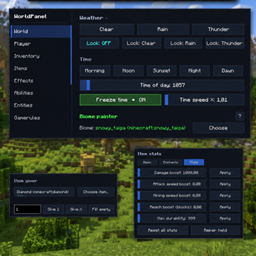
Community listing page, reviews here may not be monitored by the author.
World Panel


No reviews yet
The all-in-one in-game control panel for Minecraft.
Community voices
Reviews
No reviews yet. Be the first to review this project!
Get it on
Available Platforms
Compatibility
Supported Environments
Required on the client. Installing it on the server adds functionality.
About
Project Details
For authors
Embed Badge
If you're the author of this project, you can embed a live badge anywhere that supports HTML or Markdown. It updates automatically whenever ratings change.
Use HTML for any page that supports it, or Markdown for README files and Markdown-based descriptions.
Identifiers
Platform IDs
Resources
External Links
About
Description
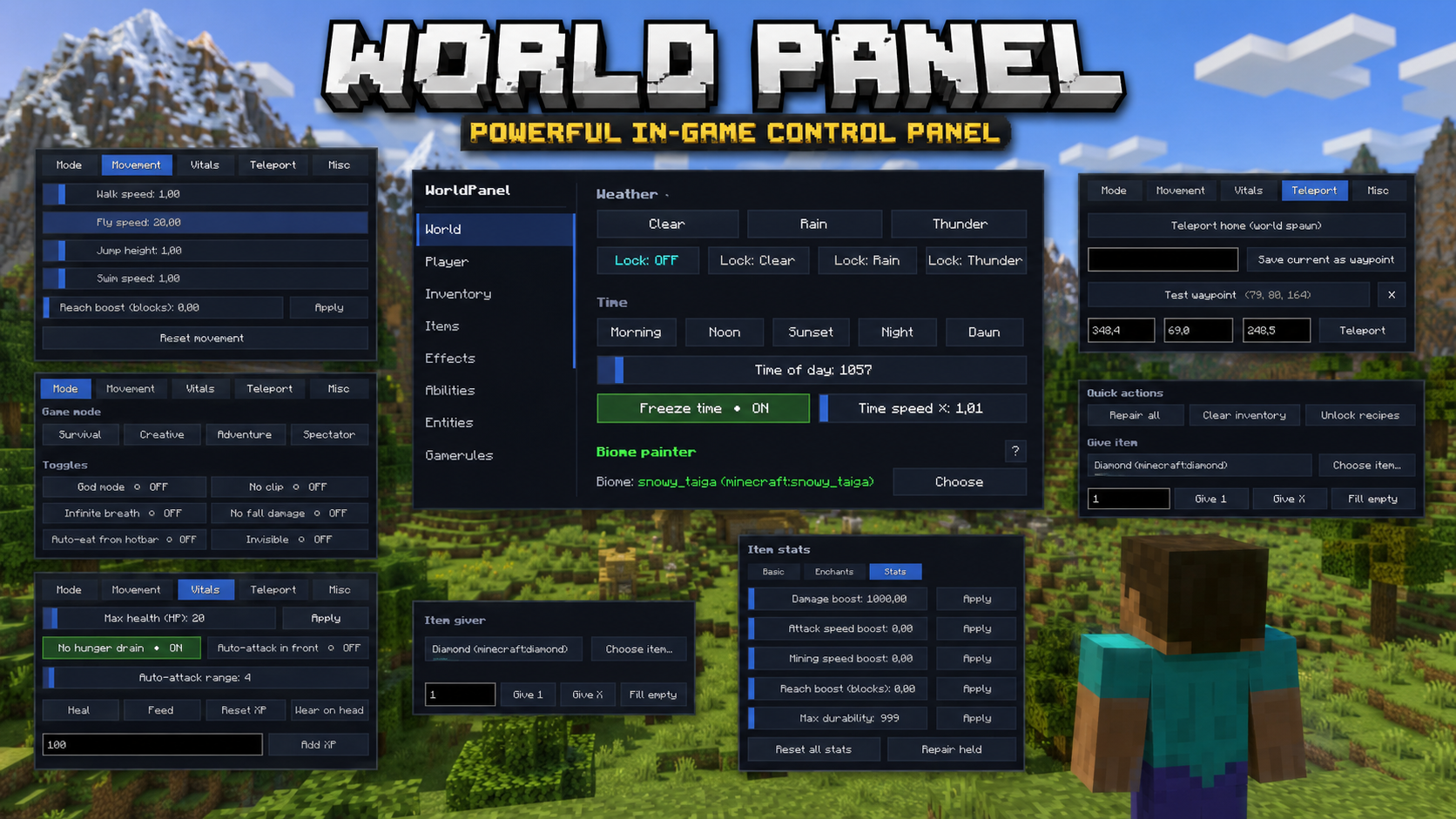
The all-in-one in-game control panel for Minecraft. Open a single GUI with the M key and run your world — weather, time, mobs, items, abilities, buildings, schematics, players, permissions, photo mode and dozens more tools — without ever typing a command.
Quick start
- Drop the jar into your
mods/folder - Launch Minecraft with NeoForge 21.11.42
- Press M in-game to open WorldPanel
- (Optional) Bind extra hotkeys via
Esc → Options → Controls → WorldPanel - (Optional) Drop
.litematic/.nbtfiles intoworldpanel-schematics/orworldpanel-houses/
Full feature list
🌍 World tab
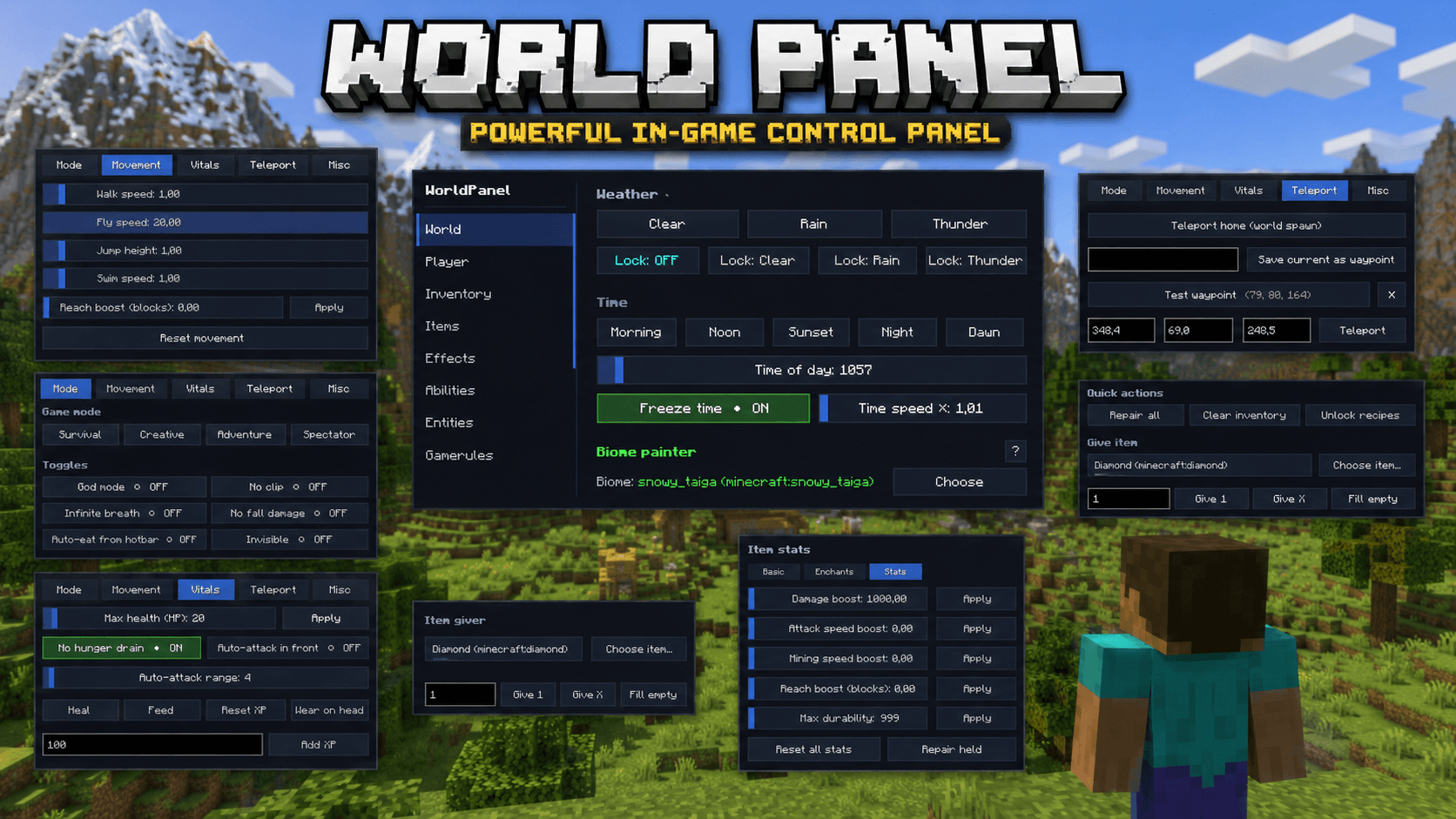
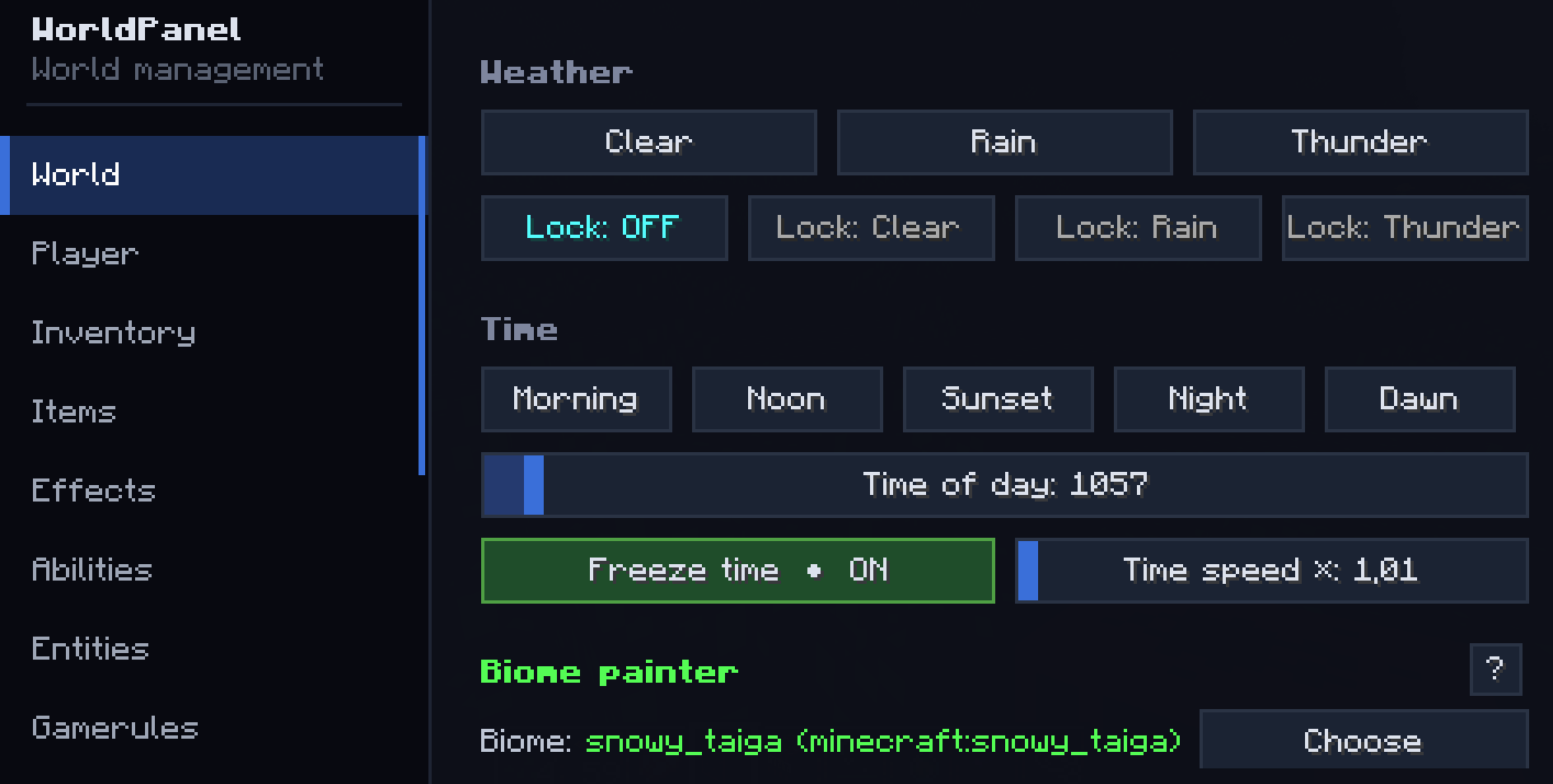
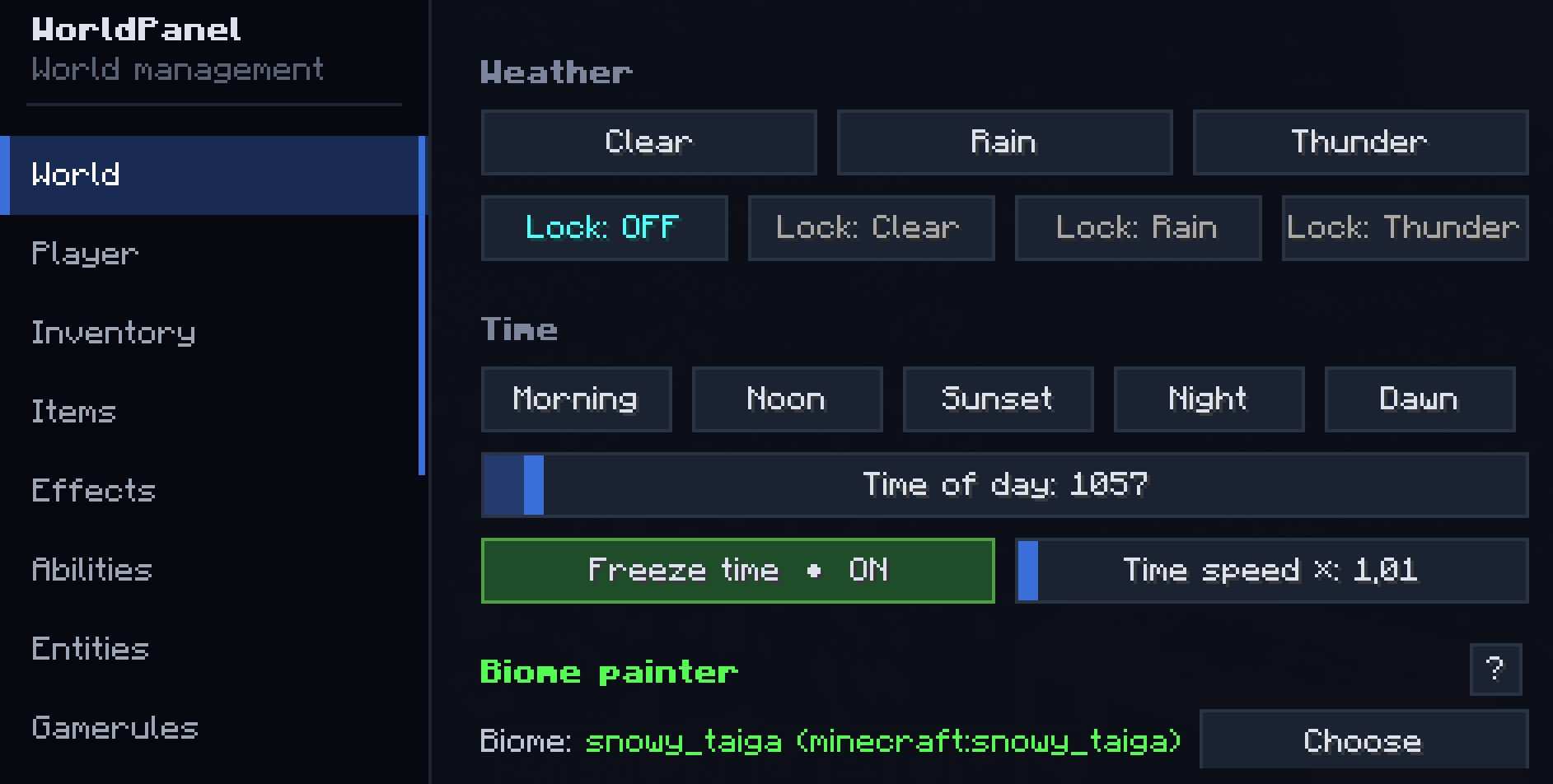
- Weather: Clear / Rain / Thunder + Weather lock (server keeps the chosen weather)
- Time presets: Morning / Noon / Sunset / Night / Dawn
- Time slider (0–24000) + Freeze time + Time speed multiplier (0–100×)
- Difficulty: Peaceful / Easy / Normal / Hard
- Biome painter: replace biome in a sphere around you (any vanilla biome)
- World backup: one-click snapshot to
worldpanel-backups/<world>-<timestamp>/ - Keep inventory toggle
- Anti-AFK auto-kick (configurable minutes)
🧑 Player tab
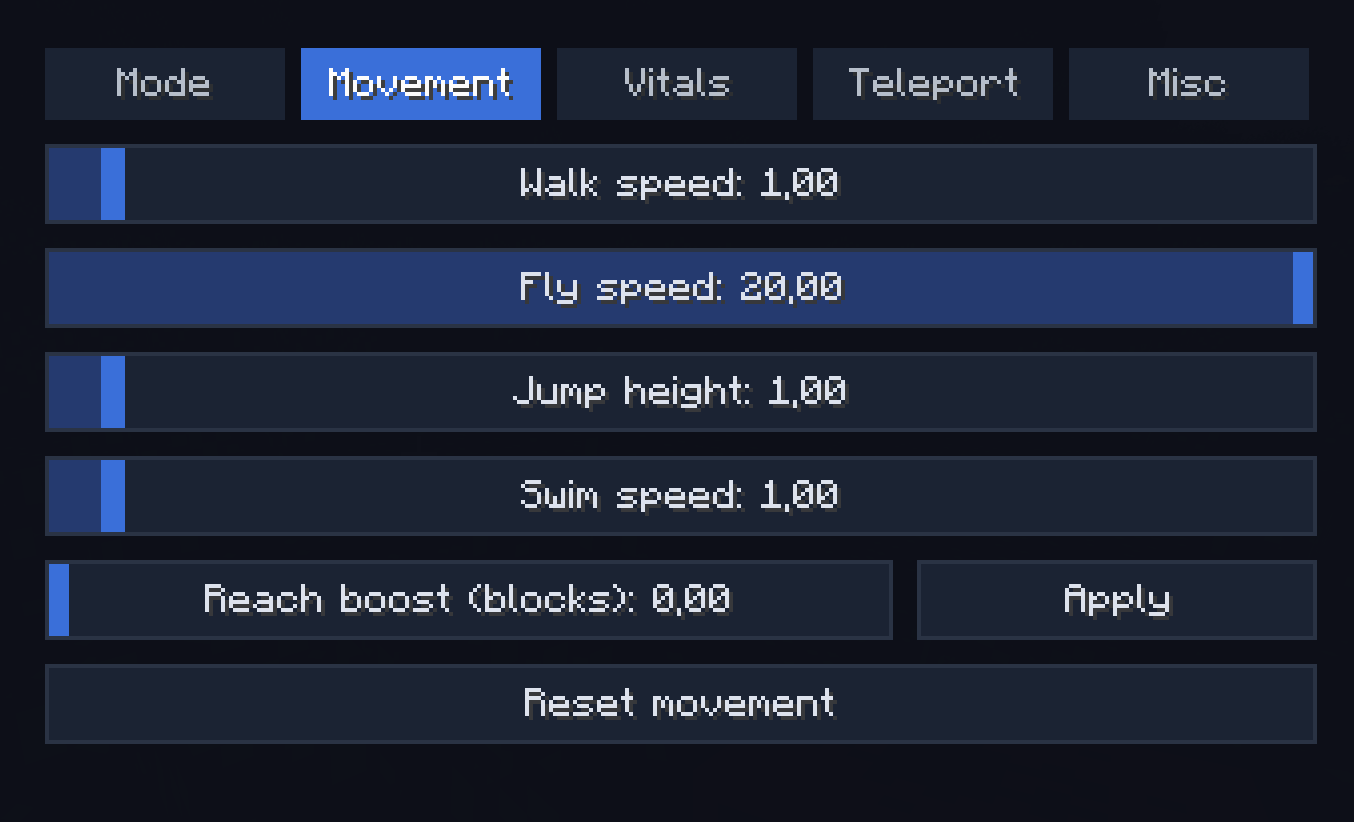
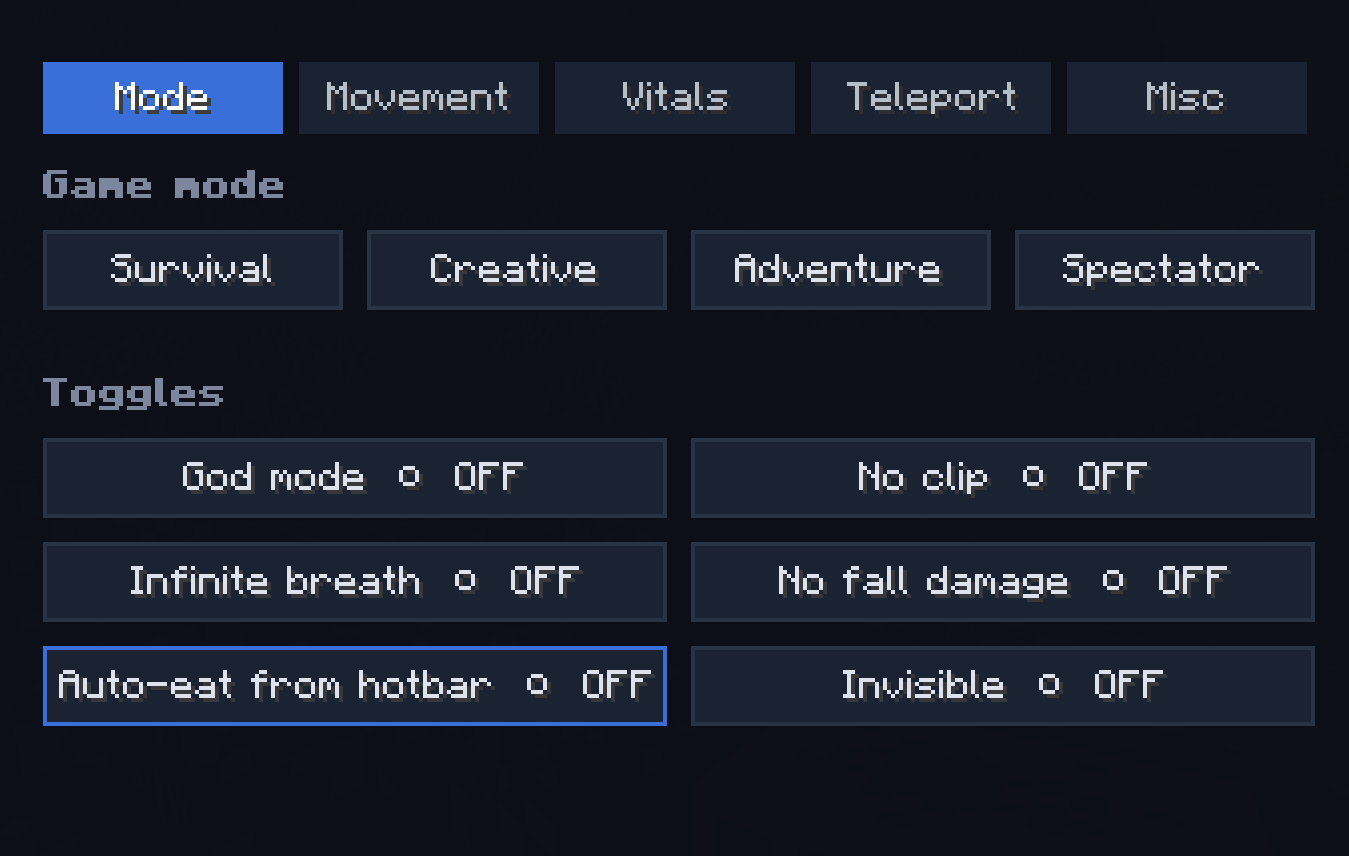
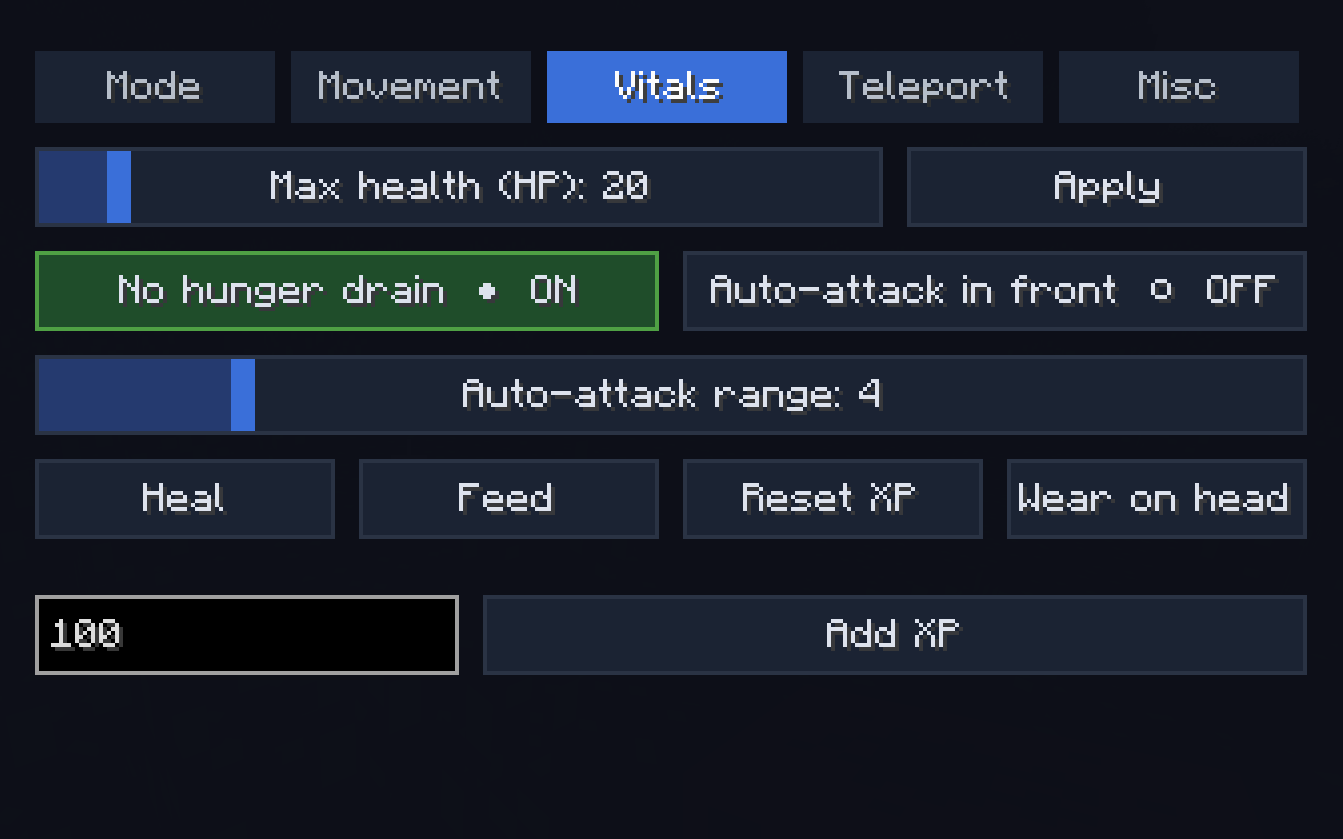
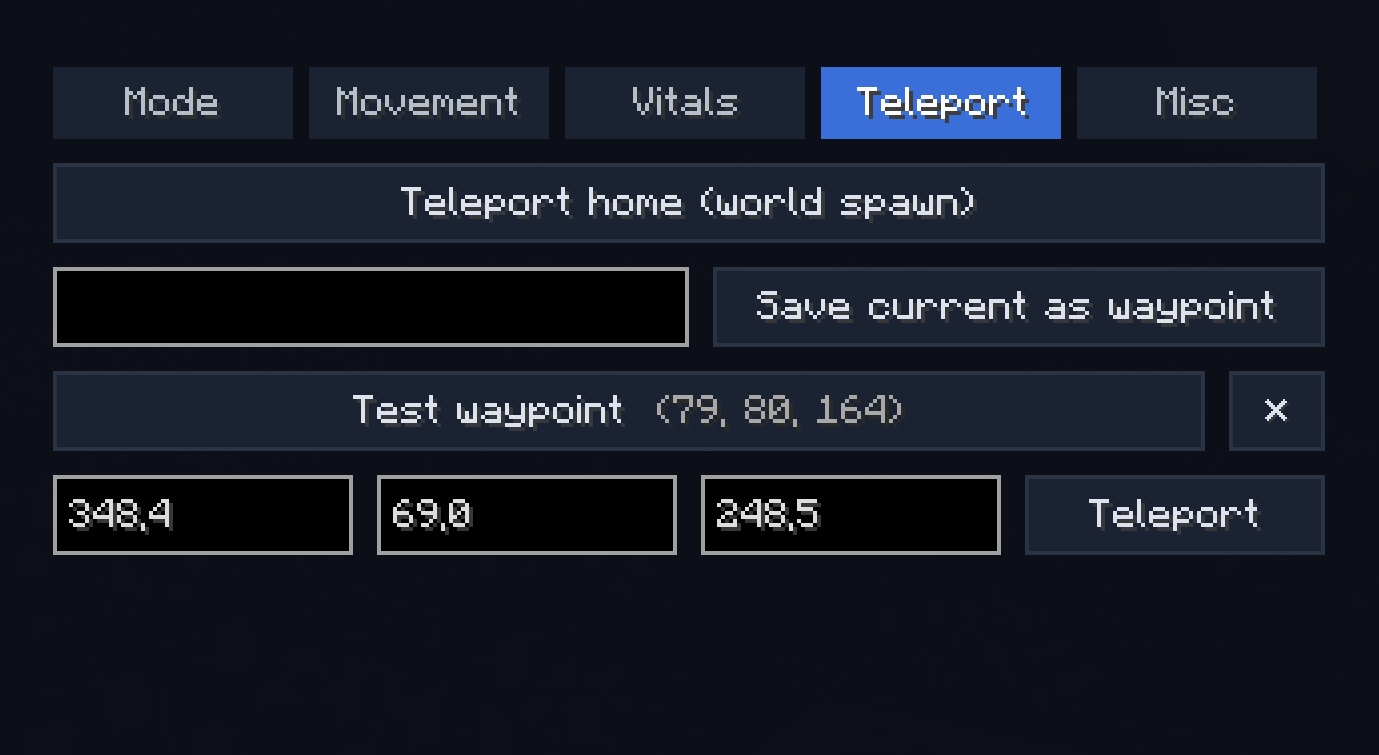
Sub-tabs: Mode / Movement / Vitals / Teleport / Misc
- Game mode switch (Survival / Creative / Adventure / Spectator)
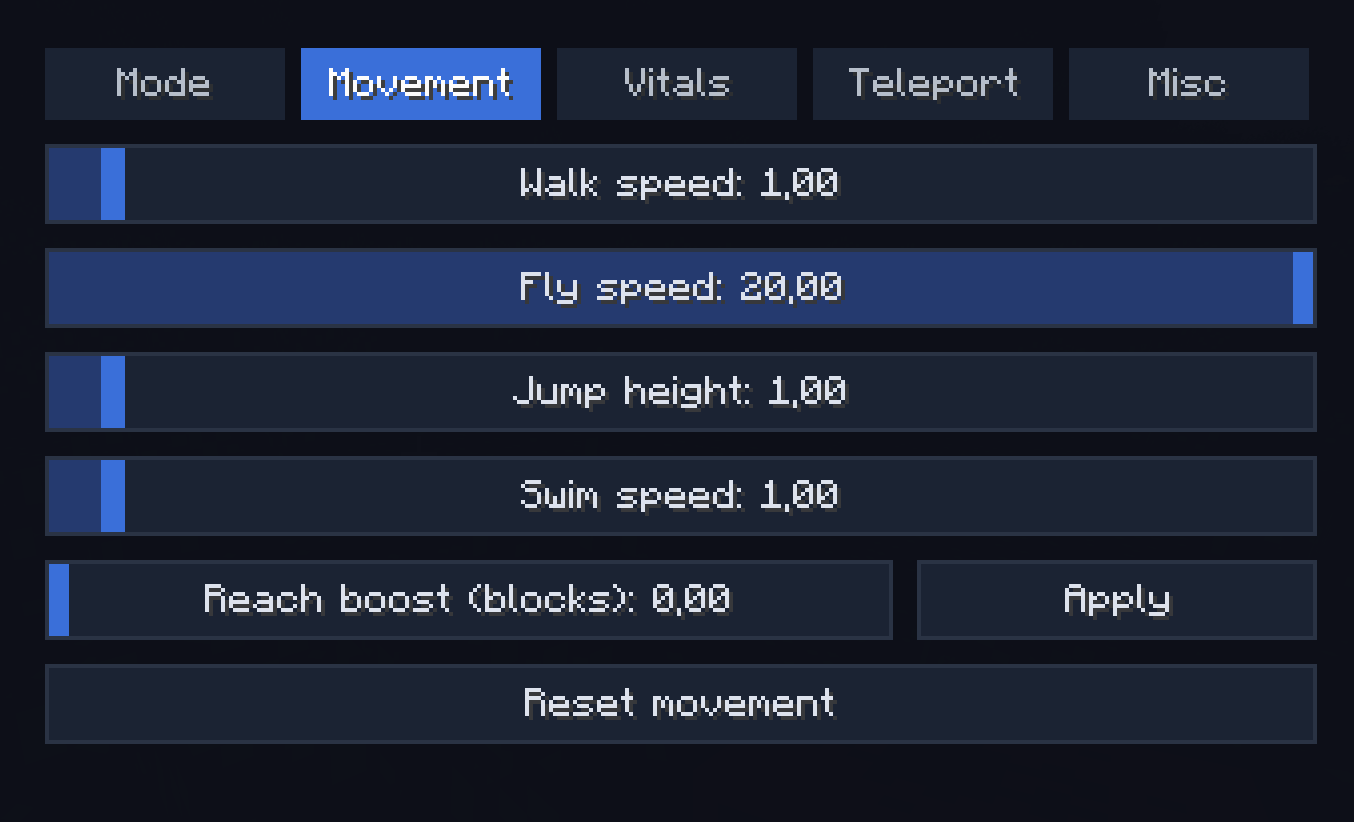
- Walk / Fly / Jump / Swim speed sliders (with No fall damage + Reset)
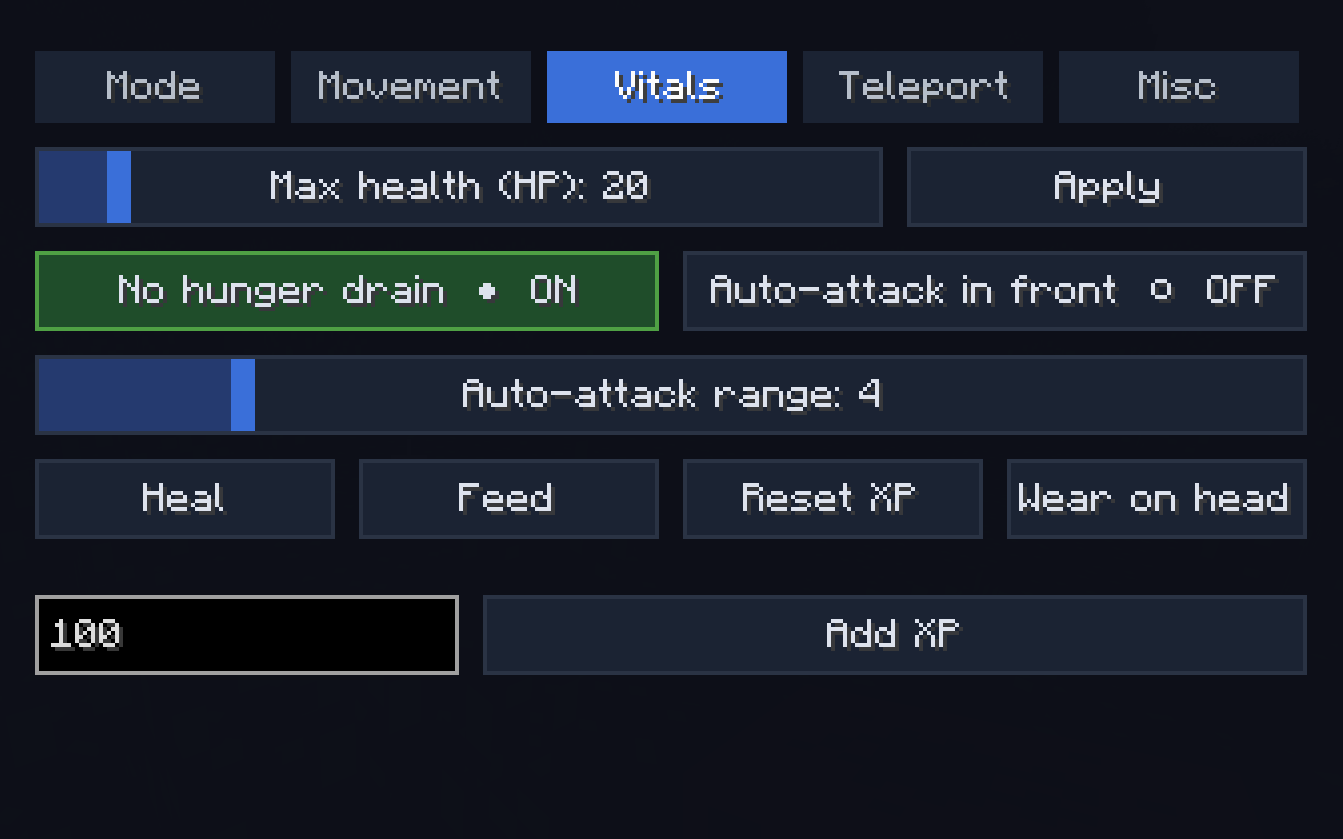
- Heal / Feed / Max health (HP) up to 200 / No hunger drain
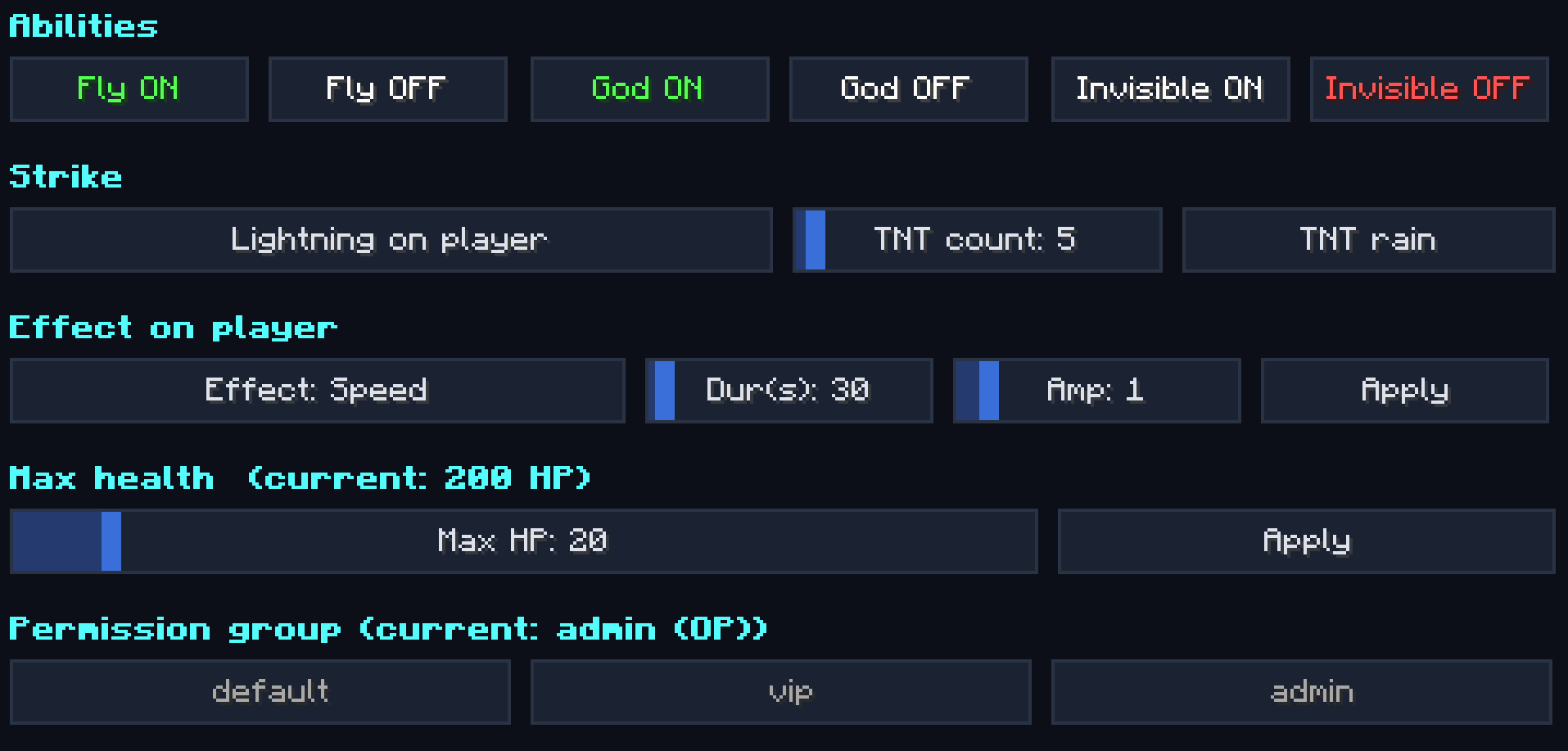
- God mode / Infinite breath / Invisible / Auto-eat from hotbar / Reach extender
- Teleport to coordinates / Teleport home / Waypoints (save & jump)
- XP add/reset / Wear held item as helmet
- Free-cam (spectator-detach, body stays in place)
- Run server command sender
🎒 Inventory tab
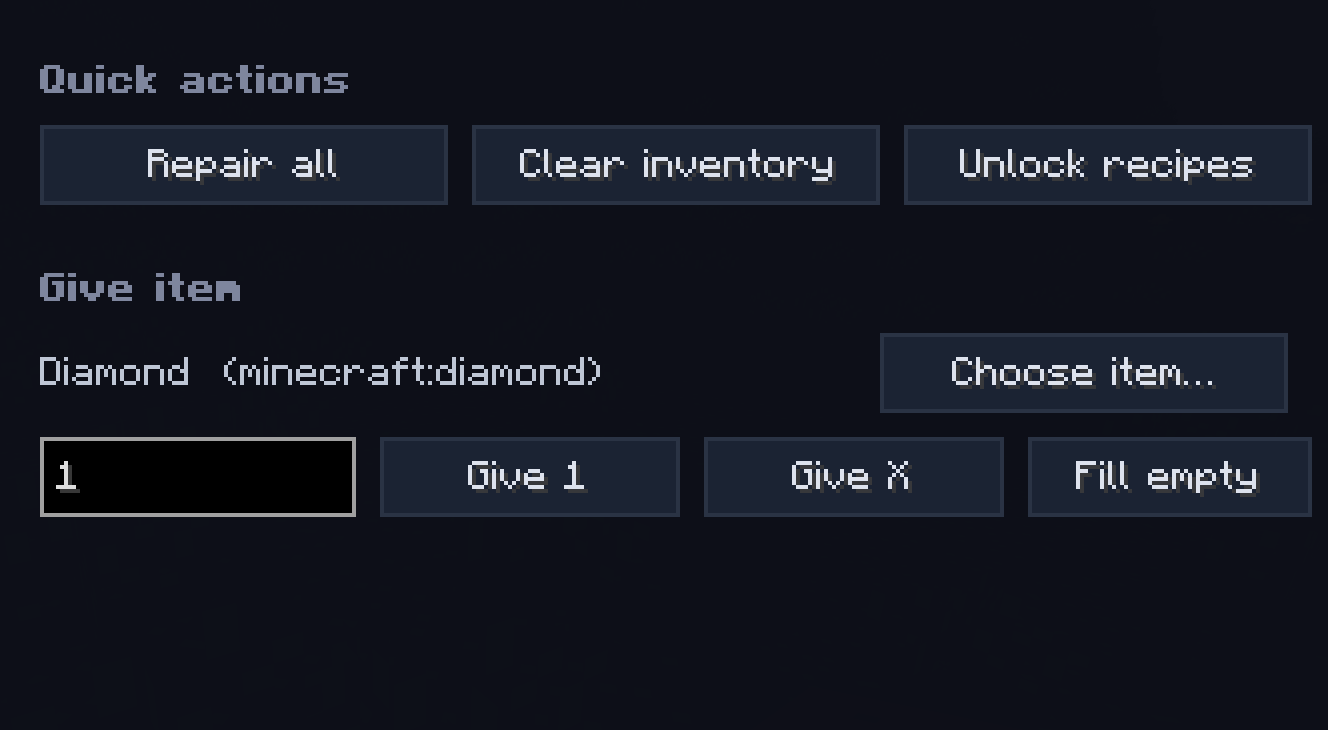
- Give item (count input) / Fill empty slots with picked item
- Clear inventory / Repair all / Unlock all recipes
🗡 Items tab
Sub-tabs: Basic / Enchants / Stats
- Custom name (with formatting) / Repair held / Unbreakable / Hide enchant glint / Apply all curses
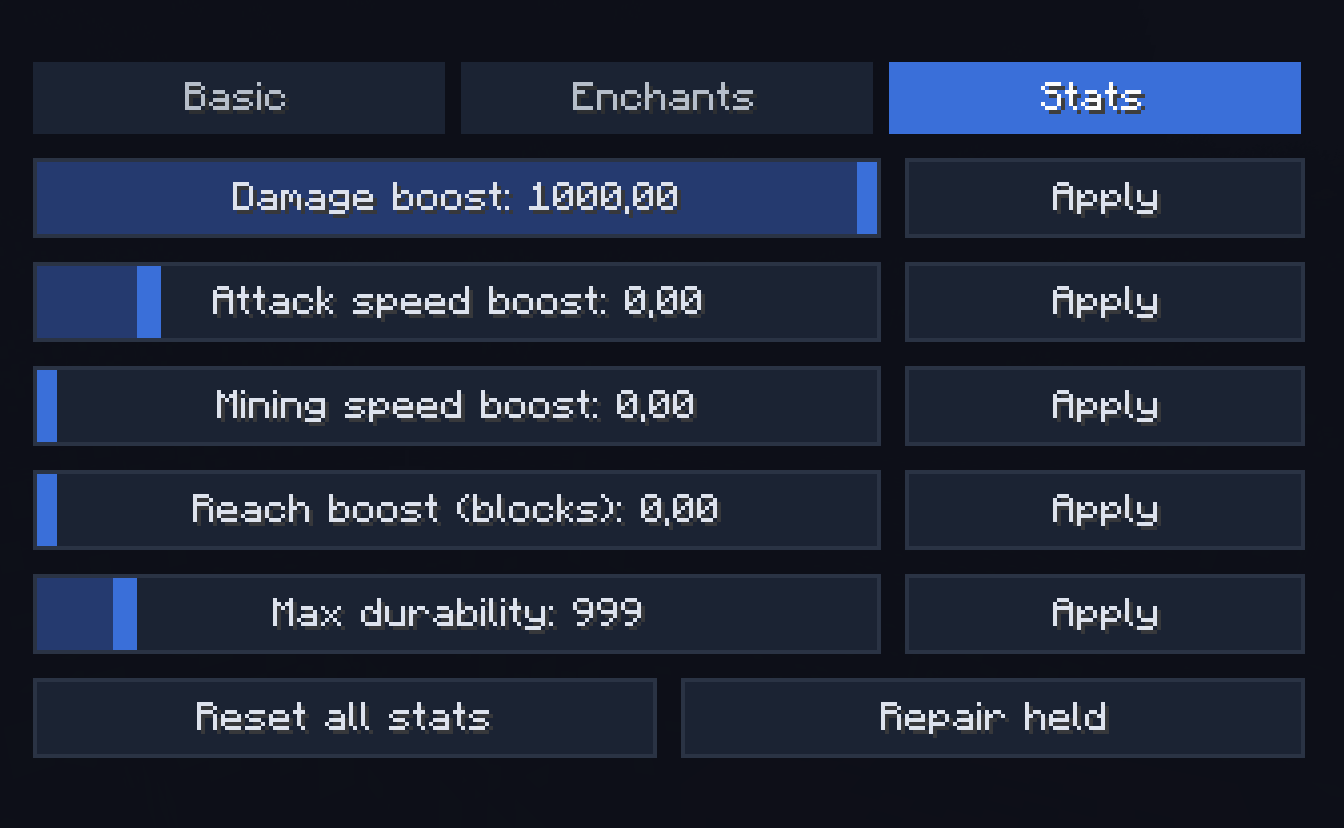
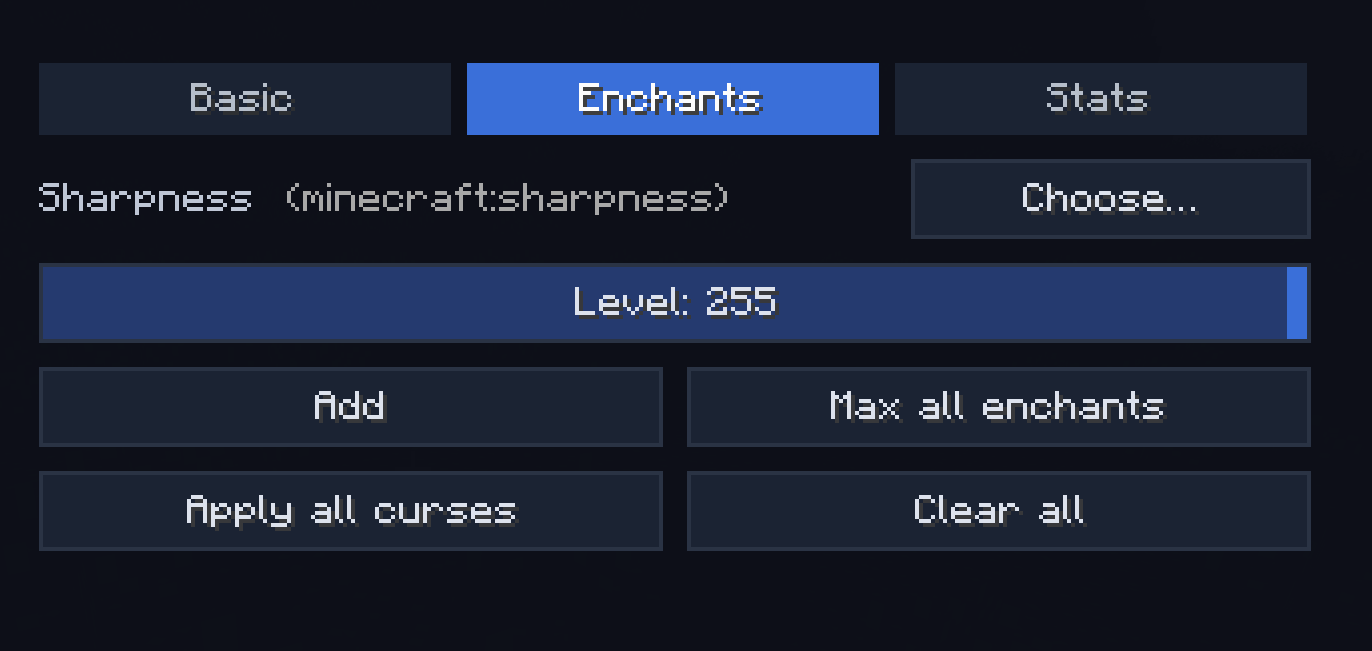
- Add any enchantment at any level (1–255) / Max all valid enchants in one click / Clear all
- Damage / Attack speed / Mining speed / Reach / Max durability boosts (attribute modifiers)
✨ Effects tab
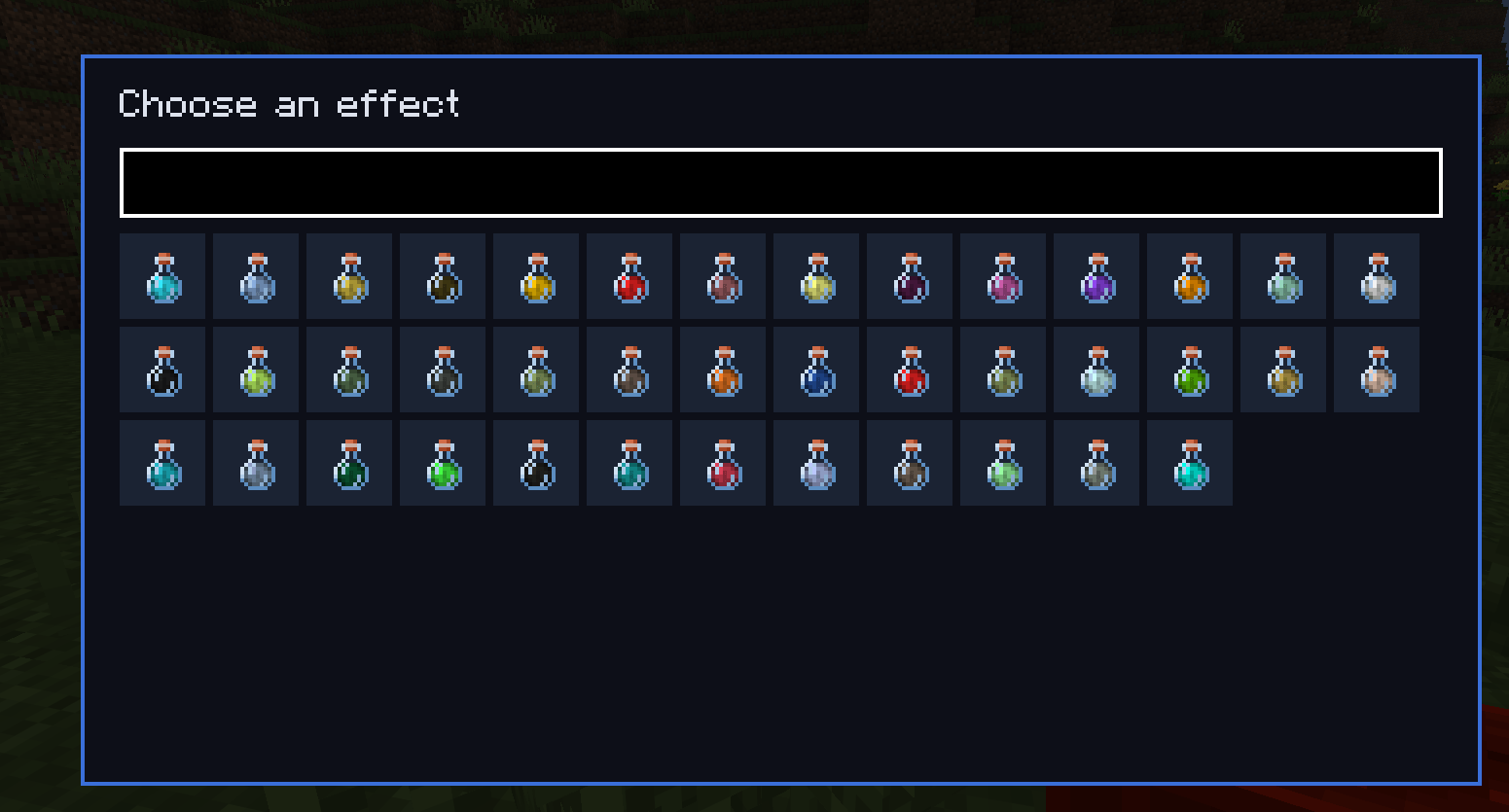
- Apply any vanilla potion effect at any duration/amplifier (timed or infinite)
- Clear all
- Potion crafting: assemble a custom potion with multiple effects, give as Drink / Splash / Lingering
💥 Abilities tab
Sub-tabs: Bombardment / Waves / Powers / Midas
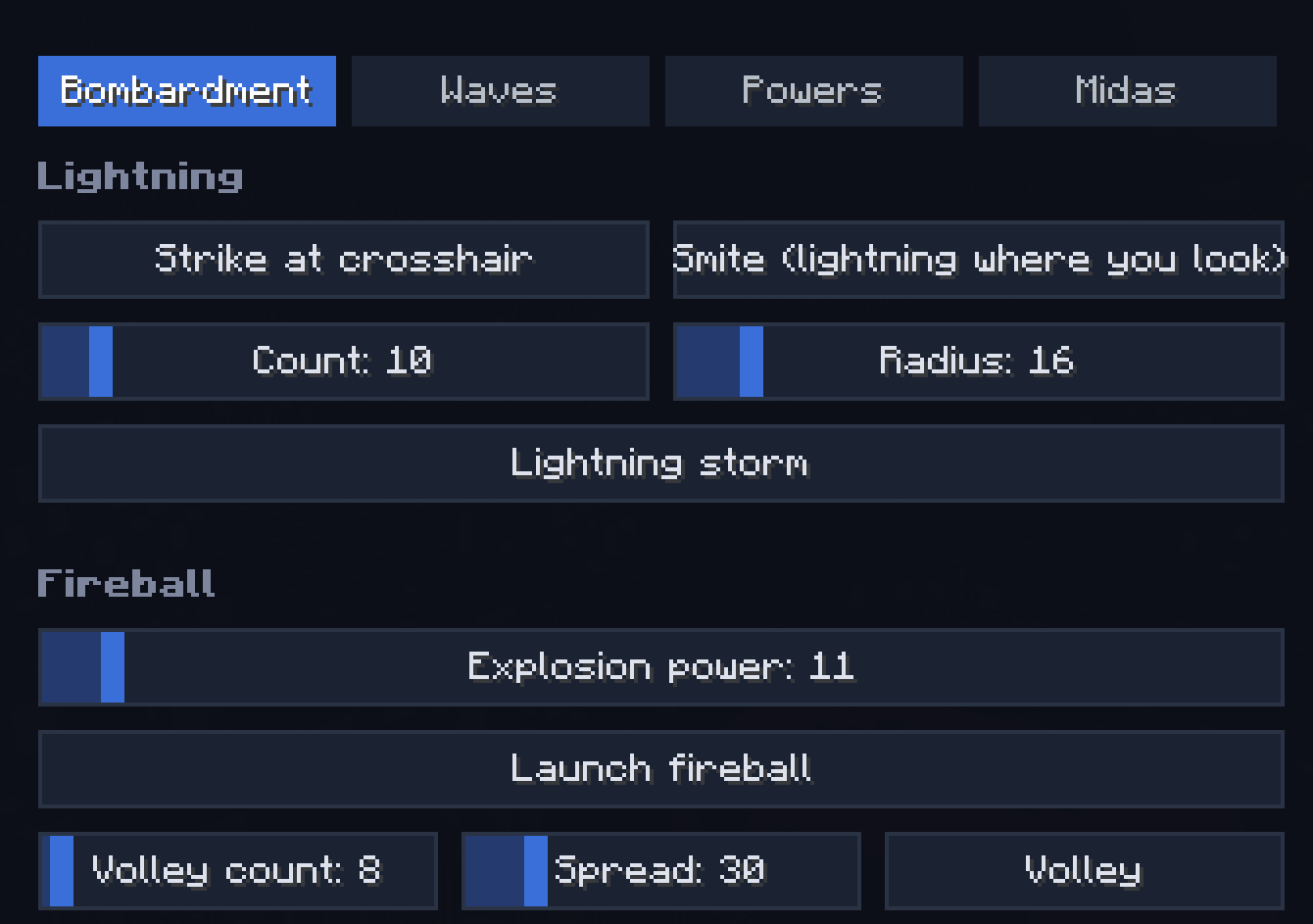
- Bombardment: Lightning at crosshair, Smite, Lightning storm, Fireball, Fireball volley, Explosion, TNT rain, Nuke (any radius), TNT power multiplier (up to 2000×)
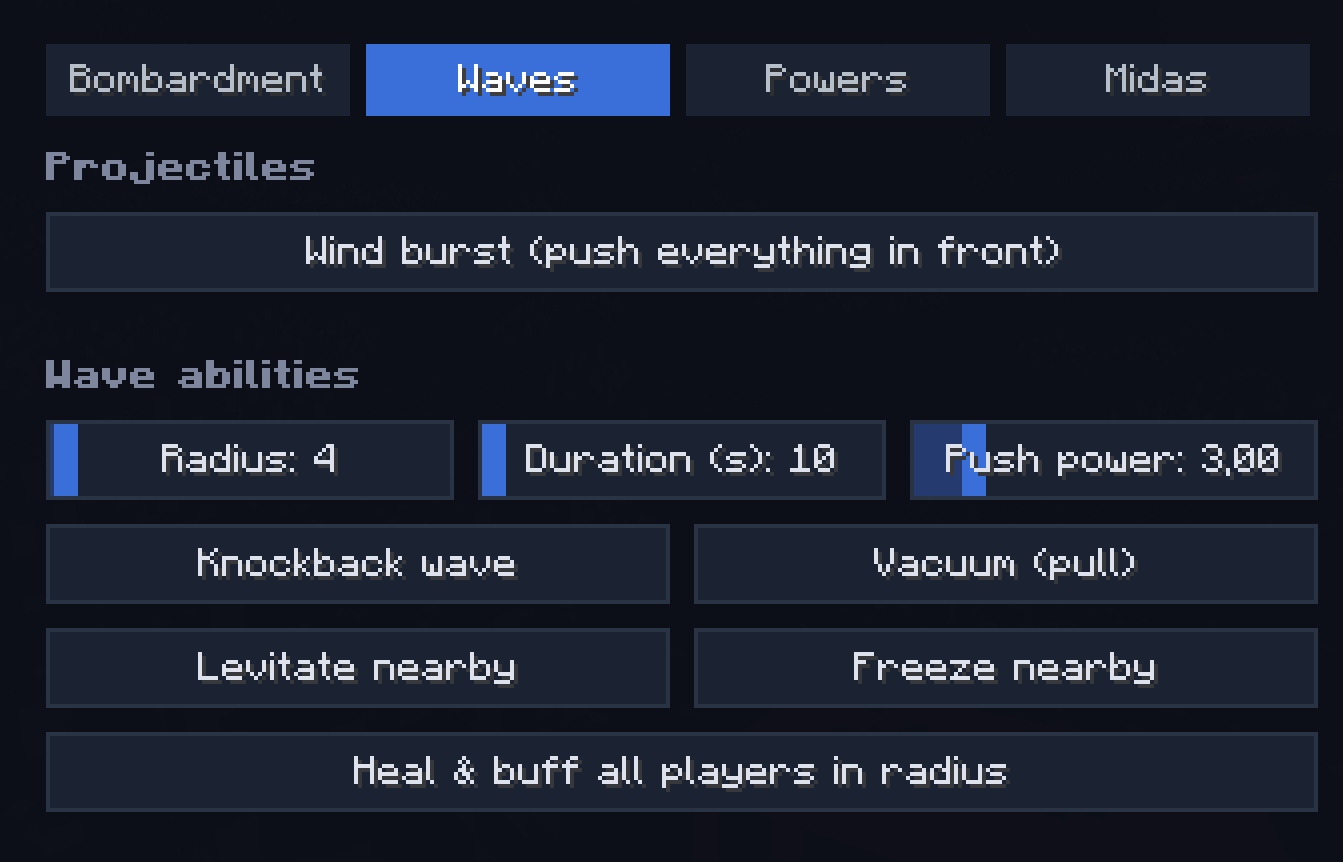
- Waves: Wind burst, Knockback wave, Vacuum, Levitate, Freeze nearby, Heal & buff wave
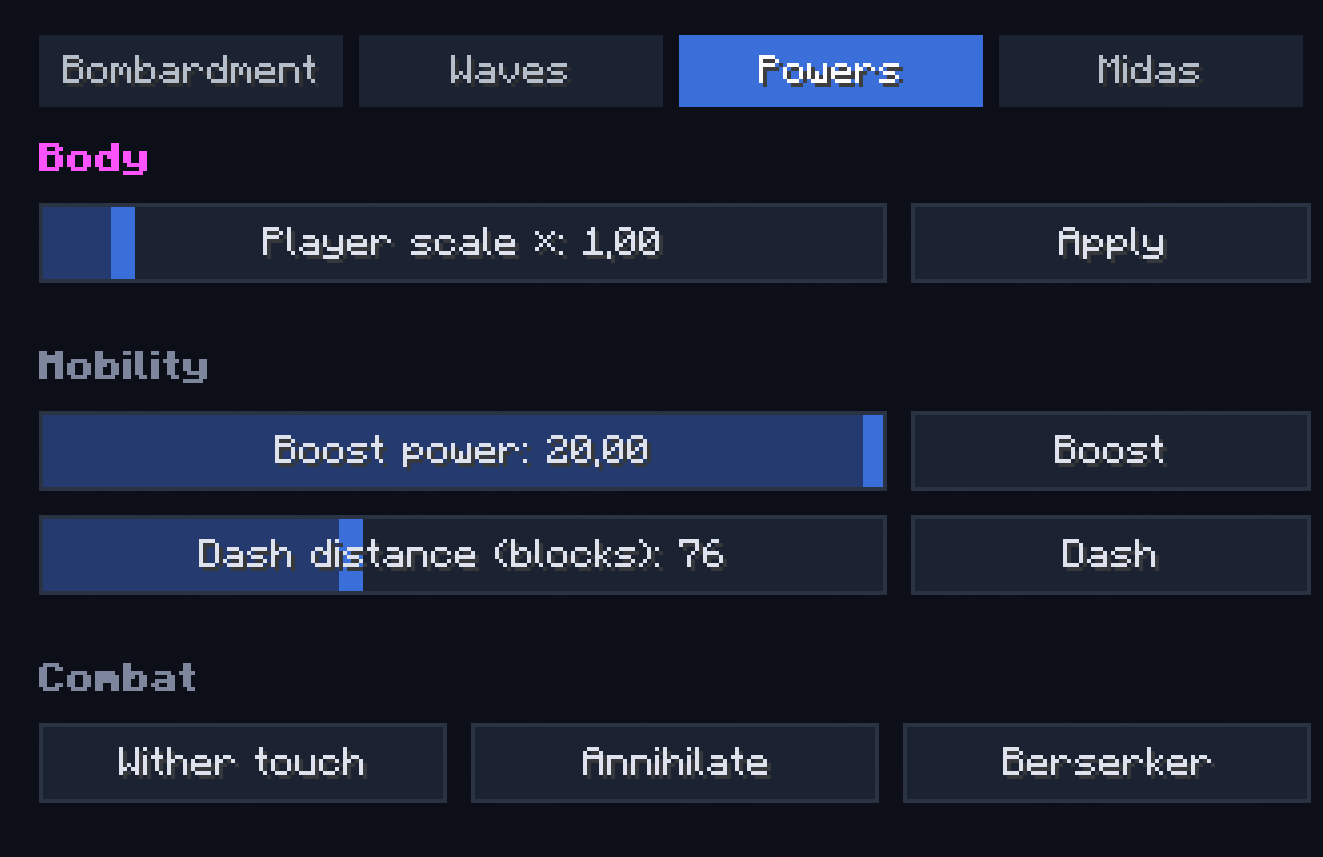
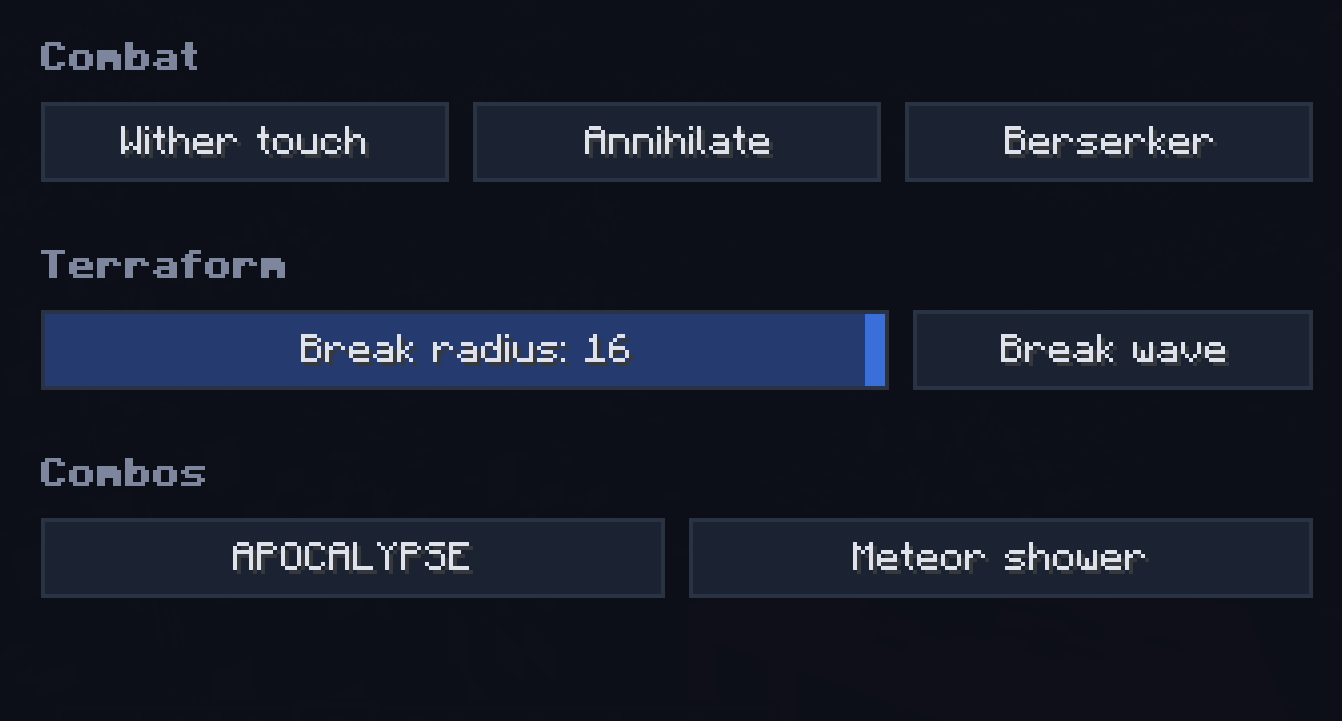
- Powers: Player scale (×0.1..×10), Velocity boost (rocket-self), Ender chain dash, Withering touch, Break wave, Berserker mode (Strength X + Speed X + Regen X + Resistance IV + Haste V + Fire Resistance), Annihilate (instakill in look line), Apocalypse combo, Meteor shower
- Midas Touch: walk-mode (turn ground under your feet into the chosen block) or attack-mode (every block you break converts instead of dropping)
🧟 Entities tab
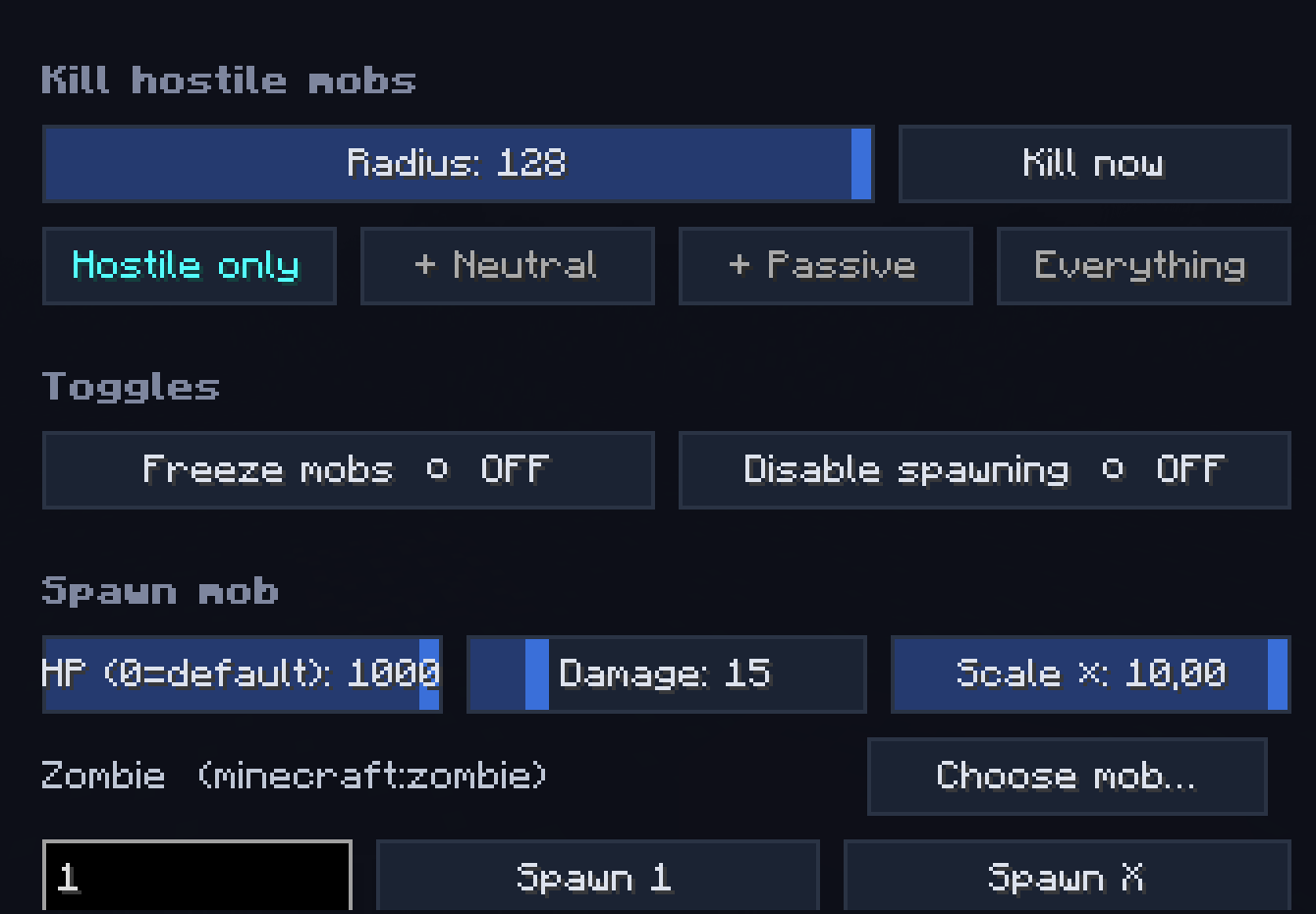
- Spawn any vanilla mob (count + HP / Damage / Scale sliders)
- Mob variants: Armored / Diamond / Baby Zombie, Husk with sword, Drowned with trident, Skeleton with iron sword, Armored Wither Skeleton, Spider Jockey, Chicken Jockey, Giant / Tiny Slime, Giant Magma Cube, Pink / Rainbow Sheep, Angry Wolf, Piglin Brute, Huge / Tiny Zombie / Creeper / Skeleton, Huge Spider, Huge Enderman, Tank Zombie (500 HP + armored), Glass Zombie (1 HP)
- Kill hostile mobs in radius (filter: hostile only / + neutral / + passive / everything)
- Freeze mobs / Disable mob spawning
- Live nearby-entity counter
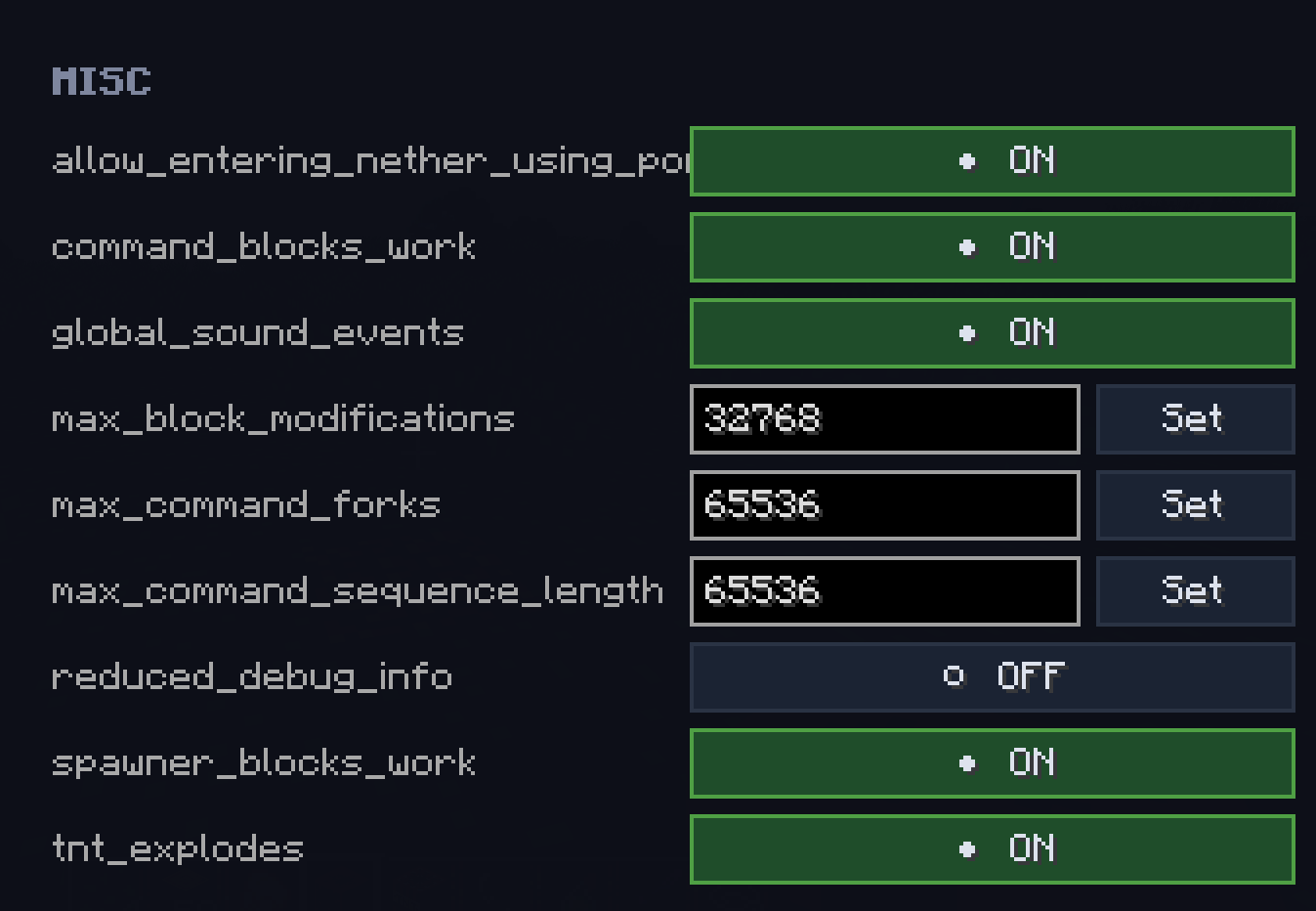
⚙ Gamerules tab
Every gamerule in the world — sliders for ints, toggles for bools, instant apply.
🛠 Tools tab
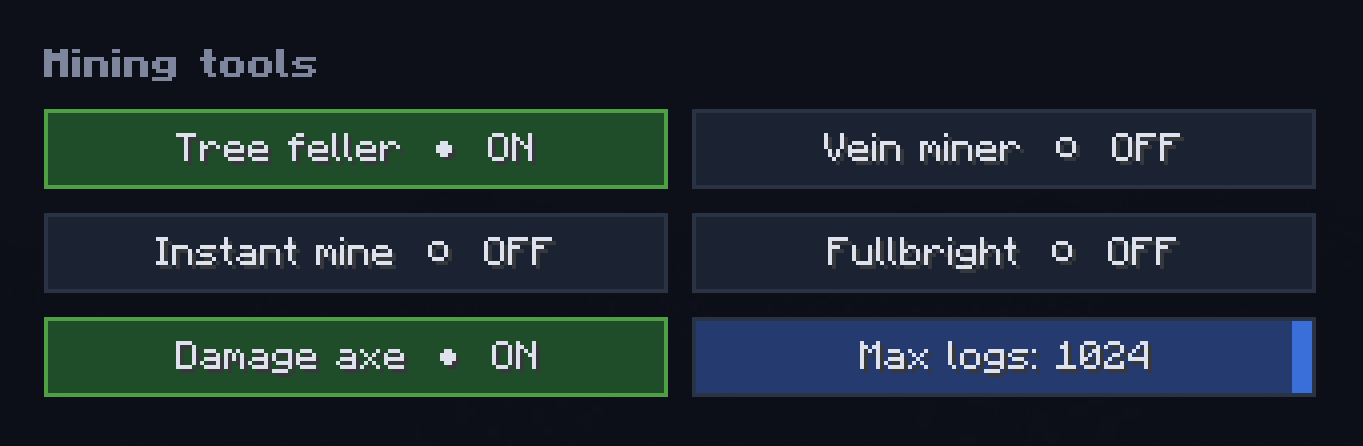
- Tree feller (only with axe, configurable: damage axe? max logs?)
- Vein miner / Instant mine / Fullbright (client-side)
- Auto-grow: Trees / Crops / Grass / Other (in 10-block radius)
🏗 Build tab
Sub-tabs: Shapes / Replace / Schematics / Editor / Structures / Houses
- Shapes: Sphere / Cube / Pyramid / Cylinder / Dome / Ring / Floor / Wall (any block, size up to 128×128×128, optional hollow)
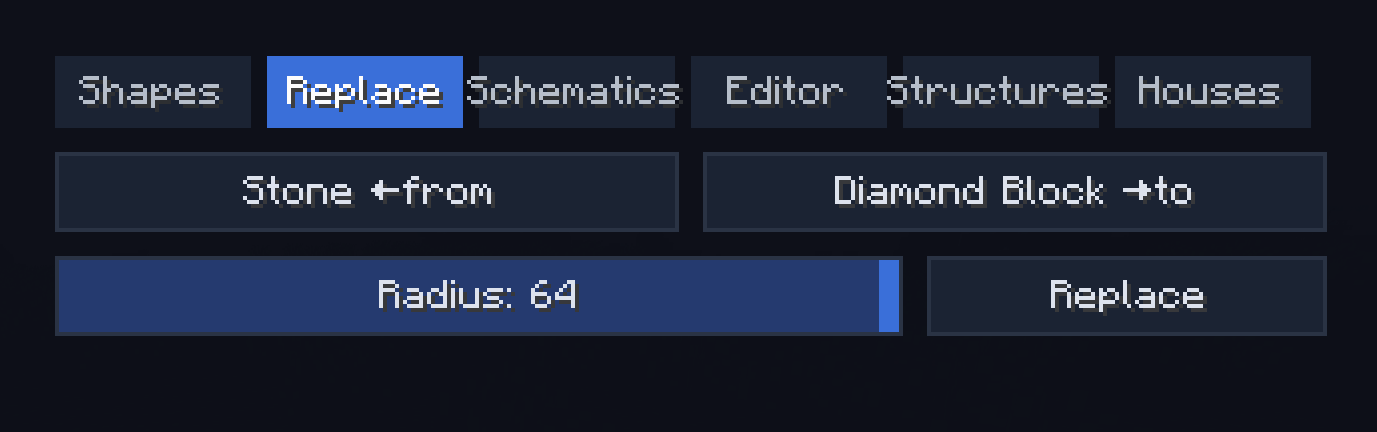
- Replace: swap block A → B in a radius
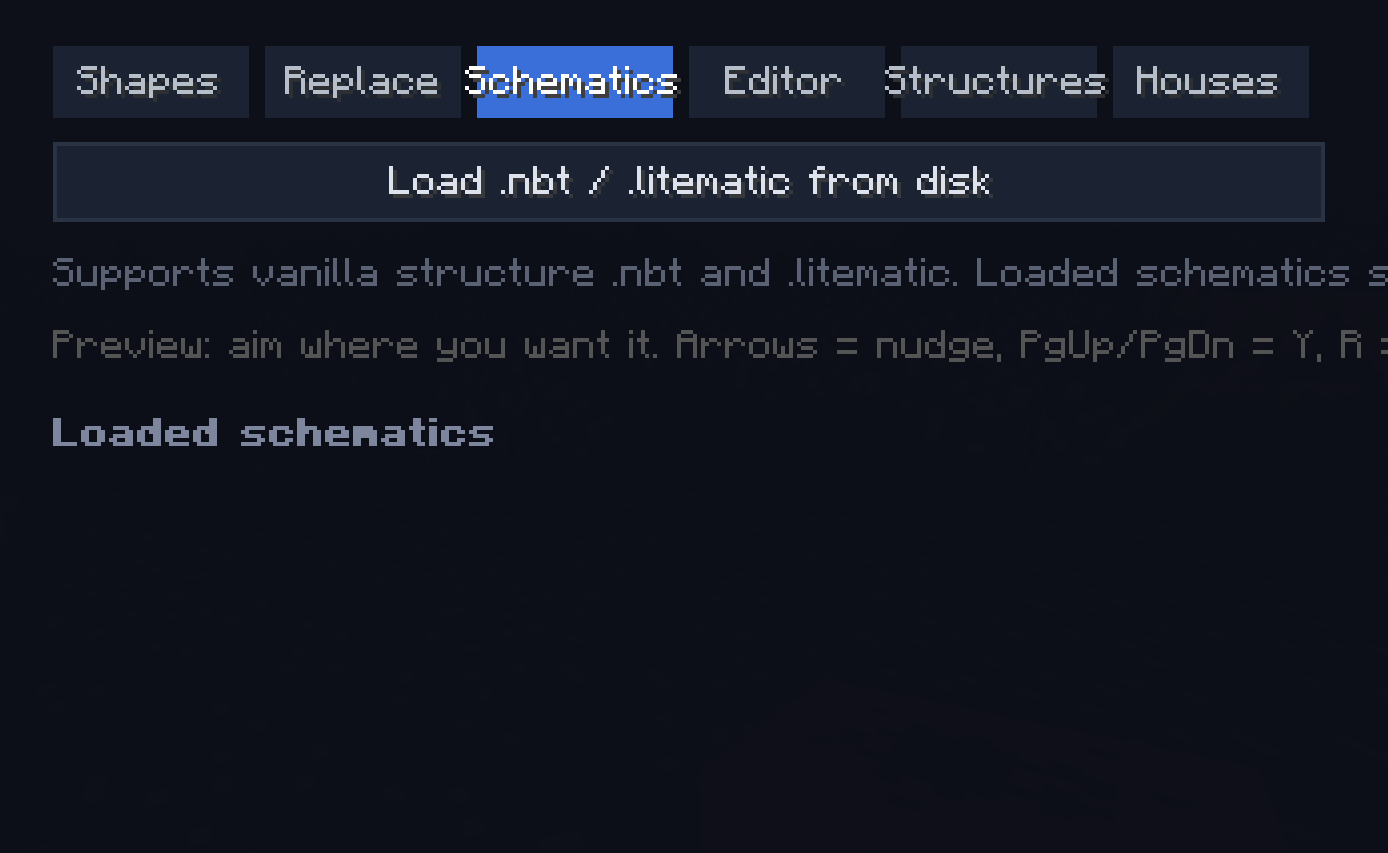
- Schematics: load
.litematicand vanilla.nbtfrom disk, library persists inworldpanel-schematics/; ghost preview (look-aimed, 90° rotate, build/cancel) - Editor (click-based world editor):
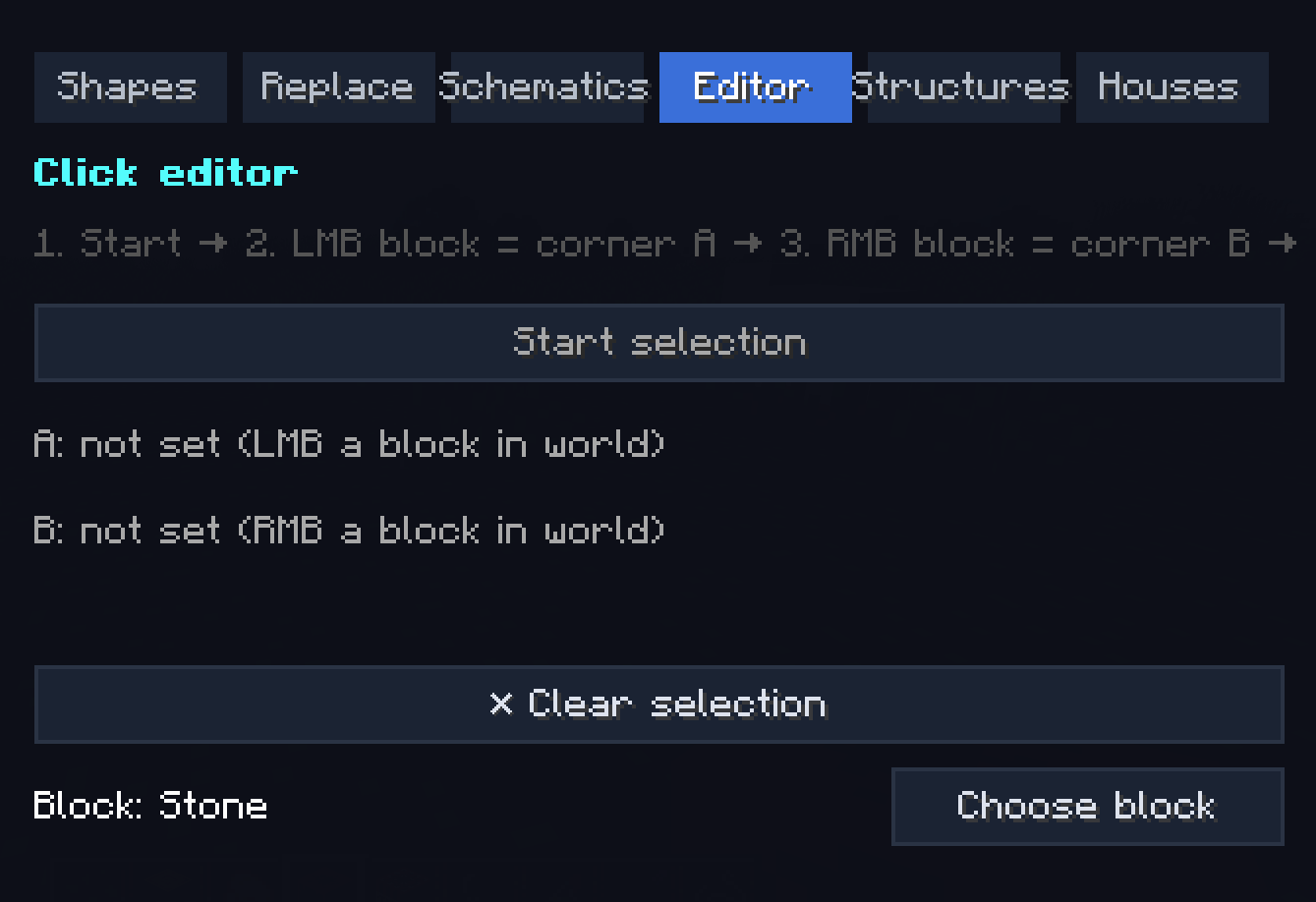
- Start selection → LMB block = corner A → RMB block = corner B (wireframe ghost between them)
- Wall / Roof / Floor templates (separate picker each):
- 11 wall templates (Cottage, Tudor, Brick facade, Castle stone, Castle slits, Modern glass tower, Japanese shoji, Gothic cathedral, Nether fortress, Dungeon, Plain)
- 7 roof templates (Flat, Flat + cornice, Pitched oak/dark/brick, Hipped, Dome)
- 7 floor templates (Plain, 3 checker variants, Carpet over oak, Stone path, Polished pattern)
- Fill solid / Hollow / Walls / Floor / Roof / Replace / Clear within selection
- Clipboard: Copy selection, Paste at A, Save / Load named templates (
worldpanel-clips/)
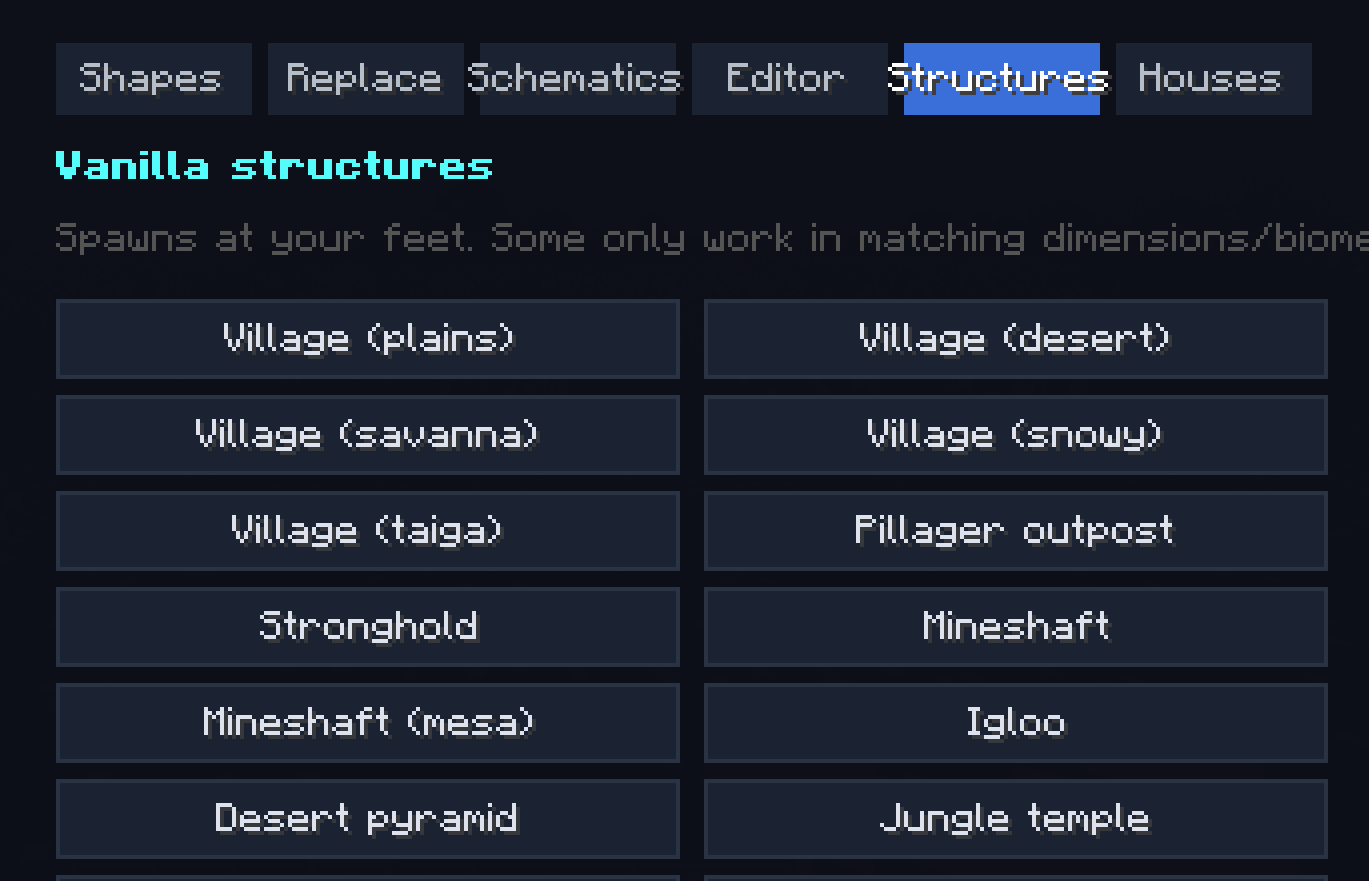
- Structures: 26 vanilla structures one-click (villages, fortresses, monuments, ancient cities, end city…)
- Houses: pre-built houses library from
worldpanel-houses/(drop your.litematicfiles there)
🎨 Photo / FX tab
- Photo mode (FOV slider 20°–170°, optional Hide HUD)
- Free-cam
- Cosmetic particles on self: Halo / Fire / Sparkle / Hearts / Notes
- Movement trails: Fire / Ice / Flowers / Lava / Portal
- Live HUD overlay toggle — corner display of every active toggle
👥 Players tab (server admin)
Full per-player admin screen:
- View / edit target's inventory (6×9) and ender chest (3×9)
- Game mode quick-switch (current highlighted)
- Fly / God / Invisible ON/OFF (live status)
- Lightning / TNT rain on player
- Apply any effect with duration/amplifier
- Heal / Feed / Kill / Op / Deop / Kick / TP to / Pull to me
- Max health slider per target
- Permission group (default / vip / admin) + per-feature ✓/✗ overrides
- Export permission groups + README to Desktop
💾 Profiles tab
- Save full panel state (every slider, toggle, picked item/effect/mob) as a named preset
- Load / delete profiles, stored as
.propertiesinworldpanel-profiles/
⏱ Cooldowns tab
- Per-ability cooldown slider (0–120s) for every ability
- Server enforces and shows on-cooldown message
⌨ Hotkeys tab
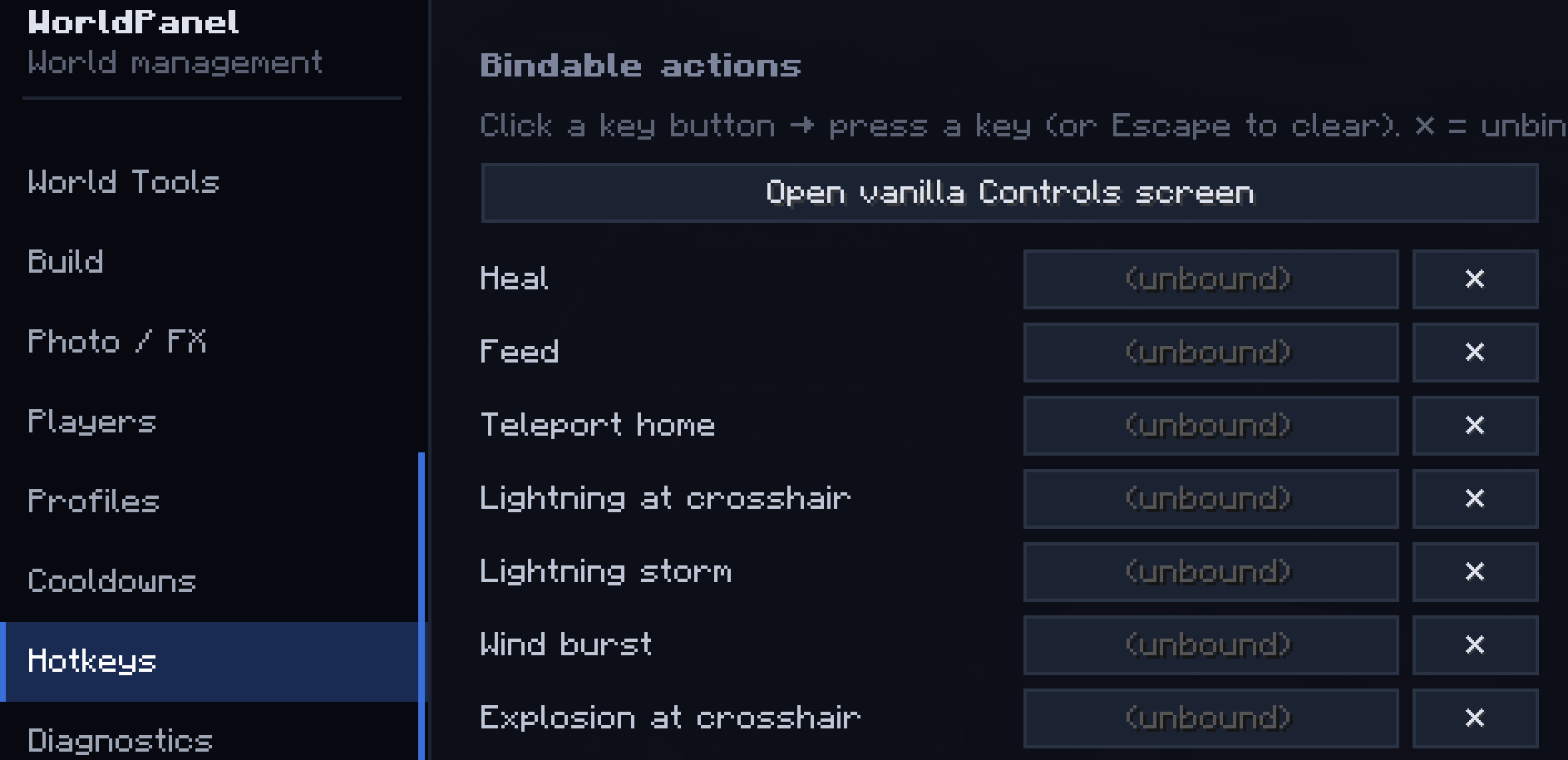
- Every action has a bindable keybind, visible in this tab
- Quick link to vanilla Controls screen
- Default hotkeys unbound — set in
Controls → WorldPanel
🩺 Diagnostics tab
- Live server / player / system info
- Chat command sender
🔎 Spotlight
- Cmd-K style global search: type "fly speed" → jump straight to the setting
- ~110 indexed features
Permission system
Every action belongs to one of 36 fine-grained Features (e.g. WORLD_BIOME, ABILITY_POWERS, BUILD_SCHEMATICS, PLAYER_ADMIN…).
- Groups (
default/vip/admin) in<world>/worldpanel-groups.properties - Per-player overrides through the GUI (✓/✗ buttons)
- OP players always bypass the check (you can never lock yourself out)
Cooldowns per ability stored in <world>/worldpanel-cooldowns.properties
File / folder reference
World Panel creates and uses several folders and configuration files:
- config/worldpanel-client.properties — client-side panel state
- worldpanel-schematics/ — auto-loaded schematic library
- worldpanel-houses/ — pre-built houses library
- worldpanel-profiles/ — saved settings presets
- worldpanel-clips/ (world dir) — saved building templates
- worldpanel-backups/ (world dir) — one-click world backups
- <world>/worldpanel-groups.properties — permission groups
- <world>/worldpanel-permissions.properties — per-player overrides
- <world>/worldpanel-cooldowns.properties — cooldown config
The all-in-one in-game control panel for Minecraft. Open a single GUI with the M key and run your world — weather, time, mobs, items, abilities, buildings, schematics, players, permissions, photo mode and dozens more tools — without ever typing a command.
Quick start
Drop the jar into your mods/ folder Launch Minecraft with NeoForge 21.11.42 Press M in-game to open WorldPanel (Optional) Bind extra hotkeys via Esc → Options → Controls → WorldPanel (Optional) Drop .litematic / .nbt files into worldpanel-schematics/ or worldpanel-houses/ Full feature list
🌍 World tab Weather: Clear / Rain / Thunder + Weather lock (server keeps the chosen weather) Time presets: Morning / Noon / Sunset / Night / Dawn Time slider (0–24000) + Freeze time + Time speed multiplier (0–100×) Difficulty: Peaceful / Easy / Normal / Hard Biome painter: replace biome in a sphere around you (any vanilla biome) World backup: one-click snapshot to worldpanel-backups/-/ Keep inventory toggle Anti-AFK auto-kick (configurable minutes)
🧑 Player tab Sub-tabs: Mode / Movement / Vitals / Teleport / Misc
Game mode switch (Survival / Creative / Adventure / Spectator) Walk / Fly / Jump / Swim speed sliders (with No fall damage + Reset) Heal / Feed / Max health (HP) up to 200 / No hunger drain God mode / Infinite breath / Invisible / Auto-eat from hotbar / Reach extender Teleport to coordinates / Teleport home / Waypoints (save & jump) XP add/reset / Wear held item as helmet Free-cam (spectator-detach, body stays in place) Run server command sender
🎒 Inventory tab Give item (count input) / Fill empty slots with picked item Clear inventory / Repair all / Unlock all recipes
🗡 Items tab Sub-tabs: Basic / Enchants / Stats
Custom name (with formatting) / Repair held / Unbreakable / Hide enchant glint / Apply all curses Add any enchantment at any level (1–255) / Max all valid enchants in one click / Clear all Damage / Attack speed / Mining speed / Reach / Max durability boosts (attribute modifiers)
✨ Effects tab Apply any vanilla potion effect at any duration/amplifier (timed or infinite) Clear all Potion crafting: assemble a custom potion with multiple effects, give as Drink / Splash / Lingering
💥 Abilities tab Sub-tabs: Bombardment / Waves / Powers / Midas
Bombardment: Lightning at crosshair, Smite, Lightning storm, Fireball, Fireball volley, Explosion, TNT rain, Nuke (any radius), TNT power multiplier (up to 2000×) Waves: Wind burst, Knockback wave, Vacuum, Levitate, Freeze nearby, Heal & buff wave Powers: Player scale (×0.1..×10), Velocity boost (rocket-self), Ender chain dash, Withering touch, Break wave, Berserker mode (Strength X + Speed X + Regen X + Resistance IV + Haste V + Fire Resistance), Annihilate (instakill in look line), Apocalypse combo, Meteor shower Midas Touch: walk-mode (turn ground under your feet into the chosen block) or attack-mode (every block you break converts instead of dropping)
🧟 Entities tab Spawn any vanilla mob (count + HP / Damage / Scale sliders) Mob variants: Armored / Diamond / Baby Zombie, Husk with sword, Drowned with trident, Skeleton with iron sword, Armored Wither Skeleton, Spider Jockey, Chicken Jockey, Giant / Tiny Slime, Giant Magma Cube, Pink / Rainbow Sheep, Angry Wolf, Piglin Brute, Huge / Tiny Zombie / Creeper / Skeleton, Huge Spider, Huge Enderman, Tank Zombie (500 HP + armored), Glass Zombie (1 HP) Kill hostile mobs in radius (filter: hostile only / + neutral / + passive / everything) Freeze mobs / Disable mob spawning Live nearby-entity counter
⚙ Gamerules tab Every gamerule in the world — sliders for ints, toggles for bools, instant apply.
🛠 Tools tab Tree feller (only with axe, configurable: damage axe? max logs?) Vein miner / Instant mine / Fullbright (client-side) Auto-grow: Trees / Crops / Grass / Other (in 10-block radius)
🏗 Build tab Sub-tabs: Shapes / Replace / Schematics / Editor / Structures / Houses
Shapes: Sphere / Cube / Pyramid / Cylinder / Dome / Ring / Floor / Wall (any block, size up to 128×128×128, optional hollow) Replace: swap block A → B in a radius Schematics: load .litematic and vanilla .nbt from disk, library persists in worldpanel-schematics/; ghost preview (look-aimed, 90° rotate, build/cancel) Editor (click-based world editor): Start selection → LMB block = corner A → RMB block = corner B (wireframe ghost between them) Wall / Roof / Floor templates (separate picker each): 11 wall templates (Cottage, Tudor, Brick facade, Castle stone, Castle slits, Modern glass tower, Japanese shoji, Gothic cathedral, Nether fortress, Dungeon, Plain) 7 roof templates (Flat, Flat + cornice, Pitched oak/dark/brick, Hipped, Dome) 7 floor templates (Plain, 3 checker variants, Carpet over oak, Stone path, Polished pattern) Fill solid / Hollow / Walls / Floor / Roof / Replace / Clear within selection Clipboard: Copy selection, Paste at A, Save / Load named templates (worldpanel-clips/) Structures: 26 vanilla structures one-click (villages, fortresses, monuments, ancient cities, end city…) Houses: pre-built houses library from worldpanel-houses/ (drop your .litematic files there)
🎨 Photo / FX tab Photo mode (FOV slider 20°–170°, optional Hide HUD) Free-cam Cosmetic particles on self: Halo / Fire / Sparkle / Hearts / Notes Movement trails: Fire / Ice / Flowers / Lava / Portal Live HUD overlay toggle — corner display of every active toggle
👥 Players tab (server admin) Full per-player admin screen:
View / edit target's inventory (6×9) and ender chest (3×9) Game mode quick-switch (current highlighted) Fly / God / Invisible ON/OFF (live status) Lightning / TNT rain on player Apply any effect with duration/amplifier Heal / Feed / Kill / Op / Deop / Kick / TP to / Pull to me Max health slider per target Permission group (default / vip / admin) + per-feature ✓/✗ overrides Export permission groups + README to Desktop
💾 Profiles tab Save full panel state (every slider, toggle, picked item/effect/mob) as a named preset Load / delete profiles, stored as .properties in worldpanel-profiles/ ⏱ Cooldowns tab Per-ability cooldown slider (0–120s) for every ability Server enforces and shows on-cooldown message ⌨ Hotkeys tab Every action has a bindable keybind, visible in this tab Quick link to vanilla Controls screen Default hotkeys unbound — set in Controls → WorldPanel
🩺 Diagnostics tab Live server / player / system info Chat command sender
🔎 Spotlight Cmd-K style global search: type "fly speed" → jump straight to the setting ~110 indexed features Permission system Every action belongs to one of 36 fine-grained Features (e.g. WORLD_BIOME, ABILITY_POWERS, BUILD_SCHEMATICS, PLAYER_ADMIN…).
Groups (default / vip / admin) in /worldpanel-groups.properties Per-player overrides through the GUI (✓/✗ buttons) OP players always bypass the check (you can never lock yourself out) Cooldowns per ability stored in /worldpanel-cooldowns.properties
File / folder reference
World Panel creates and uses several folders and configuration files:
config/worldpanel-client.properties — client-side panel state worldpanel-schematics/ — auto-loaded schematic library worldpanel-houses/ — pre-built houses library worldpanel-profiles/ — saved settings presets worldpanel-clips/ (world dir) — saved building templates worldpanel-backups/ (world dir) — one-click world backups /worldpanel-groups.properties — permission groups /worldpanel-permissions.properties — per-player overrides /worldpanel-cooldowns.properties — cooldown config
Screenshots
Gallery
-
 0ce2ae55-a6c0-4ae6-9702-01e4b003d21d.png 0ce2ae55-a6c0-4ae6-9702-01e4b003d21d.png
 -
 Screenshot_5.png Screenshot_5.png
 -
 Screenshot_6.png Screenshot_6.png
 -
 Screenshot_7.png Screenshot_7.png
 -
 Screenshot_8.png Screenshot_8.png
 -
 Screenshot_9.png Screenshot_9.png
 -
 Screenshot_10.png Screenshot_10.png
 -
 Screenshot_11.png Screenshot_11.png
 -
 Screenshot_12.png Screenshot_12.png
 -
 Screenshot_13.png Screenshot_13.png
 -
 Screenshot_14.png Screenshot_14.png
 -
 Screenshot_15.png Screenshot_15.png
 -
 Screenshot_16.png Screenshot_16.png
 -
 Screenshot_17.png Screenshot_17.png
 -
 Screenshot_18.png Screenshot_18.png
 -
 Screenshot_19.png Screenshot_19.png
 -
 Screenshot_20.png Screenshot_20.png
 -
 Screenshot_21.png Screenshot_21.png
 -
 Screenshot_22.png Screenshot_22.png
 -
 Screenshot_23.png Screenshot_23.png
Versions
Files
Relations
Project Relations
More like this
Similar Mods
Suggestions use data such as tags, dependencies, dependents, descriptions, titles, and more to rank how much they overlap with this mod.
On ModDex
Community snapshot
By the numbers
Statistics
Want to reach Minecraft players?
We're looking for a server hosting partner to feature here and other parts of the site. Interested? Send us a message!
Get in touchGet it on
Available Platforms
On ModDex
Community snapshot
By the numbers
Statistics
Resources