Community listing page, reviews here may not be monitored by the author.
World Preview (Unofficial Port)

No reviews yet
Allows you to preview a map / seed in the new world screen. Community fork ported to Minecraft 1.20.1, 1.21.1, 1.21.11, 26.1.2, 26.2 and 26.3 with new features and a redesigned UI.
Community voices
Reviews
No reviews yet. Be the first to review this project!
Get it on
Available Platforms
About
Project Details
For authors
Embed Badge
If you're the author of this project, you can embed a live badge anywhere that supports HTML or Markdown. It updates automatically whenever ratings change.
Use HTML for any page that supports it, or Markdown for README files and Markdown-based descriptions.
Identifiers
Platform IDs
Resources
External Links
About
Description
An unofficial community port of World Preview by Caeruleus Draconis & Taiterio, carried forward to Minecraft 1.21.11, 26.1.2 and 26.2 on Fabric and NeoForge.
It draws a map of a world seed before the world is generated — biomes, structures, heightmap and Y-layer intersections — so you can look at a world before you commit to it.
All credit for the mod itself belongs to its original authors. Licensed under Apache-2.0.
Supported versions
| Minecraft | Fabric | NeoForge |
|---|---|---|
1.21.11 |
✅ | ✅ |
26.1.2 |
✅ | ✅ |
26.2 |
✅ | ✅ |
Minecraft versions older than 1.21.11 are not supported.
Which file do I need?
Pick the file that matches both your Minecraft version and your mod loader. File names look like world_preview-<mod version>-<minecraft version>-<Fabric|NeoForge>.jar.
The .dev and .sources variants are for developers and are not meant to be played.
On Fabric you also need Fabric API. NeoForge needs nothing extra.
This is a client-side mod and singleplayer-only. Install it on the client; a server does not need it, and the preview is not available on a server world.
What differs from the original
The list below records where this port departs from the original. Anything not listed here works the way it always did.
| Original (≤ MC 1.21) | This port | |
|---|---|---|
| Scroll wheel | moves along the Y axis | zooms the map; Ctrl+scroll always zooms and Alt+scroll always moves along Y, and the bare wheel can be switched back in Settings → General → Scroll wheel zooms map |
| Zoom | set from the config menu | a 5-step ladder (16, 8, 4, 2 or 1 pixels per chunk; 4 by default), reachable from the mouse wheel, the settings screen and a scale-bar slider at the bottom-left of the map. The two most zoomed-out steps (2 and 1 px per chunk) resample the map, so they take a moment |
| Minecraft version | 1.20.x, 1.21.x | 1.21.11, 26.1.2, 26.2 |
| Mod loader | Fabric, Forge | Fabric, NeoForge |
| Settings screen | a single screen | sidebar with separate pages, plus a Reset to defaults button |
| Starting Y layer | the build limit | about one third of the world height (≈ Y 64 in the Overworld) |
The in-game preview, persistent seed storage, biome highlighting, the preview cache (with optional compression), the thread-count setting and the datapack mechanism for registering biomes, structures and colour maps are all unchanged from the original.
Added in this port
Most of the following are opt-in: each has its own button or setting, and none of them change the preview until you turn them on.
Seed search scans random seeds against a set of criteria: up to four biomes (any-of), a structure, a minimum biome area share, a maximum distance to the nearest matching biome, and a separate distance limit for the structure. Results are ranked, and a search runs in the background, so it keeps going while you are on another screen. Only random-spread structures can be searched for; concentric-ring ones such as strongholds are not supported yet.
Seed history, favourites and comparison — searches that hit are stored, and a row applies its seed on click, favourites on shift+right-click and deletes on right-click. A comparison screen puts the current seed next to up to seven others and reports biome diversity, water share, the dominant biome and a spawn score.
World analysis — pick a region and get biome distribution, height range, mean height, slope statistics and flat-area ratio, plus a terrain profile, a height chart, a biome-share breakdown and a spawn quality score with reasons. The tables export as CSV and JSON.
Terrain map export — write the current seed's terrain as a high-resolution PNG, with a configurable radius and blocks-per-pixel, nine terrain classes and an optional contour overlay. It can also walk every dimension of the seed in one batch.
Waypoints — named, coloured pins stored per seed and dimension. Switch on Waypoints and left-click the map to place one; left-click a pin again to rename, recolour or delete it.
Measure tool — two clicks report the distance and the axis deltas; right-click clears it.
Spawn point override — place a spawn pin during world creation and those coordinates become the world's spawn point, without cheats.
Hillshade and contour lines — simulated sun illumination on the heightmap view (azimuth, altitude, ambient, exaggeration) and elevation contour lines at a configurable interval.
Noise parameter views — temperature, humidity, continentalness, erosion, depth, weirdness and peaks & valleys, each with its own colour gradient.
Smaller things — a minimap and live statistics, coordinates, per-biome block counts, preloading of the area around the viewport, automatic backup and migration of the config files, and views for other dimensions, including ones with non-standard height limits.
How to use it
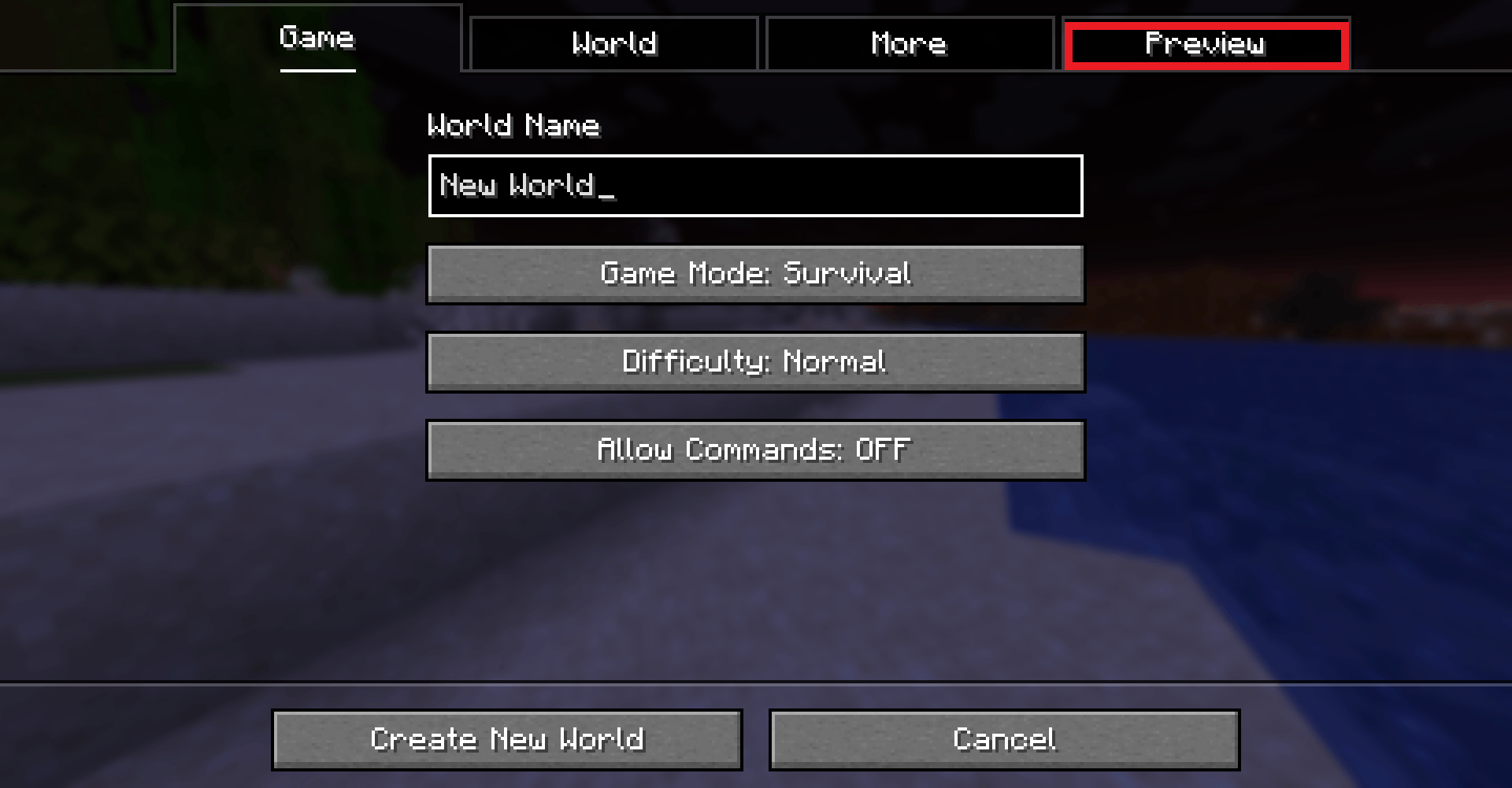
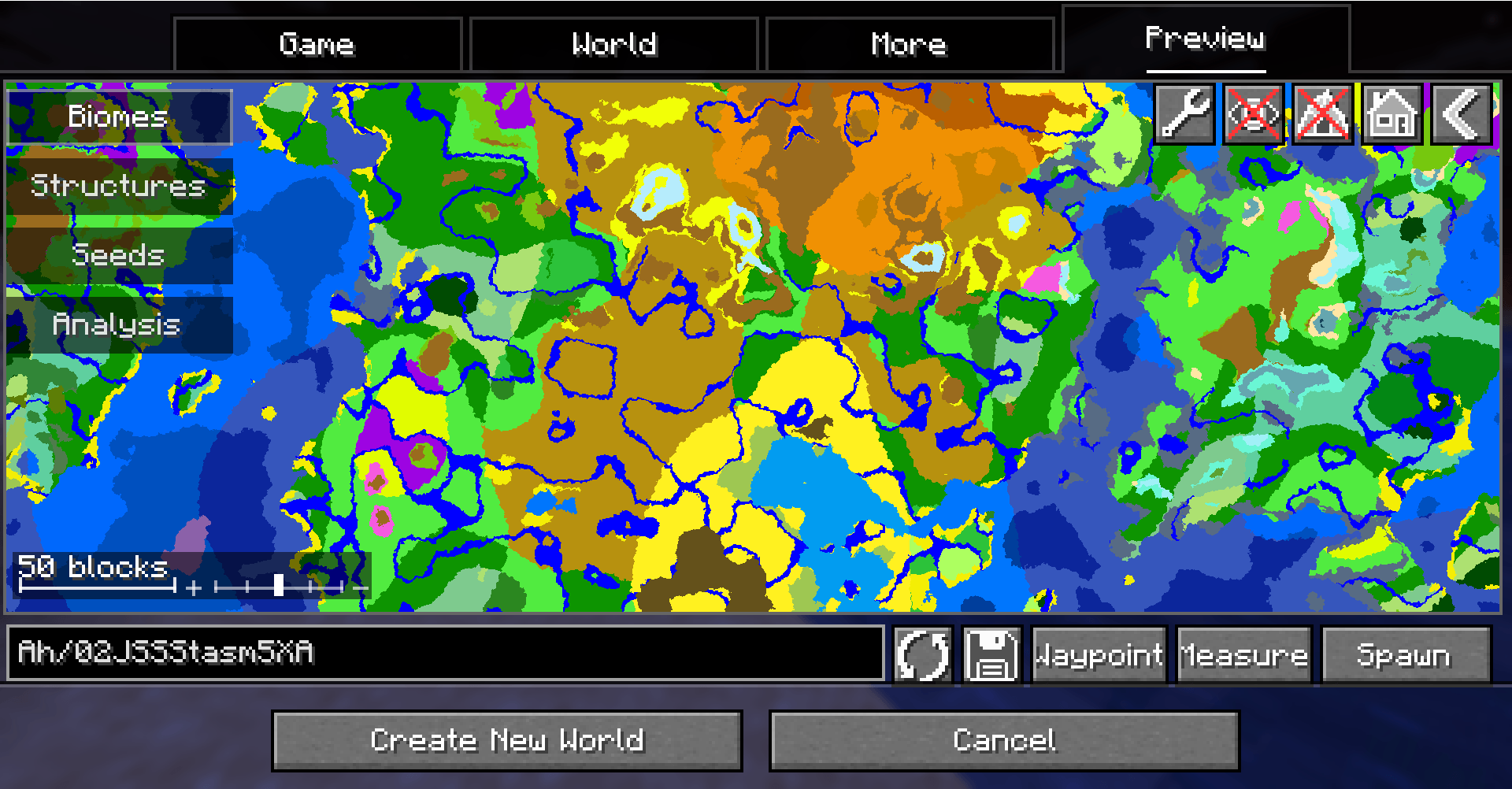
World Preview adds a Preview tab to the Singleplayer menu. Opening it samples a random seed and draws a biome map. By default the Overworld is previewed, structures and the heightmap are off, and no noise samples are stored — all of that is configured in Settings (the wrench button in the top-left).
Moving on the map — drag to travel along X and Z. This queues, in order: biomes not yet sampled on the current Y layer → structures (if enabled) → heightmap (if enabled) → intersections (if enabled) → adjacent Y layers (if enabled). Scroll to zoom. Moving along Y lets you see cave biomes; non-cave biomes span the whole world height, so they look the same on every layer. Arrow keys pan, Home recentres on (0, 0). The scale bar at the bottom-left shows the current scale and doubles as a zoom slider.
Render modes, switchable from the toolbar:
| Mode | Shows |
|---|---|
| Biomes | biome colours (default) |
| Heightmap | colourised elevation, with selectable colour maps |
| Y-intersections | blocks on the current Y layer, with the layer below drawn in a lighter shade |
| Noise parameters | temperature, humidity, continentalness, erosion, depth, weirdness, peaks & valleys |
Structures are not a view of their own: once structure sampling is on, individual structure types are toggled from the structures list.
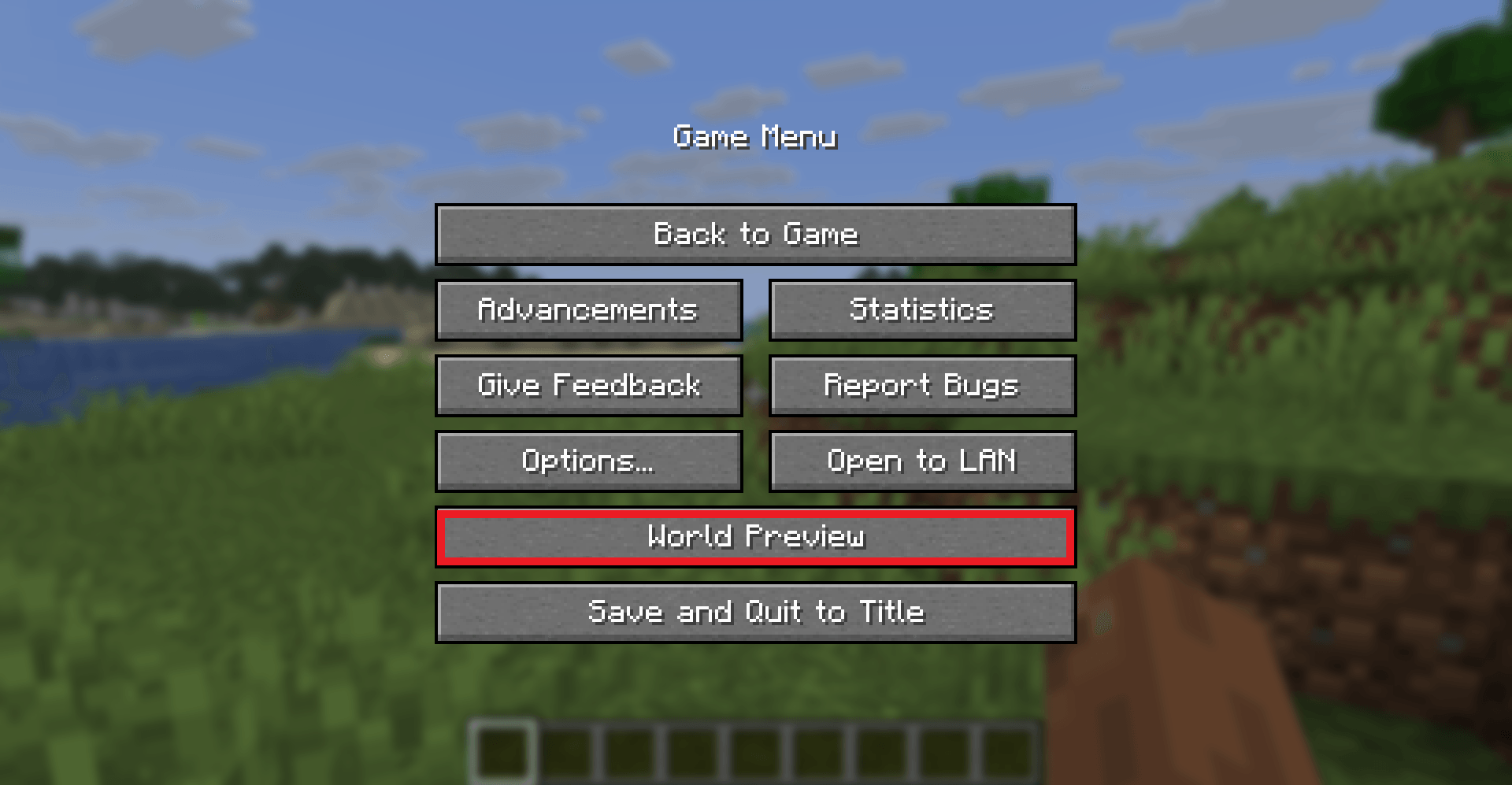
Seeds opens the seed hub; Analysis opens the region analysis screen. For singleplayer worlds a button is also added to the pause menu, so you can open the preview without leaving the world.
FAQ
Q: Scrolling does not zoom the preview!
A: Scrolling zooms by default in this port. Check Settings → General → Scroll wheel zooms map; when that box is off, the wheel moves along the Y axis instead and you need Ctrl+scroll to zoom. Alt+scroll always moves along Y. A blank Y-intersections view is a different problem; see below.
Q: The Y-intersections view is completely white / black.
A: The preview starts at roughly one third of the world height (≈ Y 64 in the Overworld). If you still see nothing, scroll to a lower Y layer — or to a higher one, in a dimension whose terrain sits above its middle.
Q: My CPU is at 100%!
A: Lower the thread count in Settings → General (the setting is labelled Number of biome sampling threads), and turn off Enable drag preloading there as well. World Preview computes the biome preview, structures and heightmap as fast as it can, which is CPU-hungry by design. Cutting The amount of samples per chunk on the Resolution page reduces the work further, at the cost of a coarser preview.
Q: Where is the config file, and what else does the mod write to disk?
A: config/world_preview/config.json. Backups and migrations of older files happen automatically. Terrain exports land in config/world_preview/terrain_exports/ and analysis reports in config/world_preview/reports/.
Q: How do I add support for new biomes, structures or colour maps?
A: The same way as in the original mod: through the Minecraft datapack mechanism. The data format is unchanged by this port.
Q: Will older Minecraft versions be supported?
A: No. This port targets 1.21.11 and later. For 1.20 / 1.21 use the original mod.
Q: Will multiplayer be supported?
A: No.
Mod compatibility
Modded chunk generators are detected at runtime and adapted.
| Mod | What the entry does |
|---|---|
| Terralith | uses a chunk generator adapter |
| Biomes O' Plenty | points its biomes at the datapack colour mapping |
| Oh The Biomes You'll Go | points its biomes at the datapack colour mapping |
| Nature's Spirit | points its biomes at the datapack colour mapping |
| Astral Sorcery | notes that its custom dimensions may need datapack configuration |
| Awaken | notes that its custom dimensions may need datapack configuration |
| TofuCraft | notes that its custom dimensions may need datapack configuration |
| Oh The Trees | notes that tree generation may vary |
| Wither Storm Mod | records the mod as present |
| TerraFirmaCraft | switches intersection sampling off — this entry is off by default |
Mods that are not on this list are left alone: biomes, structures and colour maps they add are picked up through the datapack mechanism.
TerraFirmaCraft (TFC) — World Preview is compatible with TFC, with one known limitation: the Y-intersections view stays white on every Y level, because TFCChunkGenerator has a dummy implementation of getBaseColumn. This is a limitation of the data TFC exposes, not a TFC bug.
Links
- Source code and issue tracker
- All builds (GitHub Releases)
- Full changelog
- License (Apache-2.0)
- Original project on Modrinth and CurseForge — those pages do not include this port's builds.
Credits
- The original mod, its design and the large majority of its code are by Caeruleus Draconis & Taiterio. This port only exists because of their work.
- Anything the port adds, and anything it breaks, is this port's own responsibility.
- Licensed under Apache-2.0.
Screenshots are being redrawn for the current UI.
Screenshots
Gallery
-
 ingame.png ingame.png
 -
 open.png open.png
 -
 biomes.PNG
 -
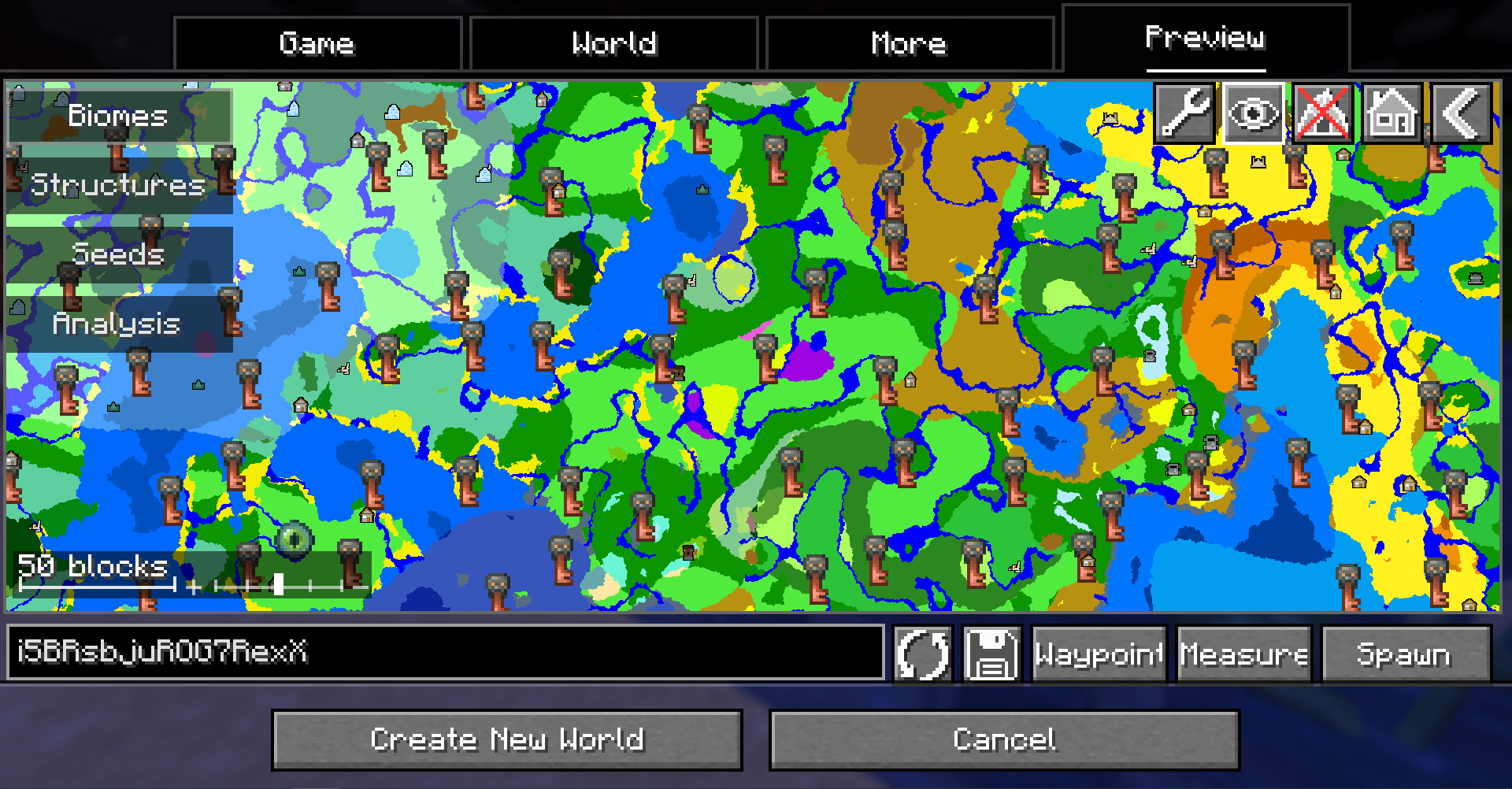 structures.PNG
 -
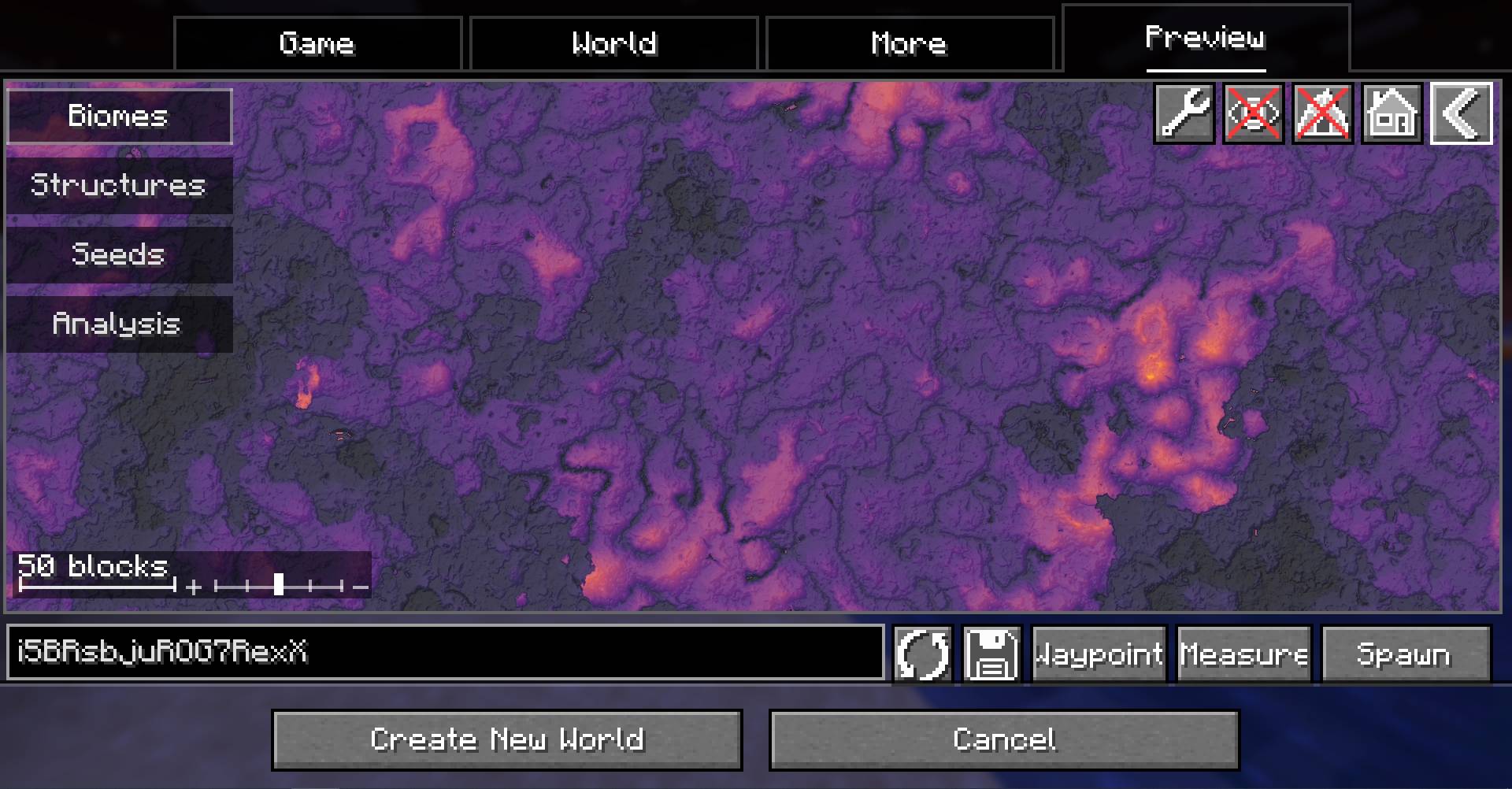 heightmap.jpg
Versions
Files
Relations
Project Relations
More like this
Similar Mods
Suggestions use data such as tags, dependencies, dependents, descriptions, titles, and more to rank how much they overlap with this mod.
On ModDex
Community snapshot
By the numbers
Statistics
Want to reach Minecraft players?
We're looking for a server hosting partner to feature here and other parts of the site. Interested? Send us a message!
Get in touchGet it on
Available Platforms
On ModDex
Community snapshot
By the numbers
Statistics
Resources