Community listing page, reviews may not be monitored by the author.
World Radio

No reviews yet
Internet radio that works like real radio: transmitters send MP3 streams as a signal, amplifiers and antennas carry it further, radio blocks and a portable radio play the station you pick. Radio-Browser catalogue, search, any stream URL, favorites.

Community voices
Reviews
No reviews yet. Be the first to review this project!
Get it on
Available Platforms
About
Project Details
For authors
Embed Badge
If you're the author of this project, you can embed a live badge anywhere that supports HTML or Markdown. It updates automatically whenever ratings change.
Use HTML for any page that supports it, or Markdown for README files and Markdown-based descriptions.
Identifiers
Platform IDs
About
Description
World Radio
Internet radio for Minecraft 26.2 (Fabric) that works like real radio. A Radio Transmitter sends an MP3 internet stream as a signal, and a Radio or a Portable Radio inside its range plays it. Radio Channels add more stations to the same mast, Radio Amplifiers carry the signals further and Speakers make a radio heard further. Where several signals arrive, every radio picks its own station. Stations come from the free Radio-Browser catalogue, from a search by name or genre, or from any stream address you paste, and your own list of favorites comes with you into every world. Everything is in its own creative tab, World Radio.
"This is World Radio. Stay tuned."
Coming from 1.x? The old Radio block is now the Radio Transmitter: it keeps its station, antenna and range, but it no longer makes a sound by itself. Place a Radio near your builds or carry a Portable Radio to hear it again.
Download
Get worldradio-<version>.jar from CurseForge or the
GitHub releases and put it into mods/ on the client and the server, next to Fabric API.
Requires Minecraft 26.2, Fabric Loader 0.19.3+ and Java 25. The server never streams anything: it only stores
which station a transmitter sends and what each radio is set to, every player's game fetches the stream itself.
The guide book
Every player gets a World Radio Guide the first time they join: a book with a chapter for every block and for range and antennas, finding stations and listening, with the recipes and build pictures, in English and German. Right-click opens it; the blocks' tabs are on the left, the topics' on the right. Lost it? Craft a new one from a book and a copper ingot (shapeless, in the Misc tab of the recipe book), or take it from the creative tab.
This page follows the book chapter by chapter and adds the details that do not fit on its pages.
Getting Started
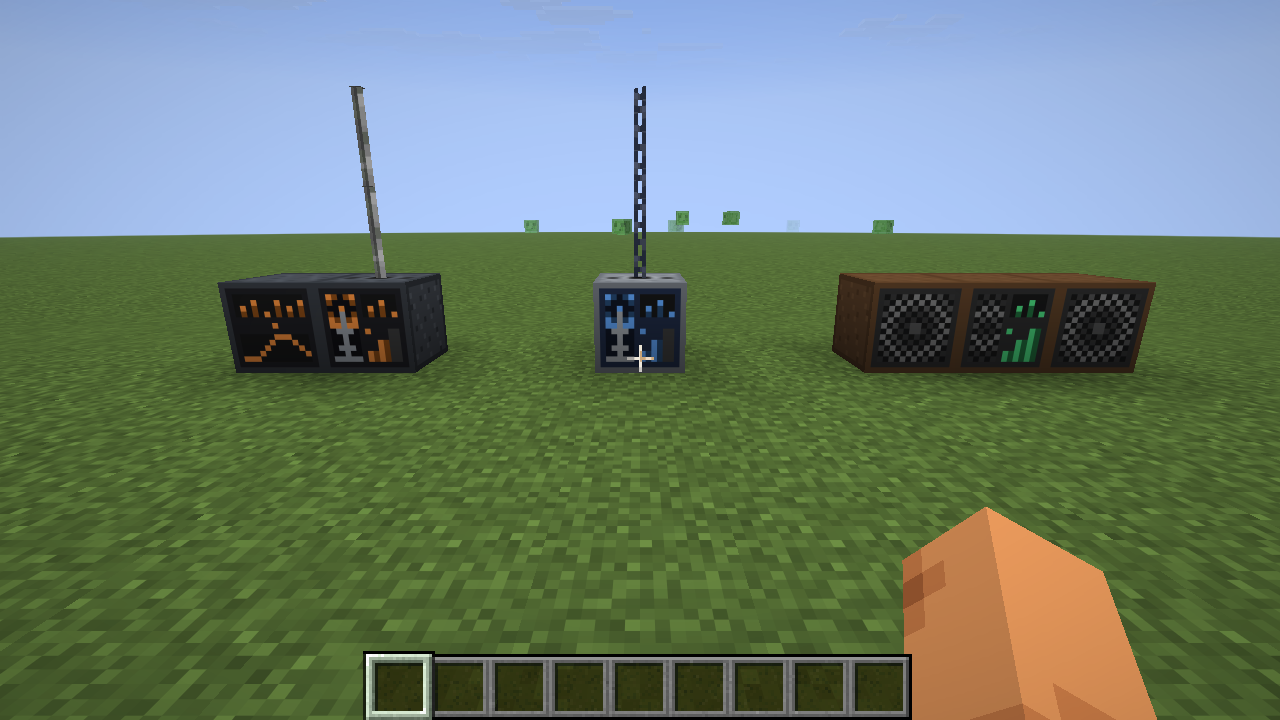
World Radio brings internet radio into your world. A Radio Transmitter sends a station as a signal, and a Radio or a Portable Radio inside its range plays it.
- Place a Radio Transmitter, right-click it and pick a station.
- Stack antenna blocks on top of it for more range.
- Place a Radio inside the range, right-click it and choose the station.
At a glance:
| Action | Radio Transmitter | Radio Channel | Radio Amplifier | Radio | Portable Radio |
|---|---|---|---|---|---|
| Right-click | opens the station screen | opens the station screen | lists the signals it receives | opens the tuner | opens the tuner |
| Sneak + right-click | switches it on or off, the station stays | same | – | switches it on or off | into the air: switches it on or off; on a block: puts it down |
| Antenna blocks stacked on top | +32 blocks of signal range each | – (uses its transmitter's) | +32 each | – | – |
| Makes sound | no | no | no | for everyone in its hearing range | for you, anywhere in your inventory; put down: like a Radio |
The switch on the blocks works with an empty main hand (the offhand may hold anything); with an item in the main
hand, sneaking places or uses that item as usual. The screens have a Turn off / Turn on button as well. An antenna
block clicked onto the top face (the socket) is placed there; to place anything else against one of the blocks,
sneak. E (the inventory key) closes the screens, unless you are typing into a text box. Anyone may use any block.
The recipes are in the Redstone tab of the recipe book once you carry a copper ingot.
Radio Transmitter
Sends its station as a signal to every radio in range. It makes no sound itself.
"We are on the air."
Crafting – a steel case with a mast:
I L I      I = iron ingot, L = lightning rod
C R C      C = copper ingot, R = block of redstone
I I I
Use
- Right-click: pick a station on the station screen.
- Sneak + right-click with an empty hand: on or off, the station stays. A transmitter that is switched off sends nothing, its channels included.
- Antenna blocks on top give it more range.
- It keeps sending while nobody is near it and its chunks are not loaded: the server remembers every transmitter and amplifier (also across restarts), so a signal does not stop at the edge of the view distance.
- A signal stays in its dimension.
Radio Channel
One more station for a transmitter. Tune it like a transmitter and put it against one, or against a channel that is already connected: beside it, below it or stacked, in any shape. Only the top of the transmitter stays free for the mast.
"And now over to our second programme."
Crafting – a transmitter without the mast:
I I I      I = iron ingot
C R C      C = copper ingot, R = redstone
I I I
Use
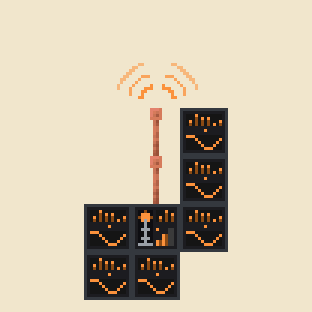
- A channel never sends alone and takes no antenna: its station goes out over the transmitter's mast, from the transmitter's place and with the transmitter's range.
- One transmitter sends up to 64 stations.
- A channel that is connected to no transmitter sends nothing. A switched-off transmitter switches its channels off with it, and a transmitter without a station of its own still sends its channels'.
- Right-click and sneak + right-click work as on the transmitter.
Radio Amplifier
Sends every signal that reaches it on again, at full strength and with its own range. Any number of amplifiers can follow one another.
"Relayed from the main transmitter."
Crafting – a transmitter that re-sends:
I C I      I = iron ingot, C = copper ingot
C W C      W = a radio transmitter
I R I      R = redstone
Use
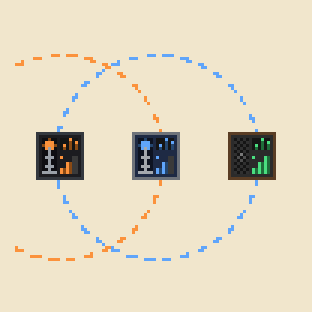
- It takes antenna blocks like a transmitter.
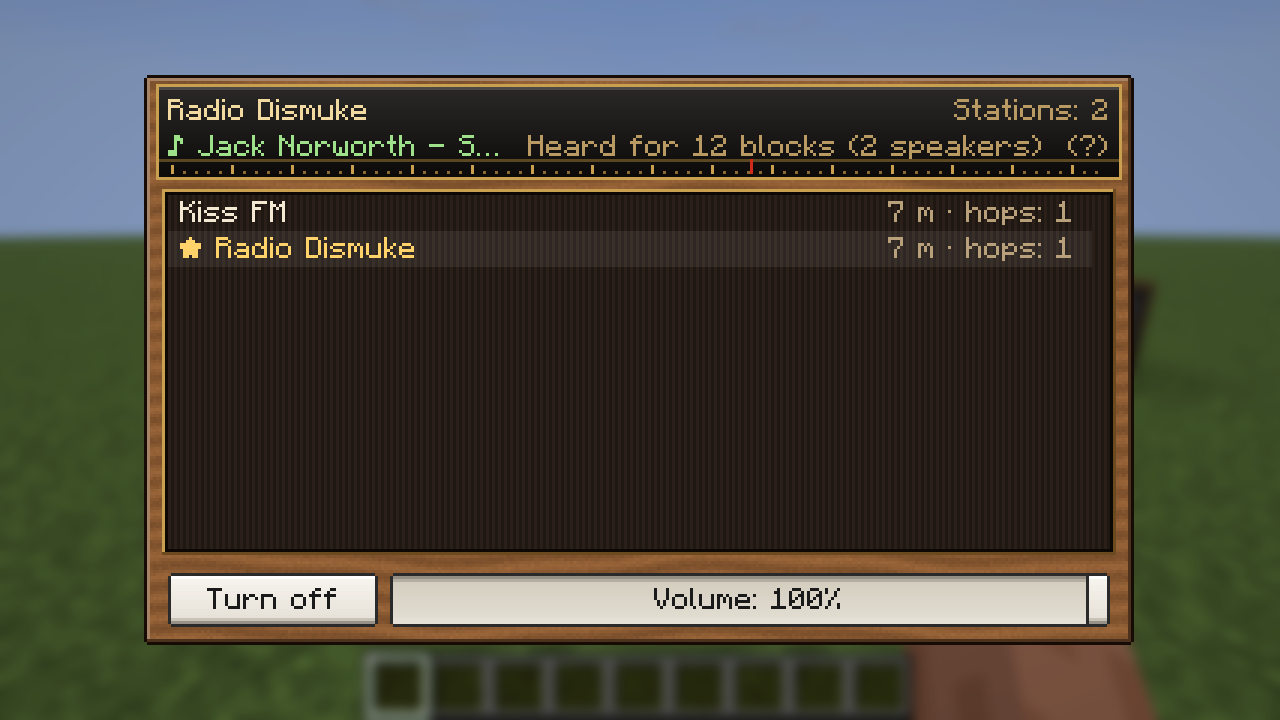
- Right-click lists the signals it receives, with the transmitter's position, the distance and the hops.
- It has no switch, and it makes no sound.
- Like a transmitter it keeps working while nobody is near.
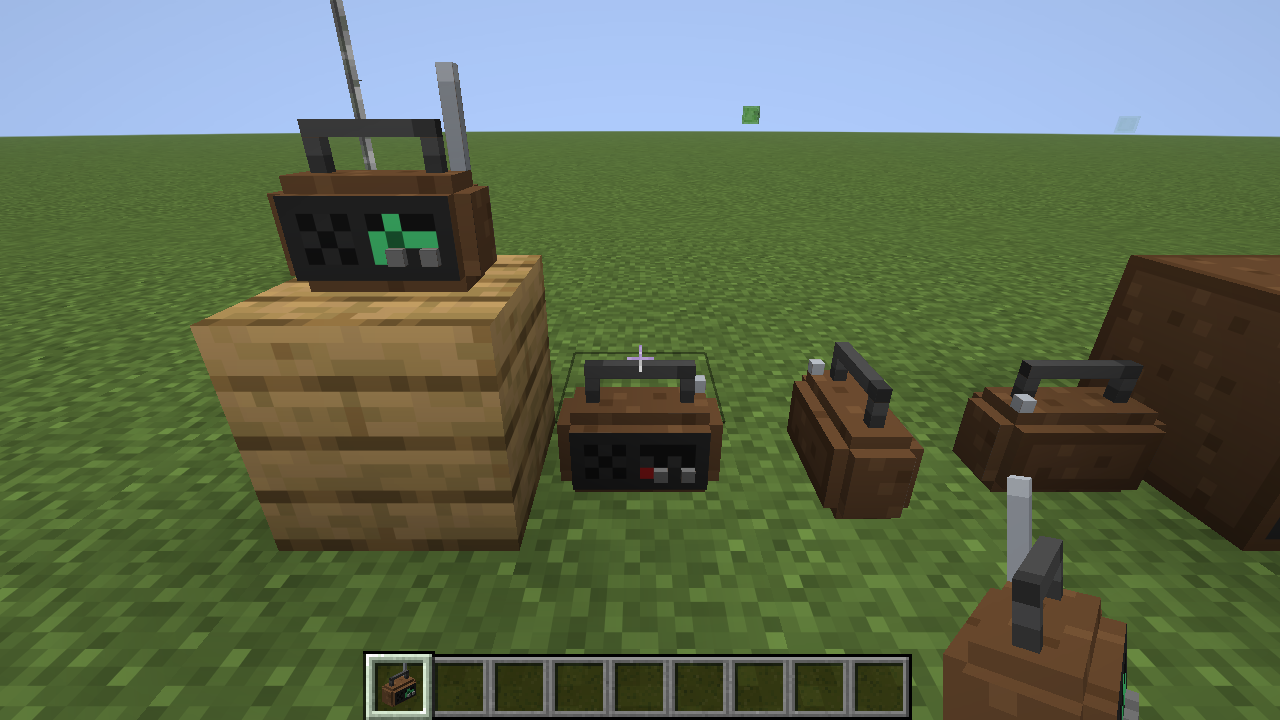
Radio
Plays a station to everyone nearby. Its tuner lists the stations whose signal reaches this place.
"Good evening, dear listeners."
Crafting – a wooden case with a speaker and a tuning circuit; any planks will do:
P I P      P = any planks, I = iron ingot
C N R      C = copper ingot (the coil), N = note block (the speaker), R = redstone (the tuner)
P P P
Use
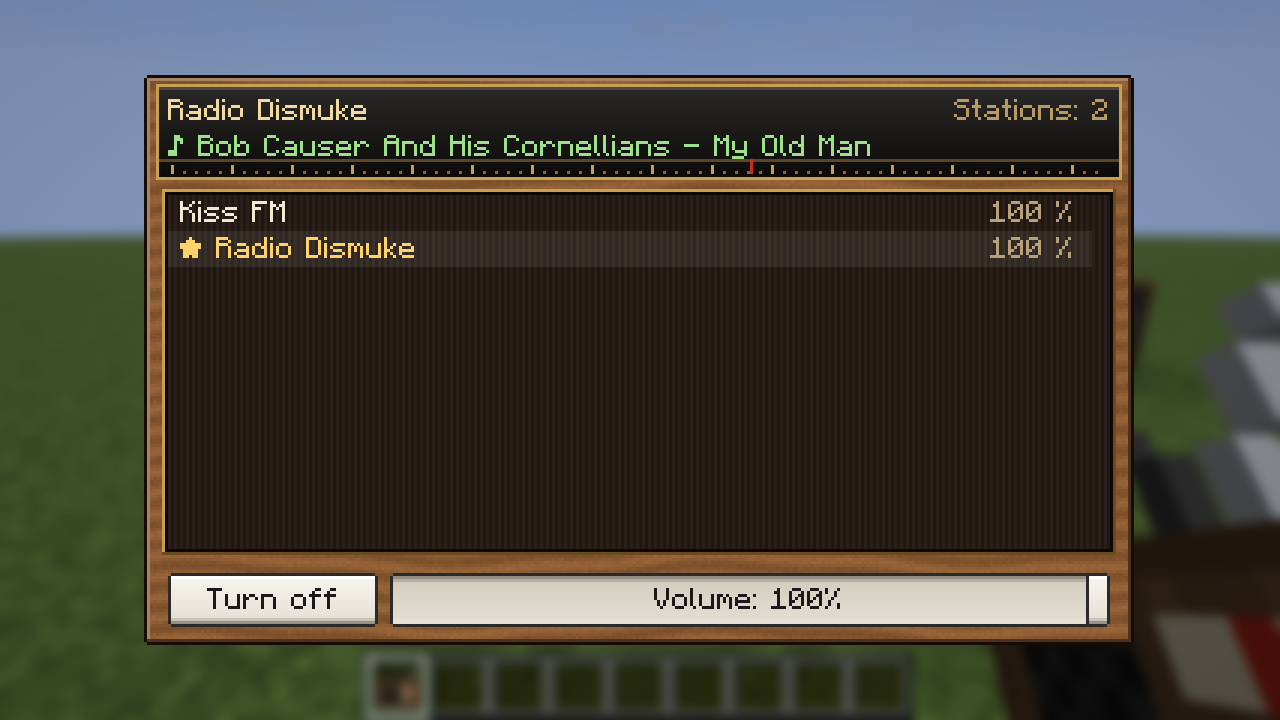
- Right-click: the tuner. Click a station to play it; the key under the list switches the radio on or off, the slider is its volume.
- Sneak + right-click with an empty hand: on or off.
- It is heard for 4 blocks, and Speakers carry it further. The sound falls from 100 % at the block to 20 % at the hearing range and fades out over the next quarter of the range (at least 2 blocks).
- Silent? It plays only while it is switched on, tuned, and the signal of its station reaches it. If the signal goes away, it falls silent and plays again when the signal is back.
Direction – the sound comes from the block, like any sound in the world: turn around and it stays where the radio is. A Portable Radio you carry plays in both ears alike.
Speaker
Makes a radio heard further and louder: every speaker adds 4 blocks, up to 64, and 5 % volume.
"A little louder, please!"
Crafting – any planks and any wool will do:
P W P      P = any planks, W = any wool
P N P      N = note block
P P P
Use
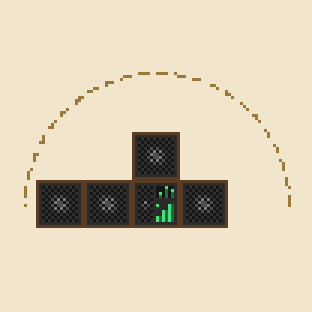
- Put it against a radio, or against a speaker that is already connected: speakers that touch the radio count, and so do speakers that touch one of those, and so on in a chain.
- The sound comes from the radio and from every connected speaker: next to a speaker you hear it from there. How loud it is still goes by the distance to the radio.
- Each speaker adds 5 points to the radio's volume of 100: with 3 speakers the slider goes up to 115 %, with all 15 that count to 175 %.
- A connected speaker lights up while its radio plays: its ring runs outwards.
- It has no screen.
Portable Radio
A radio to carry. It plays to you alone while it is anywhere in your inventory, as long as the signal of its station reaches you.
"Music wherever you go."
Crafting
  C        C = copper ingot (the antenna)
I N I      I = iron ingot, N = note block
  R        R = redstone
Switched on and tuned, the item shows green lights and its antenna; otherwise the light is red and the antenna is pushed in. The item's tooltip shows its station.
Use
- Right-click: the tuner, with the stations that arrive where you stand and the volume.
- Sneak + right-click into the air: on or off.
- Of several in the inventory, the first one that is switched on and tuned plays.
- It plays at full volume inside the signal range; past the range it fades out over the next 10 blocks (a quarter of the range above 40).
Putting it down – sneak + right-click on a block puts it down. There it is a small radio that plays to everyone within 4 blocks, with the tuner and the hearing range of the Radio block. Standing on top of a Speaker it is heard further, and more speakers can be chained to that one; speakers beside or above it do not count. A bare hand breaks it at once to take it along again: station, volume and on/off travel with it both ways.
Range & Antennas
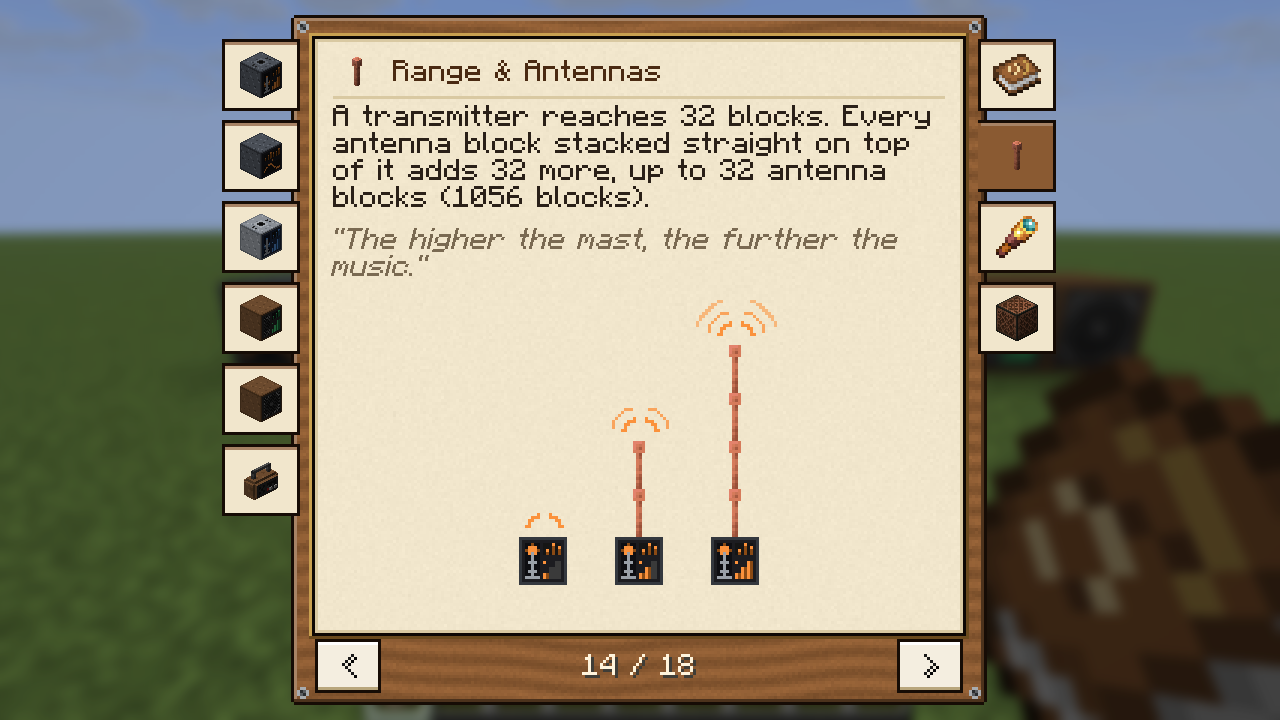
A transmitter reaches 32 blocks. Every antenna block stacked straight on top of it adds 32 more, up to 32 antenna blocks (1056 blocks). An amplifier counts the same way.
"The higher the mast, the further the music."
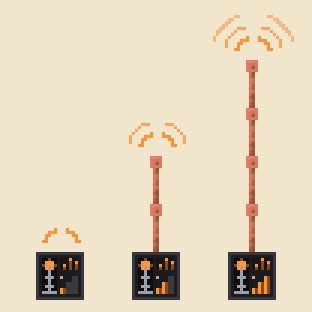
Antenna blocks – lightning rods, end rods, and bars and chains of iron or copper, every oxidation stage and the
waxed ones too (27 blocks). They can be mixed, and the way a block faces does not matter. They are the block tag
worldradio:antenna, so data packs can add more.
Click an antenna block onto the top of a transmitter or an amplifier to place it. The mast counts from the block above up to the first block that is not an antenna block.
Front display – the front lights up with the mast: dark while there is nothing to send, then one bar without antenna, two with 1 to 3 antenna blocks, and three with 4 or more. No station, switched off or no signal means a still front and a red light; otherwise the transmitter's mast sends waves (the radio's speaker: rings) and the meter moves. A channel has a wide meter, the light and a scope with a running wave.
The screens show the range, e.g. "Range 128 blocks (3 antenna blocks)"; the counter updates within a second of a change anywhere in the column. Hovering the range line (or the amplifier's) explains the antenna blocks:
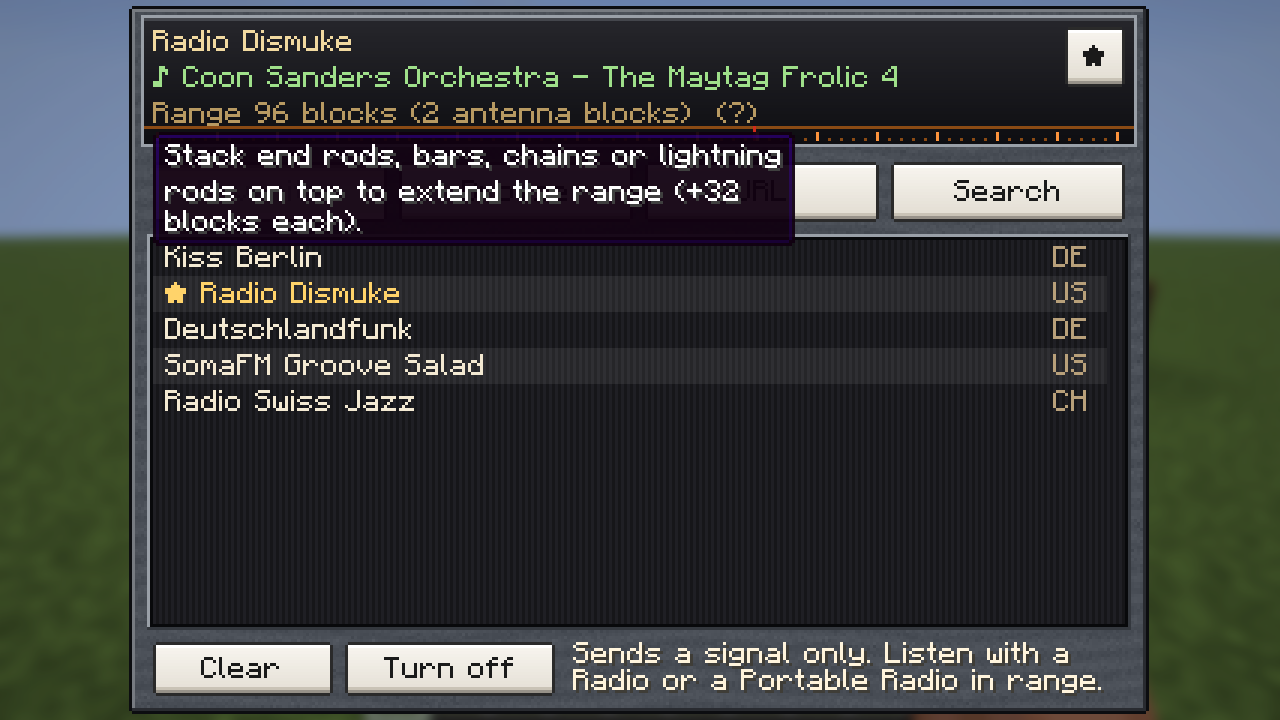
Servers may set other numbers, see Config.
Finding Stations
The screen of a transmitter or a channel finds stations in four tabs.
"Don't touch that dial."
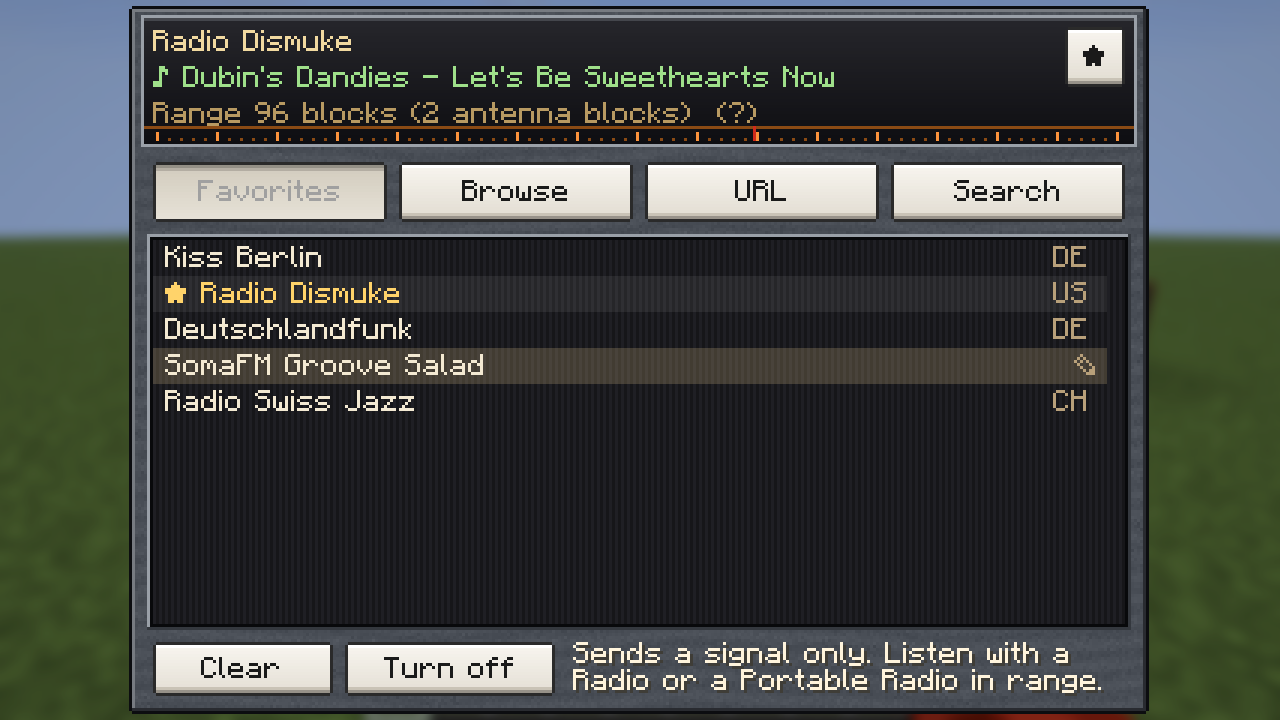
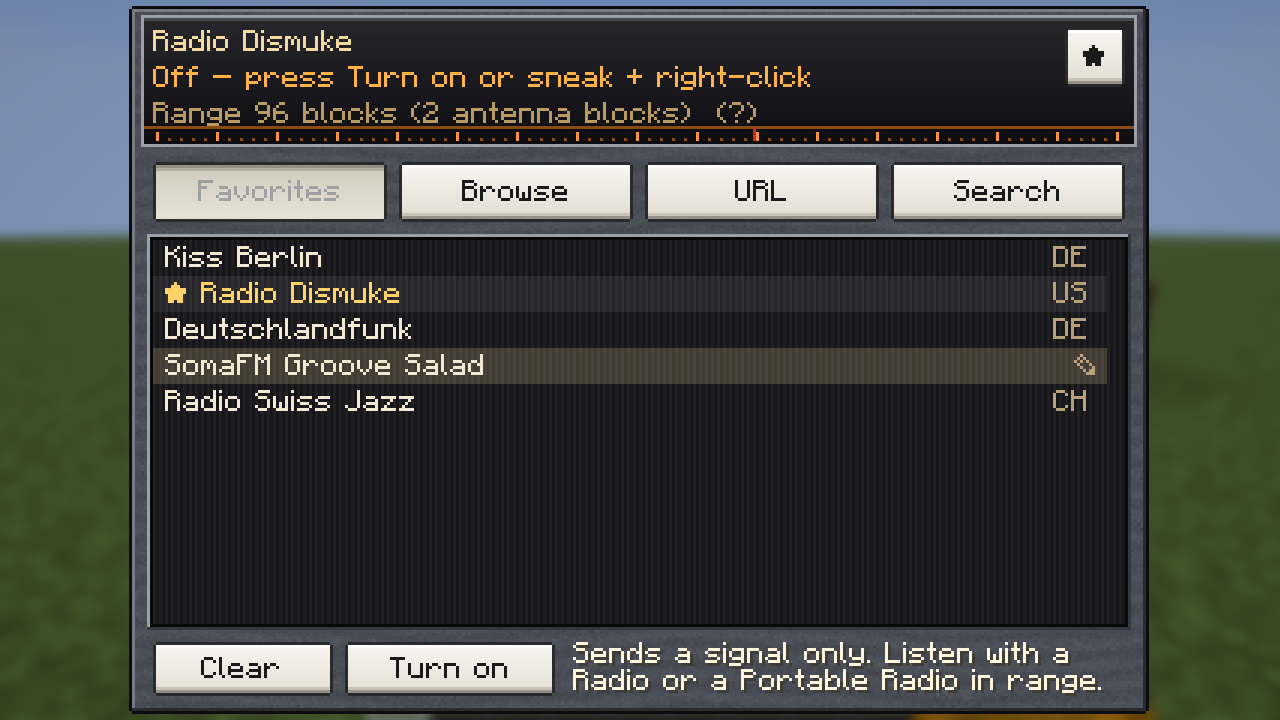
Favorites – your own list, which comes with you into every world and onto every server; it is kept on your
computer (config/worldradio-favorites.json). The star next to the station name adds or removes the station that is
tuned in; the pencil at the end of a row (it shows while the mouse is on the row) renames it: Enter keeps the new name,
Esc drops it. Worlds from before 0.5 had one list for everyone; its stations are taken over once when you join such a
world.
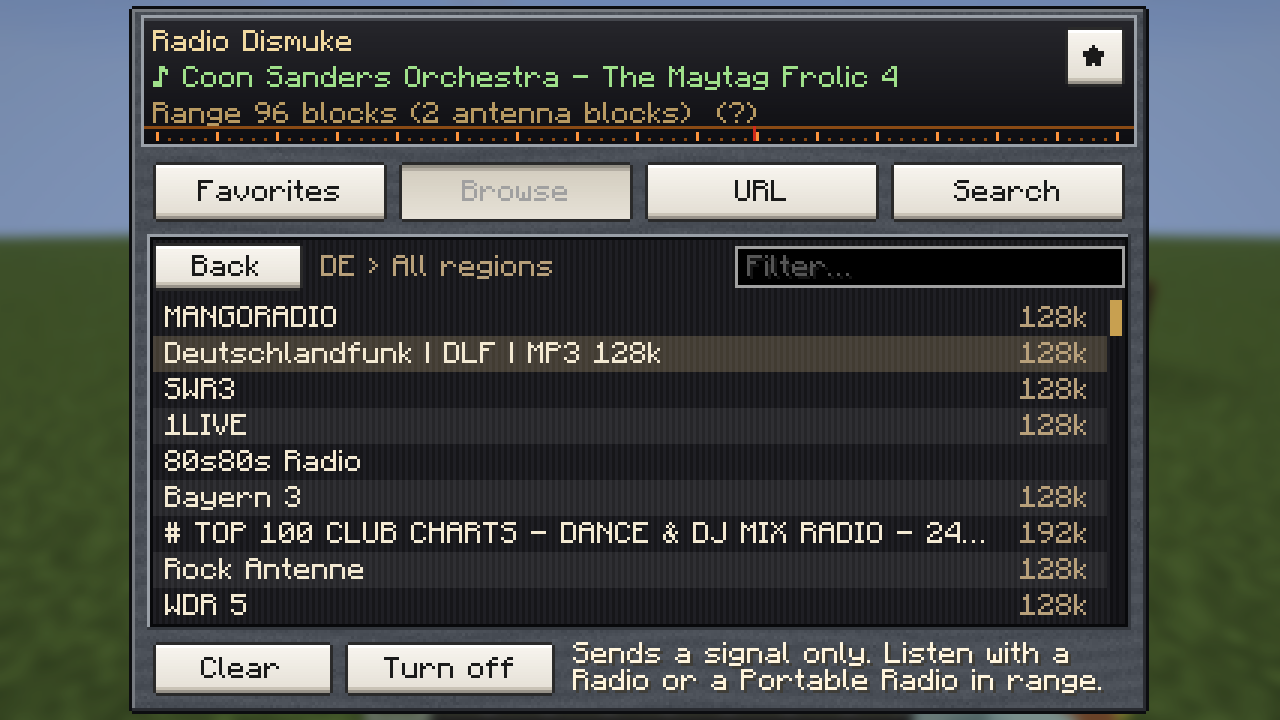
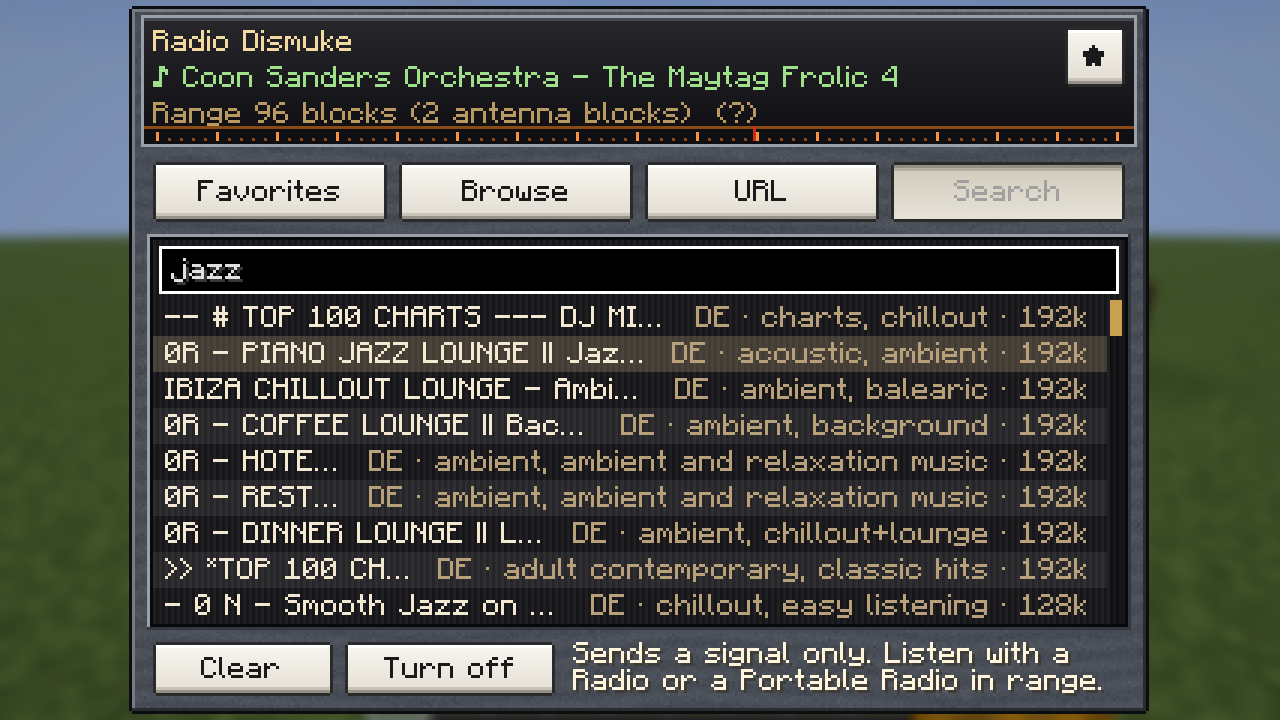
Browse and Search – Browse lists the stations of radio-browser.info by
country → region → station, with a filter box. Search finds them by name or genre (jazz, oldies, 80s) and starts
when you stop typing. Name matches come first, then genre matches; within each, stations from your own country (your
Windows region, else the game language) lead, then the most listened to. Each row shows country, the first two genres
and the bitrate.
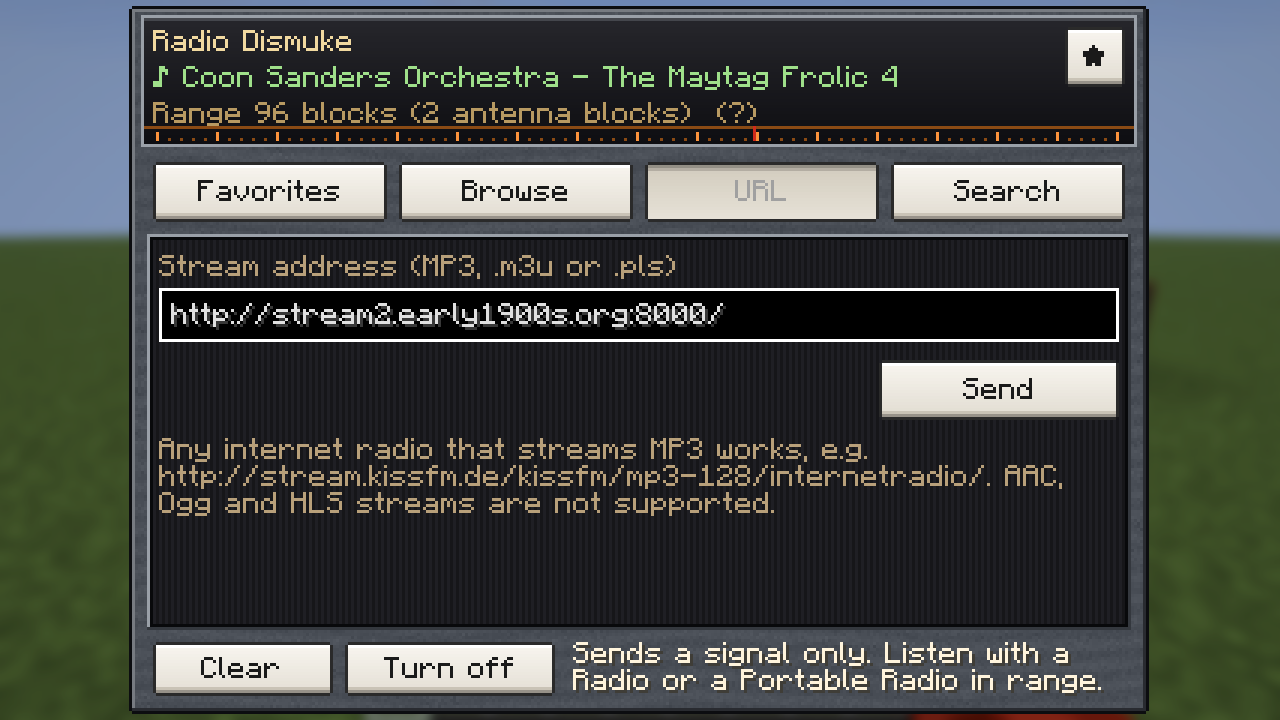
URL – paste any http(s) stream address. Playlists (.m3u, .pls) that point to a stream work too.
Good to know – only MP3 streams play, and only those are listed. While the screen is open, your game fetches the station without playing it, so the line under the name tells you whether the stream works: the current song title (or "Playing"), "Cannot play this stream" with the reason, or "No connection". Clear removes the station, Turn off / Turn on stops the transmitter and keeps the station.
| Browse | URL | Search |
|---|---|---|
 |
 |
 |
| Switched off | Amplifier | Creative tab |
|---|---|---|
 |
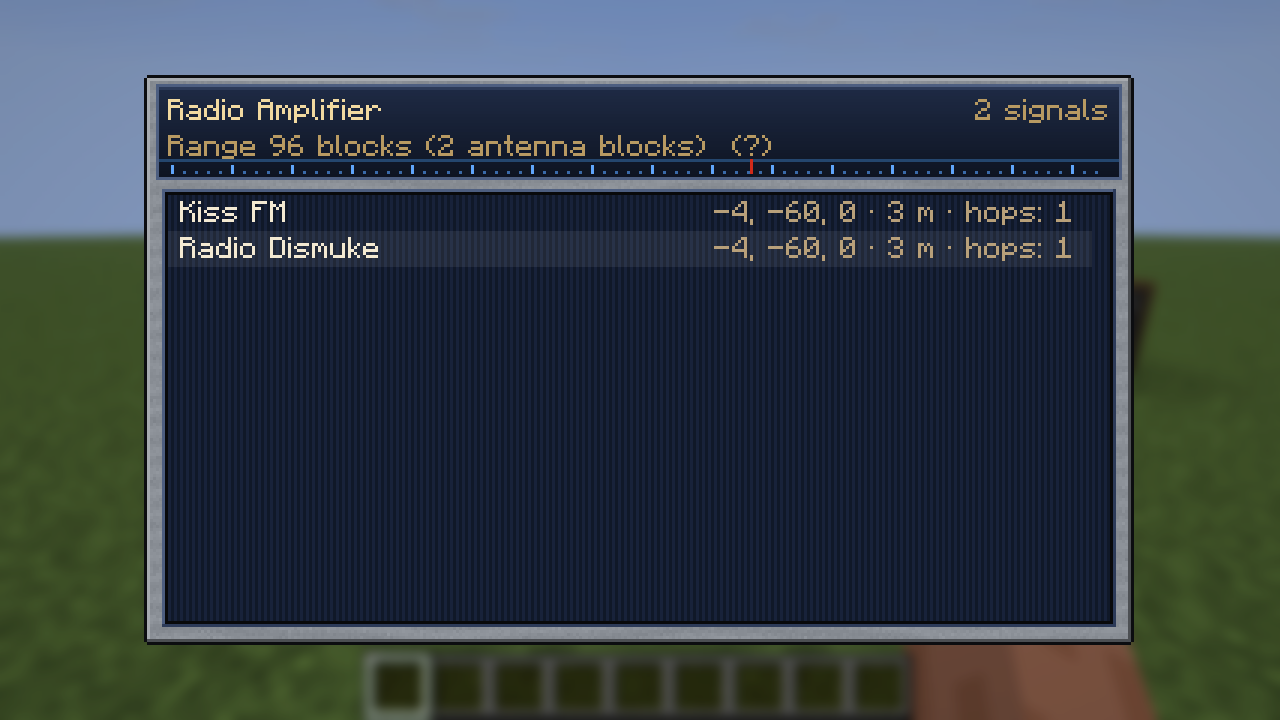 |
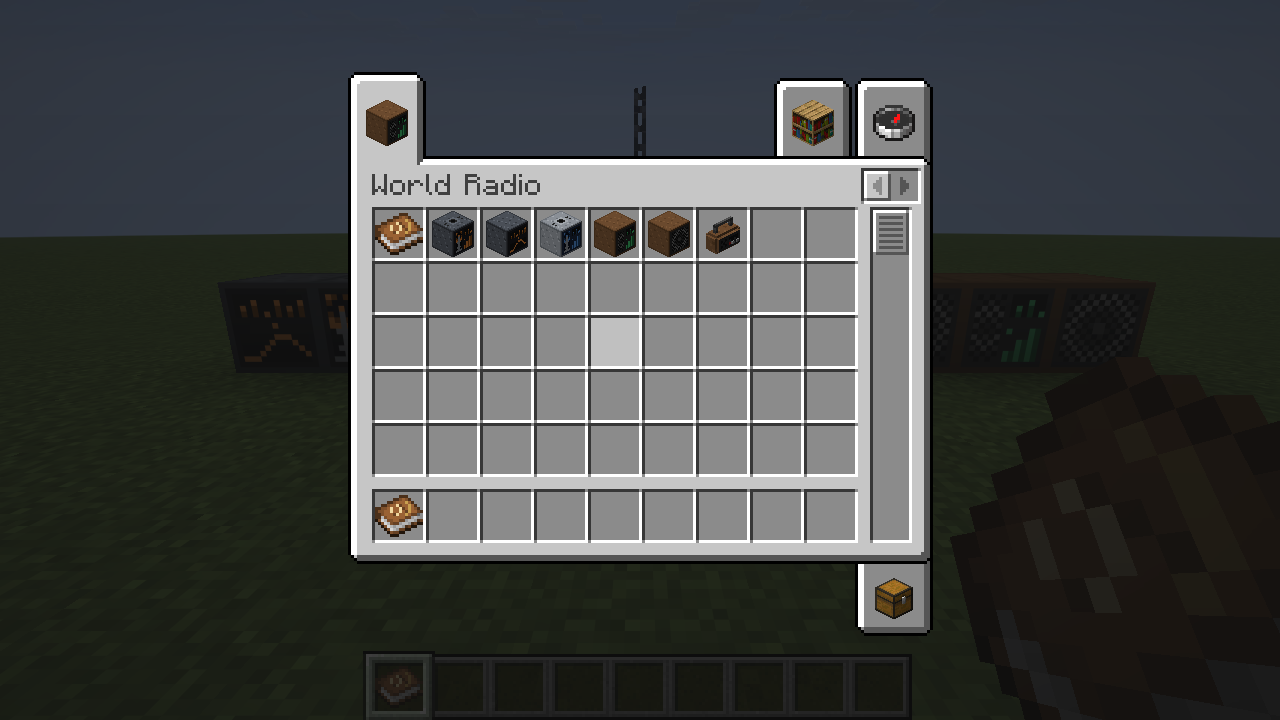 |
All screens share one design, an old radio with the station on a glass dial, cloth behind the lists and white piano keys, in the colours of their block: dark steel and orange for the transmitter and the channel, light steel and blue for the amplifier, teak for the radios and the guide book.
Listening
Your own game streams the music, so it needs an internet connection. The server only passes the signal on. Players therefore hear a station a few seconds apart.
"Turn it up!"
Volume – every radio has its own volume slider, the same for everyone who hears it. Your own control is Options → Music & Sounds → Radio.
Several radios – where one station is heard from several radios (or from a radio and your portable radio), only the loudest one plays, so nothing echoes. Up to six different stations play at once.
Limits
- MP3 only: AAC, Ogg/Opus and HLS streams show "Cannot play this stream". About 70 % of the Radio-Browser catalogue is MP3.
- Stereo streams are mixed down to mono, so that the game can place the sound at the radio.
- Some stations only allow known player apps and refuse the connection (SomaFM, for example).
- A speaker makes its radio heard further; the sound comes from the radio and its speakers.
- Version 2.0.0 split the Radio into transmitter and receivers. Radios from a 1.x world become Radio Transmitters
(same block id
worldradio:radio): station, antenna and on/off stay, their own volume is gone and they are silent until a Radio or Portable Radio picks them up. Amplifiers no longer make sound either.
Config
config/worldradio.json:
{
  "configVersion": 5,
  "baseRange": 32,
  "antennaStep": 32,
  "maxAntenna": 32,
  "hearingBase": 4,
  "speakerStep": 4,
  "hearingMax": 64,
  "speakerVolume": 5,
  "maxStations": 6
}baseRange, antennaStep and maxAntenna (signal range), hearingBase, speakerStep and hearingMax (how far
a Radio block is heard: without speakers, more per speaker, and at most) and speakerVolume (points of volume each
speaker adds to the radio's 100) are read by the server. Older files are
carried over: the new entries are added, a ranges list from 0.1/0.2 is dropped, and a 0.3 file (no configVersion)
with the old default step of 8 is moved to 32. maxStations (at most 8, which is what the sound engine allows) is
read by each player's game. The numbers in the guide book and the "+32 blocks each" and "+4 blocks each" in the
tooltips come from the player's own file.
Commands (operators)
/worldradio tune <pos> "<url>" [name]– set the station of a transmitter, a channel or a radio./worldradio enable <pos> true|false– switch a transmitter, a channel or a radio on or off./worldradio volume <pos> <0-100>– set a radio's volume./worldradio status <pos>– range, antenna blocks and level of a transmitter or amplifier, what a transmitter or channel sends, which signals an amplifier or radio receives, a radio's hearing range and speakers, what it is set to and whether it plays.
Source
Source and issues: https://github.com/david-stefan-hermann/world-radio
Credits
- MP3 decoding: JLayer 1.0.1 by JavaZOOM (LGPL 2.1), bundled unmodified.
- Station catalogue: Radio-Browser community database.
License
MIT, see LICENSE. By BaconCakeFactory.
Screenshots
Gallery
Versions
Files
Relations
Project Relations
More like this
Similar Mods
Suggestions use data such as tags, dependencies, dependents, descriptions, titles, and more to rank how much they overlap with this mod.
On ModDex
Community snapshot
By the numbers
Statistics

Get it on
Available Platforms
On ModDex
Community snapshot
By the numbers