
Community listing page, reviews may not be monitored by the author.
Worldgen Devtools

No reviews yet
A mod that aids in the development of world generation data packs and mods. Allows reloading worldgen data packs in-game and resetting chunks. Colors jigsaw blocks by name and target.

Community voices
Reviews
No reviews yet. Be the first to review this project!
Get it on
Available Platforms
Compatibility
Supported Environments
Must be installed on both the client and the server.
Works on the client or the server alone, but does more when on both.
Varies by version.
About
Project Details
For authors
Embed Badge
If you're the author of this project, you can embed a live badge anywhere that supports HTML or Markdown. It updates automatically whenever ratings change.
Use HTML for any page that supports it, or Markdown for README files and Markdown-based descriptions.
Identifiers
Platform IDs
About
Description
Worldgen Devtools
This is a mod that provides tools simlifying the creation of worldgen datapacks and mods.
Registry (worldgen) Reloading
Needs be enabled per world using the reloadRegistries gamerule.
Warning: While this should be fairly stable, this tool can probably still corrupt your worlds. So only enable in testing worlds
Allows the reloading of registry content (such as all worldgen data) using the /reload command, or when enabling or
disabling a datapack using the /datapack command. Without this mod, the world needs to be reopened for changes to take
effect.
Entries are never removed from registries, even when no longer present in the loaded datapacks. Instead, they are marked as outdated, so that they don't have an effect on world generation and can't be referenced from other datapack files. Existing chunks can still use the outdated entries though, until the world is reopened. The world-height and noise shape (i.e. height and cell size) can't be reloaded.
Client Syncronization
Some reloaded data affects the client, such sa biome colors, dimension types, and armor trims. In multiplayer, dimension
and biome effects need to be synconized. This causes the client to redraw all chunks. If this behaviour is undesireble,
it can be disabled using the syncAfterRegistryReload gamerule.
Reset Chunks
The /resetchunks [<range>] command resets the chunks surrounding the player in the specified range - regenerating it with the current worldgen data and settings. Defaults to 0 (i.e. only the current chunk). If you want to reset a structure, you need to reset the chunk of the structure start.
Note: This implementation actually used the normal worldgen thread, and thus has much better performance than the unregistered vanilla command.
Colored Jigsaw Blocks
Colors Jigsaw blocks based on their specified "Name" or "Target Name". If a "Name" other than minecraft:empty is set,
the jigsaw block is colored based on the hash of the "Name". Otherwise, if a "Target Name" other than minecraft:empty
is set, the jigsaw block is colored based on the hash of the "Target Name".
If both "Name" and "Target Name" are set to minecraft:empty the jigsaw block is rendered deactivated, with grayed
out arrows and connectors.
In the inventory, if a jigsaw block has stored NBT (Shift+Pick), then it is rendered with the associated color and a tooltip indicated the "Name", "Target Pool", and "Target Name".
Get Density Command
Command to debug the values of density functions are any position.
/getDensity density_function <df> [<pos>]
Returns the value of the density function df at the specified postion (or the position of the player)
/getDensity noise_router <entry> [<pos>]
Returns the value of the density function specified in the given entry of the noise router of the current dimension at the specified postion (or the position of the player)
Profiling of Worldgen Performance
The time it took to generate each step of each chunk is recorded and saved in each chunk. To access it, use
the /chunkprofiling <range> command. Range controlls the amount of chunks to average the performance over; defaults
to 0.
Locate Feature
Use /locate feature <configured_feature> to locate a configured feature nearby. If the current chunk contains the feature
multiple times, it will list the up to 5 closest positions. This only works if the chunk is generated while this mod is
installed.
Logging improvements
- Empty height ranges in placed features also log the placed feature that causes the problem.
Chase
The /chase command provides options to syncronize of the player positions between two different instances of Minecraft. Usefull for
comparing differences in worldgen. This is a vanilla command, simply registered by this mod.
Gamerules
Gamerules added by this mod:
| Gamerule | |
|---|---|
maxChunkStatus |
Which steps of world generation should be done? -> NOISE_ONLY: Generates stone, air, water and lava only. -> SURFACE: Applies the surface rules. -> SURFACE_AND_CARVERS: Applies surface rules, and carvers. -> ALL: Applies surface rules, carvers, and features. |
applyProcessorLists |
Should processor lists of structures be applied? |
applyGravityProcessor |
Should terrain matching structure pieces match the terrain? |
keepJigsaws |
Should the jigsaw blocks be kept after structure generation? |
reloadRegistries |
Should the /reload command also reload registries? |
syncAfterRegistryReload |
Should all clients be resend the registry content after reloading? |
saveChunks |
Should chunks be saves? Old chunks are not deleted when disabling. |
Screenshots
Gallery
-
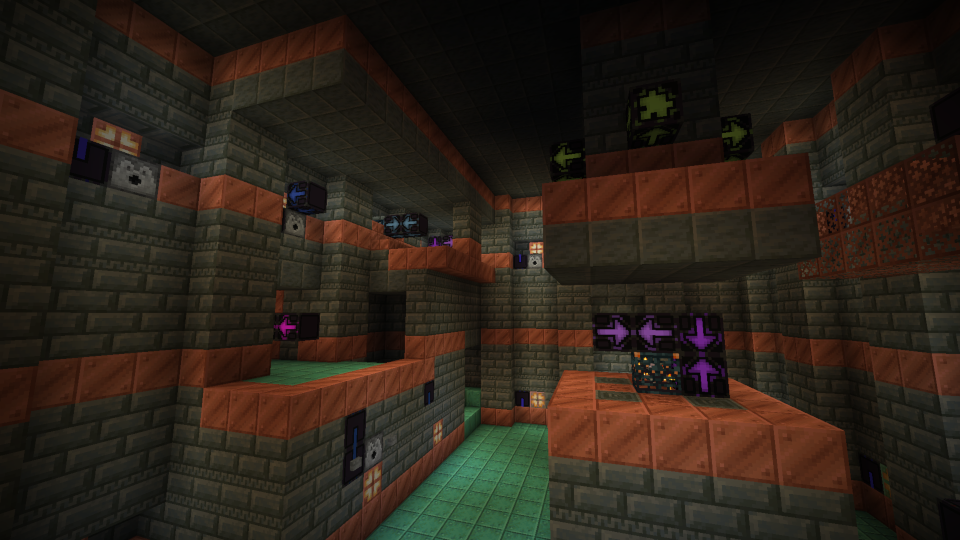 Colored jigsaw blocks in a trial chamber Jigsaw blocks are colored based on their name or target. The "keepJigsaws" gamerule allows the jigsaw blocks to stay during worldgen.
 -
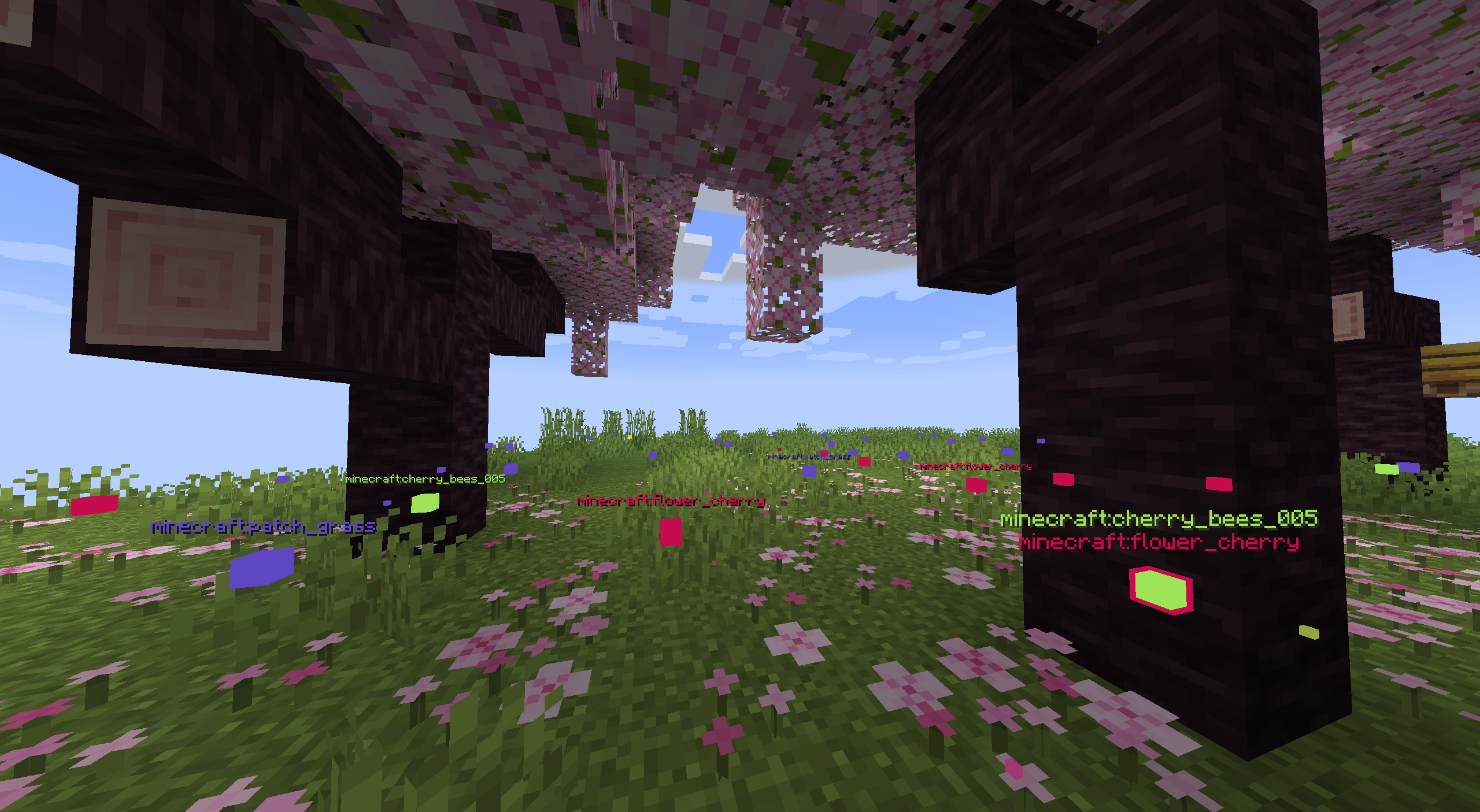 Feature Location Debug Renderer Renders a marker at all positions where a configured feature was generated.
 -
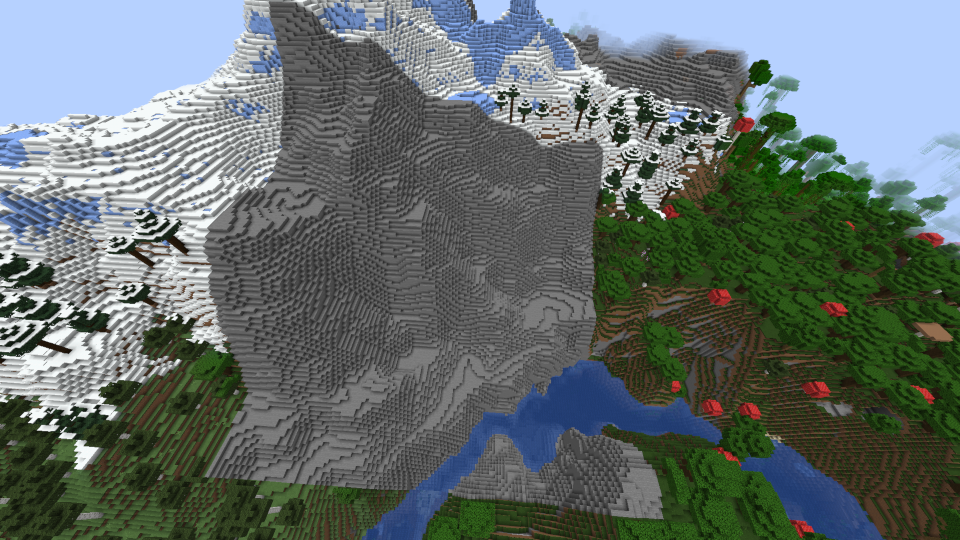 Max chunk status: NOISE_ONLY When setting the maxChunkStatus to NOISE_ONLY, only the bare terrain in generated. Using the /resetchunks command, only some chunks were regenerated using this setting.
 -
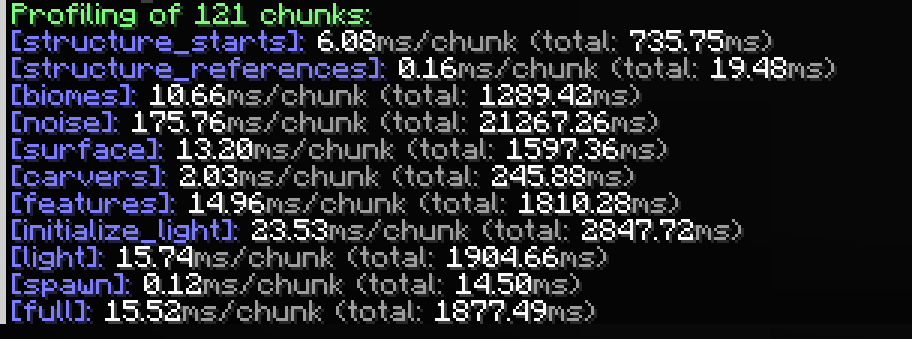 Chunk generation profiling Chunk generation times per stage are saved in the chunk. The "/chunkprofiling" command can be used to display this information.
 -
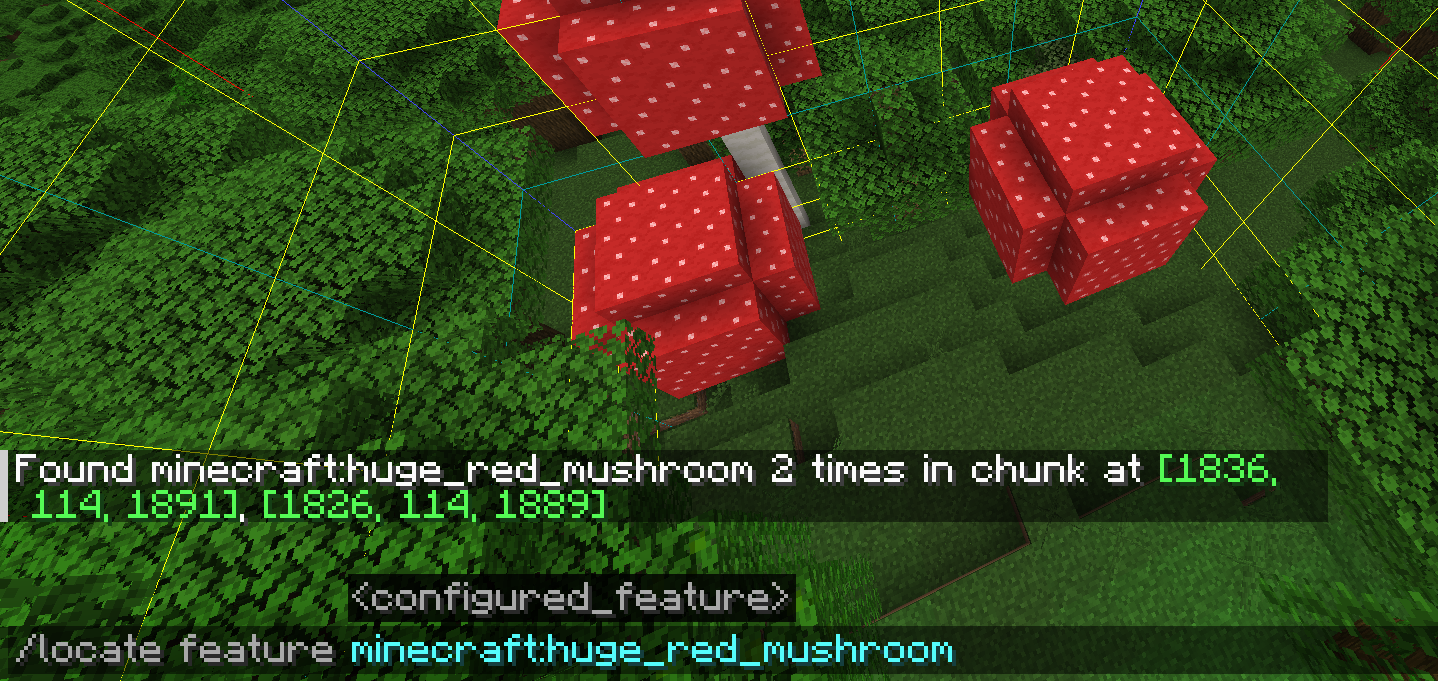 Locate features The /locate feature command allows locating the generation positions of configured features.
Versions
Files
Relations
Project Relations
More like this
Similar Mods
Suggestions use data such as tags, dependencies, dependents, descriptions, titles, and more to rank how much they overlap with this mod.
On ModDex
Community snapshot
By the numbers
Statistics

 (opens in a new tab)
Get it on
Available Platforms
On ModDex
Community snapshot
By the numbers