
Community listing page, reviews here may not be monitored by the author.
WorldJS: KubeJS Addon

No reviews yet
Adds functionality for modpack developers to modify environment appearance through KubeJS
Community voices
Reviews
No reviews yet. Be the first to review this project!
Get it on
Available Platforms
About
Project Details
For authors
Embed Badge
If you're the author of this project, you can embed a live badge anywhere that supports HTML or Markdown. It updates automatically whenever ratings change.
Use HTML for any page that supports it, or Markdown for README files and Markdown-based descriptions.
Identifiers
Platform IDs
Resources
External Links
About
Description
WorldJS is a clientside KubeJS addon for modpack developers who want full control over the Minecraft world's atmosphere: sky color, fog, sun, moon, and rain textures, all in real time.
Built for personal use, but feel free to use it in your own packs.
Features
- Override sky and fog colors on the fly
- Replace sun, moon, and rain textures
- Smooth 3 seconds fade transitions when colors are set or cleared, so changes don't snap
- Both an event based API (
WorldJSEvents) for one time setup and a direct API (WorldJS) for runtime changes - In-game commands for testing without writing scripts
Examples
One time setup on load
Use WorldJSEvents to define your defaults when the game loads:
// Set custom sky and fog colors
WorldJSEvents.skyColor(event => {
    event.setSkyColor(0xFF4400)
    event.setFogColor(0x221100)
})

// Set custom textures for the sun, moon, and rain
WorldJSEvents.skyTexture(event => {
    event.setSunTexture("kubejs:textures/environment/custom_sun.png")
    event.setMoonTexture("kubejs:textures/environment/custom_moon.png")
    event.setRainTexture("kubejs:textures/environment/custom_rain.png")
})
Runtime changes
Use WorldJS directly inside tick events, item use events, dimension change handlers, or anywhere else to change things on the fly:
// Switch the sky to red
WorldJS.setSkyColor(0xFF0000)

// Switch the fog to blue
WorldJS.setFogColor(0x0000FF)

// Swap textures
WorldJS.setSunTexture("kubejs:textures/environment/custom_sun.png")
WorldJS.setMoonTexture("kubejs:textures/environment/custom_moon.png")
WorldJS.setRainTexture("kubejs:textures/environment/custom_rain.png")
Reverting to vanilla
Each setter has a matching clear. Color clears fade smoothly back to the biome color over three seconds; texture clears are instant.
WorldJS.clearSkyColor()
WorldJS.clearFogColor()
WorldJS.clearSunTexture()
WorldJS.clearMoonTexture()
WorldJS.clearRainTexture()

// Or revert everything at once
WorldJS.reset()
Commands
For quick testing without writing scripts:
/worldjs sky set <hex>      e.g. /worldjs sky set FF0000
/worldjs sky clear
/worldjs sky status
/worldjs fog set <hex>
/worldjs fog clear
/worldjs sun set <texture>
/worldjs sun clear
/worldjs moon set <texture>
/worldjs moon clear
/worldjs rain set <texture>
/worldjs rain clear
/worldjs reset
Hex values accept either FF0000 or #FF0000.
Requirements
Credits
Thanks to Project8gbDeRam for helping out with the mod!
Screenshots
Gallery
-
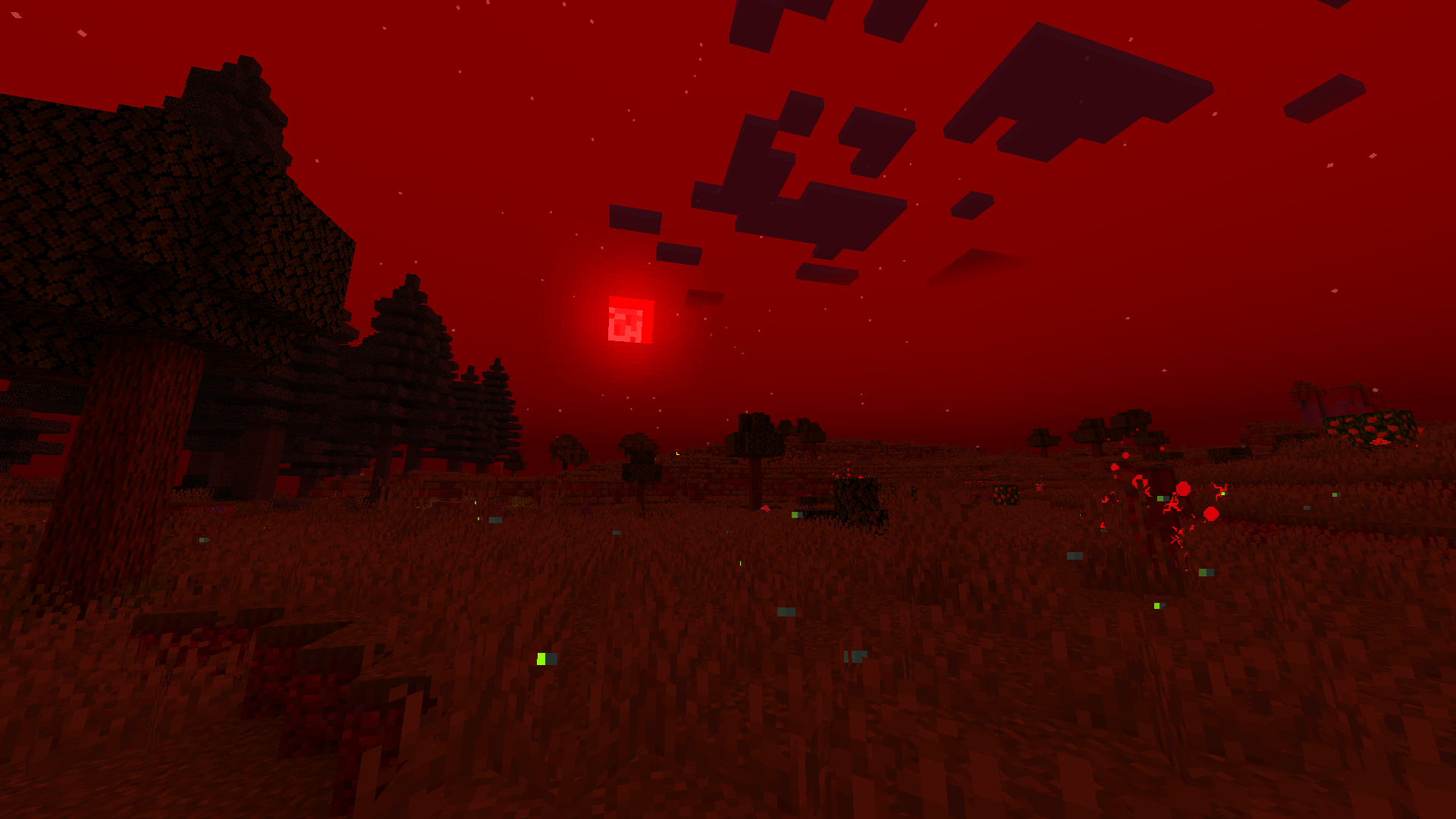 Blood Moon Appearance.png Example of what you can achieve
Versions
Files
Relations
Project Relations
More like this
Similar Mods
Suggestions use data such as tags, dependencies, dependents, descriptions, titles, and more to rank how much they overlap with this mod.
On ModDex
Community snapshot
By the numbers
Statistics
Want to reach Minecraft players?
We're looking for a server hosting partner to feature here and other parts of the site. Interested? Send us a message!
Get in touchGet it on
Available Platforms
On ModDex
Community snapshot
By the numbers
Statistics
Resources