
Community listing page, reviews may not be monitored by the author.
WT Sky Grid


No reviews yet
A Sky Grid world generation mod for Minecraft 1.21.11 on NeoForge and Fabric. The world is a 3D lattice of single blocks floating in the void, with per-dimension block pools, spawn weights, block tag support and an in-game editor.

Community voices
Reviews
No reviews yet. Be the first to review this project!
Get it on
Available Platforms
Compatibility
Supported Environments
Runs entirely on the server. Also works in singleplayer.
About
Project Details
For authors
Embed Badge
If you're the author of this project, you can embed a live badge anywhere that supports HTML or Markdown. It updates automatically whenever ratings change.
Use HTML for any page that supports it, or Markdown for README files and Markdown-based descriptions.
Identifiers
Platform IDs
About
Description
Sky Grid Mod
A modern Sky Grid world generation mod for Minecraft 1.21.1 and 1.21.11, on both NeoForge and Fabric.
1.21.1 is the actively developed branch and is what the current release targets. 1.21.11 is supported but sits a version behind, because most large tech mods have not moved to it yet.
The world is a 3D lattice of single blocks floating in the void — ores, wood, chests, spawners — with nothing in between. Every block counts, and falling is usually fatal.
Inspired by the classic SkyGrid map by SethBling.
Features
- 3D block grid — one block every 4 positions in X, Y and Z, configurable
- Per-dimension pools — the Overworld, Nether and End each get their own blocks, mobs and loot tables
- Full mod support — any installed mod's blocks can appear; the pool is built from the live block registry
- Block tags — write
#minecraft:logsinstead of listing every log type, and pick up modded blocks automatically - Spawn weights — make diamond ore rare and stone common, per block
- Loot chests — dungeon, mineshaft, stronghold, temple, bastion and End City tables, chosen per dimension
- Mob spawners — dimension-appropriate mobs, no blazes in the Overworld
- Ore clusters — ores occasionally generate as small veins instead of single blocks
- Smart plant placement — saplings get dirt, cactus gets sand, nether fungi get matching nylium
- Starter platform — a 9x9 obsidian pad near the top of the grid, with a glass lip so nobody gets shoved into the void, and world spawn pinned to it
- Tunable rates — chest, spawner and ore-cluster frequency are config values; edit them and run
/skygrid reloadwithout restarting - In-game editor — add and remove blocks and tune weights from a GUI, no file editing
Getting started
- Install the mod (plus Fabric API if you're on Fabric)
- Singleplayer → Create New World
- Click World Type until it reads Sky Grid
- Create the world
You spawn on an obsidian platform near the top of the grid, looking out over it. Bridge outward carefully, and expect to travel downward — that is where the game is.
The Nether and End are Sky Grids too, with their own block pools.
Requirements
| Minecraft | 1.21.1 or 1.21.11 |
| Java | 21 or newer |
| NeoForge | 21.1.x on 1.21.1, 21.11.44+ on 1.21.11 |
| Fabric | Loader 0.19.3+ and Fabric API |
ModMenu is optional on Fabric — it provides the config button. Without it, use /skygridgui.
Configuring the block pool
Three files are created in your config folder: skygrid.json, skygrid_nether.json and skygrid_end.json.
{
  "mode": "whitelist",
  "whitelist": [
    "#minecraft:logs",
    "minecraft:stone",
    { "id": "minecraft:diamond_ore", "weight": 3 }
  ]
}
Entries can be a block ID, a block tag (prefixed with #), or an object with an explicit weight. Higher weight means more common.
Or skip the files entirely and use the in-game editor: /skygridgui, or the config button on the Mods screen.
Commands
All require permission level 2, so single-player needs cheats enabled.
| Command | Description |
|---|---|
/skygrid blocks |
Pool summary |
/skygrid blocks log |
Dump the full pool to the log |
/skygrid reload |
Reload configs from disk |
/skygrid add <block> [weight] [dimension] |
Add a block, or change its weight |
/skygrid remove <block> [dimension] |
Remove a block |
/skygrid weight <block> <n> [dimension] |
Set a weight |
/skygrid tag add <tag> [weight] [dimension] |
Add a whole block tag |
/skygrid tag remove <tag> [dimension] |
Remove a tag |
/skygridgui |
Open the editor |
dimension defaults to overworld. Tab completion covers every registered block and tag, so modded content appears automatically.
Important: changes only affect new chunks
The block pool is read when a chunk generates. Editing the config — however you do it — never changes terrain that already exists. Travel into ungenerated chunks or start a new world to see your changes.
Why no water or lava?
They're deliberately absent from the default pools. As grid source blocks they cascade down through the void and flood large parts of the world.
If you want the classic flowing-fluid Sky Grid, add them back:
/skygrid add minecraft:water
/skygrid add minecraft:lava
Upgrading from 1.x
Version 1.x was Fabric-only for 1.21.1. Version 2.0 restructures the project to support both loaders:
- Worlds are not compatible. Start fresh.
- The grid now depends on the world seed. In 1.x every world generated an identical layout regardless of seed — that was a bug.
- The NeoForge generator ID changed to match Fabric.
- The NeoForge TOML config is gone, replaced by the same JSON config Fabric uses.
- Water, lava and sugar cane left the default pools.
Issues and source
Source and bug reports: github.com/whotevatech/skygrid-mod
Bug reports are most useful with your Minecraft version, loader and version, your config/skygrid*.json, and logs/latest.log.
Licensed MIT.
🌐 Sky Grid Mod A modern Sky Grid world generation mod for Minecraft 1.21.X.
Generates a world where blocks are placed in a 3D grid pattern, floating in the void. Every block is random — ores, wood, lava, chests, spawners — making for a unique survival challenge where every block counts.
✨ Features 3D block grid — blocks placed every 4 blocks in all directions (configurable) Random block variety — large pool of blocks from stone and ores to nether and end blocks Mod support — automatically includes blocks from any installed mod Loot chests — randomly placed chests with dungeon, mineshaft, and temple loot Mob spawners — randomly placed spawners with varied mob types Saplings auto-place dirt — saplings always generate with a dirt block beneath them so they can grow Fully configurable — whitelist or blacklist blocks via a simple JSON config file In-game debug command — /skygrid blocks to check exactly what's in the block pool
Screenshots
Gallery
-
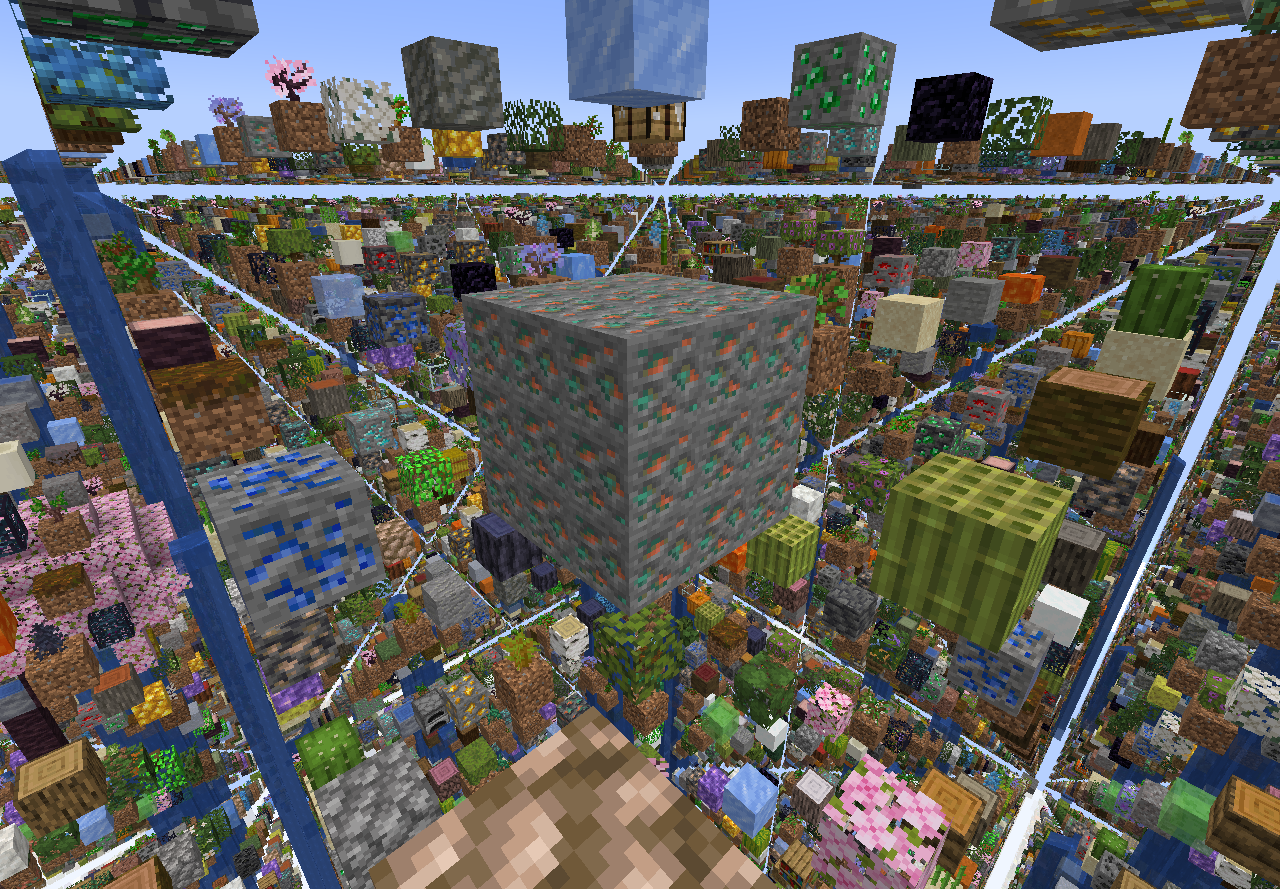 Node Cluster
 -
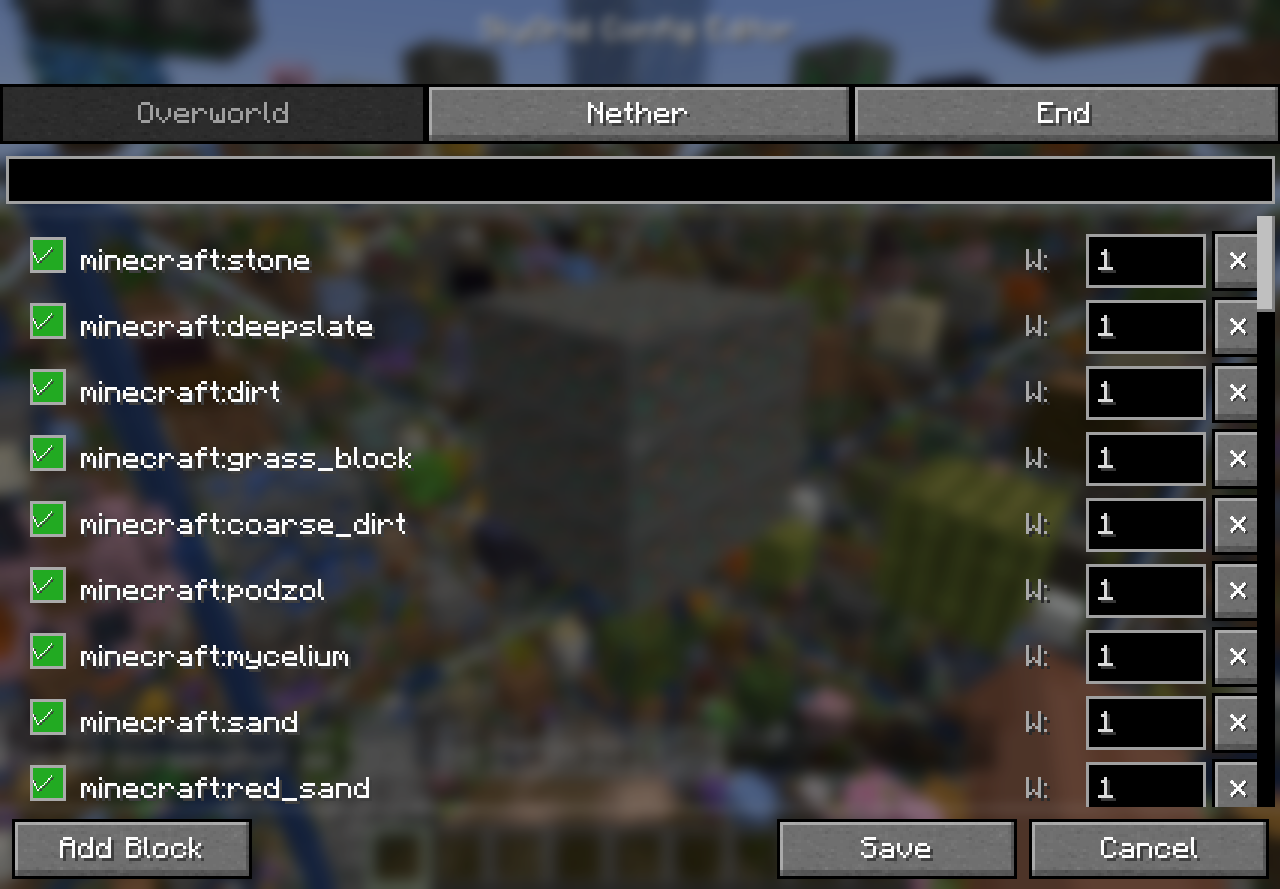 Block GUI How to add different weights and blocks being in-game
 -
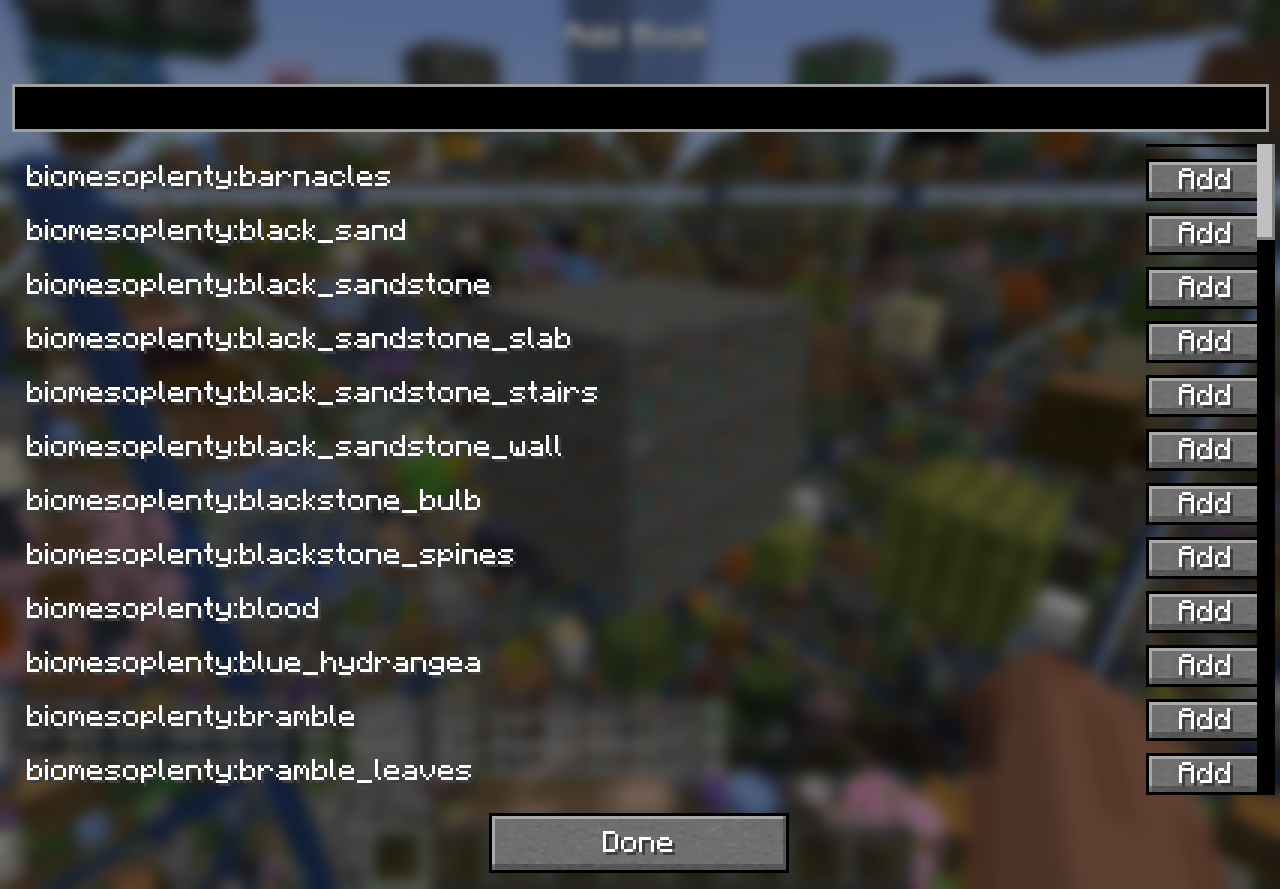 Block GUI How to add blocks being in-game after adding mods to the pack
Versions
Files
Relations
Project Relations
More like this
Similar Mods
Suggestions use data such as tags, dependencies, dependents, descriptions, titles, and more to rank how much they overlap with this mod.
On ModDex
Community snapshot
By the numbers
Statistics
 (opens in a new tab)
Get it on
Available Platforms
On ModDex
Community snapshot
By the numbers