
Community listing page, reviews here may not be monitored by the author.
Iron's Spells'n Spellbooks Add-on:What's Your Specialized Element?

No reviews yet
This is an add-on that adds roles and magical aptitude to Iron's Spells'nSpellbooks.
Community voices
Reviews
No reviews yet. Be the first to review this project!
Get it on
Available Platforms
About
Project Details
For authors
Embed Badge
If you're the author of this project, you can embed a live badge anywhere that supports HTML or Markdown. It updates automatically whenever ratings change.
Use HTML for any page that supports it, or Markdown for README files and Markdown-based descriptions.
Identifiers
Platform IDs
Resources
External Links
About
Description
This mod is an add-on created to clearly distinguish between melee and magic classes when playing an RPG with “Iron’s Spells’n Spellbooks” installed. When you first enter the world, press the C key to open the UI and select one of three classes: Wizard, Cleric, or Commoner. Players who select a magic-based class, such as a Wizard or Cleric, will have their mana increased. Wizards are granted a random elemental affinity and enhanced spells of that element, while Clerics are granted enhanced holy-element spells and healing abilities. Wizards can cast spells of attributes other than Holy even without affinity for that attribute, but their power is reduced. Conversely, Clerics suffer a significant reduction in spell power when casting spells of attributes other than Holy. Meanwhile, players who select Commoner have reduced mana and reduced spell power. Commoners are also assigned a preferred attribute, but their spell power is significantly weaker than that of Wizards.Using “/wyse reset target” resets the target's class and preferred element. Using “/wyse class target classname” allows you to change the class to any class you choose. Additionally, using “/wyse element elementname” allows you to set the preferred element to any element you choose. As of now (July 14, 2026), the only way to check your preferred element is to use the debug command “/wyseinfo,” but in future versions, we plan to allow you to view and change your preferred element in Survival Mode. Enjoy a wonderful RPG experience!
Screenshots
Gallery
-
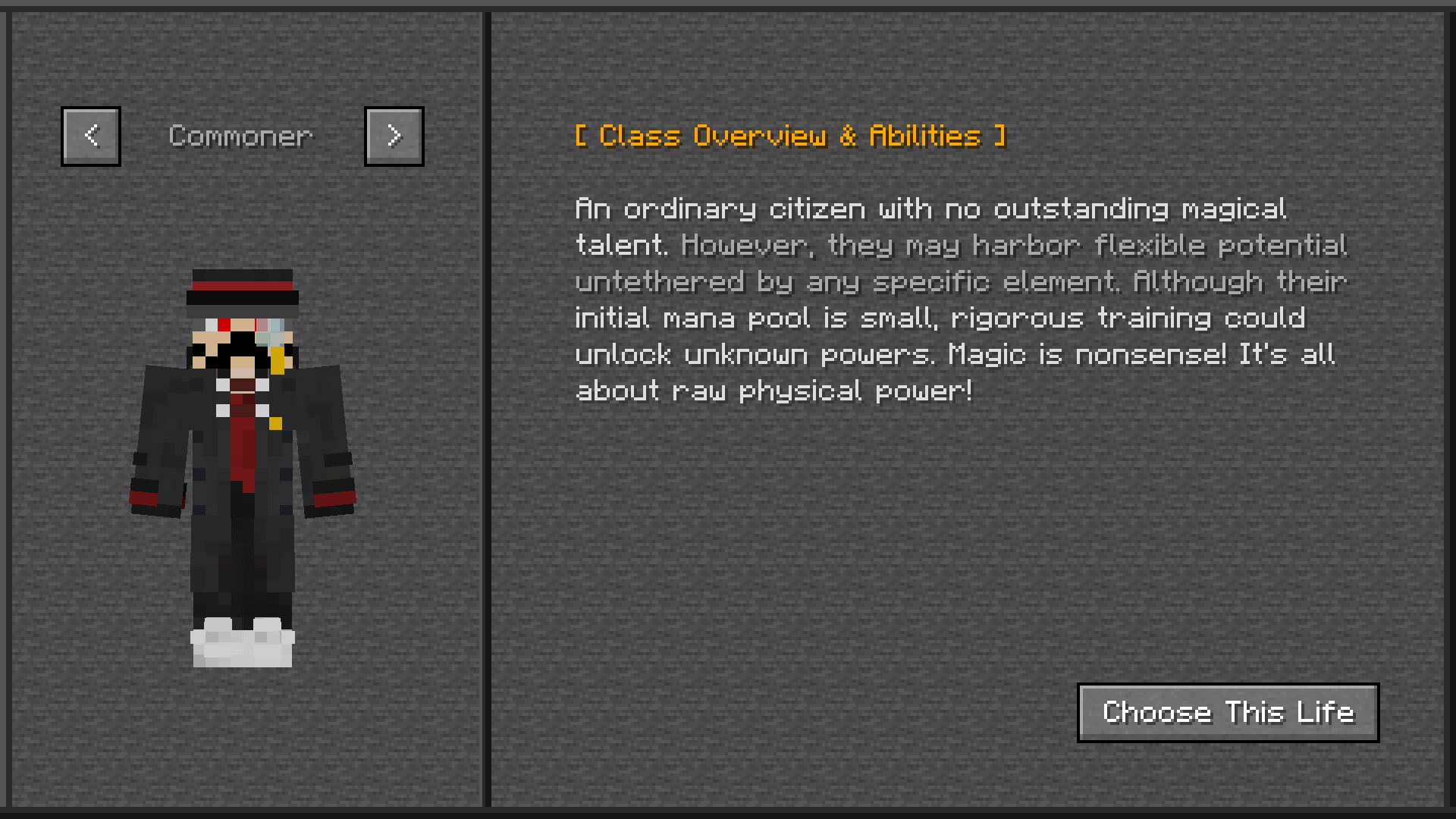 Class Selection UI 1 Description of Commoner
 -
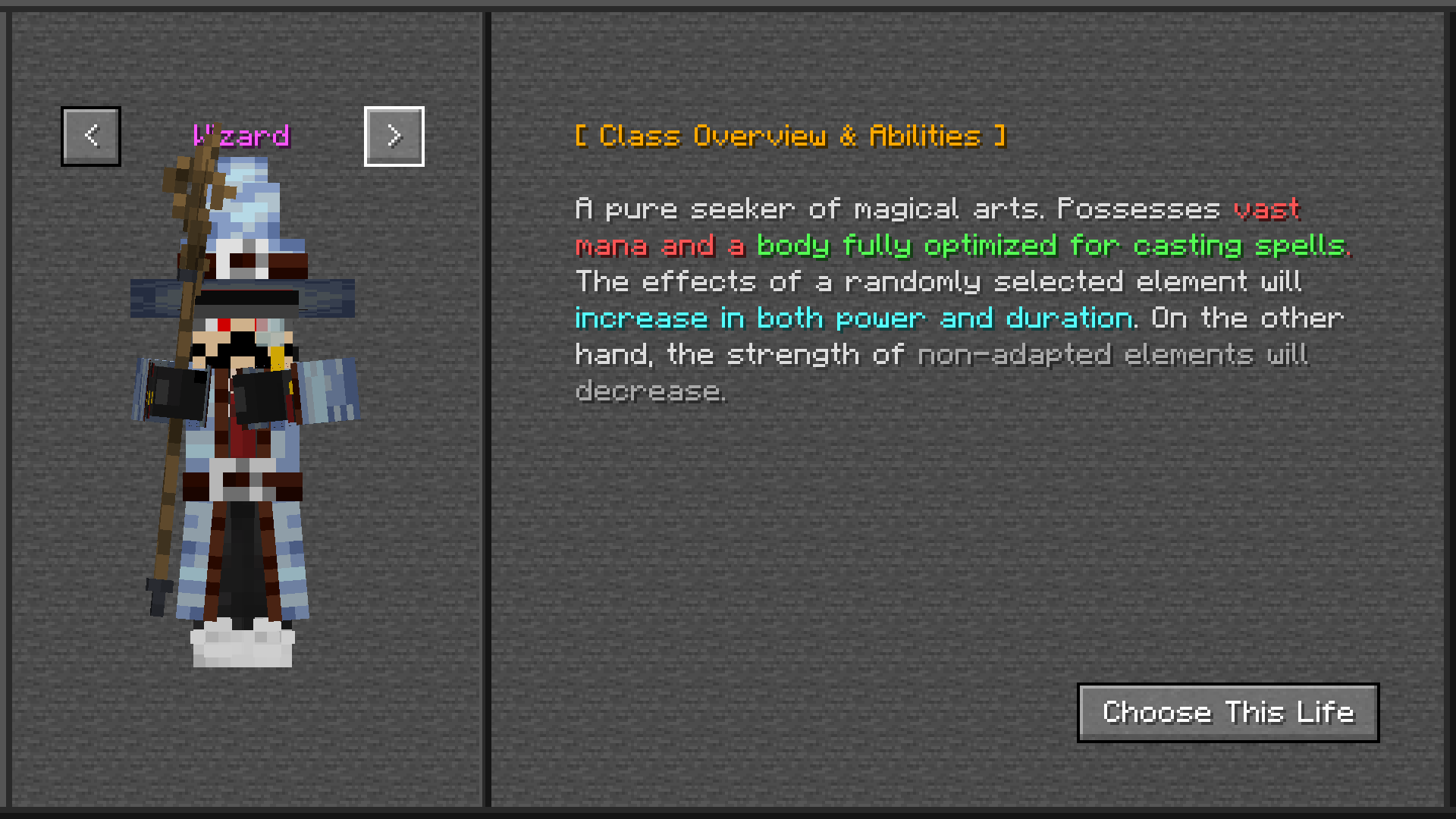 Class Selection UI 2 Description of Wizard
 -
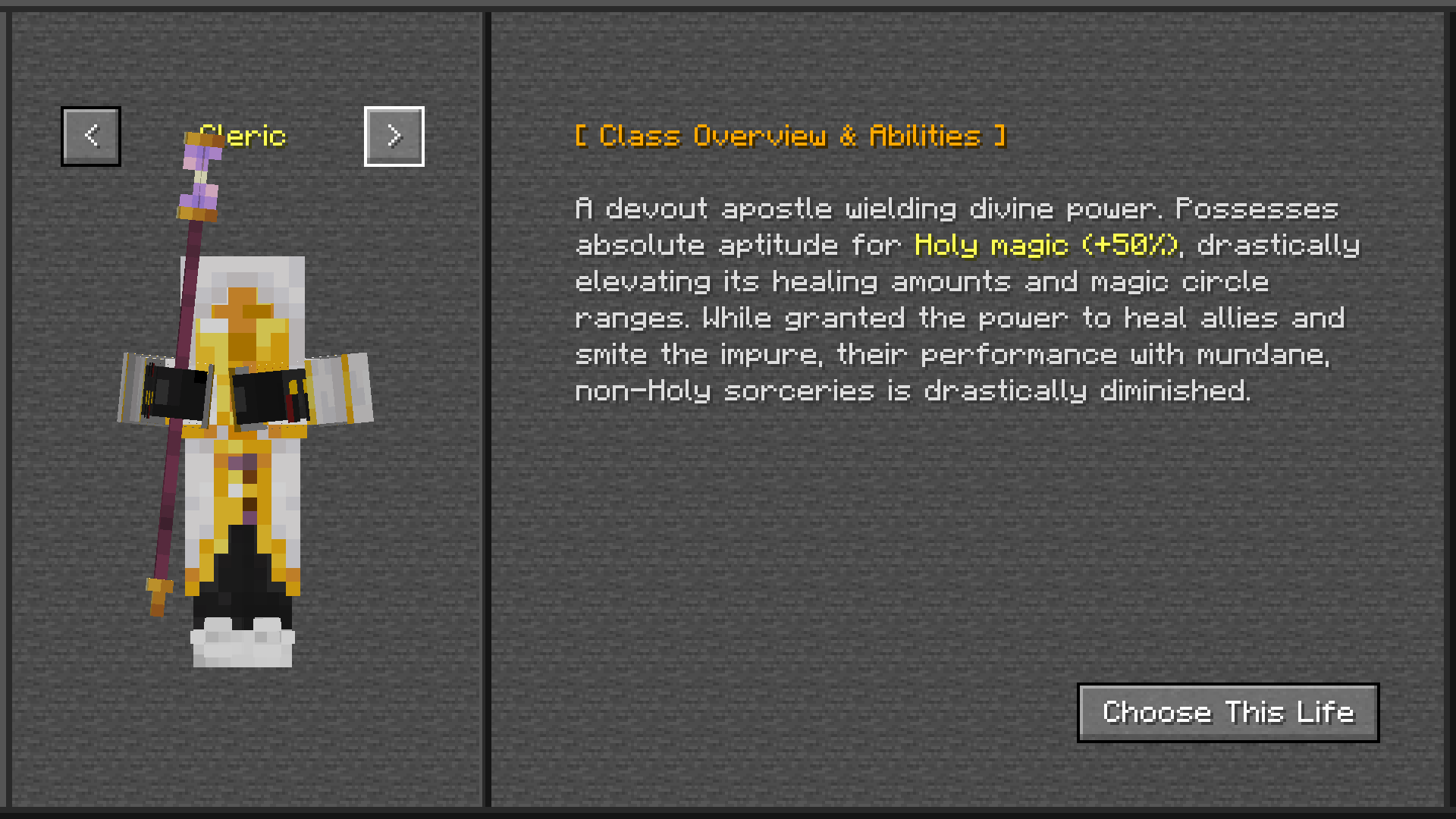 Class Selection UI 3 Description of Cleric
Versions
Files
Relations
Project Relations
More like this
Similar Mods
Suggestions use data such as tags, dependencies, dependents, descriptions, titles, and more to rank how much they overlap with this mod.
- Construct's Casting
- Apotheosis x Iron's Spellbooks Compat
- Epic Fight: Curios Compat 2.0
- Twilight Origins (Twilight Series)
- The Five Project (Alien Evo Addon)
- Weapons of Traveloptics: Imbued The Spells (EpicFight/WoM x T.O Magic 'n Extras)
- Skydude's Spell Origins
- Spellranks - LOTM x Iron's Spells Addon
- endermage's futuristic gear
- ArcaneTweaks
- Glx Smp 2
- Origins x Iron's Spells n' Spellbooks Addon - Alignments
On ModDex
Community snapshot
By the numbers
Statistics
Want to reach Minecraft players?
We're looking for a server hosting partner to feature here and other parts of the site. Interested? Send us a message!
Get in touchGet it on
Available Platforms
On ModDex
Community snapshot
By the numbers
Statistics
Resources