
Community listing page, reviews here may not be monitored by the author.
XP Bar Customizer

No reviews yet
Customize your Minecraft XP bar with custom colors, smooth Rainbow and Wave RGB effects, live preview, and easy in-game configuration.
Community voices
Reviews
No reviews yet. Be the first to review this project!
Get it on
Available Platforms
About
Project Details
For authors
Embed Badge
If you're the author of this project, you can embed a live badge anywhere that supports HTML or Markdown. It updates automatically whenever ratings change.
Use HTML for any page that supports it, or Markdown for README files and Markdown-based descriptions.
Identifiers
Platform IDs
Resources
External Links
About
Description
XP Bar Customizer is a lightweight client-side mod that lets you completely personalize the visual style of Minecraft's experience bar without changing how XP works.
Choose a custom color or give your XP bar smooth animated RGB effects directly from an easy-to-use in-game configuration panel.
🎨 Custom Color
Choose exactly how you want your XP bar to look using:
- Visual color picker
- RGB controls
- HEX color input
- Real-time preview
🌈 Rainbow
Give your XP bar a smooth animated rainbow effect with long, fluid color transitions.
The animation speed can be adjusted directly from the configuration panel.
🌊 Wave
Use an animated RGB wave that flows horizontally across the XP bar.
Wave uses smooth and extended color transitions for a polished animated appearance while remaining visually different from the Rainbow effect.
⚙️ In-Game Configuration
Open the XP Bar Customizer panel directly while playing. "K"
The configuration interface includes:
- Vanilla mode
- Custom Color
- Rainbow
- Wave
- Animation speed control
- Live XP bar preview
- Settings menu
- Configurable panel shortcut
The shortcut used to open the mod panel can also be changed from the settings menu.
🎮 Vanilla Mode
Prefer the original Minecraft look?
Simply select Vanilla and the XP bar will use its normal appearance.
⚡ Lightweight
XP Bar Customizer only changes the visual rendering of the experience bar.
It does not modify:
- XP amounts
- XP levels
- XP progression
- Enchanting costs
- Gameplay mechanics
🌍 Languages
Currently included:
- English (US)
- Português do Brasil (PT-BR)
📦 Mod Loaders
Available for:
- NeoForge
- Fabric
Each loader has its own optimized build.
Screenshots
Gallery
-
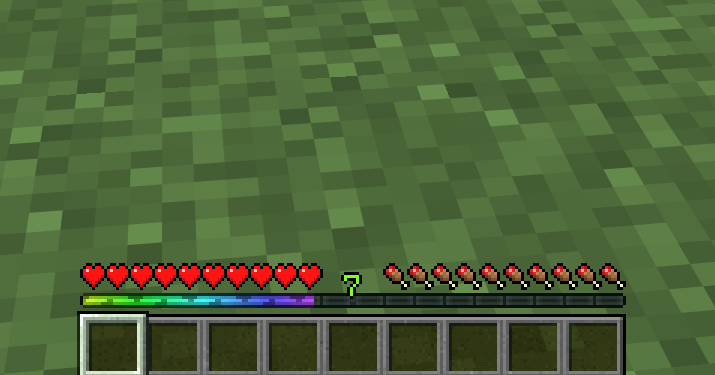 In game
 -
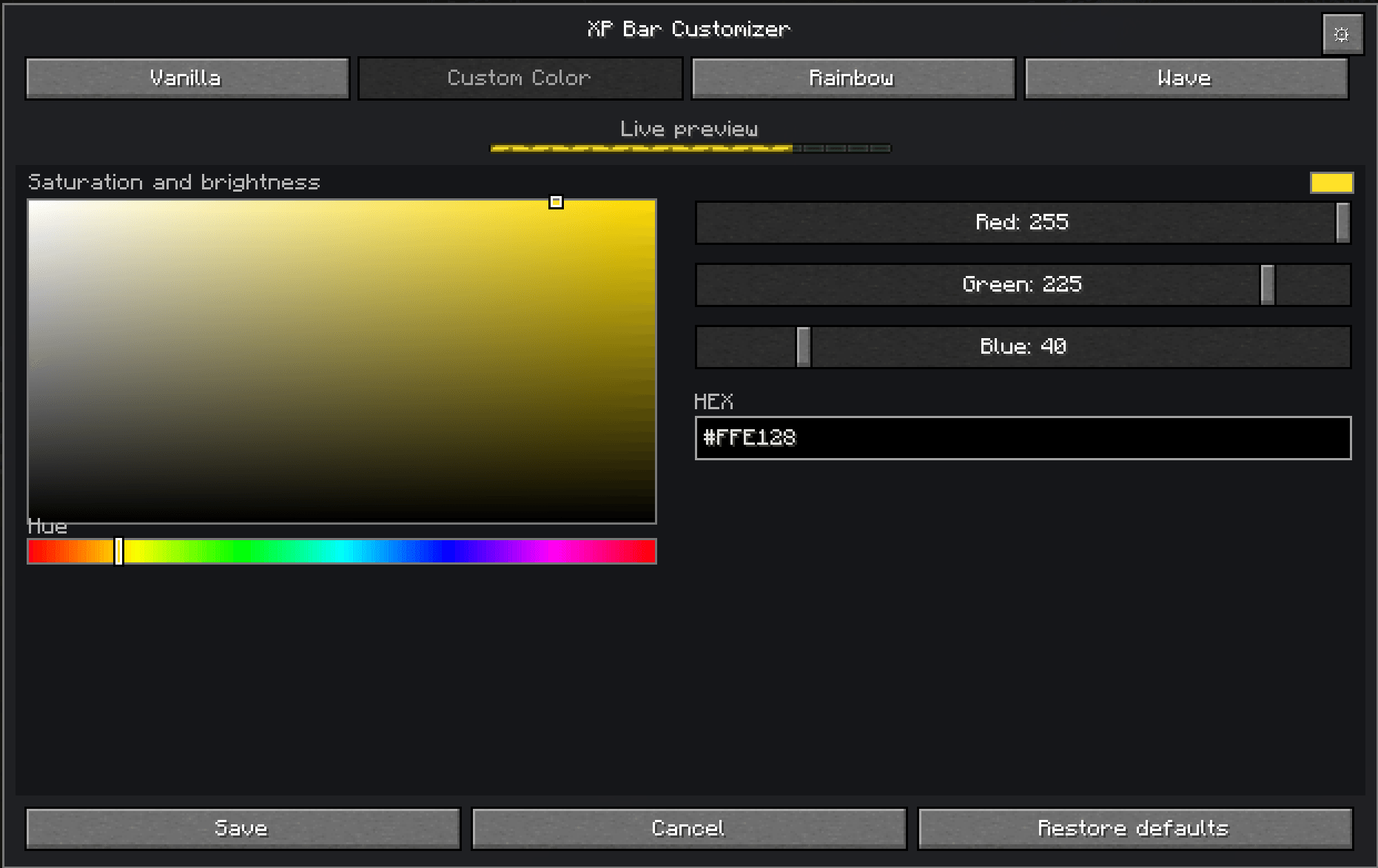 Customizer
 -
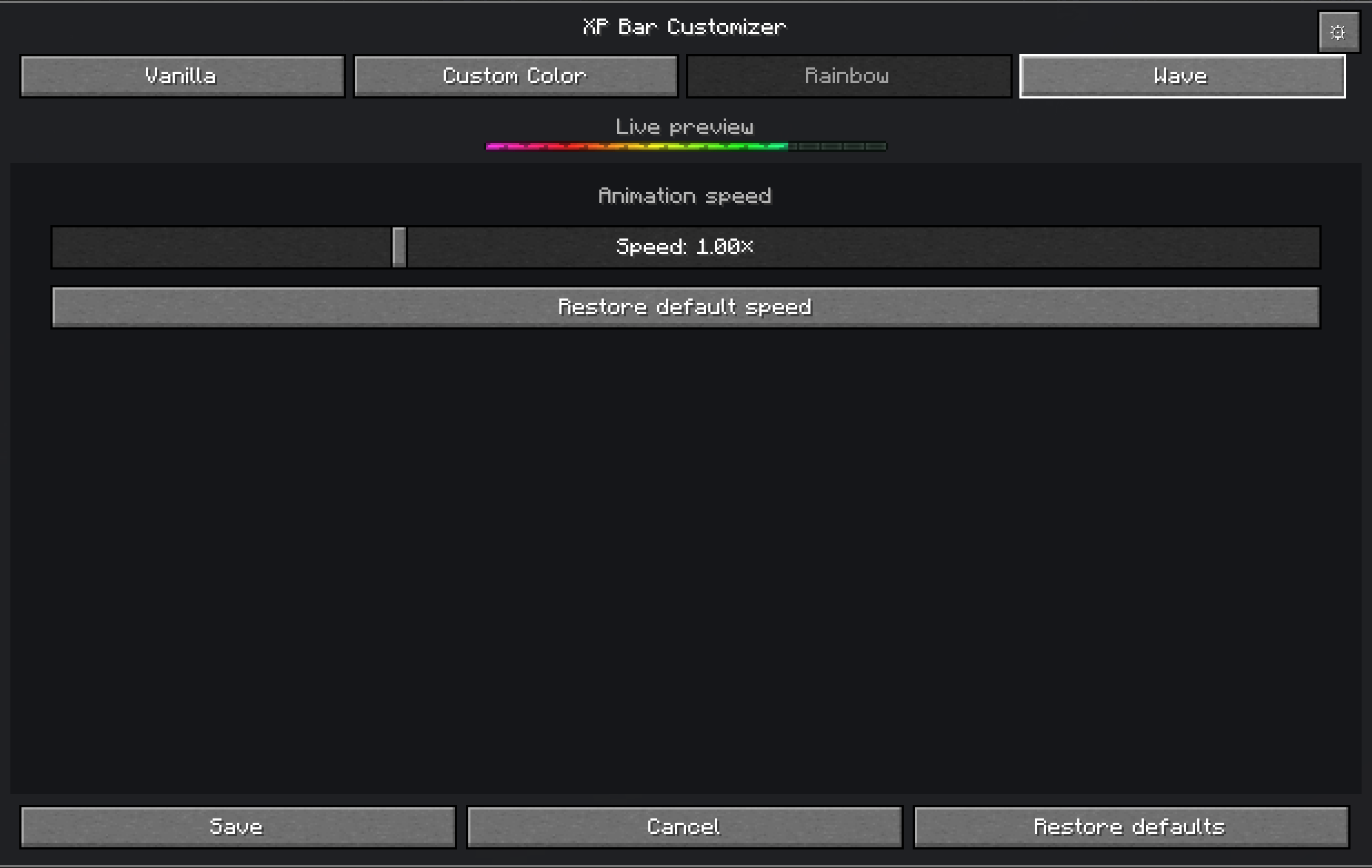 Modls
Modls
Versions
Files
Relations
Project Relations
More like this
Similar Mods
Suggestions use data such as tags, dependencies, dependents, descriptions, titles, and more to rank how much they overlap with this mod.
On ModDex
Community snapshot
By the numbers
Statistics
Want to reach Minecraft players?
We're looking for a server hosting partner to feature here and other parts of the site. Interested? Send us a message!
Get in touchGet it on
Available Platforms
On ModDex
Community snapshot
By the numbers
Statistics
Resources