
Community listing page, reviews here may not be monitored by the author.
Xander's Sodium Options: Continued


No reviews yet
Replaces the Sodium options GUI with Vanilla-style alternatives.
Community voices
Reviews
No reviews yet. Be the first to review this project!
Get it on
Available Platforms
Compatibility
Supported Environments
Runs entirely on the client. Works on vanilla servers.
About
Project Details
For authors
Embed Badge
If you're the author of this project, you can embed a live badge anywhere that supports HTML or Markdown. It updates automatically whenever ratings change.
Use HTML for any page that supports it, or Markdown for README files and Markdown-based descriptions.
Identifiers
Platform IDs
About
Description
Xander's Sodium Options: Continued
A community continuation of Xander's Sodium Options, replacing the Sodium options GUI with a Vanilla-style alternative powered by YetAnotherConfigLib.
Originally created by isXander. Looking for older versions? Check the original mod page.
Mod Integrations
It has a wide range of support for various mods which integrate with Sodium, such as:
Any other mods which integrate with Sodium's GUI will likely work as well. If you encounter any issues, please report them here
Keyboard Controls
Ctrl+Tab/Ctrl+Shift+Tab: Switch between category tabs.Tab/Shift+Tab: Move focus between controls and action buttons.- Arrow keys: Navigate through option rows and category tabs when those widgets are focused.
EnterorSpace: Activate the focused control, including theResetbutton.Esc: Show a save warning if there are unsaved changes. PressEscagain to discard changes and exit.
Screenshots


Thank you to Zakku0w0 for the Ko-fi icon art.
Xander's Sodium Options: Continued


A community continuation of Xander's Sodium Options, replacing the Sodium options GUI with a Vanilla-style alternative powered by YetAnotherConfigLib.
Originally created by isXander. Looking for older versions? Check the original mod page.
Mod Integrations
It has a wide range of support for various mods which integrate with Sodium, such as:
Any other mods which integrate with Sodium's GUI will likely work as well. If you encounter any issues, please report them here
Keyboard Controls
Ctrl+Tab/Ctrl+Shift+Tab: Switch between category tabs.Tab/Shift+Tab: Move focus between controls and action buttons.- Arrow keys: Navigate through option rows and category tabs when those widgets are focused.
EnterorSpace: Activate the focused control, including theResetbutton.Esc: Show a save warning if there are unsaved changes. PressEscagain to discard changes and exit.
Screenshots
Thank you to Zakku0w0 for the Ko-fi icon art.
Screenshots
Gallery
-
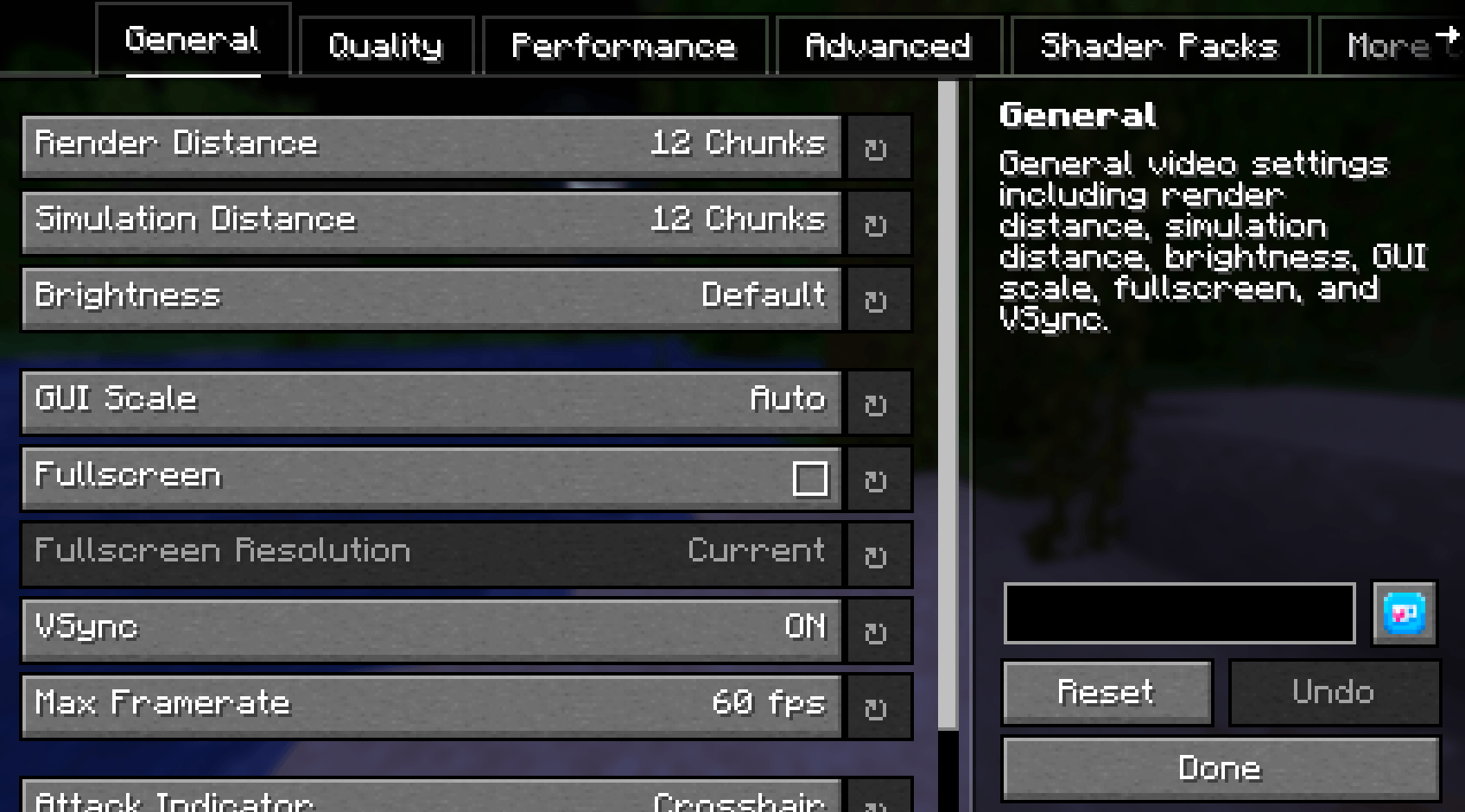 General Tab
 -
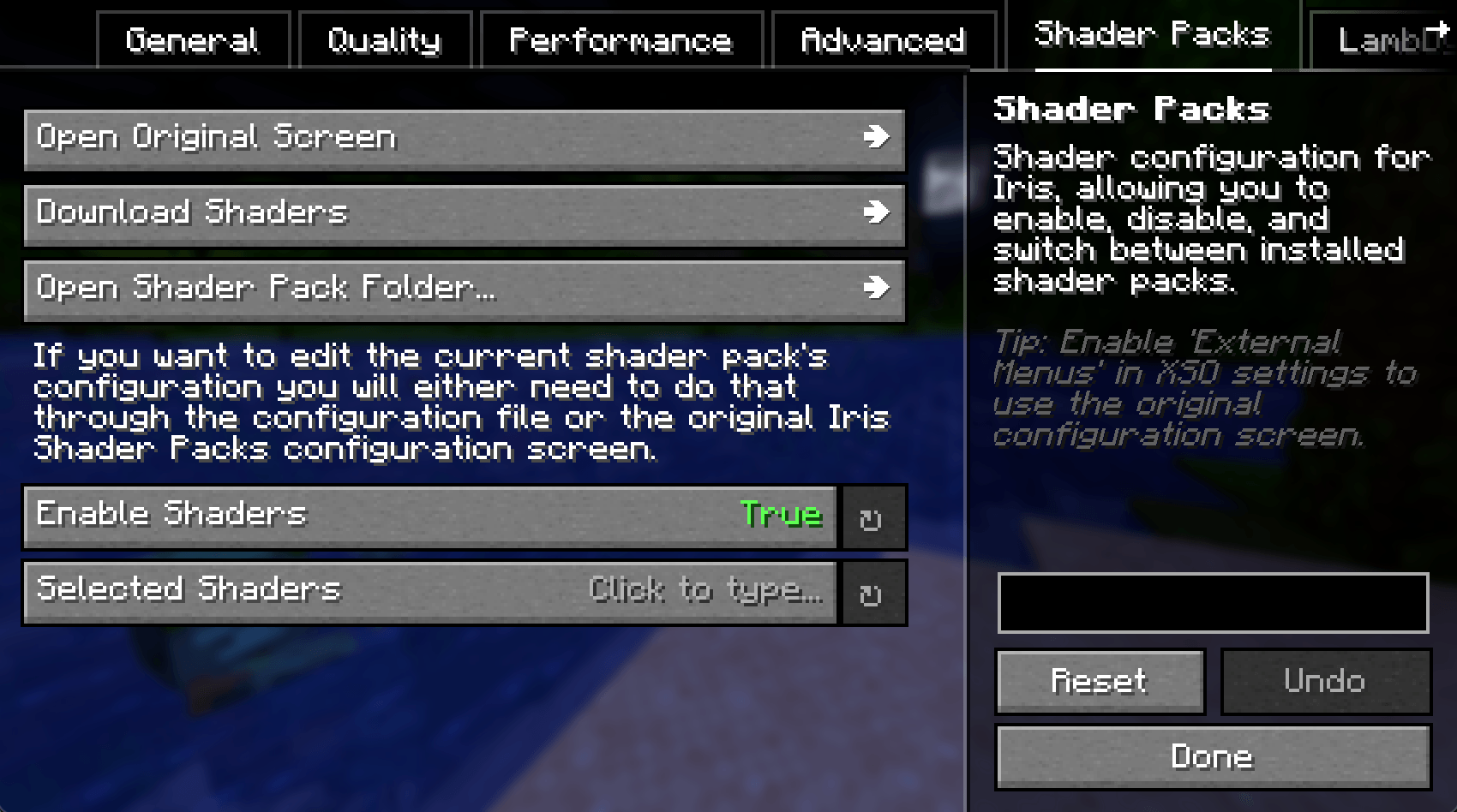 Iris Compatibility
 -
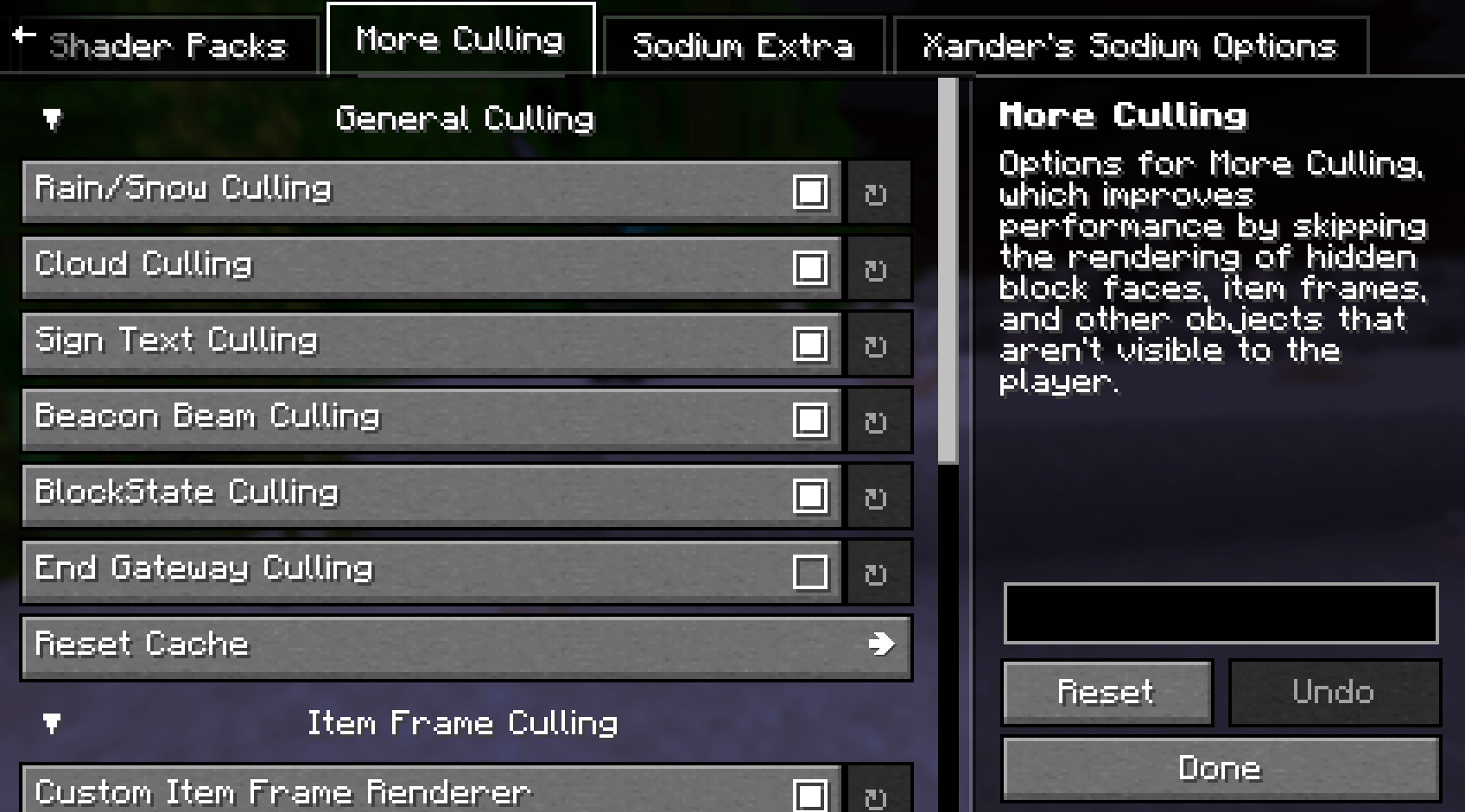 More Culling Compatibility
 -
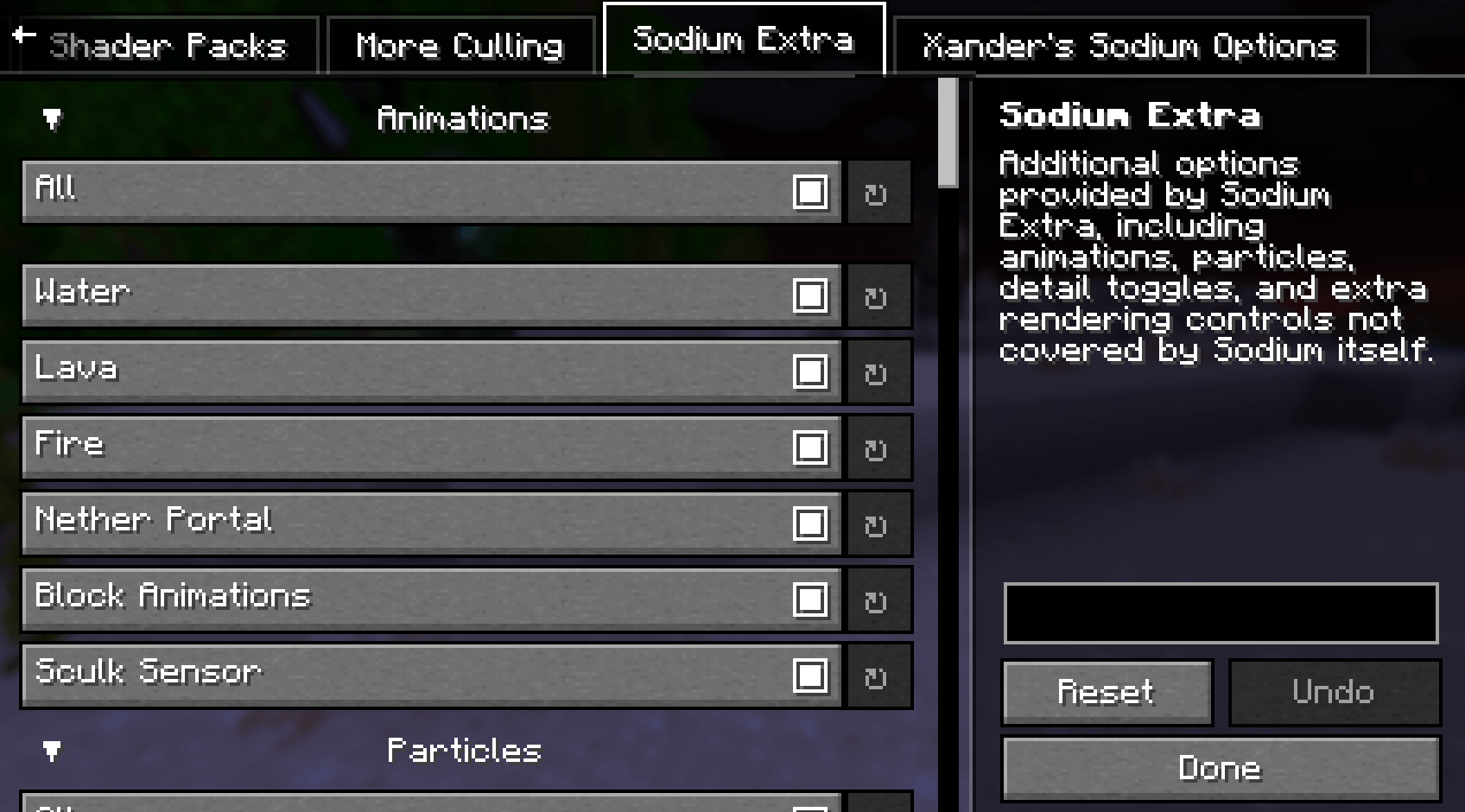 Sodium Extra Compatibility
-
General Tab
-
Iris Compatibility
-
MoreCulling Compatibility
-
Sodium Extra Compatibility
Versions
Files
Relations
Project Relations
More like this
Similar Mods
Suggestions use data such as tags, dependencies, dependents, descriptions, titles, and more to rank how much they overlap with this mod.
On ModDex
Community snapshot
By the numbers
Statistics
Want to reach Minecraft players?
We're looking for a server hosting partner to feature here and other parts of the site. Interested? Send us a message!
Get in touchGet it on
Available Platforms
On ModDex
Community snapshot
By the numbers