Community listing page, reviews may not be monitored by the author.
Your Own Music

No reviews yet
Upload your own music to Minecraft. It plays in place of the default music. MP3 only

Community voices
Reviews
No reviews yet. Be the first to review this project!
Get it on
Available Platforms
About
Project Details
For authors
Embed Badge
If you're the author of this project, you can embed a live badge anywhere that supports HTML or Markdown. It updates automatically whenever ratings change.
Use HTML for any page that supports it, or Markdown for README files and Markdown-based descriptions.
Identifiers
Platform IDs
Resources
External Links
About
Description
Your Own Music
Bring your own soundtrack to Minecraft. Your Own Music lets you play MP3 files directly in-game—just drop your songs into a folder and turn the music on.
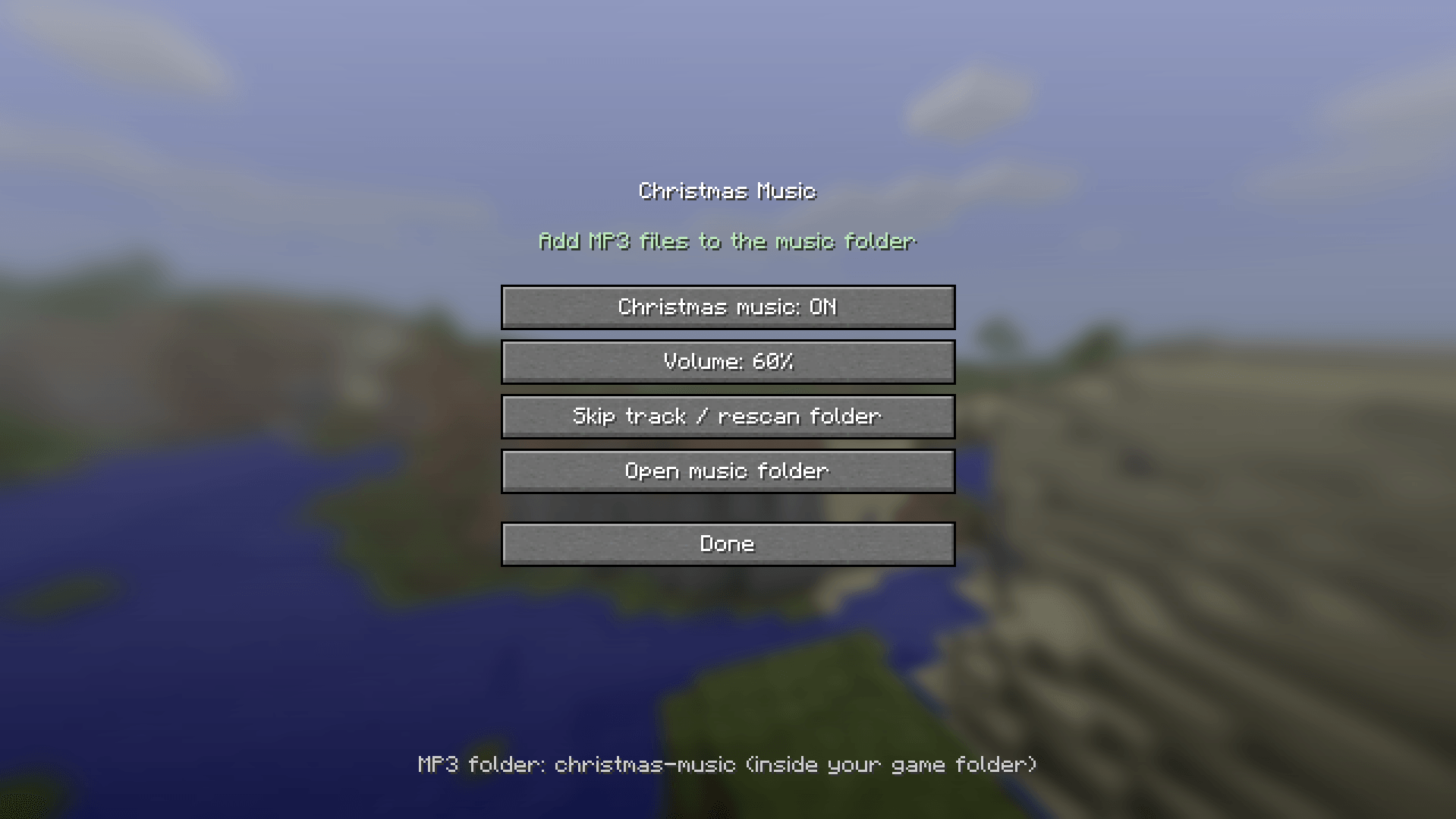
Open the menu from the title screen or pause menu to toggle playback, adjust the volume, skip tracks, or open your music folder. Songs play in a shuffled order, with no immediate repeats when multiple tracks are available.
- Supports MP3 files without conversion or a resource pack.
- Detects newly added songs between tracks or when you select Skip track / rescan folder.
- Saves your playback and volume preferences.
- Replaces Minecraft’s background music while enabled.
- Plays while a world is open and stops when you leave.
No music is included so add your own MP3 collection.
Download and installation
Download the file matching both your Minecraft version and mod loader: Fabric or NeoForge.
Install the matching loader. Fabric users also need Fabric API for their Minecraft version.
Place the downloaded .jar file in your Minecraft instance’s mods folder. Install only one version of the mod.
Launch Minecraft and open Custom Music from the top-left of the title screen or pause menu.
Select Open music folder, then drag your MP3 files directly into that folder.
Enter a world and switch playback ON.
The current builds use:
.minecraft/custom-music/
If your launcher uses separate instances, the folder will be inside that instance’s game directory. Subfolders are not scanned.
Updating from an earlier build? Remove the old Custom Music or Christmas Music .jar before installing the new one.
Screenshots
Gallery
-
 Screenshot 2026-10-26 222754.png Screenshot 2026-10-26 222754.png
Versions
Files
Relations
Project Relations
More like this
Similar Mods
Suggestions use data such as tags, dependencies, dependents, descriptions, titles, and more to rank how much they overlap with this mod.
On ModDex
Community snapshot
By the numbers
Statistics

Get it on
Available Platforms
On ModDex
Community snapshot
By the numbers
Statistics
Resources