Community listing page, reviews here may not be monitored by the author.
Zelash's Clutch Items


No reviews yet
3X3 Hammers, Paxels, XP Tome, Elevators and more to come!

Community voices
Reviews
No reviews yet. Be the first to review this project!
Get it on
Available Platforms
Compatibility
Supported Environments
Must be installed on both the client and the server.
About
Project Details
For authors
Embed Badge
If you're the author of this project, you can embed a live badge anywhere that supports HTML or Markdown. It updates automatically whenever ratings change.
Use HTML for any page that supports it, or Markdown for README files and Markdown-based descriptions.
Identifiers
Platform IDs
About
Description
Zelash's Clutch Items (ZCI)
yes, this mod basically steals borrow items and blocks from other mods, but i have a few ideas for original items coming soon
Zelash's Clutch Items (or ZCI) is a utility mod that adds several highly useful items and blocks to improve your survival experience, reduce grinding, and optimize exploration and building.
Features
Hammers:
Hammers are upgraded mining tools that allow you to mine blocks in an area, saving time when clearing out large spaces.
- Tiers: Stone, Iron, Golden, Diamond, Netherite.
- Variable Mining Area: By default, Hammers mine a 3x3 area. You can Crouch + Right-Click to toggle the mining radius (3x3 -> 5x5 -> 7x7).
- Normal Mining: If you Crouch while using the hammer, it will mine a 1x1 area.
Paxels:
Tired of carrying a Pickaxe, an Axe, and a Shovel? The Paxel combines all three into one universal tool!
- Tiers: same as hammers
- All-in-One: Mines stone, dirt, wood, and everything in between.
- Special Actions: You can use the Paxel to strip logs, scrape/wax copper, and flatten grass into dirt paths just like the standard tools.
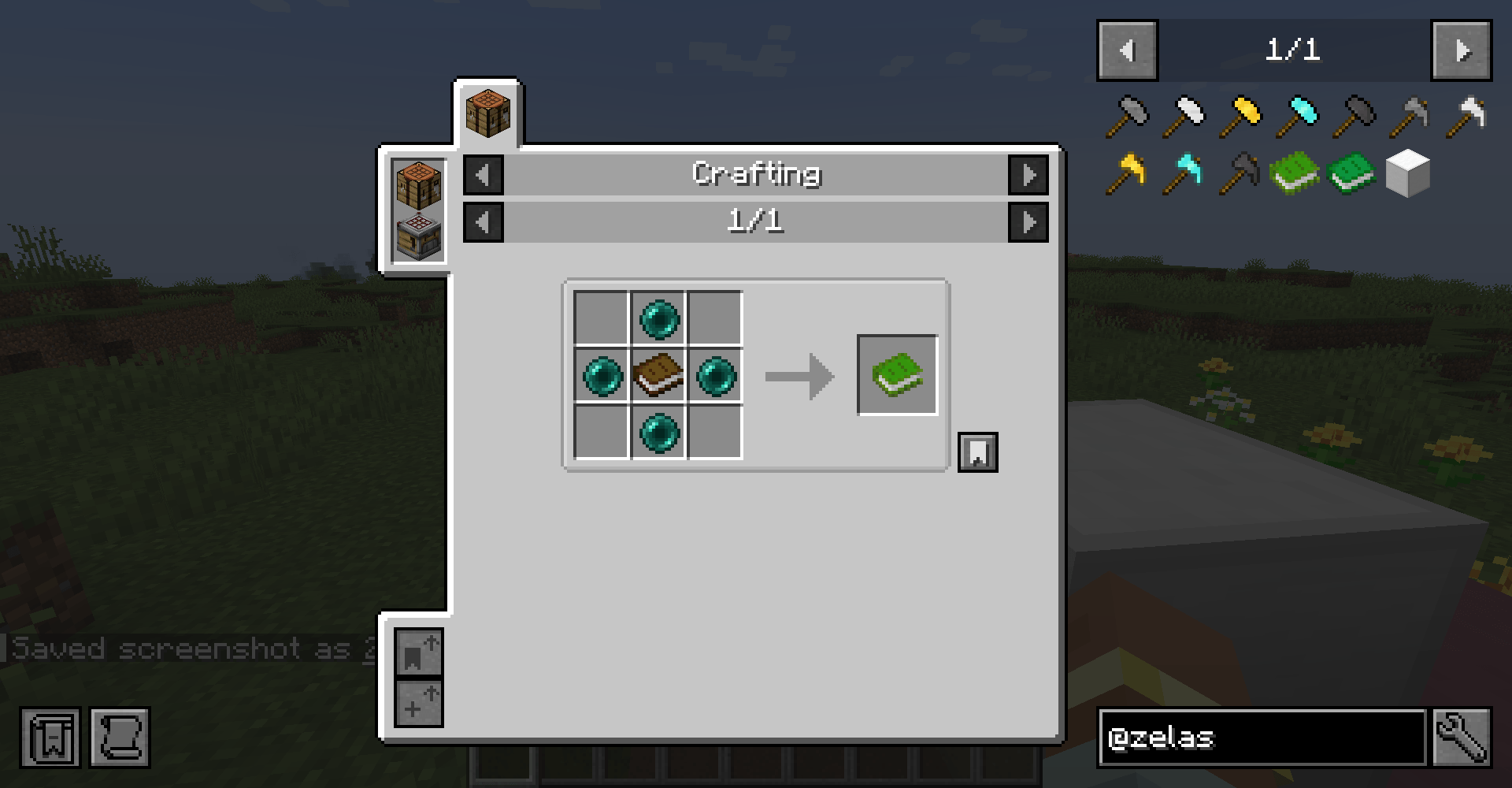
XP Tomes:
Store your hard-earned experience safely so you don't lose it upon death!
- XP Tome: Stores up to 30 experience levels (1395 XP).
- Large XP Tome: Stores 10x the amount (13950 XP).
- Crouch + Right-Click to store your current XP into the tome.
- Right-Click to retrieve XP from the tome.
- Configurability: In the mod's configuration file, you can change the max capacities, choose whether XP is transferred one level at a time or all at once, and even set an "XP retrieval cost" percentage.
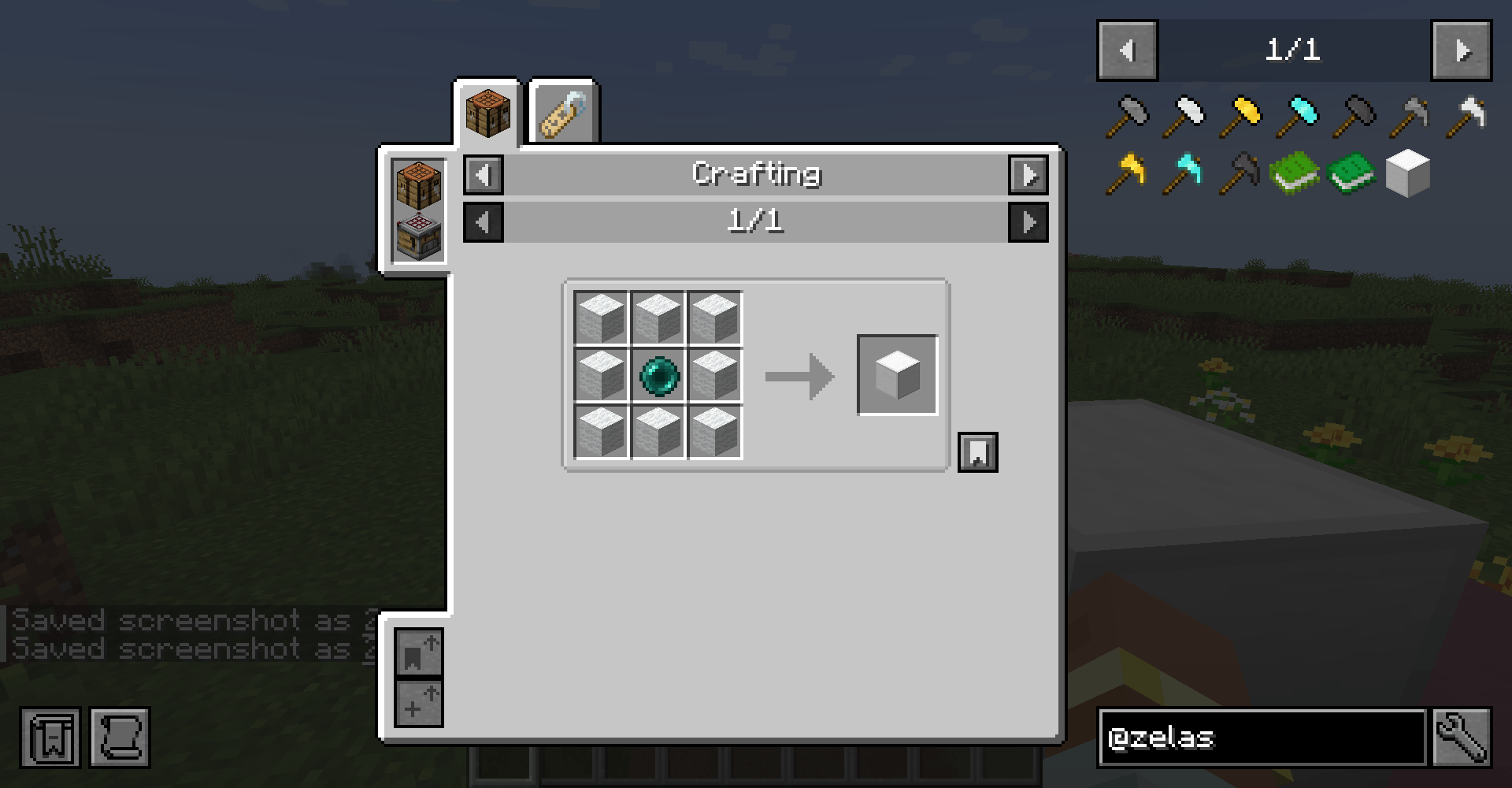
Elevators:
Navigate your multi-level bases instantly with Elevator blocks!
- Usage: Place Elevators directly above or below each other (up to 32 blocks default, configurable).
- Stand and Go: Stand on the Elevator and Jump to teleport to the floor above, or Crouch to teleport to the floor below.
- Colors: There are 16 colored variants, you can configure elevators to only connect to elevators of the exact same color directly in the mod config (defaults to
false, allowing mixed colors).
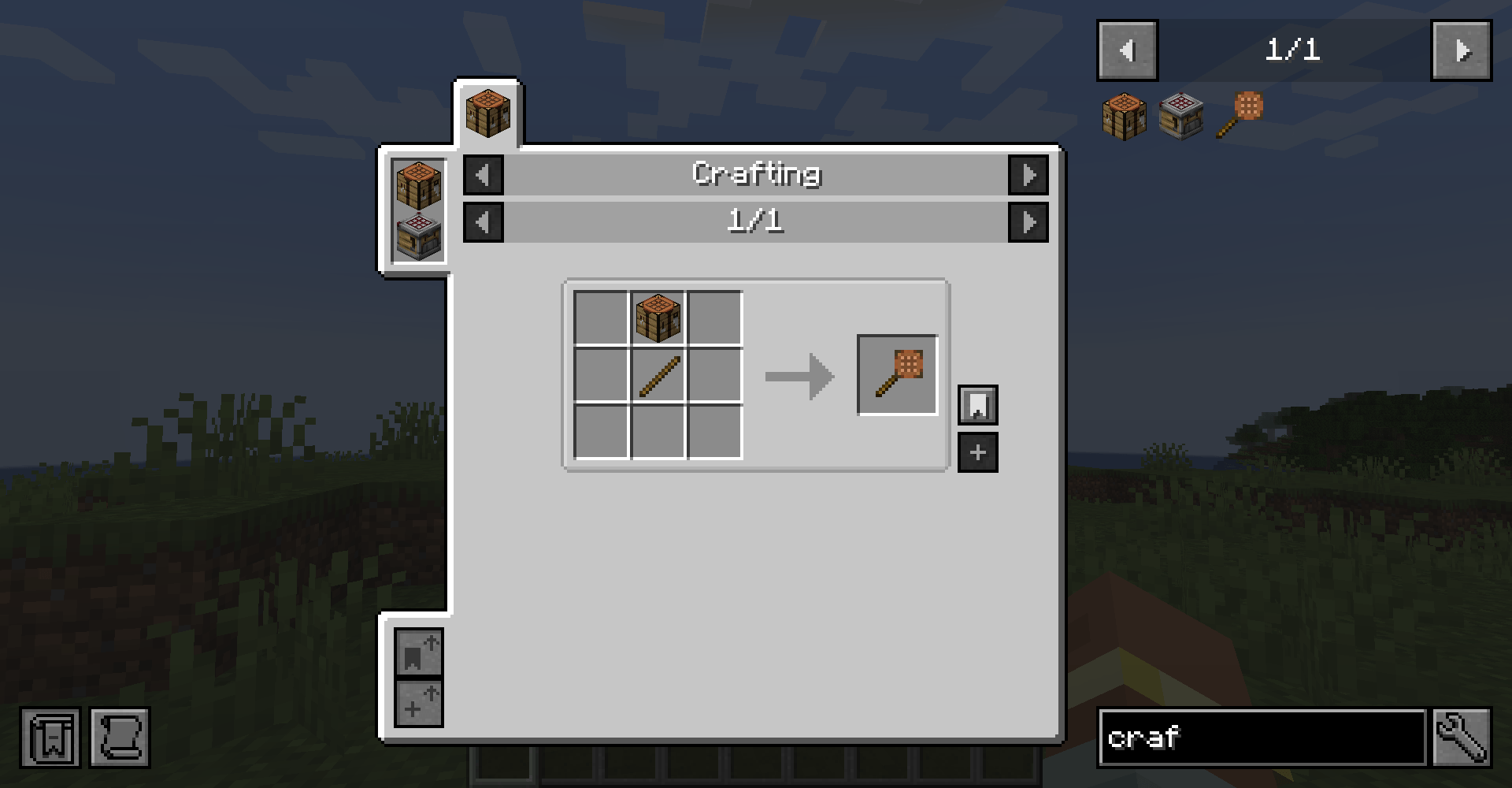
Crafting on a Stick:
Access a 3x3 crafting grid anywhere, anytime!
- Crafting: Combine a Crafting Table and a Stick in the crafting grid.
- Usage: Simply Right-Click to open a fully functional, portable crafting menu. You can also press C while having the crafting stick in your hotbar to open the crafting menu.
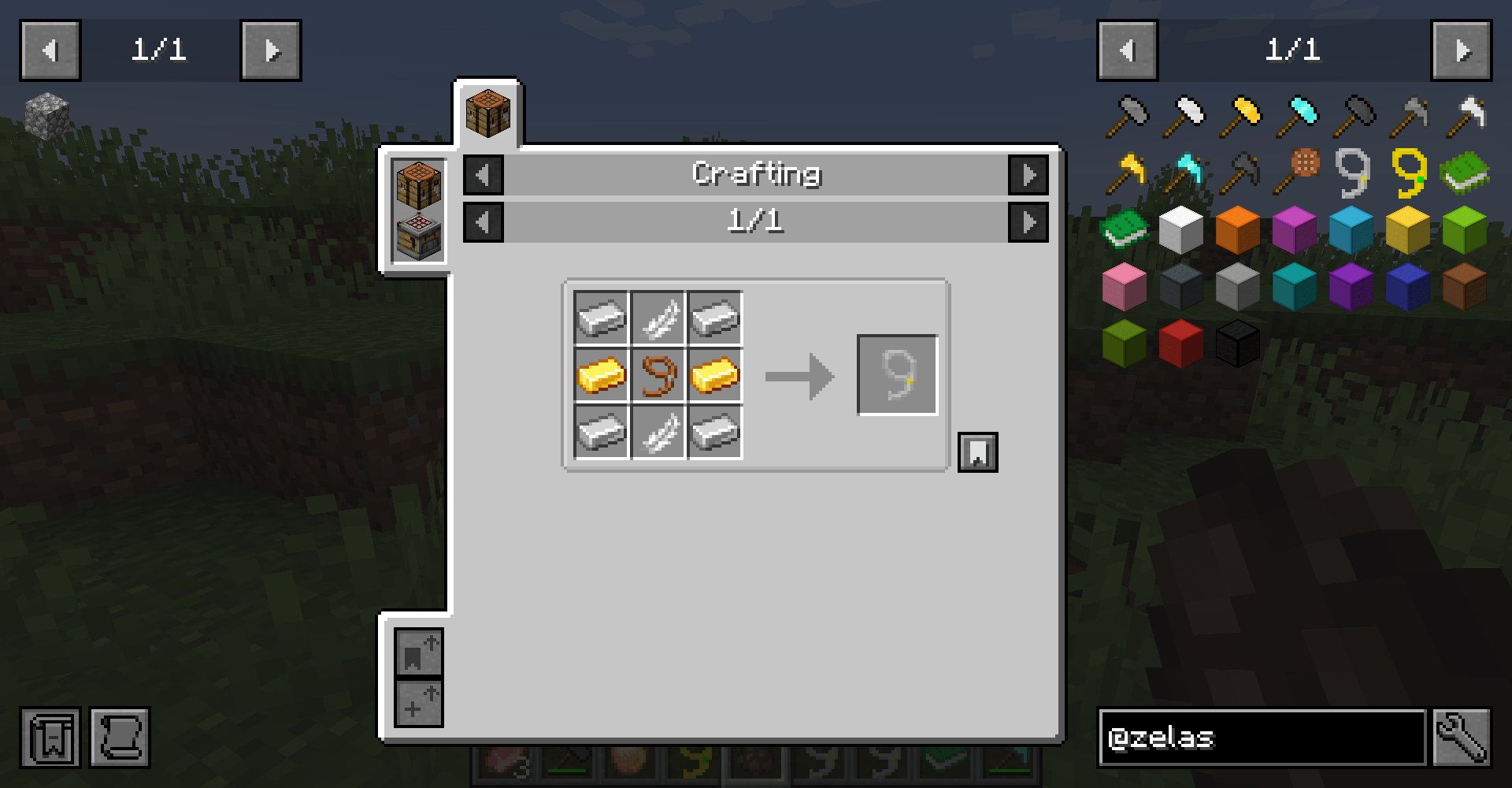
Mob lasso:
Easily capture and transport friendly mobs around! With the superior mob lasso you can even capture villagers and hostile mobs.
- Usage: Simply Right-Click a mob with a lasso in hand.
- Blacklist: Mobs can be prevented from being captured by adding them to the entity type tag
zelashsclutchitems:mob_lasso_blacklist. To do this, create a datapack or use KubeJS/CraftTweaker to add the mob's registry name (e.g.minecraft:vindicator) todata/zelashsclutchitems/tags/entity_type/mob_lasso_blacklist.json.
⚙️ Configuration
ZCI includes a config file that allows server and modpack creators to tweak various parameters to fit their desired experience, more parameters coming soon.
Note: a good chunk of the code was ai generated, the logo and all the pixel art inside the game was made by me based on minecraft's assets
feel free to ask for similar items from other mods, or even an original one you think it should be in minecraft!
Created by Zelash.
Zelash's Clutch Items (ZCI)
yes, this mod basically steals borrow items and blocks from other mods, but i have a few ideas for original items coming soon
ZCI is a utility mod that adds several highly useful items and blocks to improve your survival experience, reduce grinding, and optimize exploration and building.
Features
Hammers:
Hammers are upgraded mining tools that allow you to mine blocks in an area, saving time when clearing out large spaces.
- Tiers: Stone, Iron, Golden, Diamond, Netherite.
- Variable Mining Area: By default, Hammers mine a 3x3 area. You can Crouch + Right-Click to toggle the mining radius (3x3 -> 5x5 -> 7x7).
- Normal Mining: If you Crouch while using the hammer, it will mine a 1x1 area.
Paxels:
Tired of carrying a Pickaxe, an Axe, and a Shovel? The Paxel combines all three into one universal tool!
- Tiers: same as hammers
- All-in-One: Mines stone, dirt, wood, and everything in between.
- Special Actions: You can use the Paxel to strip logs, scrape/wax copper, and flatten grass into dirt paths just like the standard tools.
XP Tomes:
Store your hard-earned experience safely so you don't lose it upon death!
- XP Tome: Stores up to 30 experience levels (1395 XP).
- Large XP Tome: Stores 10x the amount (13950 XP).
- Crouch + Right-Click to store your current XP into the tome.
- Right-Click to retrieve XP from the tome.
- Configurability: In the mod's configuration file, you can change the max capacities, choose whether XP is transferred one level at a time or all at once, and even set an "XP retrieval cost" percentage.
Elevators:
Navigate your multi-level bases instantly with Elevator blocks!
- Usage: Place Elevators directly above or below each other (up to 32 blocks default, configurable).
- Stand and Go: Stand on the Elevator and Jump to teleport to the floor above, or Crouch to teleport to the floor below.
- Colors: There are 16 colored variants, you can configure elevators to only connect to elevators of the exact same color directly in the mod config (defaults to
false, allowing mixed colors).
Crafting on a Stick:
Access a 3x3 crafting grid anywhere, anytime!
- Crafting: Combine a Crafting Table and a Stick in the crafting grid.
- Usage: Simply Right-Click to open a fully functional, portable crafting menu. You can also press C while having the crafting stick in your hotbar to open the crafting menu.
Mob lasso:
Easily capture and transport friendly mobs around! With the superior mob lasso you can even capture villagers and hostile mobs.
- Usage: Simply Right-Click a mob with a lasso in hand.
- Blacklist: Mobs can be prevented from being captured by adding them to the entity type tag
zelashsclutchitems:mob_lasso_blacklist. To do this, create a datapack or use KubeJS/CraftTweaker to add the mob's registry name (e.g.minecraft:vindicator) todata/zelashsclutchitems/tags/entity_type/mob_lasso_blacklist.json.
⚙️ Configuration
ZCI includes a config file that allows server and modpack creators to tweak various parameters to fit their desired experience, more parameters coming soon.
Note: a good chunk of the code was ai generated, the logo and all the pixel art inside the game was made by me based on minecraft's assets
feel free to ask for similar items from other mods, or even an original one you think it should be in minecraft!
Created by Zelash.
Screenshots
Gallery
-
 2026-03-07_19.13.08.png 2026-03-07_19.13.08.png
 -
 2026-03-04_01.34.57.png 2026-03-04_01.34.57.png
 -
 2026-03-04_01.35.05.png 2026-03-04_01.35.05.png
 -
 2026-03-04_01.35.08.png 2026-03-04_01.35.08.png
 -
 2026-03-04_01.35.10.png 2026-03-04_01.35.10.png
 -
 2026-03-05_18.18.02.png 2026-03-05_18.18.02.png
 -
 2026-03-07_17.55.53.png 2026-03-07_17.55.53.png
 -
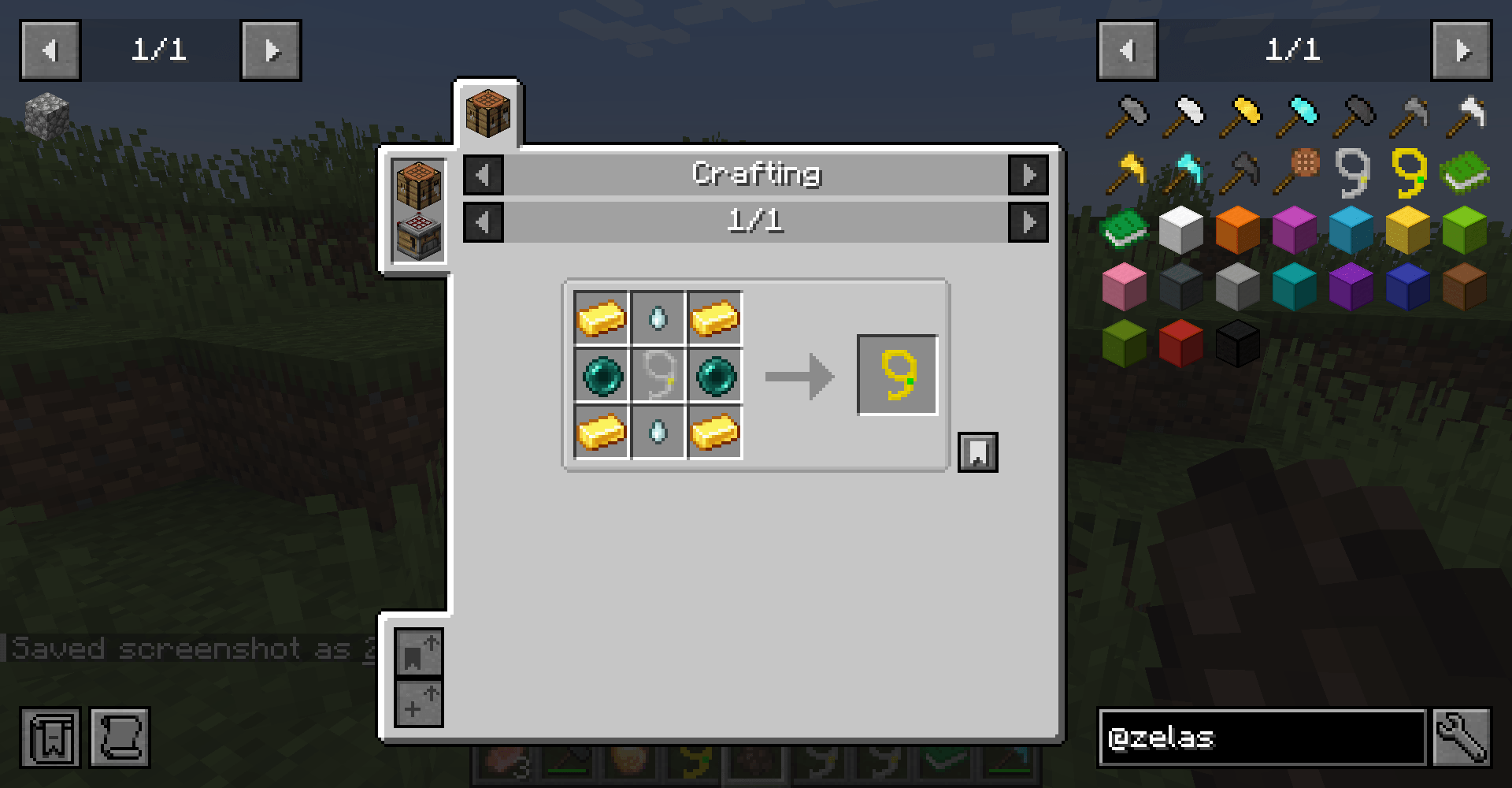 2026-03-07_17.55.54.png 2026-03-07_17.55.54.png
-
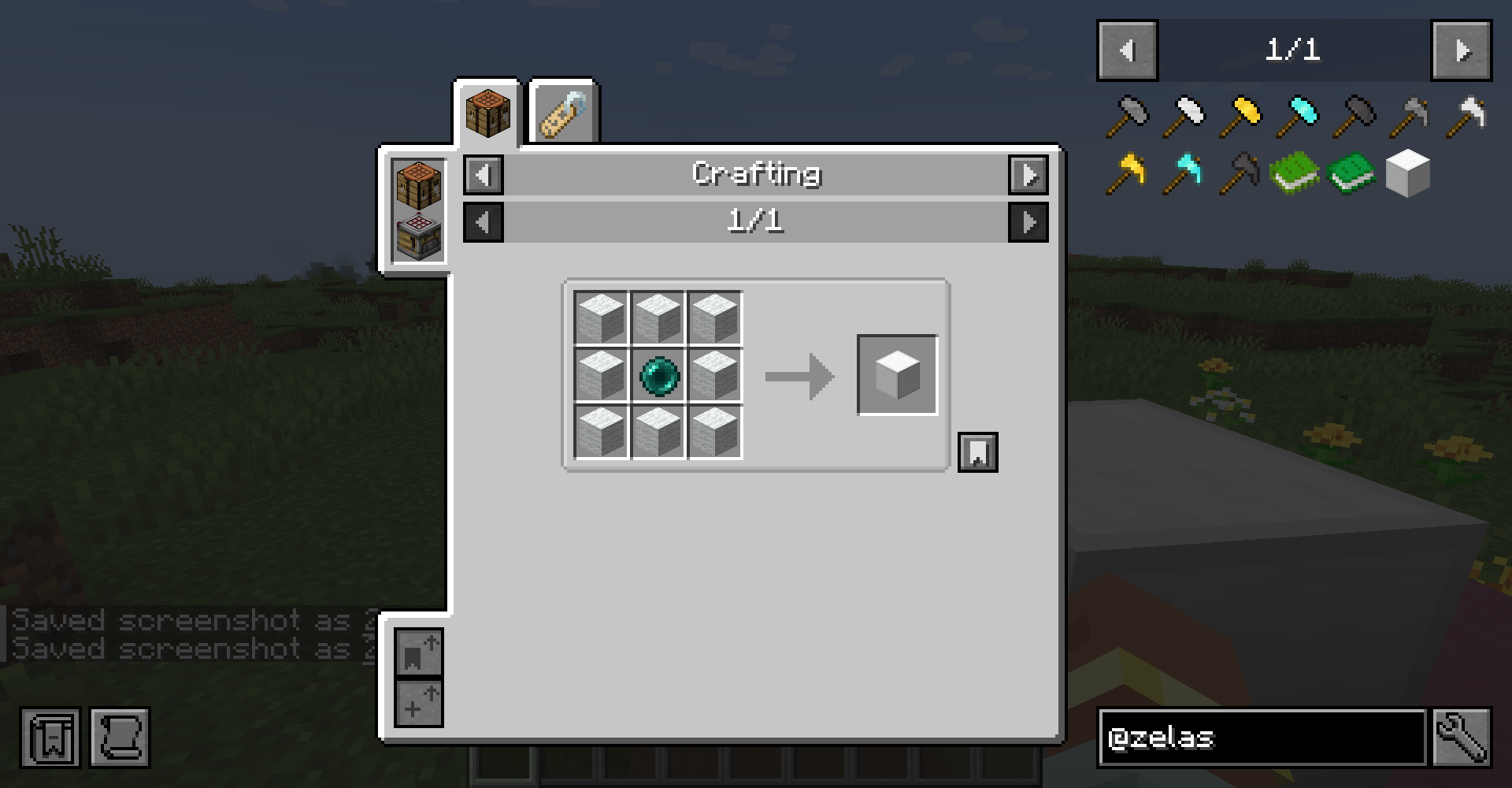 Elevators recipe for elevators, you can also use colored whool!
 -
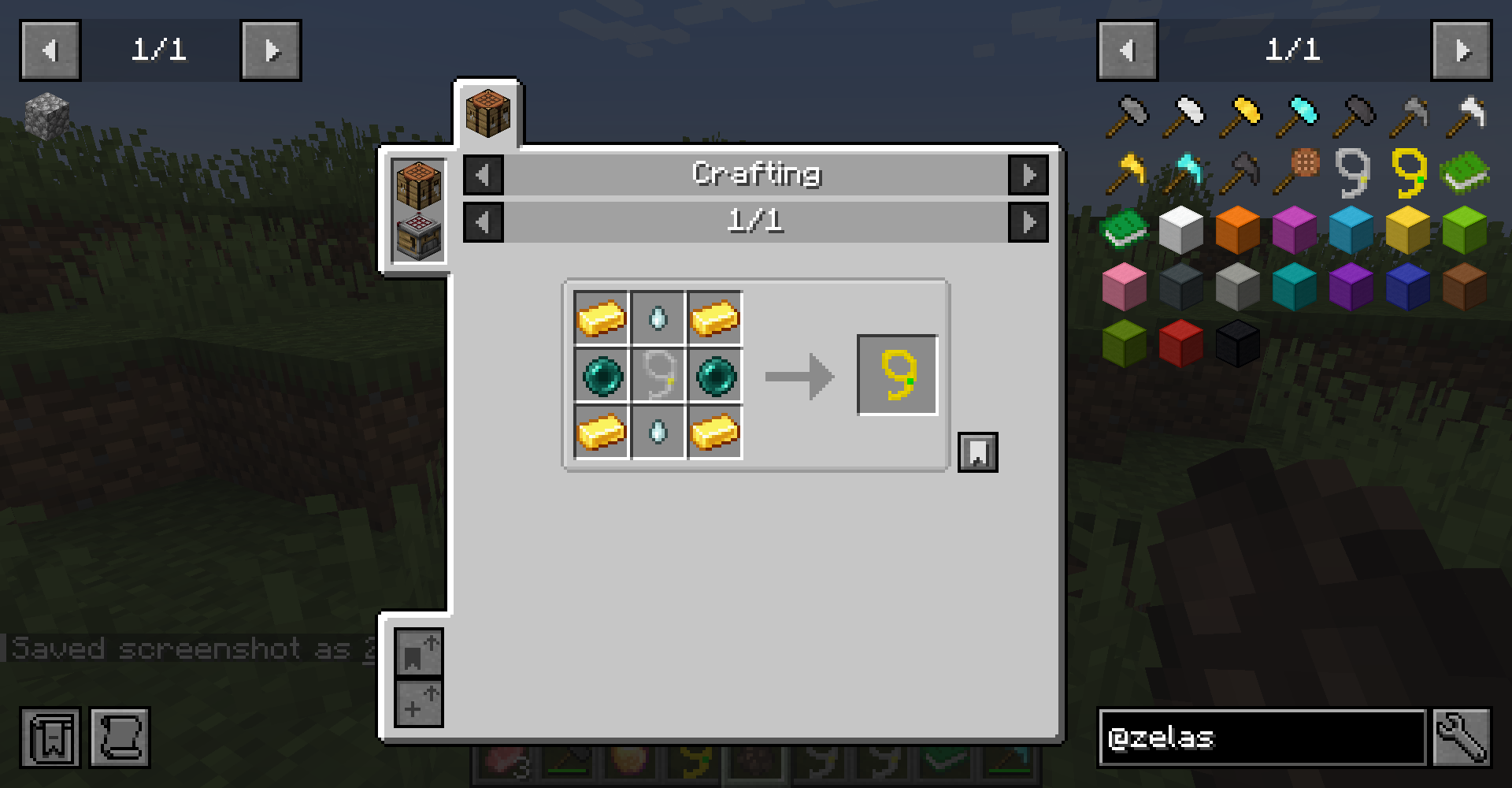 Superior Mob Lasso recipe
 -
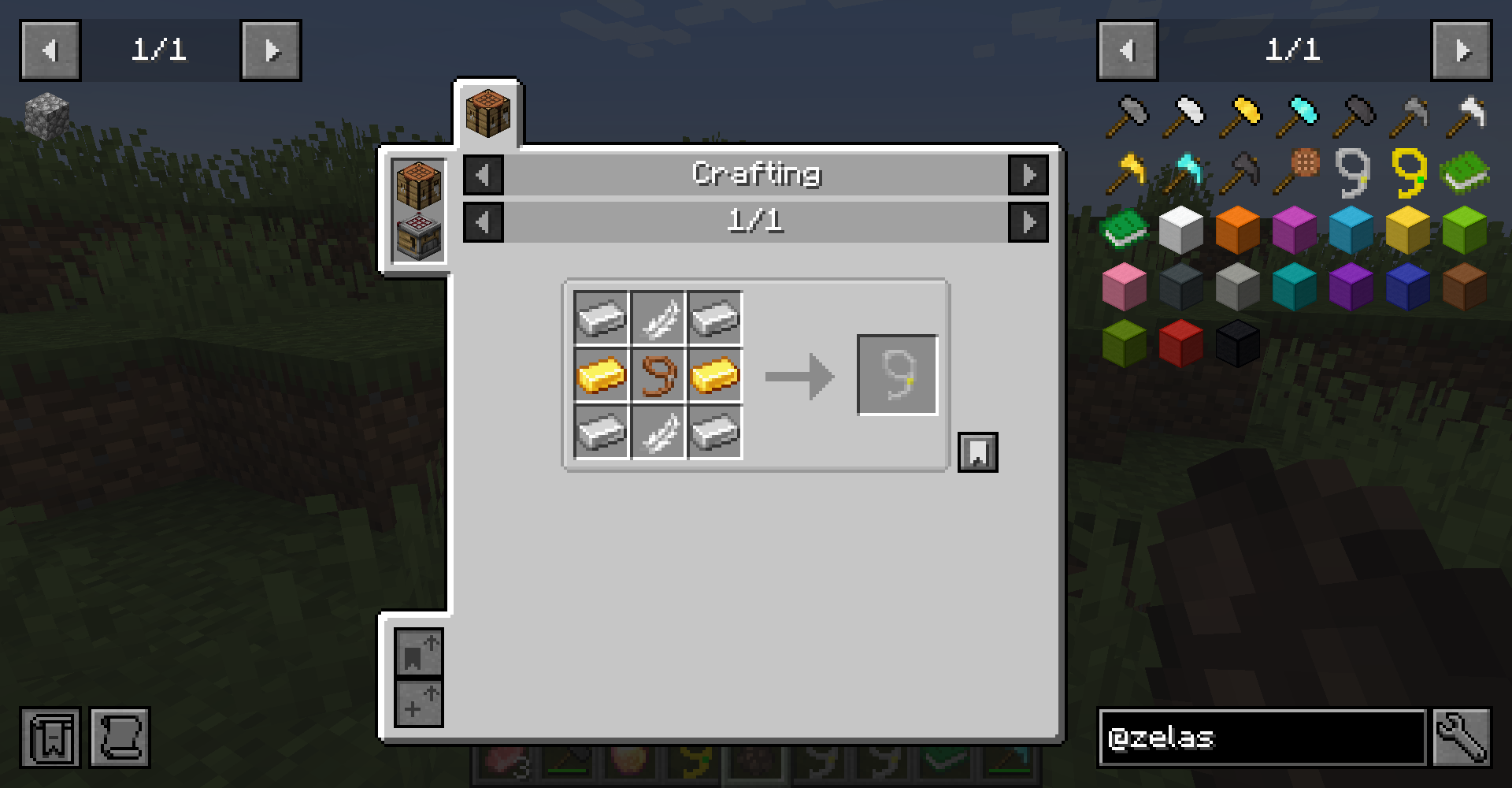 Mob Lasso recipe for Mob lasso
 -
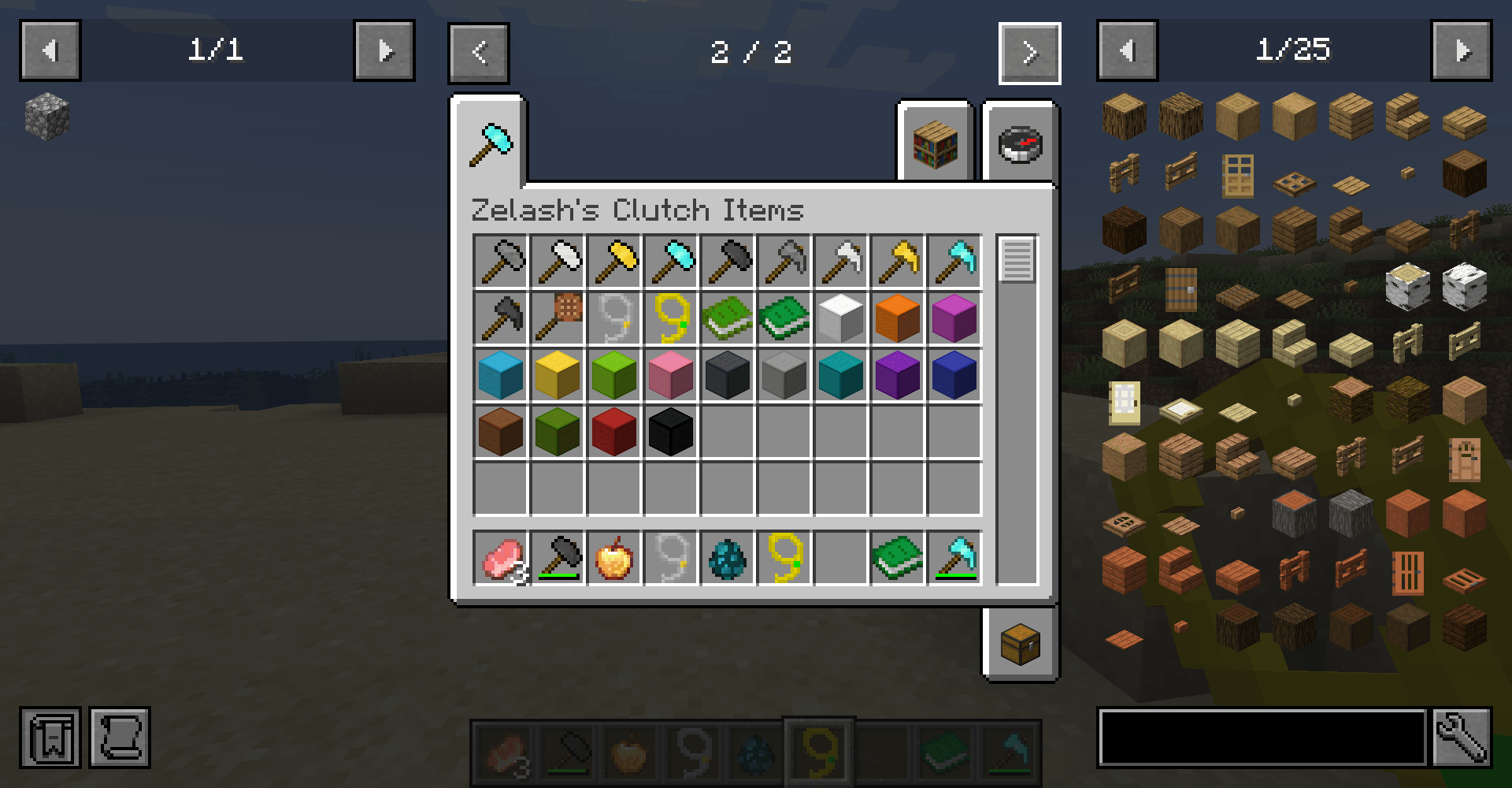
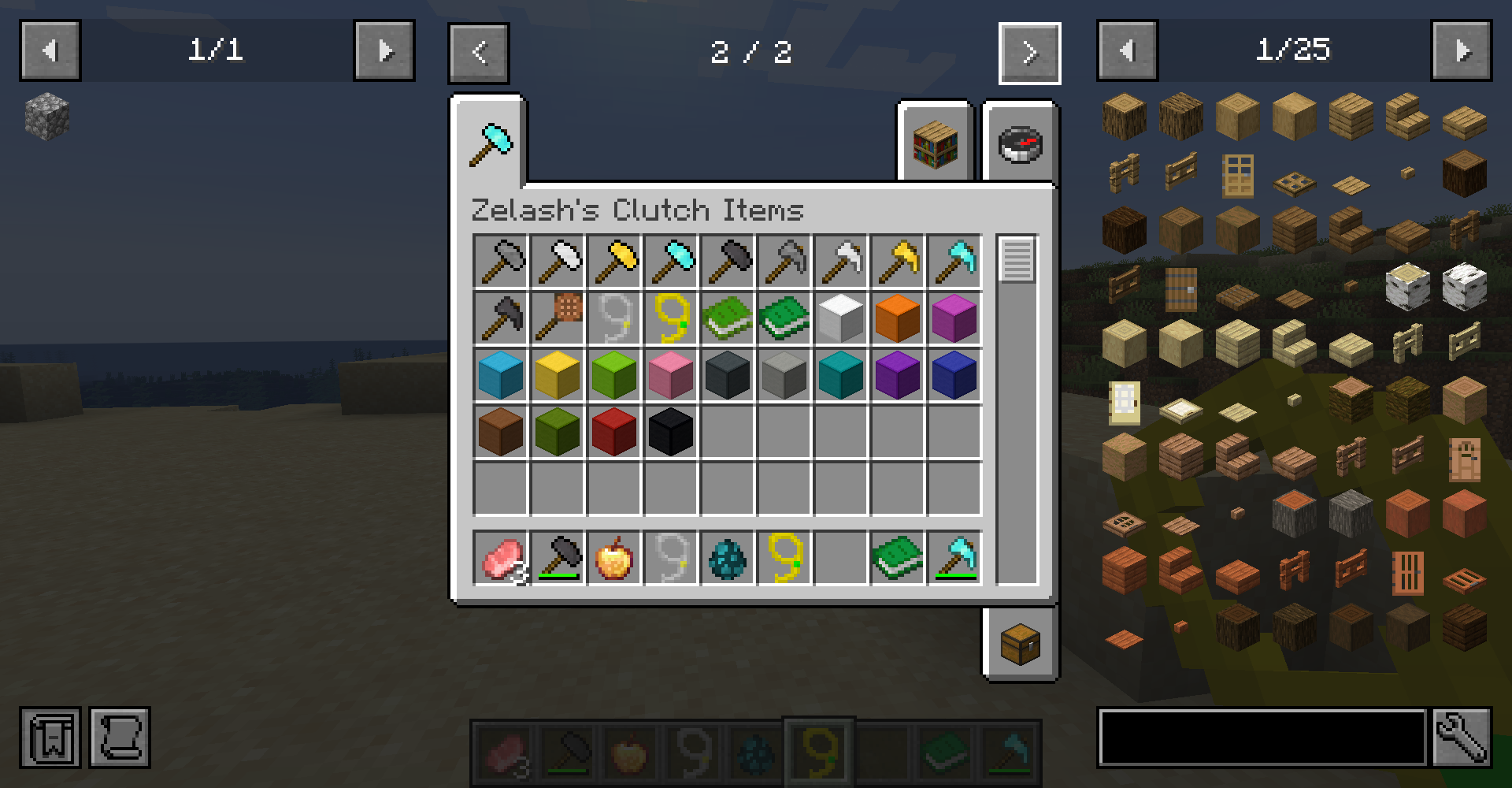 All the items! this is what ZIC has to offer for now
 -
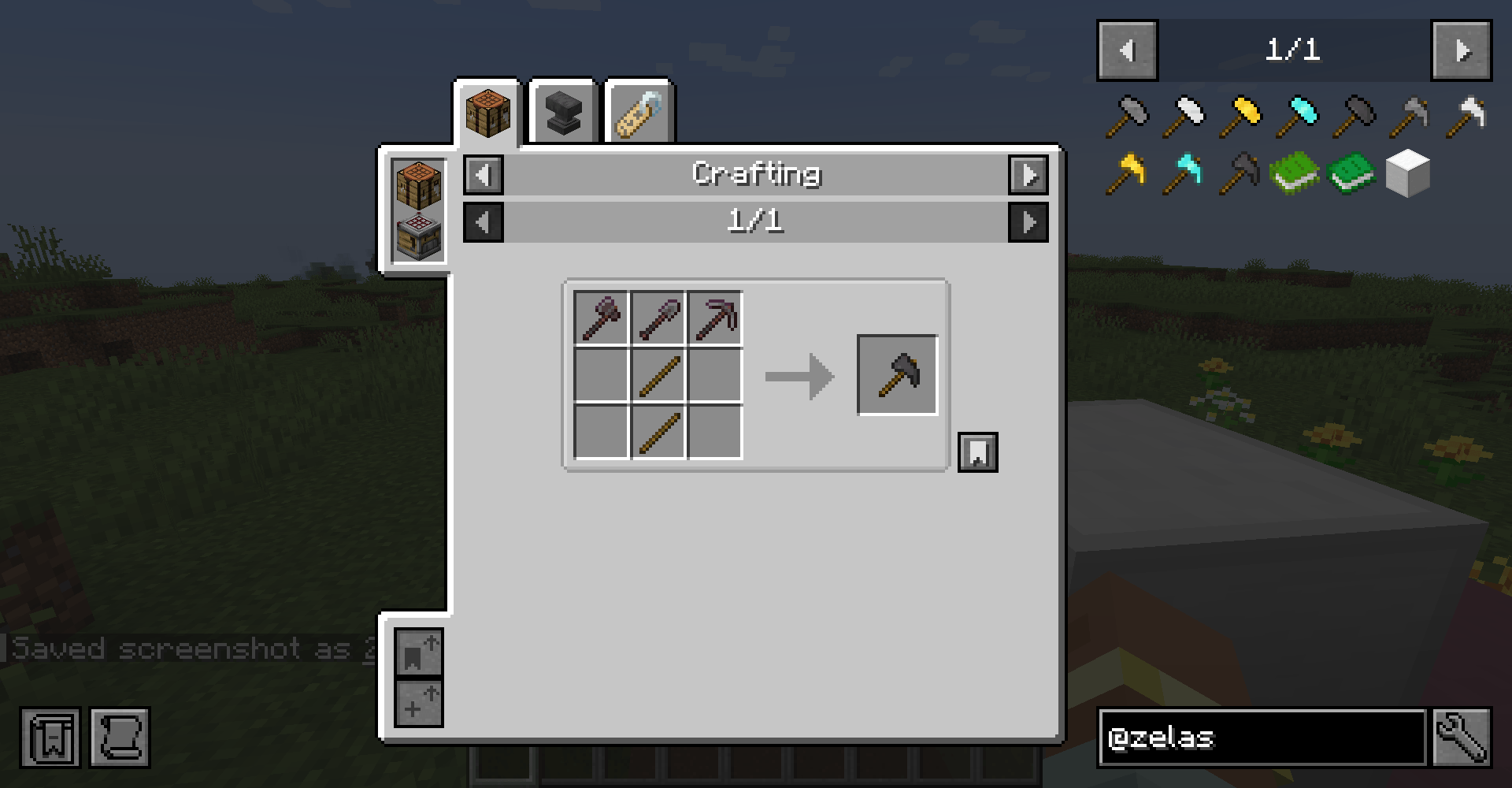
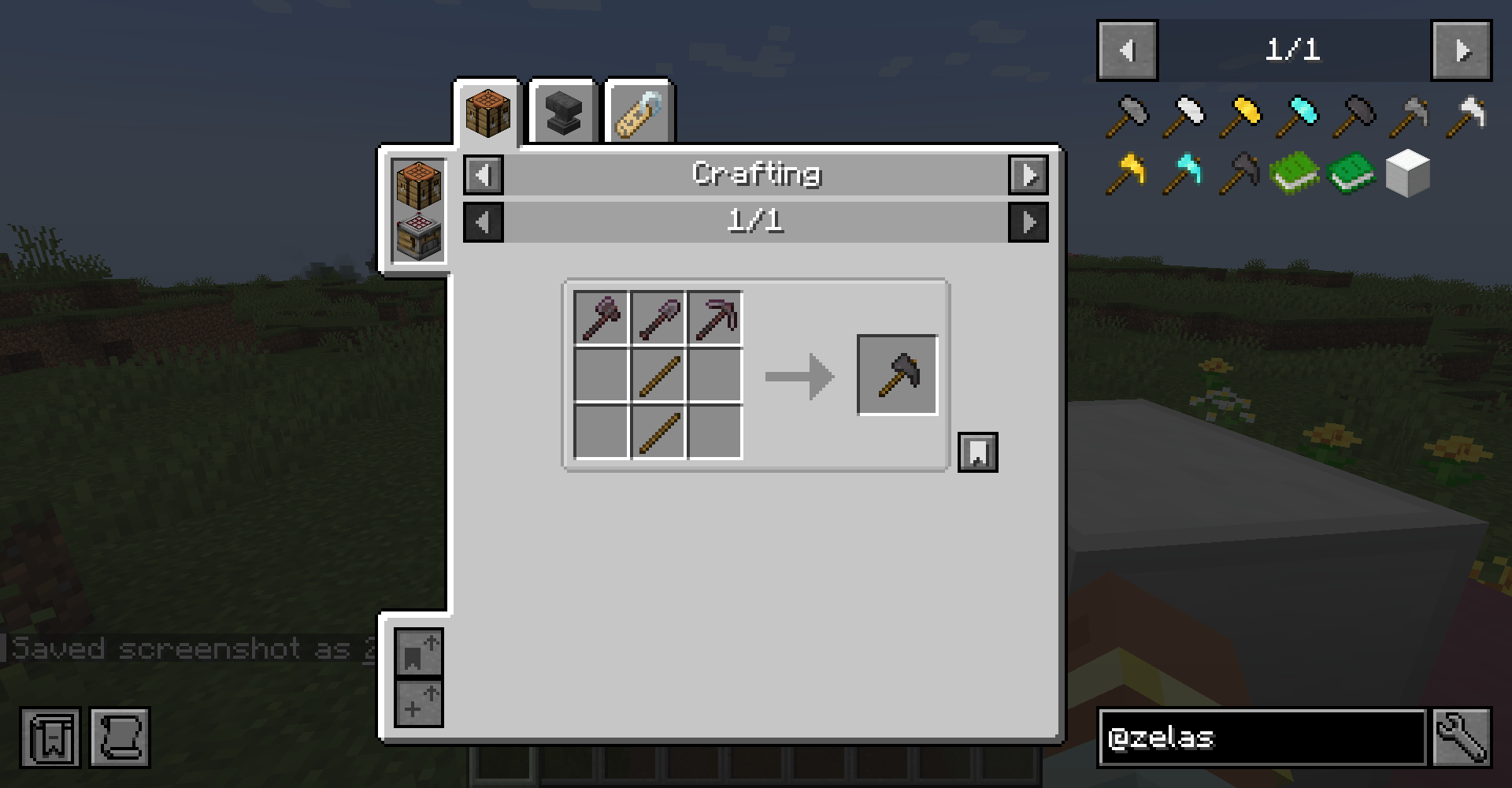 Paxel recipe for paxels, you can't go from a diamond paxel to a netherite one using a smithing table, you need all the other netherite tools
 -
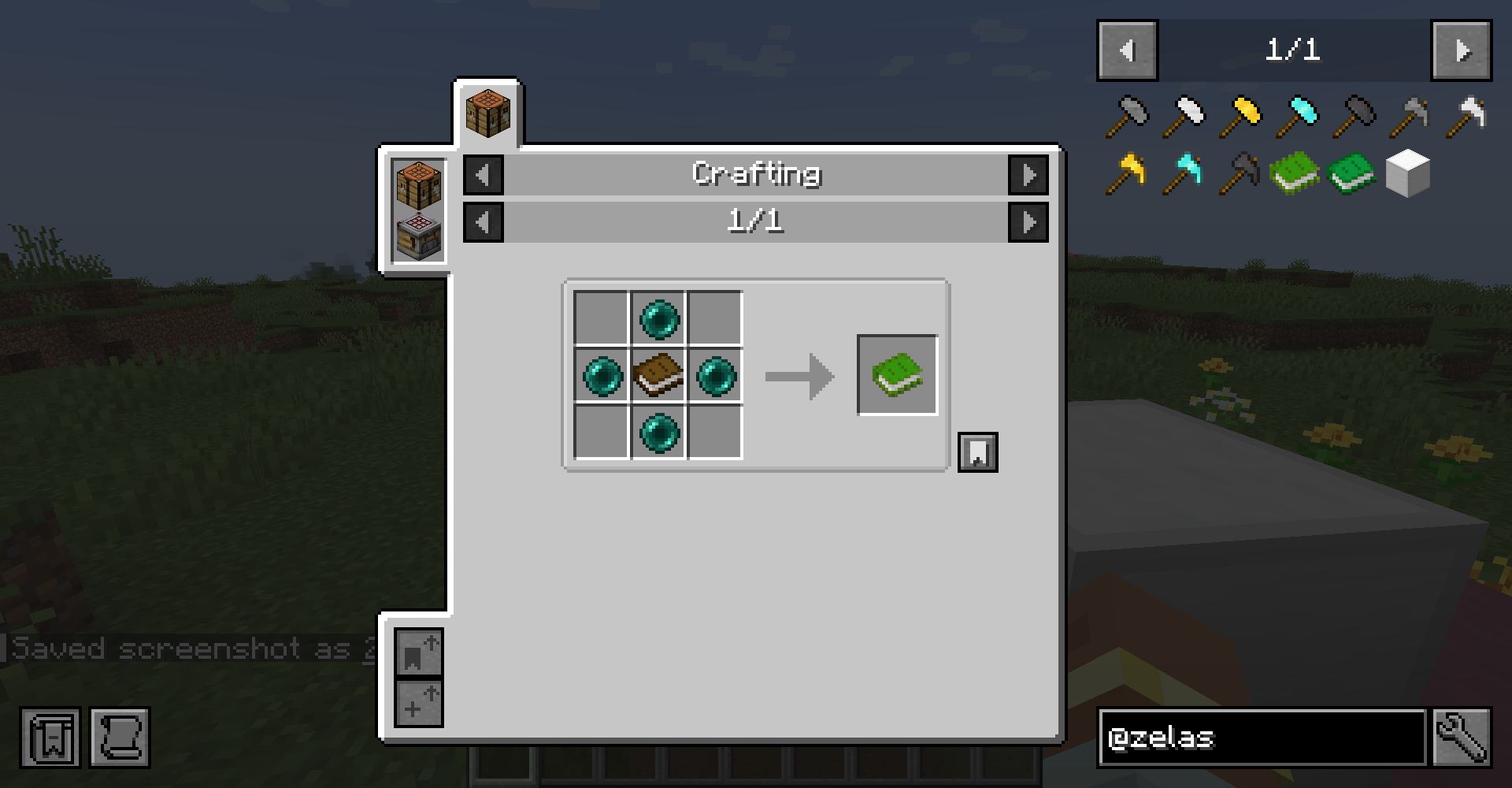 XP Tome recipe for the normal xp tome, for the large xp tome you need 9 of this normal xp tome. the xp of each tome will transfer to the new one
 -
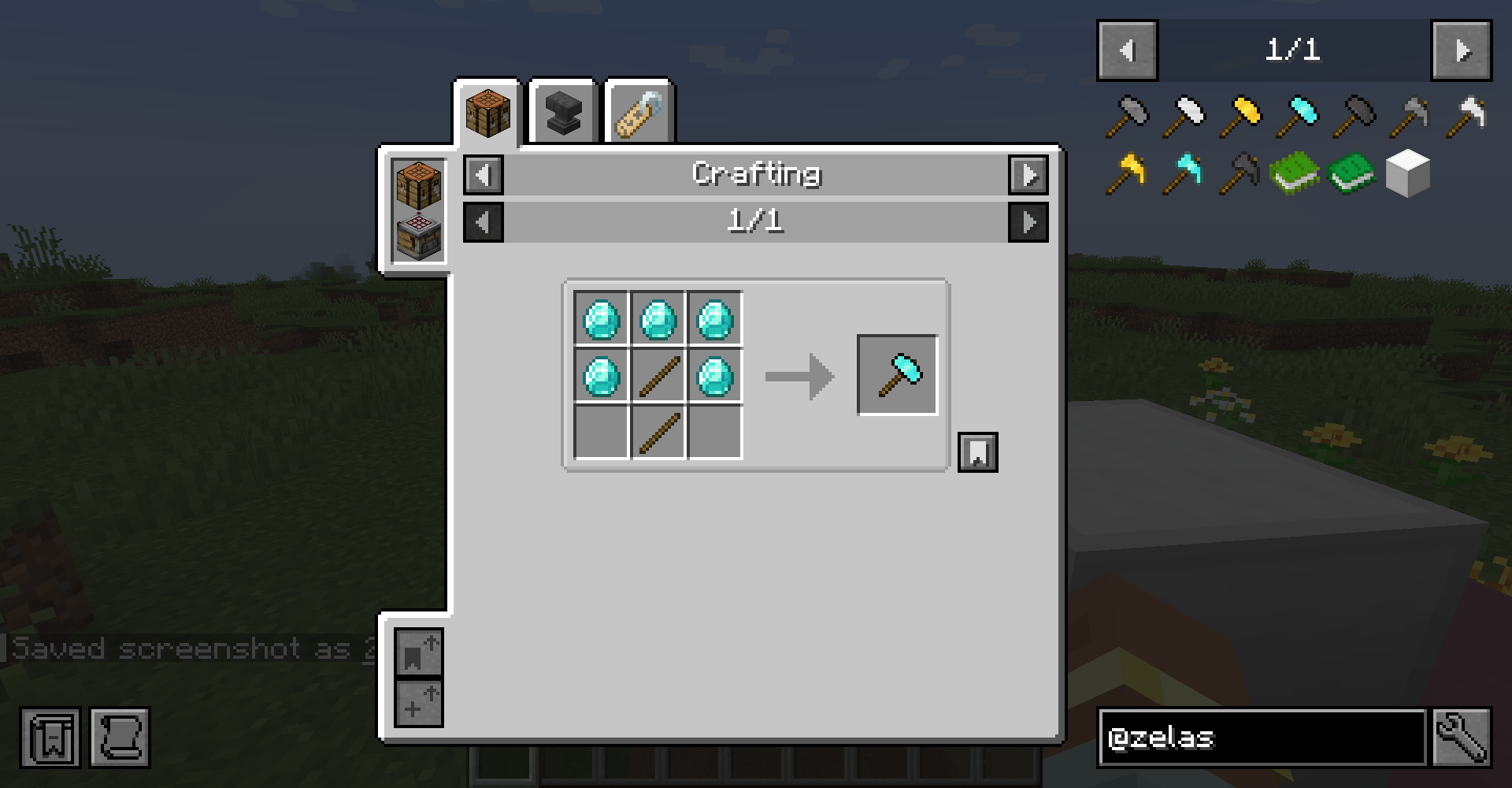
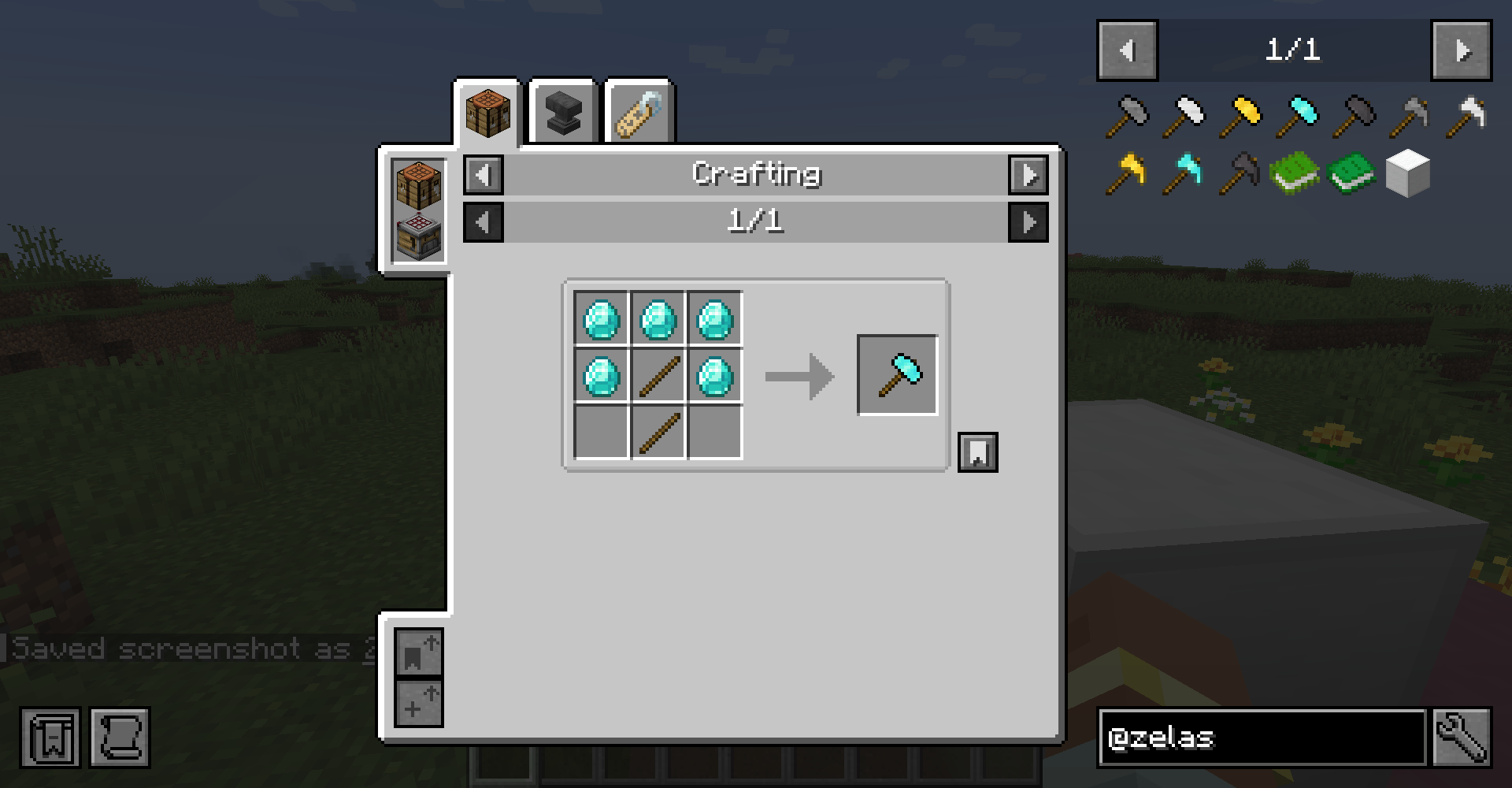 Hammers! recipe for hammers
 -
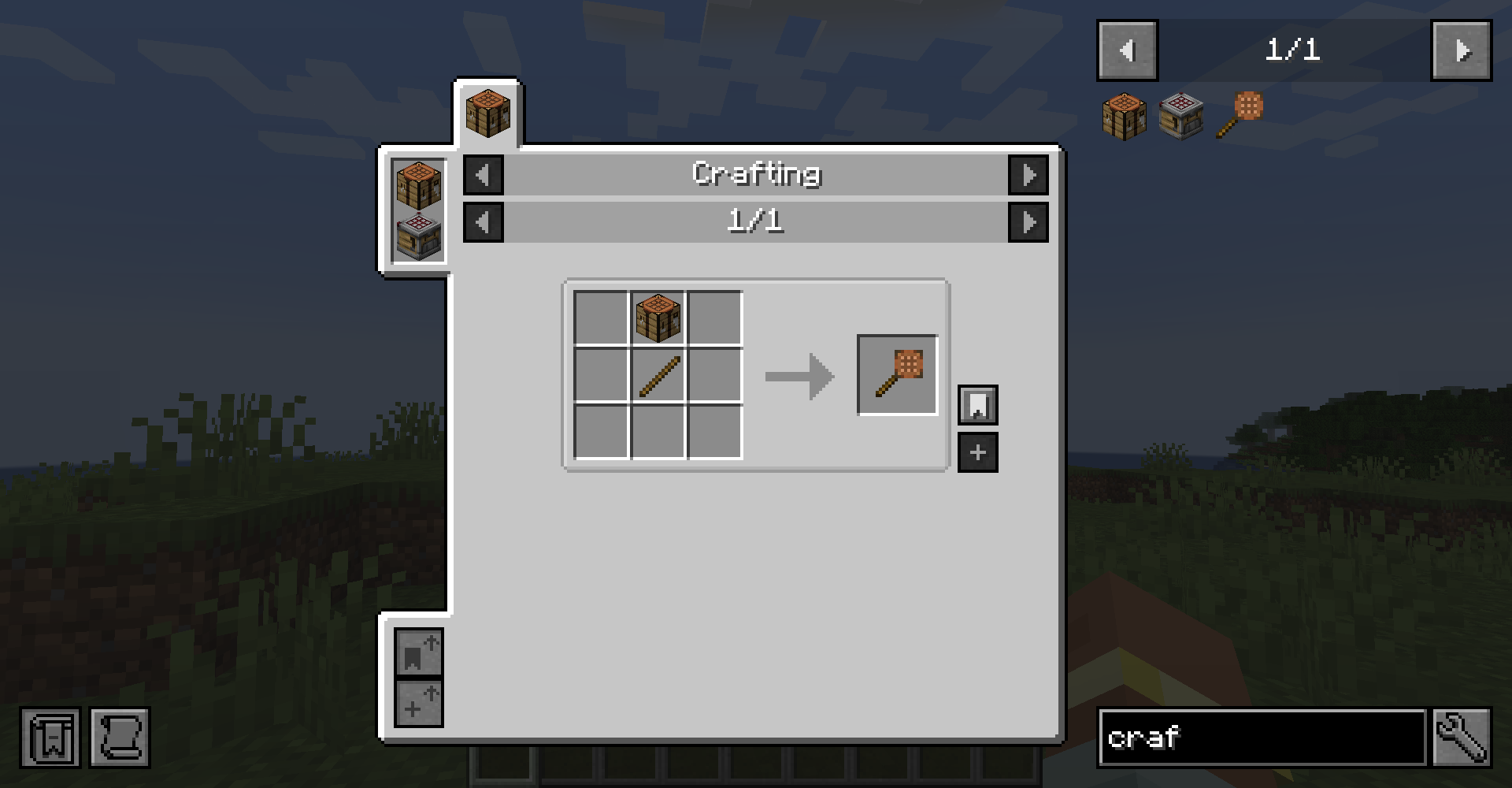 Crafting in a stick recipe for Crafting in a stick
Versions
Files
Relations
Project Relations
More like this
Similar Mods
Suggestions use data such as tags, dependencies, dependents, descriptions, titles, and more to rank how much they overlap with this mod.
On ModDex
Community snapshot
By the numbers
Statistics
 (opens in a new tab)
Get it on
Available Platforms
On ModDex
Community snapshot
By the numbers