
Community listing page, reviews here may not be monitored by the author.
ZynAutoEat


No reviews yet
Auto Eat that actually helps: off-hand first, smooth until full, respects your inputs, safe around fishing rods, and fully configurable via a clean, searchable blacklist UI (toggle-all/reset). Client-side only.
Community voices
Reviews
No reviews yet. Be the first to review this project!
Get it on
Available Platforms
Compatibility
Supported Environments
Runs entirely on the client. Works on vanilla servers.
About
Project Details
For authors
Embed Badge
If you're the author of this project, you can embed a live badge anywhere that supports HTML or Markdown. It updates automatically whenever ratings change.
Use HTML for any page that supports it, or Markdown for README files and Markdown-based descriptions.
Identifiers
Platform IDs
Resources
External Links
About
Description
ZynAutoEat — Hands-free Auto Eat for Fabric & Forge
ZynAutoEat keeps your hunger full without stealing control from you. It automatically eats from your off-hand first, then main hand, then hotbar, and smoothly chains bites until full. It pauses the moment you right-click or open any GUI and resumes automatically afterward. Built as a lightweight client-side QoL mod, it works on servers that don’t have the mod installed.
Loaders: Fabric and Forge
This page hosts both builds. If a Forge build isn’t listed yet for your version, it’s in the pipeline.
Features
- Off-hand priority with hotbar fallback
- Smooth chain-eating until full (keeps the vanilla eating animation)
- Respects your inputs pauses on right-click and while any GUI is open; resumes when you’re done
- Fishing-rod safe avoids accidental cast/reel between bites
- In-game blacklist with Search, Toggle-All, and Reset
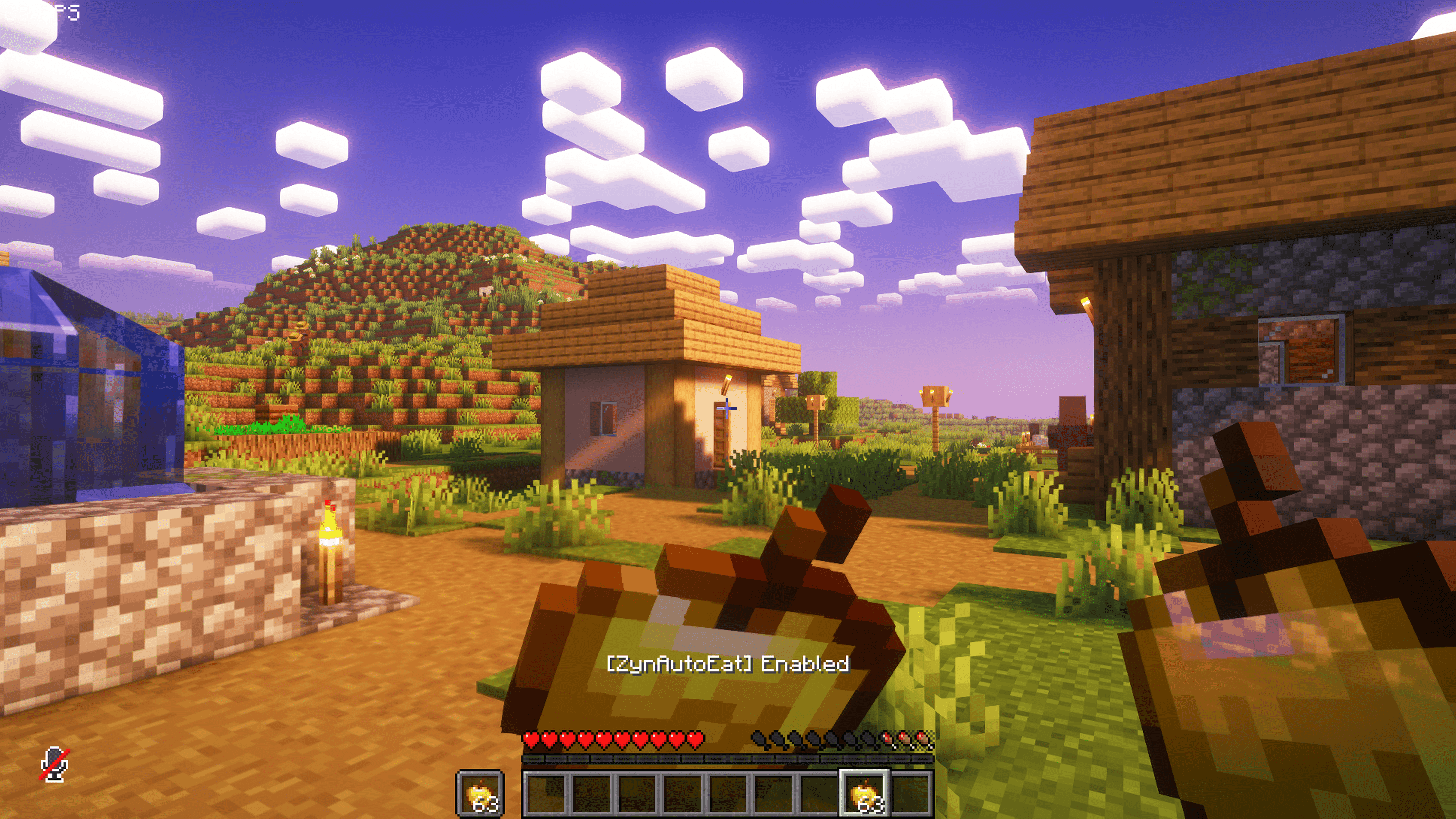
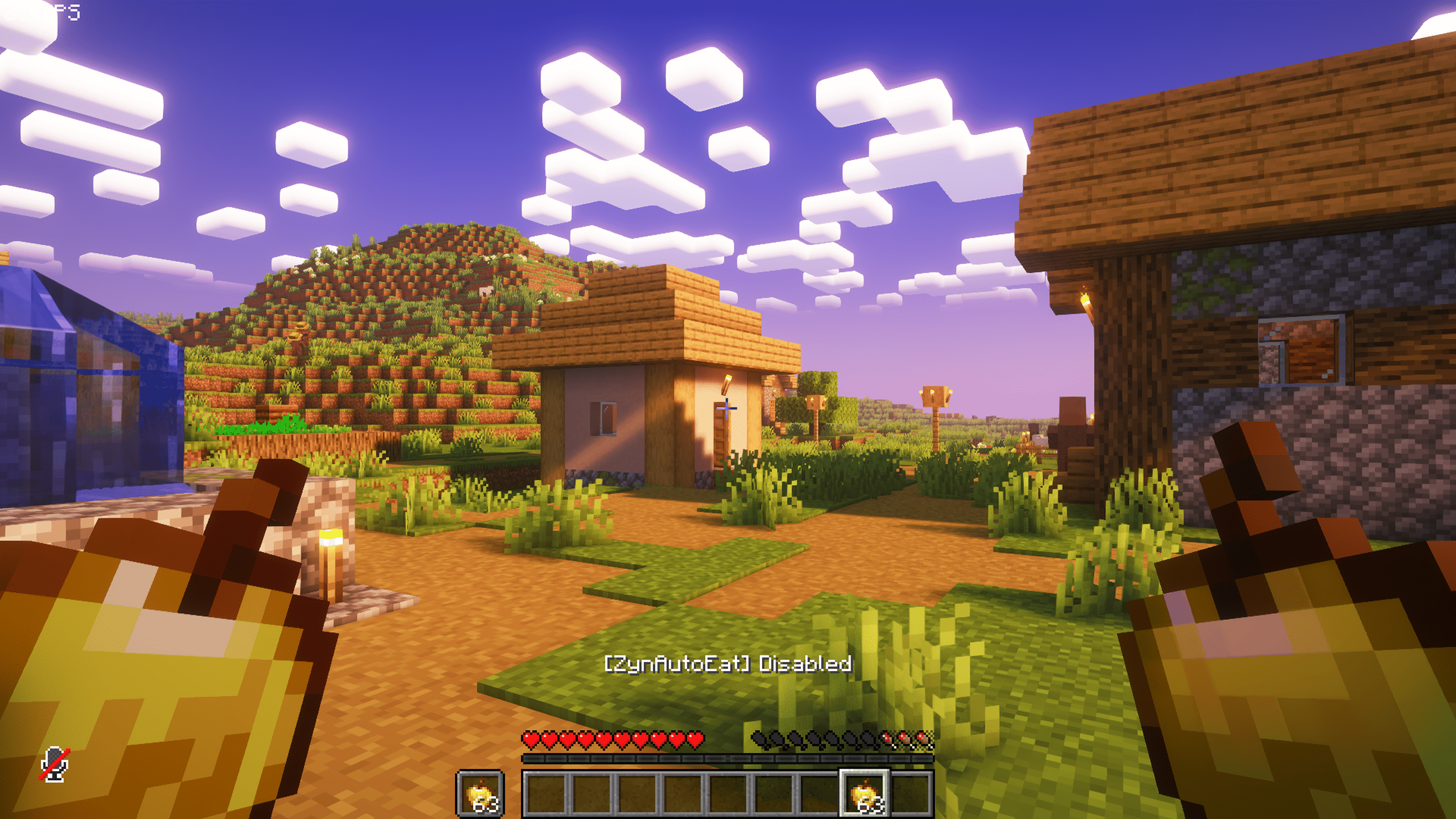
- Action-bar toggle message:
[ZynAutoEat] Enabled/Disabled - Client-side only; server-friendly
How it works
- Triggers eating only in Survival mode
- Chooses food in this order: Off-hand → Main hand → Hotbar
- Skips any item you’ve blacklisted in Settings
- Chains bites until your hunger is full, then stops
- Pauses instantly when you right-click or open a screen (chat/inventory/etc.), then resumes automatically
Settings (in-game)
Open ZynAutoEat Settings to configure per-item blacklist:
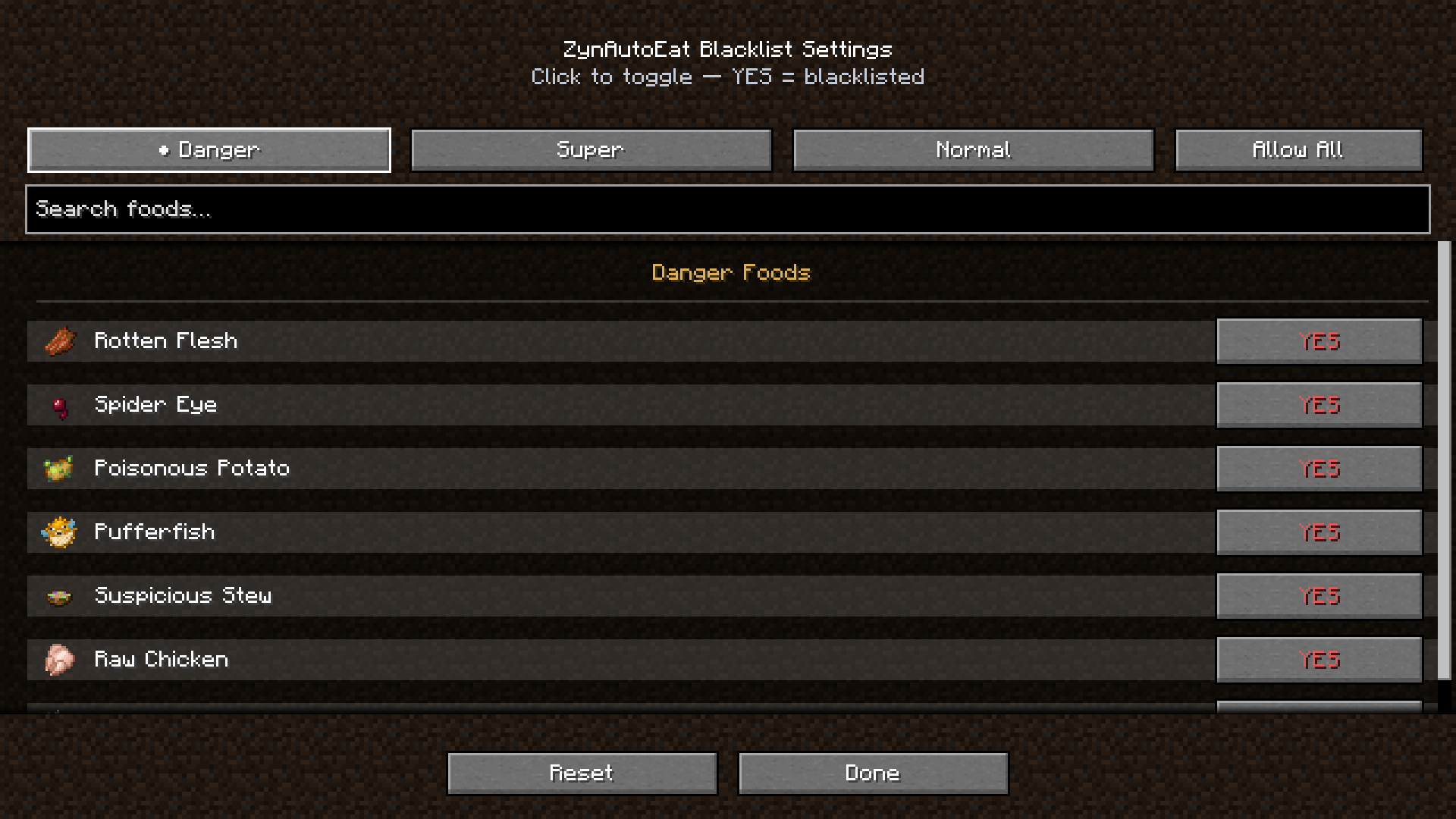
- Categories: Danger Foods, Super Foods, Normal Foods
- Search bar, Toggle-All, and Reset to defaults
- Settings are stored locally
Controls (default)
- H — Toggle ZynAutoEat
- J — Open ZynAutoEat Settings
Compatibility
- Client-side only (QoL): works on any server; no server component required
- Designed for Fabric & Forge (this project lists both)
Requirements
- Fabric: Fabric Loader + Fabric API
- Forge: Forge (no Fabric API required)
Installation
Fabric
- Install Fabric Loader and Fabric API for your Minecraft version
- Put the ZynAutoEat
.jarinto yourmods/folder - Launch the game, press H to enable, J to configure
Forge
- Install the Forge Loader for your Minecraft version
- Put the ZynAutoEat Forge
.jarinto yourmods/folder - Launch the game, press H to enable, J to configure
FAQ
- Will it eat “bad” foods (e.g., Rotten Flesh)?
Not if you blacklist them. The Settings screen ships with sensible defaults you can tweak anytime. - Does it work with custom modded foods?
Yes — if an item has a standardFoodComponent, it can be used (unless blacklisted). - Will it fight my right-click (RMB)?
No. The mod pauses immediately while you’re holding right-click and resumes after you release.
Credits
Author: Zynwro • Contact: https://www.linktr.ee/zynwro

ZynAutoEat — Hands Free Auto Eat for Fabric & Forge
ZynAutoEat keeps your hunger full without stealing control from you. It automatically eats from your off-hand first, then main hand, then hotbar, and smoothly chains bites until full. It pauses the moment you right-click or open any GUI and resumes automatically afterward. Built as a lightweight client-side QoL mod, it works on servers that don’t have the mod installed.
Loaders: Fabric and Forge
This page hosts both builds. If a Forge build isn’t listed yet for your version, it’s in the pipeline.
Features
- Off-hand priority with hotbar fallback
- Smooth chain-eating until full (keeps the vanilla eating animation)
- Respects your inputs pauses on right-click and while any GUI is open; resumes when you’re done
- Fishing-rod safe avoids accidental cast/reel between bites
- In-game blacklist with Search, Toggle-All, and Reset
- Action-bar toggle message:
[ZynAutoEat] Enabled/Disabled - Client-side only; server-friendly
How it works
- Triggers eating only in Survival mode
- Chooses food in this order: Off-hand → Main hand → Hotbar
- Skips any item you’ve blacklisted in Settings
- Chains bites until your hunger is full, then stops
- Pauses instantly when you right-click or open a screen (chat/inventory/etc.), then resumes automatically
Settings (in-game)
Open ZynAutoEat Settings to configure per-item blacklist:
- Categories: Danger Foods, Super Foods, Normal Foods
- Search bar, Toggle-All, and Reset to defaults
- Settings are stored locally
Controls (default)
- H — Toggle ZynAutoEat
- J — Open ZynAutoEat Settings
Compatibility
- Client-side only (QoL): works on any server; no server component required
- Designed for Fabric & Forge (this project lists both)
Requirements
- Fabric: Fabric Loader + Fabric API
- Forge: Forge (no Fabric API required)
Installation
Fabric
- Install Fabric Loader and Fabric API for your Minecraft version
- Put the ZynAutoEat
.jarinto yourmods/folder - Launch the game, press H to enable, J to configure
Forge
- Install the Forge Loader for your Minecraft version
- Put the ZynAutoEat Forge
.jarinto yourmods/folder - Launch the game, press H to enable, J to configure
FAQ
- Will it eat “bad” foods (e.g., Rotten Flesh)?
Not if you blacklist them. The Settings screen ships with sensible defaults you can tweak anytime. - Does it work with custom modded foods?
Yes — if an item has a standardFoodComponent, it can be used (unless blacklisted). - Will it fight my right-click (RMB)?
No. The mod pauses immediately while you’re holding right-click and resumes after you release.
Credits
Author: Zynwro • Contact: https://www.linktr.ee/zynwro
Screenshots
Gallery
-
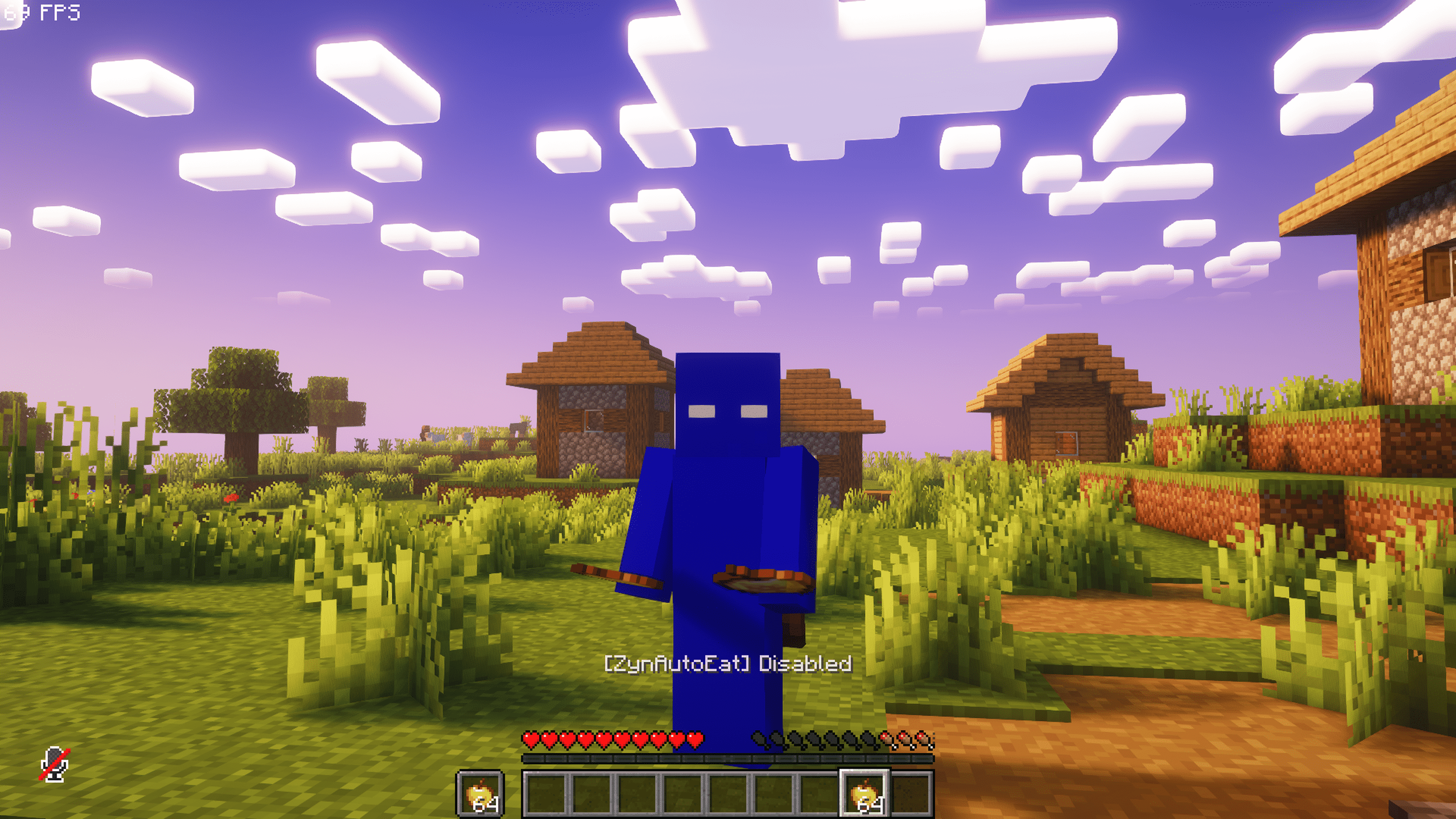 Auto Eat Disable Front View Auto Eat Disable Front View
 -
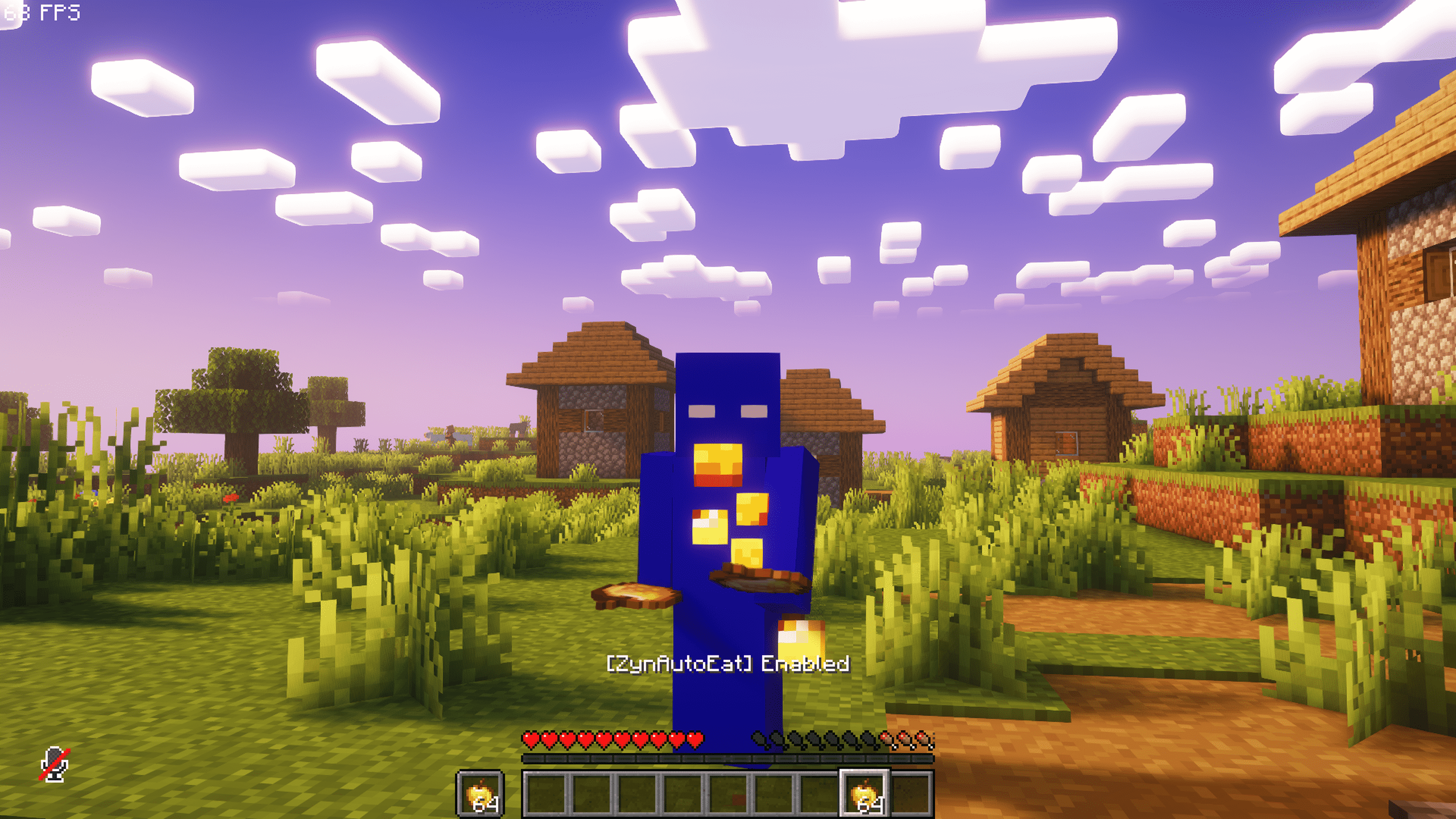 Auto Eat Enable Front View Auto Eat Enable Front View
 -
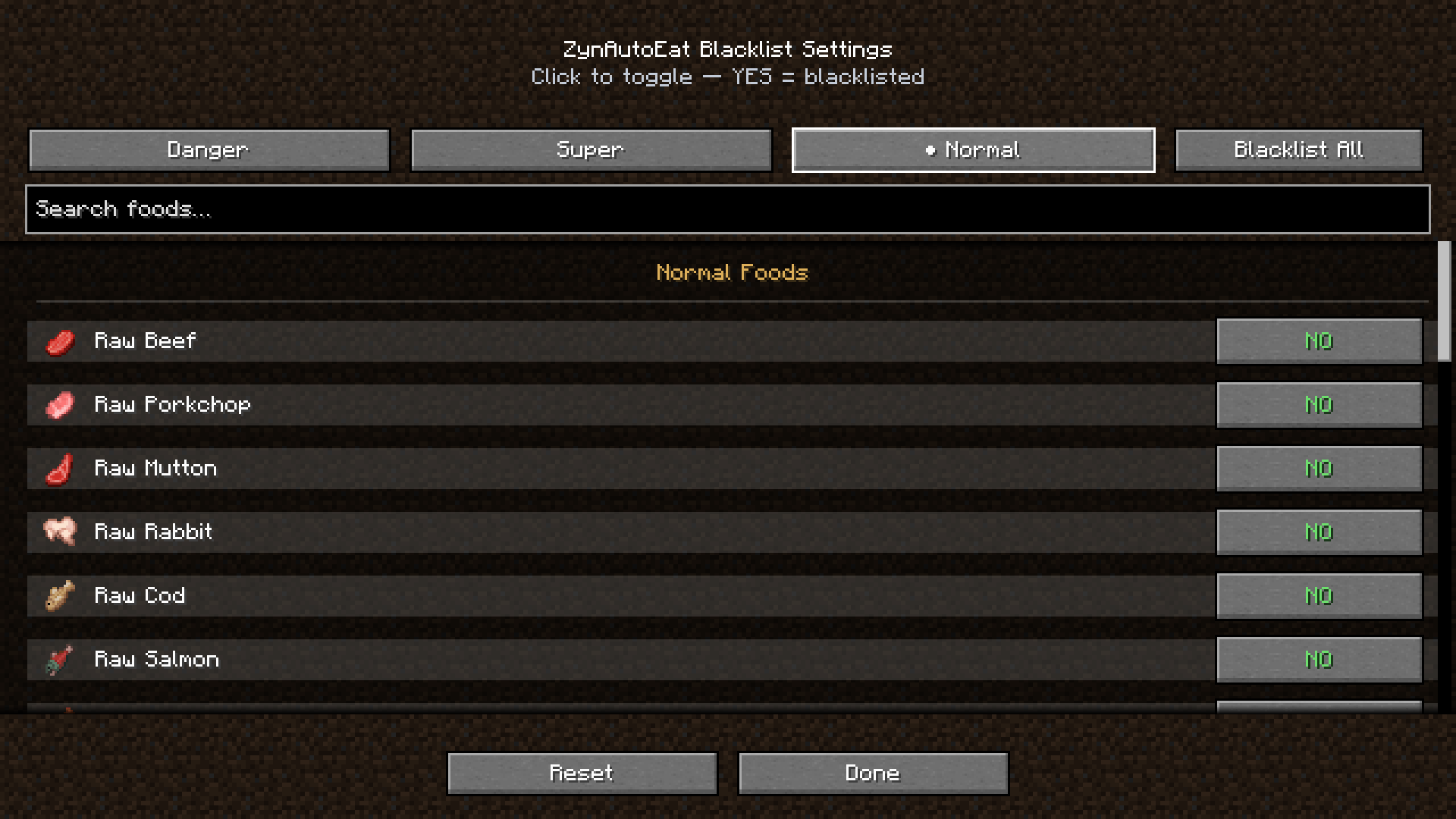 Normal Blacklist Settings Normal Blacklist Settings
 -
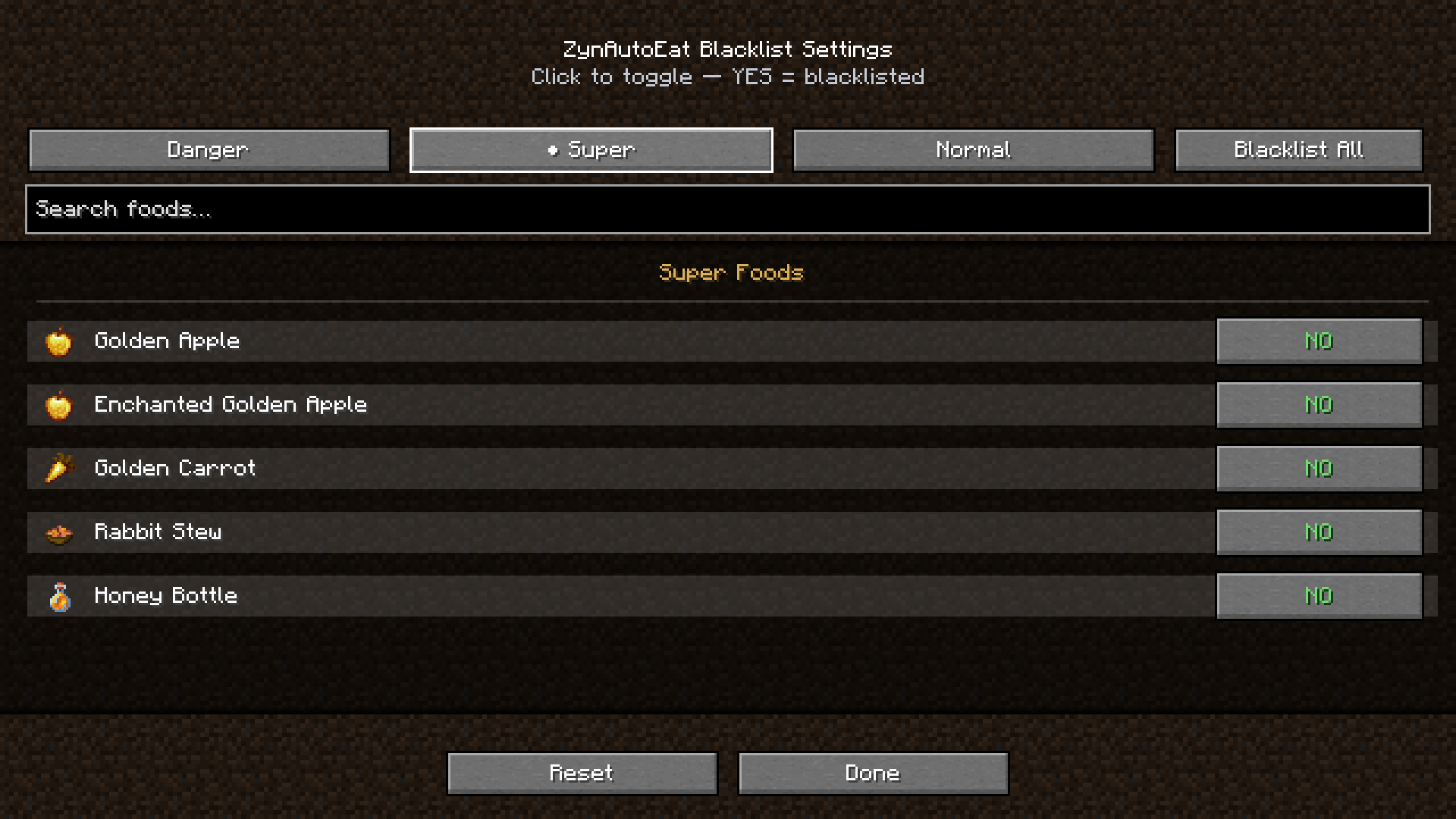 Super Blacklist Settings Super Blacklist Settings
 -
 Danger Blacklist Settings Danger Blacklist Settings
 -
 Setting Reset Notification Setting Reset Notification
 -
 Auto Eat Enable POV Auto Eat Enable POV
 -
 Auto Eat Disable POV Auto Eat Disable POV
-
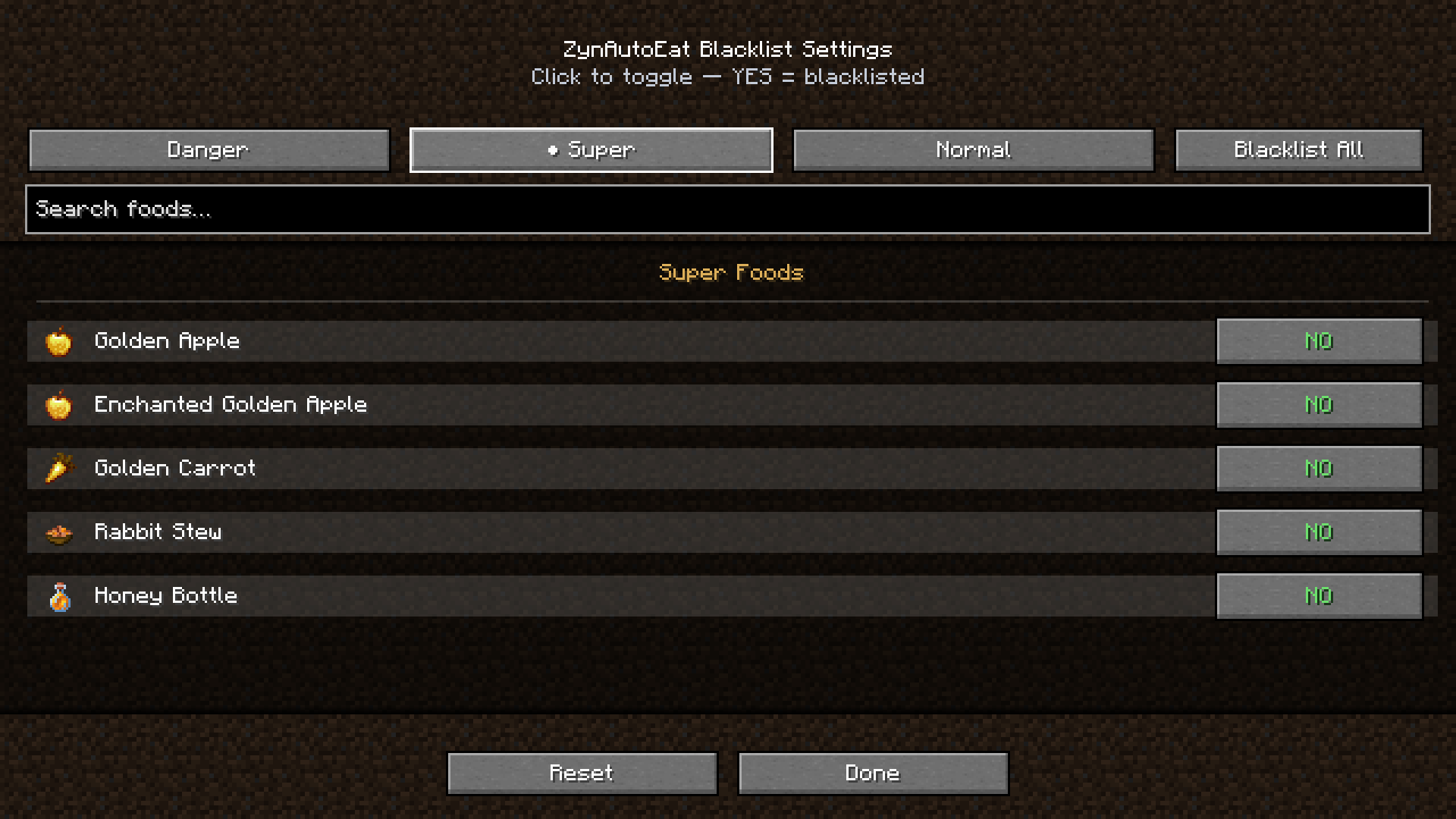 Super Foods Blacklist Settings The Super Foods tab in the ZynAutoEat Blacklist Settings menu. This lets you protect valuable items like Golden Apples, Enchanted Golden Apples, Golden Carrots, Rabbit Stew, and Honey Bottles from being auto-eaten.
 -
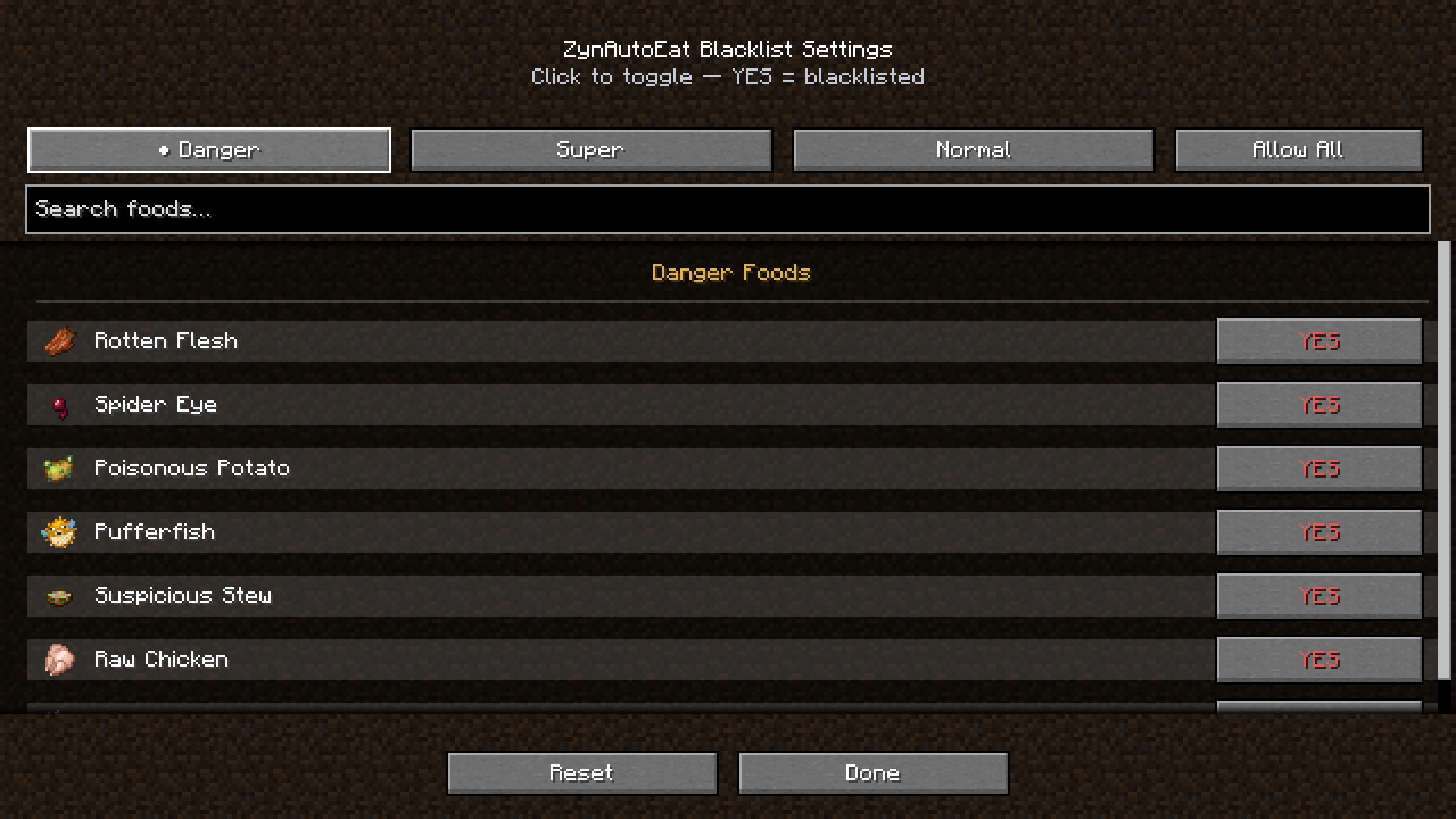 Danger Foods Blacklist Settings The Danger Foods tab in the ZynAutoEat Blacklist Settings menu. These harmful items, such as Rotten Flesh, Pufferfish, and Poisonous Potato, are blacklisted by default to keep you safe during auto-eating.
 -
 Settings Reset Notification A screenshot showing the confirmation message [ZynAutoEat] Settings reset to defaults. This demonstrates the mod’s easy reset feature, letting players quickly return to the default blacklist and configuration options.
 -
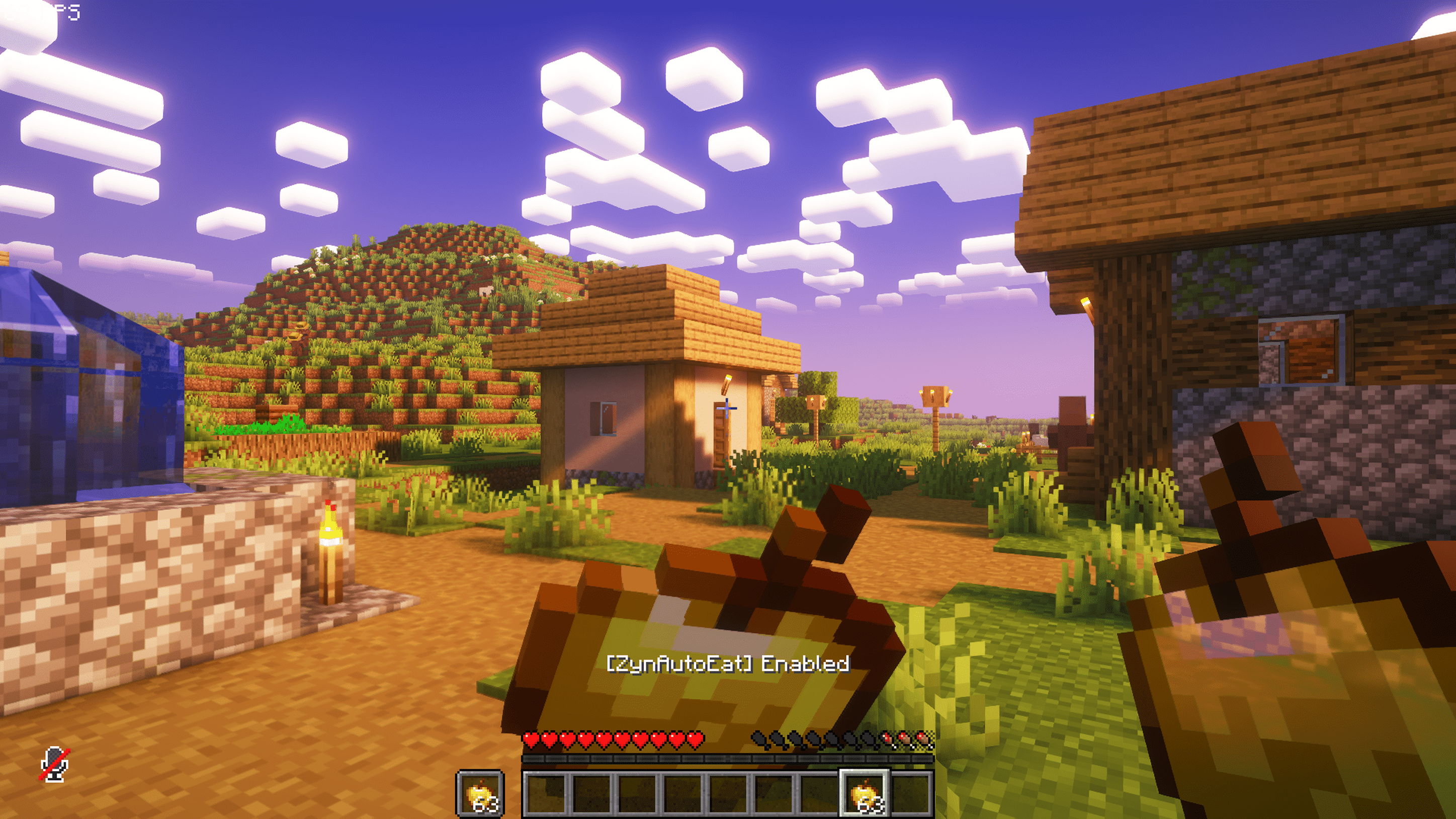 POV Enabled A first-person view of ZynAutoEat in the Enabled state. The mod is actively auto-eating while keeping full player control, showing how smooth and seamless the feature works during gameplay.
 -
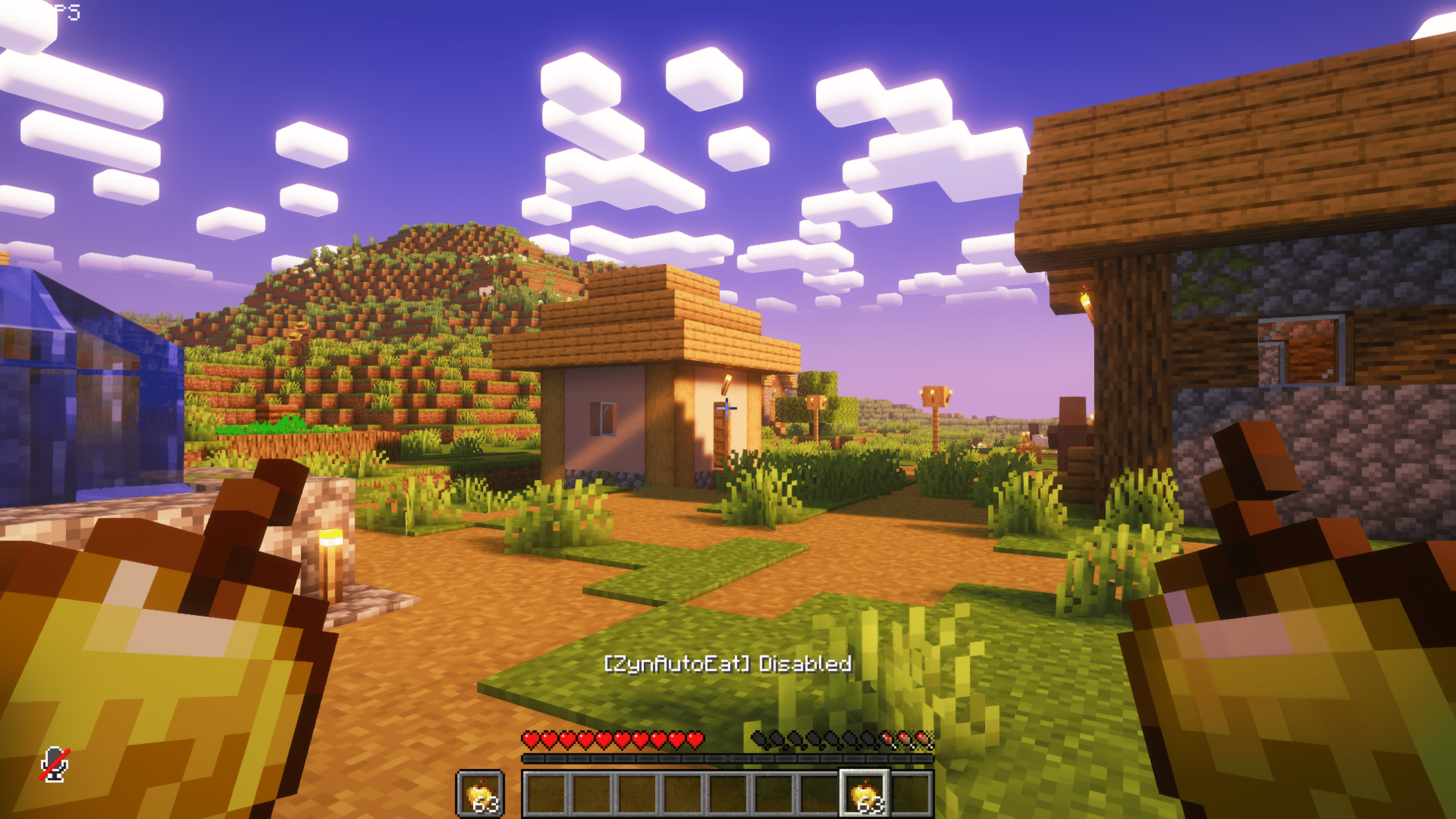 POV Disabled A first-person view of ZynAutoEat in the Disabled state. No automatic eating is performed, giving the player full manual control over their hunger management.
 -
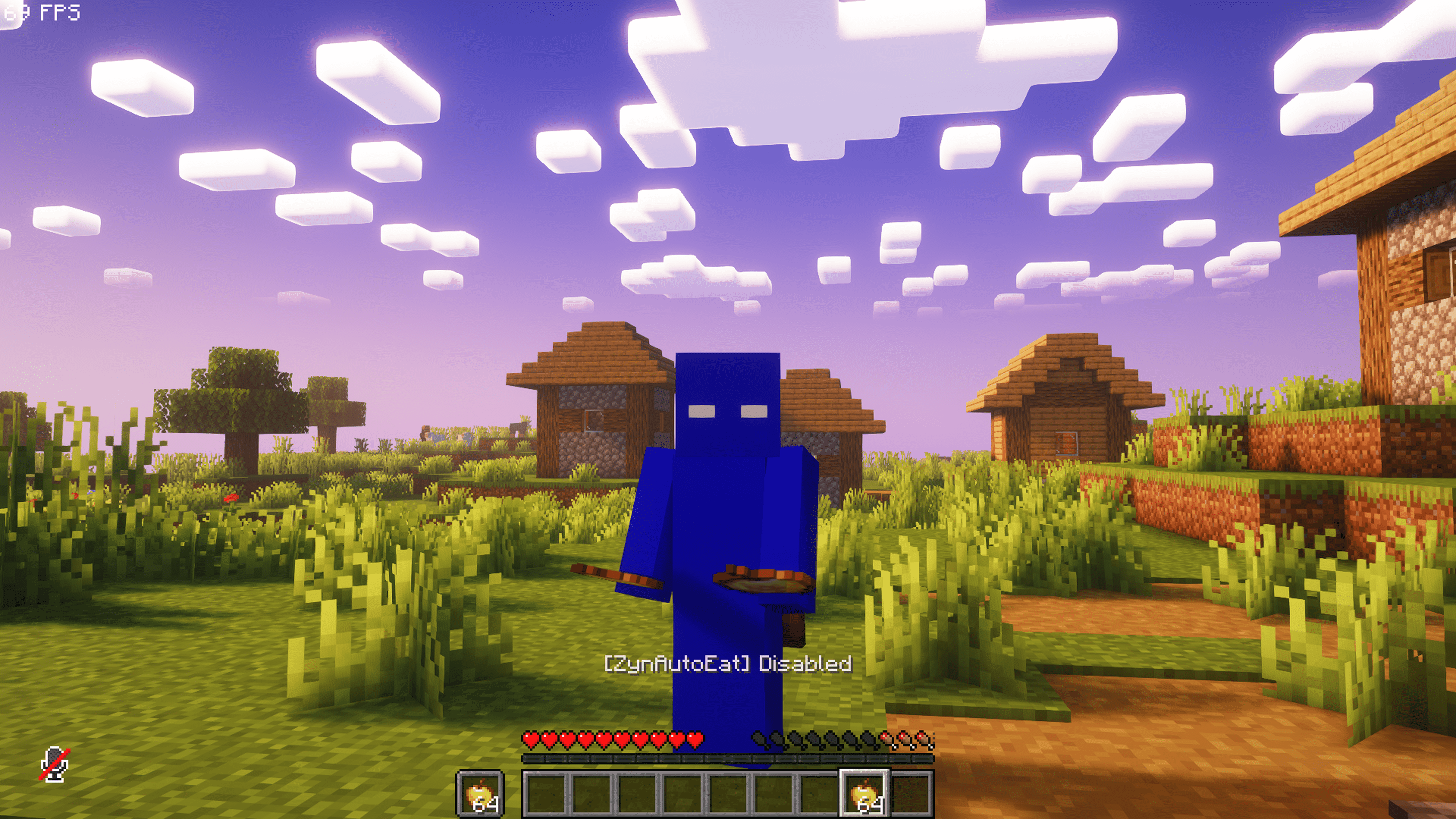 Front View Disabled A clean look at ZynAutoEat in the Disabled state, showing the toggle message [ZynAutoEat] Disabled in the action bar. Perfect for demonstrating the mod’s simple toggle feature in a peaceful village scene.
 -
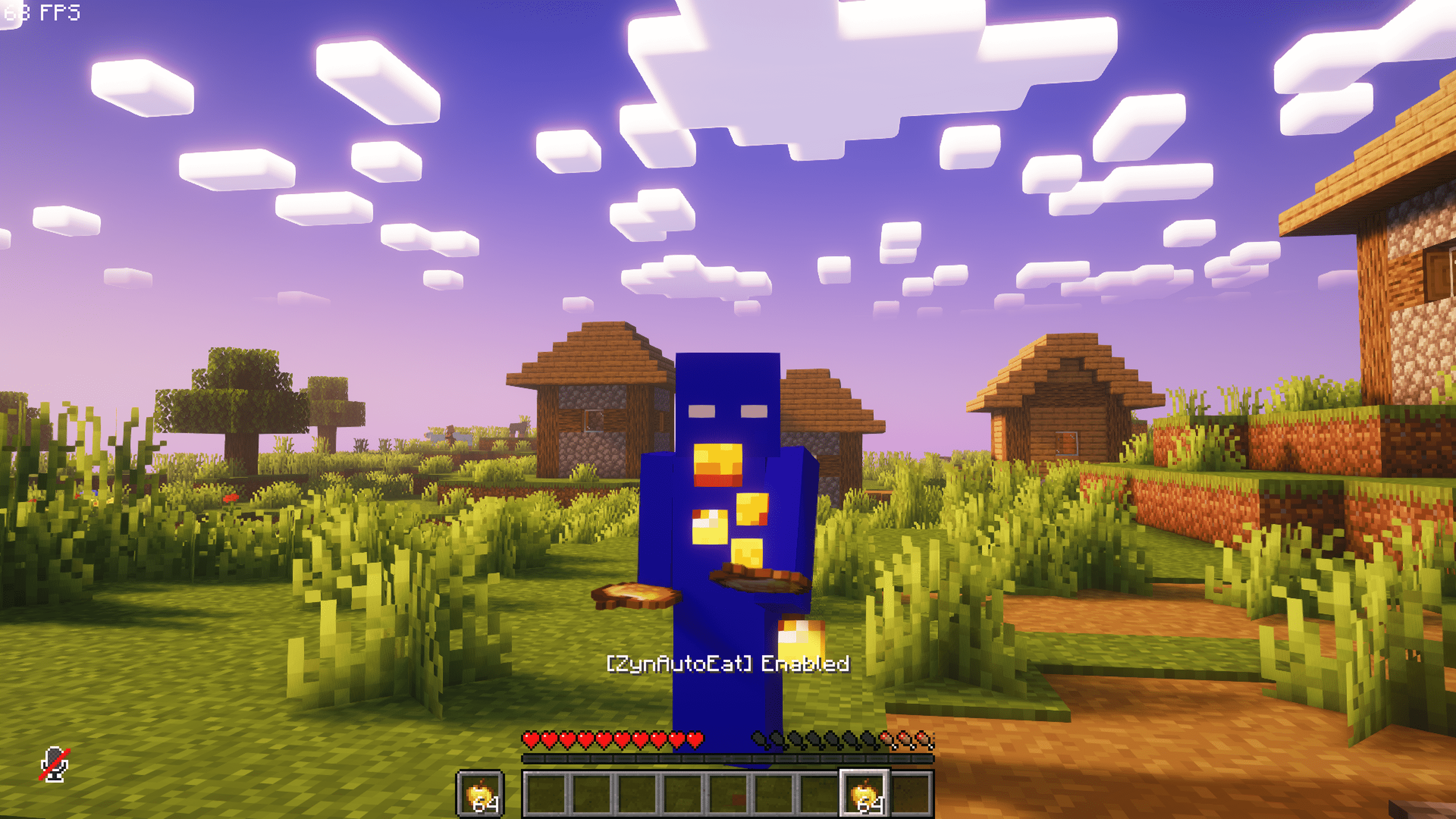 Front View Enabled A clear demonstration of ZynAutoEat in the Enabled state. The auto-eating feature is active, keeping the hunger bar full while showing the smooth vanilla eating animation. Perfect for highlighting the mod’s hands-free functionality in action.
 -
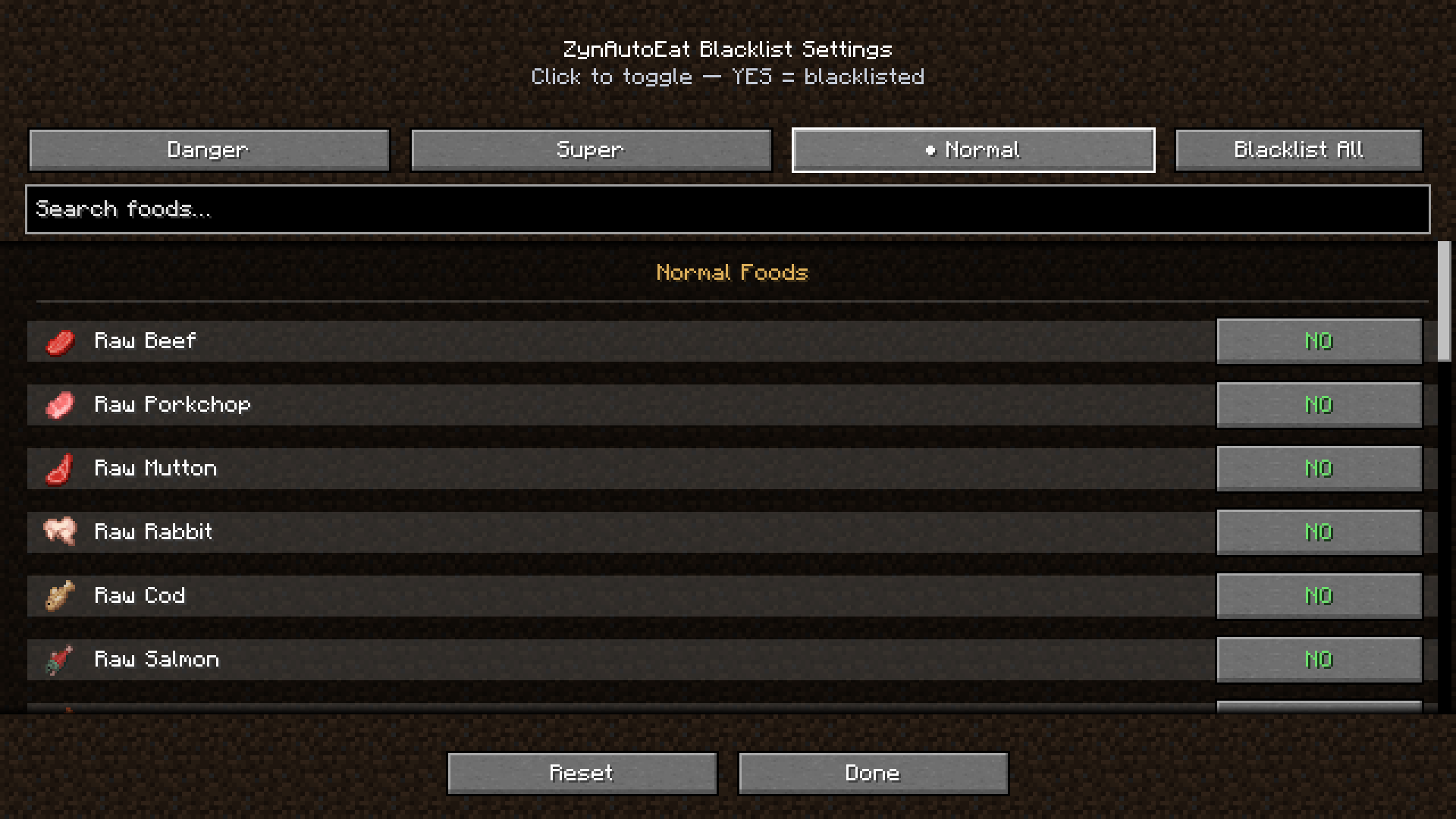 Normal Foods Blacklist Settings The in-game Blacklist Settings screen for ZynAutoEat. Easily manage which foods are skipped during auto-eating, with categories for Danger, Super, and Normal foods, plus search, toggle-all, and reset options for full control.
Versions
Files
Relations
Project Relations
More like this
Similar Mods
Suggestions use data such as tags, dependencies, dependents, descriptions, titles, and more to rank how much they overlap with this mod.
On ModDex
Community snapshot
By the numbers
Statistics
Want to reach Minecraft players?
We're looking for a server hosting partner to feature here and other parts of the site. Interested? Send us a message!
Get in touchGet it on
Available Platforms
On ModDex
Community snapshot
By the numbers
Statistics
Resources