Community listing page, reviews here may not be monitored by the author.


Community voices
Reviews
No reviews yet. Be the first to review this project!
Get it on
Available Platforms
About
Project Details
For authors
Embed Badge
If you're the author of this project, you can embed a live badge anywhere that supports HTML or Markdown. It updates automatically whenever ratings change.
Use HTML for any page that supports it, or Markdown for README files and Markdown-based descriptions.
Identifiers
Platform IDs
Resources
External Links
About
Description
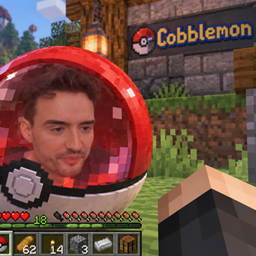
Arthercord is a Cobblemon modpack for Minecraft 1.21.1 on Fabric, built for our multiplayer community. Explore the world, catch Pokémon, train and evolve your team, and battle or trade with other players.
Alongside Minecraft survival and building, the pack adds more ways to progress, challenge your team, and play together:
Gym challenges: Take on Pokémon gyms with randomized opponent teams through Gito’s Rad Gyms.
Trainer battles and exploration: Discover new structures containing trainers to battle and rewards to earn with Cobblemon Trainer Structures.
Pokémon breeding: Use pastures as daycares to breed Pokémon, then hatch their eggs in incubators with Daycare+.
Quests and progression: Complete Pokédex milestones and Pokémon collection objectives, track your progress, and claim rewards through Quests Cobb.
Economy and trading: Use in-game currency, buy from merchants, and trade items and Pokémon through player shops and markets with CobbleDollars and the Cobbledollar Economy addon.
Rewards for releasing Pokémon: Receive rewards when releasing Pokémon with Cobblemon: Parting Gifts.
Land protection and teamwork: Claim land to protect your builds and create parties with friends using Open Parties and Claims.
A minimap and world map help you navigate, item and recipe viewers make crafting easier, and performance mods help keep gameplay running smoothly.
Based on Cobblemon Official Modpack [Fabric] by CobbledStudios, expanded with the gameplay and multiplayer features described above.
Join the Arthercord Cobblemon server
Server address: 157.85.85.21:29097
Whitelist required: Join our Discord to apply for access.
FULL MOD LIST:
NEW MODS IN V2.1
- Advanced Netherite — Adds stronger Netherite armor, weapons and tool upgrades.
- Simply Swords — Adds new melee weapon types, runic weapons and unique weapon abilities.
- Fzzy Config — Required library that manages settings for the new mods.
- Simply Tooltips — Adds expanded item information and tooltips; required by Simply Swords.
NEW MODS IN V2 — 31 ADDITIONS
- AdventureZ — Adds dangerous creatures, new equipment and the Blackstone Golem boss. Controls/use: Left Alt: dragon descend; grave accent (`): dragon fire breath, while riding the appropriate dragon.
- Bosses of Mass Destruction — Adds challenging bosses with their own arenas and rewards. Controls/use: Explore and interact with boss locations.
- Bountiful — Adds village bounty boards with tasks and rewards. Controls/use: Right-click a bounty board.
- Chunky (server only) — Pre-generates world chunks to reduce exploration work later. Controls/use: Server/admin tool; no player key. No pregeneration job is scheduled.
- Cobblemon Battle Tower — Adds repeatable, increasingly difficult Pokémon battles with Battle Points and a reward shop. Controls/use: Craft and interact with the Holo Battle Tower block.
- Cobblemon Challenge (server only) — Lets players challenge each other to battles with temporarily equalized Pokémon levels and optional team limits. Controls/use: /challenge level <1-100>
- Cobblemon Mega Showdown — Adds Mega Evolution, Z-Moves, Terastallization, Dynamax, Ultra Burst and Pokémon fusions. Controls/use: Use the relevant gimmick items and battle controls.
- Cobblemon MMO Skills — Adds skill levels, bonuses and leaderboards for gathering, combat and Pokémon activities. Controls/use: /mmoskills stats gui; no dedicated keyboard shortcut.
- Cobblemon Pasture Loot — Lets Pokémon in pastures periodically drop items from their normal loot tables. Controls/use: Place hoppers underneath pastured Pokémon to collect their drops.
- Cobblemon Picnic — Adds picnic tables that refresh nearby wild Pokémon spawns, plus Pokémon care and shiny-hunting bonuses. Controls/use: Right-click a placed picnic table. Recall party shortcut: unbound. Use items/interactions. Pack setting: 30-second cooldown; configured rare categories are preserved.
- Cobblemon Raid Dens — Adds cooperative Pokémon raid bosses with shared health, catch rewards and item loot. Controls/use: Interact with raid crystals to host or join a raid. Y: accept raid shortcut; N: deny; Left Alt: show mouse for raid prompts. Contextual.
- Complete Cobblemon Collection — Adds many more Pokémon with models, animations and spawn data to expand the Pokédex. Controls/use: Automatic Pokémon content; no dedicated shortcut.
- Configurable Difficulty (server only) — Adjusts mob combat attributes and player luck according to biome, dimension and underground depth. Controls/use: Server-only; no player key.
- Farmer's Delight Refabricated — Expands cooking and farming with meals, crops and kitchen equipment. Controls/use: Use its cooking blocks and tools; check recipes in EMI.
- Fight or Flight Reborn — Makes wild Pokémon flee or fight back when provoked, and lets your Pokémon defend you against mobs. Controls/use: Automatic; the Poke Staff lets you select a move. G: start battle. Individual move and command shortcuts: unbound.
- Handcrafted — Adds furniture and decorative objects for building interiors. Controls/use: Place and use furniture normally.
- Illager Invasion — Adds new illager enemies, structures and encounters. Controls/use: Explore and fight the new illagers.
- Legendary Monuments — Adds structures, special items and summoning challenges for obtaining Legendary and Mythical Pokémon. Controls/use: Explore the monuments and follow their item or puzzle requirements.
- Lootr — Gives each player their own loot in supported generated loot containers. Controls/use: Open a Lootr container normally; player storage chests are separate.
- Midnight Lurker Fabricated — Adds a horror creature that stalks and threatens players. Controls/use: Automatic encounters; Amnesia is disabled in this pack.
- Mutant Monsters — Adds stronger mutant versions of familiar hostile mobs. Controls/use: Explore and fight them normally.
- Nature's Compass — Helps you search for biomes and find the direction to them. Controls/use: Right-click while holding Nature's Compass.
- Simple Voice Chat — Adds proximity voice chat and voice groups. Controls/use: V: voice menu; F6: microphone mute; F7: disable voice; F8: hide icons; F9: groups. Push-to-talk and whisper are UNBOUND; choose a key in Controls or voice setup. Suggested choice: assign Caps Lock if it is free; it is not preassigned.
- Sophisticated Auto Walk — Lets you toggle walking forward without holding the movement key. Controls/use: Middle Mouse toggle auto-walk.
- spark (server only) — Helps administrators diagnose server performance and lag. Controls/use: Server/admin tool; no player key.
- Streamotes — Displays Twitch, BTTV, FFZ and 7TV emotes in Minecraft chat. Controls/use: Chat emotes; no dedicated registered key found.
- Synchro Machine — Lets you transform into a Pokémon and explore or fight using its form and moves. Controls/use: Use a Synchro Machine item. Insert: team menu; Home: transform; End: return to human; Delete: morph toggle; -: cosmetic; ;: move HUD; , / X / C / .: moves 1/2/3/4; J: emotes. Requires an owned Pokémon; destructive move categories are disabled.
- Tom's Simple Storage — Connects storage containers to searchable storage and crafting terminals. Controls/use: =: remote terminal, requires an appropriate remote item.
- Traveler's Backpack — Adds wearable, upgradeable backpacks with storage and utility features. Controls/use: I: open equipped backpack; Backslash (\): cycle tools. Sort, ability, and upgrade toggles unbound.
- Waystones — Lets you teleport between activated waystones and use warp items. Controls/use: Right-click a waystone to activate or use it.
- YUNG's Better Dungeons — Replaces small vanilla dungeons with larger, more varied dungeon structures. Controls/use: Explore newly generated areas.
NEW SUPPORTING ADDITIONS — 12 MODS
Most of these support other mods. Chipped also adds usable decorative blocks, and Accessories adds equipment slots.
- Accessories — Adds accessory equipment slots used by compatible mods. Controls/use: H: accessories equipment screen.
- Athena — Model-loading library used by decorative blocks such as Chipped. Controls/use: Automatic; no player key.
- Cardinal Components API — Provides the extra data storage used by compatible mods. Controls/use: Automatic; no player key.
- Chipped — Adds many decorative variants of familiar building blocks. Controls/use: Use Chipped workbenches to change block styles.
- Cupboard — Support library used by Auto Walk and other compatible mods. Controls/use: Automatic; no player key.
- GeckoLib — Animation library used by mobs and other animated mod content. Controls/use: Automatic; no player key.
- Kambrik — Kotlin support library required by Bountiful. Controls/use: Automatic; no player key.
- Lithostitched — World-generation library supporting structures and generation compatibility. Controls/use: Automatic; no player key.
- Puzzles Lib — Shared library used by several gameplay mods. Controls/use: Automatic; no player key.
- Resourceful Lib — Shared code library used by mods such as Handcrafted and Chipped. Controls/use: Automatic; no player key.
- Wild Battle API — Shared wild-Pokémon battle AI used by compatible Cobblemon addons. Controls/use: Automatic; no player key.
- YUNG's API — Shared library required by YUNG's structure mods. Controls/use: Automatic; no player key.
87 RETAINED MODS FROM V.1
- Advanced Core Info (ACI) — Shared support library required by Advanced Loot Info; adds no standalone gameplay. Controls/use: Automatic; no player key.
- Advanced Loot Info (ALI) — Shows loot-table drops and villager trades inside compatible recipe viewers. Controls/use: Open the loot and trade categories in EMI/JEI.
- Almanac Lib — Support library used by several of the pack's mods. Controls/use: Automatic; no player key.
- Ambient Environment — Adds subtle variation to environmental colours and atmosphere. Controls/use: Automatic.
- AppleSkin — Shows food values, saturation and hunger information. Controls/use: Automatic food tooltips and HUD.
- Architectury API — Compatibility library that helps mods work across mod loaders. Controls/use: Automatic; no player key.
- Bad Wither No Cookie - Reloaded — Reduces intrusive global boss-spawn and boss-death sounds. Controls/use: Automatic.
- Balm — Support library for Waystones and other BlayTheNinth mods. Controls/use: Automatic; no player key.
- Better Advancements — Makes the advancement screen easier to browse. Controls/use: L: advancements screen.
- Better Ping Display [Fabric] — Shows each player's ping as a number in the player list. Controls/use: Tab: player list.
- Better Third Person — Lets you rotate the camera freely around your character in third person. Controls/use: F5: switch camera view; move the mouse to look around.
- BisectHosting Server Integration Menu — Adds BisectHosting server links and menu integration. Controls/use: Menu buttons.
- Bookshelf — Shared code library required by other mods. Controls/use: Automatic; no player key.
- Cherished Worlds — Lets you favourite single-player worlds so they stay easy to find. Controls/use: World-selection screen.
- CIT Resewn — Enables resource packs to give items custom appearances. Controls/use: Automatic when a compatible resource pack is enabled.
- Cloth Config API — Provides configuration screens for other mods. Controls/use: Mod configuration screens; no separate gameplay key.
- Clumps — Merges nearby experience orbs to reduce lag. Controls/use: Automatic.
- Cobbledollar Economy Addon — Adds player-owned CobbleDollars shops and Pokémon trading through an economy menu. Controls/use: /shop
- CobbleDollars — Provides the server's currency, balances and NPC merchant trading. Controls/use: Interact with merchants; no confirmed dedicated shortcut.
- Cobblemon — Adds Pokémon to catch, train, battle, evolve and keep in your party. Controls/use: M: Pokémon summary; R: send/recall selected Pokémon and contextual battle interaction; Up/Down: select party Pokémon; O: hide/show party; Left Alt: riding freelook.
- Cobblemon Trainer Structures — Adds structures containing challenging NPC trainers, battles and rewards. Controls/use: Find the structures and interact with their trainers.
- Crafting Tweaks — Adds buttons to rotate, balance and clear a crafting grid. Controls/use: Use the buttons beside a supported crafting grid. K: compress stack; Tab: refill last stack in supported crafting screen. Other crafting shortcuts unbound; crafting GUI buttons available.
- CraftPresence — Shows customised Minecraft activity on your Discord profile. Controls/use: Config shortcut unbound.
- Daycare+ — Adds Pokémon breeding in pastures, breeding previews and incubators for hatching eggs. Controls/use: Use a pasture in Daycare Mode; hatch eggs in an Incubator.
- Dynamic Crosshair — Changes the crosshair to match what you are aiming at. Controls/use: Automatic.
- EMI — Provides searchable items, recipes, uses and favourites in inventory screens. Controls/use: In inventory: R/left-click item: recipes; U/right-click: uses; A: favorite; Ctrl+F: search; Ctrl+O: toggle EMI; Backspace: back.
- EMI Enchanting — Adds enchantment sources, compatibility and item information to EMI. Controls/use: Uses the EMI recipe screen; no separate key.
- EMI Ores — Shows ore-generation information in EMI. Controls/use: Uses the EMI recipe screen; no separate key.
- EMI professions (EMIP) — Adds villager profession and workstation information to EMI. Controls/use: Uses the EMI recipe screen; no separate key.
- Enchantment Descriptions — Adds plain-language explanations to enchantment tooltips. Controls/use: Hover over an enchanted book or relevant item.
- Enhanced Attack Indicator — Extends attack-indicator feedback to more actions and items. Controls/use: Automatic HUD feedback.
- Entity Culling — Improves performance by skipping entities and block entities hidden from view. Controls/use: Toggle shortcut: unbound; works automatically.
- Entity Model Features (EMF) — Enables custom entity models supplied by compatible resource packs. Controls/use: Automatic when a compatible resource pack is enabled.
- Entity Texture Features (ETF) — Enables extra mob texture features such as emissive and random textures. Controls/use: Automatic when a compatible resource pack is enabled.
- Fabric API — Core hooks and shared functions required by many Fabric mods. Controls/use: Automatic; no player key.
- Fabric Language Kotlin — Allows mods written in Kotlin to run. Controls/use: Automatic; no player key.
- Falling Leaves (Fabric) — Adds falling leaf particles around trees. Controls/use: Automatic.
- FancyMenu — Provides the pack's customised menus and menu behaviour. Controls/use: Menu buttons.
- FerriteCore — Reduces Minecraft's memory use. Controls/use: Automatic.
- Forge Config API Port — Lets Fabric mods use Forge-style configuration systems. Controls/use: Automatic; no player key.
- InvMove — Lets you keep moving while inventory screens are open. Controls/use: Use the normal movement keys while in supported screens. Toggle movement shortcut: unbound; works automatically.
- InvMoveCompats — Extends InvMove support to other mod screens. Controls/use: Automatic; follows InvMove controls.
- Iris Shaders — Loads shader packs for lighting, shadows and other visual effects. Controls/use: F12: shader-pack selection menu. Toggle shaders and reload shaders are unbound.
- Just Enough Effect Descriptions (JEED) — Explains status effects through recipe-browser information panels. Controls/use: Hover status effects/use the recipe browser; no separate key.
- Just Enough Items (JEI) — Provides item and recipe browsing and compatibility for recipe-browser addons. Controls/use: In inventory: R/left-click item: recipes; U/right-click: uses; A: bookmark; F: focus search; O: overlay. Backspace: back; Page Up/Page Down: pages/categories.
- Konkrete — Support library used by FancyMenu. Controls/use: Automatic; no player key.
- Krypton — Optimises Minecraft networking and packet handling. Controls/use: Automatic.
- LambDynamicLights — Makes held and dropped light sources illuminate their surroundings. Controls/use: Dynamic lighting toggle: unbound; works automatically.
- Language Reload — Speeds up language changes and provides language fallbacks. Controls/use: Language settings.
- Let Me Despawn — Improves mob despawning to reduce unnecessary persistent mobs and lag. Controls/use: Automatic.
- Lithium — Optimises game logic, including ticking and other world calculations. Controls/use: Automatic.
- Make Bubbles Pop [Client] [Fabric/Forge] — Improves underwater bubbles and makes them pop at the surface. Controls/use: Automatic.
- Melody — Audio library used for custom menu music. Controls/use: Automatic; no player key.
- MezzConfig — Configuration support used by compatible information mods. Controls/use: Automatic; no player key.
- Mod Menu — Adds an installed-mod list and access to supported configuration screens. Controls/use: No assigned shortcut; use Mods button from menu.
- Monsters in the Closet — Highlights nearby monsters that are preventing you from sleeping. Controls/use: Try sleeping when monsters are nearby.
- NetherPortalFix — Keeps return trips through Nether portals linked to the correct destination. Controls/use: Automatic.
- Not Enough Animations — Adds and improves third-person animations for player actions. Controls/use: Automatic; most visible in third person.
- Open Loader — Loads the pack's shared data packs and resource content. Controls/use: Automatic; no player key.
- Open Parties and Claims — Protects claimed land and lets players manage parties and claim permissions. Controls/use: Apostrophe ('): parties/claims menu.
- owo-lib — Support library for user interfaces and other mod features. Controls/use: Automatic; no player key.
- Particle Rain — Replaces ordinary weather visuals with richer particle effects. Controls/use: Automatic.
- Particular Reforged — Adds ambient particles and small environmental visual effects. Controls/use: Automatic.
- Polymer — Provides tools for server-driven custom content and compatibility. Controls/use: Automatic; no player key.
- Presence Footsteps — Adds more detailed footsteps based on the surface you walk on. Controls/use: F10: sound/settings menu; toggle shortcut unbound.
- Prickle — Configuration library required by compatible mods. Controls/use: Automatic; no player key.
- Quests Cobb — Adds a quest menu for Pokédex milestones, collections and trainer challenges with claimable rewards. Controls/use: F4: quest menu. Commands: /q or /quests.
- Rad Gyms — Adds roguelike gym challenges with themed trainer teams, keys and rewards. Controls/use: Use gym keys at gym entrances; Exit Rope lets you leave.
- Radical Cobblemon Trainers API — Provides the trainer and battle systems used by trainer addons. Controls/use: Automatic; no separate player key.
- Reese's Sodium Options — Reorganises Sodium's video settings into a clearer interface. Controls/use: Options > Video Settings.
- Satin Free Wakes — Adds ripples, wakes and splashes when travelling through water. Controls/use: Automatic.
- Shulker Box Tooltip — Shows a shulker box's contents before you place or open it. Controls/use: Hover container item: Left Shift: preview; Left Alt: full preview; hold Left Ctrl: lock tooltip. Configured in mod settings rather than standard key list.
- Sodium — Improves rendering performance, frame rates and smoothness. Controls/use: Automatic; settings in Options > Video Settings.
- Sodium Extra — Adds extra graphics and visual options alongside Sodium. Controls/use: Options > Video Settings.
- Sodium Shadowy Path Blocks — Improves smooth lighting on partial blocks such as paths when using Sodium. Controls/use: Automatic.
- Soft Imprints — Adds visible footprints and other movement imprints on surfaces such as snow and sand. Controls/use: Automatic while walking.
- Stendhal — Improves book, sign, anvil and chat editing with extra text tools and Unicode characters. Controls/use: Open the normal book, sign, anvil or chat screen.
- SwingThrough — Lets you target and hit living entities through non-solid blocks such as grass. Controls/use: Use normal attack and targeting controls.
- Text Placeholder API — Provides shared text placeholders used by other mods. Controls/use: Automatic; no player key.
- Tips — Shows helpful tips on loading screens. Controls/use: Automatic.
- ToolTipFix — Keeps long item tooltips from running beyond the screen. Controls/use: Automatic.
- UniLib — Shared utility library used by compatible mods. Controls/use: Automatic; no player key.
- Visuality — Adds small extra visual particles and effects. Controls/use: Automatic.
- Xaero's Minimap — Adds an on-screen minimap, waypoints and navigation tools. Controls/use: Y: minimap settings; B: new waypoint; U: waypoint list; Z: enlarge minimap; Numpad +: instant waypoint.
- Xaero's World Map — Builds a full-screen map as you explore the world. Controls/use: N: world map; ]: map settings; Right Shift: quick confirm.
- YetAnotherConfigLib (YACL) — Provides configuration screens for other mods. Controls/use: Mod configuration screens; no separate gameplay key.
- Your Options Shall Be Respected (YOSBR) — Provides pack defaults while preserving settings players already have. Controls/use: Automatic; no player key.
EXISTING RESOURCE AND SHADER PACKS
- Motschen’s Better Leaves — Fuller-looking tree leaves. Use Options > Resource Packs; no dedicated key.
- Complementary Reimagined — Shader lighting, shadows and visual effects through Iris. F12 opens shader selection.
….
- Release Rewards — Normally rewards releasing Pokémon. DISABLED: version 3.0.3 is incompatible with Cobblemon 1.8.2; files/config were preserved.
Screenshots
Gallery
Versions
Files
Relations
Project Relations
More like this
Similar Modpacks
Suggestions use data such as tags, dependencies, dependents, descriptions, titles, and more to rank how much they overlap with this modpack.
On ModDex
Community snapshot
By the numbers
Statistics
 (opens in a new tab)
Get it on
Available Platforms
On ModDex
Community snapshot
By the numbers
Statistics
Resources