
Community listing page, reviews here may not be monitored by the author.
Flynn's Modpack

No reviews yet
My modpack for single player and playing with friends.

Community voices
Reviews
No reviews yet. Be the first to review this project!
Get it on
Available Platforms
Compatibility
Supported Environments
Required on the client. Installing it on the server adds functionality.
About
Project Details
For authors
Embed Badge
If you're the author of this project, you can embed a live badge anywhere that supports HTML or Markdown. It updates automatically whenever ratings change.
Use HTML for any page that supports it, or Markdown for README files and Markdown-based descriptions.
Identifiers
Platform IDs
Resources
External Links
About
Description
The Modpack
This modpack is designed for seamless single-player gameplay as well as merging multiple multi-players. Their prime emphasis is on performance, visuality, and quality-of-life changes. Each mod is designed to promote gameplay in Minecraft while maintaining its original look, feel, and gameplay.
Performance & Optimization
For the purpose of offering the desired number of FPS and optimal performance, the pack comes with optimized versions of mods such as Sodium, Lithium, FerriteCore, and ImmediatelyFast. Additionally, Entity Culling serves to enhance performance further and avoid the rendering of entities that are not in the screen.
A further level of performance and configuration optimization is offered by Sodium Extra, Reese’s Sodium Options, and Yet Another Config Lib (YACL), which enable players to tweak the graphics options to suit their systems.
Graphics & Visual Enhancements
Visual improvements increase atmosphere without venturing away from Minecraft’s traditional aesthetic. The Iris Shaders mod allows full functionality of shaders in Minecraft, complete with additional shader packs to choose from like Complementary Reimagined, Complementary Unbound, Bliss, Bloop, and Rethinking Voxels.
The amount of environmental detail can be improved with the Cool Rain, Particle Rain, and Falling Leaves plugins, the latter often beneficial in forests. No Fog increases the range of vision, whereas Gamma Utils (Fullbright) enables brightness settings.
The VanillaTweaks resource packs that are provided will help to optimize visual areas while minimizing audio clutter. The resource pack called Blue Netherite will provide a visual advancement to equipment in the latter stages of the game.
Quality-of-Life
This pack comes with various quality of life mods that make life easier for the player:
AppleSkin makes hunger and saturation easier to see
Shulker Box Tooltip enables the display of contents without the box being opened
Light Overlay displays where the blocks can be spawned.
Zoomify added a seamless and variable zoom
Effect Timer Plus and Pick Up Notifier enhance HUD feedback.
Inventory and gathering management via Simply Harvesting, Tree Harvester, as well as bundle mods including Best Bundles, Bundle Inventory, Bundles Beyond, and Bundled, are excellent additions that work to make storage in the early and mid-game easier.
Villager interactions are optimized with Villager Pickup, Trade Cycling, and Enchanting Infuser to avoid frustration with these interactions.
Survival & Multiplayer Features
Survival gameplay has been improved by Graves, which prevents items from dropping when a player dies, and Shulkers Drop Two Shells, which improves the endgame experience. Silk Touch-less Enderchest prevents the need for Silk Touch when gathering ender chests.
Multiplayer convenience is enhanced through Server Sleep, which offers support to skip nights without all players sleeping. The player visibility feature in multi-player environment is enhanced through Detect AFK Players and AFK Dim Names.
The Essential Mod ensures seamless and easy multiplayer gaming with friends without the need for an Internet server.
Utilities & Libraries
The modpack has been designed to incorporate all the required libraries and APIs in order to enable compatibility and ease of configuration, and hence includes the following:
Fabric API, Architectury API, Cloth Config API, Forge Config API Port, MaLiLib, Puzzles Lib, Collective, Text Placeholder API, Fabric Language Kotlin, and Mod Menu.
These libraries allow for smooth interaction between the mods, as well as easy customization.
Instructions:
#1 Install a Mod Launcher
You may use any launcher you prefer, but Prism Launcher is recommended for its flexibility and ease of use.
Download it here: https://prismlauncher.org/
After installing, create a new Fabric instance matching the modpack’s Minecraft version.
#2 Copy Your Old Settings (Optional)
When launching the modded instance for the first time, Minecraft creates a new options.txt.
If you want to keep your existing settings:
Open your vanilla .minecraft folder
Copy the contents of options.txt
Paste them into the new instance’s options.txt
This preserves controls, FOV, sensitivity, and other preferences.
#3 Enable Resource Packs
Go to Options → Resource Packs and enable:
VanillaTweaks_R1.21_TyMP.x.zip
VanillaTweaks_R1.21_Quiet.Mobs.x.zip
Blue Netherite
These packs improve visuals and reduce sound clutter while keeping gameplay vanilla.
#4 Configure Mods
Open the Mods menu (via Mod Menu) to review all installed mods.
Most of the mods offer user-configurable options, which include performance settings, graphical settings, and HUD components. Also, other mods, like Freecam, must be applied prior to loading the game world for proper functionality.
#5: Set Keybind
Go to Options → Controls → Key Binds and resolve any conflicts.
If two actions share a key, then the key will act. Choose one. Press Esc to unbind. This avoids conflicts among the mods.
Source links:
Screenshots
Gallery
-
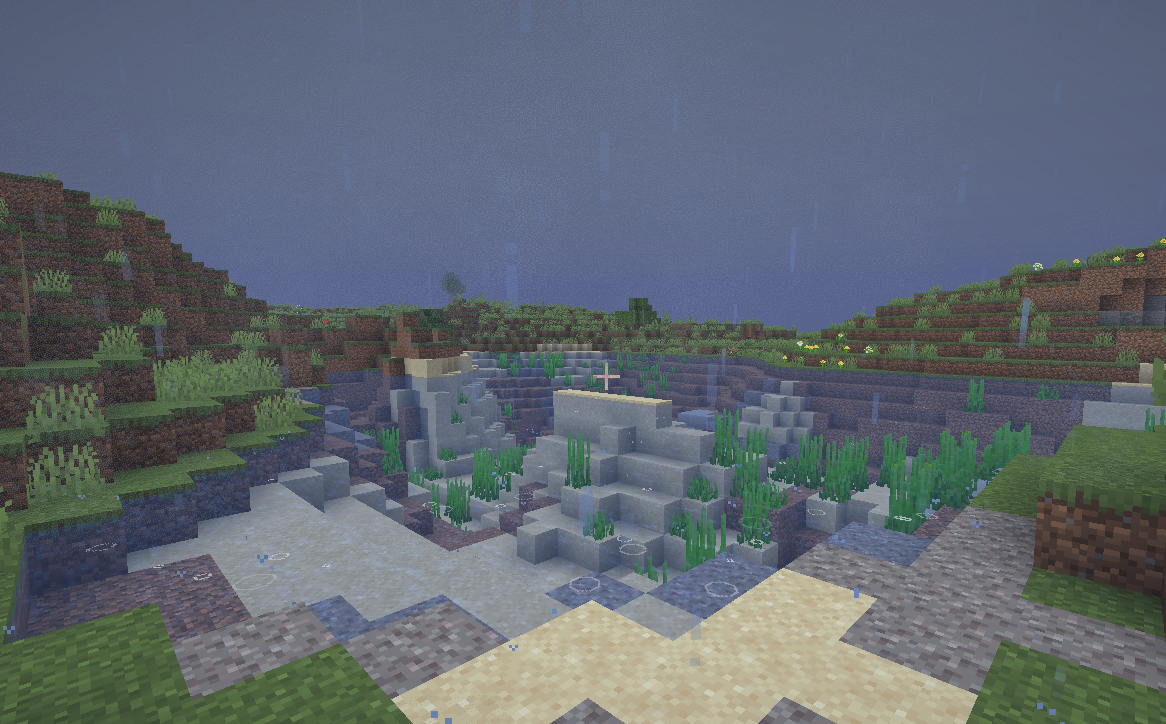 Wonderful rain All of the rain mods
 -
 Villager Pickup ++ Mod The basic details
 -
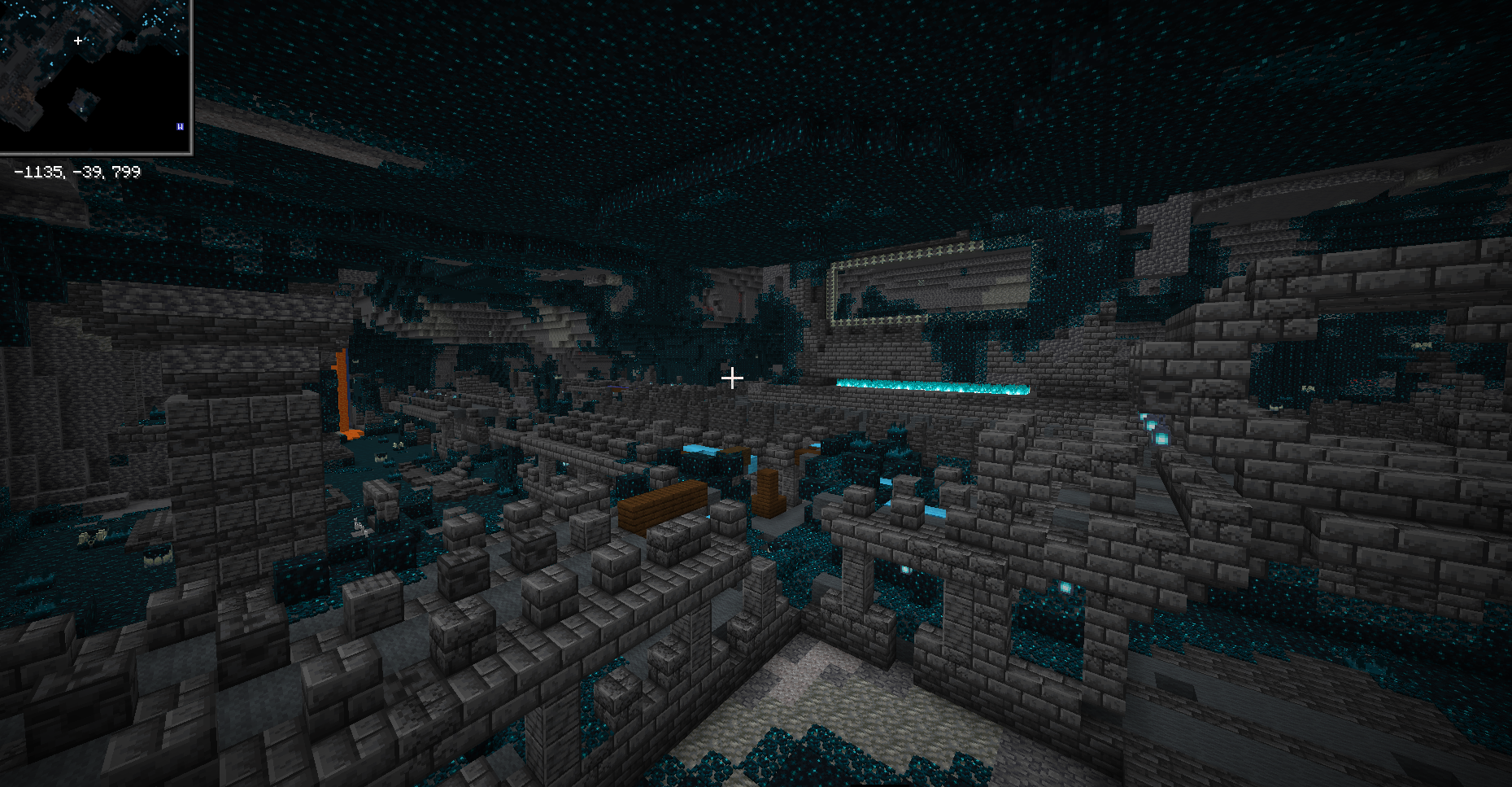 Fulbright and mini map mods Full bright helps with the dark
 -
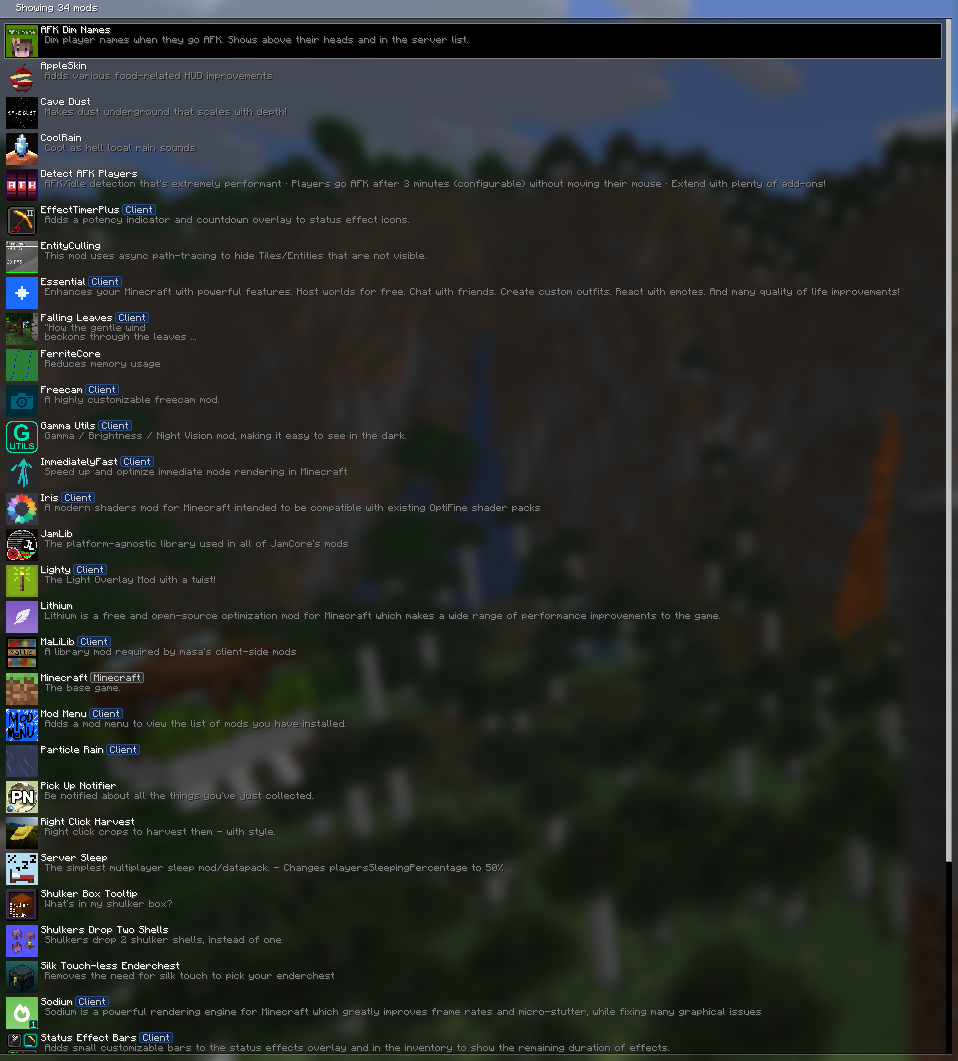 Mods Most of the mods from the view of mod menu
Versions
Files
Relations
Project Relations
More like this
Similar Modpacks
Suggestions use data such as tags, dependencies, dependents, descriptions, titles, and more to rank how much they overlap with this modpack.
On ModDex
Community snapshot
By the numbers
Statistics

 (opens in a new tab)
Get it on
Available Platforms
On ModDex
Community snapshot
By the numbers
Statistics
Resources