Modpack

HomeCraft

Quick rating

HomeCraft

No reviews yet

A Vanilla(ish)++ experience about Home Design

Cozy
Village & Farm Life
Kitchen Sink
Farming & Agriculture
Small Group & Co-op Play
QoL & Tweaks
Food & Culinary
Minecraft

Community voices

Reviews

Versions
Loading versions…
Match includes

Click once to include, again to exclude, again to clear

Rating Any
Any 0.5 1.0 1.5 2.0 2.5 3.0 3.5 4.0 4.5 5.0
Min
Max
Play Status
Reviews
Time Played
hrs+
Verified developers only
Has developer response
List view
Grid view
Compact view
Sort by
Date
Rating
Helpful
Unhelpful
Edited
Sort ascending
Delete this review?

This removes your review from the project. You can write a new review after.

Review submitted for moderation

Your review has been sent to moderators, who will check that it meets our guidelines before it appears publicly.

No reviews yet. Be the first to review this project!

Get it on

Available Platforms

About

Project Details

Type
Modpack
Pack Size
Medium 102 mods
Latest Version
HomeCraft v.2.01 (HotFix)
Authors

For authors

Embed Badge

If you're the author of this project, you can embed a live badge anywhere that supports HTML or Markdown. It updates automatically whenever ratings change.

Custom banner text
ModDex rating badge preview

Use HTML for any page that supports it, or Markdown for README files and Markdown-based descriptions.

Identifiers

Platform IDs

CurseForge ID

Resources

External Links

Source Issues Wiki Discord

About

Description

About: (as of version 2.0) - I recommend memory be set from 4 - 6 Gb to effectively run this pack.
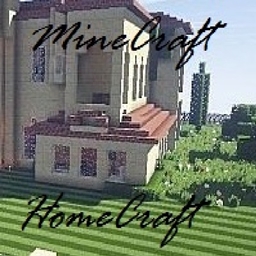
HomeCraft is essentially regular MineCraft BUT is modded and tweaked with a lot of GUI support, extra carry inventory, a bit of tech, and decoration support... LOTS of decoration support. This pack has only 1 real goal - build your house, town, village, etc. as only you can.  A few extra mods for crops, food, services, and tools.... but mainly, just the beautiful environment and the ambiance of MineCraft mixed with extra decorative building blocks to make a place truly your own.

Be sure to set the WorldType as Biomes O' Plenty for that extra good look when creating a new world.

Included Mods:

Backpacks (by Eydamos) Cooking for Blockheads (by BlayTheNinth)
Inventory Tweaks (by Kobata) Chisels & Bits (by AlgorithmX2)
Just Enough Items (JEI) (by mezz) Forestry (by SirSengir)
Mouse Tweaks (by YaLTeR97) Wawla - What Are We Looking At (by darkh4x)
Waila Harvestability (by squeek502) Waila (by ProfMobius)
BiblioCraft (by JDSinclair) DecoCraft2 (by RazzleberryFox)
CompatLayer (by McJty) KleeSlabs (by BlayTheNinth)
Biomes O' Plenty (by Glitchfiend) Fast Leaf Decay (by Olafskii)
Just Enough Resources (JER) (by Way2muchnoise) Mystical Agriculture (by BlakeBr0)
BetterFps (by Guichaguri) OpenModsLib (by OpenMods)
Bed Bugs (by gr8pefish) OpenBlocks (by OpenMods)
Neat (by Vazkii) NetherPortalFix (by BlayTheNinth)
Shadowfacts' Forgelin (by shadowfactsmc) VeinMiner (by Portablejim)
ShadowMC (by shadowfactsmc) Cyclops Core (by kroeser)
Waypoints (by kamildanak) Common Capabilities (by kroeser)
EnderCore (by tterrag1098) Aroma1997Core (by Aroma1997)
WAILA Plugins (by tterrag1098) AromaBackup (by Aroma1997)
Missing Pieces (by sboy205) Fence Overhaul (by The_WeatherPony)
ArchitectureCraft (by gcewing) More Shearables (by Lellson)
It's Raining Food! (by insaneau) NoNausea (by lumien231)
No Mob Spawning on Trees (by oldjunyi) SimpleHarvest (by TehNut)
Sound Filters (by Tmtravlr) Clarity (by elucent)
stimmedcow : NoMoreRecipeConflict (by Oliv1er) Antique Atlas (by Hunternif)
Crafting Tweaks (by BlayTheNinth) Login Shield (by Glasspelican)
ReAuth (by TechnicianLP) CoralReef (by primetoxinz)
More Overlays (by feldim2425) CreativeCore (by CreativeMD)
Cosmetic Armor Reworked (by ZLainSama) LittleTiles (by CreativeMD)
BdLib (by bdew) Ping (by dmillerw)
MCMultiPart (by amadornes) Chunkloader (by mark232)
Simple Covers (by bdew) Villager Market (by Face_of_Cat)
WAILA-features (by Way2muchnoise) LunatriusCore (by Lunatrius)
Dynamic Surroundings (by OreCruncher) Stackie (by Lunatrius)
MalisisCore (by Ordinastie) How 'Bout That Furniture (by Zundrel)
MalisisDoors (by Ordinastie) Simple Grinder (by Rumaruka)
Big Doors (by jaquadro) Tool Durability Warning (by djomp)
CraftingCraft (by BlayTheNinth) More Extra Food+++ (by apengu_)
Signpost (by Gollorum) Side Slabs (by Thedcplaya)
Apple Trees (by zero4q) Backslab - Slabs into Blocks Mod (by Dot_Silver)
ATLCraft Candles Mod (by AllTheLayers) Cordage (by CassieP)
CleanView (by ZLainSama) Server.Properties for LAN (by eileen12)
Staircraft (by Blubbeltasche) DbrownUtil (by Dbrown55)
Melon Pants (by KristinnVikar123) Concrete Mod (by Dbrown55)
Uncle Jeff's Anystone Walls (by Jeffryfisher) RadixCore (by WildBamaBoy)
What's That Slot? (by gegy) Minecraft Comes Alive (MCA) (by WildBamaBoy)
ConnectedTexturesMod (by tterrag1098) Mantle (by mDiyo)
Chisel (by tterrag1098) CodeChicken Lib 1.8.+ (by covers1624)
Better Builder's Wands (by Portablejim) Forge MultiPart CBE (by covers1624)
EZStorage 2 (by zero__fall) CoFH Core (by TeamCoFH)
Mod Name Tooltip (by mezz) Thermal Foundation (by TeamCoFH)
Pam's HarvestCraft (by MatrexsVigil) Thermal Expansion (by TeamCoFH)
Morpheus (by Quetzi) Thermal Dynamics (by TeamCoFH)


Recommended Mods:
-PiP (for multiplayer) and a good resource pack.

- I also recommend using the addon resourcepack by Golrith at here for AntiqueAtlas.
1. Download the file and extract to a separate directory to copy/move the files.
2. Put the AntiqueAtlasExtra file into your HomeCraft resourcepacks directory.
3. (ONLY IF you are using Biomes O'Plenty) Put both the .json files into the HomeCraft/config/antiqueatlas directory.
This will allow for color mapping using when using the Antique Atlas.

-DO NOT USE Optifine.  There are noted conflicts and issues with many of the mods in this pack when running Optifine.  As such, Optifine will likely cause your client to crash and/or possibly corrupt your world save.

Notes:
The Server.Properties mod is installed in this pack. This allows players to make an easier Open to Lan server with specific settings. This also means that with EACH individual world save you create, there is a server.properties file which needs to be configured. 

Easy Steps:

1) Create your world

2) save and exit to MineCraft Main Menu - there is NO NEED to exit MineCraft entirely

3) through your file manager - go to your instance's saves game directory (specifically the world save you wish to share) and configure the server.properties file with a text editor

4) save the changes made to the server.properties file and close the editor

5) return to MineCraft Main Menu and load your world

6) Open to LAN with your configured settings


It's that easy... BUT, if you are running this pack on a dedicated server, be sure to disable the server.properties mod as it is not needed and potentially can (and usually will) cause issues with the dedicated server setup.

Screenshots

Gallery

This project has no gallery images yet.

Versions

Files

Relations

Project Relations

More like this

Similar Modpacks

Suggestions use data such as tags, dependencies, dependents, descriptions, titles, and more to rank how much they overlap with this modpack.

On ModDex

Community snapshot

0
Ratings
0
In libraries
0
Followers
0
In stacks
Avg. hours (completed)
When players mark completed and log hours.

By the numbers

Statistics

~3,000
Downloads
Last Updated
Created
Last synced
When ModDex last fetched and imported data for this project from CurseForge or Modrinth. High-traffic and active projects are checked more often.
Next pipeline sync