
Community listing page, reviews may not be monitored by the author.


Community voices
Reviews
No reviews yet. Be the first to review this project!
Get it on
Available Platforms
About
Project Details
For authors
Embed Badge
If you're the author of this project, you can embed a live badge anywhere that supports HTML or Markdown. It updates automatically whenever ratings change.
Use HTML for any page that supports it, or Markdown for README files and Markdown-based descriptions.
Identifiers
Platform IDs
Resources
External Links
About
Description
HUDly: The Ultimate Interface & Game Feel Overhaul
Tired of the clunky, outdated vanilla Minecraft interface? HUDly is a collection of mods designed to completely modernize your HUD, streamline your inventory management, and elevate your overall game feel without sacrificing performance.
Key Features
⚔️ Combat HUD
- Advancement Plaques - Replaces boring advancement popups with epic, glowing RPG-style plaques.
- Health Bars - Adds smooth, animated health, armor, and damage indicators directly above mobs.
- Overflowing Bars - Stacks extra health, armor, and toughness bars into compact, clean layers instead of cluttering your screen.
- Inventory HUD+ - Fully customizable overlays showing your inventory, armor durability, free slots, and potion timers on your main screen.
- Stylish Effects - Completely overhauls the active status effects display with modern, sleek layouts.
- Effect Insights - Adds simple explanations to status effects from potions and food items, so you always know exactly what they do.
📖 Tooltips & Information
- AppleSkin - Adds crucial food HUD improvements, visualizing potential hunger, saturation, and health restored.
- Enchantment Insights - Adds clear enchantment descriptions directly to your item tooltips.
- Legendary Tooltips - Transforms ordinary item tooltips into embellished works of art with borders matching item colors and 3D previews.
- Held Item Info - Displays active enchantments and detailed stats under the item's name when held.
- Item Highlighter - Quickly find new items by showing an animated star on all newly-picked up loot.
- Pick Up Notifier - Keeps track of everything you collect and displays it in a clean on-screen list.
🎒 Inventory Improvements
- Easy Shulker Boxes - Lets you fully interact with shulker boxes directly from your inventory without placing them down.
- Shulker Box Tooltip - Allows you to see a preview window of a shulker box's contents by simply pressing shift.
- Easy Anvils - Items stay inside the anvil when you close it, rendering the contents directly on the block.
- Easy Magic - Retains items inside the enchanting table and adds a convenient button for rerolling offered enchantments.
- Visual Workbench - Items placed in a crafting table persist inside the grid instead of dropping on the floor.
- Locked In Slots - Lock any inventory slot with a hotkey to protect your most valuable tools from accidental dropping or sorting.
- InvMove - Gives you total freedom to walk, jump, and sprint while navigating chests or inventories.
🎨 Visual Enhancements
- Blur+ - Adds sleek, customizable background blur with smooth animations whenever you open a menu.
- Hovering Hotbar - Detaches the hotbar from the screen edge, creating a cleaner, modern floating look.
- Immersive Minimaps - A seamless minimap overlay that automatically activates whenever you hold a map in your inventory.
- Zoomify (Zoom) - The smoothest, most configurable, and visually stunning zoom mod available.
- LambDynamicLights - Realistic dynamic lighting—light up dark caves simply by holding a torch in your hand.
- Particle Rain - Replaces default weather with gorgeous particle rain, fog, wind, and sandstorm physics.
🛠️ Core Optimization & Utilities
- Death Finder - Instantly displays your exact coordinates, dimension, and distance from your last death point right on the death screen.
- Cherished Worlds - Pin and favorite your most important worlds to force them to the top of the list and prevent accidental deletion.
- Stendhal - Offers enhanced visual utilities for books, signs, anvils, and the in-game chat.
- Chat Heads - Adds neat player skin icons next to chat messages, making it easy to tell people apart.
- Screenshot Viewer - Browse and view your taken screenshots directly from the menu.
- Remove Reloading Screen - Removes the frustrating reload screen except for a clean progress bar when changing resource packs.
- Resource Pack Overrides - Ensures preinstalled resource packs stay configured exactly as intended for a clean UI.
Screenshots
Gallery
-
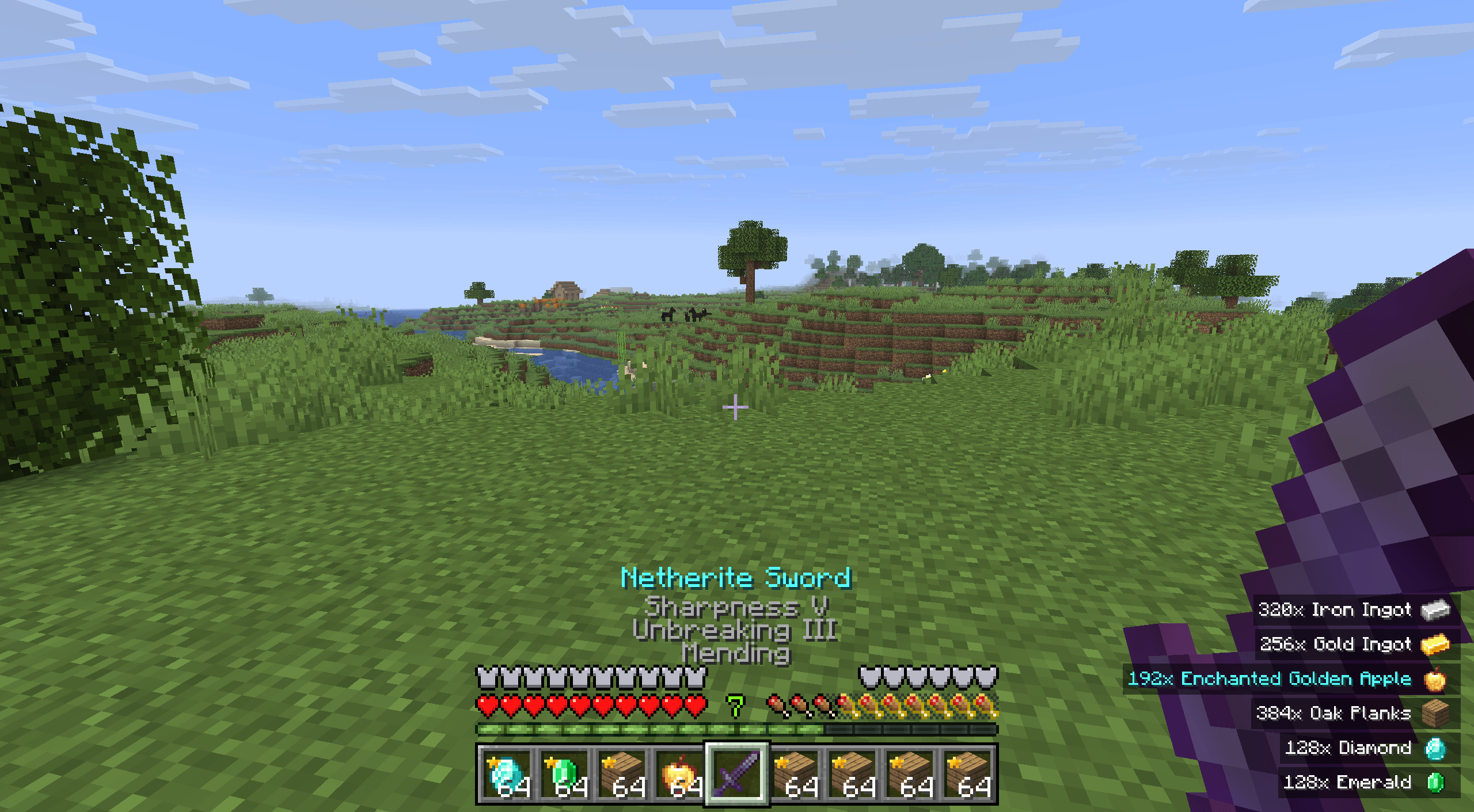 Loot Notifications
 -
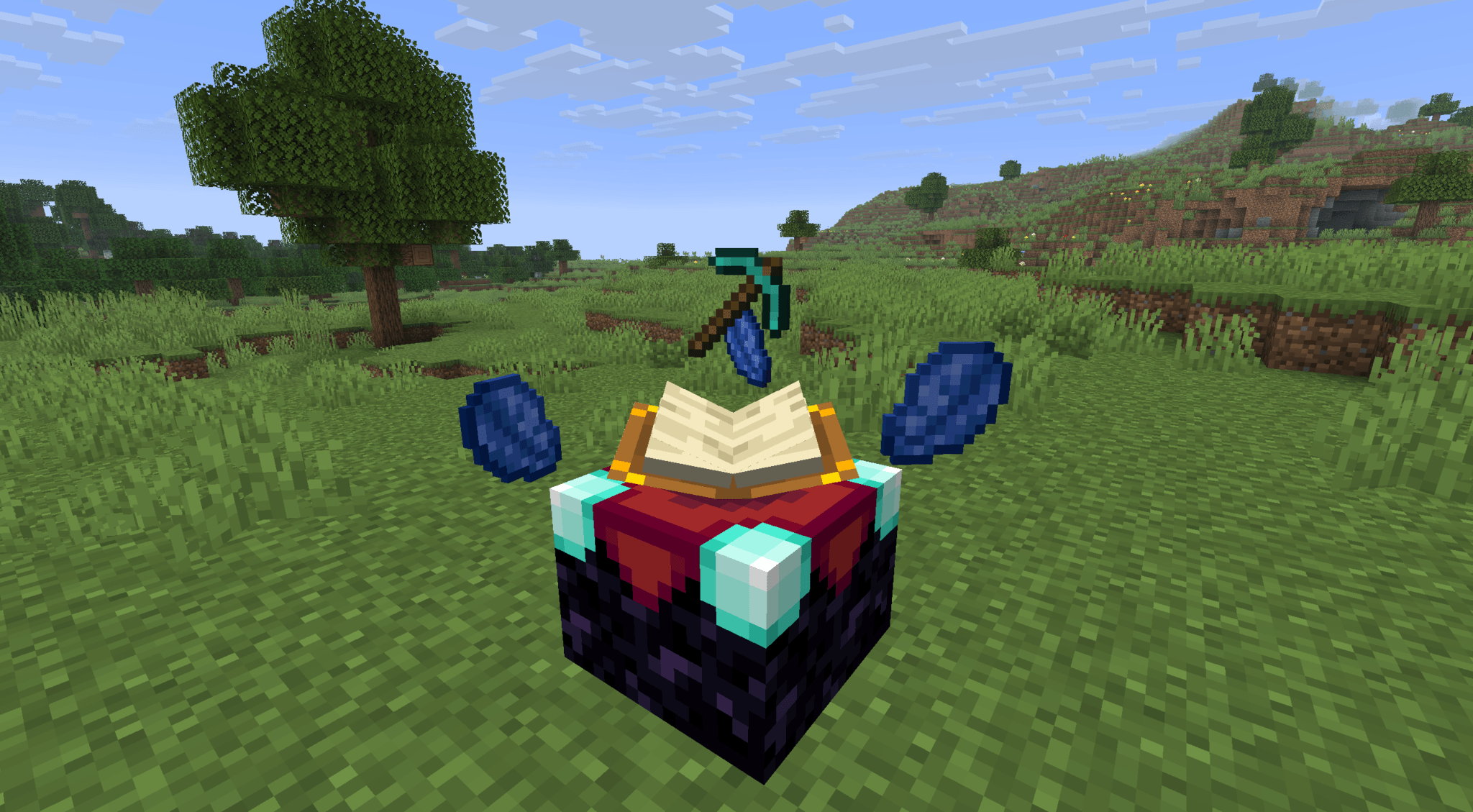 3D Enchanting
 -
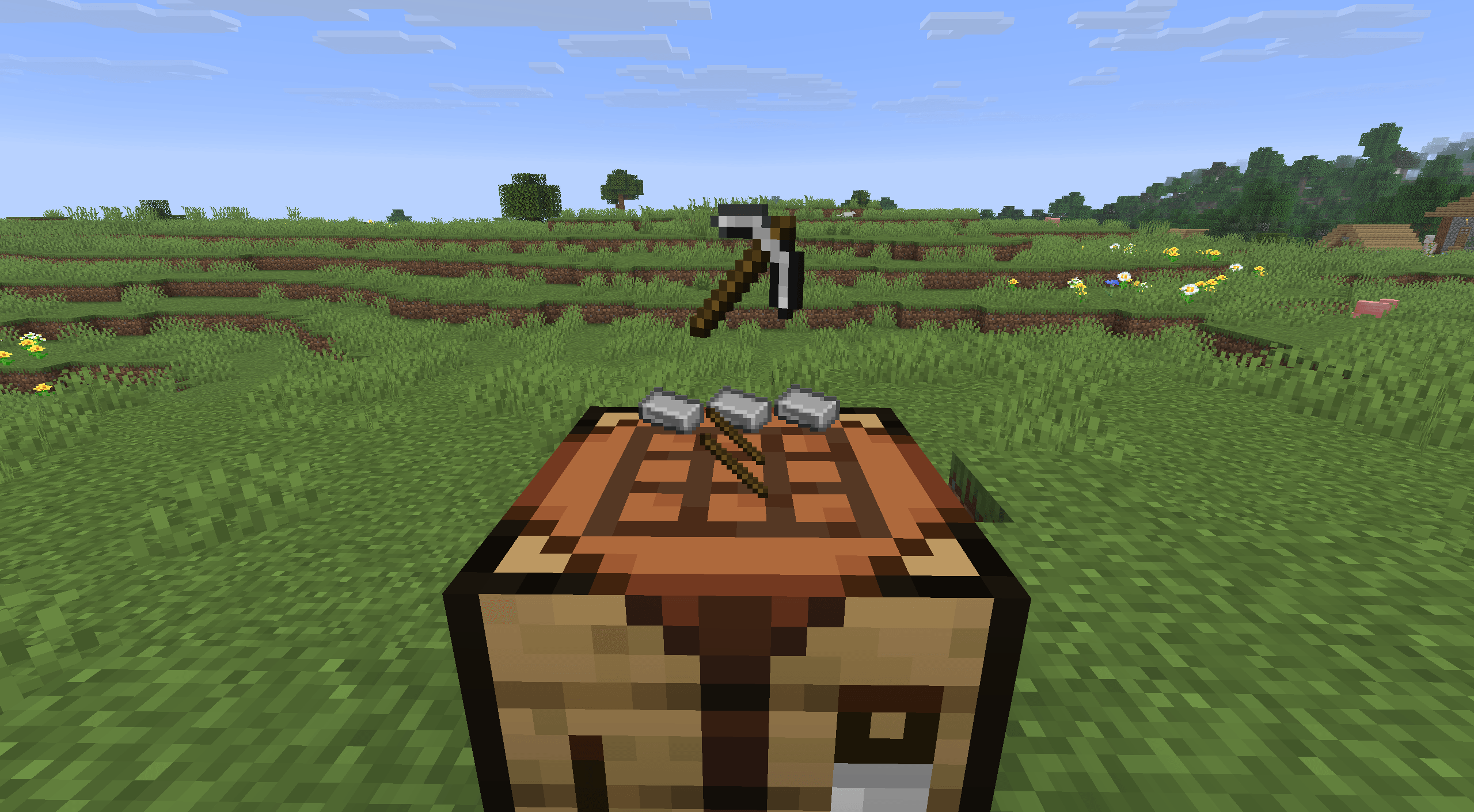 3D Crafting
 -
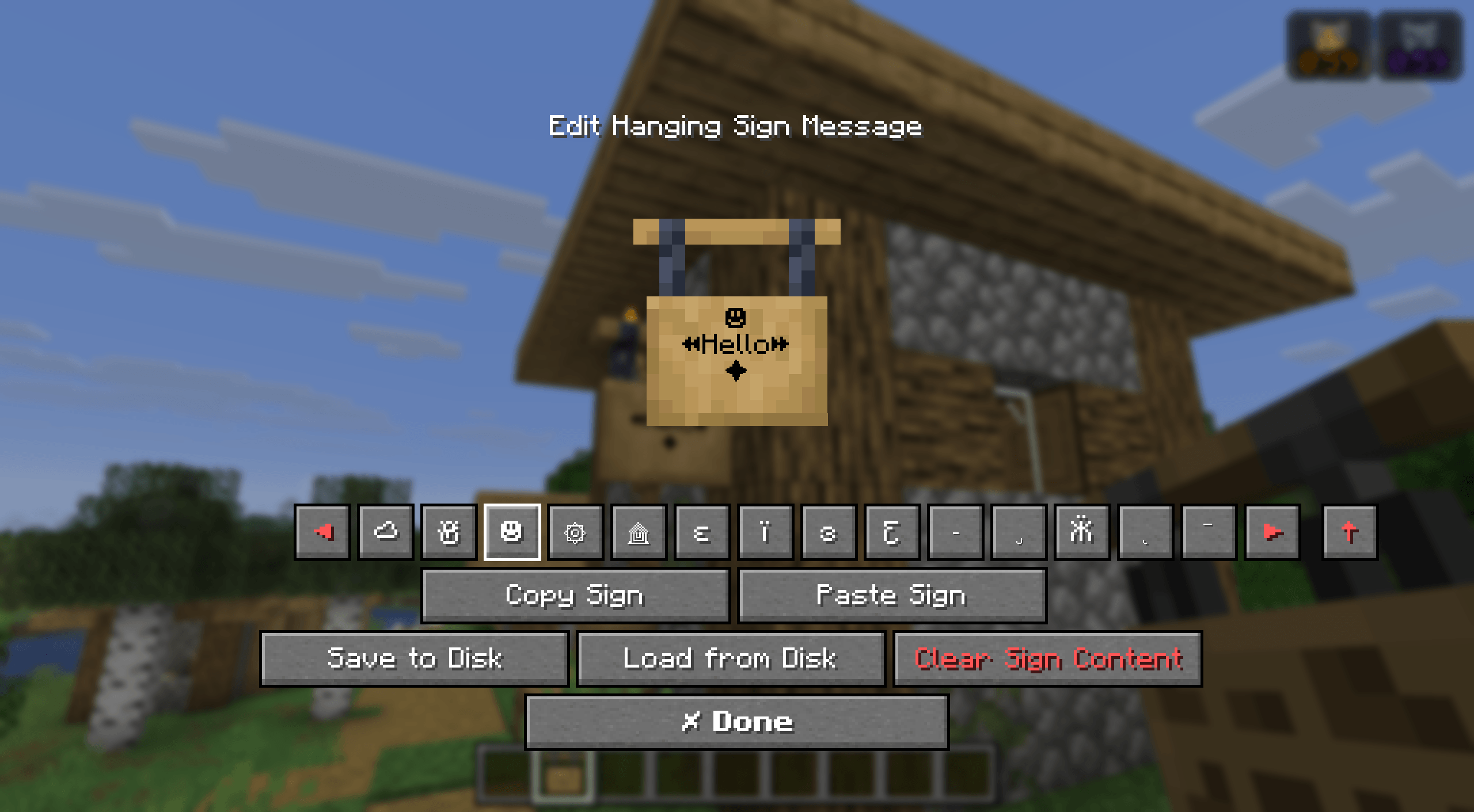 Rich Text Signs
 -
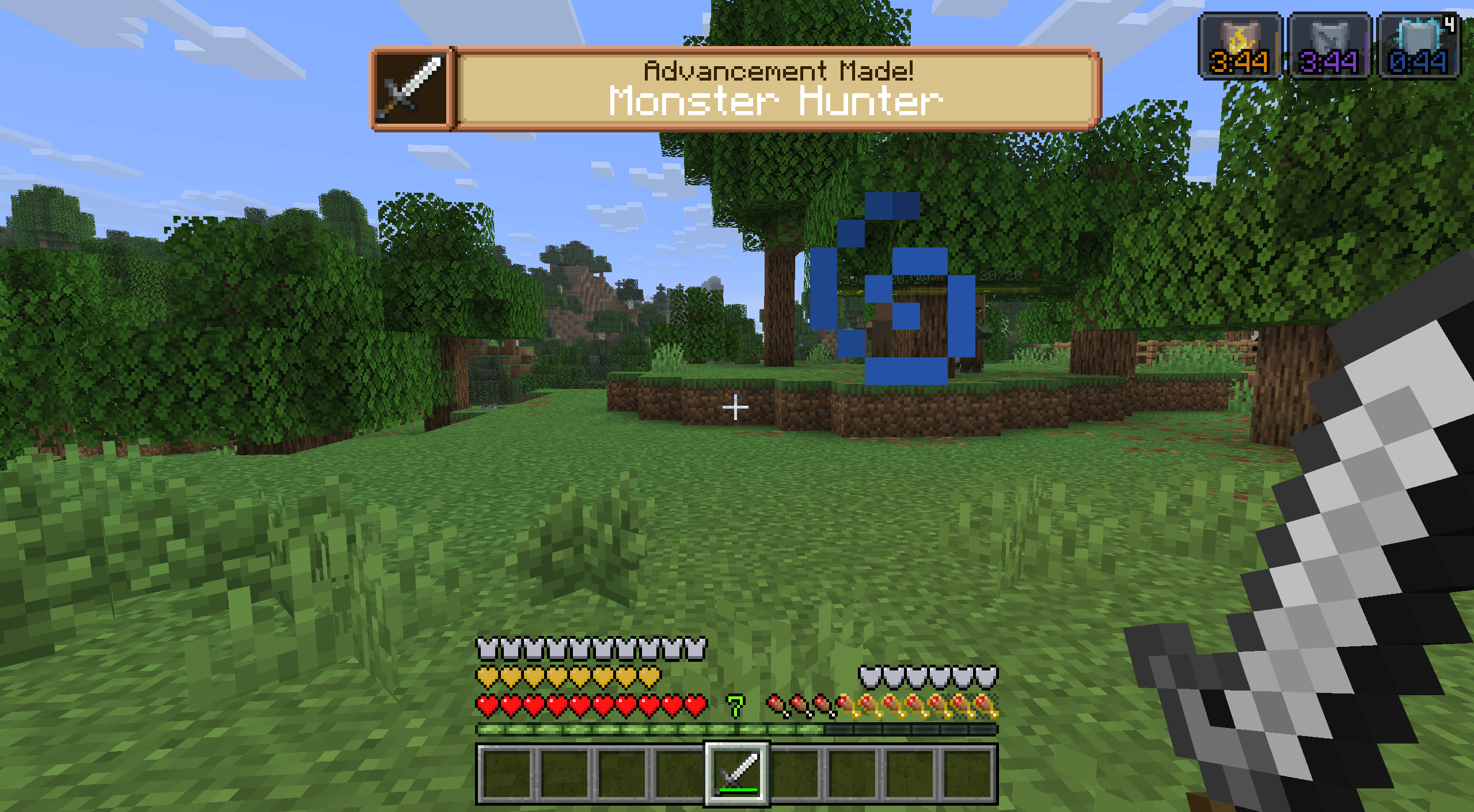 Epic Achievements
 -
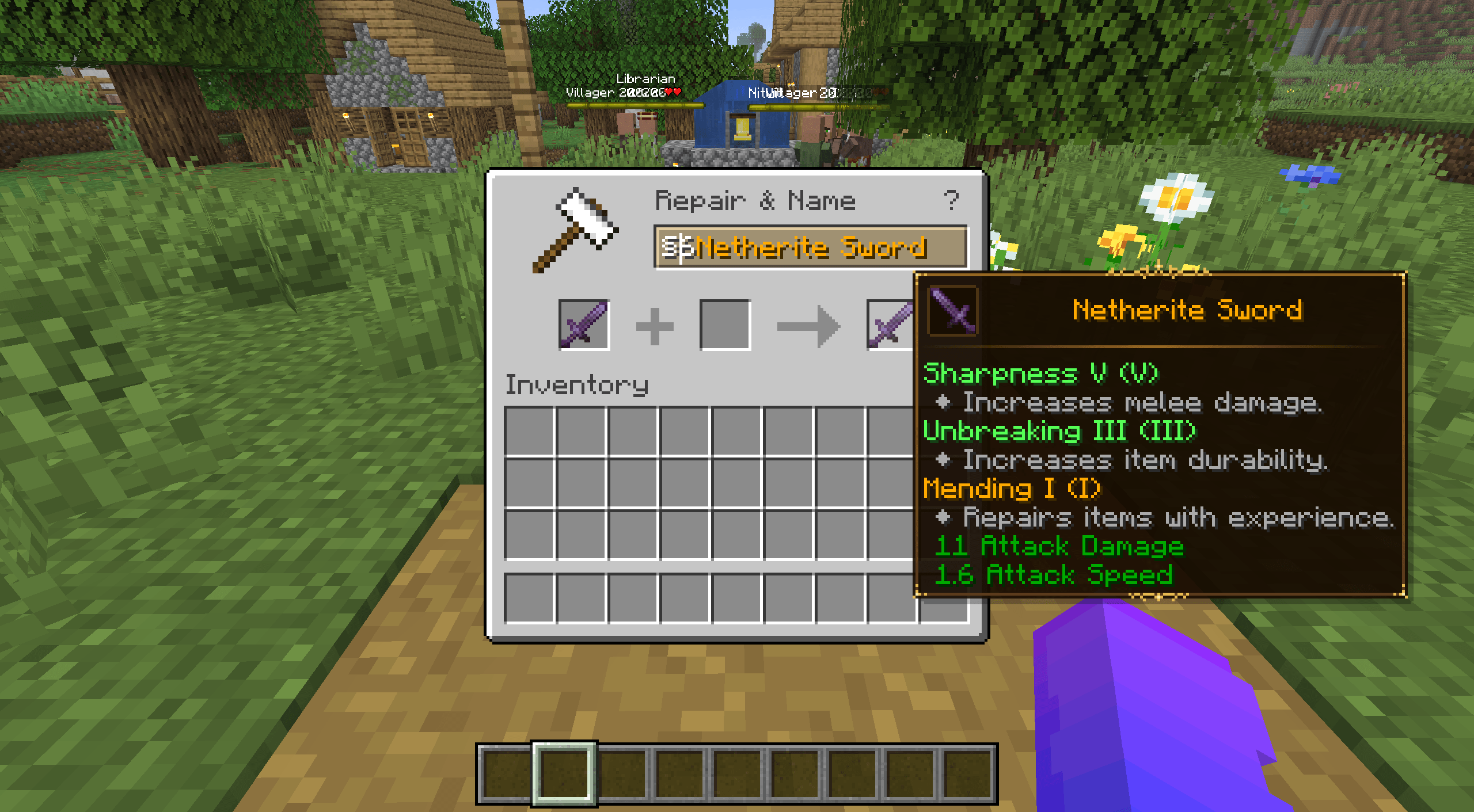 New Item Tooltips
 -
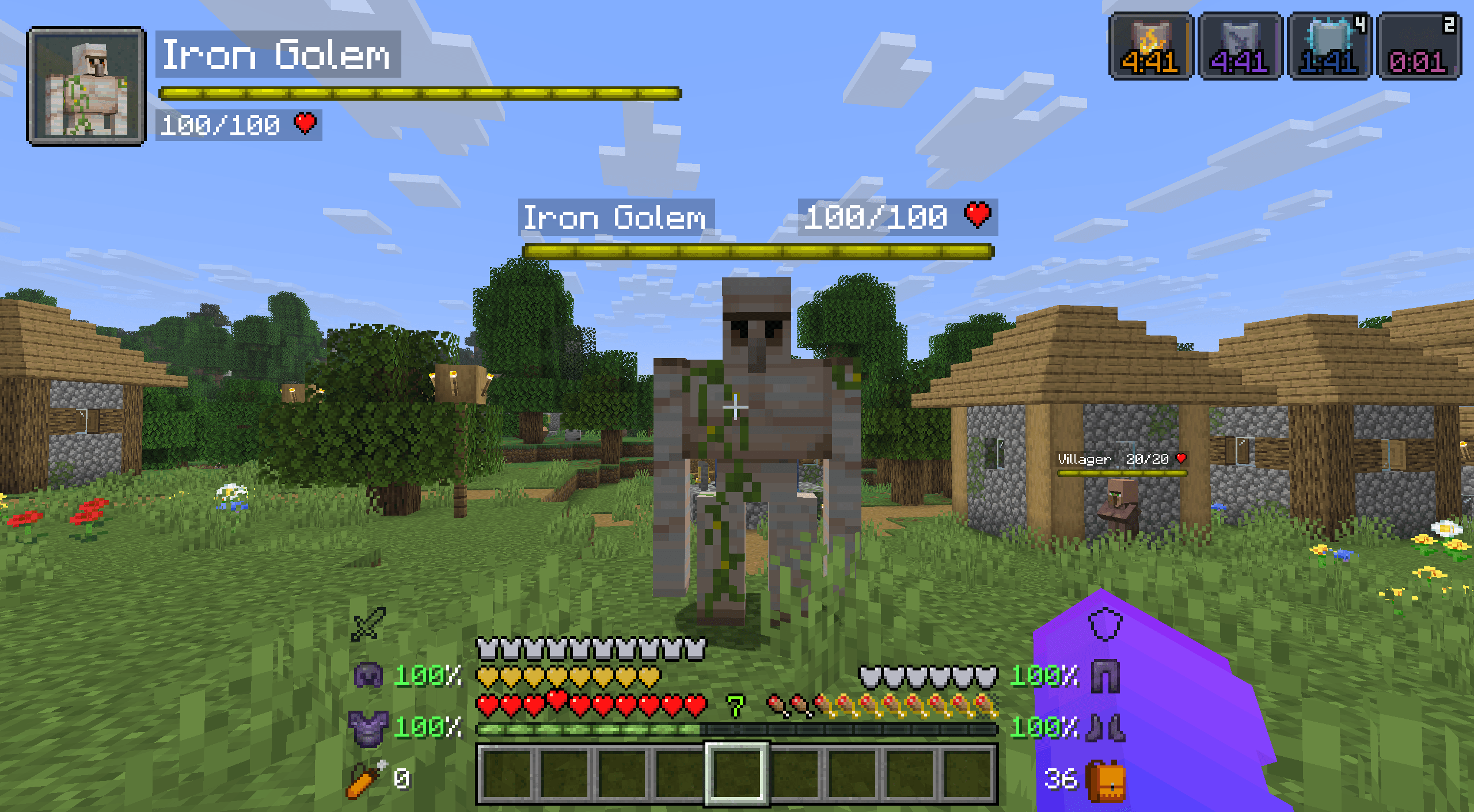 Advanced HUD
Versions
Files
Relations
Project Relations
More like this
Similar Modpacks
Suggestions use data such as tags, dependencies, dependents, descriptions, titles, and more to rank how much they overlap with this modpack.
On ModDex
Community snapshot
By the numbers
Statistics

Get it on
Available Platforms
On ModDex
Community snapshot
By the numbers
Statistics
Resources