Modpack
Kiosk
No reviews yet
A modpack that makes escaping Minecraft difficult. Only supports Windows 11 and Prism Launcher derivatives.
Fabric is a mod loader for versions 1.14+ of Minecraft, particularly popular for client side and optimization mods.
Community voices
Reviews
Click once to include, again to exclude, again to clear
No reviews yet. Be the first to review this project!
Get it on
Available Platforms
 Modrinth
Compatibility
Supported Environments
About
Project Details
For authors
Embed Badge
If you're the author of this project, you can embed a live badge anywhere that supports HTML or Markdown. It updates automatically whenever ratings change.
Use HTML for any page that supports it, or Markdown for README files and Markdown-based descriptions.
Identifiers
Platform IDs
Resources
External Links
About
Description
 ⚠ Warning
Do not use on personal computers.
Do not install as a regular modpack.
Follow instructions carefully.
About
Kiosk is a modpack that makes escaping Minecraft difficult. It does so by removing UI elements and keyboard shortcuts (like pressing Alt + F4 or holding F3 + C for ten seconds). This modpack also hides onboarding (the "Welcome to Minecraft!" screen), warnings (e.g. the "Third-Party Online Play" warning), tutorial hints, and Minecraft Realms notifications. By default, Music, the Narrator, and its keyboard shortcut are turned off.
Mods (5)
Fabric API - Required by FancyMenu, Konkrete, Melody, and RebindAllTheKeys.
FancyMenu - Enables custom menus.
Konkrete - Required by FancyMenu.
Melody - Required by FancyMenu.
RebindAllTheKeys - Adds keybinds to keys that aren't rebindable.
Installation
Requirements
- Windows 11
- Prism Launcher
- No peripheral monitors
Steps
Uninstall apps/programs that have their own keyboard shortcuts (e.g. Snipping Tool or Game Bar)
Disable screen and touchpad gestures in settings as shown in the following images:


Create and open the following .reg files to disable task manager and screen edge swipe:
Windows Registry Editor Version 5.00

[HKEY_LOCAL_MACHINE\SOFTWARE\Microsoft\PolicyManager\default\LockDown\AllowEdgeSwipe]
"value"=dword:00000000

[HKEY_CURRENT_USER\SOFTWARE\Policies\Microsoft\Windows\EdgeUI]
"AllowEdgeSwipe"=-

[HKEY_LOCAL_MACHINE\SOFTWARE\Policies\Microsoft\Windows\EdgeUI]
"AllowEdgeSwipe"=dword:00000000
 ⚠ Warning
Only do this if you know what you are doing.
Get permission before doing this.
Windows Registry Editor Version 5.00

[HKEY_CURRENT_USER\SOFTWARE\Microsoft\Windows\CurrentVersion\Policies\System]
"DisableTaskMgr"=dword:00000001

[HKEY_LOCAL_MACHINE\SOFTWARE\Microsoft\Windows\CurrentVersion\Policies\System]
"DisableTaskMgr"=dword:00000001
Use https://github.com/ThatBlueEnder/Kiosk/releases/latest/download/Minecraft.zip as the URL when importing a Minecraft instance as shown in the following image:

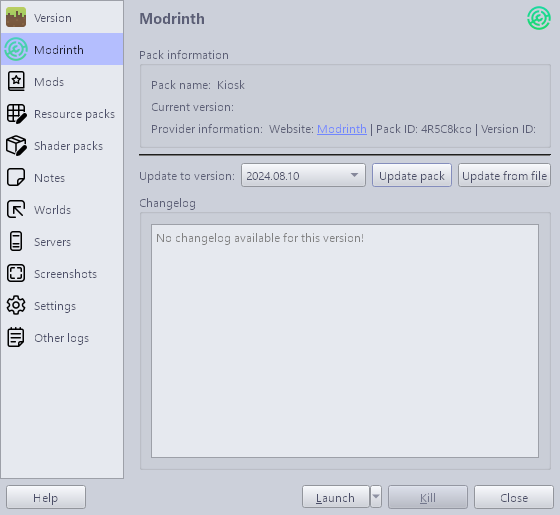
Update the imported Minecraft instance as shown in the following image:
Notes
Keyboard shortcuts not specific to Minecraft (e.g. Alt + F4) are blocked by a compiled AutoHotkey executable that runs while the Minecraft instance is open. The intended method to escape Minecraft is by pressing Ctrl + Shift + \. If a different method to escape Minecraft is found, please create an issue. Below is the .ahk that was compiled by AutoHotkey:
#NoTrayIcon
#SingleInstance Force
Persistent
*LWin::Return
*RWin::Return
*!F4::Return
*!Space::Return
*!Tab::Return
*^Esc::Return
*^+Esc::Return
*^!Tab::Return
*!Esc::Return
*AppsKey::Return
*PrintScreen::Return
*CtrlBreak::Return
*Pause::Return
*Help::Return
*Sleep::Return
*Browser_Back::Return
*Browser_Forward::Return
*Browser_Refresh::Return
*Browser_Stop::Return
*Browser_Search::Return
*Browser_Favorites::Return
*Browser_Home::Return
*Volume_Mute::Return
*Volume_Down::Return
*Volume_Up::Return
*Media_Next::Return
*Media_Prev::Return
*Media_Stop::Return
*Media_Play_Pause::Return
*Launch_Mail::Return
*Launch_Media::Return
*Launch_App1::Return
*Launch_App2::Return
*XButton1::Return
*XButton2::Return
*WheelLeft::Return
*WheelRight::Return
^+\::!F4
Screenshots
Gallery
-
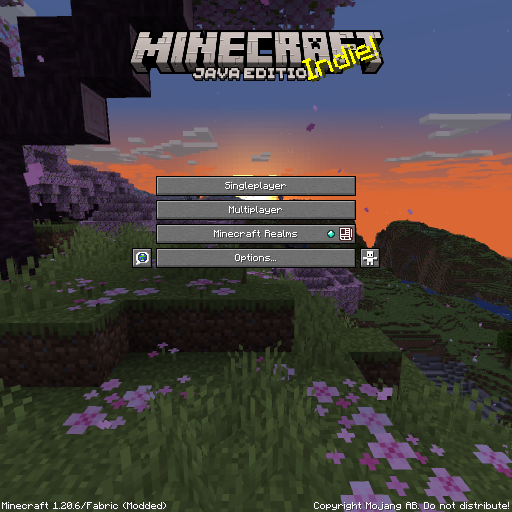 Title Screen Removed the "Quit Game" button.
 -
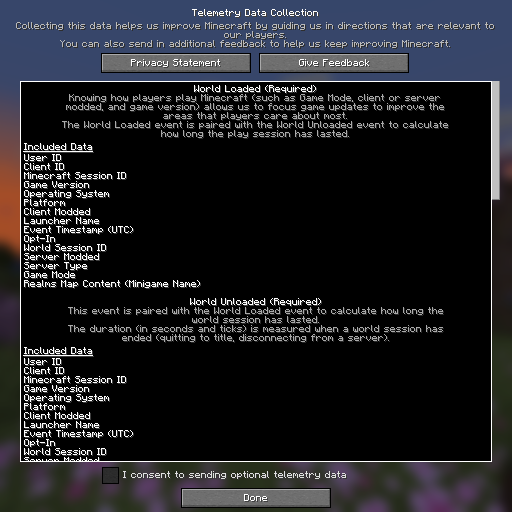 Telemetry Data Collection Screen Removed the "View My Data" button.
 -
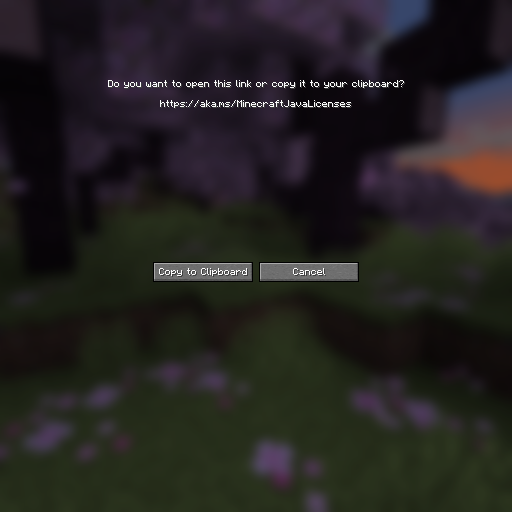 Link Prompt Screen Removed the "Open in Browser" button.
 -
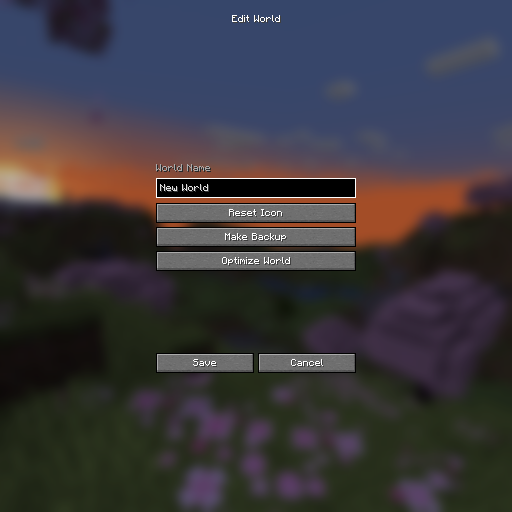 Edit World Screen Removed the "Open World Folder" and "Open Backups Folder" buttons.
 -
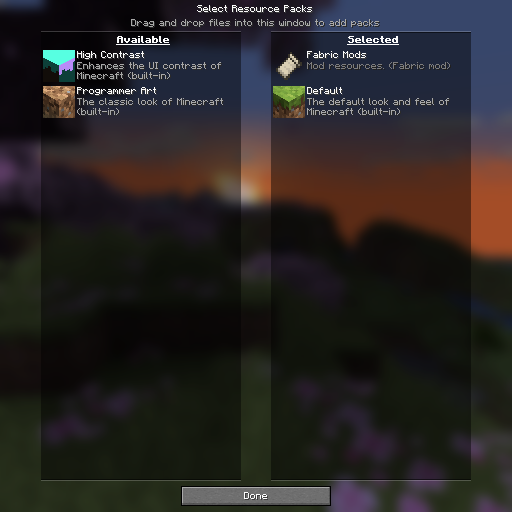 Resource Pack Selection Screen Removed the "Open Pack Folder" button.
 -
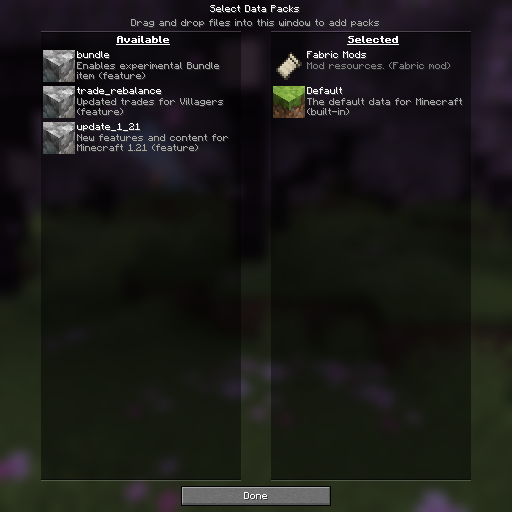 Data Pack Selection Screen Removed the "Open Pack Folder" button.
 -
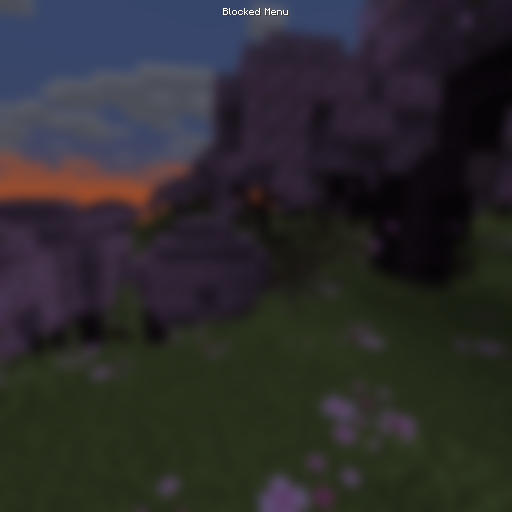 Blocked Menu Screen Applied to the "Chat Settings", "Key Binds", and "Video Settings" screens.
Versions
Files
Relations
Project Relations
More like this
Similar Modpacks
Suggestions use data such as tags, dependencies, dependents, descriptions, titles, and more to rank how much they overlap with this modpack.
On ModDex
Community snapshot
By the numbers
Statistics

Want to reach Minecraft players?
We're looking for a server hosting partner to feature here and other parts of the site. Interested? Send us a message!
Get in touchGet it on
Available Platforms
On ModDex
Community snapshot
By the numbers
Statistics
Resources