Mod

FancyMenu
Rank 49
Rank 22 among mods

Quick rating

FancyMenu

Overall rating distribution
0.5★ (no ratings)
1.0★ (no ratings)
1.5★ (no ratings)
2.0★ (no ratings)
2.5★ (no ratings)
3.0★ (no ratings)
3.5★ (no ratings)
1 rating (17%) · 4.0★
1 rating (17%) · 4.5★
4 ratings (67%) · 5.0★
0.5★ 5★
Gameplay rating distribution
0.5★ (no reviews)
1.0★ (no reviews)
1.5★ (no reviews)
2.0★ (no reviews)
2.5★ (no reviews)
3.0★ (no reviews)
3.5★ (no reviews)
4.0★ (no reviews)
4.5★ (no reviews)
1 review (100%) · 5.0★
0.5★ 5★
Aesthetics rating distribution
0.5★ (no reviews)
1.0★ (no reviews)
1.5★ (no reviews)
2.0★ (no reviews)
2.5★ (no reviews)
3.0★ (no reviews)
3.5★ (no reviews)
4.0★ (no reviews)
4.5★ (no reviews)
1 review (100%) · 5.0★
0.5★ 5★
Performance rating distribution
0.5★ (no reviews)
1.0★ (no reviews)
1.5★ (no reviews)
2.0★ (no reviews)
2.5★ (no reviews)
3.0★ (no reviews)
3.5★ (no reviews)
4.0★ (no reviews)
4.5★ (no reviews)
1 review (100%) · 5.0★
0.5★ 5★

Customize Minecraft's menus with ease!

No Theme
No Genre
UI & Menu Tool
Mod Loaders
Forge
NeoForge
Fabric
Minecraft
26.2

Community voices

Reviews

Versions
Loading versions…
Match includes

Click once to include, again to exclude, again to clear

Rating Any
Any 0.5 1.0 1.5 2.0 2.5 3.0 3.5 4.0 4.5 5.0
Min
Max
Play Status
Reviews
Time Played
hrs+
Verified developers only
Has developer response
List view
Grid view
Compact view
Sort by
Date
Rating
Helpful
Unhelpful
Edited
Sort ascending
Delete this review?

This removes your review from the project. You can write a new review after.

Review submitted for moderation

Your review has been sent to moderators, who will check that it meets our guidelines before it appears publicly.

5.0
Ruben

Reputation ranks

Explorer 0 pts
Contributor 100 pts
Guide 500 pts
Veteran 1,500 pts
Luminary 4,000 pts

Ranks only ever go up; points can drop but your rank stays.

About reputation ranks
Posted: July 8, 2025 at 10:50:47 AM UTC
100 hrs
Total hours played at time of review
MC 1.18, 1.2… MC 1.18, 1.20
The version(s) the reviewer played
Gameplay
5.0
Aesthetics
5.0
Performance
5.0

FancyMenu is a Minecraft mod that completely transforms the menu system, letting you design and animate interfaces with a level of detail rarely seen in the modding scene. From the moment you install it, the creative potential is clear.

Pros

  • Full customization: You can change everything – buttons, backgrounds, music, text, images, and even add animations.
  • No coding needed: While it's packed with features, you don’t need programming knowledge to start creating.
  • Broad compatibility: It works well with many other mods and is ideal for custom modpacks.
  • Dynamic features: You can add interactive animations, sounds, and timed events to menus.

Cons

  • Steep learning curve: The settings and editor can be overwhelming for new users.
  • Minor compatibility issues: Some visual glitches can appear when used with certain shaders or mods (though the mod is updated regularly).
  • (Performance impact): Heavy animations and effects might affect performance on lower-end systems.

Conclusion

FancyMenu isn’t for everyone, but if you enjoy customizing your game deeply, this mod offers endless possibilities. It’s a powerful tool for modpack creators, content designers, or anyone who wants Minecraft to look and feel unique. The learning curve is worth it for the creative freedom it offers.

Hopefully more mods will follow this level of visual flexibility without needing code.

0
0
5.0
Ruben

Reputation ranks

Explorer 0 pts
Contributor 100 pts
Guide 500 pts
Veteran 1,500 pts
Luminary 4,000 pts

Ranks only ever go up; points can drop but your rank stays.

About reputation ranks
Posted: July 8, 2025 at 10:50:47 AM UTC
100 hrs
Total hours played at time of review
MC 1.18, 1.2… MC 1.18, 1.20
The version(s) the reviewer played
Gameplay
5.0
Aesthetics
5.0
Performance
5.0

FancyMenu is a Minecraft mod that completely transforms the menu system, letting you design and animate interfaces with a level of detail rarely seen in the modding scene. From the moment you install it, the creative potential is clear.

Pros

  • Full customization: You can change everything – buttons, backgrounds, music, text, images, and even add animations.
  • No coding needed: While it's packed with features, you don’t need programming knowledge to start creating.
  • Broad compatibility: It works well with many other mods and is ideal for custom modpacks.
  • Dynamic features: You can add interactive animations, sounds, and timed events to menus.

Cons

  • Steep learning curve: The settings and editor can be overwhelming for new users.
  • Minor compatibility issues: Some visual glitches can appear when used with certain shaders or mods (though the mod is updated regularly).
  • (Performance impact): Heavy animations and effects might affect performance on lower-end systems.

Conclusion

FancyMenu isn’t for everyone, but if you enjoy customizing your game deeply, this mod offers endless possibilities. It’s a powerful tool for modpack creators, content designers, or anyone who wants Minecraft to look and feel unique. The learning curve is worth it for the creative freedom it offers.

Hopefully more mods will follow this level of visual flexibility without needing code.

0
0
5.0
Ruben

Reputation ranks

Explorer 0 pts
Contributor 100 pts
Guide 500 pts
Veteran 1,500 pts
Luminary 4,000 pts

Ranks only ever go up; points can drop but your rank stays.

About reputation ranks
Posted: July 8, 2025 at 10:50:47 AM UTC
100 hrs
Total hours played at time of review
MC 1.18, 1.2… MC 1.18, 1.20
The version(s) the reviewer played
0
0

Get it on

Available Platforms

Compatibility

Supported Environments

Dev Environment
Client Required
Server Optional

About

Project Details

Type
Mod
License
DSMSLv3
Latest Version
[NeoForge] v3.9.8 MC 26.2
Authors
CurseForge
Modrinth

For authors

Embed Badge

If you're the author of this project, you can embed a live badge anywhere that supports HTML or Markdown. It updates automatically whenever ratings change.

Custom banner text
ModDex rating badge preview

Use HTML for any page that supports it, or Markdown for README files and Markdown-based descriptions.

Identifiers

Platform IDs

CurseForge ID
Modrinth ID

Resources

External Links

About

Description

FancyMenu allows you to personalize Minecraft's menus in a user-friendly way. Whether you're striving for a modern and simple style or looking to integrate advanced features such as animated or dynamic elements into your menus, FancyMenu equips you with the right tools to bring your vision to reality! 

To explore FancyMenu's features and unlock its full potential, check out the official documentation. It walks you through everything, from the basics to advanced customization, making sure both new and experienced users can make the most of FancyMenu.

For support, tips, and to connect with other users, join the official Discord server.

If you experience crashes or other issues, please check the incompatibility list for mod conflicts!
 

What it Offers

  • Visual Customization: FancyMenu empowers users to visually customize their Minecraft menus, allowing for unique and personalized in-game interfaces.
  • Built-in Editor: FancyMenu features a user-friendly editor, allowing both beginners and experienced users to easily tweak layouts and customize menus.
  • Client-Side Mod: FancyMenu can be used as pure client-side mod without the need to install it server-side.
  • Server-Side Features: FancyMenu can be installed as optional server-side mod, enabling admins to remotely open GUIs for users with FancyMenu installed client-side.
  • Animated Images: FancyMenu supports animated image formats like GIF and APNG that will breathe life into your menus.
  • Dynamic Menu Designs: Advanced users can utilize features like conditional statements (aka. loading requirements), variables, and placeholders for complex and dynamic menu designs.
  • Continuous Updates: FancyMenu is actively maintained, with regular updates introducing new features and improvements. FancyMenu is always available for the latest Minecraft versions, so you can always make use of Minecraft's newest features without sacrificing your beautiful menus.


See how this menu was made

Addons and More

FancyMenu has lots of addons, plugins and other things to make it even more powerful!

Drippy Loading Screen

Drippy is an addon for FancyMenu that allows you to customize the Mojang game loading screen!

SpiffyHUD

Spiffy is an addon for FancyMenu that allows you to customize the in-game HUD like the hotbar!

FancyMenu Spigot Plugin

The Spigot plugin makes it possible to use FancyMenu's commands even without FancyMenu installed on the server. This allows you to remotely open GUIs or edit variable values for other players with FancyMenu installed client-side.

Minecraft Changelogs as FancyMenu-Compatible Markdown

There's a great GitHub project that converts Minecraft's changelogs to FancyMenu-compatible Markdown, so you can show the latest MC changelog in your menus! It updates daily to fetch new changelogs.

For example, to show the latest Minecraft changelog in a Text element, set its Source Mode to Resource and set its resource source to Web. Then use this URL as source: https://clay.is-a.dev/minecraft-changelogs-markdown/{"placeholder":"mcversion"}/fancymenu.md

Fancy Entity Renderer

This mod is an optional dependency for FancyMenu that is needed to display player entities in menus.
If you want fancy players chilling in your menus, make sure to install this great mod!

Copyright

FancyMenu Copyright © 2020-2025 Keksuccino.
FancyMenu is licensed under DSMSLv3 (DON'T SNATCH MA STUFF LICENSE v3).
See LICENSE.md for more information about the license.

Japng © Copyright A. Ellerton.
Japng is licensed under Apache-2.0.

Animated GIF library for Java © Copyright Roberto Tyley, Kevin Weiner.
Original code by Kevin Weiner on fmsware.com.
Re-packaged and improved by Roberto Tyley. Improvements licensed under the Apache-2.0 license.
 

Server Needed?

Looking to play Minecraft with friends but setting up a server is just too time-consuming?
No worries! Simply rent a pre-configured server and start playing in a snap.

Just click the image below and use code keksuccino to enjoy a 25% discount on your first month! You can also click the code itself if your ad blocker hides the banner.


704163135787106365?style=flat&label=Discord&labelColor=%234260f5&color=%2382aeff Donate%20via%20PayPal-%233d91ff?style=flat Support%20me%20on%20Patreon-%23ff9b3d?style=flat


5ad657ab-fe19-485b-a753-737c232e4596

FancyMenu allows you to personalize Minecraft's menus in a user-friendly way. Whether you're striving for a modern and simple style or looking to integrate advanced features such as animated or dynamic elements into your menus, FancyMenu equips you with the right tools to bring your vision to reality!

To explore FancyMenu's features and unlock its full potential, check out the official documentation. It walks you through everything, from the basics to advanced customization, making sure both new and experienced users can make the most of FancyMenu.

For support, tips, and to connect with other users, join the official Discord server.

If you experience crashes or other issues, please check the incompatibility list for mod conflicts!

What it Offers

  • Visual Customization: FancyMenu empowers users to visually customize their Minecraft menus, allowing for unique and personalized in-game interfaces.
  • Built-in Editor: FancyMenu features a user-friendly editor, allowing both beginners and experienced users to easily tweak layouts and customize menus.
  • Client-Side Mod: FancyMenu can be used as pure client-side mod without the need to install it server-side.
  • Server-Side Features: FancyMenu can be installed as optional server-side mod, enabling admins to remotely open GUIs for users with FancyMenu installed client-side.
  • Animated Images: FancyMenu supports animated image formats like GIF and APNG that will breathe life into your menus.
  • Dynamic Menu Designs: Advanced users can utilize features like conditional statements (aka. loading requirements), variables, and placeholders for complex and dynamic menu designs.
  • Continuous Updates: FancyMenu is actively maintained, with regular updates introducing new features and improvements. FancyMenu is always available for the latest Minecraft versions, so you can always make use of Minecraft's newest features without sacrificing your beautiful menus.

image.gif
See how this menu was made

Addons and More

FancyMenu has lots of addons, plugins and other things to make it even more powerful!

Drippy Loading Screen

Drippy is an addon for FancyMenu that allows you to customize the Mojang game loading screen!

SpiffyHUD

Spiffy is an addon for FancyMenu that allows you to customize the in-game HUD like the hotbar!

FancyMenu Spigot Plugin

The Spigot plugin makes it possible to use FancyMenu's commands even without FancyMenu installed on the server. This allows you to remotely open GUIs or edit variable values for other players with FancyMenu installed client-side.

Minecraft Changelogs as FancyMenu-Compatible Markdown

There's a great GitHub project that converts Minecraft's changelogs to FancyMenu-compatible Markdown, so you can show the latest MC changelog in your menus! It updates daily to fetch new changelogs.

For example, to show the latest Minecraft changelog in a Text element, set its Source Mode to Resource and set its resource source to Web. Then use this URL as source: https://clay.is-a.dev/minecraft-changelogs-markdown/{"placeholder":"mcversion"}/fancymenu.md

Fancy Entity Renderer

This mod is an optional dependency for FancyMenu that is needed to display player entities in menus.
If you want fancy players chilling in your menus, make sure to install this great mod!

Copyright

FancyMenu Copyright © 2020-2025 Keksuccino.
FancyMenu is licensed under DSMSLv3 (DON'T SNATCH MA STUFF LICENSE v3).
See LICENSE.md for more information about the license.

Japng © Copyright A. Ellerton.
Japng is licensed under Apache-2.0.

Animated GIF library for Java © Copyright Roberto Tyley, Kevin Weiner.
Original code by Kevin Weiner on fmsware.com.
Re-packaged and improved by Roberto Tyley. Improvements licensed under the Apache-2.0 license.

Server Needed?

Looking to play Minecraft with friends but setting up a server is just too time-consuming?
No worries! Simply rent a pre-configured server and start playing in a snap.

Just click the image below and use code keksuccino to enjoy a 25% discount on your first month! You can also click the code itself if your ad blocker hides the banner.



f5dd9194-01d8-4ce3-9b6a-a85327d975b1.png

Screenshots

Gallery

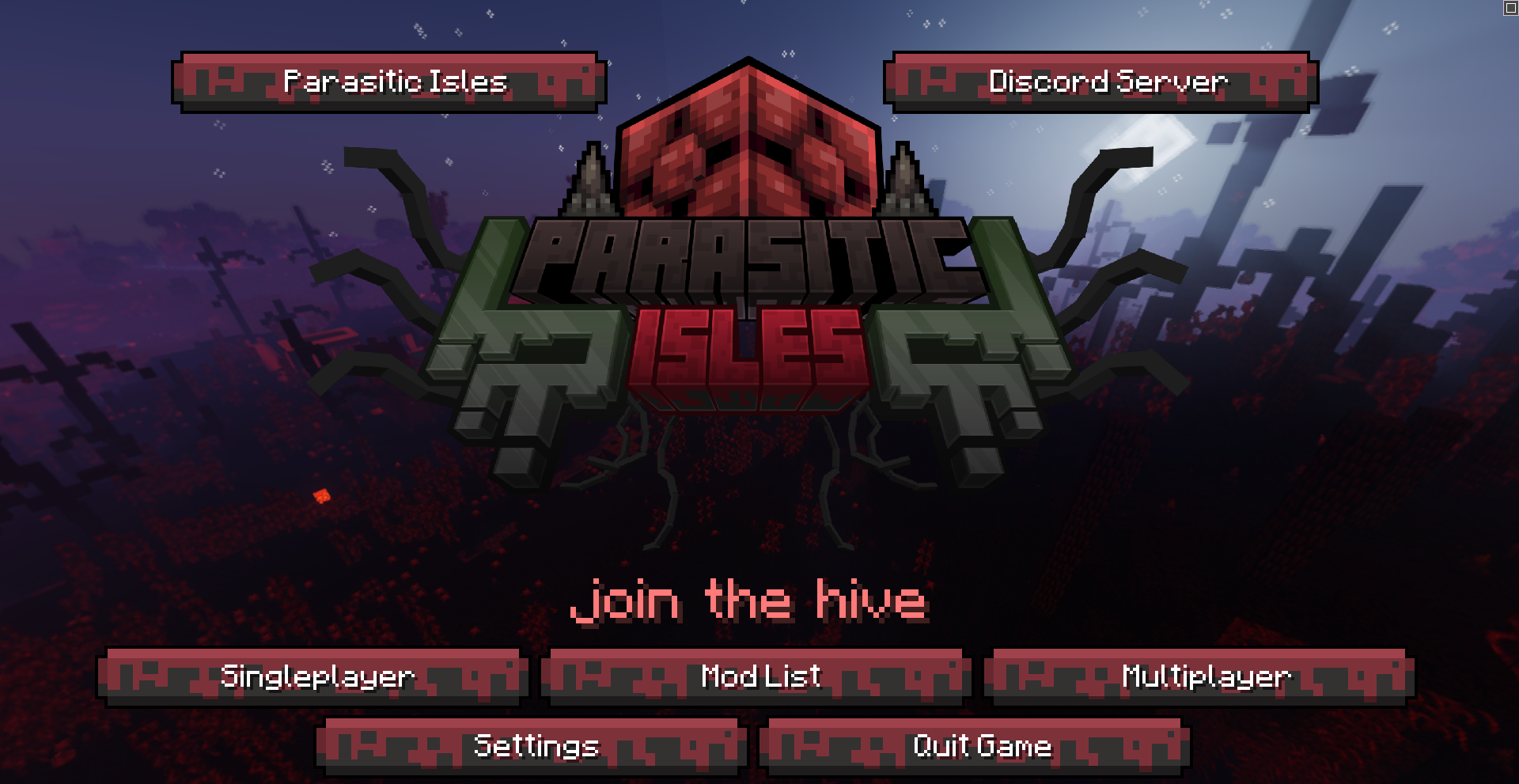
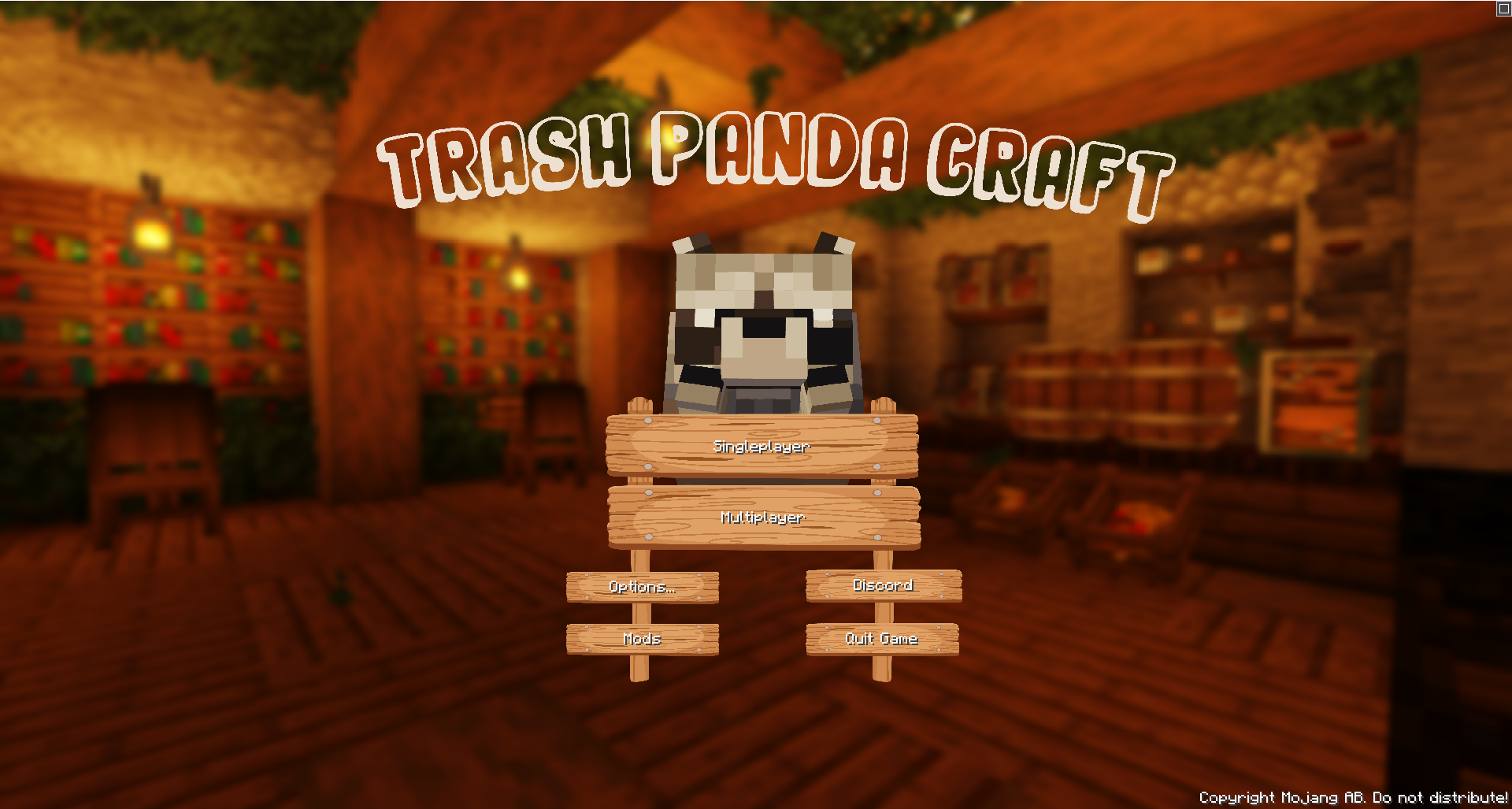
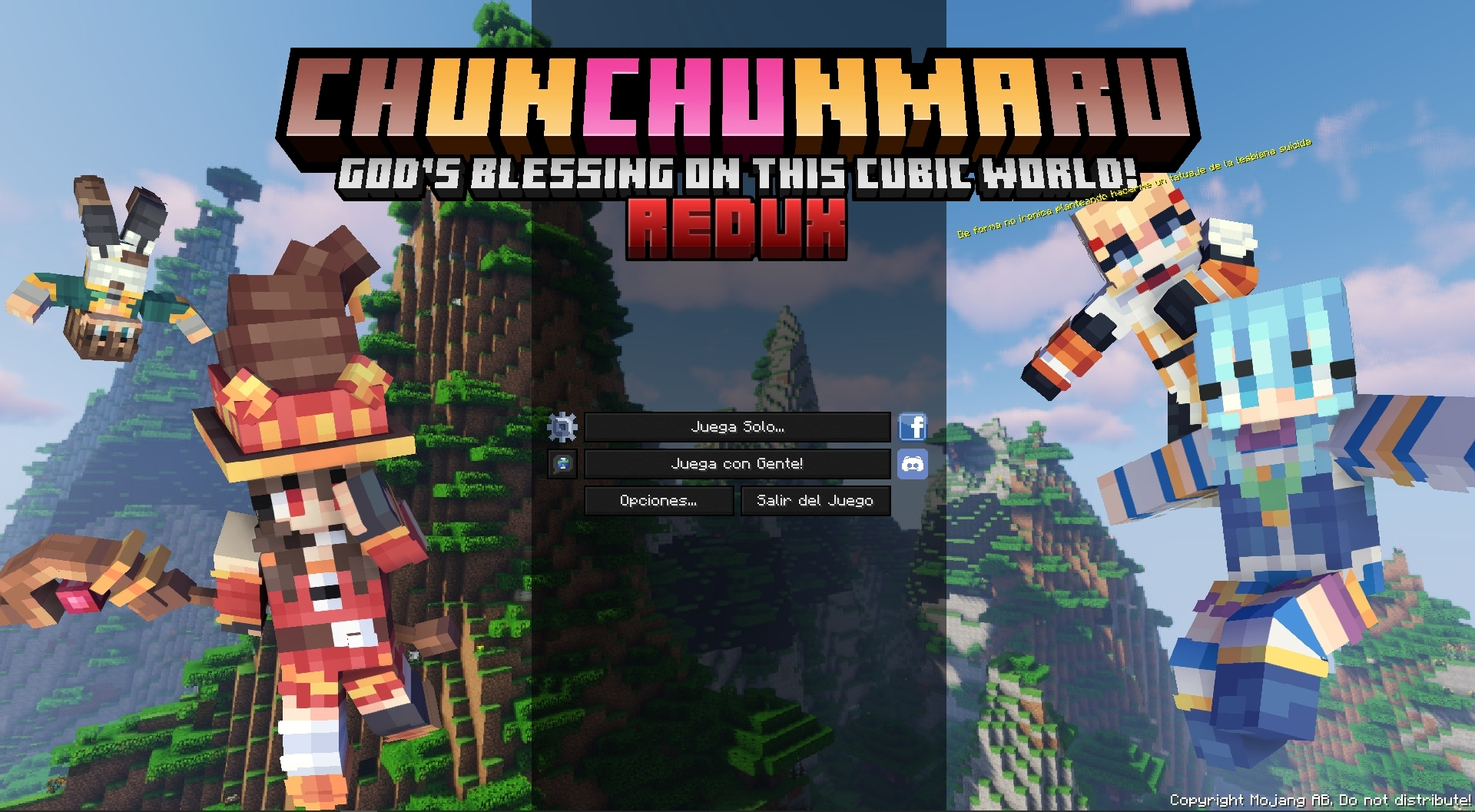
  • "BigChadGuys" Title screen by jflec
    "BigChadGuys" Title screen by jflec "BigChadGuys" Title screen by jflec
  • Title Screen by starrgaze_r
    Title Screen by starrgaze_r Title Screen by starrgaze_r
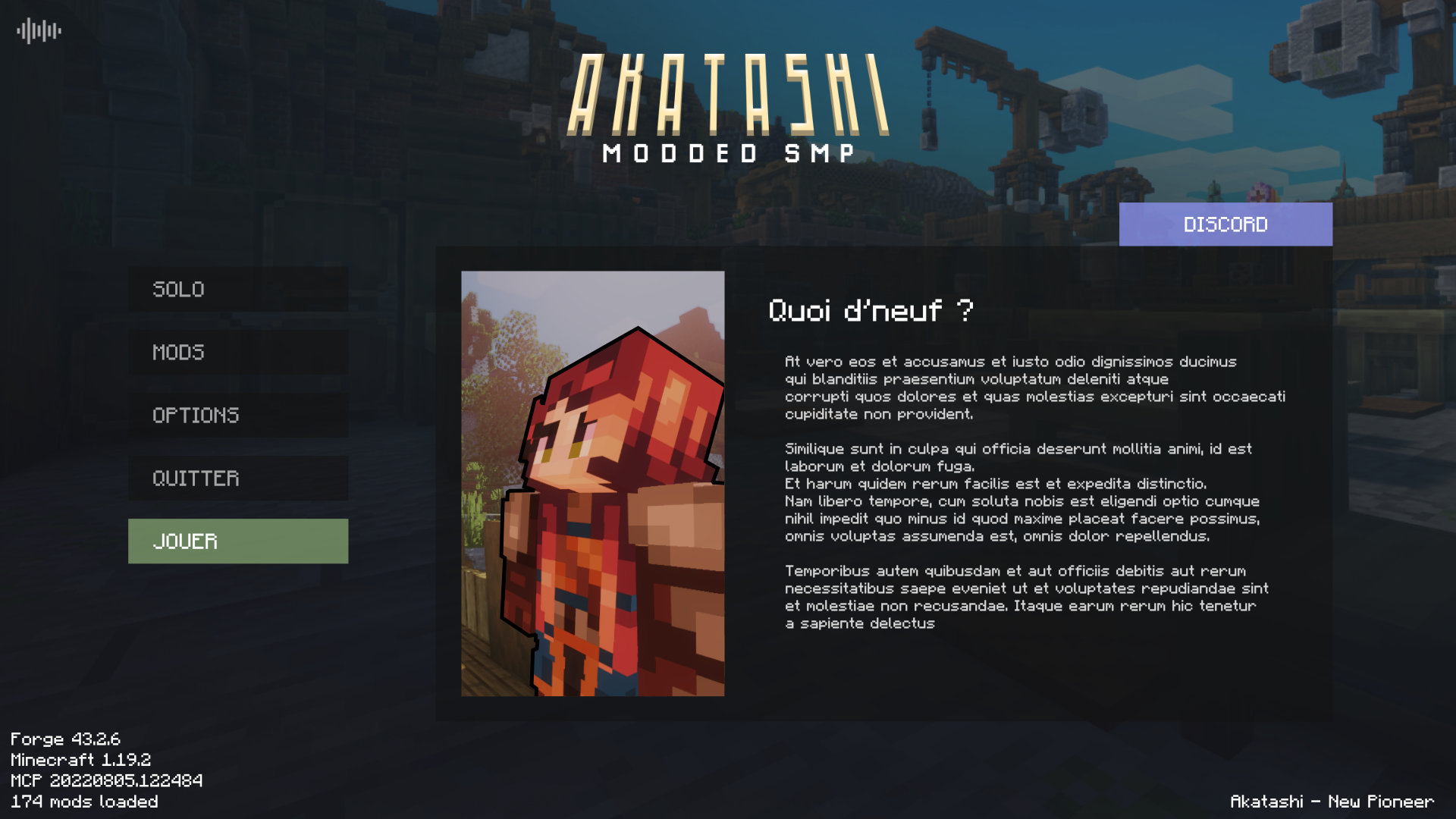
  • Title Menu by Akirawave
    Title Menu by Akirawave
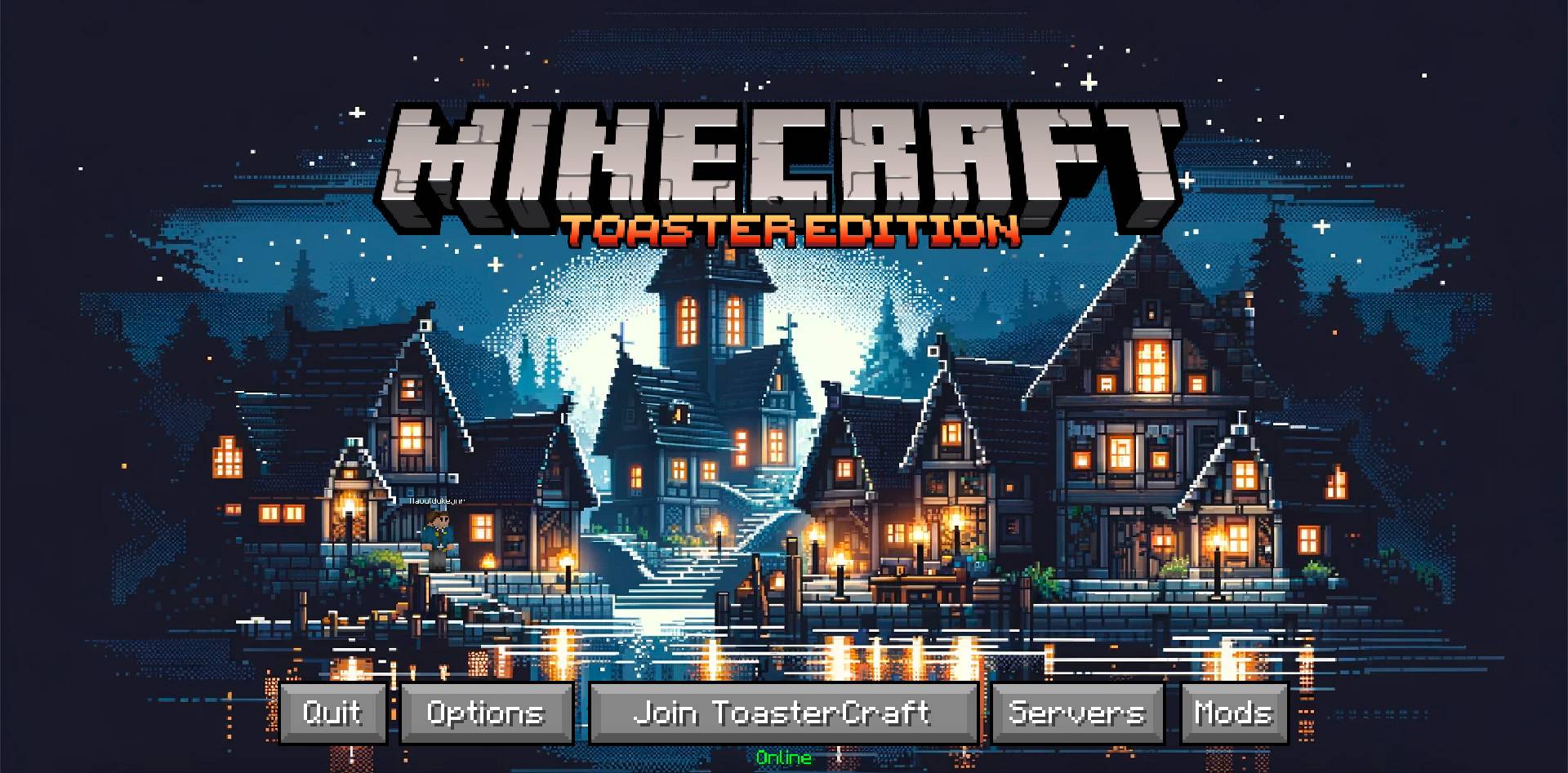
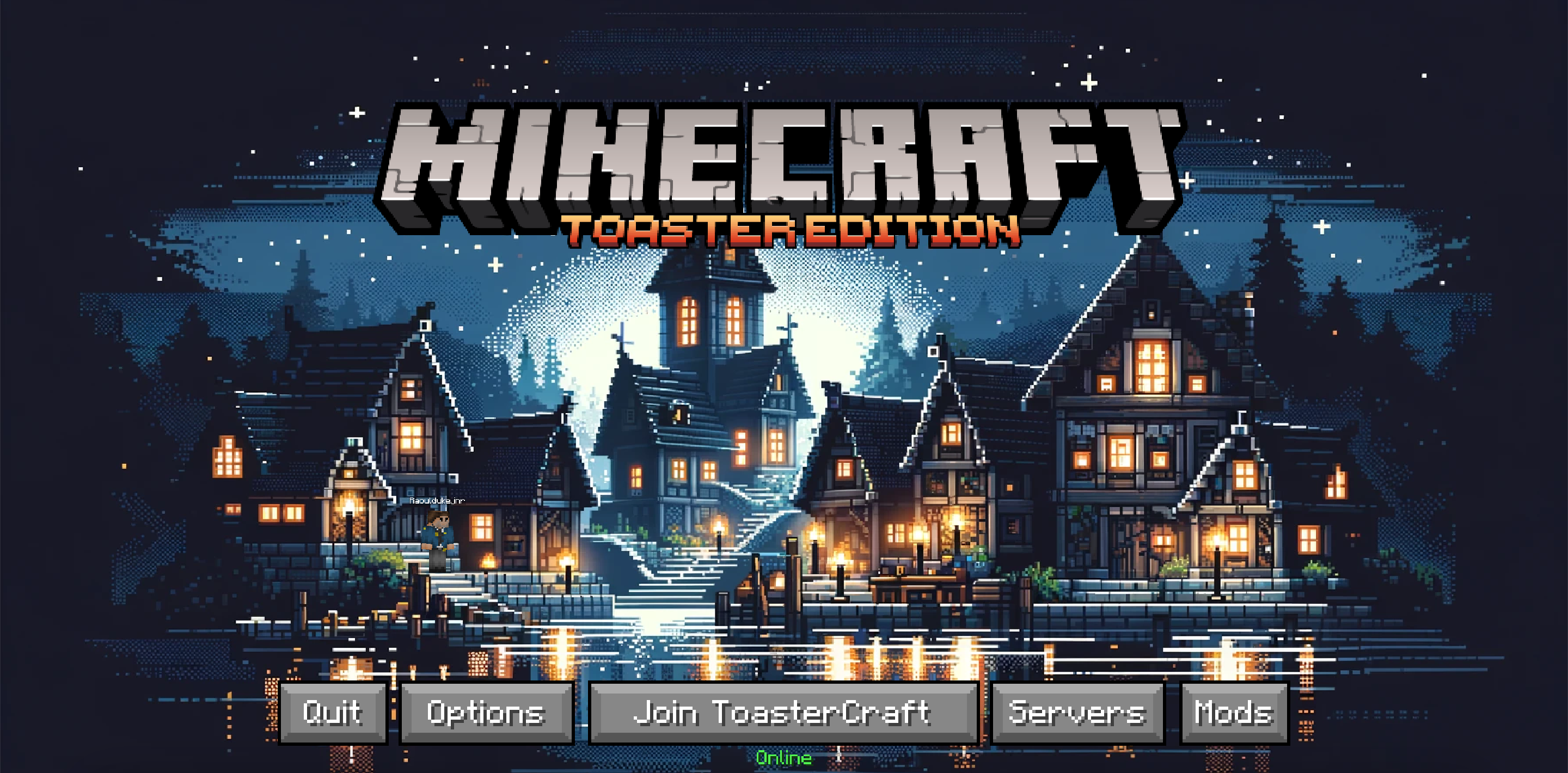
  • Title Screen by Raouldukejnr
    Title Screen by Raouldukejnr
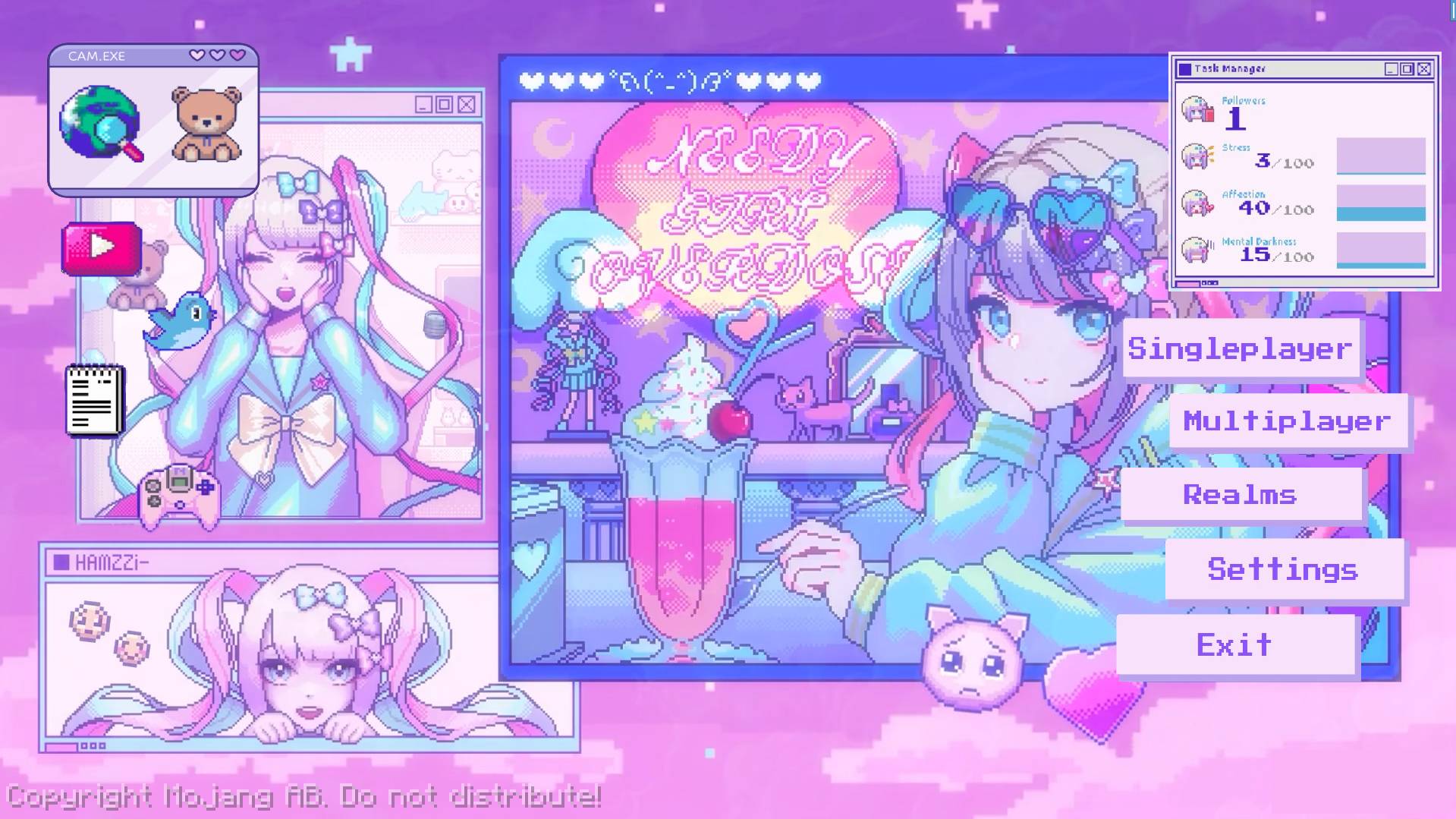
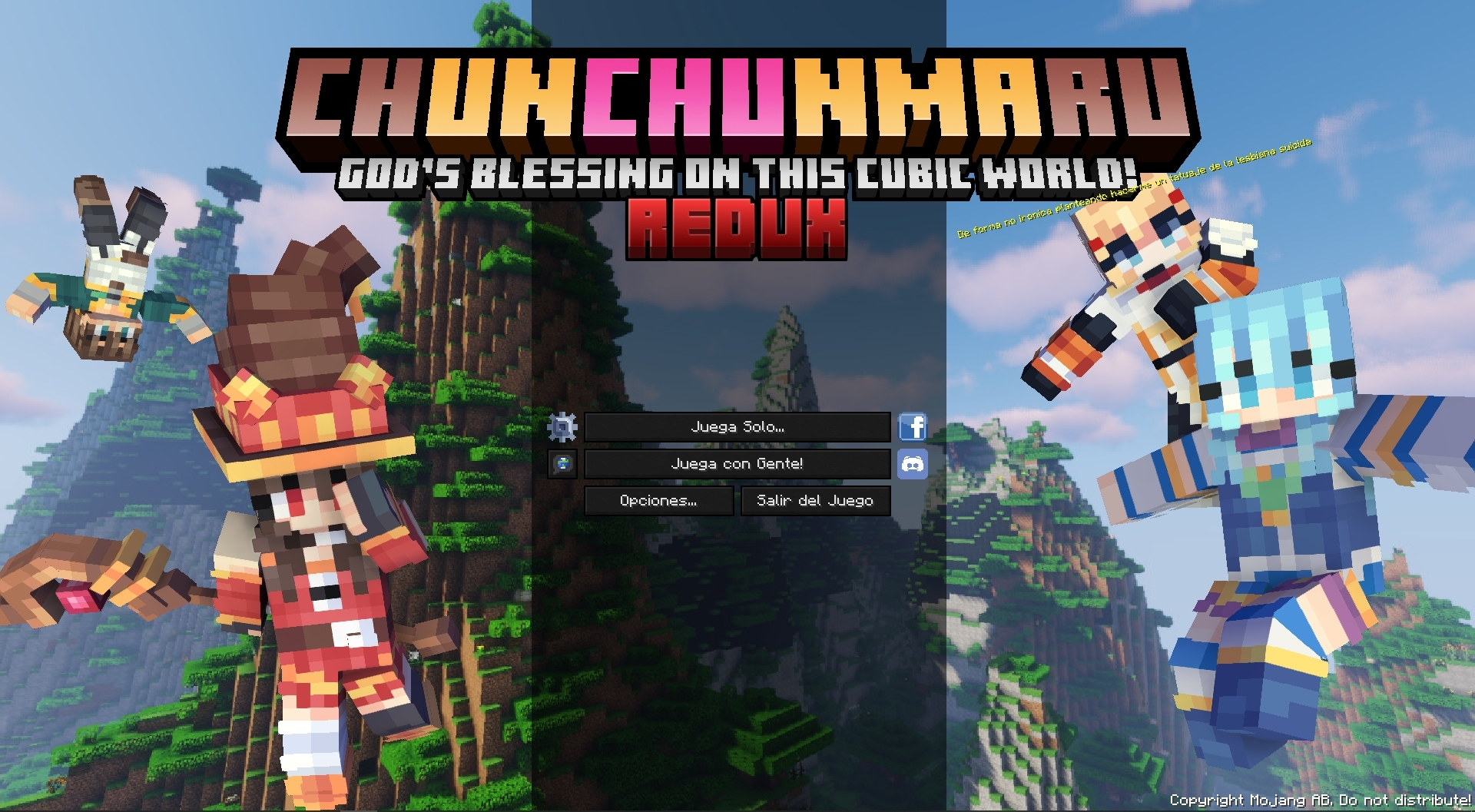
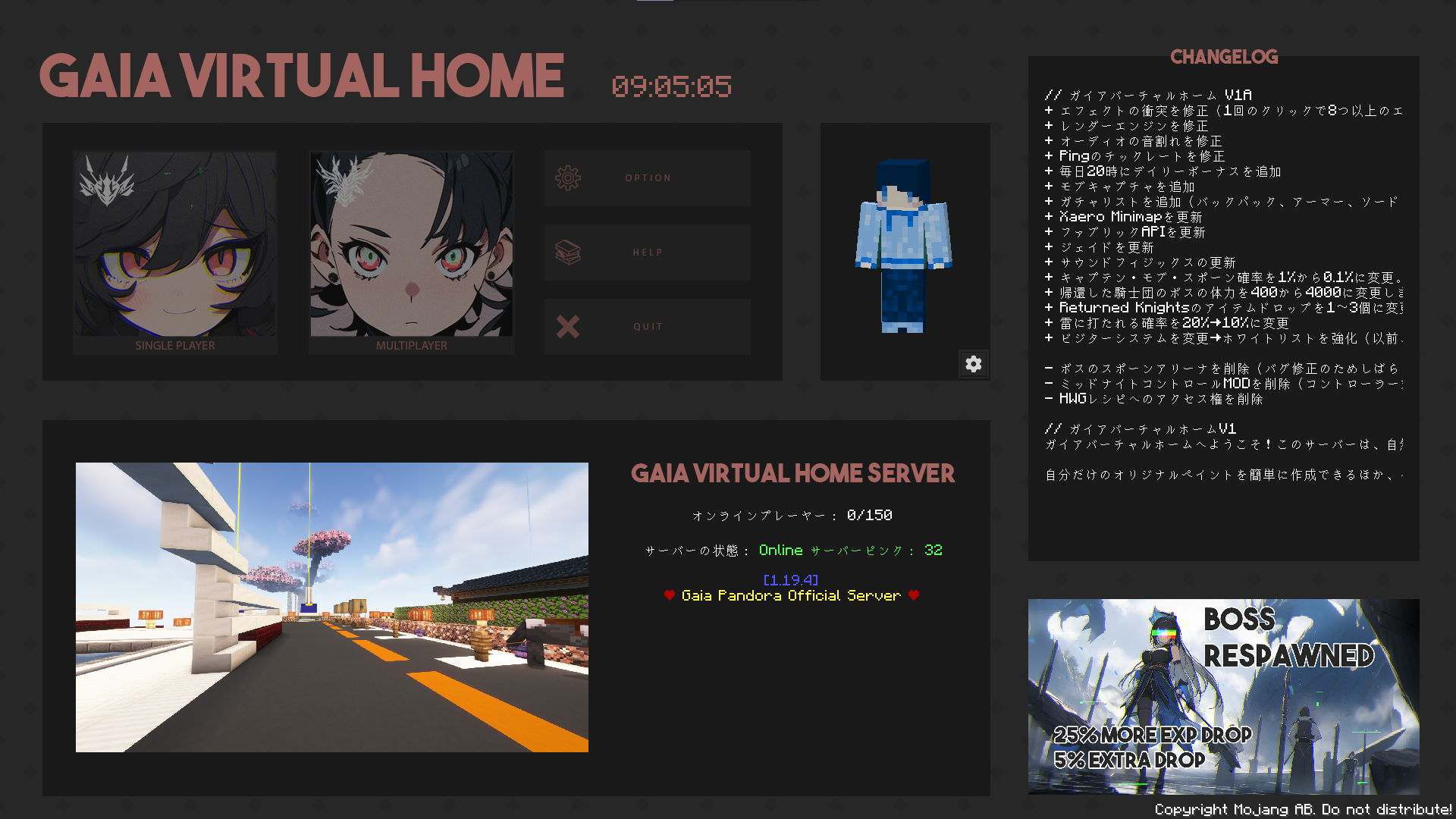
  • Konosuba inspired title menu by Otherion
    Konosuba inspired title menu by Otherion
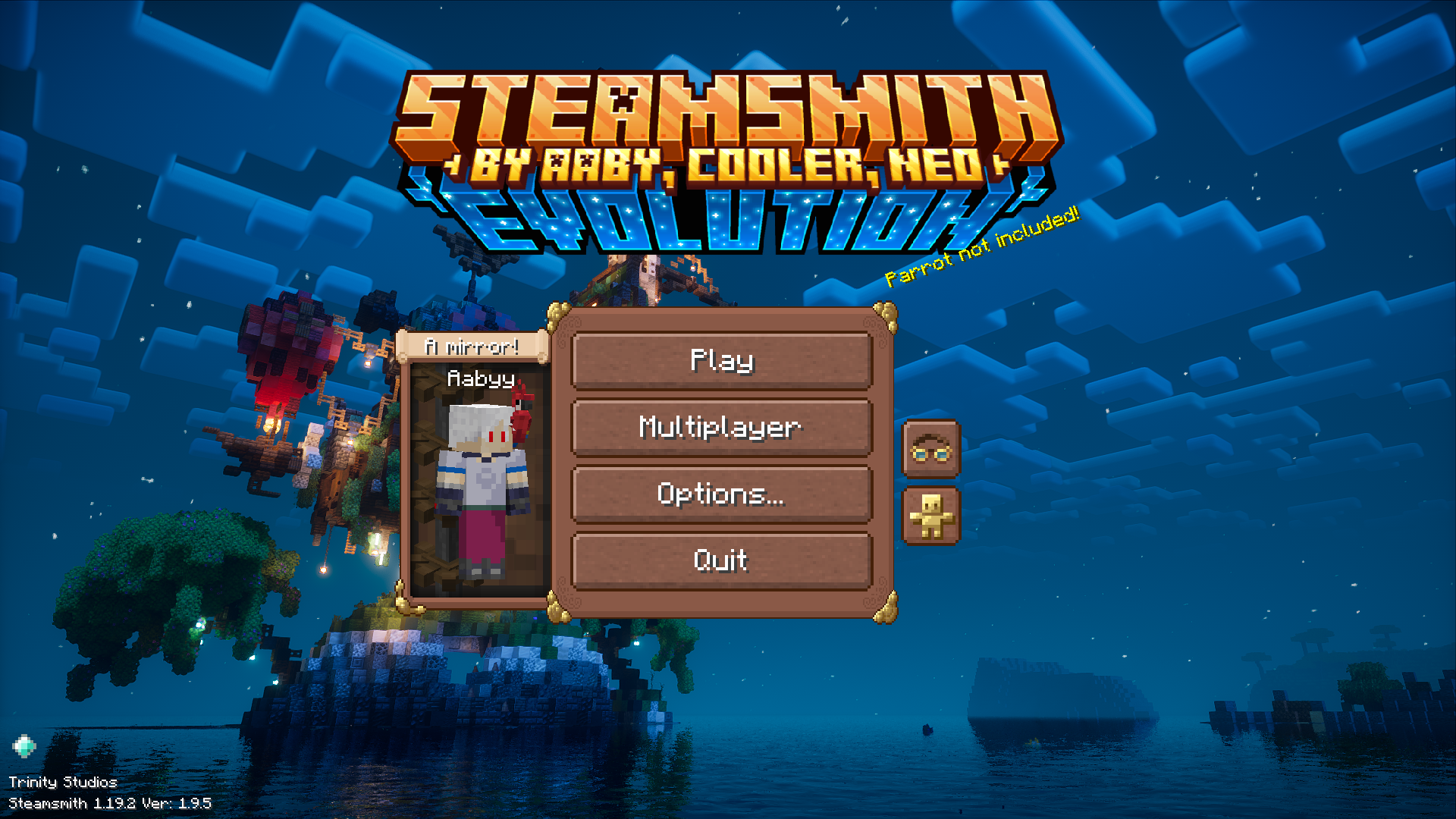
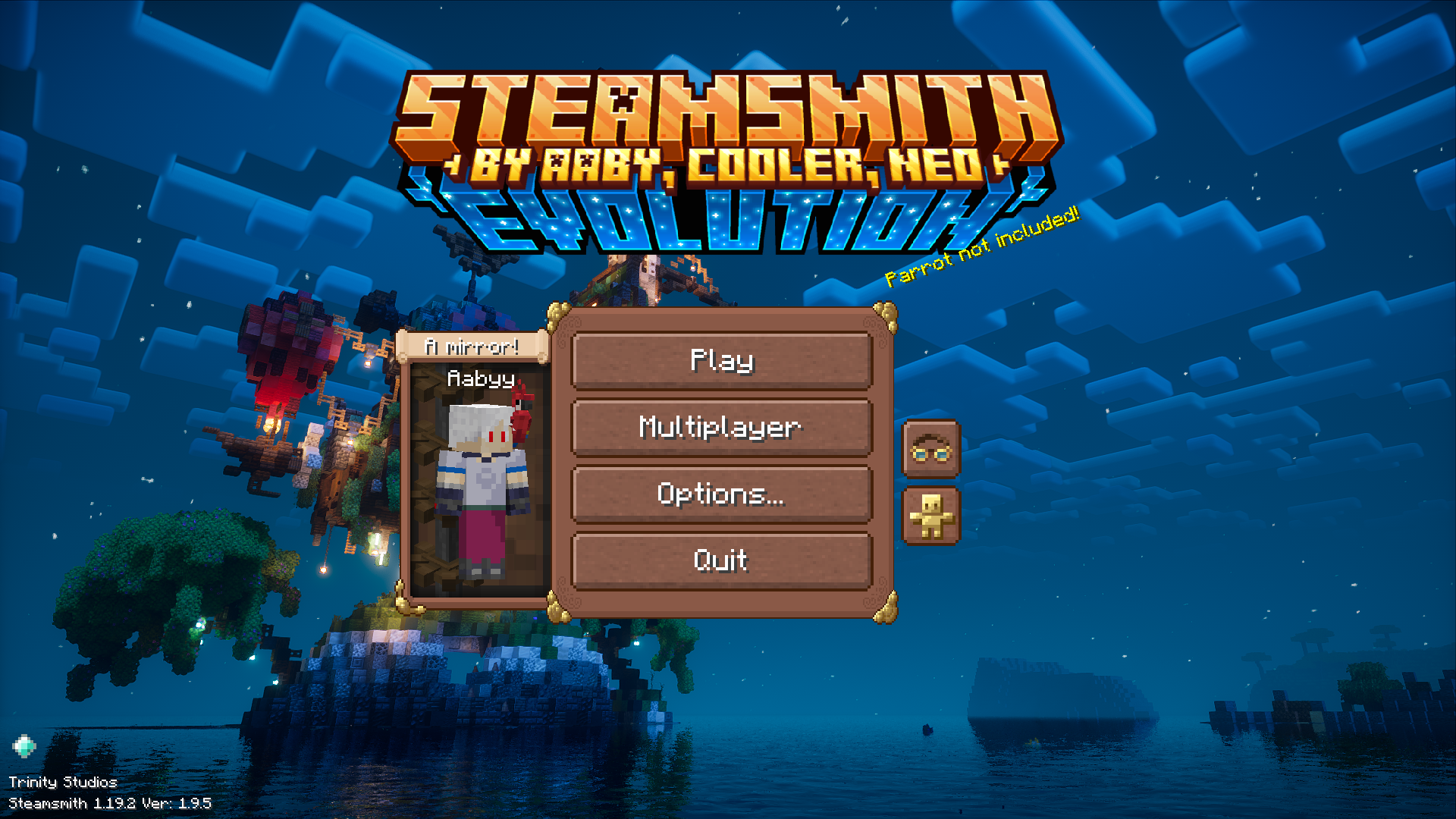
  • Title Screen by Aaby
    Title Screen by Aaby
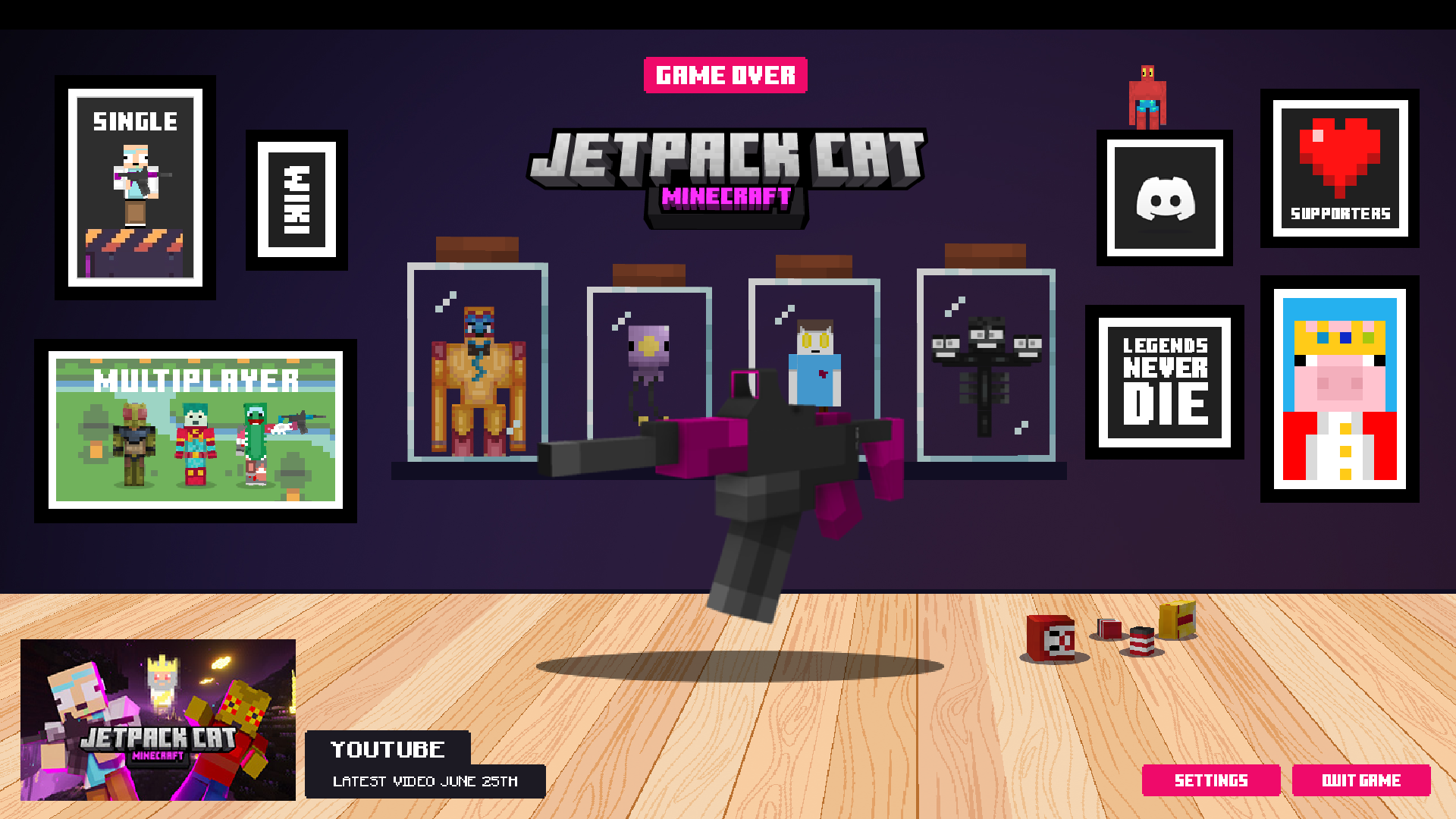
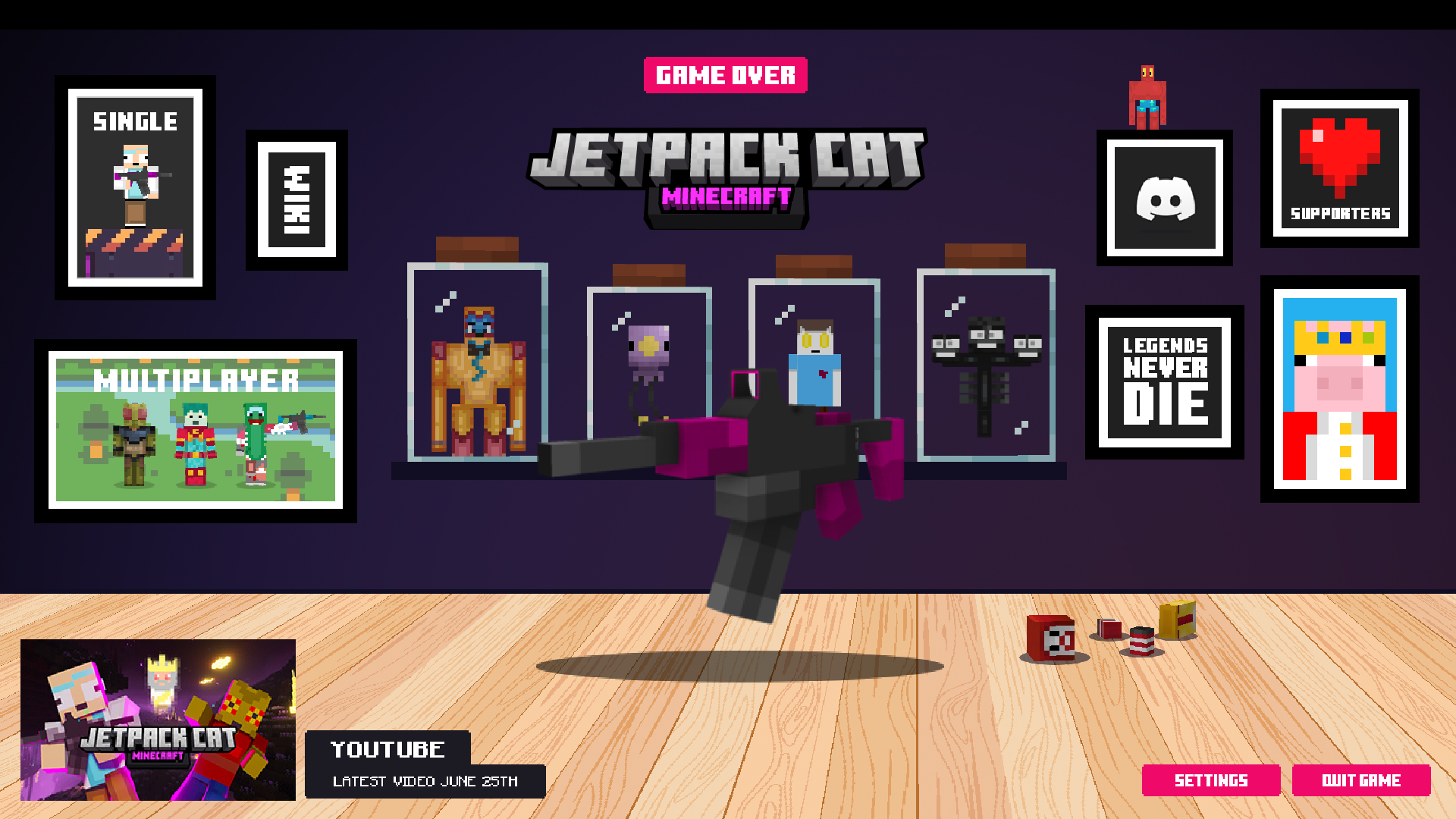
  • Title Menu by JetpackCat
    Title Menu by JetpackCat
  • Title Screen by UwUCookies
    Title Screen by UwUCookies
  • Title Menu by Mowzy
    Title Menu by Mowzy
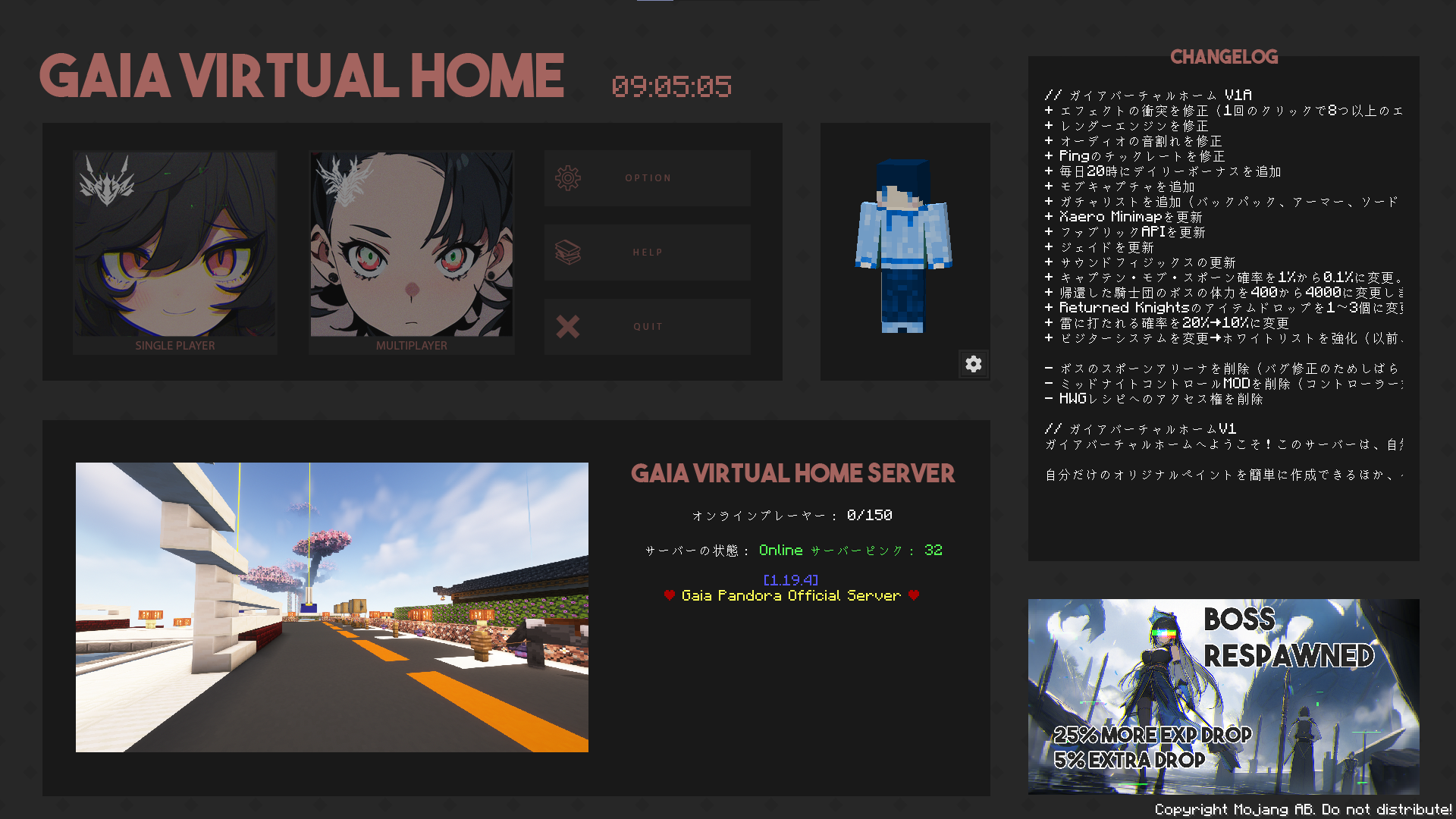
  • Title Menu by Sub
    Title Menu by Sub DOWNLOAD THE PACK: https://www.curseforge.com/members/subthy/projects
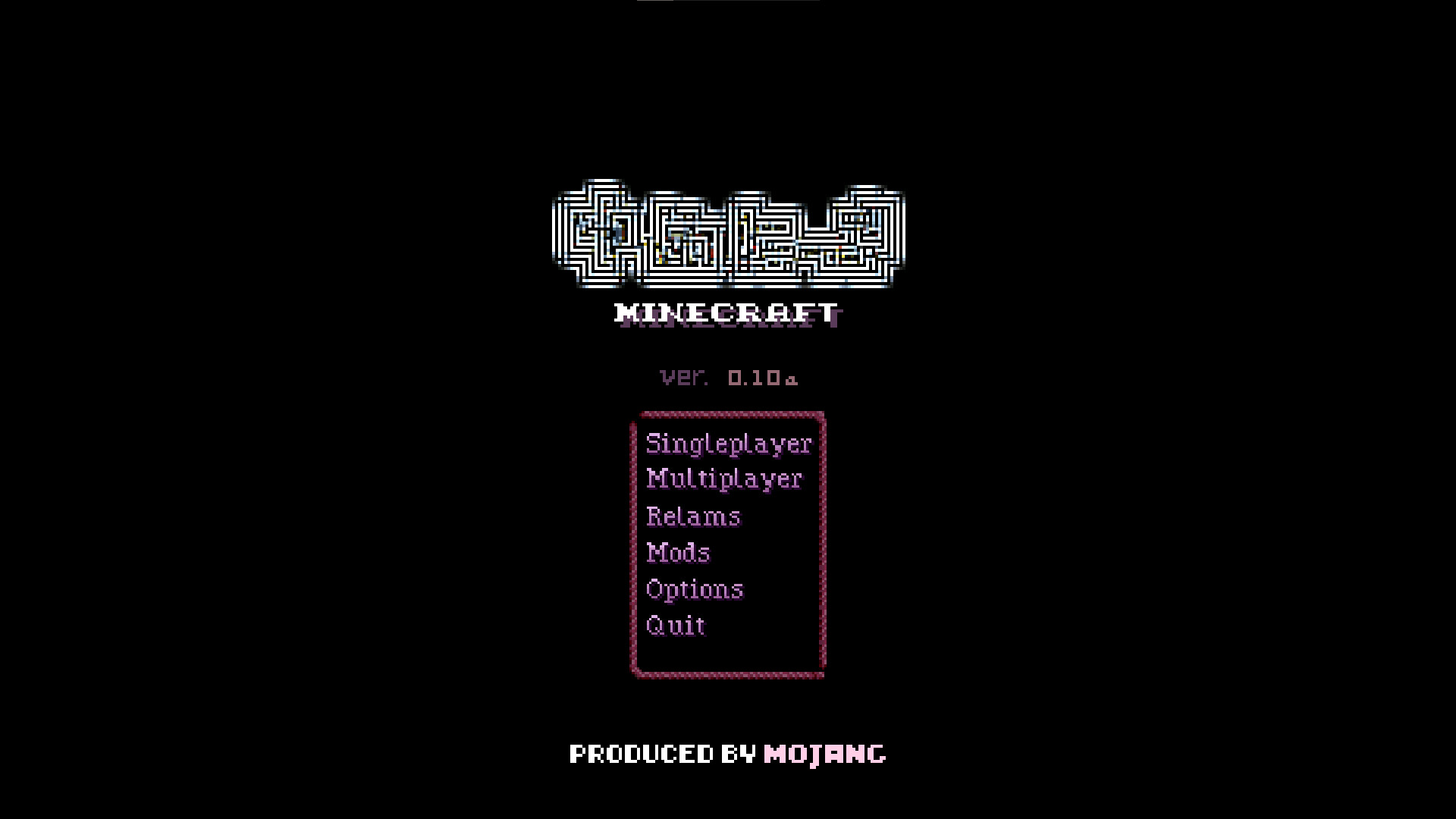
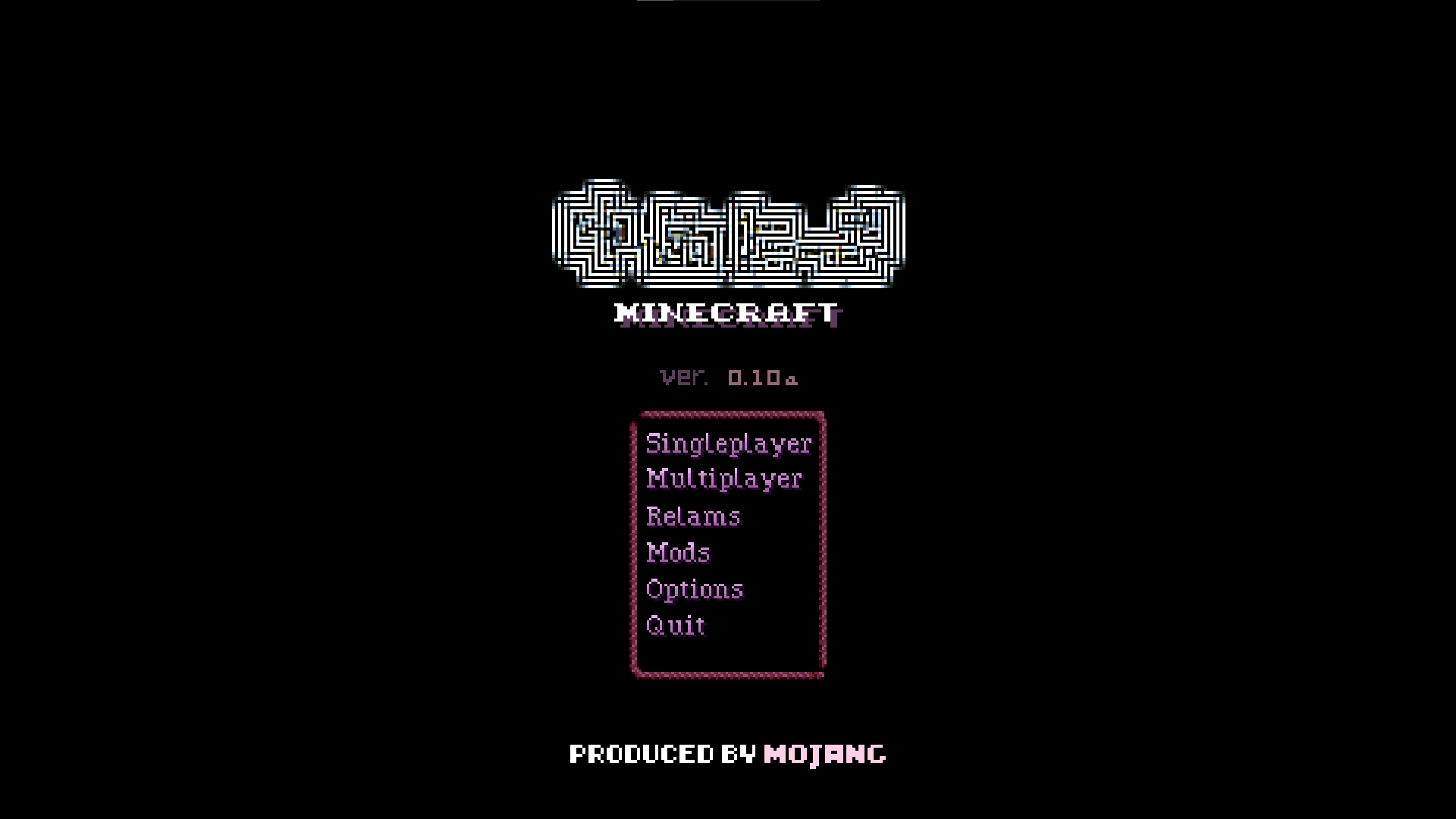
  • Yume Nikki inspired title menu by WOLFOL
    Yume Nikki inspired title menu by WOLFOL
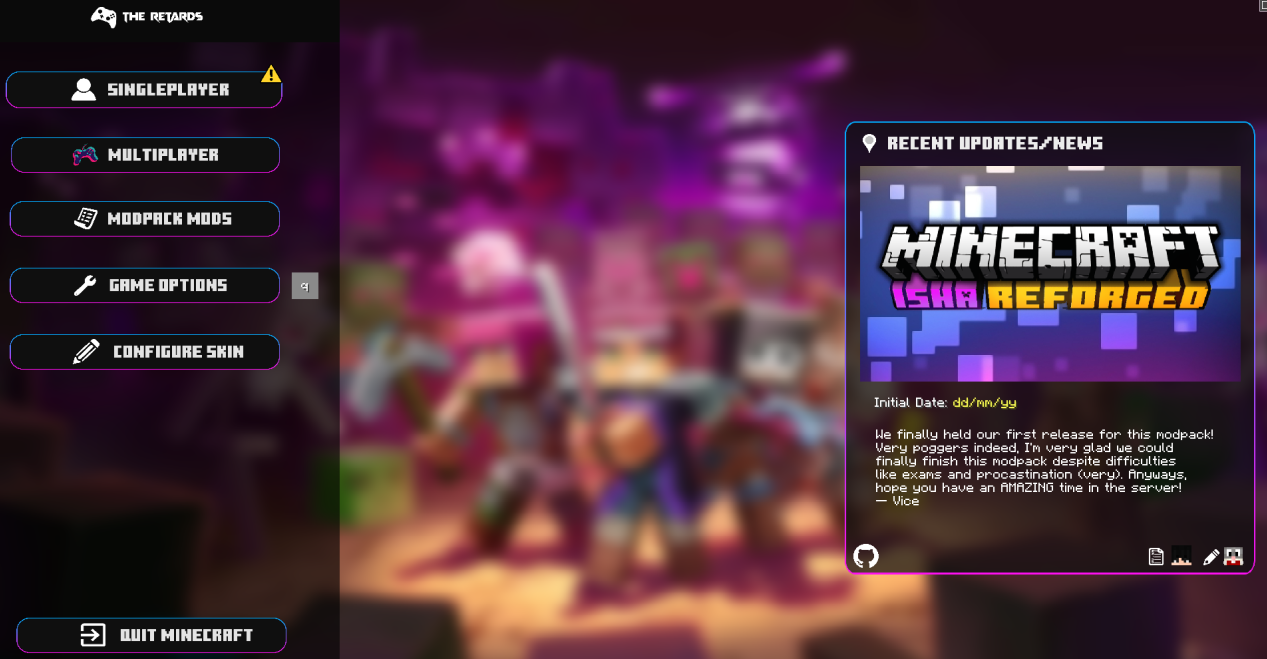
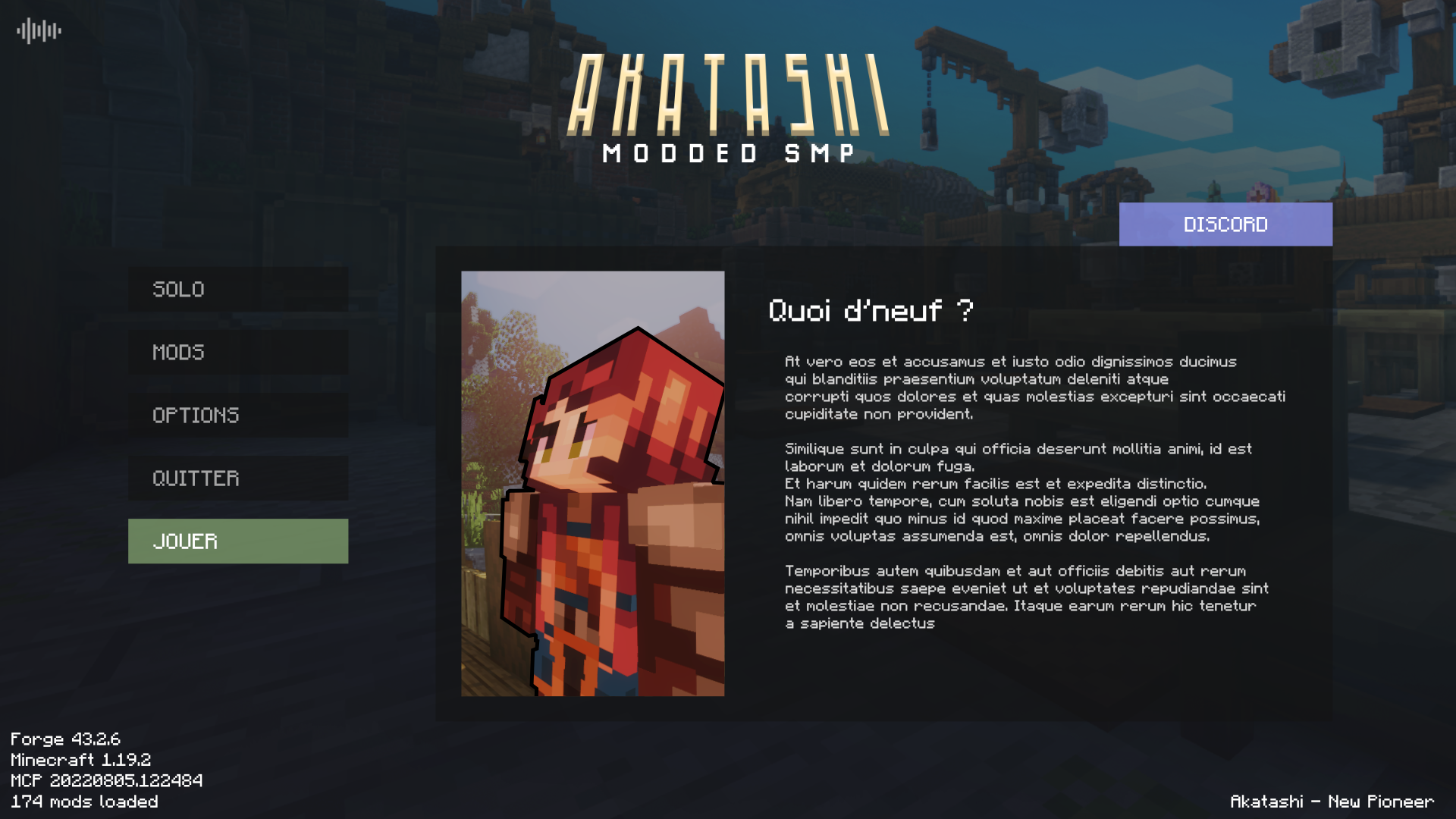
  • Title Menu by Vice
    Title Menu by Vice
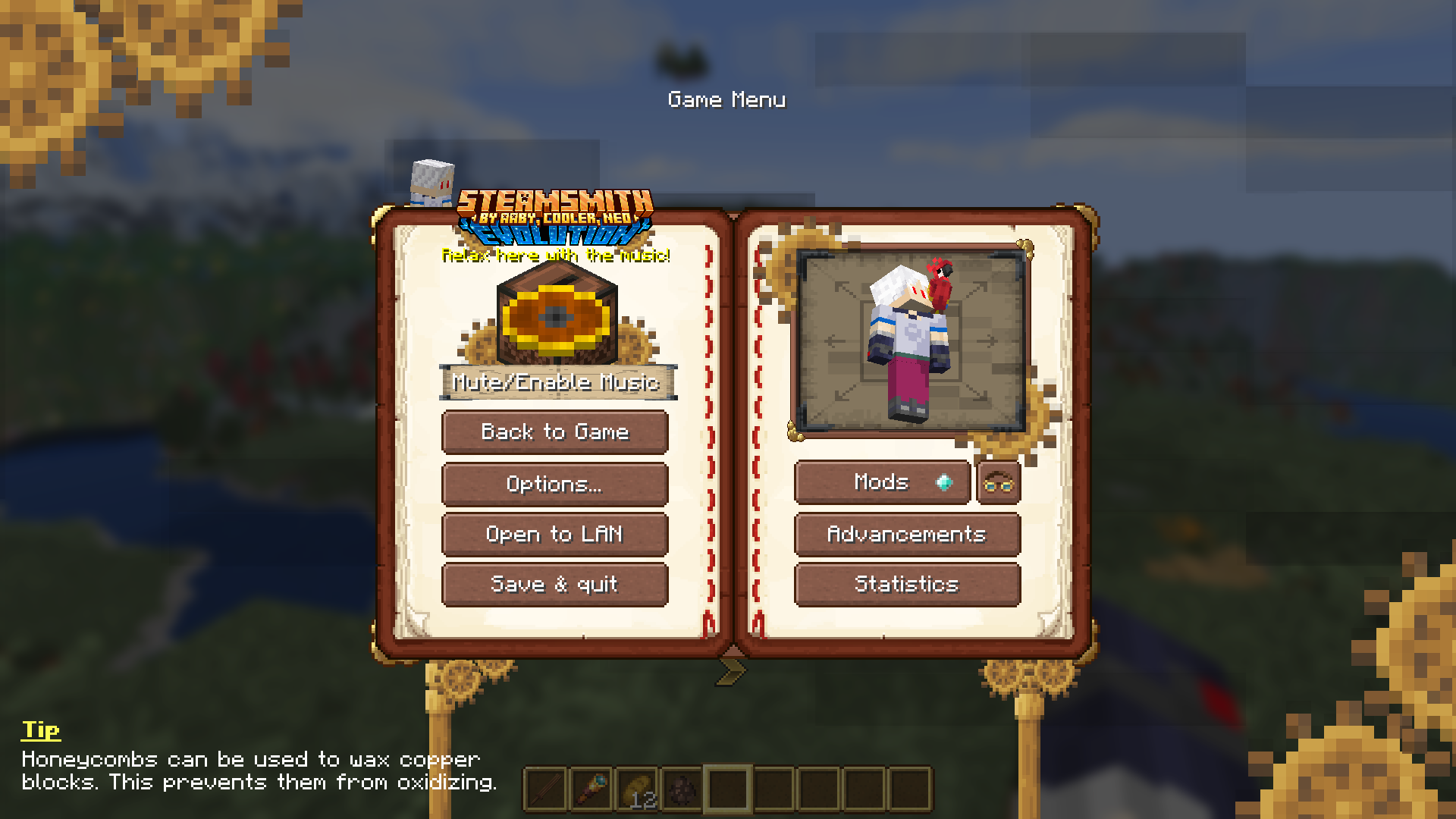
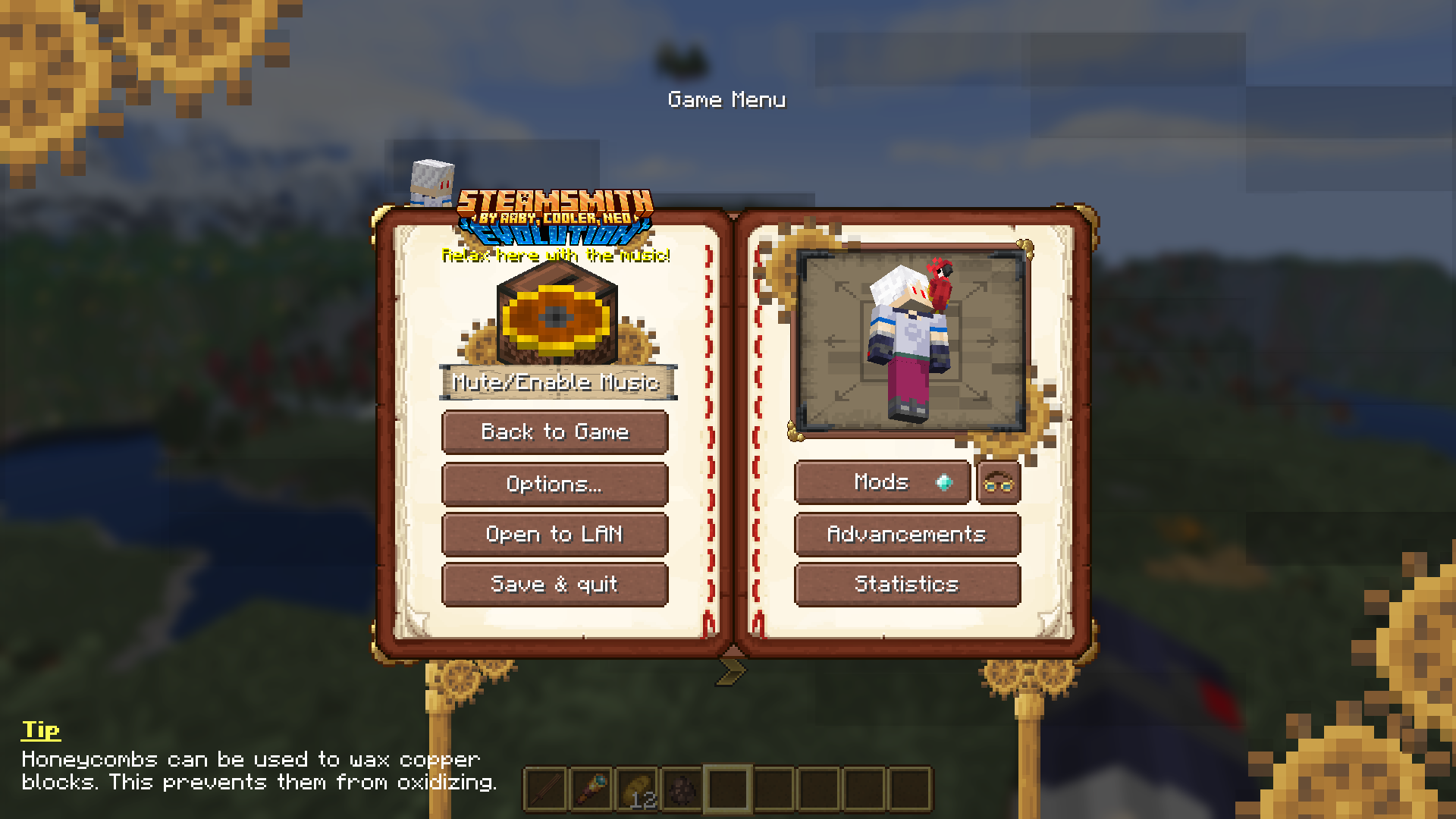
  • Pause Screen by Aaby
    Pause Screen by Aaby
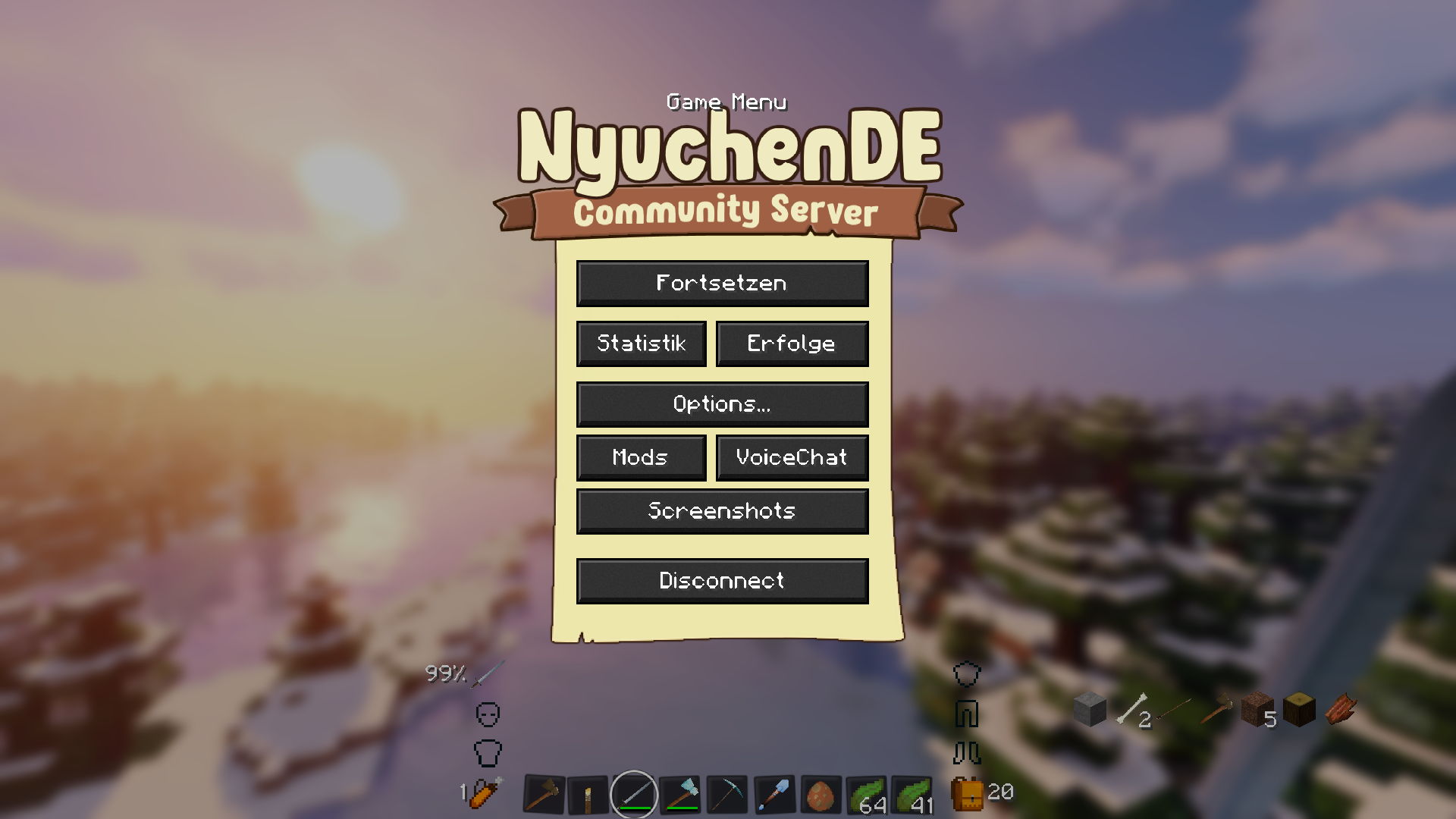
  • Pause Menu by NyuchenDE
    Pause Menu by NyuchenDE
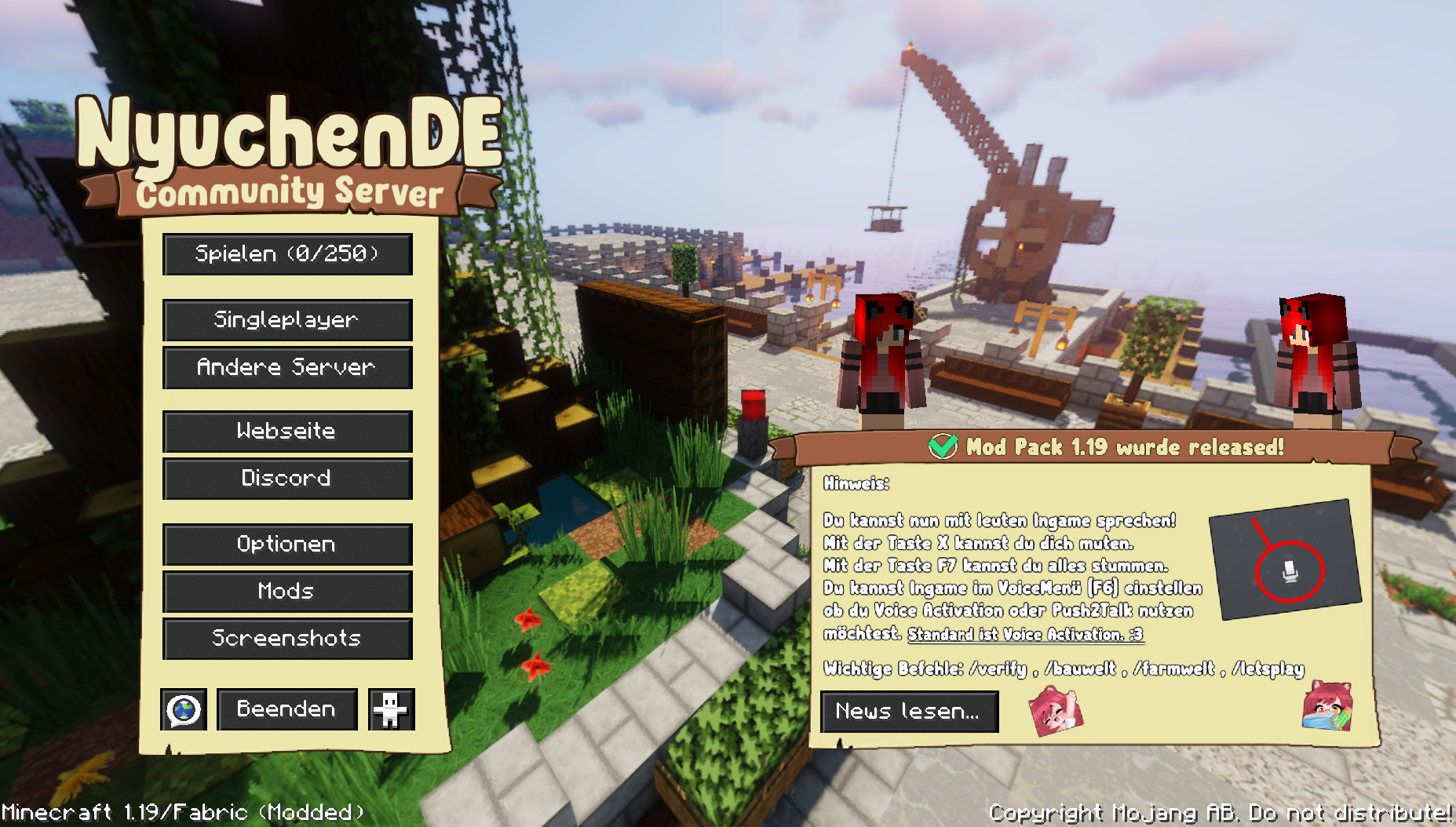
  • Title Menu by NyuchenDE
    Title Menu by NyuchenDE
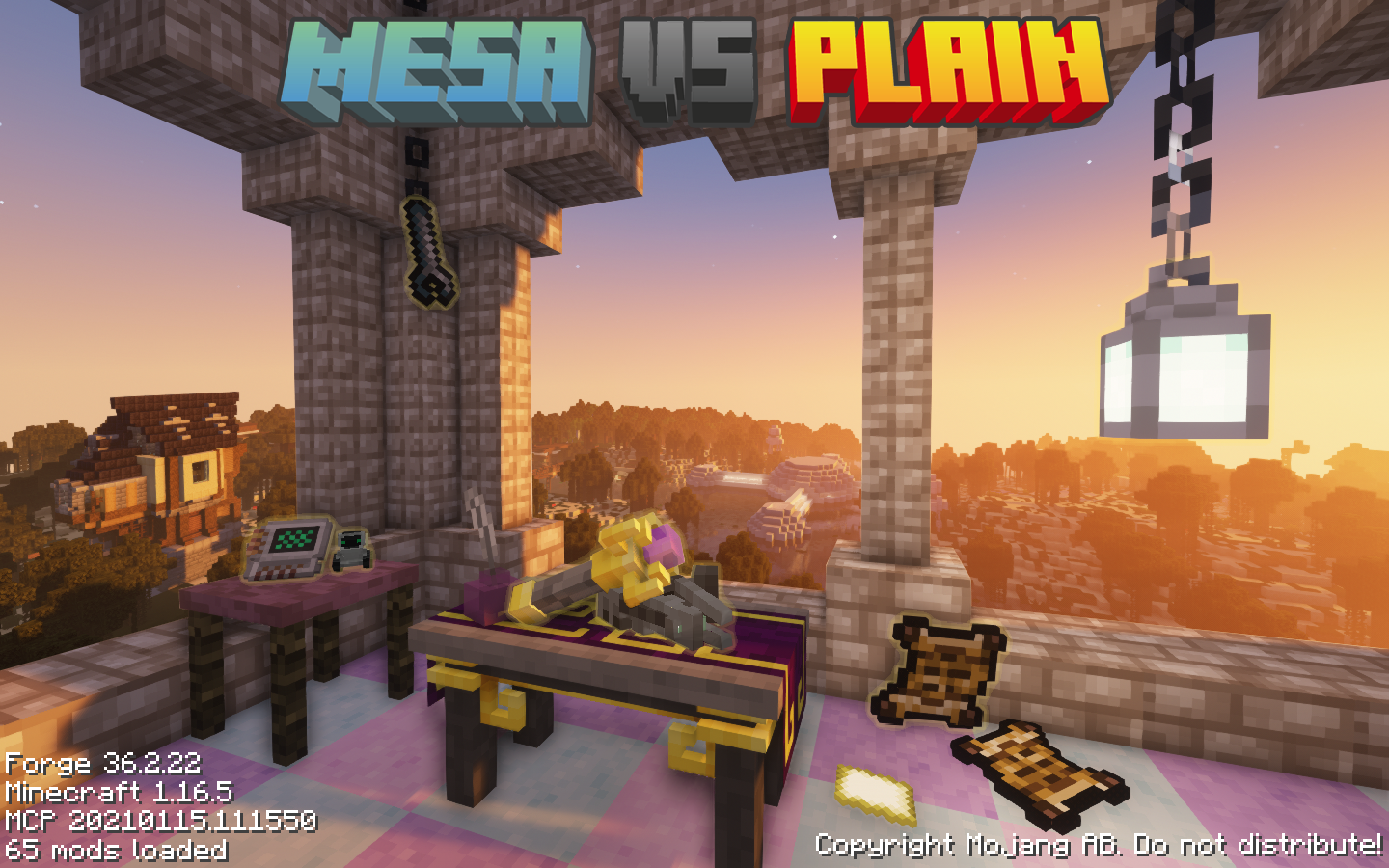
  • Title Menu by GiordanGatto
    Title Menu by GiordanGatto DOWNLOAD THE PACK: https://www.curseforge.com/minecraft/modpacks/mesa-vs-plain-remastered
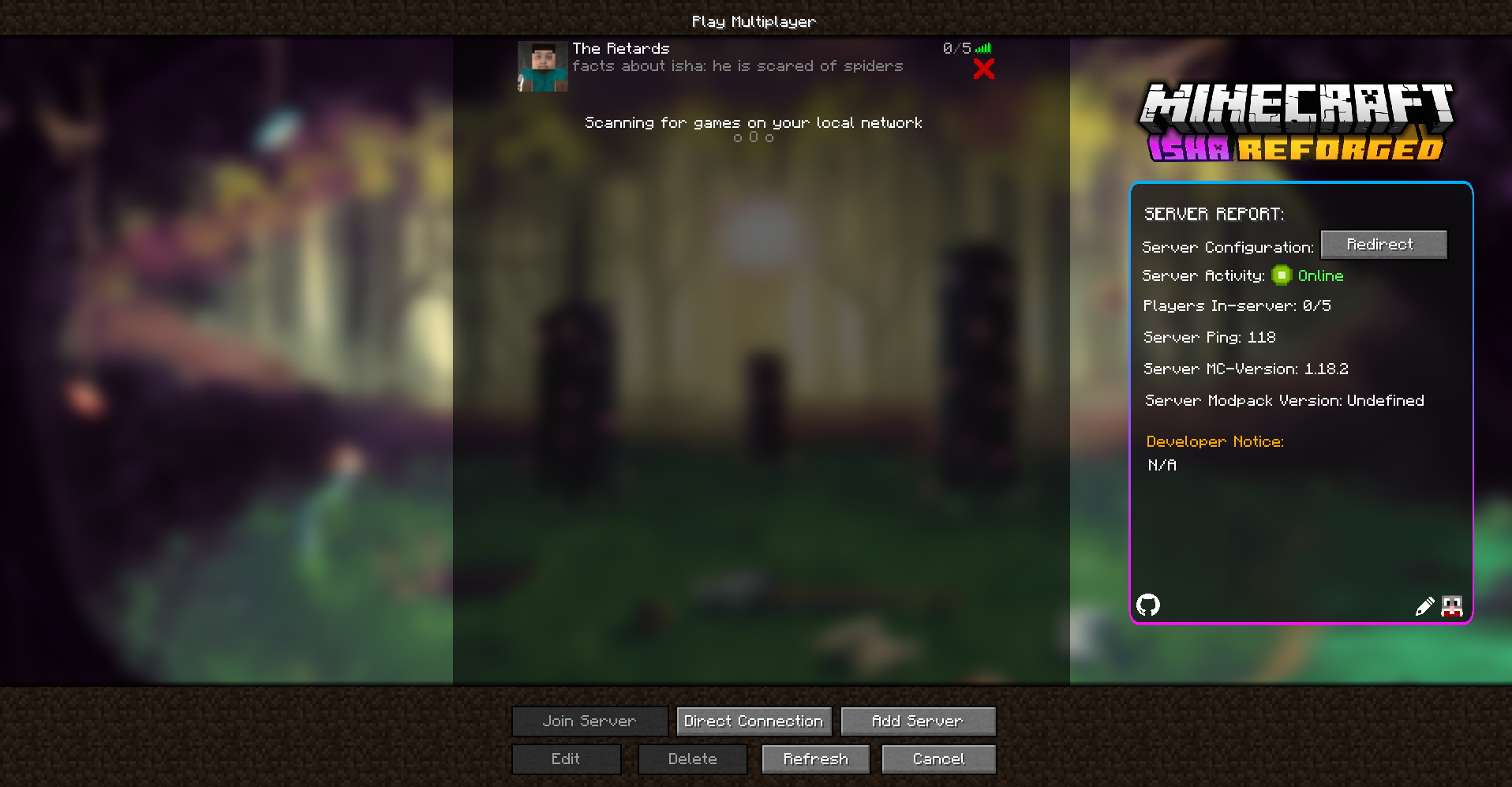
  • Multiplayer Menu by Vice
    Multiplayer Menu by Vice
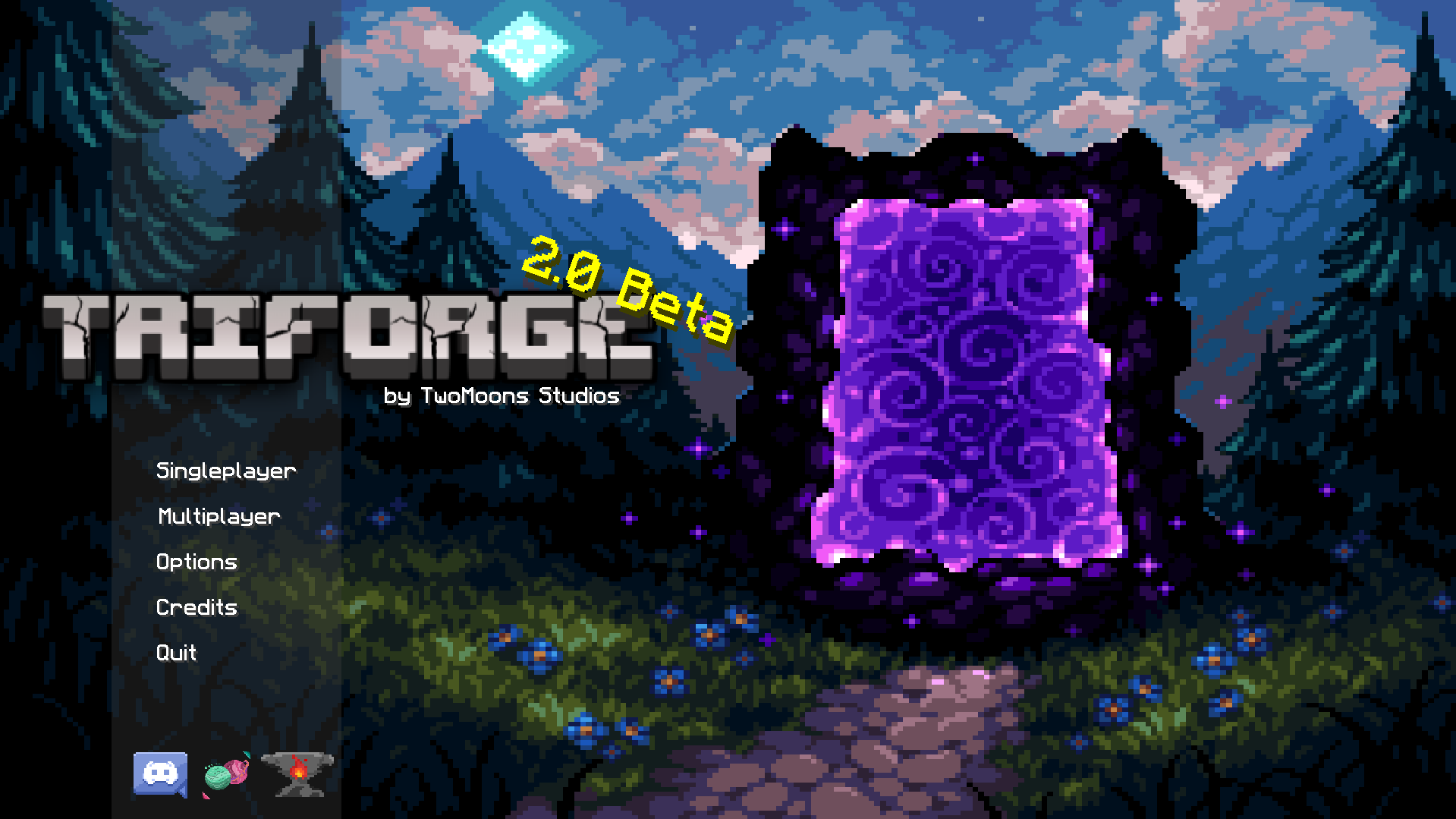
  • Title Screen by Strgnv
    Title Screen by Strgnv DOWNLOAD THE PACK: https://www.curseforge.com/minecraft/modpacks/triforge
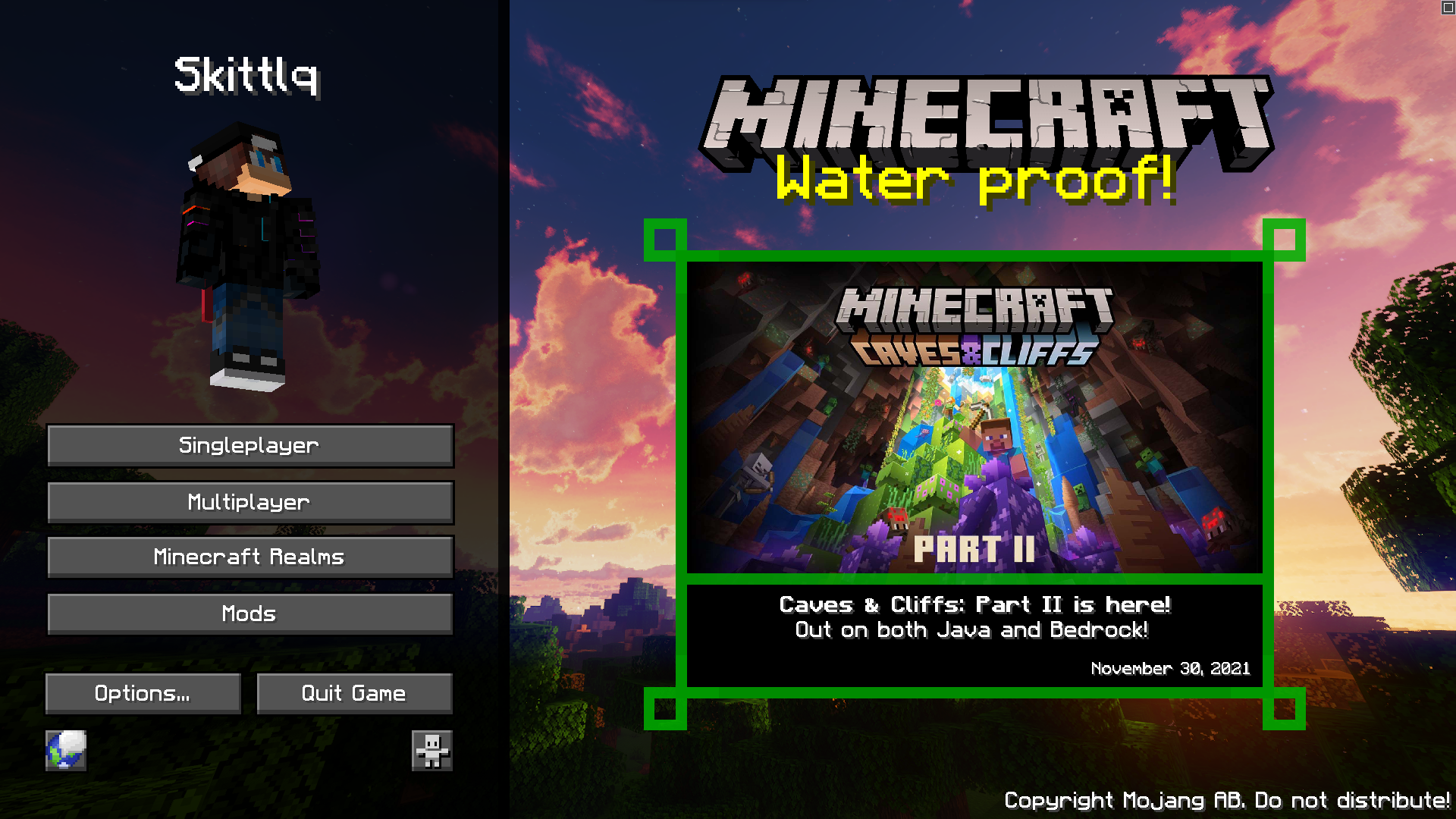
  • Title Menu by skittlq
    Title Menu by skittlq
  • "BigChadGuys" Title screen by jflec
    "BigChadGuys" Title screen by jflec
  • Title Screen by starrgaze_r
    Title Screen by starrgaze_r
  • Title Screen by Akirawave
    Title Screen by Akirawave
  • Title Screen by Raouldukejnr
    Title Screen by Raouldukejnr
  • Konosuba inspired Title Screen by Otherion
    Konosuba inspired Title Screen by Otherion
  • Title Screen by JetpackCat
    Title Screen by JetpackCat
  • Title Screen by UwUCookies
    Title Screen by UwUCookies
  • Title Menu by Mowzy
    Title Menu by Mowzy
  • Title Screen by Aaby
    Title Screen by Aaby
  • Yume Nikki inspired Title Screen by WOLFOL
    Yume Nikki inspired Title Screen by WOLFOL
  • Pause Screen by Aaby
    Pause Screen by Aaby

Versions

Files

Relations

Project Relations

More like this

Similar Mods

Suggestions use data such as tags, dependencies, dependents, descriptions, titles, and more to rank how much they overlap with this mod.

On ModDex

Community snapshot

6
Ratings
0
Followers
1
In stacks

By the numbers

Statistics

258.5m
Total Downloads
CurseForge
204.2m
Modrinth
54.3m
Last Updated
CurseForge
Created
CurseForge
Modrinth
Last synced
When ModDex last fetched and imported data for this project from CurseForge or Modrinth. High-traffic and active projects are checked more often.
Next pipeline sync