Community listing page, reviews may not be monitored by the author.
PixelHel

No reviews yet
Small Modpack around Pixelmon and Factions for x__hel__x and Friends

Community voices
Reviews
No reviews yet. Be the first to review this project!
Get it on
Available Platforms
About
Project Details
For authors
Embed Badge
If you're the author of this project, you can embed a live badge anywhere that supports HTML or Markdown. It updates automatically whenever ratings change.
Use HTML for any page that supports it, or Markdown for README files and Markdown-based descriptions.
Identifiers
Platform IDs
Resources
External Links
About
Description
Description:
PixelHel is a Modpack based around Pixelmon and Factions, with some Lifestyle and Deco Mods for Friends.
(Feel free to follow this project 'till its completion and give plenty of feedback in the comments as this is my first 'official' modpack :3)
Installation:
Video Tutorial:
Written Tutorial:
- Install Java, if not installed already, from here
- Install the CurseForge Launcher from here
- Complete the Installation and open the Launcher
- Choose 'Minecraft' in the Games Tab
- Go To 'Browse Modpacks' and search for 'PixelHel' by DeSq_Blocki
- Now download the latest version and enjoy :D
[Optional]:
- Memory:
- Go to your CurseForge Settings ( Gear at bottom left)
- Go to Minecraft
- Set your maximum Memory under 'Allocated Memory" ( I'd recommend 4 - 8GB )
[Adjusting Memory is only available on 64-Bit Operating Systems with a Java x64 Installation]
- Optifine:
- Go to the Optifine Website
- Choose the latest Optifine Release for your Minecraft Version (1.12.2 in this case)
- Download the file and put it into your "CurseForge/Instances/[Modpack]/mods" folder
- Shaders:
- Download your preferred Shader
- If needed, create a new folder called "shaderpacks" in your "CurseForge/Instances/[Modpack]" directory
- Insert the shader.zip into your shaderpacks folder
- Open up Minecraft and enable the shaders in Options > Shader Menu
Screenshots:
Custom Menu!

Pokemon in Minecraft!

Pokestops and More!

Multiple Dimensions to Conquer!

Modlist:
- YUNG's Better Caves (Forge) (by YUNGNICKYOUNG)
- Akashic Tome (by Vazkii)
- Botania (by Vazkii)
- VanillaTweaks (by StrikerRocker)
- Custom Starter Gear (by brandon3055)
- Aroma1997Core (by Aroma1997)
- Faction Mod (by BrokenSwing)
- Behgameon RPG Additions (by DEMMERS)
- Decocraft (by RazzleberryFox)
- Fullscreen Windowed (Borderless) for Minecraft (by hancin)
- CraftPresence (by CDAGaming_)
- Biomes O' Plenty (by Forstride)
- Patchouli (by Vazkii)
- LibraryEx (by LogicTechCorp)
- AbyssalCraft Integration (by Shinoow)
- Pixelmongo (by Jaredlll08)
- GraveStone Mod (by henkelmax)
- Iron Backpacks (by gr8pefish)
- ConnectedTexturesMod (by tterrag1098)
- Atlas Extras (by Rikshy)
- Chisel (by tterrag1098)
- Ore Excavation (by Funwayguy)
- Reskillable (by lanse505)
- The Pixelmon Mod OST (by PixelmonMod)
- Pam's HarvestCraft (by pamharvestcraft)
- Inventory Tweaks [1.12 only] (by JimeoWan)
- Just Enough Resources (JER) (by way2muchnoise)
- BiblioCraft (by Nuchaz)
- Sit (by bl4ckscor3)
- AutoRegLib (by Vazkii)
- NetherEx (by LogicTechCorp)
- Morpheus (by Quetzi)
- Baubles (by Azanor13)
- Visual Enchantments (by cisculog)
- The Aether II (by GildedGames)
- Pixelmon Information for Pixelmon Reforged (by Bletch1971)
- FTB Backups (Forge) (by FTB)
- The Twilight Forest (by Benimatic)
- Custom Main Menu (by Lumien231)
- Mouse Tweaks (by YaLTeR)
- Quark (by Vazkii)
- Aroma1997s Dimensional World (by Aroma1997)
- Custom Window Title (by chylex)
- MrCrayfish's Furniture Mod (by MrCrayfish)
- Tinkers Construct (by mDiyo)
- Pam's BrewCraft (by pamharvestcraft)
- Mine and Slash Auto Compatibility (by AzureDoomC)
- Controlling (by Jaredlll08)
- PTRLib (by RazzleberryFox)
- Waila Harvestability (by squeek502)
- Antique Atlas (by Hunternif)
- Custom Loading Screen (by AlexIIL)
- Iron Chests (by ProgWML6)
- Pixelmon Clothes (by CriogonalPlays)
- Mine and Slash (by mcrobertx22)
- Pam's Weee! Flowers (by pamharvestcraft)
- Tinkers' Tool Leveling (by bonusboni)
- Pam's Get All the Seeds! (by pamharvestcraft)
- Pam's Simple Recipes (by pamharvestcraft)
- Tinker's JEI (by possible_triangle)
- Chisels & Bits (by AlgorithmX2)
- Waystones (by BlayTheNinth)
- Just Enough Items (JEI) (by mezz)
- AbyssalCraft (by Shinoow)
- Mantle (by mDiyo)
- Resource Loader (by Lumien231)
- Gliby's Voice Chat Reloaded (by Ivasik78)
- BetterFps (by Guichaguri)
- Fast Leaf Decay (by olafskiii)
- AppleSkin (by squeek502)
- Pixelmon (by PixelmonMod)
- Hwyla (by TehNut)
Find out more about me here ;)
Screenshots
Gallery
-
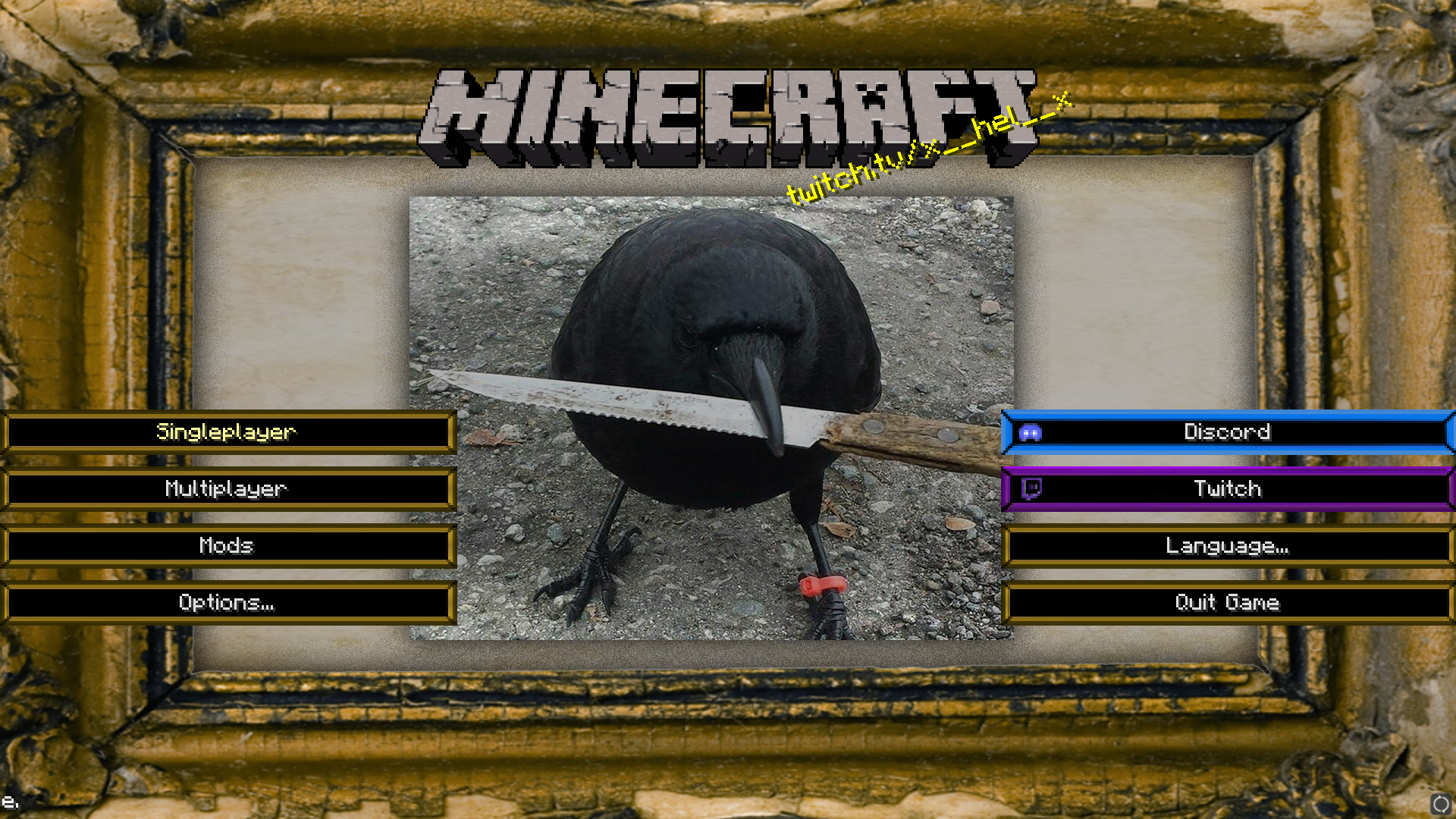 Custom Main Menu
 -
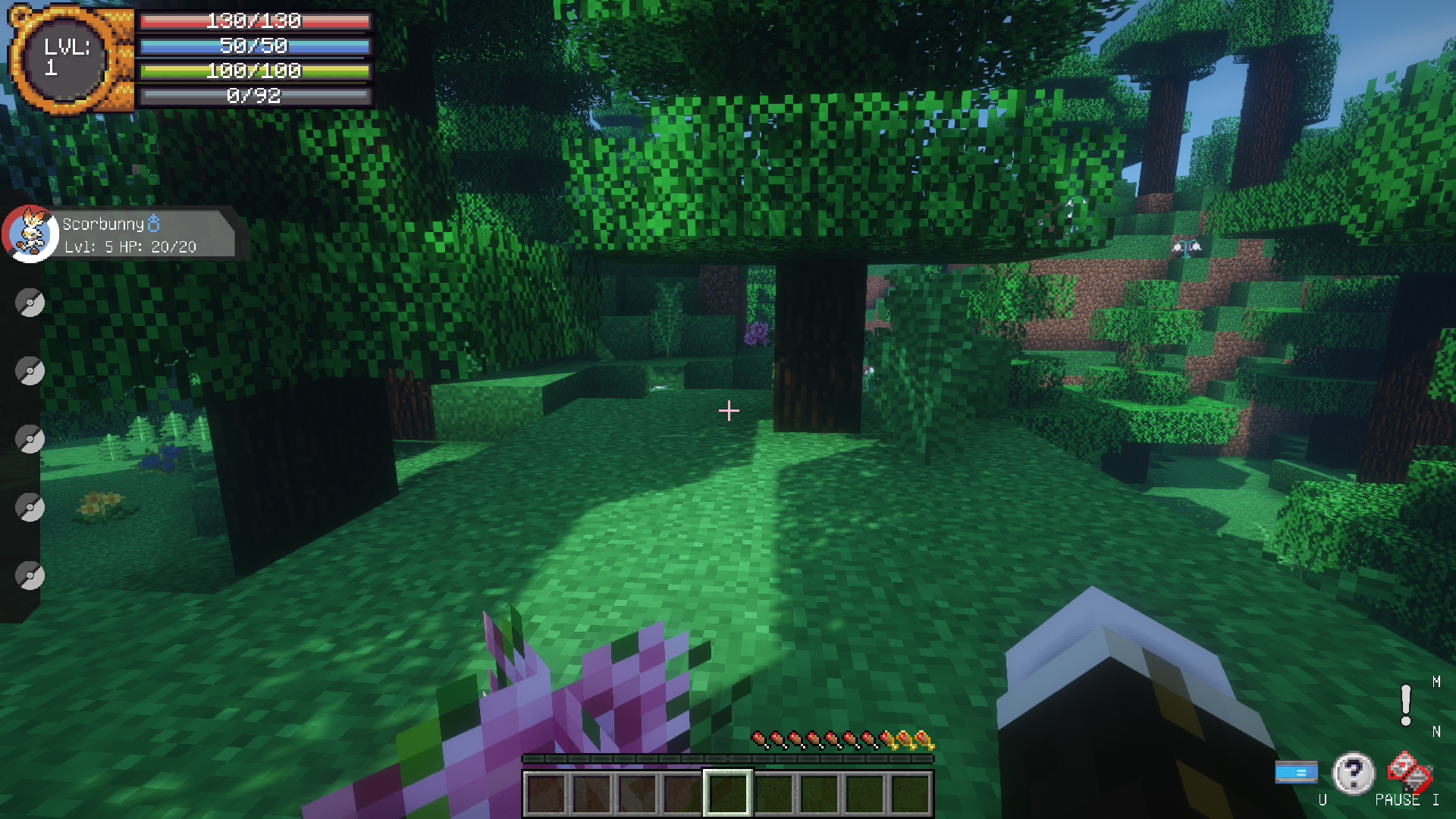 Custom HUD
 -
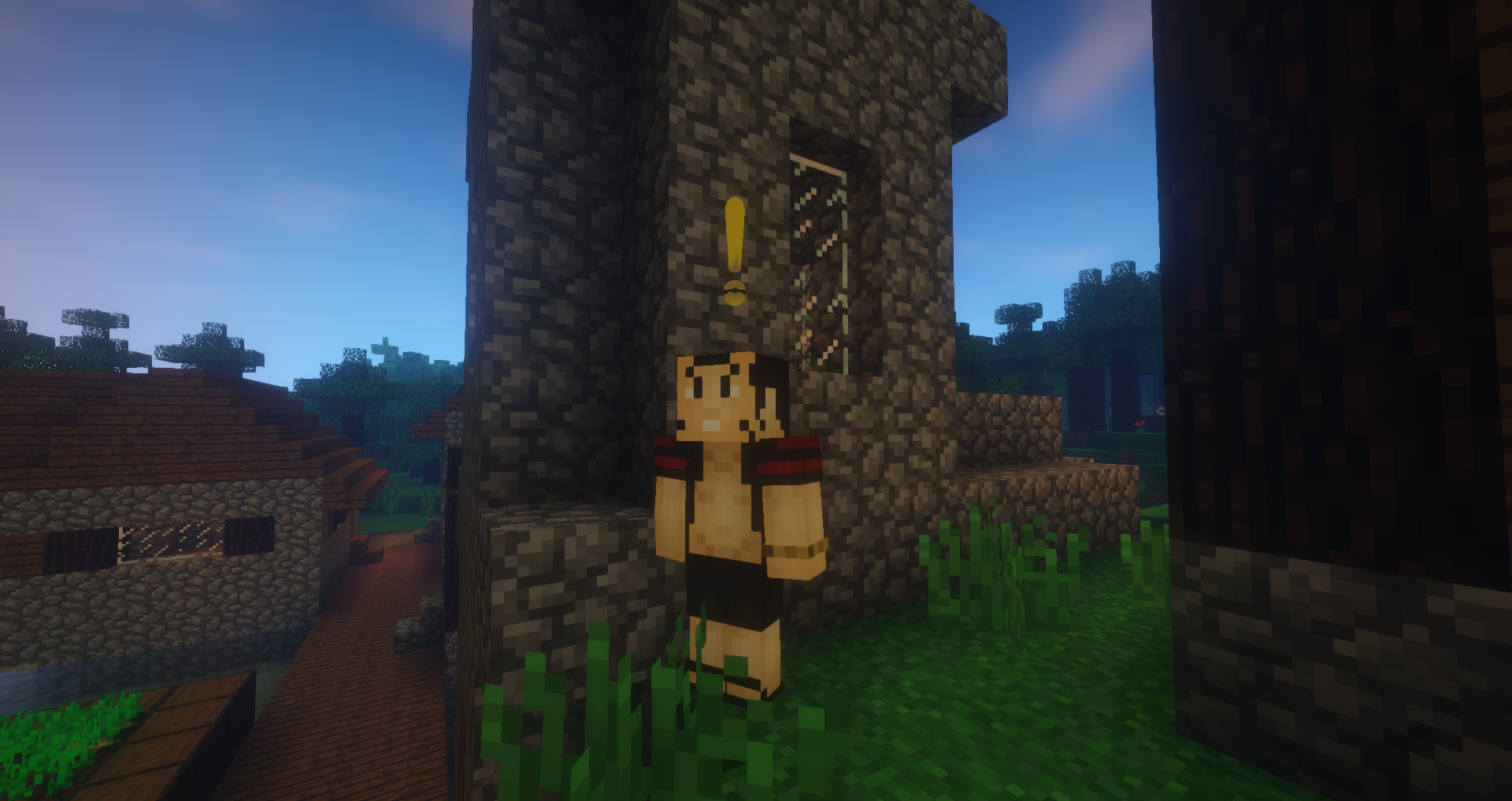 PokeQuests!
 -
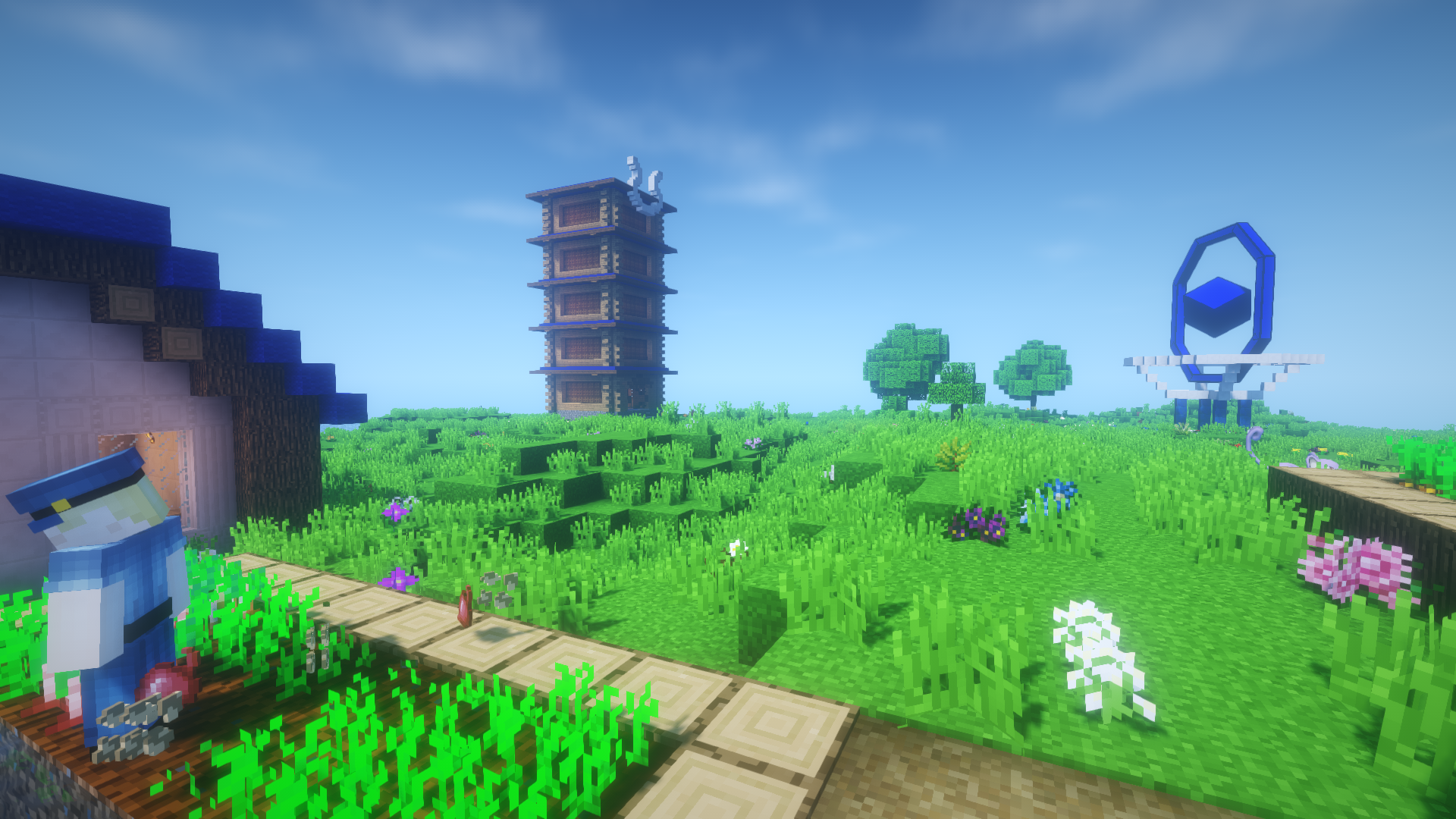 Pokestops, Gyms and More!
 -
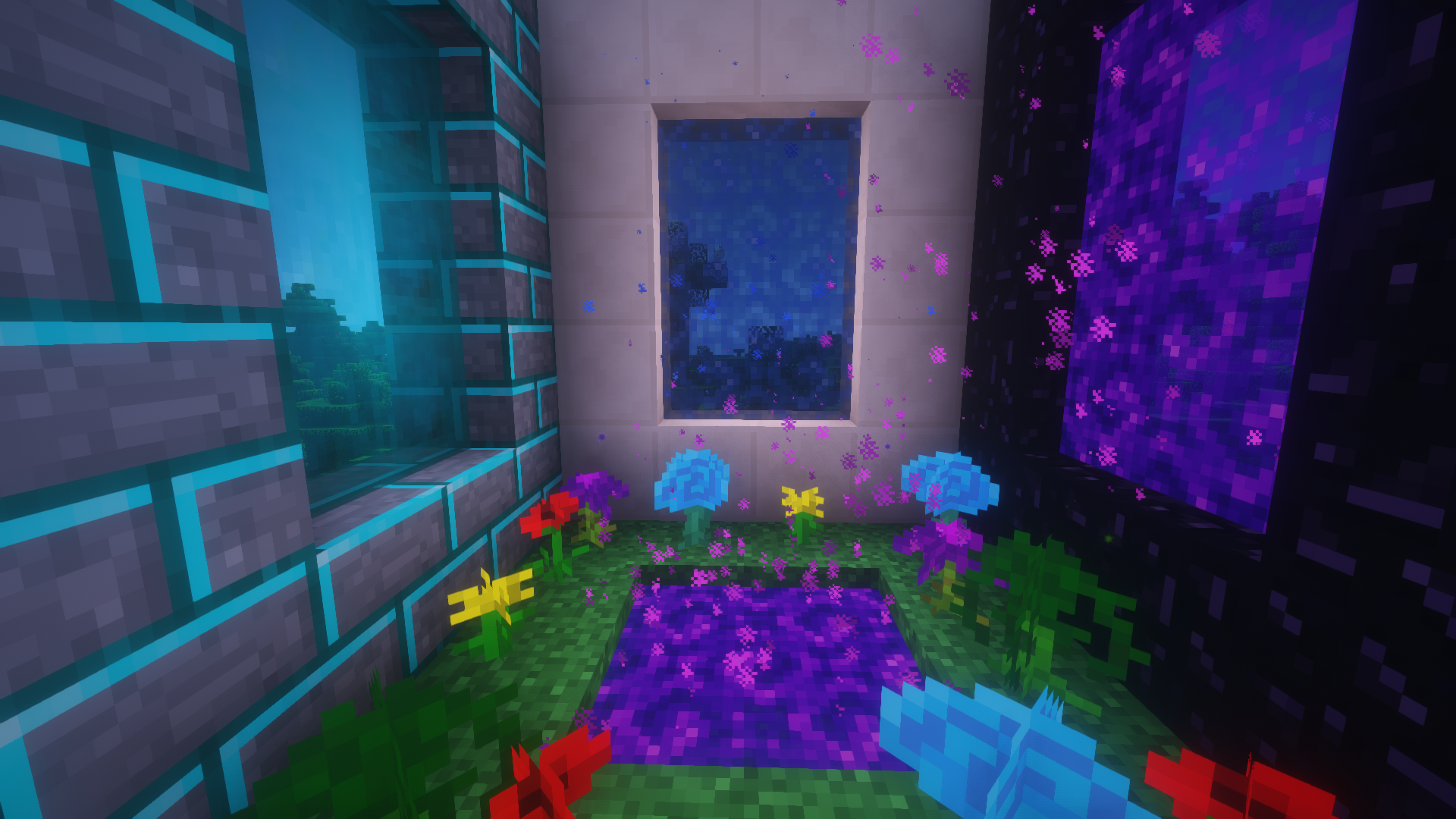 Multiple Dimensions To Explore!
Versions
Files
Relations
Project Relations
More like this
Similar Modpacks
Suggestions use data such as tags, dependencies, dependents, descriptions, titles, and more to rank how much they overlap with this modpack.
On ModDex
Community snapshot
By the numbers
Statistics

Get it on
Available Platforms
On ModDex
Community snapshot
By the numbers
Statistics
Resources