Community listing page, reviews may not be monitored by the author.
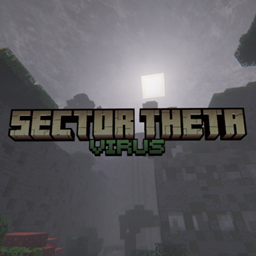
Sector Theta - Virus

No reviews yet
A hardcore Zombie Apocalypse themed modpack

Community voices
Reviews
No reviews yet. Be the first to review this project!
Get it on
Available Platforms
About
Project Details
For authors
Embed Badge
If you're the author of this project, you can embed a live badge anywhere that supports HTML or Markdown. It updates automatically whenever ratings change.
Use HTML for any page that supports it, or Markdown for README files and Markdown-based descriptions.
Identifiers
Platform IDs
Resources
External Links
About
Description
🚧 Version 2.0 Out NOW
Summary
Welcome to Sector Theta: Virus, a hardcore zombie apocalypse modpack designed for streamers with Crowd Control in mind, but beware… The zombies are much smarter that you could remember, the weather much more violent with tornados every few days and there's this constant eerie feeling as if something wasn't right… something besides the zombies.
Features
Contains a custom-made settings section that is meant to let the player disable/enable mods that are "safe to disable" and won't hurt the experience. An infection mechanic is present allowing the zombies to infect the player, but even animals and mobs.
Crowd Control setup guide
To connect the Crowd Control app to the game follow this set of instructions:
1.Make sure the game is running and you have a world loaded.
2.Select Minecraft(Legacy) in the game selection list.
3.Configure the selected profile(click the "Configure Minecraft" button).
4.Insert your Minecraft name and click next.
5.Click "Remote" button, then type "localhost" into the text input field(without the quotation marks) and click next(Unless you are connecting to an external server).
6.No need to change anything here, just click next(The password is different on external servers, so if you are connecting to one, make sure you provide a password the server has configured).
7.Now click the bottom button(should say "Click to connect") and we are done.
Notes
The Modpack includes custom-made assets, datapacks and resoucepacks that are owned by UnloadedHangar.
Files in question:
- Resources.zip
- §4§kModelResources.zip
- Recipe_Fixes.zip
- Databank_Resources.zip
- title.png
- AIMS.zip
- AIMS.png
- blazeos.png
- MetroIcon.png
- MineIcon.png
Shaderpacks "Insanity Shader" or "Complimentary Unbound" are recommended, but NOT required!
Credits
- Horror Elements mod
- Structurify
- Radium Reforged
- Carry On
- Mob Sunscreen
- Illuminations Legacy
- Fresh Animations
- Tissou's Zombie Pack
If i have forgotten to mention your project here, let me know!

Screenshots
Gallery
Versions
Files
Relations
Project Relations
More like this
Similar Modpacks
Suggestions use data such as tags, dependencies, dependents, descriptions, titles, and more to rank how much they overlap with this modpack.
On ModDex
Community snapshot
By the numbers
Statistics
 (opens in a new tab)
Get it on
Available Platforms
On ModDex
Community snapshot
By the numbers
Statistics
Resources