
Community listing page, reviews may not be monitored by the author.
Advanced Inventory Management

No reviews yet
Manage and automate your player's inventory and stats with lots of technical Devices

Community voices
Reviews
No reviews yet. Be the first to review this project!
Get it on
Available Platforms
About
Project Details
For authors
Embed Badge
If you're the author of this project, you can embed a live badge anywhere that supports HTML or Markdown. It updates automatically whenever ratings change.
Use HTML for any page that supports it, or Markdown for README files and Markdown-based descriptions.
Identifiers
Platform IDs
About
Description
Advanced Inventory Management (AIM) is a mod designed to automate the inventory of a player. By connecting different devices to a static block network, you are able to manipulate and modify the players inventory as well as other stats like xp, hunger or potion effects. The mod offers a wide range of different devices and possibilities, reaching from ways to automate your food supply to techniques for auto-healing a player when he has taken damage. All aspects of the mod are highly configurable and a lot of cool things can be achieved by combining different devices. There is also an in-game guide which covers every part of the mod in detail, describing the different blocks and items as well as things like setting up a network or managing player accessibility
Getting started
To get started with AIM, you should at first craft yourself an Inventory Management Manual. This manual will guide you through the different aspects of the mod, providing information about how to setup and use the different machines.
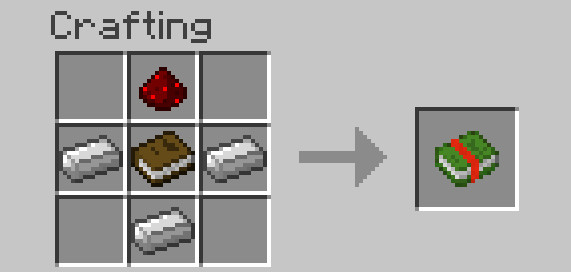
Once you have crafted an Inventory Management Manual, you can easily look up information there. There is also a "Getting Started"-Page which should help you getting along with the mod.
Content
Advanced Inventory Managment currently provides ten different relays, multiple items, a status monitor, a central core block and highly configurable network cables. All mechanics are described further in the in-game manual. The functions of the different relays are:
Inventory Relay: Access the player's inventory
Hunger Relay: Access the player's hunger bar, insert food to fill the hunger bar up.
Slot selection Relay: Access only a specific slot of the player's inventory
Shulker Box Relay: Access the content of shulker boxes in the player's inventory
Armor Relay: Access the armor slots of the player
Ender Chest Relay: Get access to a player's ender chest inventory
Potion Relay: Insert potions which get converted into potion effects or remove potion effects from the player and store them as potion items
Experience Relay: Insert and extract XP from the player and store them in glass bottles
Experience Relay (Liquids): Insert and extract XP as a fluid
Energy Relay: Transfer energy from the block to items in the player's inventory
Also available:
Player Monitor: Show stats of the player (like Health, Saturation, Position, Motion...) and output an according redstone signal
Inventory Management Core: Controls your network and connects all your devices
Network Cables: Connect devices from further away
Toggle Cable: Switch parts of your network on and off using redstone signals
Network Information Provider: Get additional information about your network
Network Wrench: Easily configure and break parts of your network
Player Scanner: Connect a player to a network
Solid fuel generator: Provide power to your network (It also works with external sources providing RF, EU, TESLA, J or Forge Power Units)
Different Editors: Edit the stats of the player (for example his velocity or current selected hotbar slot)
and more...
Examples
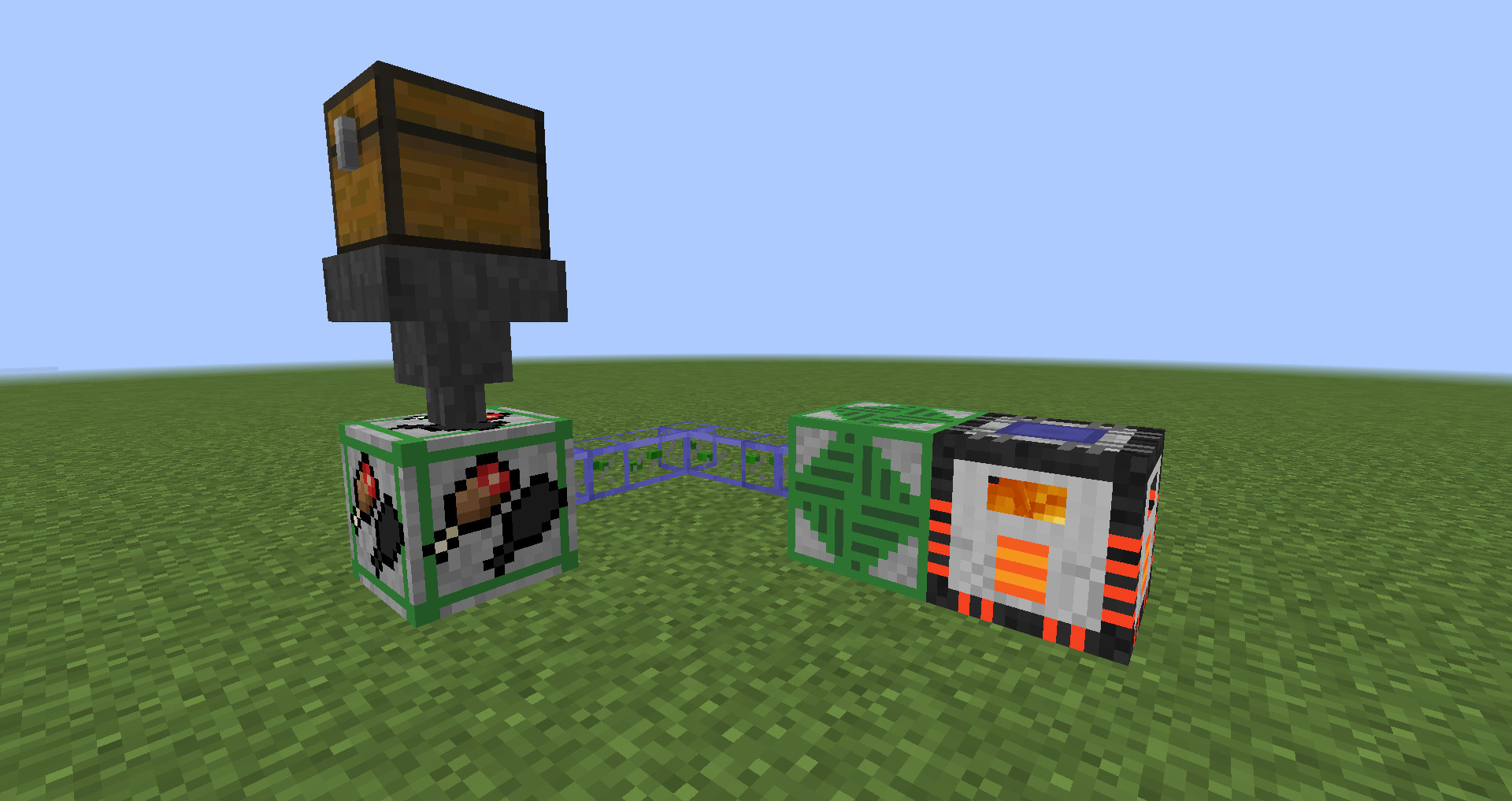
By combining a hunger relay with a hopper and a chest full of food, you can supply the player with food when he is hungry, removing the need to eat constantly. (Especially useful during combat when food is needed to regenerate health)
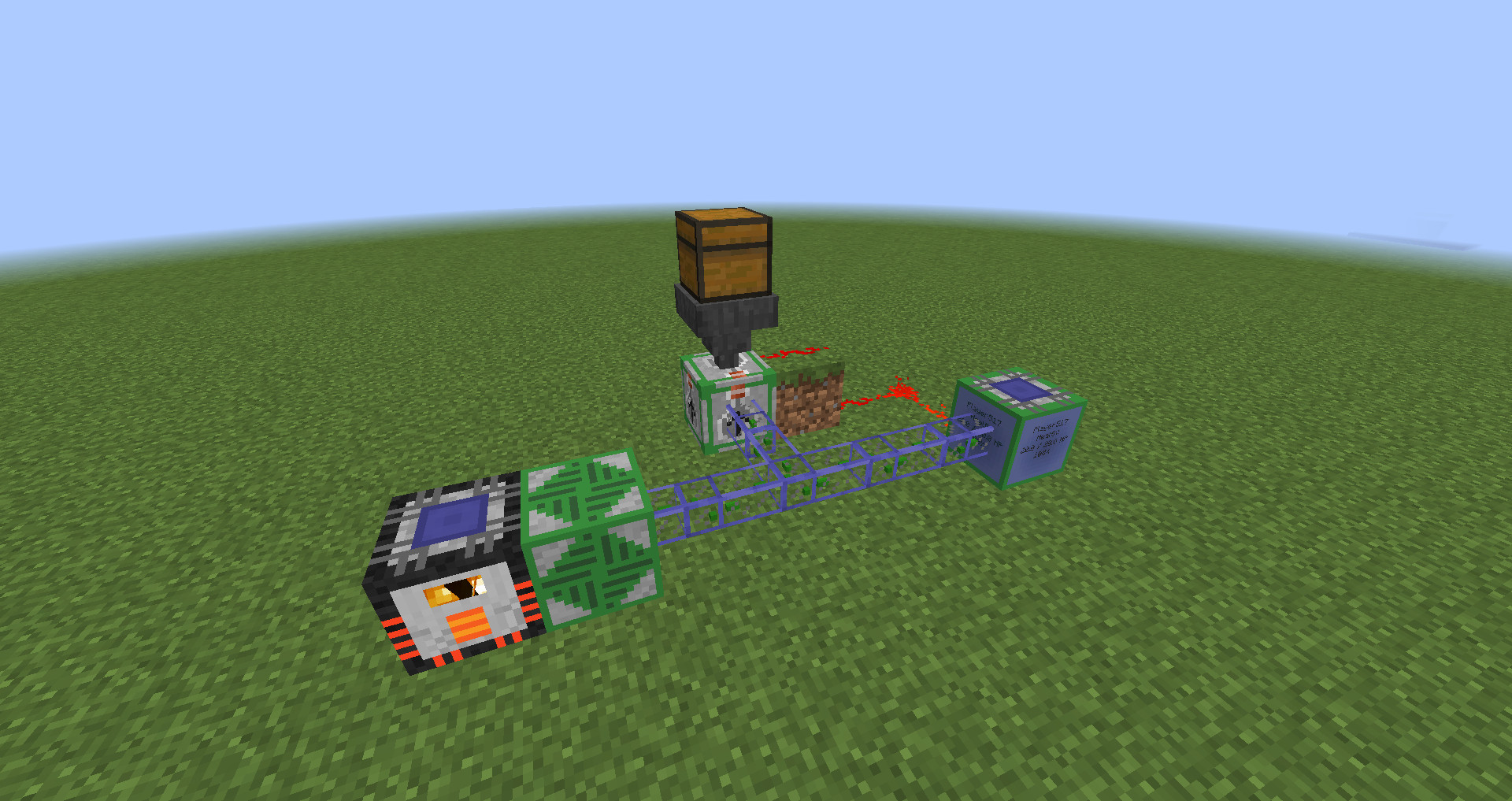
By connecting a player monitor set to display health mode with a potion relay, you can send healing potions to the player whenever his health is not at maximum
By combining two hoppers and an Experience Relay, xp can constantly be pulled out as bottles o' enchanting, so that the player can't lose his experience when he dies.
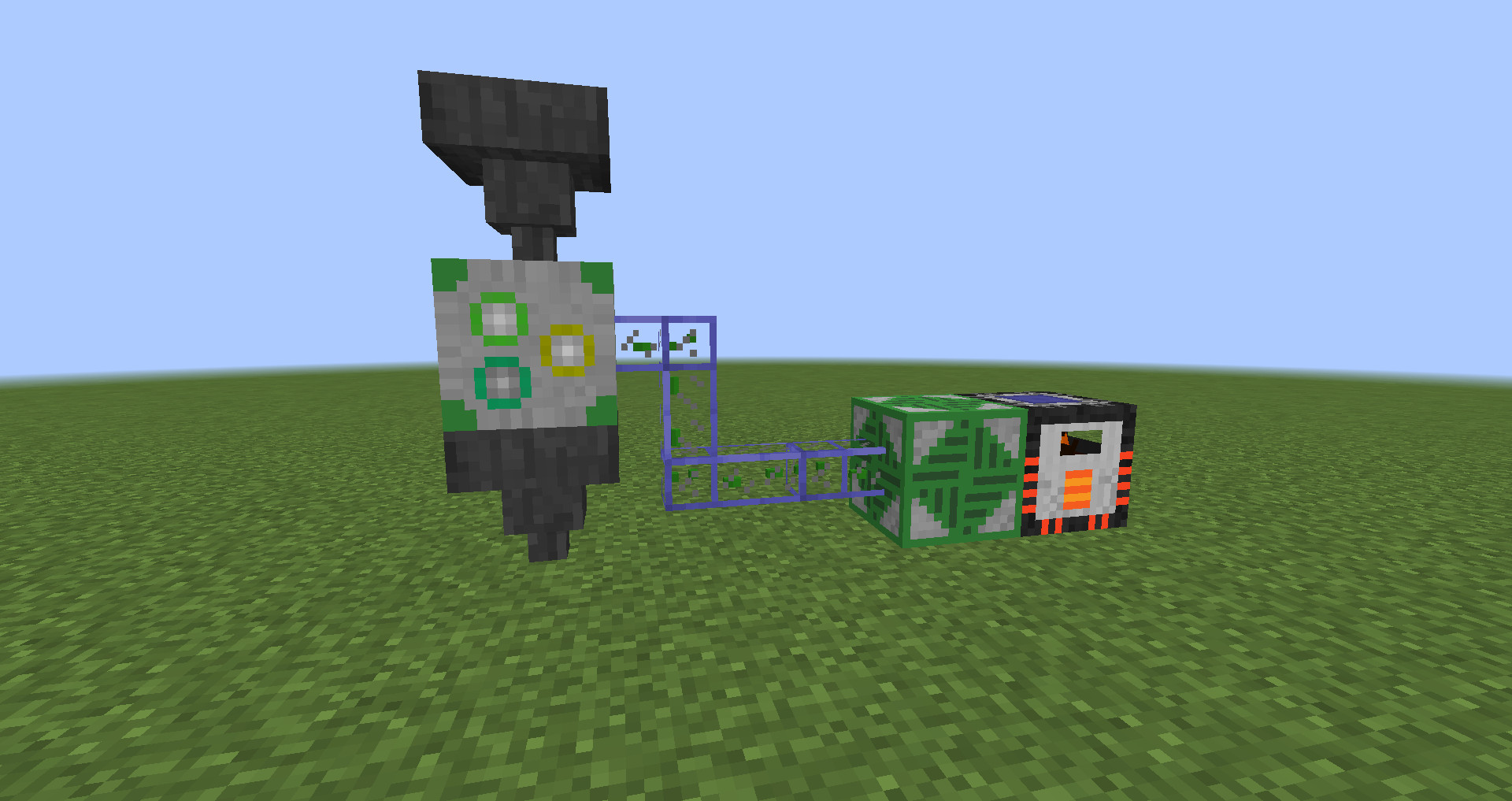
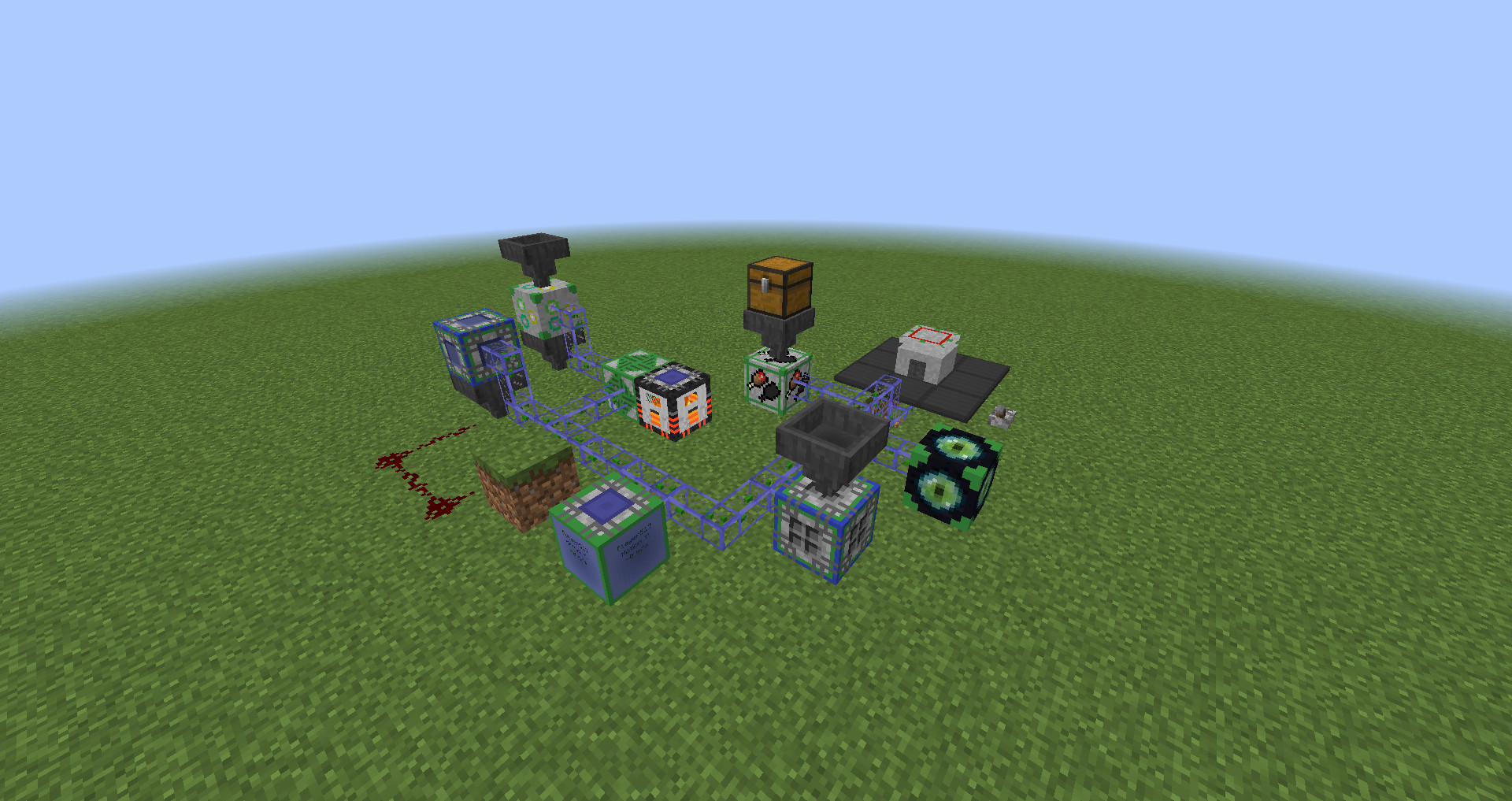
Different devices can also be connected to much more complex network structures using network cables.
Modpack permission
You are of course allowed to include this mod in any modpack you want. You don't have to ask for special permission if you want to use this mod in your pack.
Credits
Special thanks to Daniel A. for designing huge parts of the mod's textures.
Screenshots
Gallery
-
Experience storage network example By combining two hoppers and an Experience Relay, xp can constantly be pulled out as bottles o' enchanting, so that the player can't lose his experience when he dies.
-
Auto-healing network By connecting a player monitor set to display health mode with a potion relay, you can send healing potions to the player whenever his health is not at maximum
-
Auto-feeding network By combining a hunger relay with a hopper and a chest full of food, you can supply the player with food when he is hungry, removing the need to eat constantly. (Especially useful during combat when food is needed to regenerate health)
-
Manual Crafting Recipe The crafting recipe for the Inventory Management Manual
-
Complex Network A more complex network containing multiple devices connected by network cables.
Versions
Files
Relations
Project Relations
More like this
Similar Mods
Suggestions use data such as tags, dependencies, dependents, descriptions, titles, and more to rank how much they overlap with this mod.
On ModDex
Community snapshot
By the numbers
Statistics

Get it on
Available Platforms
On ModDex
Community snapshot
By the numbers