
Community listing page, reviews may not be monitored by the author.


Community voices
Reviews
No reviews yet. Be the first to review this project!
Get it on
Available Platforms
About
Project Details
For authors
Embed Badge
If you're the author of this project, you can embed a live badge anywhere that supports HTML or Markdown. It updates automatically whenever ratings change.
Use HTML for any page that supports it, or Markdown for README files and Markdown-based descriptions.
Identifiers
Platform IDs
About
Description
This mod has the intention of hopefully being able to automate the player completely with both simple and complex macros.
Scripts can be written in Lua and triggered by events and key binds.
Some of the events are not setup yet as noted on the wiki
A revised version of the documentation can be found in the wiki link above.
All event info is up to date in the new wiki.
Some functions do not have documentation pages yet.
Features include:
- Colored chat logging with simple codes like &B for bold, &I for italics and &0 thru &9 and &a thru &f as colors, additional & codes added for clickable text, and tooltips
- Fast scripts powered by Lua on multiple threads
- A syntax highlighting text editor with strings clearly marked by boxes with text codes showing the effects.
- Log tables in an easy to read way
- Tooltips on many functions in the editor. (Just hover over it)
- Easy to re-order macros in the main menu.
- Multiple profiles for different configs.
- Easily kill scripts that don't exit/return (CNTRL + Macro Menu key)
- Easily add/remove/edit bindings
- Quickly access a script related to a binding for editing
- Event fired macros like
● Chat event ● Hunger changed ● And more
● Joined the world ● Weather changed
● Respawned ● Item Durabilty
● Died ● Leave the world
● Health changed ● XP gained/used - Key and Mouse button triggered macros
- Key events can be set to trigger on key up, key down, or both
- change profiles from a script
- make the player speak into the chat (commands work too)
- edit settings and bindings from scripts
- Get lots of information about the world and the things in it like:
● Connected players ● The current weather ● Current time in the world
● Nearby players ● Light level at a coordinate ● Biome names and a little bit of detail
● Items visible on other players ● Information about a block at some position ● All the entities that are loaded in your chunks - Render a 3D HUD into the world [see screenshots]
Currently includes:
● Blocks
● Text
● Panes - 2D HUD elements (rectangle, box, text and images)
- Customizable gui's powered by scripts (The in game change log is an example of one!)
- Play sounds
● Sounds can easily be looped
● Sounds can be stopped after starting
● Sounds can be paused - Toggle skin layers
- Spelling errors (I'm sure they're around somewhere) definitly a feature
- File IO
● Read from file
● Write to file
● Random Access Files (read and write at same time, can jump around in file too) - Image tools for reading writing drawing and saving images.
Images can also be used for textures in 2D and 3D huds or gui. - Create screenshots without saving to file for use in scripts
- Prompt (get user input) [see screenshots]
- Control player movements
- Manage your inventory (you can access the 2x2 crafting as well)
- A hoard of information about a player (even more for yourself)
- HTTP requests
- MIDI interface (files, inputs and outputs)
- Get entity bounding boxes
- Get information about entities in your area
- Get information about the world
- Filter incoming chat messages to change their appearance
- Filter outgoing chat messages (make custom commands, fix spelling mistakes, text shortcuts... etc)
- And some other stuff I'm sure I forgot
Planned features:
- More documentation
- More hud3D and 2D elements
- More event types
- Auto-complete
- Prompt menus for:
● Number Input ● Player selection ● Limited Item selection - Obfuscation, Strike-through, and Underline for 2D and 3D HUD text
If you find a bug and would like to report it, the following things help:
- Finding the simplest way to recreate the bug
- If the error came from java, then having the error from the console helps
(the line number, class and error type in particular, stacktrace too)
Report bugs on the official discord or HERE
Suggestions for features are welcome.
For quick questions, bug reports, suggestions and general discussion this link will bring you to the discord server. [ https://discord.gg/ga9Npym ]
IMPORTANT for versions before 3.8.2 :
The LuaJ-jse-3.0.1.jar is needed to run this mod.
download it here:
https://sites.google.com/site/advancedmacroswiki/files
or here:
https://sourceforge.net/projects/luaj/files/latest/download
Just put it in your mods folder
For versions **including** and after 3.8.2, the LuaJ library is included with the mod
Screenshots
Gallery
-
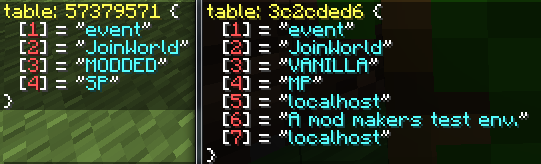 Table Logging This image shows one way to quickly to inspect a Lua Table. The table seen here has been provided by the JoinWorld event. Logged messages are only visible to the client. [Left: Single Player, Right: Multiplayer]
 -
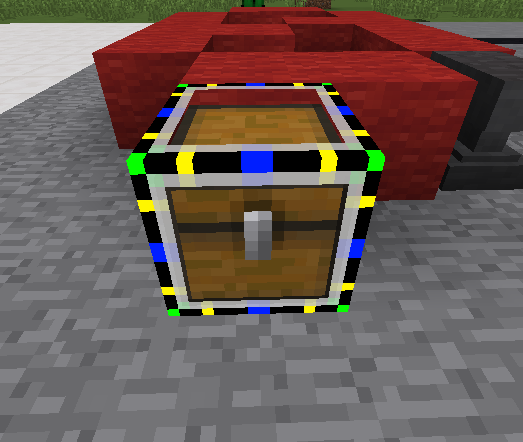 Hud3D - Block This image shows one of the 3D Hud's features. The block can be: moved, resized, re-textured, xrayed or rotated.
 -
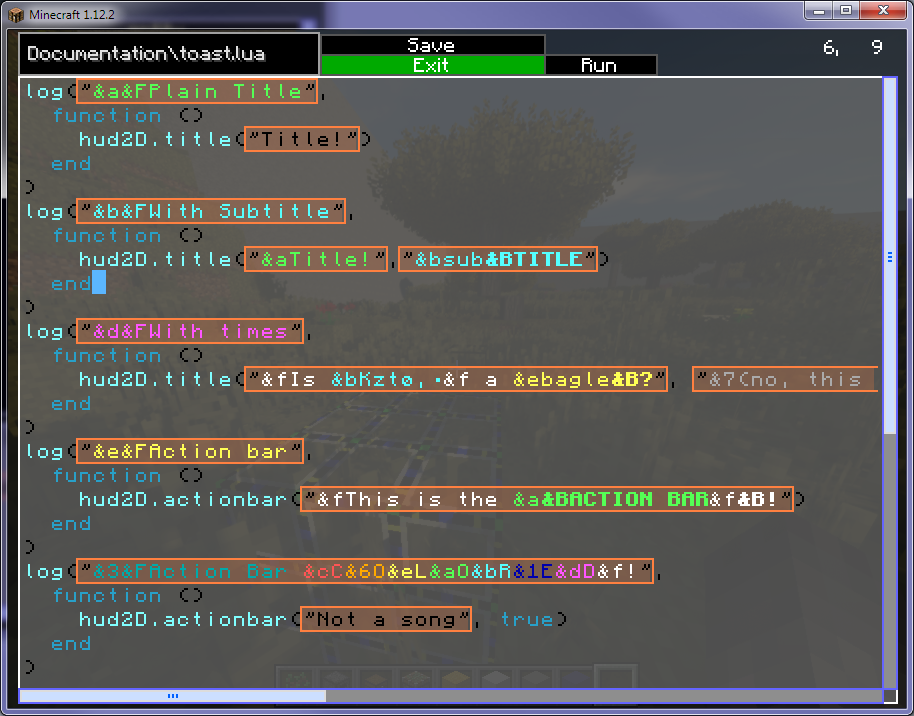 In-game Editor Here you can see the current script editor with some example showing off some different notification types.
 -
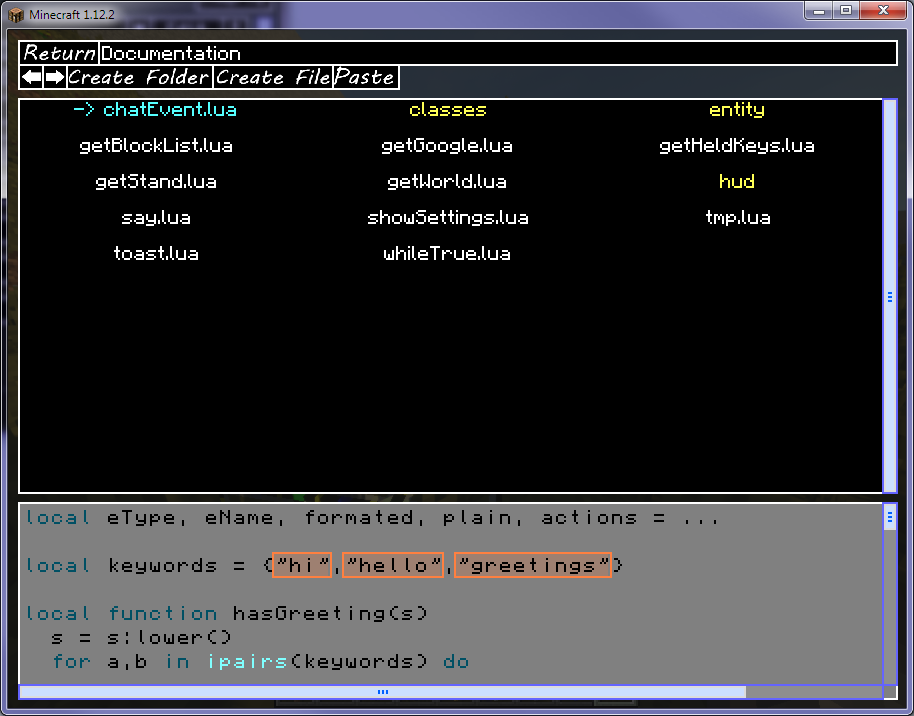 Script Browser Here is an example of the file browser used to select scripts for editing or binding.
 -
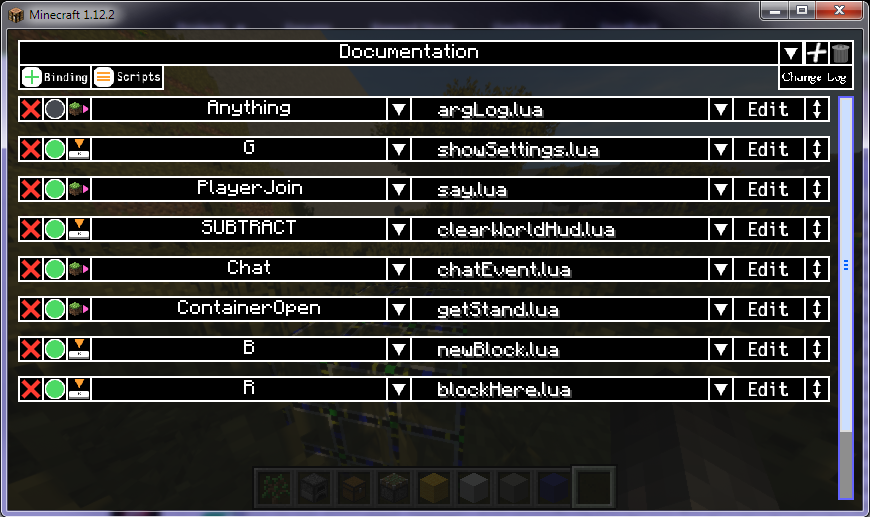 Bindings Screen A bunch of random bindings. Events and Key Down are both here. Key up or key up/down are also options not shown here. At the top the current profile is shown. Profiles can be changed via script or by selecting them manualy
 -
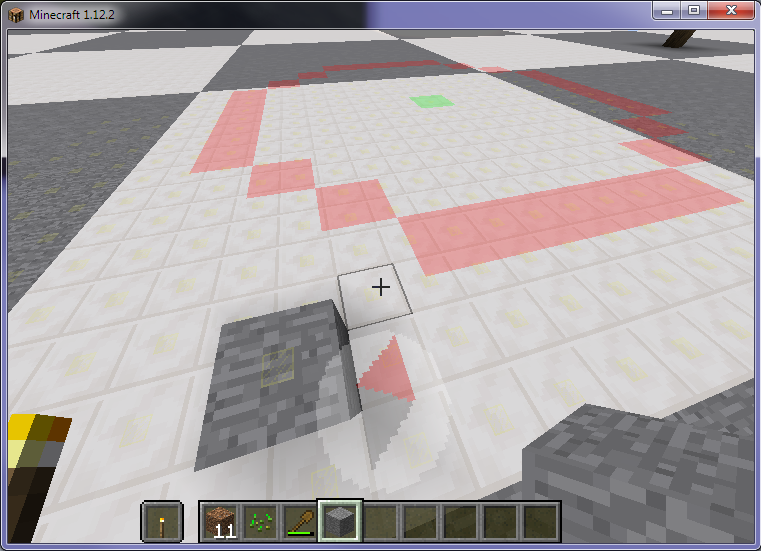 Compass and Building Guide At the players feet a compass is being drawn and is point to some location the player set it to. A guide for drawing a circle can be seen further back.
 -
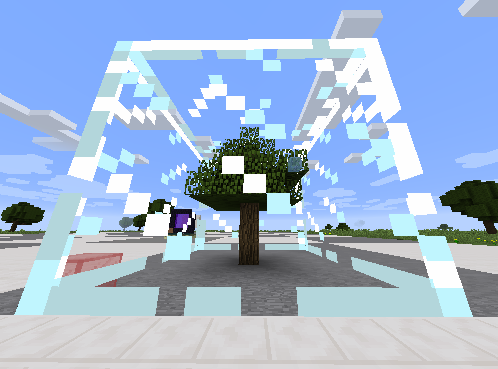 Larger Selection An example where world edit commands have been made from scripts and a selection is being displayed. Hud3D scripts seeme to be nicer for screenshots.
 -
 Advanced Macros Logo
Versions
Files
Relations
Project Relations
More like this
Similar Mods
Suggestions use data such as tags, dependencies, dependents, descriptions, titles, and more to rank how much they overlap with this mod.
On ModDex
Community snapshot
By the numbers
Statistics

Get it on
Available Platforms
On ModDex
Community snapshot
By the numbers