
Community listing page, reviews may not be monitored by the author.
Advancement

No reviews yet
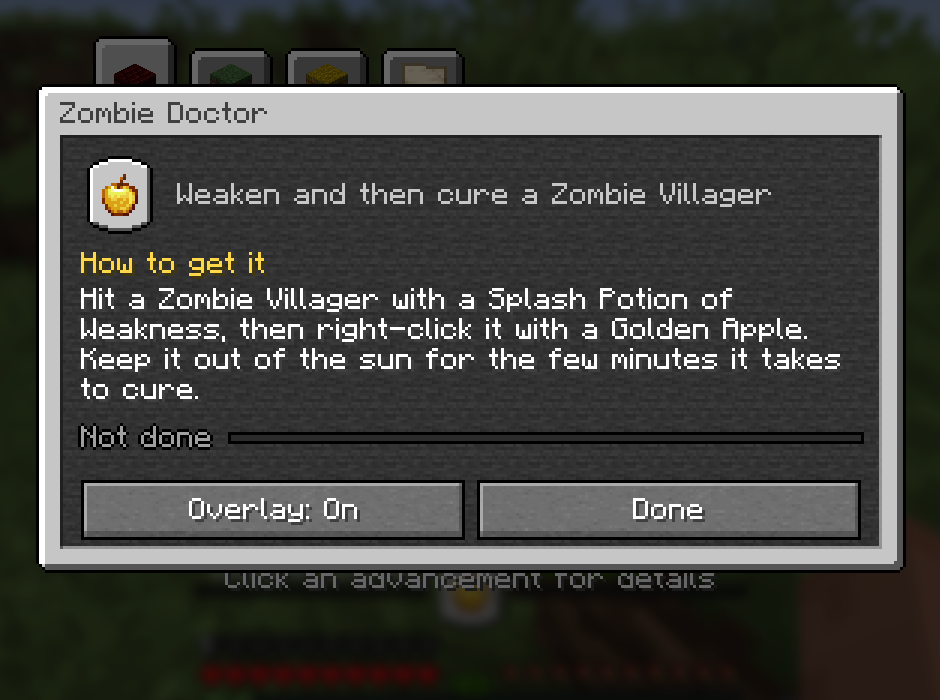
Click any advancement to see how to get it and exactly what you're still missing, then track it above your hotbar

Community voices
Reviews
No reviews yet. Be the first to review this project!
Get it on
Available Platforms
About
Project Details
For authors
Embed Badge
If you're the author of this project, you can embed a live badge anywhere that supports HTML or Markdown. It updates automatically whenever ratings change.
Use HTML for any page that supports it, or Markdown for README files and Markdown-based descriptions.
Identifiers
Platform IDs
Resources
External Links
About
Description
Advancements
Know exactly what an advancement still needs. Click any advancement and see how to get it and what you are missing, then track it right above your hotbar.
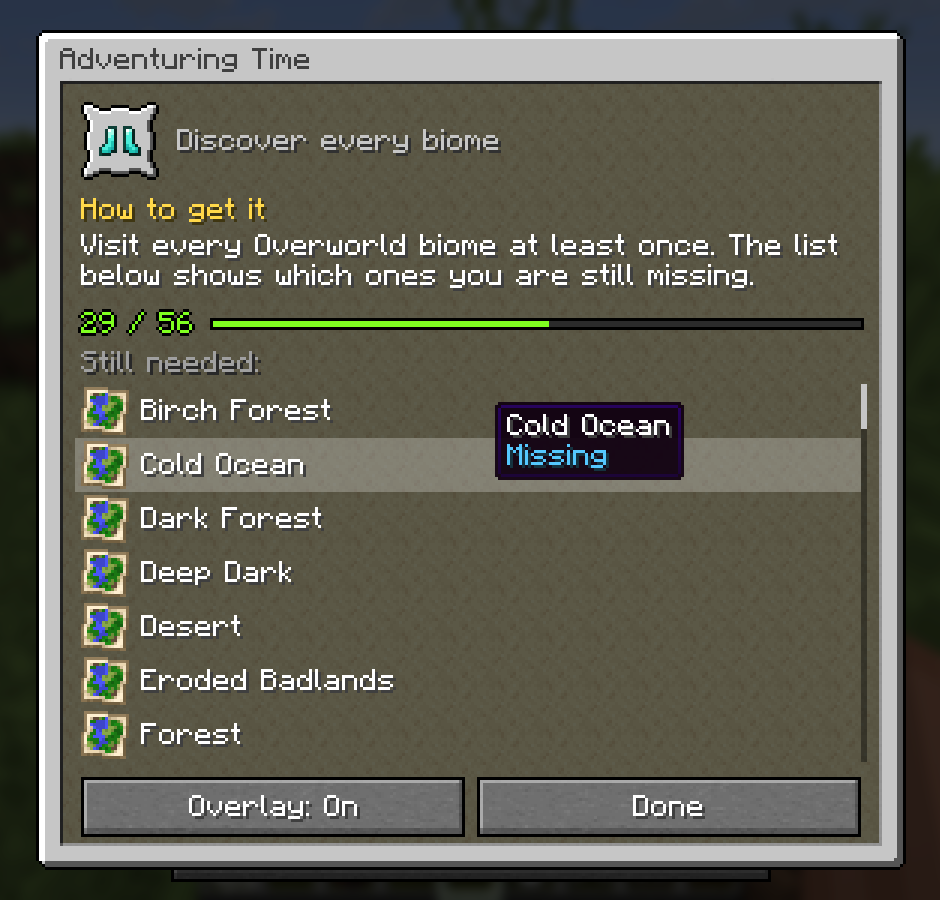
Click any advancement
Open your advancements (L) and click one. A small window in the same style explains it:
- How to get it: written for every one of Minecraft's 126 advancements. What to do, where to go, and a tip where it helps.
- Your progress, like 29 / 56.
- Still needed: every biome you have not visited for Adventuring Time, every food you have not eaten for A Balanced Diet, every mob for Monsters Hunted, every cat, wolf and frog variant, every armor trim. Hover a part you have to see when you got it.
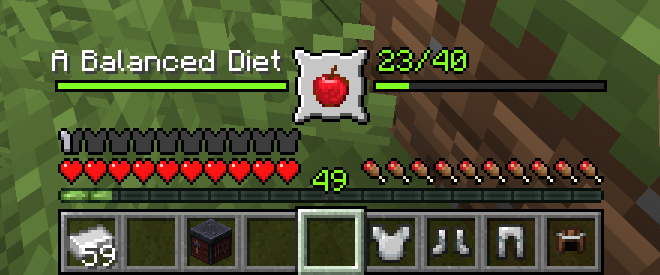
Track it while you play
Press Overlay: On and the advancement sits right above your hearts and food: its icon in the middle, the progress bar running out to both sides.
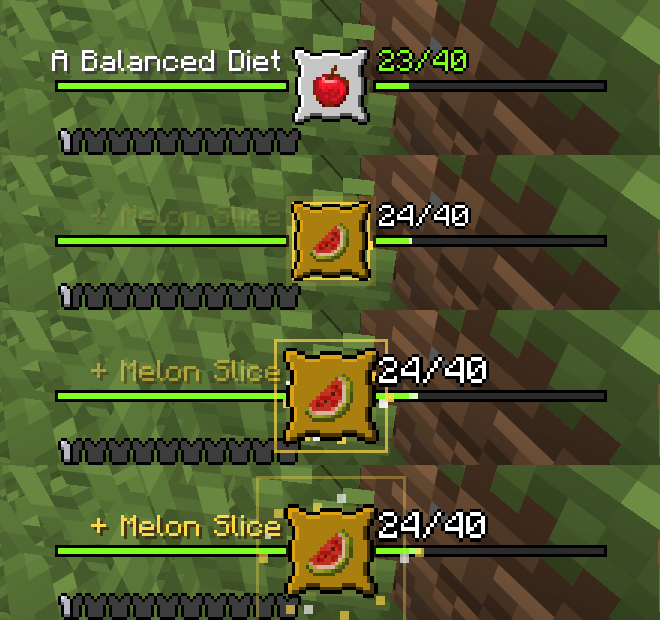
Every time you get a new part, the frame pops, a gold ring and sparks burst out, the new item shows up and a chime plays that gets higher the closer you are. Finish it and you get a bigger celebration.
Prefer it out of the way? Put it in a corner as an advancement toast with the next missing parts below it.
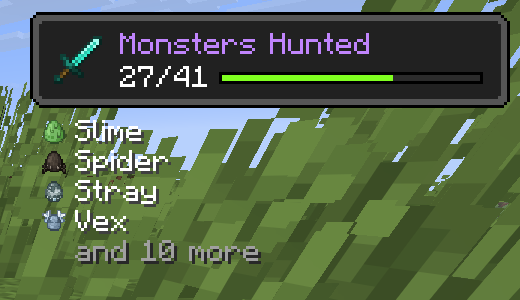
Works everywhere
Client only. Works in singleplayer and on any server, vanilla servers included. Advancements from other mods and data packs work too.
Requires Mycel. Fabric, Forge and NeoForge, Minecraft 26.1 to 26.3. Wiki · Discord
Screenshots
Gallery
Versions
Files
Relations
Project Relations
More like this
Similar Mods
Suggestions use data such as tags, dependencies, dependents, descriptions, titles, and more to rank how much they overlap with this mod.
On ModDex
Community snapshot
By the numbers
Statistics

Get it on
Available Platforms
On ModDex
Community snapshot
By the numbers
Statistics
Resources