Community listing page, reviews here may not be monitored by the author.
AE2 - Present Requester

No reviews yet
Order multiple items at once with a single click.

Community voices
Reviews
No reviews yet. Be the first to review this project!
Get it on
Available Platforms
About
Project Details
For authors
Embed Badge
If you're the author of this project, you can embed a live badge anywhere that supports HTML or Markdown. It updates automatically whenever ratings change.
Use HTML for any page that supports it, or Markdown for README files and Markdown-based descriptions.
Identifiers
Platform IDs
Resources
External Links
About
Description
AE2 – Present Requester
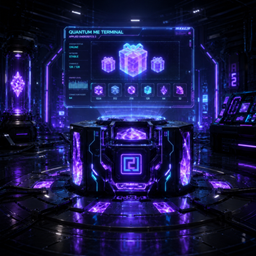
AE2 – Present Requester lets you combine multiple crafting patterns into a single Present Pack, craft it with one click, and unwrap it anywhere you like. Each pack is represented by a festive gift box designed in the Applied Energistics 2 style.
How to Create and Use a Present Pack
Step 1 — Open the Present Terminal
Place a Present Terminal and right-click it.
Enter a name for your Present Pack in the text field, then click the + button.
The editor will open, displaying:
- The name of your Present Pack (you can still change it).
- A list of all encoded crafting patterns available in your ME Network.
Step 2 — Select Patterns
Click any pattern to add it to the Present Pack.
Item colors indicate their status:
- 🟢 Green — The item already exists in your ME Network.
- 🟢🟡 Green/Yellow — The item is missing, but the ME Network can craft it automatically because an encoded pattern is available.
Step 3 — Choose a Crafting Mode
Select how crafting CPUs should be allocated:
- Auto — Automatically uses the required number of Crafting CPUs.
- Free — Keeps X CPUs free and uses the rest for crafting.
- Claim Channel — Reserves X CPUs for this crafting job while leaving the remaining CPUs available for the ME Network.
Use the + and − buttons to adjust the CPU value for the selected mode.
When everything is configured, click the ✔ button to save the Present Pack.
Step 4 — Craft the Present
Find your saved Present Pack and press [CRAFT].
If any resources are missing, the terminal will display exactly which items are required.
Once all required items have been crafted, they will be inserted into the Present Pack one by one until it is complete.
The finished Present can be found using the name you assigned to it.
Identical Present Packs can stack up to 64.
Screenshots
Gallery
Versions
Files
Relations
Project Relations
More like this
Similar Mods
Suggestions use data such as tags, dependencies, dependents, descriptions, titles, and more to rank how much they overlap with this mod.
On ModDex
Community snapshot
By the numbers
Statistics
 (opens in a new tab)
Get it on
Available Platforms
On ModDex
Community snapshot
By the numbers
Statistics
Resources