![AFK Station [Cinematic & More]](https://media.forgecdn.net/avatars/thumbnails/1516/42/256/256/638984513052901107.png)
Community listing page, reviews here may not be monitored by the author.
AFK Station [Cinematic & More]


No reviews yet
Lightweight AFK mod that makes idle time cinematic, hides chat on request, shows an AFK timer, caps FPS, and instantly returns to gameplay when you move.
Community voices
Reviews
No reviews yet. Be the first to review this project!
Get it on
Available Platforms
Compatibility
Supported Environments
Runs entirely on the client. Works on vanilla servers.
About
Project Details
For authors
Embed Badge
If you're the author of this project, you can embed a live badge anywhere that supports HTML or Markdown. It updates automatically whenever ratings change.
Use HTML for any page that supports it, or Markdown for README files and Markdown-based descriptions.
Identifiers
Platform IDs
Resources
External Links
About
Description

AFK Station - Make idle time cinematic!
AFK Station turns idle moments into smooth cinematic camera shots, so your world still looks alive while you are away.
Now available on Fabric, NeoForge and Forge for Minecraft 26.2. Quilt are planned. Client-side only.
✨ Features
- Cinematic AFK camera with 12 styles:
- Angle
- Journey
- Orbit
- Halo
- Spiral
- Isometric
- Parallax
- Low Angle
- Figure Eight
- Vertical Sweep
- Scenic Scout
- Life Focus
- Smooth camera motion with safe framing and ground clearance
- Close or wide camera framing
- Custom camera speed up to 5.00x
- Automatic style shuffle while AFK
- Optional warning before style shuffle
- AFK timer HUD with:
- title and timer toggles
- scale controls
- top, bottom, center, and custom positions
- optional vanilla HUD hiding while AFK
- AFK session history with:
- start date and time
- duration
- camera style
- manual or auto trigger
- up to 20 saved entries
- next and back page controls
- optional auto delete for old history
- Automatic AFK detection based on movement, mouse, hotbar, and key input
- AFK countdown before activation
- Optional chat hiding while AFK
- AFK FPS cap to reduce resource usage while idle
- AFK render distance override while idle
- Optional AFK FOV override
- Optional AFK volume reduction
- Warning sound before AFK starts
- Clean in-game settings menu
- Client-side only: no server install required
⌨️ Default Keybinds
- N: Toggle AFK Station
- M: Open settings
- B: Force AFK on/off
- V: Switch camera style
Category: AFK Station. All keybinds are remappable.
🔧 Requirements
- Minecraft: 26.2
- Loaders:
- Fabric Loader + Fabric API
- Forge
- NeoForge
- Quilt (planned)
- Java: 21+
- Environment: Client-only
⚙️ Default Settings
- AFK timeout: 15 seconds
- AFK countdown: 5 seconds
- AFK FPS cap: 30
- AFK FOV: 30
- AFK render distance: 6 chunks
- Camera: enabled
- Camera style: Angle
- Camera speed: 1.00x
- Style shuffle: enabled
- HUD: enabled
- HUD anchor: Top Right
- Warning sound: enabled
- Chat hide: enabled by default
- AFK volume reduction: disabled by default
- History auto delete: enabled by default
📖 Usage
- Press
Mto open the settings menu. - Configure AFK delay, countdown, FPS cap, render distance, FOV, camera style, HUD position, audio, chat behavior, and history behavior.
- Wait for AFK to activate automatically, or press
Bto force it manually. - Move, look around, or press input keys to instantly leave AFK mode.
- Open History to review recent AFK sessions.
⬇️ Download





Planned loader support:

📜 License and Permissions
- License: All Rights Reserved (ARR)
- Redistribution outside Modrinth and CurseForge is not allowed without permission
- Modpacks are allowed with credit and a link back
🤝 Credits
- Author: Zynwro
- Contact: linktr.ee/zynwro
AFK Station - Make idle time cinematic!
AFK Station turns idle moments into smooth cinematic camera shots, so your world still looks alive while you are away.
Now available on Fabric, NeoForge and Forge for Minecraft 26.2. Quilt are planned. Client-side only.
✨ Features
- Cinematic AFK camera with 12 styles:
- Angle
- Journey
- Orbit
- Halo
- Spiral
- Isometric
- Parallax
- Low Angle
- Figure Eight
- Vertical Sweep
- Scenic Scout
- Life Focus
- Smooth camera motion with safe framing and ground clearance
- Close or wide camera framing
- Custom camera speed up to 5.00x
- Automatic style shuffle while AFK
- Optional warning before style shuffle
- AFK timer HUD with:
- title and timer toggles
- scale controls
- top, bottom, center, and custom positions
- optional vanilla HUD hiding while AFK
- AFK session history with:
- start date and time
- duration
- camera style
- manual or auto trigger
- up to 20 saved entries
- next and back page controls
- optional auto delete for old history
- Automatic AFK detection based on movement, mouse, hotbar, and key input
- AFK countdown before activation
- Optional chat hiding while AFK
- AFK FPS cap to reduce resource usage while idle
- AFK render distance override while idle
- Optional AFK FOV override
- Optional AFK volume reduction
- Warning sound before AFK starts
- Clean in-game settings menu
- Client-side only: no server install required
⌨️ Default Keybinds
- N: Toggle AFK Station
- M: Open settings
- B: Force AFK on/off
- V: Switch camera style
Category: AFK Station. All keybinds are remappable.
🔧 Requirements
- Minecraft: 26.2
- Loaders:
- Fabric Loader + Fabric API
- Forge
- NeoForge
- Quilt (planned)
- Java: 21+
- Environment: Client-only
⚙️ Default Settings
- AFK timeout: 15 seconds
- AFK countdown: 5 seconds
- AFK FPS cap: 30
- AFK FOV: 30
- AFK render distance: 6 chunks
- Camera: enabled
- Camera style: Angle
- Camera speed: 1.00x
- Style shuffle: enabled
- HUD: enabled
- HUD anchor: Top Right
- Warning sound: enabled
- Chat hide: enabled by default
- AFK volume reduction: disabled by default
- History auto delete: enabled by default
📖 Usage
- Press
Mto open the settings menu. - Configure AFK delay, countdown, FPS cap, render distance, FOV, camera style, HUD position, audio, chat behavior, and history behavior.
- Wait for AFK to activate automatically, or press
Bto force it manually. - Move, look around, or press input keys to instantly leave AFK mode.
- Open History to review recent AFK sessions.
⬇️ Download
Planned loader support:
📜 License and Permissions
- License: All Rights Reserved (ARR)
- Redistribution outside Modrinth and CurseForge is not allowed without permission
- Modpacks are allowed with credit and a link back
🤝 Credits
- Author: Zynwro
- Contact: linktr.ee/zynwro
Screenshots
Gallery
-
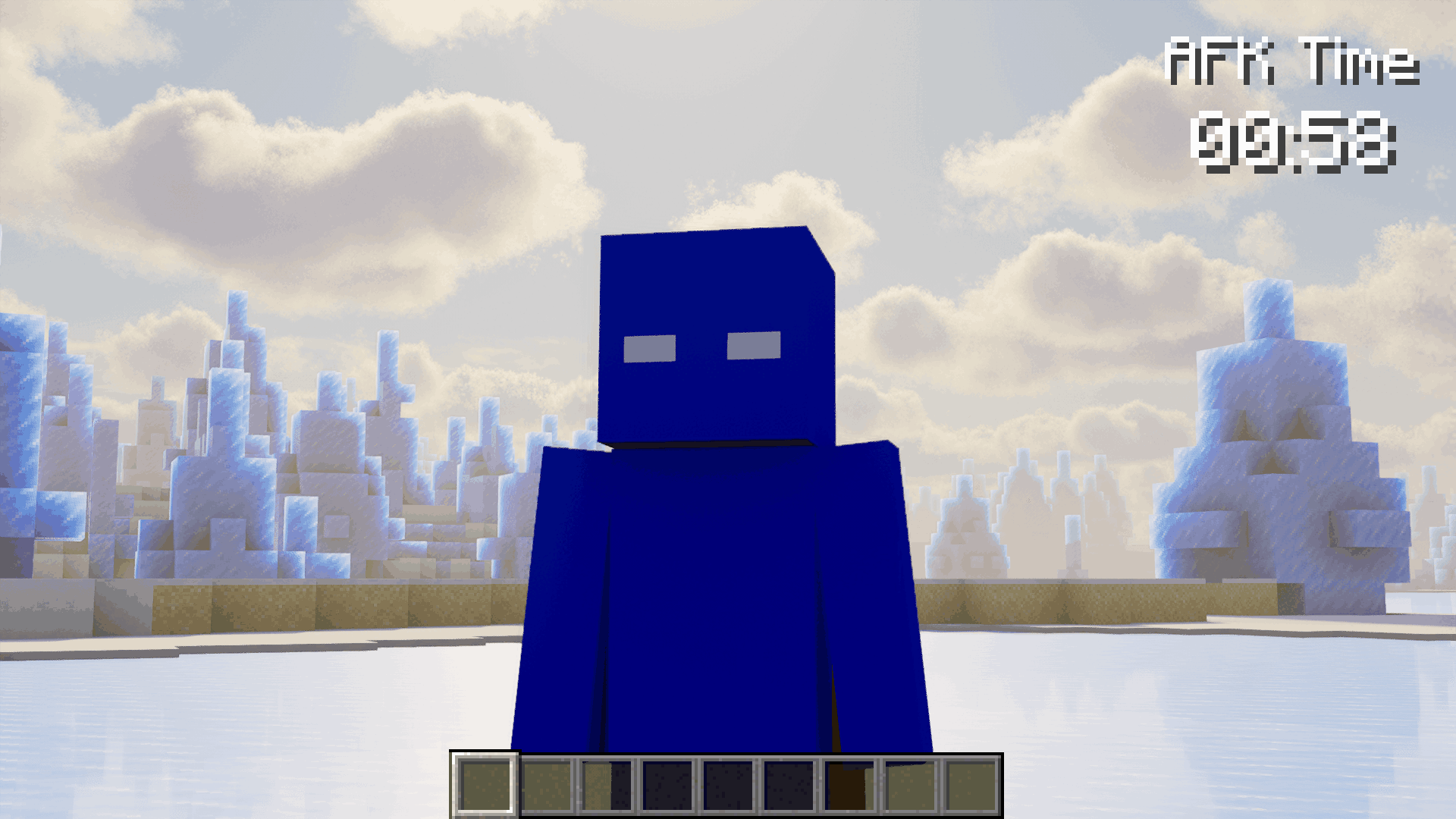 HUD Top Right Clean timer while facing the player.
 -
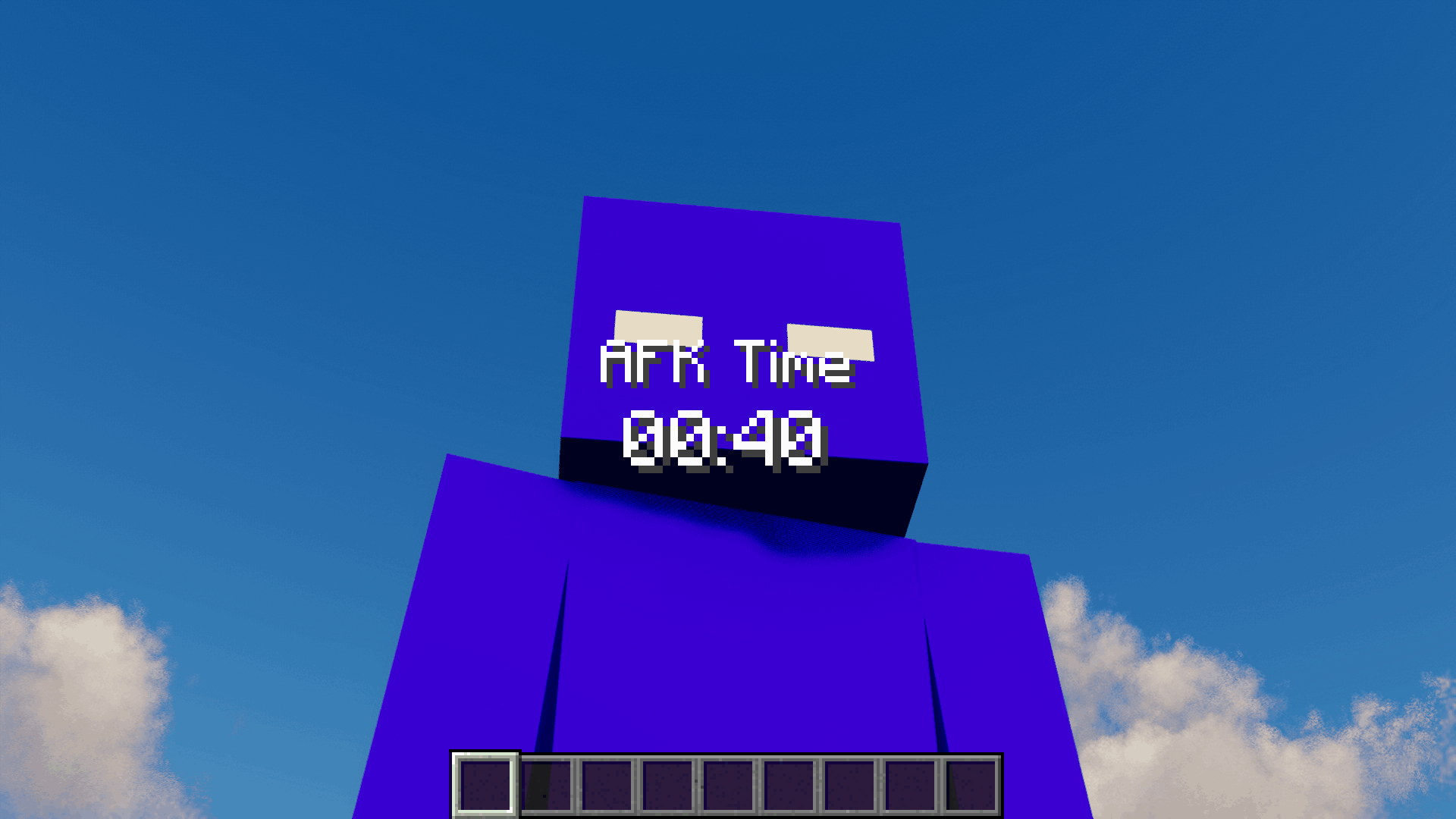 AFK Time HUD (Center) Big timer centered while the camera is close to the player.
 -
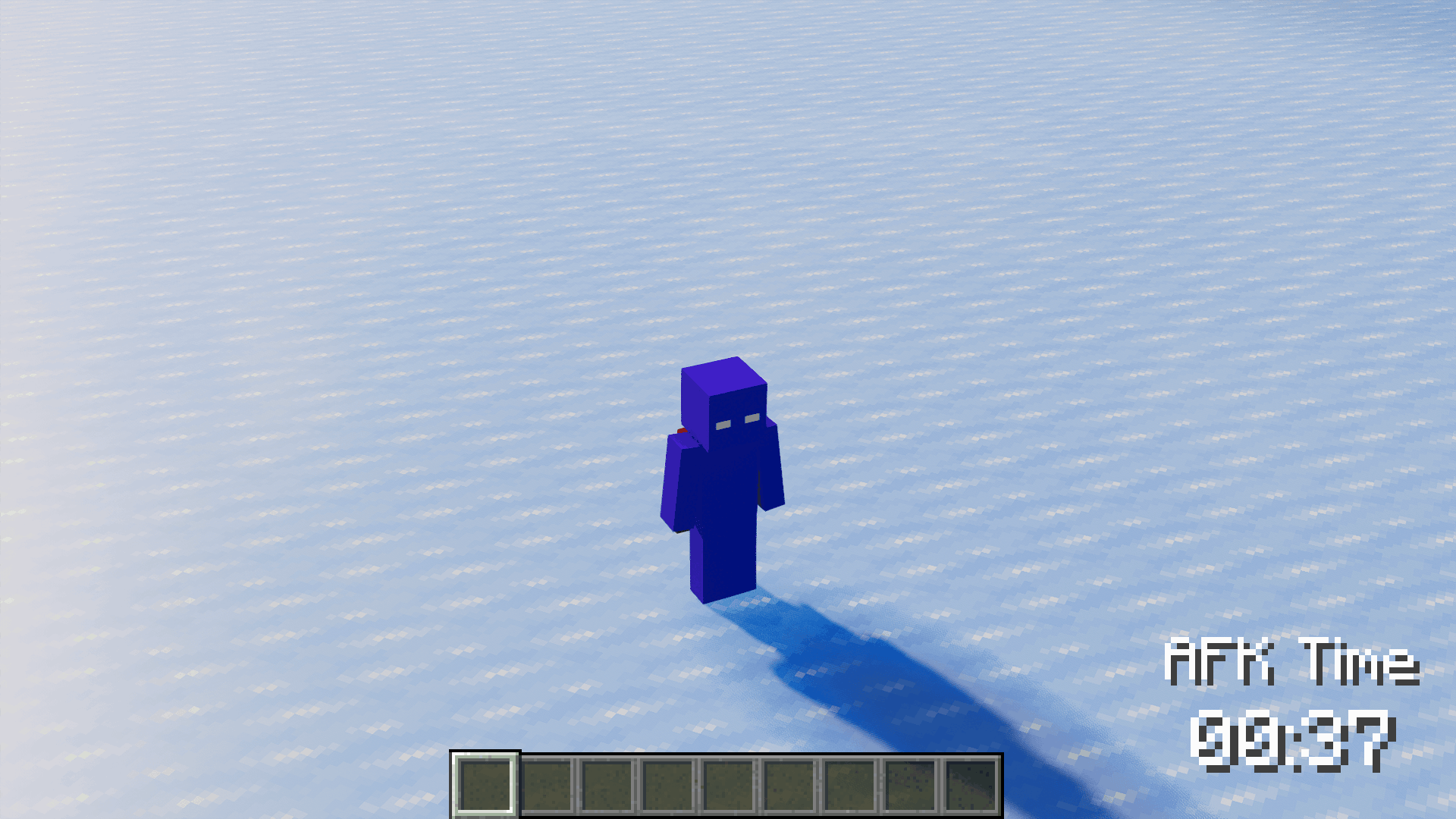 Top-down View Orbit from above, HUD bottom right.
 -
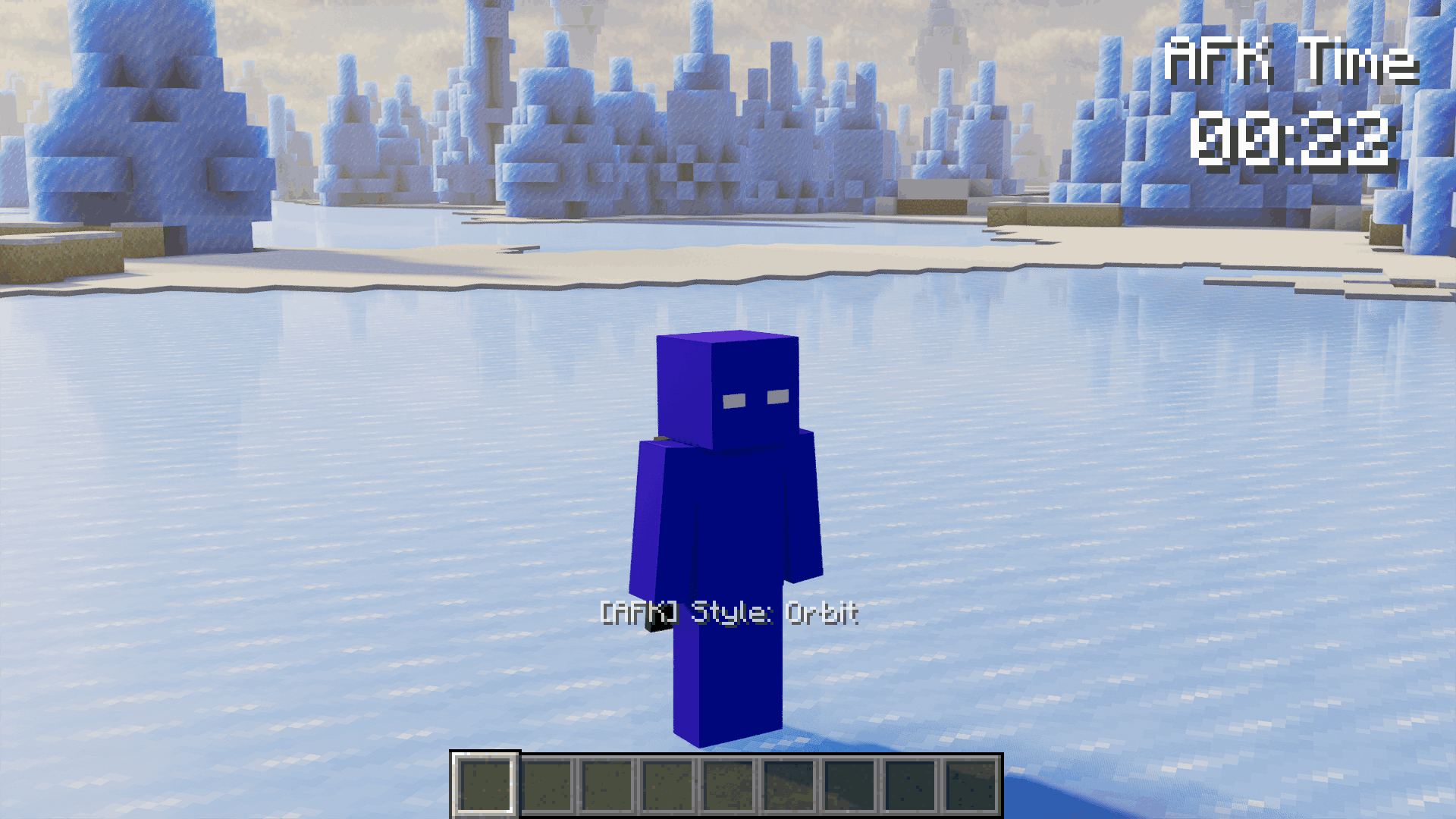 Orbit Camera Style Camera circles the player, HUD top right.
 -
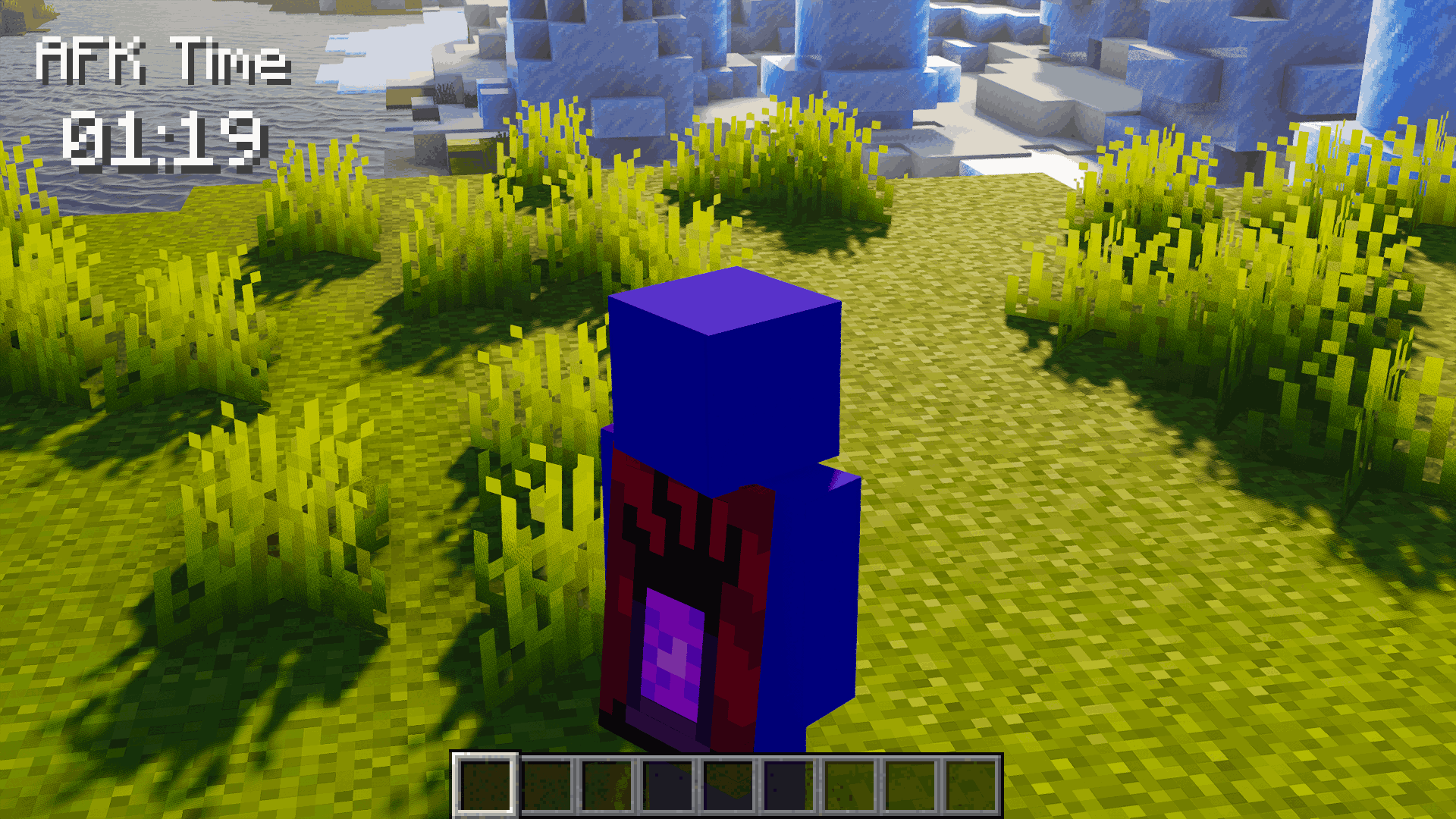 HUD Top Left on Grass Timer visible while the camera is behind the player.
 -
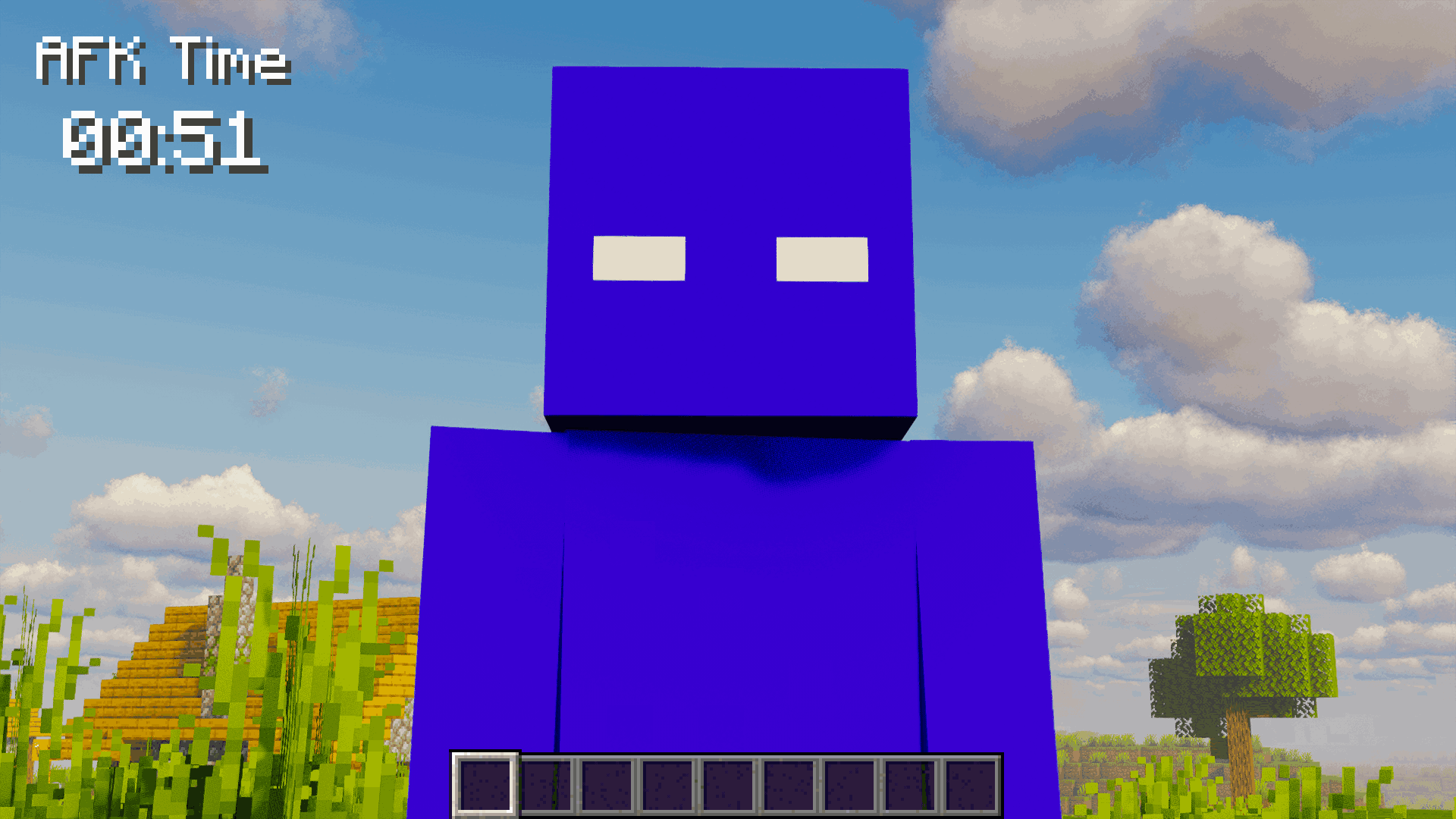 HUD Top Left Timer in the top-left with a village background.
 -
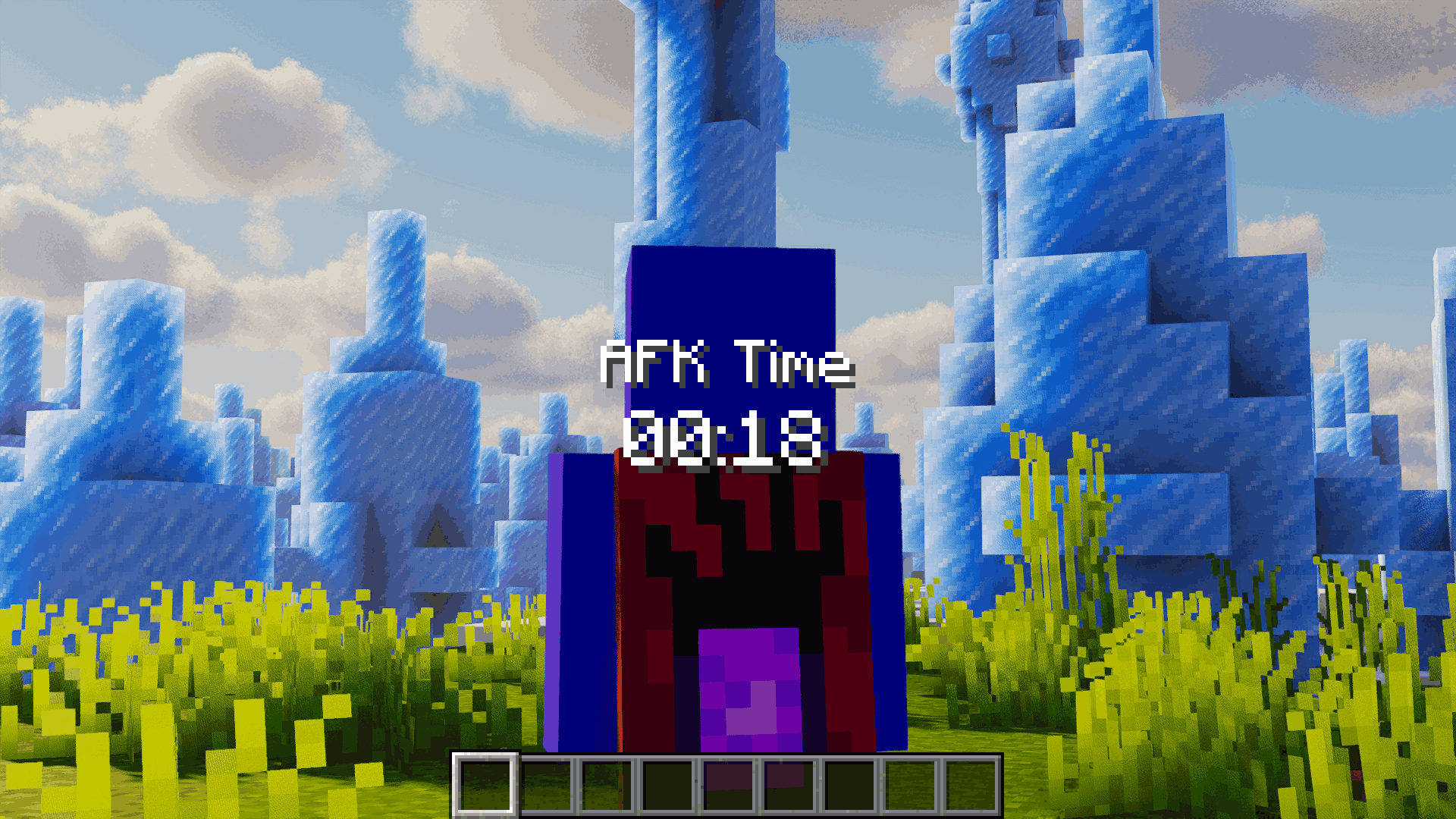 HUD Center (Back View) Centered timer while looking at the player’s back.
 -
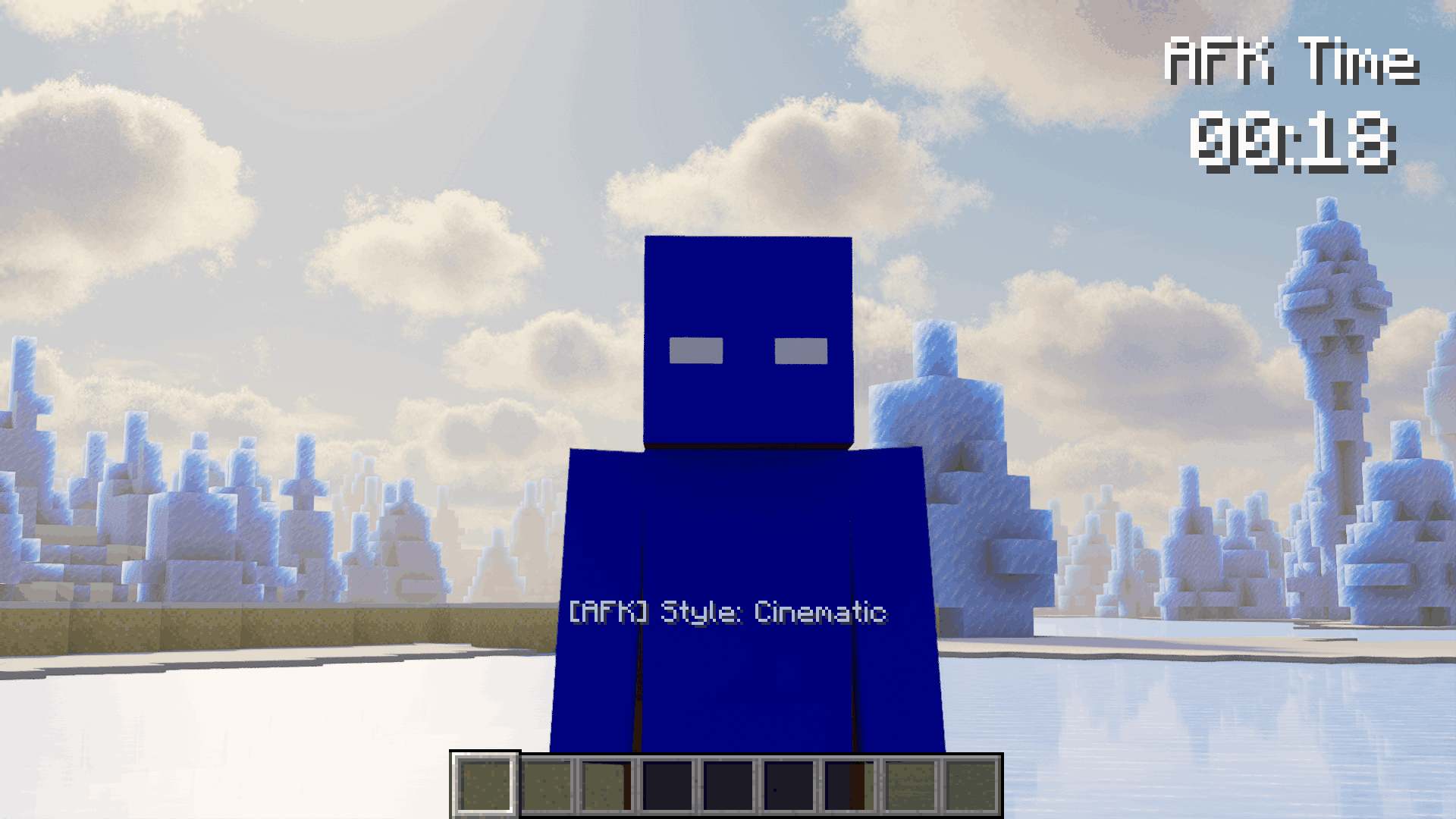 Cinematic Camera Style Smooth forward move, HUD top right.
 -
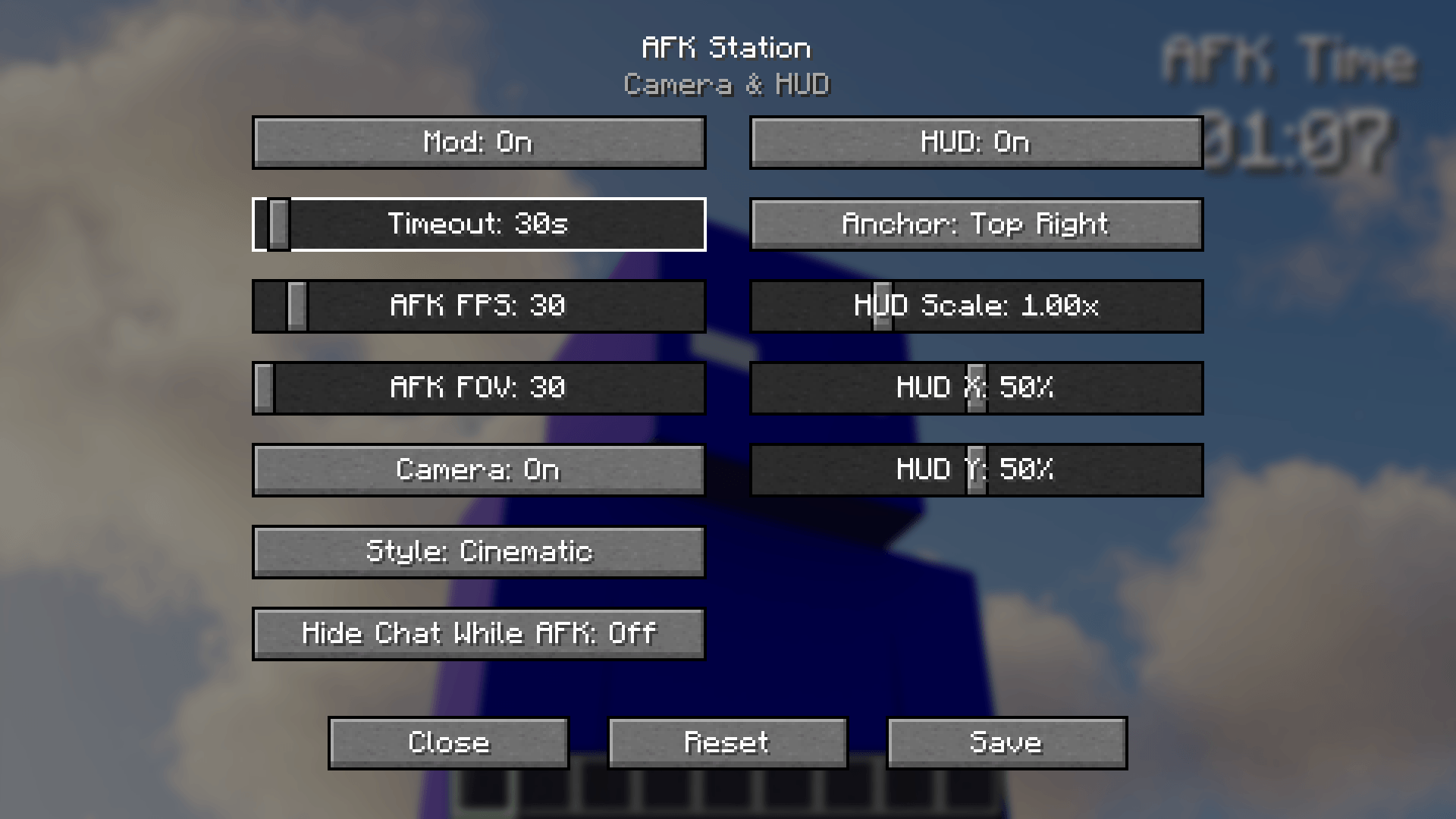 AFK Station Settings Adjust timeout, AFK FPS, FOV, HUD, and camera style.
-
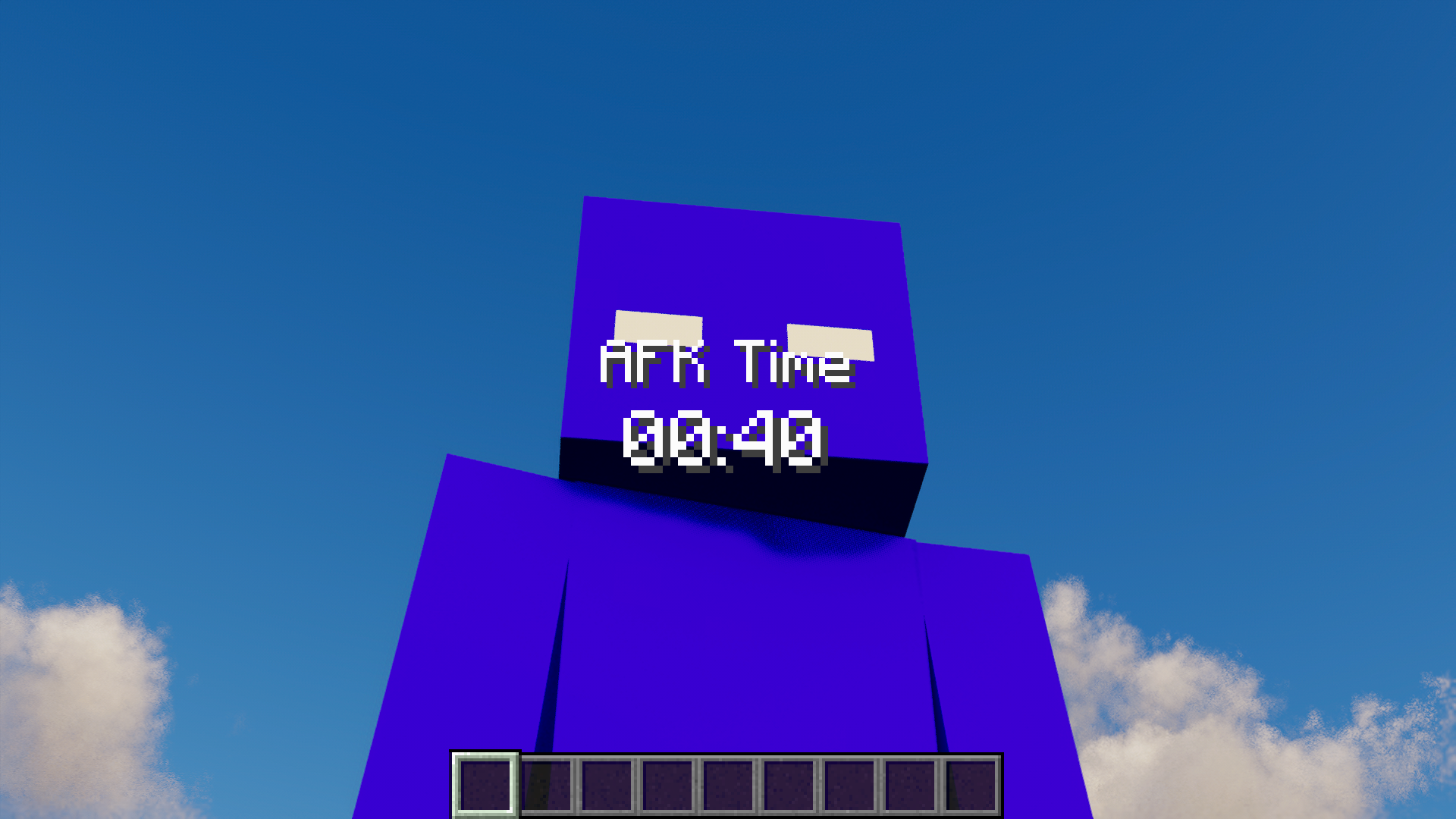 AFK Time HUD (Center) Big timer centered while the camera is close to the player.
 -
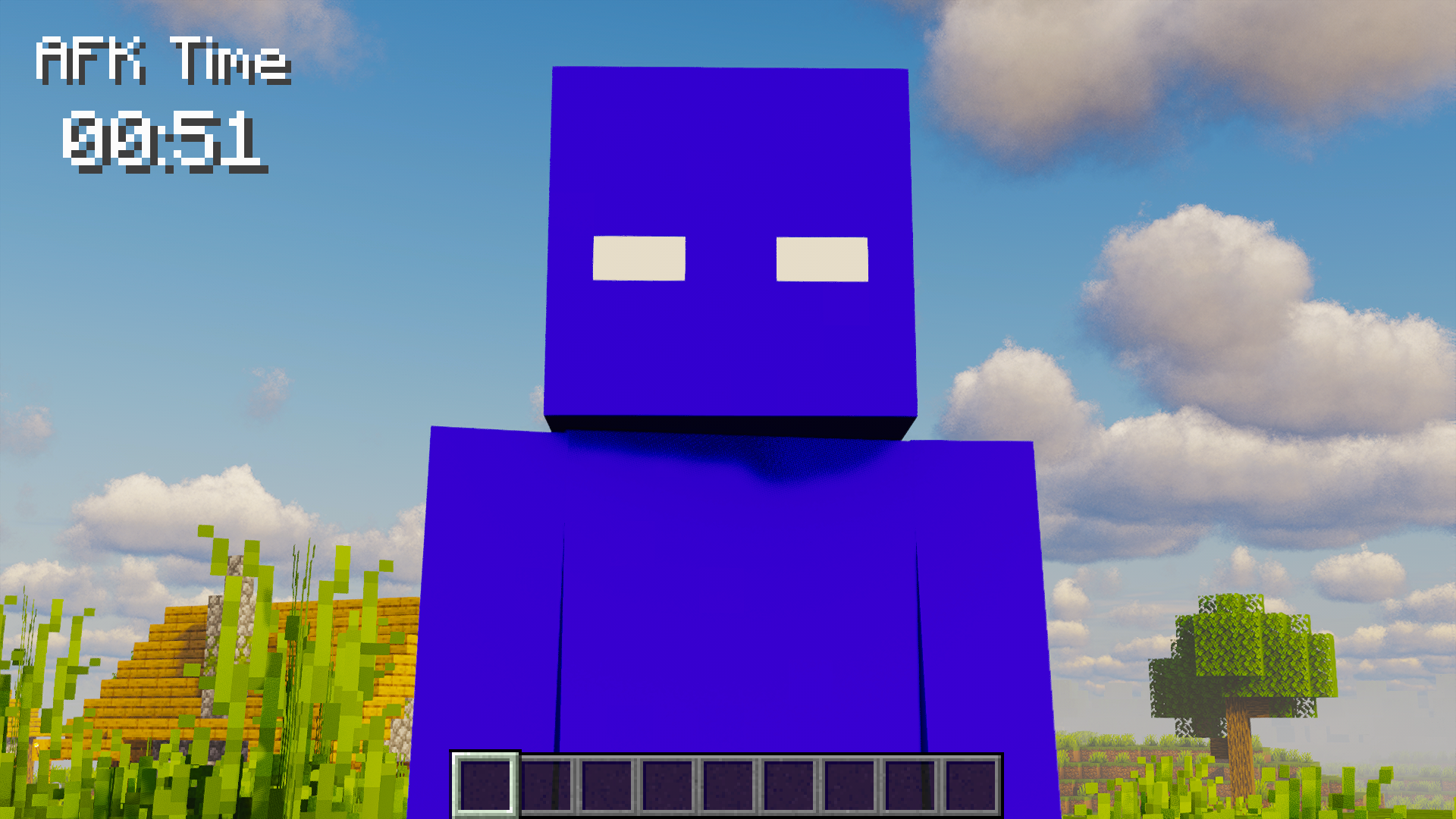 HUD Top Left Timer in the top-left with a village background.
 -
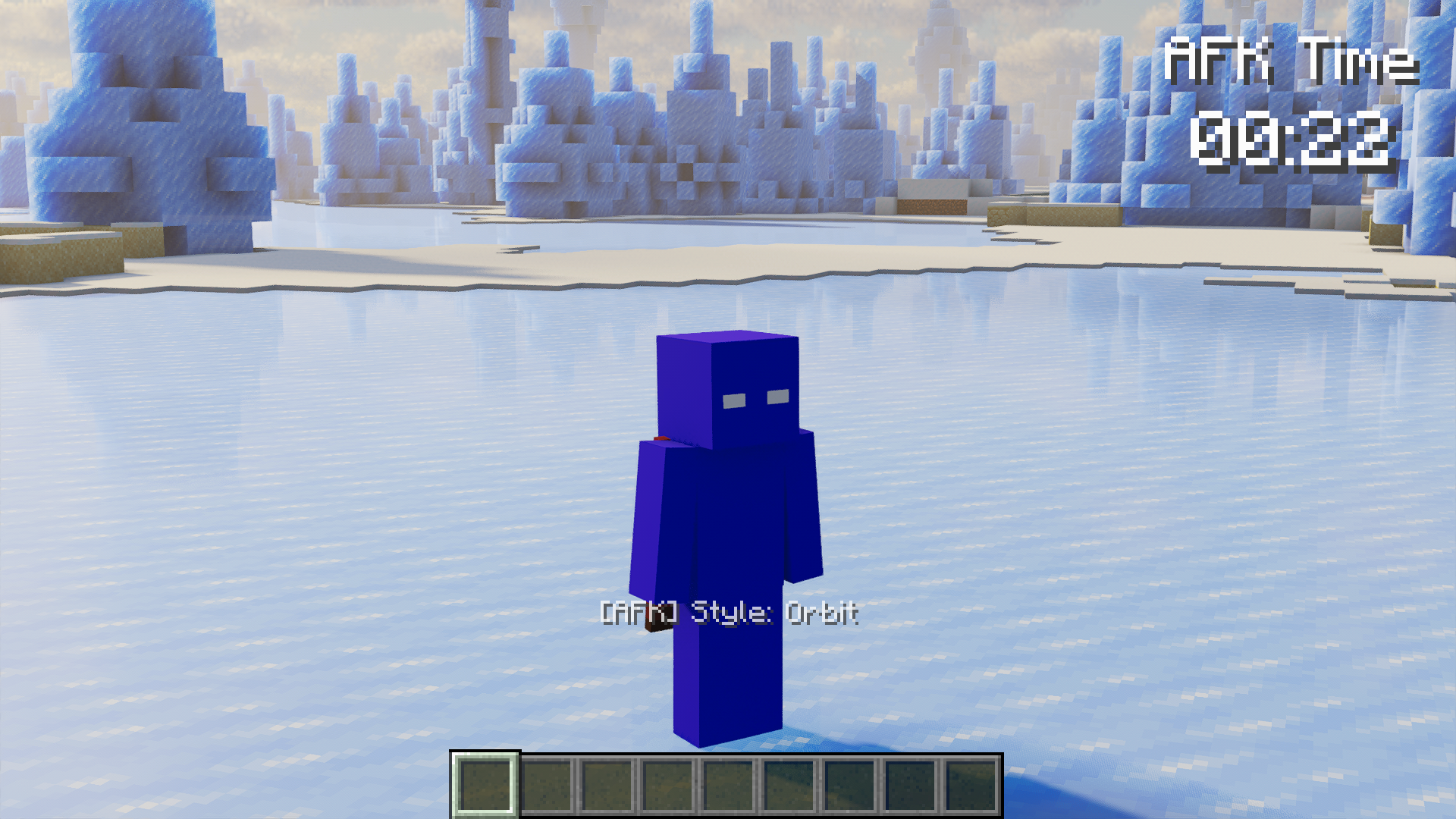 Orbit Camera Style Camera circles the player, HUD top right.
 -
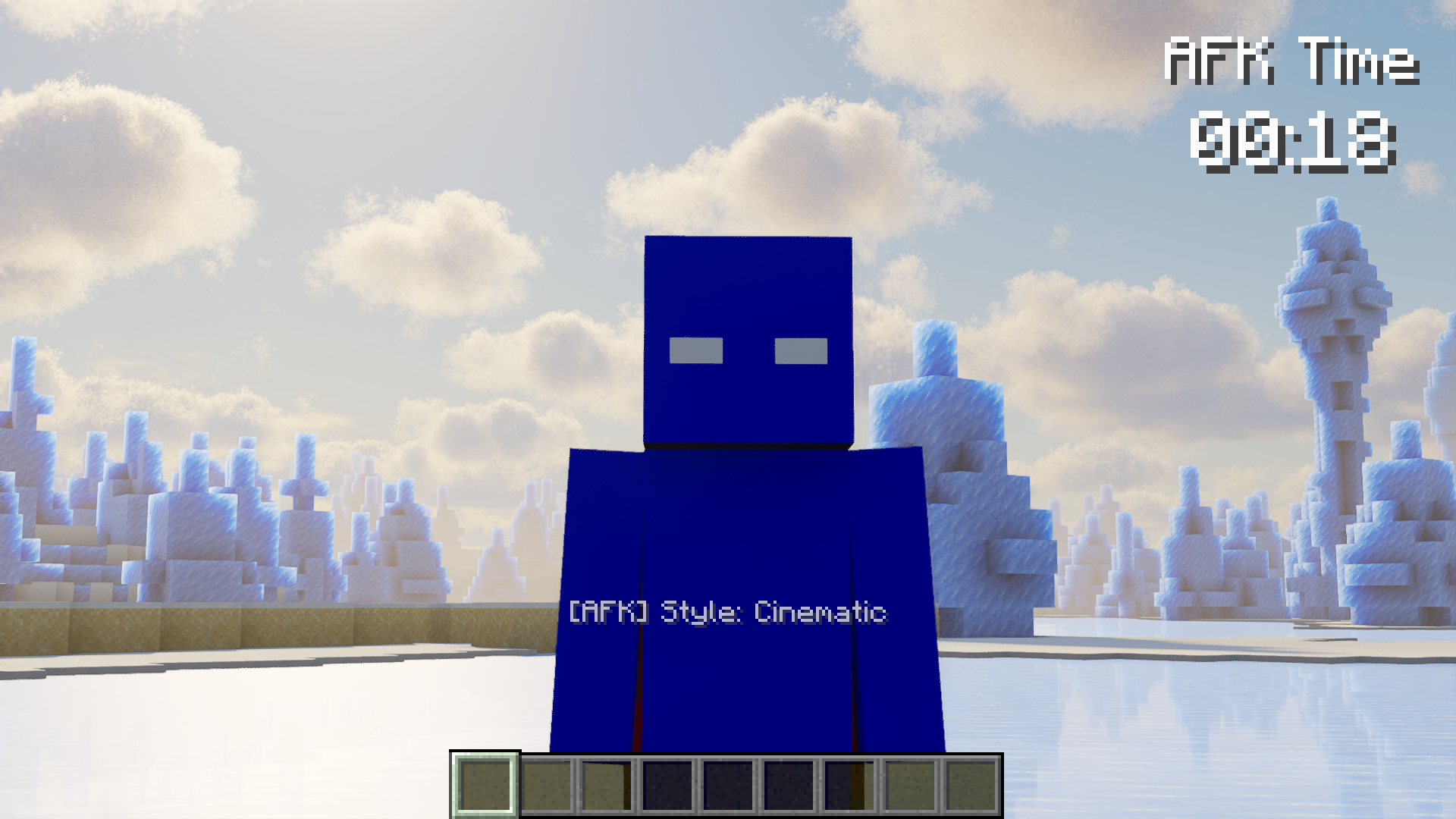 Cinematic Camera Style Smooth forward move, HUD top right.
 -
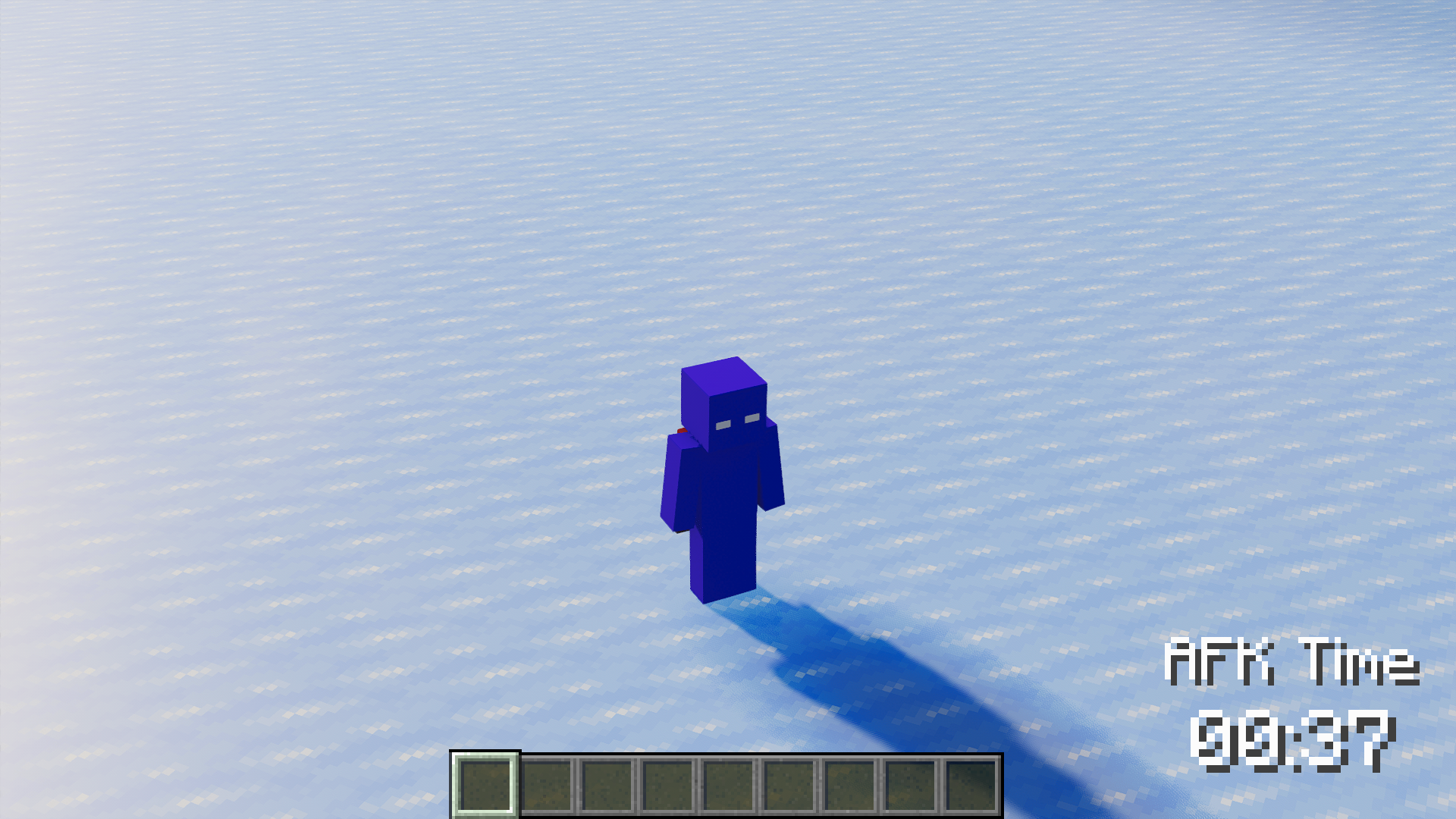 Top-down View Orbit from above, HUD bottom right.
 -
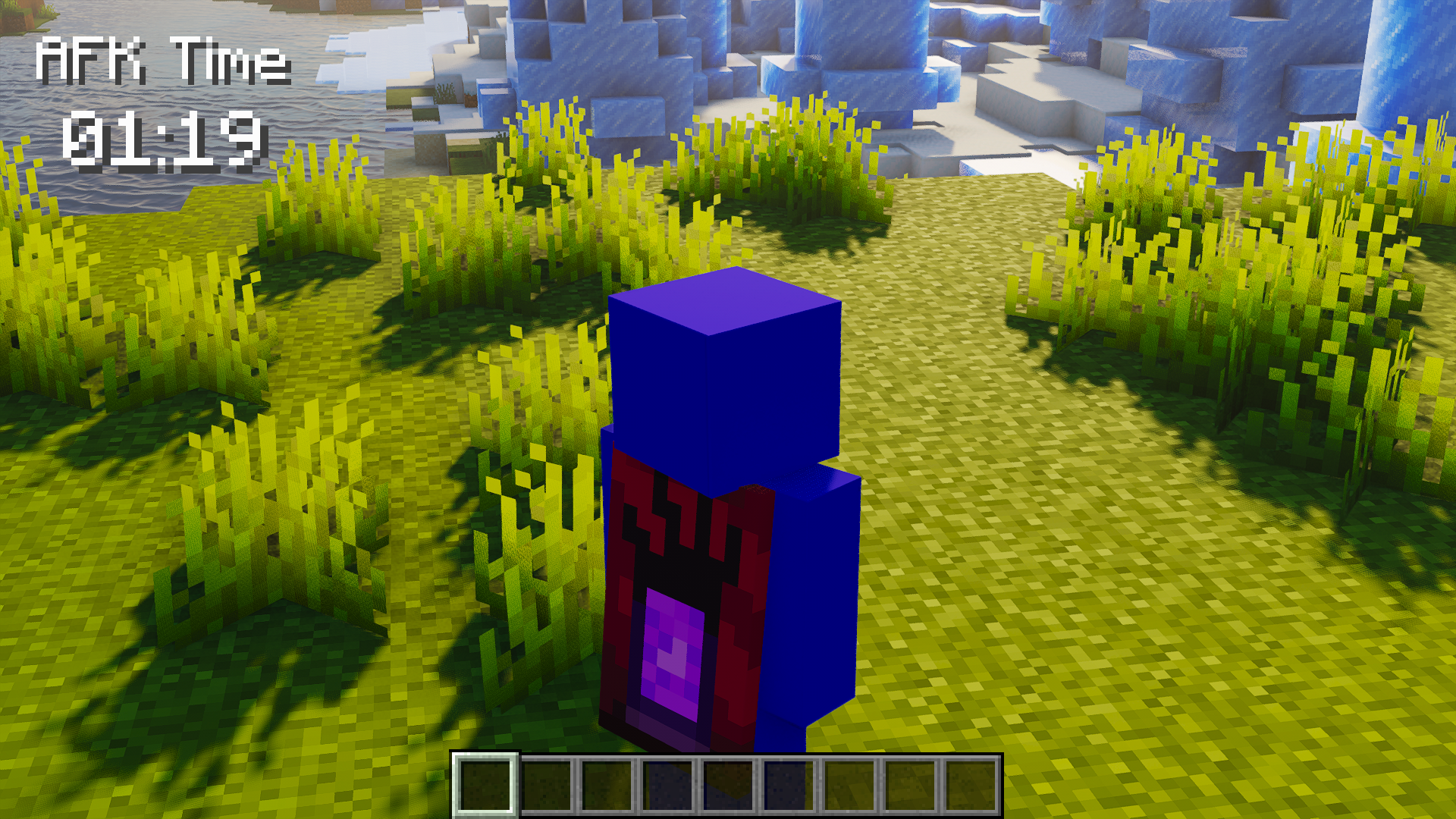 HUD Top Left on Grass Timer visible while the camera is behind the player.
 -
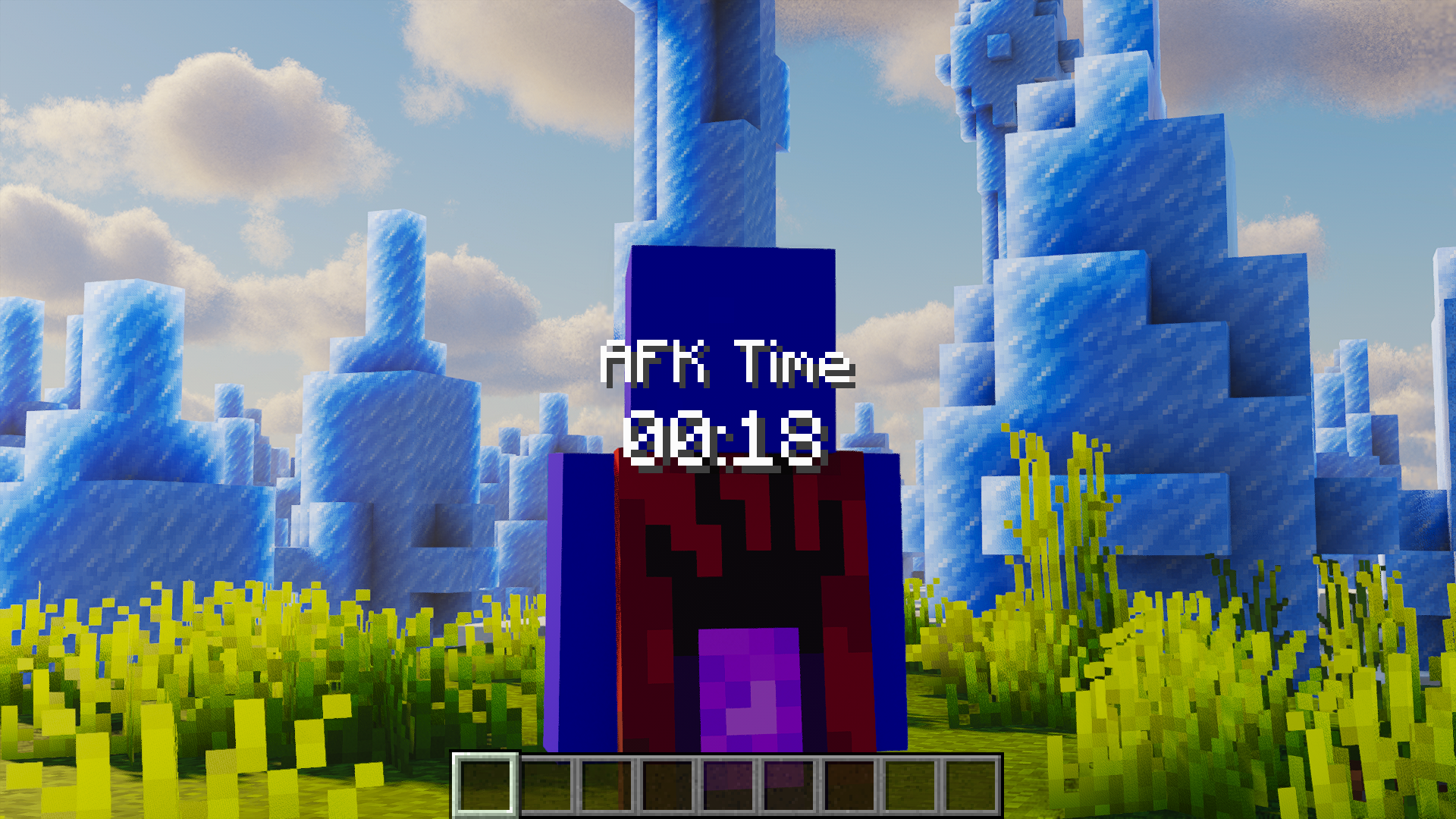 HUD Center (Back View) Centered timer while looking at the player’s back.
 -
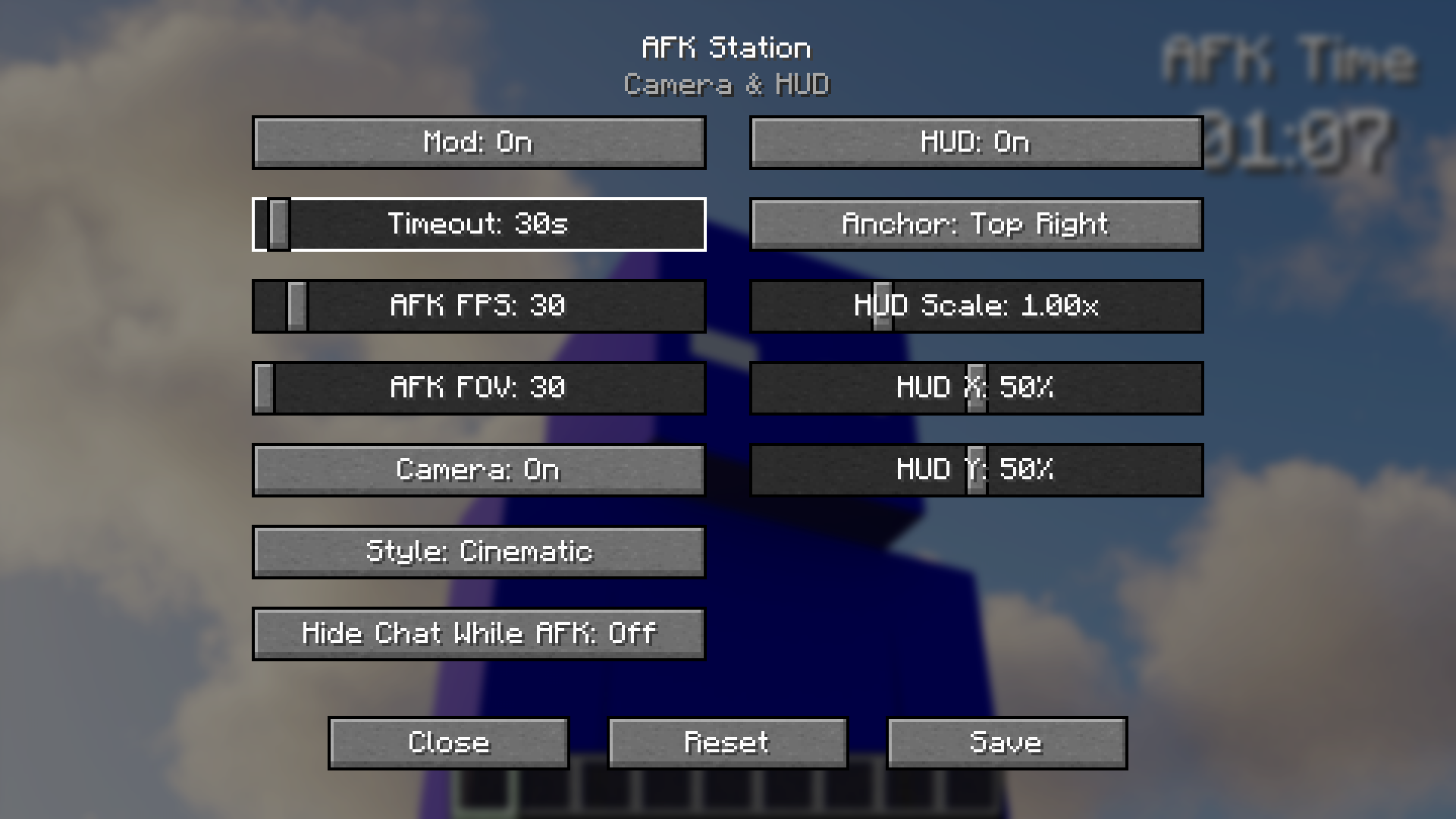 AFK Station Settings Adjust timeout, AFK FPS, FOV, HUD, and camera style.
 -
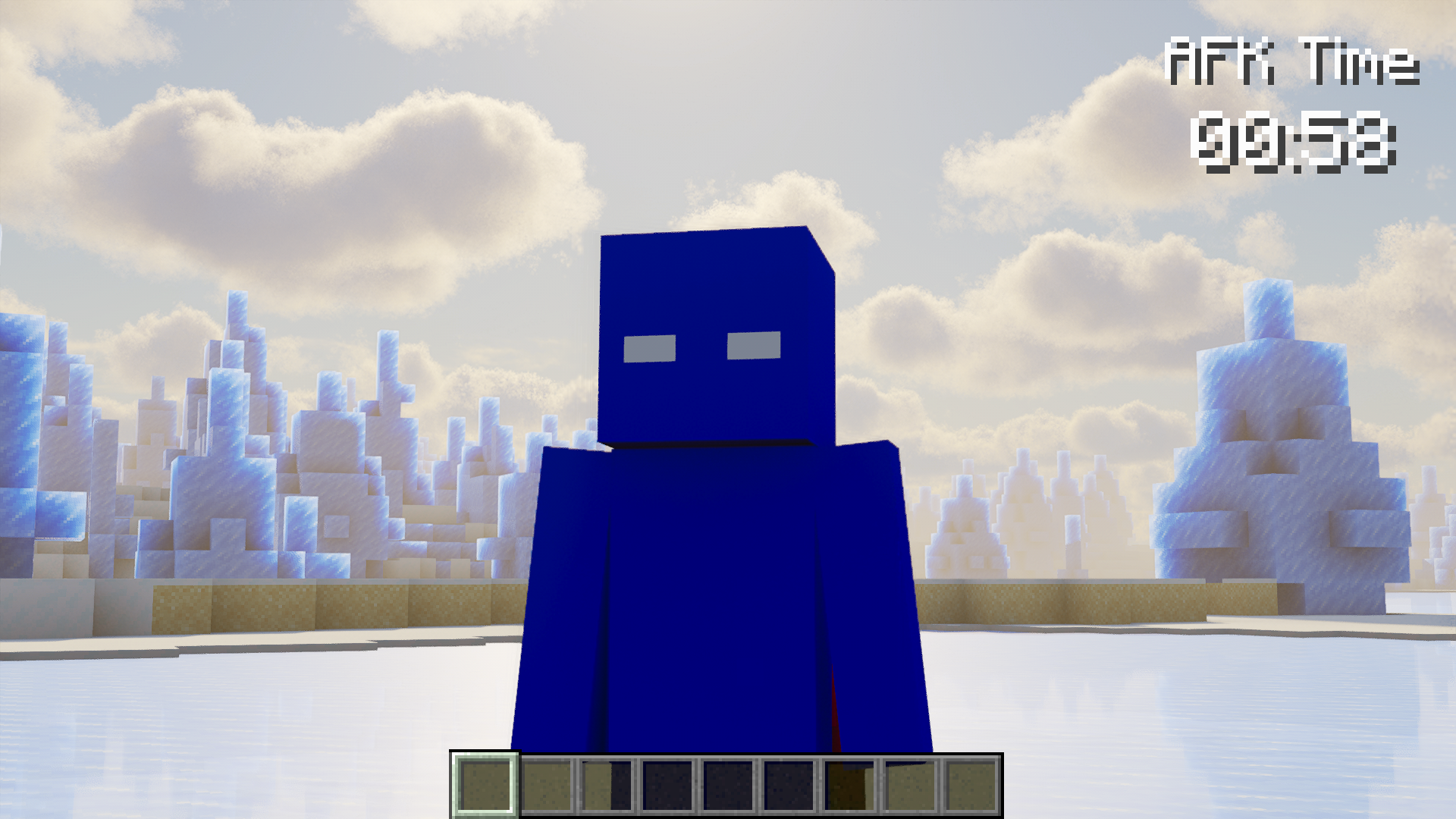 HUD Top Right Clean timer while facing the player.
Versions
Files
Relations
Project Relations
More like this
Similar Mods
Suggestions use data such as tags, dependencies, dependents, descriptions, titles, and more to rank how much they overlap with this mod.
On ModDex
Community snapshot
By the numbers
Statistics
Want to reach Minecraft players?
We're looking for a server hosting partner to feature here and other parts of the site. Interested? Send us a message!
Get in touchGet it on
Available Platforms
On ModDex
Community snapshot
By the numbers
Statistics
Resources