
Community listing page, reviews may not be monitored by the author.
Afterimages


No reviews yet
A lightweight, data-driven mod that adds visual afterimage trails to entities!

Community voices
Reviews
No reviews yet. Be the first to review this project!
Get it on
Available Platforms
Compatibility
Supported Environments
Runs entirely on the client. Works on vanilla servers.
About
Project Details
For authors
Embed Badge
If you're the author of this project, you can embed a live badge anywhere that supports HTML or Markdown. It updates automatically whenever ratings change.
Use HTML for any page that supports it, or Markdown for README files and Markdown-based descriptions.
Identifiers
Platform IDs
About
Description

A lightweight, data-driven mod that adds visual afterimage trails to entities. You can configure which entities have afterimages, how they look, and when they appear—entirely through Resource Packs.
Features
- Data-Driven: Every aspect of the afterimage (duration, color, triggers) is controlled via JSON files.
- Mod Compatible: Built-in support for Combat Roll and other mods in the future, upon request.
Global Configuration
This mod uses Cloth Config for global settings. You can access the config menu via Mod Menu (on Fabric) or the configured keybind.
| Option | Default | Description |
|---|---|---|
| Step Size | 0.25 |
Controls the density of the afterimage trail. Lower values (e.g. 0.1) create smoother, connected trails but may impact performance. Higher values create distinct "snapshots". |
Entity Configuration
To add an afterimage to an entity, create a JSON file in your resource pack at: assets/<namespace>/afterimages/entities/<entity_name>.json
Example: Standard Arrow Trail
assets/example/afterimages/entities/arrow.json
{
  "entity": "minecraft:arrow",
  "speed_threshold": 0.5,
  "duration": 5,
  "color": "0xFFFFFF",
  "start_alpha": 0.6
}
Example: Combat Roll Exclusive
assets/example/afterimages/entities/player.json
{
  "entity": "minecraft:player",
  "combat_roll_only": true,
  "duration": 15,
  "start_alpha": 0.8
}
Configuration Fields
| Field | Type | Default | Description |
|---|---|---|---|
entity |
String | Filename | The entity ID (e.g. minecraft:ender_pearl). If omitted, the mod tries to guess based on the JSON filename. |
speed_threshold |
Double | 0.5 |
The minimum speed (blocks/tick) required to trigger the effect. Ignored if combat_roll_only is true. |
duration |
Integer | 10 |
How long the afterimage trail lasts in ticks. |
color |
Hex String | "0xFFFFFF" |
A hex color code to tint the afterimage. |
start_alpha |
Float | 0.5 |
The opacity of the afterimage when it first appears (0.0 to 1.0). |
overlay_only |
Boolean | false |
If true, the afterimage will render only the overlay layer (e.g., skin outer layer, armor glint). Useful for ghost-like effects. |
combat_roll_only |
Boolean | false |
If true, afterimages will only appear when the entity is performing a Combat Roll (requires the Combat Roll mod). |
Mod Integration
Combat Roll
Afterimages has native support for the Combat Roll mod.
- Usage: Set
"combat_roll_only": truein your player configuration file to make trails appear exclusively during a roll dodge.
License
This project is licensed under the MIT License.


A lightweight, data-driven mod that adds visual afterimage trails to entities! You can configure which entities have afterimages, how they look, and when they appear—entirely through Resource Packs.
Features
- Data-Driven: Every aspect of the afterimage (duration, color, triggers) is controlled via JSON files.
- Mod Compatible: Built-in support for Combat Roll and other mods in the future, upon request.
Global Configuration
This mod uses Cloth Config for global settings. You can access the config menu via Mod Menu (on Fabric) or the configured keybind.
| Option | Default | Description |
|---|---|---|
| Step Size | 0.25 |
Controls the density of the afterimage trail. Lower values (e.g. 0.1) create smoother, connected trails but may impact performance. Higher values create distinct "snapshots". |
Entity Configuration
To add an afterimage to an entity, create a JSON file in your resource pack at:
assets/<namespace>/afterimages/entities/<entity_name>.json
Example: Standard Arrow Trail
assets/example/afterimages/entities/arrow.json
{
  "entity": "minecraft:arrow",
  "speed_threshold": 0.5,
  "duration": 5,
  "color": "0xFFFFFF",
  "start_alpha": 0.6
}
Example: Combat Roll Exclusive
assets/example/afterimages/entities/player.json
{
  "entity": "minecraft:player",
  "combat_roll_only": true,
  "duration": 15,
  "start_alpha": 0.8
}
Configuration Fields
| Field | Type | Default | Description |
|---|---|---|---|
entity |
String | Filename | The entity ID (e.g. minecraft:ender_pearl). If omitted, the mod tries to guess based on the JSON filename. |
speed_threshold |
Double | 0.5 |
The minimum speed (blocks/tick) required to trigger the effect. Ignored if combat_roll_only is true. |
duration |
Integer | 10 |
How long the afterimage trail lasts in ticks. |
color |
Hex String | "0xFFFFFF" |
A hex color code to tint the afterimage. |
start_alpha |
Float | 0.5 |
The opacity of the afterimage when it first appears (0.0 to 1.0). |
overlay_only |
Boolean | false |
If true, the afterimage will render only the overlay layer (e.g., skin outer layer, armor glint). Useful for ghost-like effects. |
combat_roll_only |
Boolean | false |
If true, afterimages will only appear when the entity is performing a Combat Roll (requires the Combat Roll mod). |
Mod Integration
Combat Roll
Afterimages has native support for the Combat Roll mod.
- Usage: Set
"combat_roll_only": truein your player configuration file to make trails appear exclusively during a roll dodge.
License
This project is licensed under the MIT License.
Contributing
Contributions are welcome! If you find a bug or have a feature request, please open an issue or submit a pull request.
Screenshots
Gallery
-
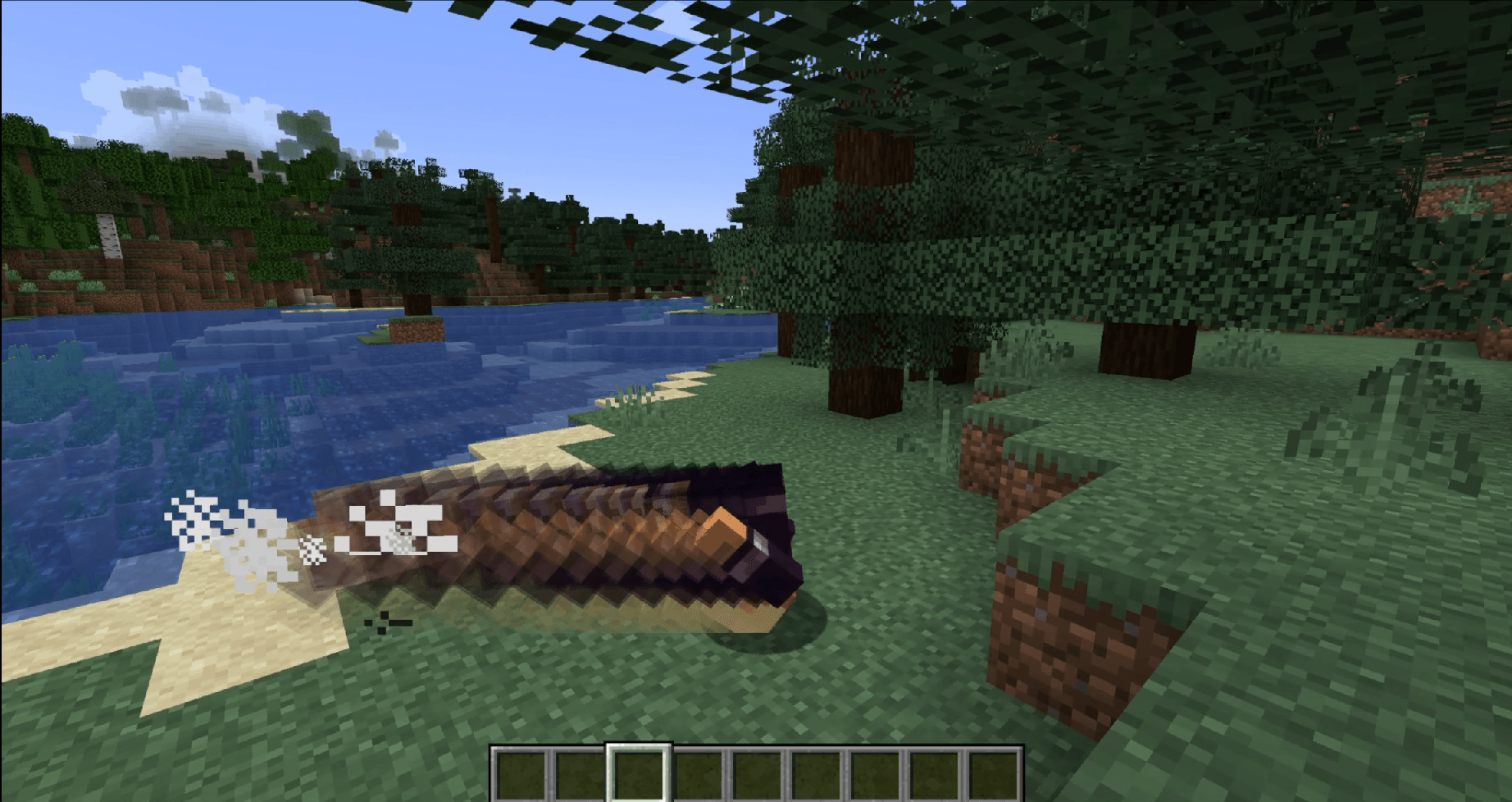 Combat Roll integration Explicit support for Combat Roll!
 -
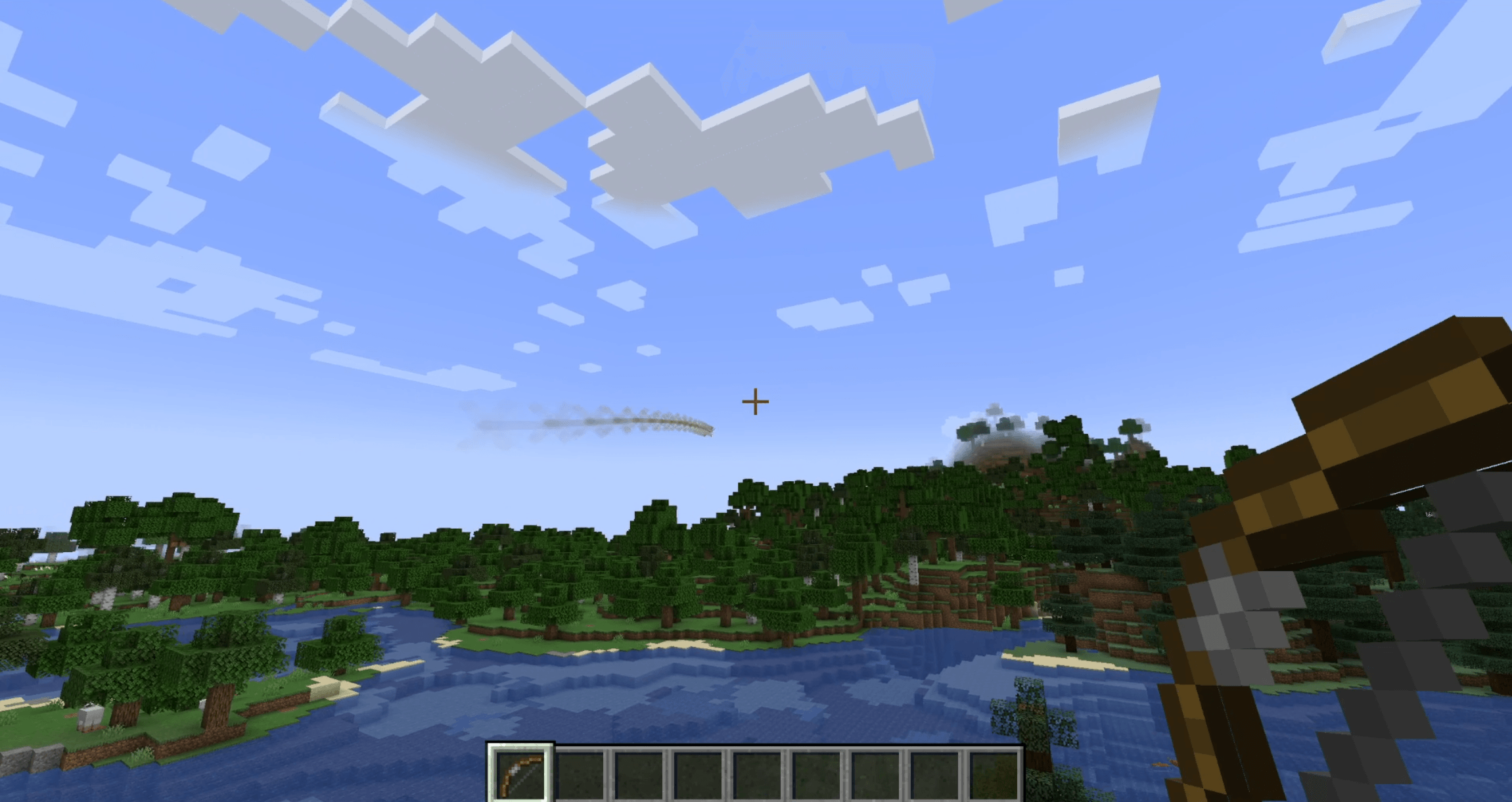 Projectiles Works super well with projectiles!
 -
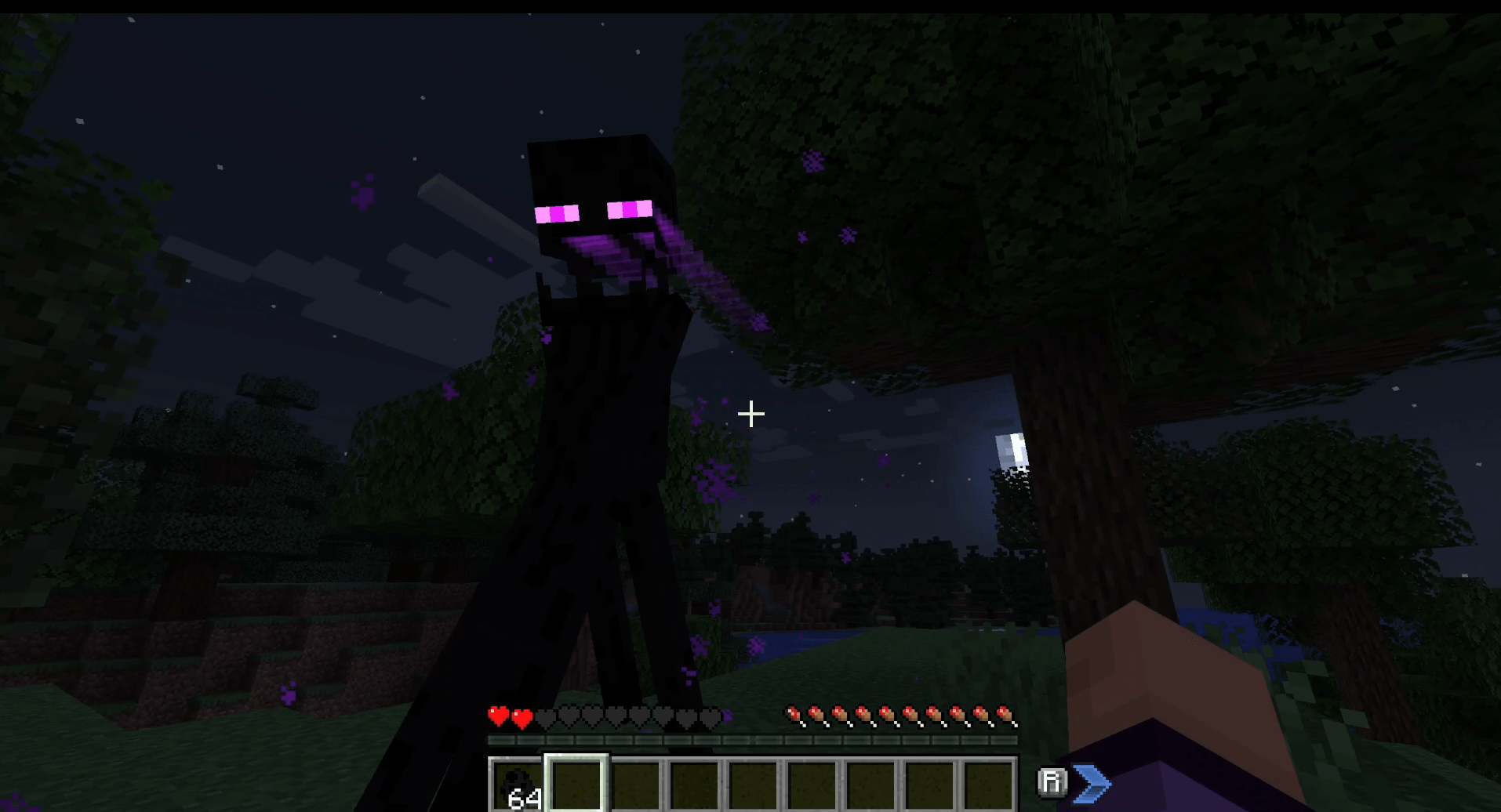 Overlay only Make endermen scary again!
-
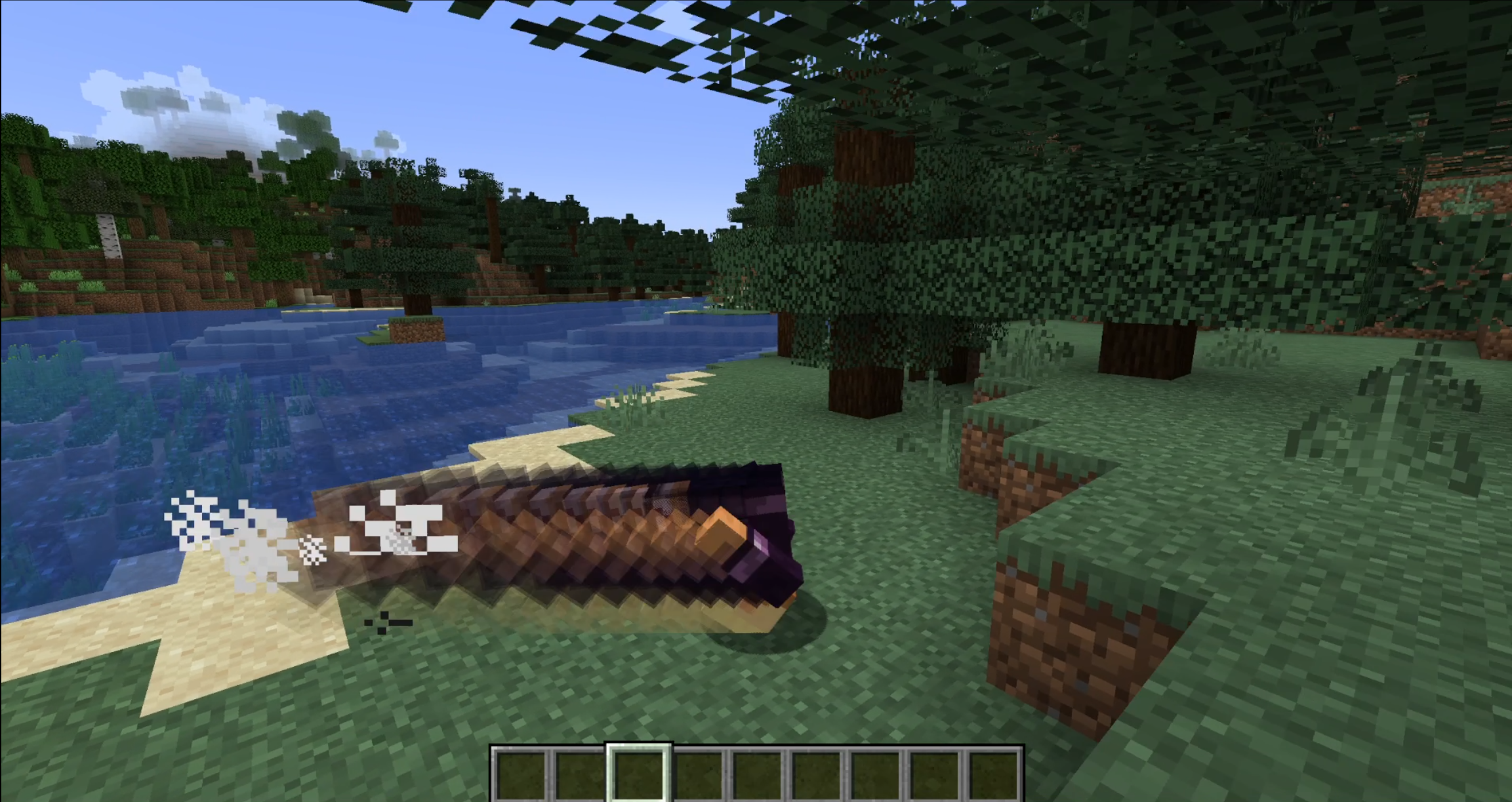 Combat Roll Integration Works seamlessly with Combat Roll!
 -
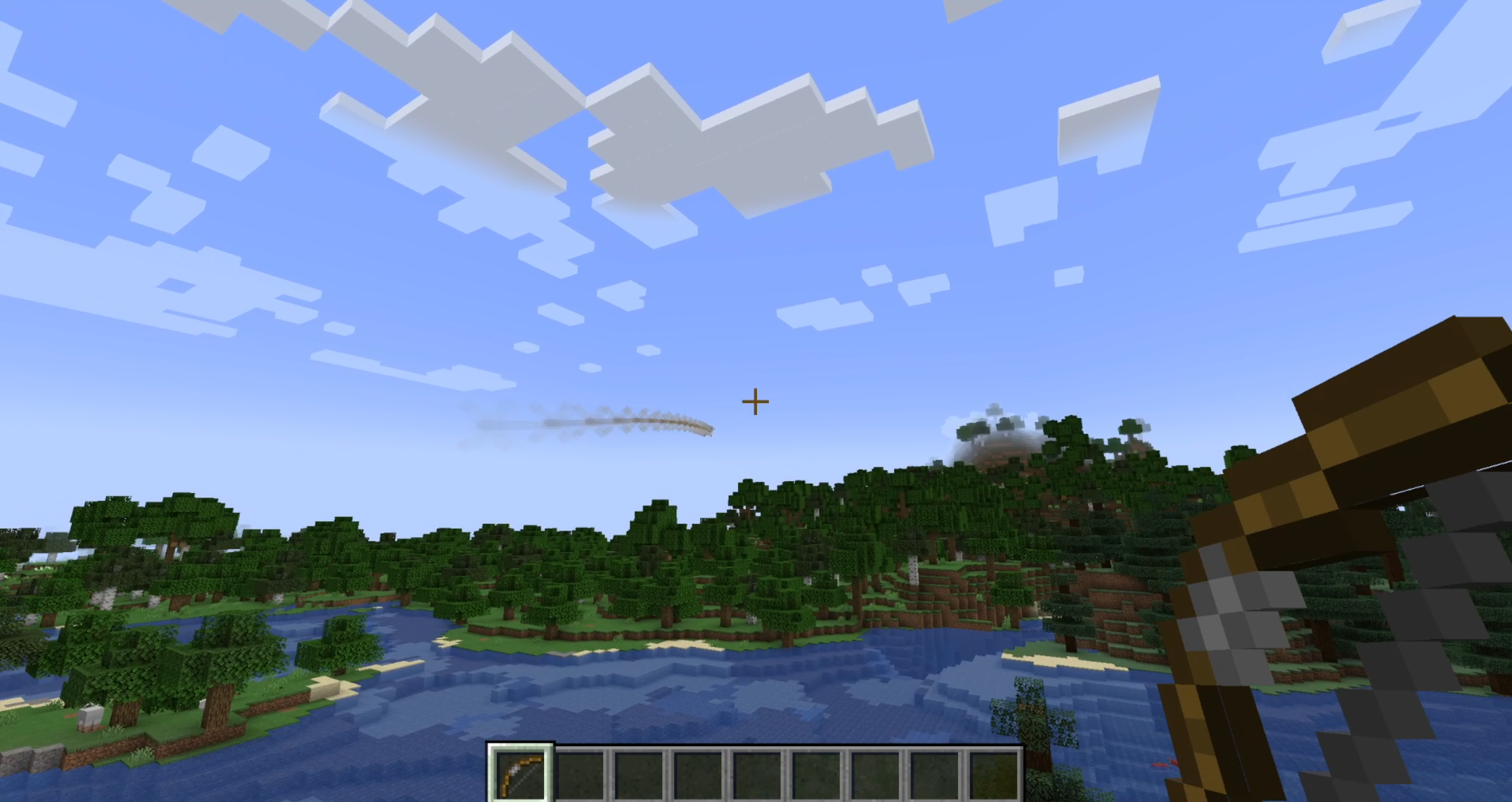 Projectiles Also works with any projectiles!
 -
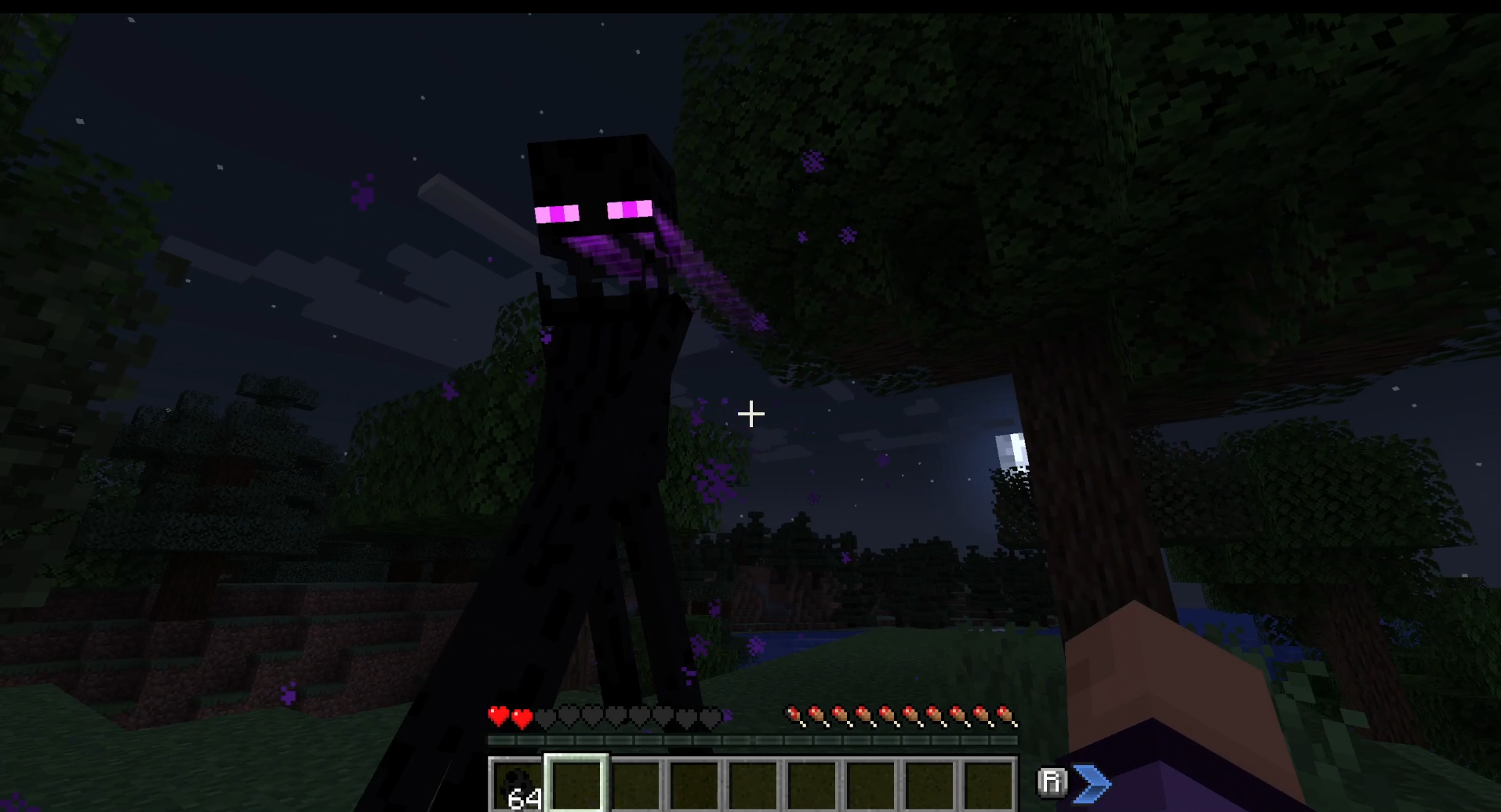 Overlay Only Make endermen scary again!
Versions
Files
Relations
Project Relations
More like this
Similar Mods
Suggestions use data such as tags, dependencies, dependents, descriptions, titles, and more to rank how much they overlap with this mod.
On ModDex
Community snapshot
By the numbers
Statistics

Get it on
Available Platforms
On ModDex
Community snapshot
By the numbers