
Community listing page, reviews here may not be monitored by the author.
Apothic Tooltip Cleanup


No reviews yet
Cleans up Apotheosis affix and gem tooltips. Truncate affix lists, compact gem displays, and merge empty sockets.
Community voices
Reviews
No reviews yet. Be the first to review this project!
Get it on
Available Platforms
Compatibility
Supported Environments
Runs entirely on the client. Works on vanilla servers.
About
Project Details
For authors
Embed Badge
If you're the author of this project, you can embed a live badge anywhere that supports HTML or Markdown. It updates automatically whenever ratings change.
Use HTML for any page that supports it, or Markdown for README files and Markdown-based descriptions.
Identifiers
Platform IDs
About
Description
Apothic Tooltip Cleanup
A client-side Forge 1.20.1 mod that cleans up the affix and gem tooltips Apotheosis adds to weapons, armor, and raw gems. Compatible with Apotheosis, Apotheotic Additions, and Apothic Attributes out of the box. Everything is configurable, every feature can be turned off.
Features
- Truncate affix lists, hold Alt to expand. Configurable to show all, show top N (default 3), or hide all unless Alt is held.
- Compact gem tooltips on raw gems. Four modes: full, compact, ultra, hidden.
- Hide individual gem categories from "Fits In" lists, useful on packs that disable certain weapon types.
- Merge empty sockets on socketed items into one summary line. Mixed sockets are supported: filled gems still render, with the empty count shown below.
- Hide the bonus durability line.
- Hide the Apotheosis affix summary block (Cold, Fire, HP%, Spell Resistance lines).
- Always hide the affix source line.
- Hide the
[⌛ MM:SS]cooldown markers and[Stacking]tags on affix lines without touching the affix text. Hold Alt to reveal. - Strip prefixes from affix names.
- Sort affix lines by rarity, alphabetical, type, or default.
- Hide individual affixes by translation key prefix.
- Hide potion-style affix descriptions.
Configuration
All settings live in config/apothic_tooltip_cleanup-client.toml. The file regenerates from defaults if deleted.
Most hide features use a three mode toggle: show keeps the content fully visible, alt hides it by default and reveals it while Alt is held, and delete hides it permanently with no Alt reveal.
Affix Display
affix_display_mode controls how affixes show on tooltips. Three options: all shows every affix, top_n shows the first N with Alt to expand the rest (default), alt_only hides every affix unless Alt is held.
The "Hold Alt for full details" prompt also appears when other handlers hide content. With durability_bonus_mode set to alt (the default), the prompt shows on durable items even when no affixes were truncated; pressing Alt reveals the durability line.
affix_visible_count is the N for top_n mode. Default 3.
affix_sort_order is one of default, rarity, alphabetical, type.
affix_prefixes_mode controls the affix prefix and suffix Apotheosis adds to the item name, like "Strengthened" or "of the Inferno". show (default) keeps the full name, alt shows the base item name unless Alt is held, delete always shows the base item name.
hidden_affix_ids is a list of translation key prefixes for affixes you want hidden entirely.
Affix Tooltip Lines
The affix source line is always hidden. There is no config option for it.
summarization_mode controls the Apotheosis summary block (Cold, Fire, HP%, Spell Resistance). show keeps it, alt (default) hides it unless Alt is held, delete removes it permanently.
durability_bonus_mode controls the "ignores X% of durability damage" line. show keeps it, alt (default) hides it unless Alt is held, delete removes it permanently.
potion_descriptions_mode controls potion-style affix descriptions. show (default) keeps them, alt hides them unless Alt is held, delete removes them permanently.
affix_extras_mode controls the [⌛ MM:SS] cooldown markers and [Stacking] tags on affix lines; the affix text itself is never touched, only the bracketed annotations. show keeps them, alt (default) hides them unless Alt is held, delete removes them permanently.
Gem Display
gem_tooltip_mode controls raw gem tooltips. full keeps Apotheosis's original layout. compact (default) strips headers and the Unique tag, keeps the bullets, and removes "level to existing" wording. ultra puts categories on one line and bonuses on one line. hidden removes all gem info.
hidden_gem_categories is a list of category names to hide from "Fits In" lists. Case-insensitive. Accepts either id form (["chestplate"]) or rendered name form (["Chestplates"]). Works in full, compact, and ultra modes; no effect when gem_tooltip_mode is hidden since that mode strips all gem info anyway. If every category is hidden, the "Fits In:" header is also dropped. Example: ["Bows", "Crossbows"] on a pack that disables ranged weapons.
Sockets
merge_empty_sockets collapses empty sockets into one summary line. Filled gems still render normally; only the empty rows get merged. Default on.
hide_apoth_marker hides the APOTH_REMOVE_MARKER literal if Apotheosis lets it leak through. Don't enable this unless you actually see it, since it can hide the socket UI on socketed items.
Compatibility
- Apotheosis 7.x (soft dependency, the mod does nothing without it)
- Apotheotic Additions (optional, supported)
- Apothic Attributes (optional, supported)
- Fallen Gems & Affixes (tested compatible)
License
MIT, by Nightwielder23.
Apothic Tooltip Cleanup
A client-side Forge 1.20.1 mod that cleans up the affix and gem tooltips Apotheosis adds to weapons, armor, and raw gems. Compatible with Apotheosis, Apotheotic Additions, and Apothic Attributes out of the box. Everything is configurable, every feature can be turned off.
Features
- Truncate affix lists, hold Alt to expand. Configurable to show all, show top N (default 3), or hide all unless Alt is held.
- Compact gem tooltips on raw gems. Four modes: full, compact, ultra, hidden.
- Hide individual gem categories from "Fits In" lists, useful on packs that disable certain weapon types.
- Merge empty sockets on socketed items into one summary line. Mixed sockets are supported: filled gems still render, with the empty count shown below.
- Hide the bonus durability line.
- Hide the Apotheosis affix summary block (Cold, Fire, HP%, Spell Resistance lines).
- Always hide the affix source line.
- Hide the [⌛ MM:SS] cooldown markers and [Stacking] tags on affix lines without touching the affix text. Hold Alt to reveal.
- Strip prefixes from affix names.
- Sort affix lines by rarity, alphabetical, type, or default.
- Hide individual affixes by translation key prefix.
- Hide potion-style affix descriptions.
Configuration
All settings live in config/apothic_tooltip_cleanup-client.toml. The file regenerates from defaults if deleted.
Most hide features use a three mode toggle: show keeps the content fully visible, alt hides it by default and reveals it while Alt is held, and delete hides it permanently with no Alt reveal.
Affix Display
affix_display_mode controls how affixes show on tooltips. Three options: all shows every affix, top_n shows the first N with Alt to expand the rest (default), alt_only hides every affix unless Alt is held.
The "Hold Alt for full details" prompt also appears when other handlers hide content. With durability_bonus_mode set to alt (the default), the prompt shows on durable items even when no affixes were truncated; pressing Alt reveals the durability line.
affix_visible_count is the N for top_n mode. Default 3.
affix_sort_order is one of default, rarity, alphabetical, type.
affix_prefixes_mode controls the affix prefix and suffix Apotheosis adds to the item name, like "Strengthened" or "of the Inferno". show (default) keeps the full name, alt shows the base item name unless Alt is held, delete always shows the base item name.
hidden_affix_ids is a list of translation key prefixes for affixes you want hidden entirely.
Affix Tooltip Lines
The affix source line is always hidden. There is no config option for it.
summarization_mode controls the Apotheosis summary block (Cold, Fire, HP%, Spell Resistance). show keeps it, alt (default) hides it unless Alt is held, delete removes it permanently.
durability_bonus_mode controls the "ignores X% of durability damage" line. show keeps it, alt (default) hides it unless Alt is held, delete removes it permanently.
potion_descriptions_mode controls potion-style affix descriptions. show (default) keeps them, alt hides them unless Alt is held, delete removes them permanently.
affix_extras_mode controls the [⌛ MM:SS] cooldown markers and [Stacking] tags on affix lines; the affix text itself is never touched, only the bracketed annotations. show keeps them, alt (default) hides them unless Alt is held, delete removes them permanently.
Gem Display
gem_tooltip_mode controls raw gem tooltips. full keeps Apotheosis's original layout. compact (default) strips headers and the Unique tag, keeps the bullets, and removes "level to existing" wording. ultra puts categories on one line and bonuses on one line. hidden removes all gem info.
hidden_gem_categories is a list of category names to hide from "Fits In" lists. Case-insensitive. Accepts either id form (["chestplate"]) or rendered name form (["Chestplates"]). Works in full, compact, and ultra modes; no effect when gem_tooltip_mode is hidden since that mode strips all gem info anyway. If every category is hidden, the "Fits In:" header is also dropped. Example: ["Bows", "Crossbows"] on a pack that disables ranged weapons.
Sockets
merge_empty_sockets collapses empty sockets into one summary line. Filled gems still render normally; only the empty rows get merged. Default on.
hide_apoth_marker hides the APOTH_REMOVE_MARKER literal if Apotheosis lets it leak through. Don't enable this unless you actually see it, since it can hide the socket UI on socketed items.
Compatibility
Apotheosis 7.x (soft dependency, the mod does nothing without it) Apotheotic Additions (optional, supported) Apothic Attributes (optional, supported) Fallen Gems & Affixes (tested compatible)
License
MIT, by Nightwielder23.
Screenshots
Gallery
-
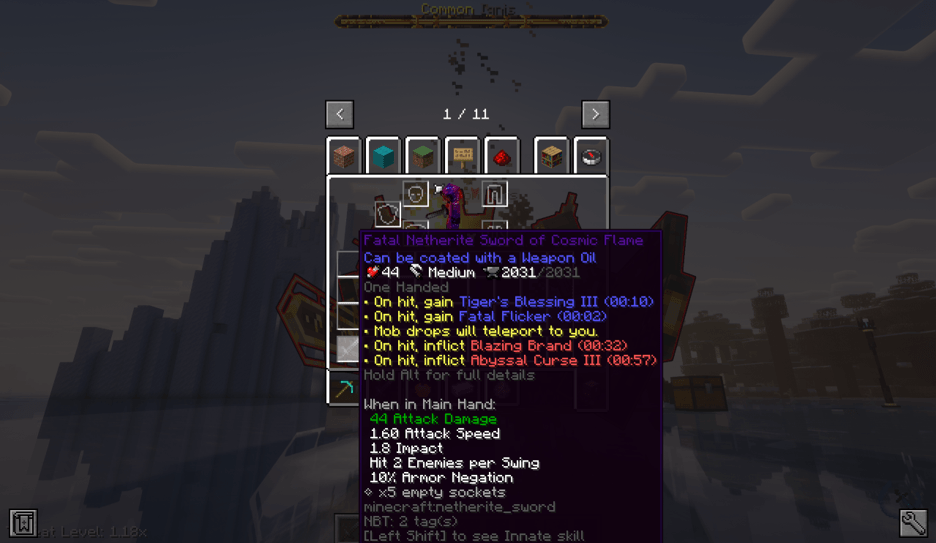 Sword - With Alt TooltipCleanupSwordAlt.png
 -
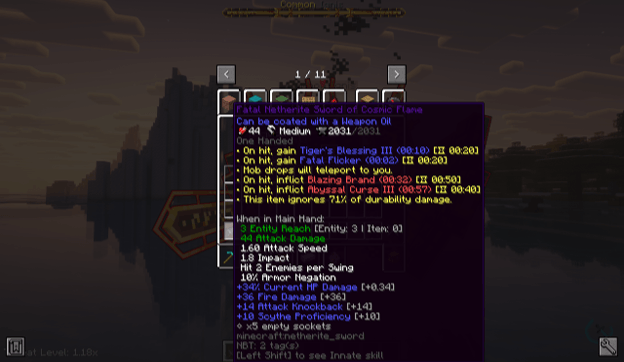 Sword TooltipCleanupSwordFull.png
 -
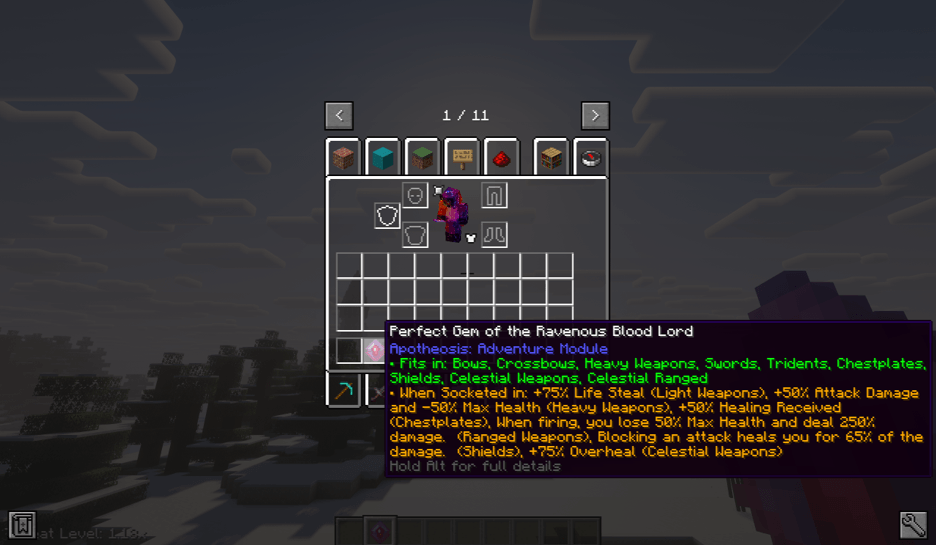 Gem - Ultra Mode TooltipCleanupGemUltra.png
 -
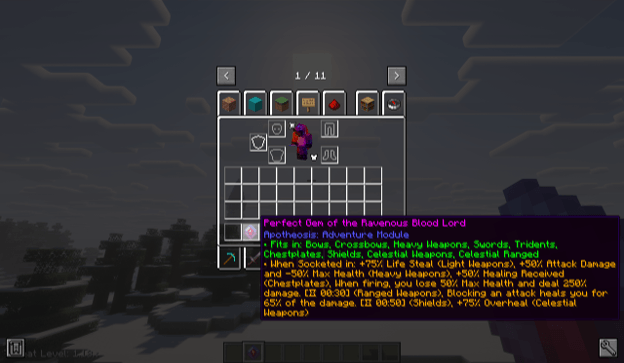 Gem - Ultra Mode With Alt TooltipCleanupGemUltraAlt.png
 -
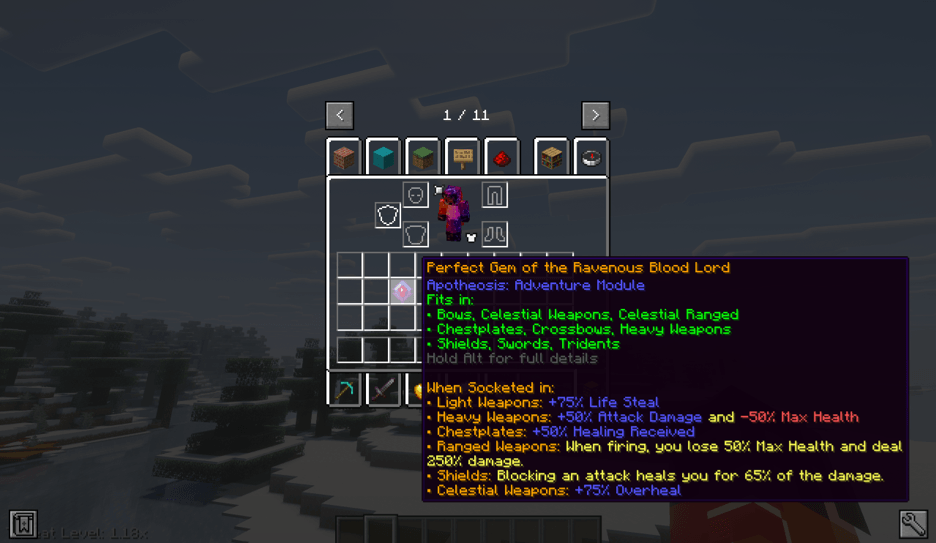 Gem - Compact Mode TooltipCleanupGemCompact.png
 -
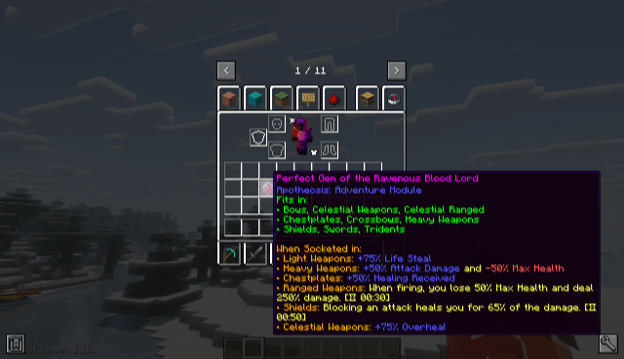 Gem - Compact Mode With Alt TooltipCleanupGemCompactAlt.png
 -
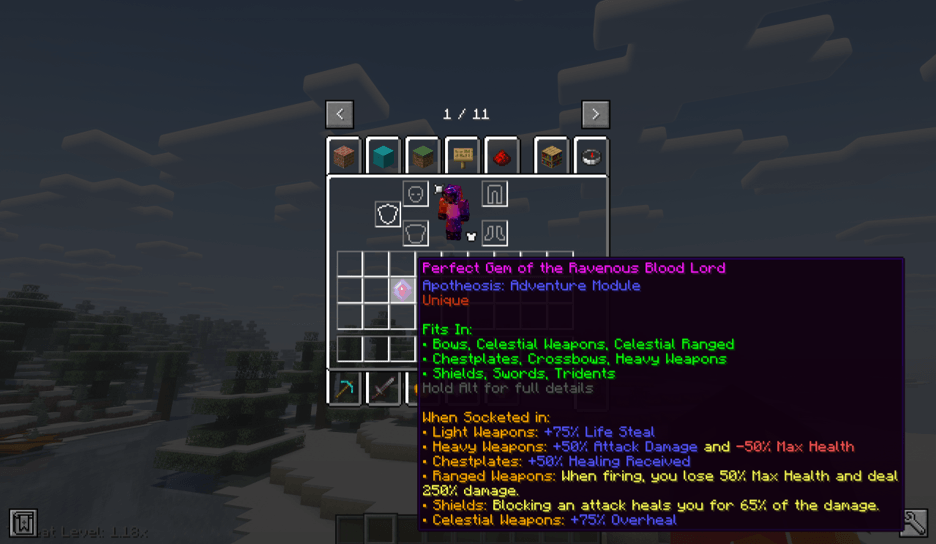 Gem - Full Mode TooltipCleanupGemFull.png
 -
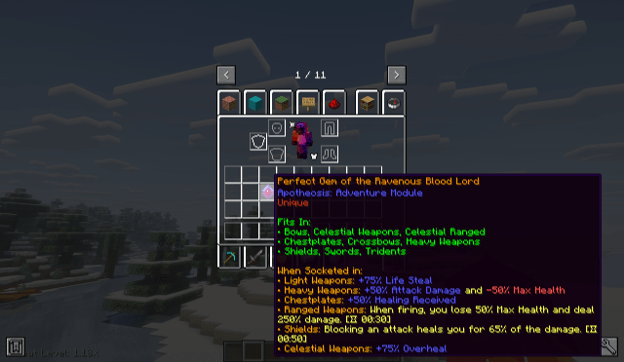 Gem - Full Mode With Alt TooltipCleanupGemFullAlt.png
-
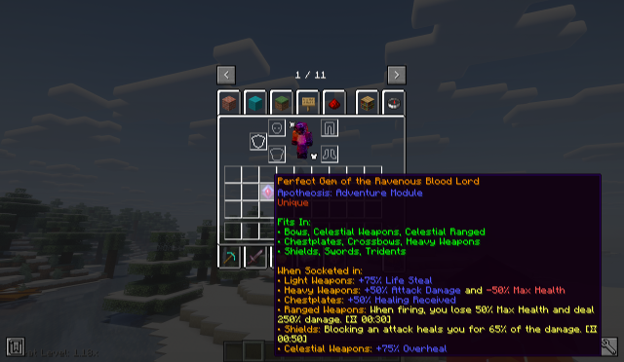 Gem - Full Mode With Alt
 -
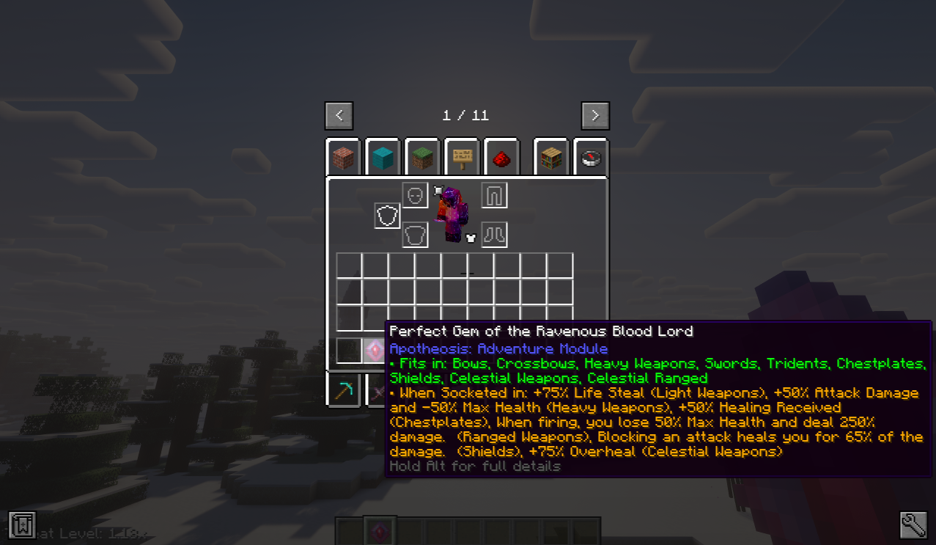 Gem - Ultra Mode
 -
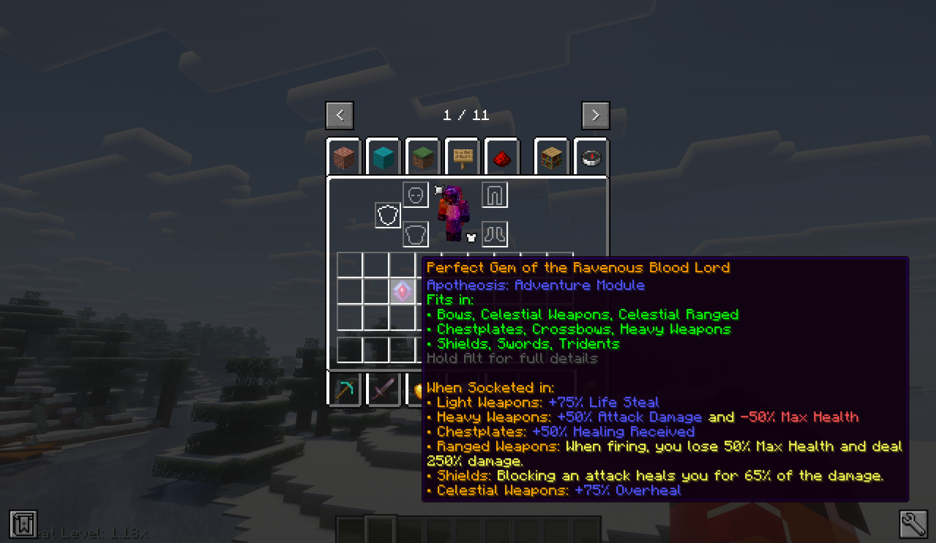 Gem - Compact Mode
 -
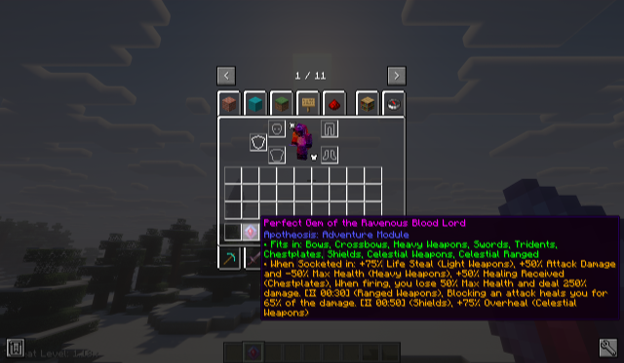 Gem - Ultra Mode With Alt
 -
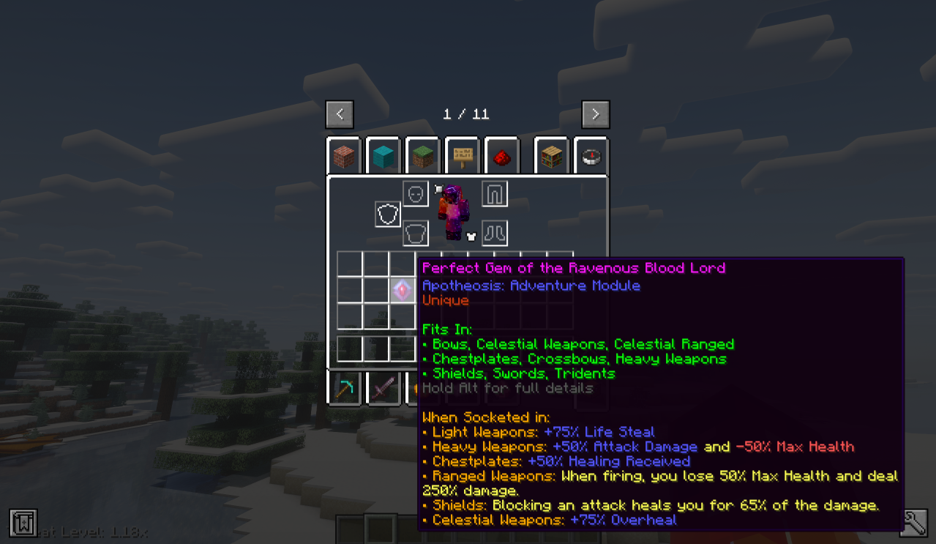 Gem - Full Mode
 -
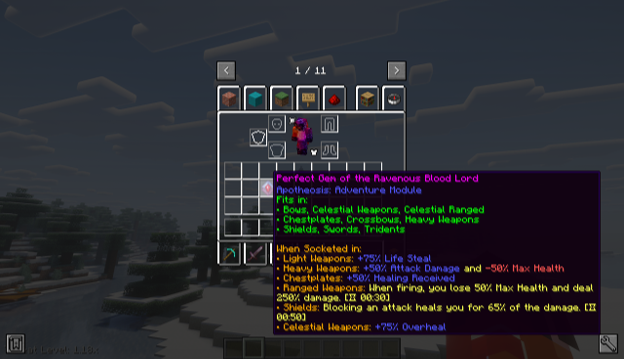 Gem - Compact Mode With Alt
 -
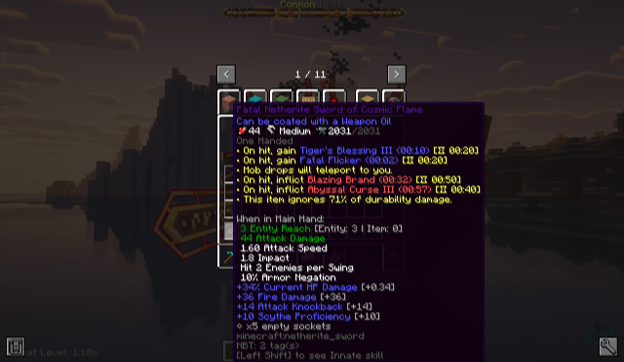 Sword
Sword -
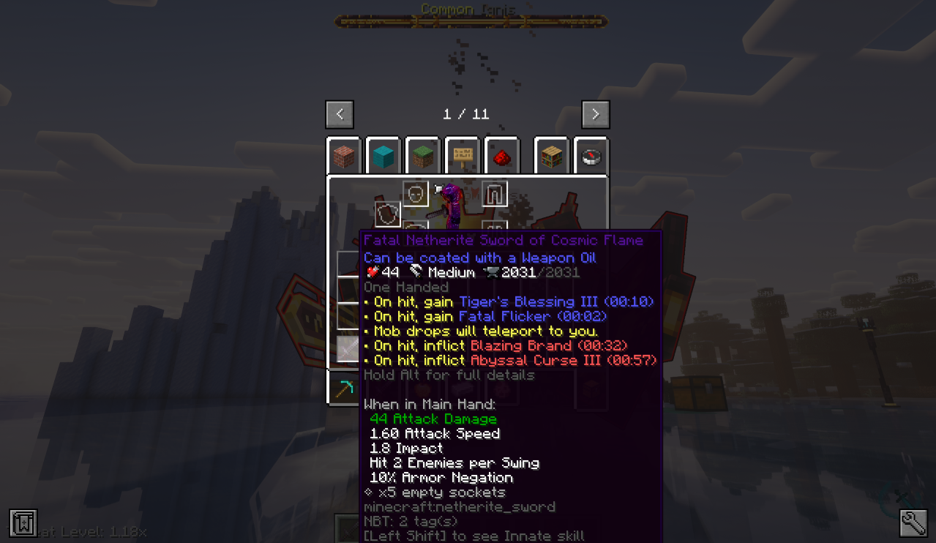 Sword - With Alt
Versions
Files
Relations
Project Relations
More like this
Similar Mods
Suggestions use data such as tags, dependencies, dependents, descriptions, titles, and more to rank how much they overlap with this mod.
On ModDex
Community snapshot
By the numbers
Statistics
Want to reach Minecraft players?
We're looking for a server hosting partner to feature here and other parts of the site. Interested? Send us a message!
Get in touchGet it on
Available Platforms
On ModDex
Community snapshot
By the numbers