
Community listing page, reviews here may not be monitored by the author.
ApricityUI


No reviews yet
Build Minecraft UI with HTML + CSS + JS, follows Web standards as closely as possible.
Community voices
Reviews
No reviews yet. Be the first to review this project!
Get it on
Available Platforms
Compatibility
Supported Environments
Required on the client. Installing it on the server adds functionality.
Must be installed on both the client and the server.
Varies by version.
About
Project Details
For authors
Embed Badge
If you're the author of this project, you can embed a live badge anywhere that supports HTML or Markdown. It updates automatically whenever ratings change.
Use HTML for any page that supports it, or Markdown for README files and Markdown-based descriptions.
Identifiers
Platform IDs
About
Description
ApricityUI
Build Minecraft UIs using HTML + CSS + JS. Our syntax follows Web standards as closely as possible.
Document: https://doc.sighs.cc/en/ApricityUI/intro/
We are trying to port to other version, 1.21 will be supported first.

Core Concept
The vision behind ApricityUI is to provide a low-barrier, convenient, and versatile UI framework. To achieve this, we chose the classic "Web Trio"—HTML, CSS, and JS—as the core engine.
- JS Integration: Currently, the JavaScript layer relies on KubeJS (optional). This means modpack creators can paint UIs to their heart's content with an incredibly low learning curve.
- How easy is it? You can practically let an AI generate all your ApricityUI content. Since Web frameworks are universal, AI is intimately familiar with them—often designing UIs that look better than manual ones, and you’ll still be able to understand the code!
- For Mod Developers: If your mod needs custom UIs, you can use ApricityUI as a dependency to create highly extensible interfaces. The JS and Java implementations are largely equivalent.
- Extensibility: Features like nested masks, smooth scrolling, rounded corners, frosted glass backgrounds, custom animations, custom fonts, and GIFs—which usually take hundreds of lines of code—can be done in just a few lines with ApricityUI.
- Future-Proof: Because we follow fixed Web standards, you can update across game versions with peace of mind, without worrying about major compatibility breaks.
If you aren't familiar with Web frameworks, here are their three biggest advantages:
- Rich Functionality: From simple shapes to complex rendering effects. ApricityUI can even render UIs onto specific blocks within the world!
- Simple Usage: Most "crash courses" online are under 3 hours (some as short as 10 minutes). Plus, AI knows this stuff inside out.
- Easy Debugging: Almost everything supports instant hot-reloading. We even include Developer Tools for visual debugging.
Note: ApricityUI does not bundle a Chrome/CEF kernel. It is built entirely from scratch in Java, keeping the file size under 1MB. Use it without bloat-related worries!
Showcase & Examples
- Box Model: Support for box-shadow, adjustable borders, and rounded corners with custom angles.
- Flexbox: Standard Flex layout support.
- Custom Fonts: Support for up to four different custom fonts (including the vanilla font) simultaneously.
- Containers: Built-in overflow masking.

- In-World Rendering: Render UIs at specific coordinates and angles with occlusion support.
- 9-Slice Scaling: Use the
border-imageproperty for highly flexible UI textures. - Nested Clipping: Support for complex masks (e.g., clipping a container into a triangle).
- GIF Support: Full support for animated images.
- Animations: Custom CSS animations and transitions.
- Input Fields: Built-in customizable text input components.
(GIF Placeholder - Refresh if not animating)
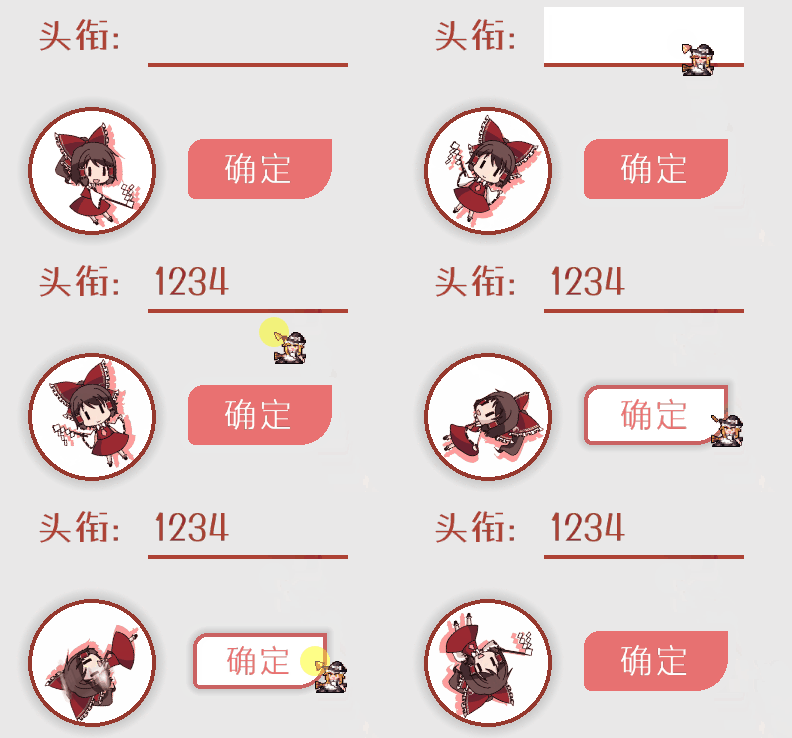
- Vanilla Integration: Support for native Minecraft elements (e.g., custom containers/inventories).
- Custom Themes: Includes pre-built themes like the "AE2 (Applied Energistics)" style.

For more details, check out the Simple Examples in our official documentation. Feeling lazy? Let an AI write the styles for you or "borrow" some code from CodePen. If you encounter a CSS property you need that isn't supported yet, feel free to open an issue on GitHub.
Resource Distribution
- Supported Assets: HTML, CSS, JavaScript, TTF/OTF fonts, and most image formats (including GIF). Audio and Video support is planned for the future.
- Storage Paths: Assets are stored in the
/apricityfolder within your instance directory or via Resource Packs. - Hot Reload: For modpack devs, we recommend using the
/apricityfolder. Press the END key to hot-reload; changes usually take effect in under a second. - Sharing: You can distribute your UI via Resource Packs or a simple ZIP. Since Resource Packs require a game reload, simple ZIPs are often faster for testing.
- Remote Assets: ApricityUI supports asynchronous loading of web resources (e.g., image hosting or GitHub). Please use this responsibly!
We are also working on a "Server-to-Client HTML" solution for that vintage "Server-side rendering" feel, coming in a future update.
Want to know more?
- Actually, we have a DevTools console similar to a browser. Press F12 to see it. It currently supports visual editing of attributes, innerText, and styles, as well as executing JS statements.
- Actually, KubeJS is optional. Without it, you can't parse JS inside HTML or use the console, but for hardcoded mod UIs, it’s not strictly necessary.
- Actually, the hot-reload is lightning fast. Reloading a document with 20 different avatars and 3 custom fonts takes about one second. (Note: This reloads the UI document, not the entire Minecraft Resource Pack).
- Actually, performance is solid. In a stress test with a complex UI, FPS dropped from 400 to 300—but hey, the vanilla Creative inventory menu runs at 240 FPS anyway!
- Actually, "lite" ports of modern frameworks like Vue and Svelte are in development. Progress is slow, so come join the community if you want to help!
- Actually, since AI is so good at HTML/CSS, it can easily "code" a mini-game for you. Just remember that ApricityUI doesn't support every browser feature yet, so you'll need to give the AI our compatibility list first.
Ready to try?
- Discord: https://discord.gg/C8epbbwjrS
ApricityUI
Build Minecraft UIs using HTML + CSS + JS. Our syntax follows Web standards as closely as possible.
Document: https://doc.sighs.cc/en/ApricityUI/intro/
We are trying to port to other version, 1.21 will be supported first.
Core Concept
The vision behind ApricityUI is to provide a low-barrier, convenient, and versatile UI framework. To achieve this, we chose the classic "Web Trio"—HTML, CSS, and JS—as the core engine.
- JS Integration: Currently, the JavaScript layer relies on KubeJS (optional). This means modpack creators can paint UIs to their heart's content with an incredibly low learning curve.
- How easy is it? You can practically let an AI generate all your ApricityUI content. Since Web frameworks are universal, AI is intimately familiar with them—often designing UIs that look better than manual ones, and you’ll still be able to understand the code!
- For Mod Developers: If your mod needs custom UIs, you can use ApricityUI as a dependency to create highly extensible interfaces. The JS and Java implementations are largely equivalent.
- Extensibility: Features like nested masks, smooth scrolling, rounded corners, frosted glass backgrounds, custom animations, custom fonts, and GIFs—which usually take hundreds of lines of code—can be done in just a few lines with ApricityUI.
- Future-Proof: Because we follow fixed Web standards, you can update across game versions with peace of mind, without worrying about major compatibility breaks.
If you aren't familiar with Web frameworks, here are their three biggest advantages:
- Rich Functionality: From simple shapes to complex rendering effects. ApricityUI can even render UIs onto specific blocks within the world!
- Simple Usage: Most "crash courses" online are under 3 hours (some as short as 10 minutes). Plus, AI knows this stuff inside out.
- Easy Debugging: Almost everything supports instant hot-reloading. We even include Developer Tools for visual debugging.
Note: ApricityUI does not bundle a Chrome/CEF kernel. It is built entirely from scratch in Java, keeping the file size under 1MB. Use it without bloat-related worries!
Showcase & Examples
- Box Model: Support for box-shadow, adjustable borders, and rounded corners with custom angles.
- Flexbox: Standard Flex layout support.
- Custom Fonts: Support for up to four different custom fonts (including the vanilla font) simultaneously.
- Containers: Built-in overflow masking.
- In-World Rendering: Render UIs at specific coordinates and angles with occlusion support.
- 9-Slice Scaling: Use the
border-imageproperty for highly flexible UI textures. - Nested Clipping: Support for complex masks (e.g., clipping a container into a triangle).
- GIF Support: Full support for animated images.
- Animations: Custom CSS animations and transitions.
- Input Fields: Built-in customizable text input components.
(GIF Placeholder - Refresh if not animating)
- Vanilla Integration: Support for native Minecraft elements (e.g., custom containers/inventories).
- Custom Themes: Includes pre-built themes like the "AE2 (Applied Energistics)" style.
For more details, check out the Simple Examples in our official documentation. Feeling lazy? Let an AI write the styles for you or "borrow" some code from CodePen. If you encounter a CSS property you need that isn't supported yet, feel free to open an issue on GitHub.
Resource Distribution
- Supported Assets: HTML, CSS, JavaScript, TTF/OTF fonts, and most image formats (including GIF). Audio and Video support is planned for the future.
- Storage Paths: Assets are stored in the
/apricityfolder within your instance directory or via Resource Packs. - Hot Reload: For modpack devs, we recommend using the
/apricityfolder. Press the END key to hot-reload; changes usually take effect in under a second. - Sharing: You can distribute your UI via Resource Packs or a simple ZIP. Since Resource Packs require a game reload, simple ZIPs are often faster for testing.
- Remote Assets: ApricityUI supports asynchronous loading of web resources (e.g., image hosting or GitHub). Please use this responsibly!
We are also working on a "Server-to-Client HTML" solution for that vintage "Server-side rendering" feel, coming in a future update.
Want to know more?
- Actually, we have a DevTools console similar to a browser. Press F12 to see it. It currently supports visual editing of attributes, innerText, and styles, as well as executing JS statements.
- Actually, KubeJS is optional. Without it, you can't parse JS inside HTML or use the console, but for hardcoded mod UIs, it’s not strictly necessary.
- Actually, the hot-reload is lightning fast. Reloading a document with 20 different avatars and 3 custom fonts takes about one second. (Note: This reloads the UI document, not the entire Minecraft Resource Pack).
- Actually, performance is solid. In a stress test with a complex UI, FPS dropped from 400 to 300—but hey, the vanilla Creative inventory menu runs at 240 FPS anyway!
- Actually, "lite" ports of modern frameworks like Vue and Svelte are in development. Progress is slow, so come join the community if you want to help!
- Actually, since AI is so good at HTML/CSS, it can easily "code" a mini-game for you. Just remember that ApricityUI doesn't support every browser feature yet, so you'll need to give the AI our compatibility list first.
Ready to try?
- Discord: https://discord.gg/C8epbbwjrS
Screenshots
Gallery
Versions
Files
Relations
Project Relations
More like this
Similar Mods
Suggestions use data such as tags, dependencies, dependents, descriptions, titles, and more to rank how much they overlap with this mod.
On ModDex
Community snapshot
By the numbers
Statistics
Want to reach Minecraft players?
We're looking for a server hosting partner to feature here and other parts of the site. Interested? Send us a message!
Get in touchGet it on
Available Platforms
On ModDex
Community snapshot
By the numbers