Community listing page, reviews here may not be monitored by the author.
Architectural Building Wand


No reviews yet
An advanced drag-and-drop construction tool and structure builder. Effortlessly place blocks, build walls, and fill areas in survival using a balanced ghost block preview planner.
Community voices
Reviews
No reviews yet. Be the first to review this project!
Get it on
Available Platforms
Compatibility
Supported Environments
Must be installed on both the client and the server.
About
Project Details
For authors
Embed Badge
If you're the author of this project, you can embed a live badge anywhere that supports HTML or Markdown. It updates automatically whenever ratings change.
Use HTML for any page that supports it, or Markdown for README files and Markdown-based descriptions.
Identifiers
Platform IDs
Resources
External Links
About
Description

A sophisticated architectural tool designed to make building fast, precise, and enjoyable. Utilizing a simple "Drag and Drop" mechanic, this mod allows you to construct complex structures effortlessly. It provides an advanced visual Planner Mode and is perfectly balanced for Survival gameplay, offering a professional yet vanilla-friendly building experience.

Arcane Well Server Fix: Fixed an issue where the Arcane Well was not functioning properly on multiplayer servers.
Loader Version Compatibility: Fixed compatibility issues with newer loader versions that were previously unsupported.
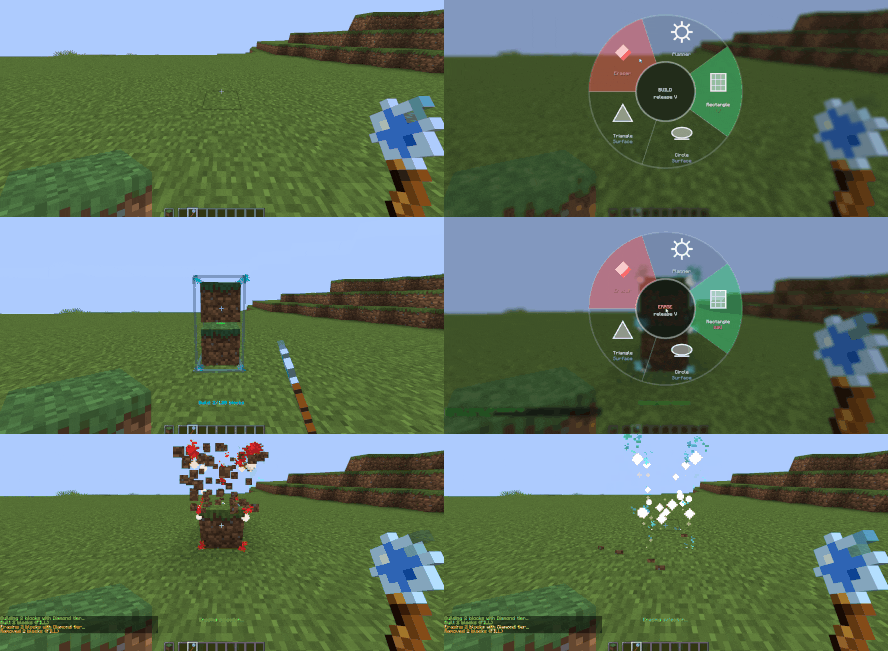
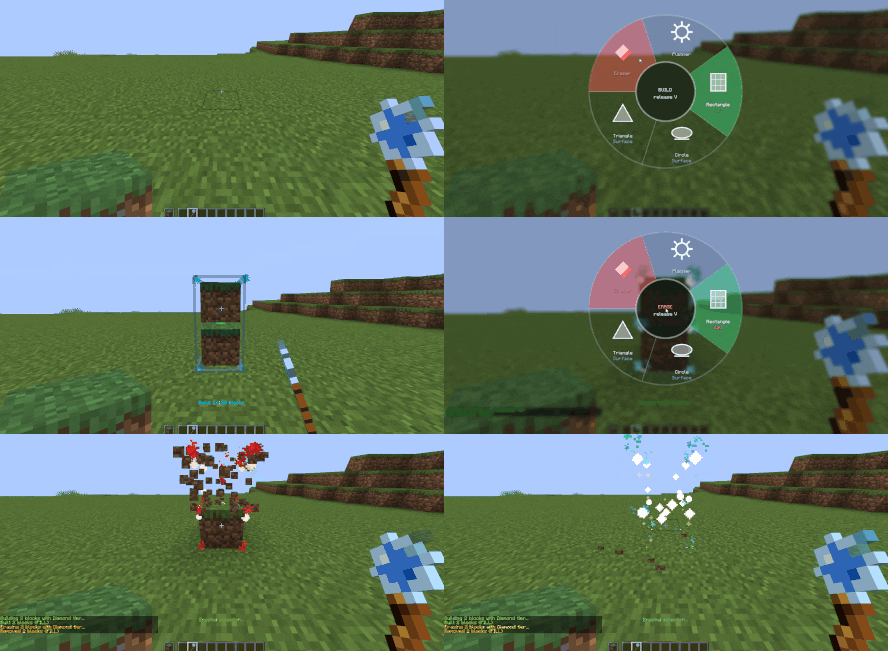
Drag & Drop Construction: Build and erase seamlessly by selecting points, eliminating tedious manual placement.
Flexible Shapes: Easily create rectangles, cylinders, and triangles.
Enchantment Support: The starter Redstone Wand supports Unbreaking, Mending, and Silk Touch. The advanced Arcane Wand exclusively supports Silk Touch.
Arcane Well: A dedicated magical station used to recharge your Arcane Wand's Mana.
The Planner Totem: Creates a designated zone where you can safely fly and plan your builds using "ghost blocks". All actions inside are purely visual and do not affect your survival world. The moment you leave the Totem's range, you instantly lose the flight ability and ghost building features, ensuring the survival experience remains completely intact.
Perfectly Balanced: Designed to enhance, not ruin, the survival experience. Everything is scaled perfectly—from the tools' capabilities and efficiency to their specific costs in standard durability or magical Mana.
Planner Totem on Servers: To protect survival balance, there can only be one active Totem in the world, and it can be upgraded to expand its area. On multiplayer servers, you must have OP privileges to place and activate the Totem.
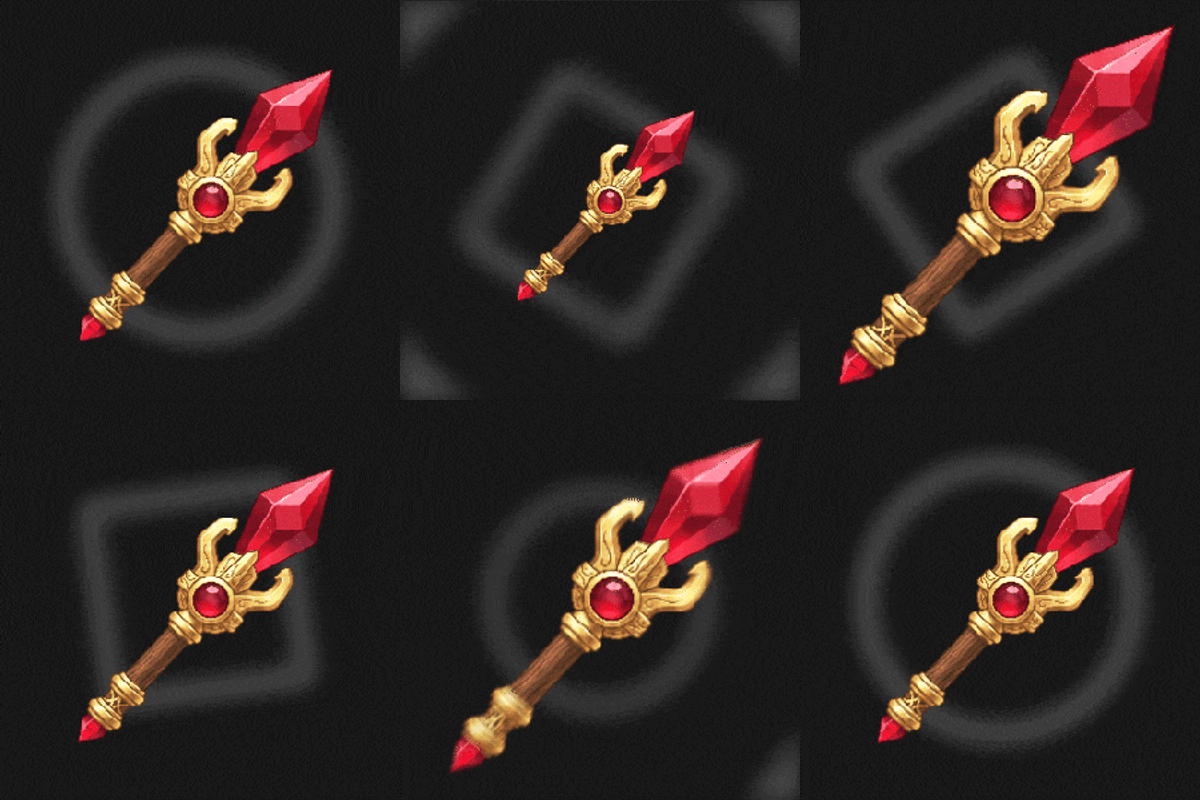
This mod features two distinct wands: a Redstone Wand useful for early game progression, and an advanced Arcane Wand that operates on Mana, which can be recharged using the Arcane Well.

Planner Totem This item has no crafting recipe. It can only be obtained and placed by a Server OP via the Planner menu, accessible by pressing 'V'

Shift + Scroll: Rotate the block you are holding.
Scroll (While Building): Change the wall/shape axis before you release your click to confirm the build.
R: Toggle the Eraser tool.
Note: You can discover and customize all shortcuts in the game's Options -> Controls -> Key Bindings menu.

Currently, version 1.2 supports Minecraft 26.1 and above for Fabric, Forge, and NeoForge. Support for older versions like 1.21 and 1.20 will be rolled out gradually soon.
Community & Ideas: Have suggestions for new features or general questions? Share your thoughts in the CurseForge Comments Section.

Developer: in2bubble
Project Name: Architectural Building Wand
License: All Rights Reserved
Support & Issues: Please report any issues or leave your feedback directly in the CurseForge Comments Section.
A sophisticated architectural tool designed to make building fast, precise, and enjoyable. Utilizing a simple "Drag and Drop" mechanic, this mod allows you to construct complex structures effortlessly. It provides an advanced visual Planner Mode and is perfectly balanced for Survival gameplay, offering a professional yet vanilla-friendly building experience.
Arcane Well Server Fix: Fixed an issue where the Arcane Well was not functioning properly on multiplayer servers.
Loader Version Compatibility: Fixed compatibility issues with newer loader versions that were previously unsupported.


Drag & Drop Construction: Build and erase seamlessly by selecting points, eliminating tedious manual placement.
Flexible Shapes: Easily create rectangles, cylinders, and triangles.
Enchantment Support: The starter Redstone Wand supports Unbreaking, Mending, and Silk Touch. The advanced Arcane Wand exclusively supports Silk Touch.
Arcane Well: A dedicated magical station used to recharge your Arcane Wand's Mana.
The Planner Totem: Creates a designated zone where you can safely fly and plan your builds using "ghost blocks". All actions inside are purely visual and do not affect your survival world. The moment you leave the Totem's range, you instantly lose the flight ability and ghost building features, ensuring the survival experience remains completely intact.

-
Perfectly Balanced: Designed to enhance, not ruin, the survival experience. Everything is scaled perfectly—from the tools' capabilities and efficiency to their specific costs in standard durability or magical Mana.
-
Planner Totem on Servers: To protect survival balance, there can only be one active Totem in the world, and it can be upgraded to expand its area. On multiplayer servers, you must have OP privileges to place and activate the Totem.

- This mod features two distinct wands: a Redstone Wand useful for early game progression, and an advanced Arcane Wand that operates on Mana, which can be recharged using the Arcane Well.
- Planner Totem This item has no crafting recipe. It can only be obtained and placed by a Server OP via the Planner menu, accessible by pressing 'V'
-
Shift + Scroll: Rotate the block you are holding.
-
Scroll (While Building): Change the wall/shape axis before you release your click to confirm the build.
-
R: Toggle the Eraser tool.
-
Note: You can discover and customize all shortcuts in the game's Options -> Controls -> Key Bindings menu.
Currently, version 1.2 supports Minecraft 26.1 and above for Fabric, Forge, and NeoForge. Support for older versions like 1.21 and 1.20 will be rolled out gradually soon.
Community & Ideas: Have suggestions for new features or general questions? Share your thoughts in the CurseForge Comments Section.
-
Developer: in2bubble
-
Project Name: Architectural Building Wand
-
License: All Rights Reserved
-
Support & Issues: Please report any issues or leave your feedback directly in the CurseForge Comments Section.
NOT AN OFFICIAL MINECRAFT SERVICE. NOT APPROVED BY OR ASSOCIATED WITH MOJANG OR MICROSOFT.
Screenshots
Gallery
-
 banner
-
 banner
Versions
Files
Relations
Project Relations
More like this
Similar Mods
Suggestions use data such as tags, dependencies, dependents, descriptions, titles, and more to rank how much they overlap with this mod.
On ModDex
Community snapshot
By the numbers
Statistics
Want to reach Minecraft players?
We're looking for a server hosting partner to feature here and other parts of the site. Interested? Send us a message!
Get in touchGet it on
Available Platforms
On ModDex
Community snapshot
By the numbers
Statistics
Resources