
Community listing page, reviews here may not be monitored by the author.
Argonyte


No reviews yet
A clean, customizable FPS display that helps you monitor performance in style Features
Community voices
Reviews
No reviews yet. Be the first to review this project!
Get it on
Available Platforms
Compatibility
Supported Environments
Runs entirely on the client. Works on vanilla servers.
About
Project Details
For authors
Embed Badge
If you're the author of this project, you can embed a live badge anywhere that supports HTML or Markdown. It updates automatically whenever ratings change.
Use HTML for any page that supports it, or Markdown for README files and Markdown-based descriptions.
Identifiers
Platform IDs
Resources
External Links
About
Description


A clean, customizable FPS display that helps you monitor performance in style
Features
Color-coded FPS values:
🔵 Blue (90+ FPS) = Excellent
🟢 Green (60-89 FPS) = Smooth
🟡 Yellow (30-59 FPS) = Playable
🔴 Red (<30 FPS) = Needs optimization
Clean design:
"FPS:"label in crisp white- Semi-transparent background for readability
- Perfectly positioned at 10x10 pixels (top-left)
Lightweight:
- Only uses essential Fabric API modules
- Near-zero performance impact
Accurate measurement:
- Real frame-per-second calculation (not MC's smoothed F3 counter)
Perfect For
✔️ Benchmarking modpacks
✔️ Streamers who show performance
✔️ Troubleshooting lag spikes
✔️ Competitive players optimizing setups
Technical Info
🔹 Requires Fabric API + Mod Menu
🔹 Client-side only
🔹 Configurable position (edit in code)
"Because sometimes you need to see the numbers behind the magic"

A clean, customizable FPS display that helps you monitor performance in style
Features
Color-coded FPS values:
🔵 Blue (90+ FPS) = Excellent
🟢 Green (60-89 FPS) = Smooth
🟡 Yellow (30-59 FPS) = Playable
🔴 Red (<30 FPS) = Needs optimization
Clean design:
"FPS:"label in crisp white- Semi-transparent background for readability
- Perfectly positioned at 10x10 pixels (top-left)
Lightweight:
- Only uses essential Fabric API modules
- Near-zero performance impact
Accurate measurement:
- Real frame-per-second calculation (not MC's smoothed F3 counter)
Perfect For
✔️ Benchmarking modpacks
✔️ Streamers who show performance
✔️ Troubleshooting lag spikes
✔️ Competitive players optimizing setups
Technical Info
🔹 Requires Fabric API + Mod Menu
🔹 Client-side only
🔹 Configurable position (edit in code)
"Because sometimes you need to see the numbers behind the magic"
Screenshots
Gallery
-
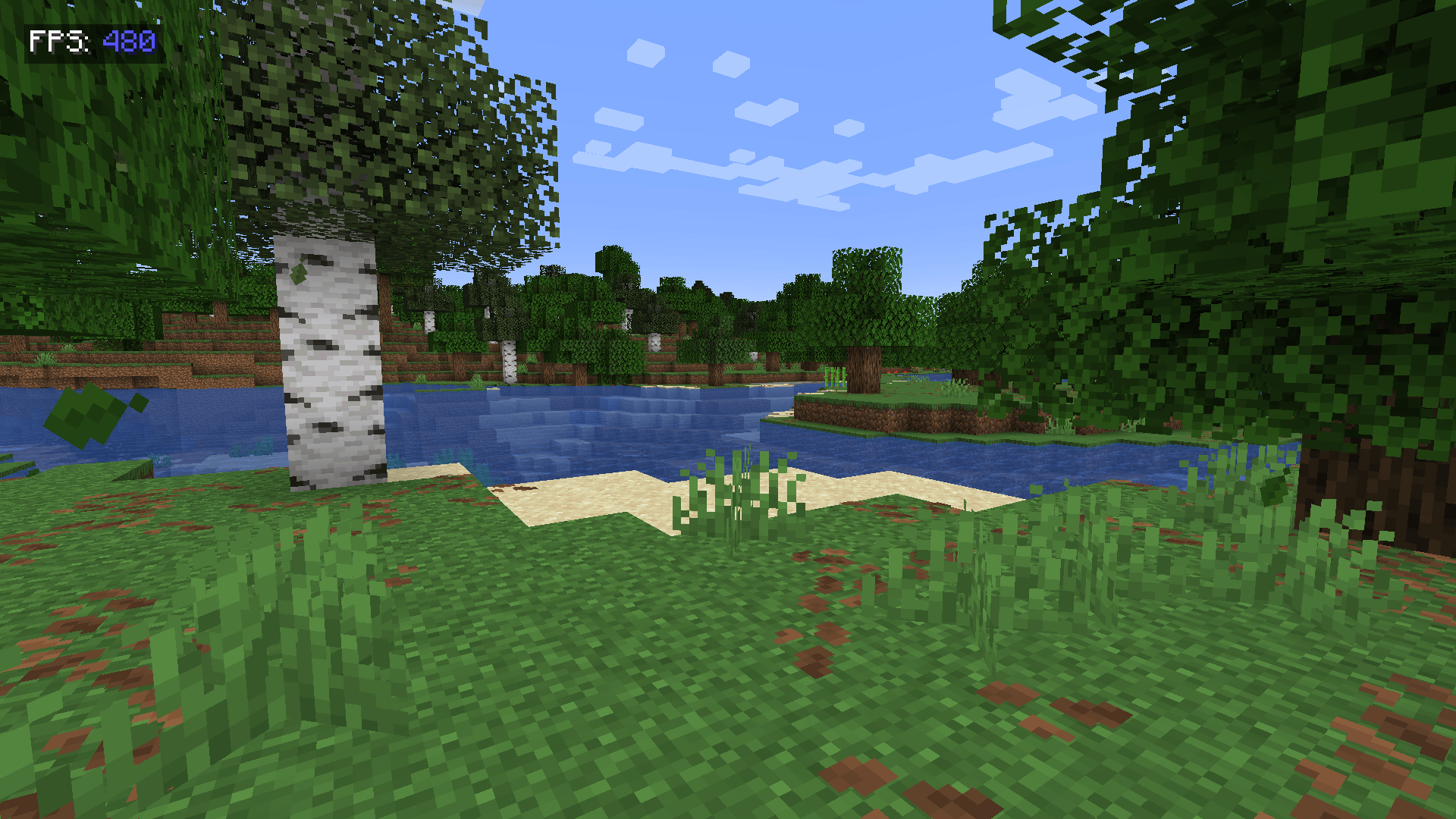 d554fd5dd0c5b2004e8256d346a9af5f828e9765.png d554fd5dd0c5b2004e8256d346a9af5f828e9765.png
-
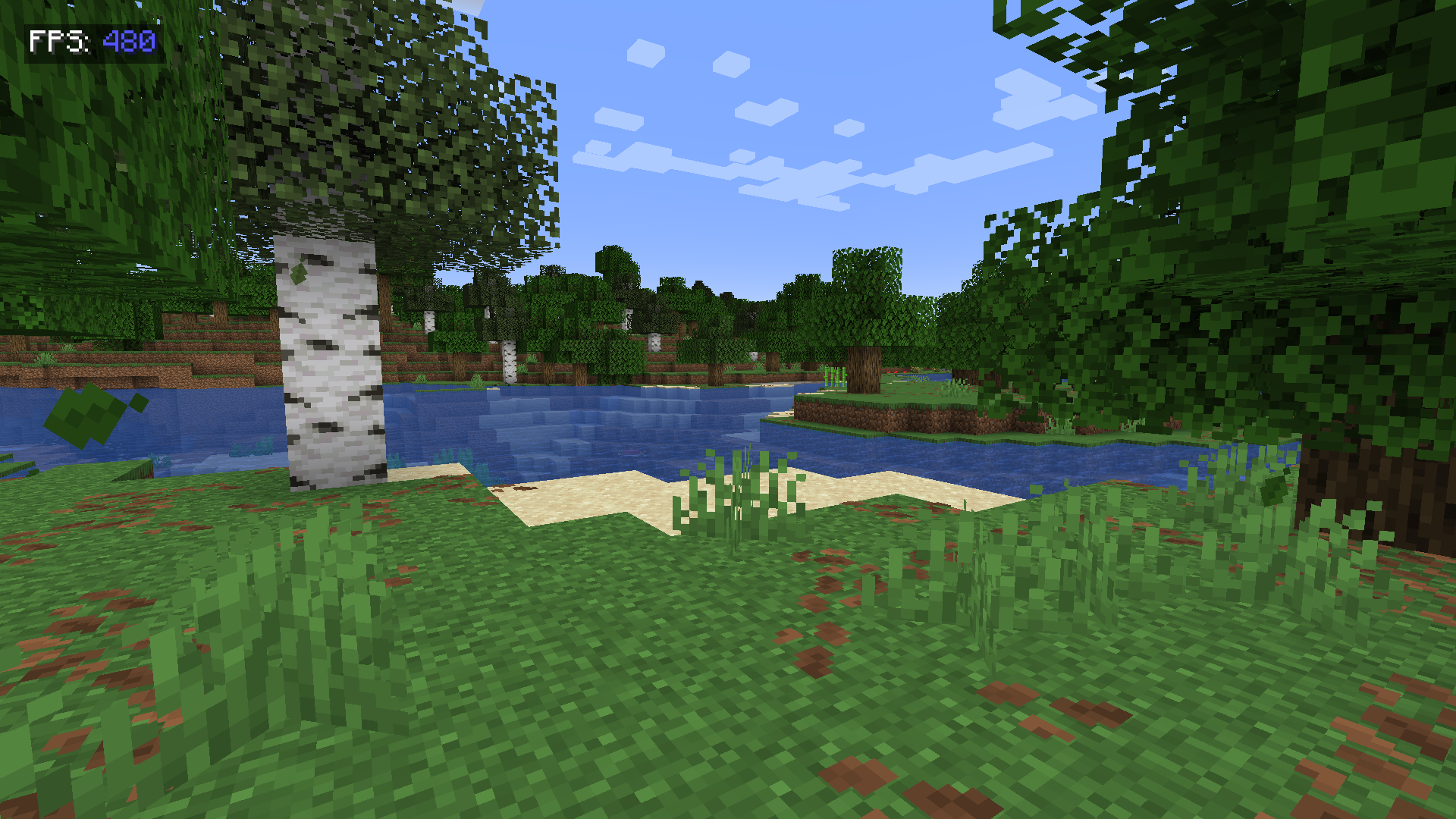 A showcase of the mod. ShowFPS
Versions
Files
Relations
Project Relations
More like this
Similar Mods
Suggestions use data such as tags, dependencies, dependents, descriptions, titles, and more to rank how much they overlap with this mod.
On ModDex
Community snapshot
By the numbers
Statistics
Want to reach Minecraft players?
We're looking for a server hosting partner to feature here and other parts of the site. Interested? Send us a message!
Get in touchGet it on
Available Platforms
On ModDex
Community snapshot
By the numbers
Statistics
Resources