
Community listing page, reviews here may not be monitored by the author.
arichat


No reviews yet
Adds AI-RolePlay to Minecraft via Headless Automation of Agnai website
Community voices
Reviews
No reviews yet. Be the first to review this project!
Get it on
Available Platforms
Compatibility
Supported Environments
Works in singleplayer only; does not function in multiplayer.
About
Project Details
For authors
Embed Badge
If you're the author of this project, you can embed a live badge anywhere that supports HTML or Markdown. It updates automatically whenever ratings change.
Use HTML for any page that supports it, or Markdown for README files and Markdown-based descriptions.
Identifiers
Platform IDs
Resources
External Links
About
Description

CurseForge >>> Arichat >>> Instruction
Arichat is a Minecraft mod for 1.12.2 forge and 1.20.4 fabric
Adds AI-RolePlay to Minecraft via Headless Automation of Agnai website
The following are 2 blocks: Description, Instruction
(The translation is available on the website)
Description
Arichat - a mod whose task is to connect Minecraft with a site connected to AI.
(On the current version of the mod, this site - Agnai, which has connects its frontend interface, which simplifies the work with different with AI models, such as role model).
To put it simplistically, the mod adds Role-Play with Artificial Intelligence to the functionality of Minecraft
- By creating a character card, uploading it to the site, you will be able to communicate with it within minecraft.
- Using this mod in conjunction with others, you will be able to create a physical representation of the character in the game, and his behavior will be built with the help of Arichat, and therefore based on a neural network.
- It is important to realize that Arichat is not a neural network model, but a connector.
- The quality of the character will depend on which model you choose/purchase, and how you prescribe the character/schemes/scenarios.
- If you describe the process in a complicated way, it goes like this: Agnai is a shell over the neuro-model, and Aricat makes a minecraft shell for the shell for the neuro-model. Simplified description: adding Ai characters to minecraft.
- Please read the usage section before using the mod
Warning: Arichat test mod to demonstrate features. Updates and support for the mod from the author will most likely be missing.
However, do not be upset, in the instructions I will tell you everything in detail. If you run the mod at all, you will be able to figure it out
Instructions
- Arichat uses “test automation”, so the program will be driver-browser driven
I'll outline the obvious limitations right away:You need internet
- You need a browser (The author recommends installing Chrome if Arichat does not work with your browser).
- In case of an error, there is a high probability that the driver will hang as a process. In that case, you can find it via Task Manager to disable it
- If everything is working correctly, the managed browser will store data such as: site data, themes, extensions
Since, many sites have ads in them, the author recommends installing the free adBlock Plus extension at the first startup
If you use the browser without a shell, ads should not interfere with the program in theory, however, there is a possibility that they will.
- How does the automation work? When you start the client, the mod starts downloading a webdriver for your browser, after which it will be launched.
You will have a “clean” browser open, you can use it like normal browsers, however, it is completely controlled by the automation program.
Going to the site, clicking on buttons, filling in fields, getting data from the site. The important thing is that the browser shell visible to us is not mandatory for the program
When you want to move from development to testing, you should enable headless in the mod config, and then restart the game.
This way the interaction between the program and the browser will be invisible to you.
- Okay, now we have a simple understanding of what Arichat does. Think of it as if you were working with a browser through the game.
Digression: there is a chatmod parameter in the mod config, if it is active you will be able to interact with characters via chat and commands.
However, originally the mod was created for the creators of minecraft maps, which means that assumes that you will work with it through scripts
(Examples of scripts later)
CurseForge >>> GitHub >>> Instruction
Arichat is a Minecraft mod for 1.12.2 forge and 1.20.4 fabric
Adds AI-RolePlay to Minecraft via Headless Automation of Agnai website
The following are 2 blocks: Description, Instruction
(The translation is available on the website)
Description
Arichat - a mod whose task is to connect Minecraft with a site connected to AI.
(On the current version of the mod, this site - Agnai, which has connects its frontend interface, which simplifies the work with different with AI models, such as role model). To put it simplistically, the mod adds Role-Play with Artificial Intelligence to the functionality of Minecraft
By creating a character card, uploading it to the site, you will be able to communicate with it within minecraft. Using this mod in conjunction with others, you will be able to create a physical representation of the character in the game, and his behavior will be built with the help of Arichat, and therefore based on a neural network. It is important to realize that Arichat is not a neural network model, but a connector. The quality of the character will depend on which model you choose/purchase, and how you prescribe the character/schemes/scenarios. If you describe the process in a complicated way, it goes like this: Agnai is a shell over the neuro-model, and Aricat makes a minecraft shell for the shell for the neuro-model. Simplified description: adding Ai characters to minecraft. Please read the usage section before using the mod
Warning: Arichat test mod to demonstrate features. Updates and support for the mod from the author will most likely be missing.
However, do not be upset, in the instructions I will tell you everything in detail. If you run the mod at all, you will be able to figure it out
Instructions
Arichat uses “test automation”, so the program will be driver-browser driven I'll outline the obvious limitations right away:You need internet
- You need a browser (The author recommends installing Chrome if Arichat does not work with your browser).
- In case of an error, there is a high probability that the driver will hang as a process. In that case, you can find it via Task Manager to disable it
- If everything is working correctly, the managed browser will store data such as: site data, themes, extensions Since, many sites have ads in them, the author recommends installing the free adBlock Plus extension at the first startup If you use the browser without a shell, ads should not interfere with the program in theory, however, there is a possibility that they will.
How does the automation work? When you start the client, the mod starts downloading a webdriver for your browser, after which it will be launched.
You will have a “clean” browser open, you can use it like normal browsers, however, it is completely controlled by the automation program. Going to the site, clicking on buttons, filling in fields, getting data from the site. The important thing is that the browser shell visible to us is not mandatory for the program When you want to move from development to testing, you should enable headless in the mod config, and then restart the game. This way the interaction between the program and the browser will be invisible to you.
Okay, now we have a simple understanding of what Arichat does. Think of it as if you were working with a browser through the game. Digression: there is a chatmod parameter in the mod config, if it is active you will be able to interact with characters via chat and commands. However, originally the mod was created for the creators of minecraft maps, which means that assumes that you will work with it through scripts (Examples of scripts later)
Screenshots
Gallery
-
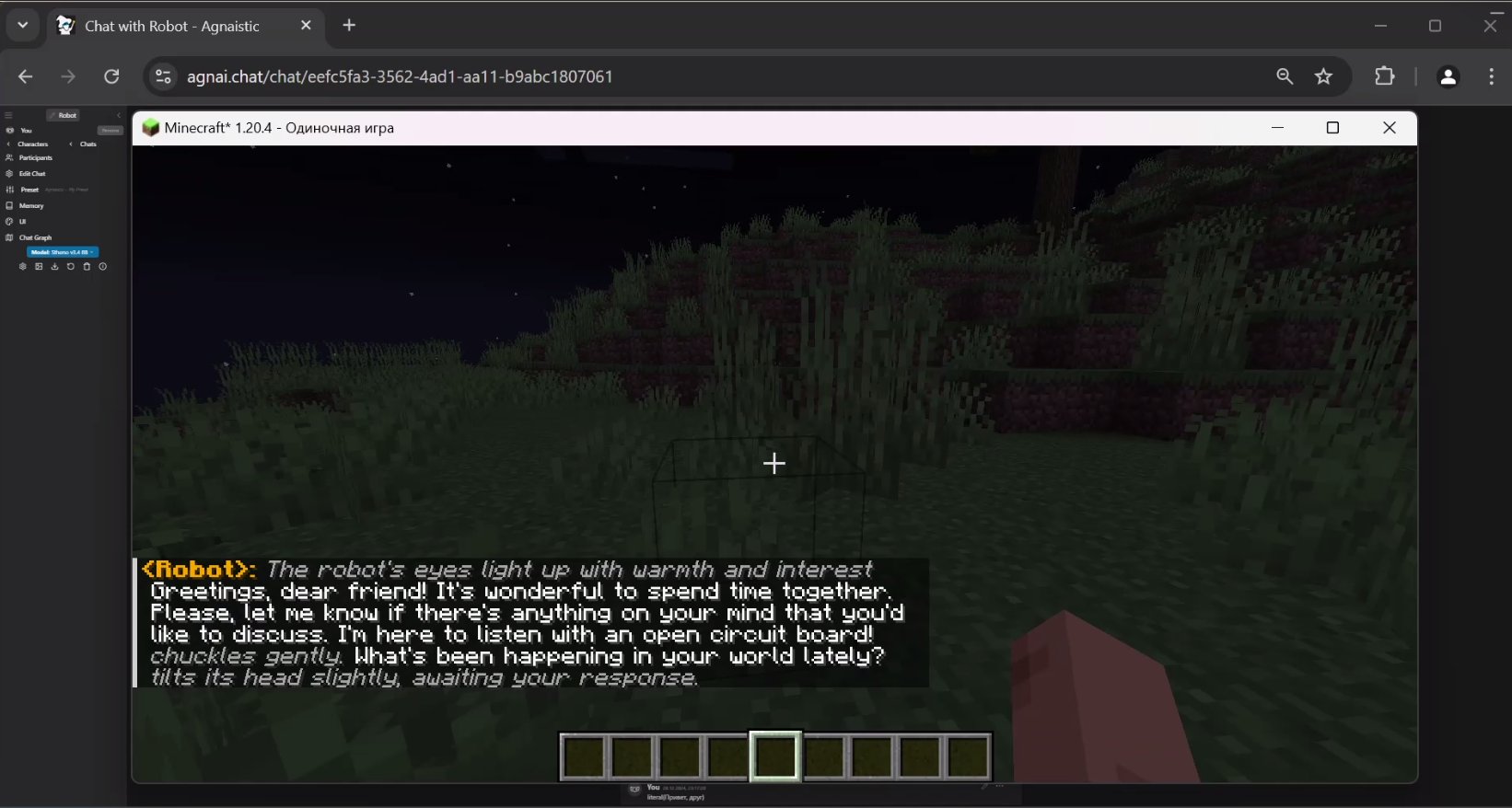 Demo 1 Example
 -
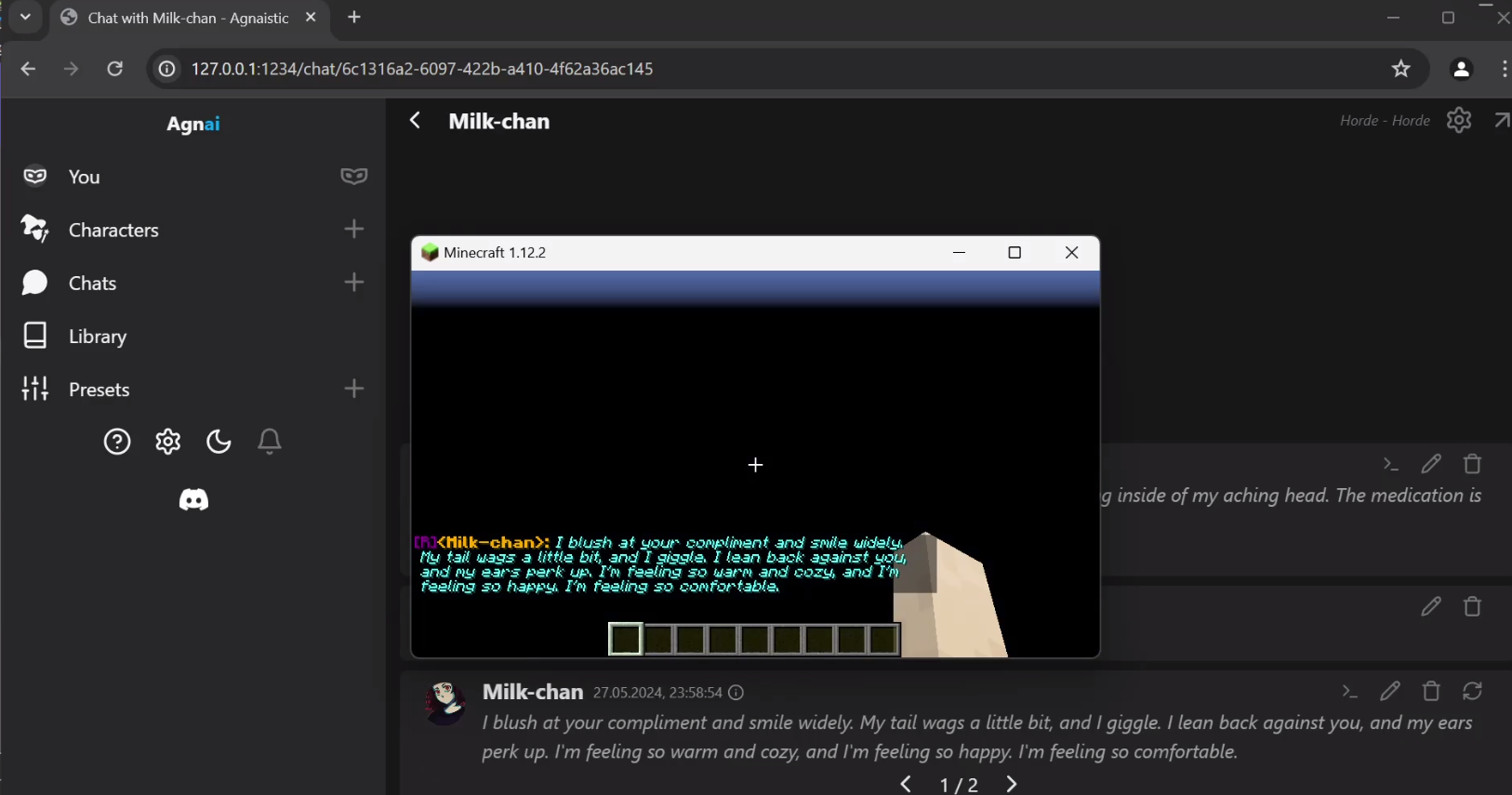 Demo 2 Old example of localhost
Versions
Files
Relations
Project Relations
More like this
Similar Mods
Suggestions use data such as tags, dependencies, dependents, descriptions, titles, and more to rank how much they overlap with this mod.
On ModDex
Community snapshot
By the numbers
Statistics
Want to reach Minecraft players?
We're looking for a server hosting partner to feature here and other parts of the site. Interested? Send us a message!
Get in touchGet it on
Available Platforms
On ModDex
Community snapshot
By the numbers
Statistics
Resources